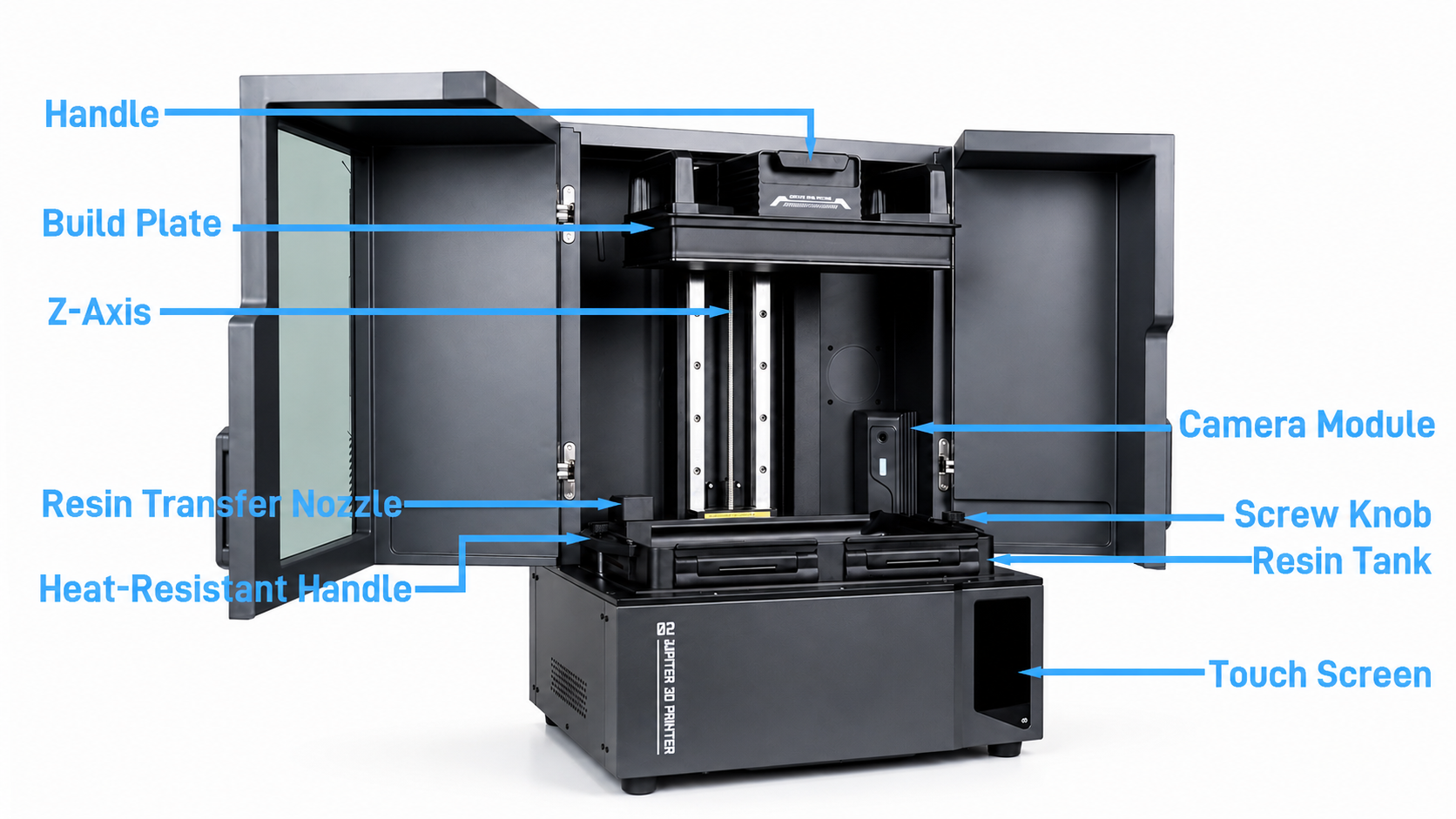
¶ Quick Start
¶ Setup and Update Guides
- How to Clean the Automatic Feed System
- How to Clean the Onboard Memory Files
- How to Update Firmware via USB Flash Drive or OTA
- Manual Leveling
- Automatic Resin Feeding & Recycling Operation Guide
¶ Troubleshooting
- Device Self-Test Failed-Mechanical Sensor Status
- LCD Screen No Exposure
- Device Self-Check Error-Resin Tank Status
- Automatic Feeding Timeout / Pump Not Operating
- Automatic Feeding Box Resin Leakage
- Does Not Power On / Touchscreen Remains Black
- Resin Tank Heating Causes Device Reboot
- Camera Feed Not Displaying
- Motor Stalling
- Auto-leveling Failed Error Appears Before Printing
¶ Parts replacement
- Wi-Fi Module Replacement
- Touch Screen Replacement(A0J0E1)
- Power Supply Replacement
- Constant Current Board Replacement(A0J0D1)
- Cooling Fan Replacement(A1J002)
- Z-Axis Limit Switch Cable Replacement
- Motherboard Replacement(A0J181)
- Lead Screw Motor Replacement(A0J0D1)
- PFA Release Liner Film Replacement
- Release Film Replacement
- Pressure Sensors Replacement(A0J0F1)
- Z-Axis Limit Switch Replacement
- LCD Screen Replacement
- Fresnel Lens Replacement
- How to Replace the Lens
- Heating Wire Adapter Board Replacement
- Magnetic Tool Head Cable Replacement
- Magnetic Female Connector PCB Replacement
- Power Switch Replacement
- UV LED Board Replacement
- Camera and LED Replacement
- How to Replace the Wi-Fi Antenna
¶ Help us improve
If you have any ideas about the wiki pages, please let us know via ELEGOO official feedback channel.