¶ Fault Phenomenon
- The motor vibrates during operation.
- The motor becomes stuck or stalls during operation.
- The motor does not rotate.
- The Z-axis movement is abnormal or unable to move up and down properly.
¶ Cause of the Issue
- Cured resin residue on the motor base or within the motion mechanism, causing abnormal motor operation.
- Insufficient lubrication, dried grease, or contaminated grease on the linear guide, lead screw, or related motion components.
- The anti-backlash nut is faulty, causing the motor to become stuck or experience excessive resistance when operating under load.
- The motor module is not installed properly, resulting in mechanical stress, misalignment, or improper assembly.
- Motor or mainboard malfunction.
¶ Required Tools for Troubleshooting
- Grease
- Cleaning tools
- 2.5 mm Allen key
- 2.0 mm Allen key
¶ Troubleshooting Steps
¶ 1. Check for Resin Leakage
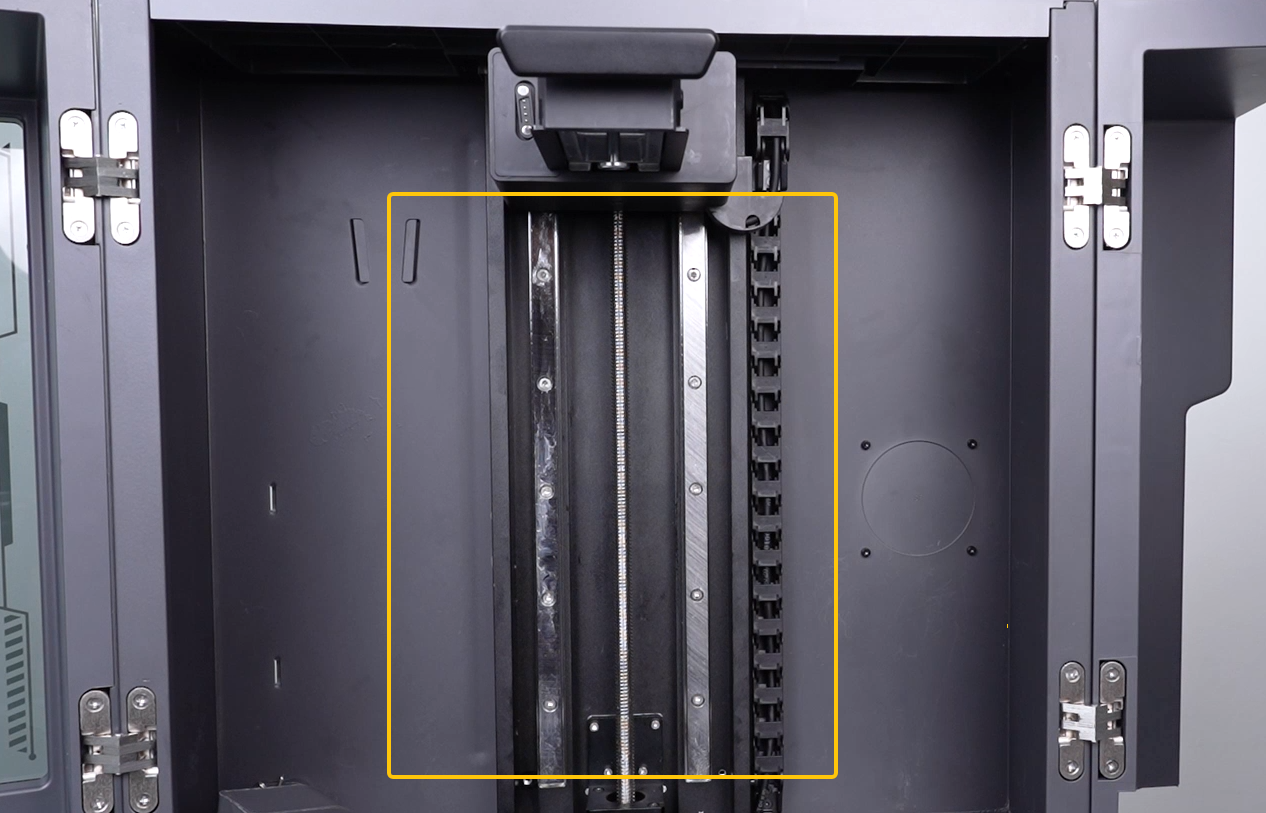
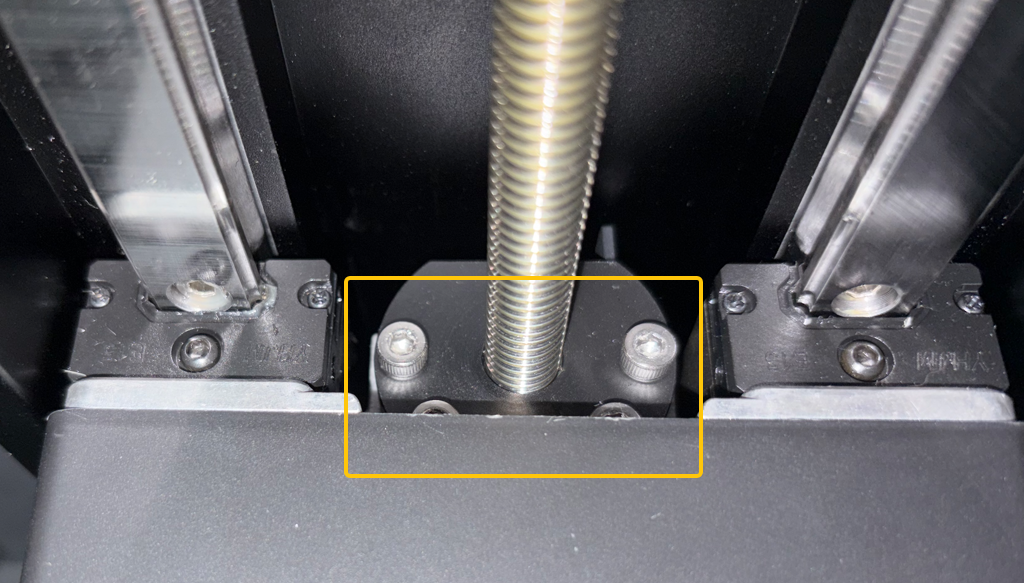
Check the lead screw, linear guide, anti-backlash nut, and motor base for resin leakage or cured resin residue.
Lead Screw and Linear Guide
Anti-backlash Nut
Base
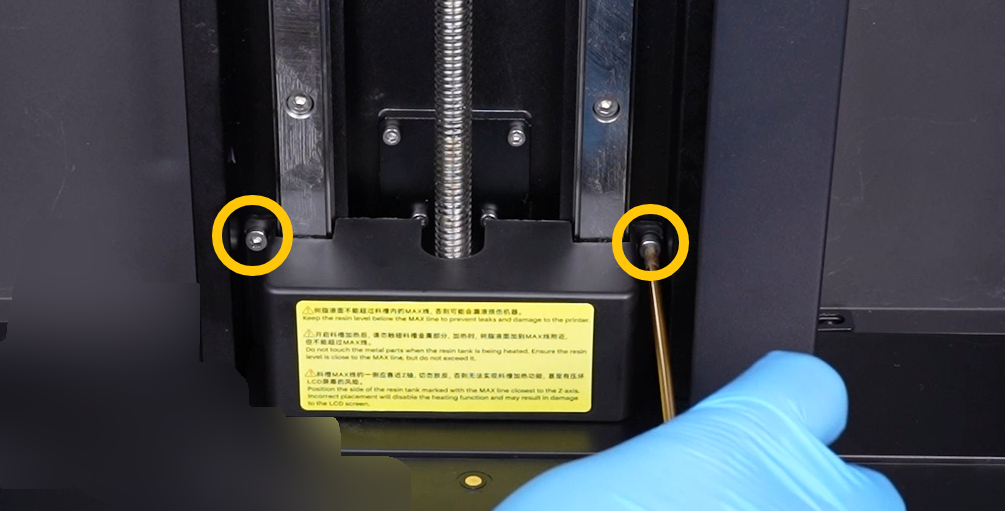
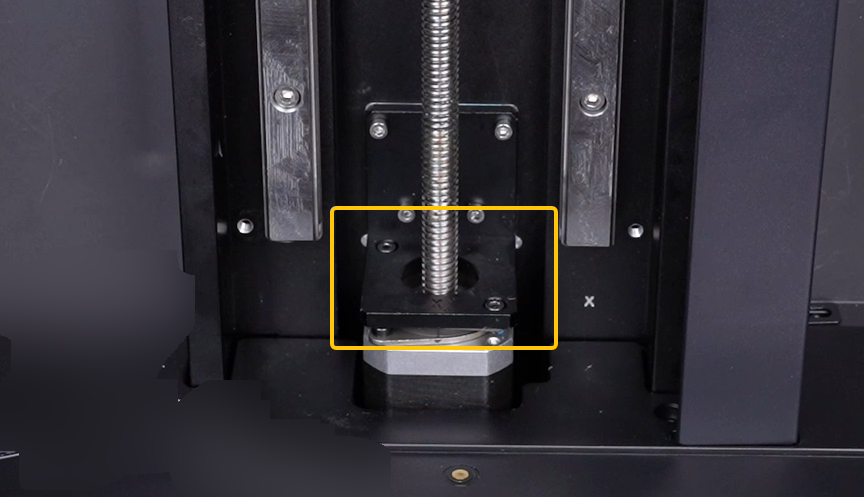
If resin enters the motion mechanism, it may increase motion resistance or cause mechanical binding, resulting in motor vibration, stalling, or failure to rotate.
- If resin leakage is found, clean the resin first.
- If the resin has already cured and cannot be removed, replace the Z-axis lead screw motor.
¶ 2. Reapply Grease
Check the lubrication condition of the linear guide, lead screw, and other related motion components.
If the grease is dried, insufficient, or contaminated:
- Remove the old grease completely.
- Apply a suitable new lubricant evenly.
- Manually move the mechanism to verify that it travels smoothly.
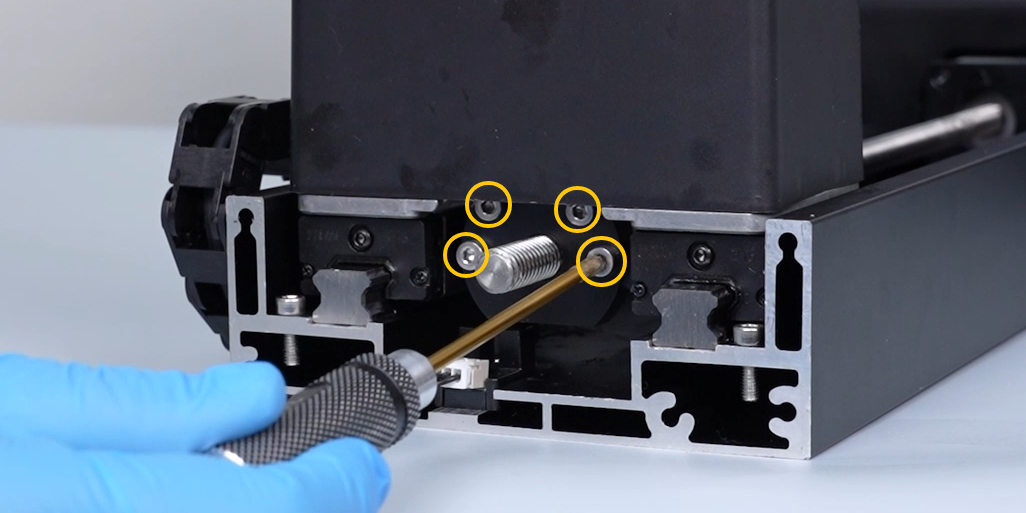
¶ 3. Remove the Anti-backlash Nut for Testing
¶ 3.1 Remove the Anti-backlash Nut
00:00–04:43 — How to Remove the Anti-backlash Nut
¶ 3.2 Power On the Printer
Connect the power cable and turn on the power switch.
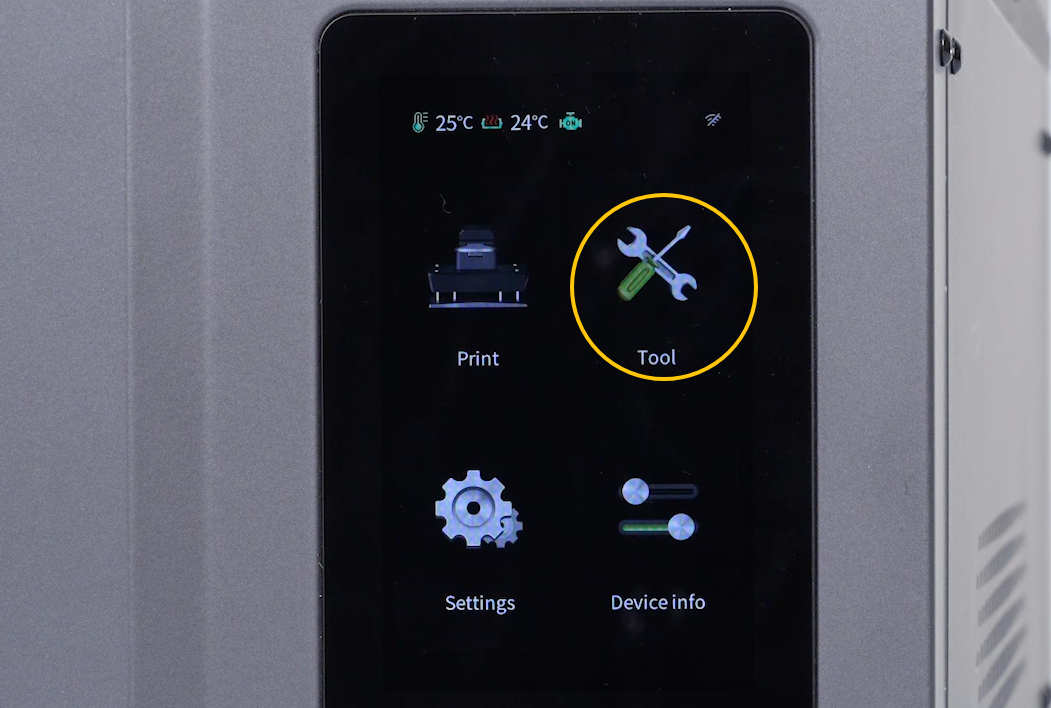
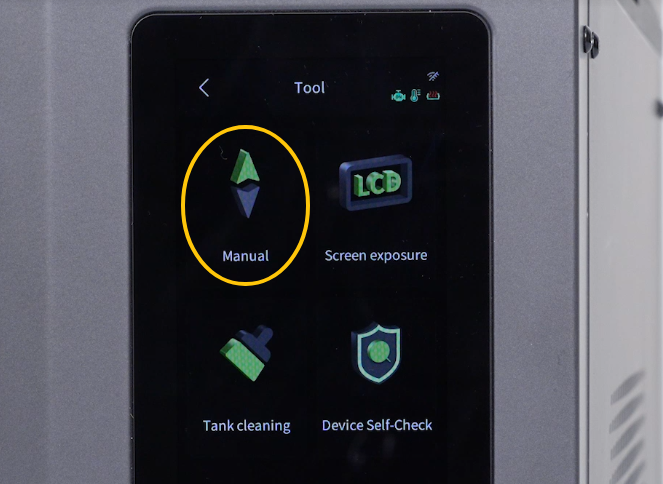
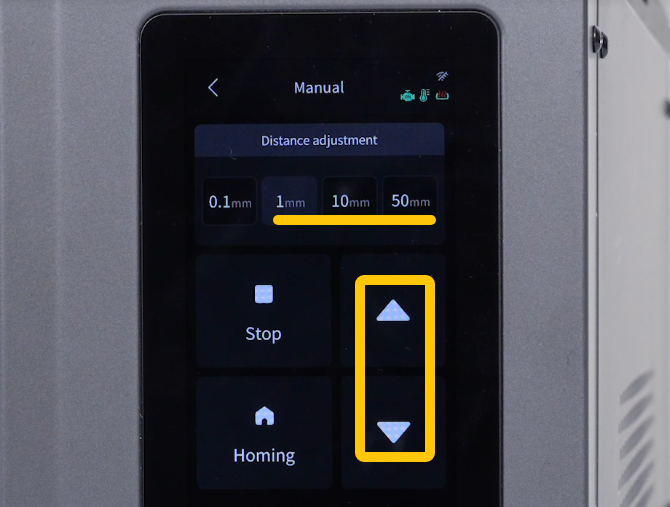
¶ 3.3 Test the Z-axis Motor
On the touchscreen:
Tool → Manual
Set the movement distance, then tap the ▽ and △ buttons to move the Z-axis lead screw motor up and down.
- If the motor operates normally after removing the anti-backlash nut, replace the anti-backlash nut.
- If the motor still operates abnormally, continue to Step 4.
¶ 4. Reinstall the Z-axis Motor
¶ 4.1 Power Off the Printer
Turn off the power switch and unplug the power cable.
¶ 4.2 Reinstall the Z-axis Motor
Refer to the following video:
https://www.youtube.com/watch?v=w3ekRMTHmp4
Note:
- Make sure all mounting screws are securely tightened.
- Ensure the Z-axis motor is installed without mechanical stress, misalignment, or improper assembly.
¶ 4.3 Test the Printer Again
Power on the printer and test the motor.
If the issue persists, continue to Step 5.
¶ 5. Check the Motor Cable Connection
¶ 5.1 Power Off the Printer
Turn off the power switch and unplug the power cable.
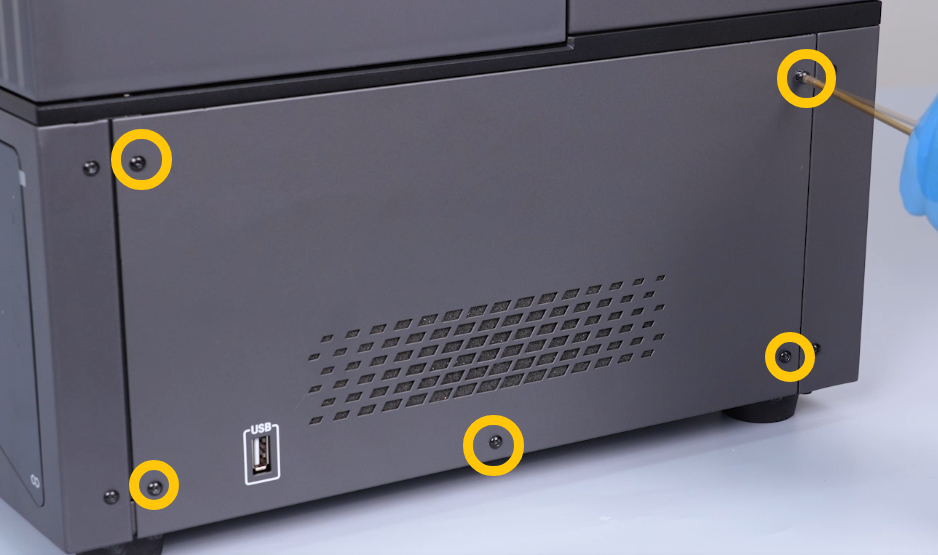
¶ 5.2 Remove the Right Side Panel
Use a 2.0 mm Allen key to remove the five screws securing the right side panel, then remove the panel.
¶ 5.3 Inspect the Motor Cable
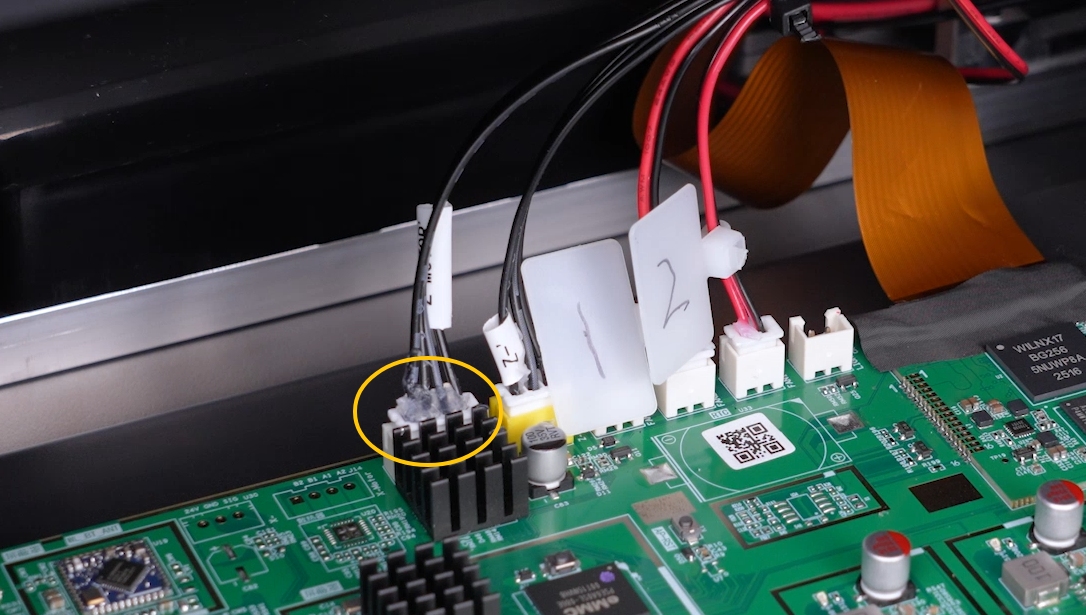
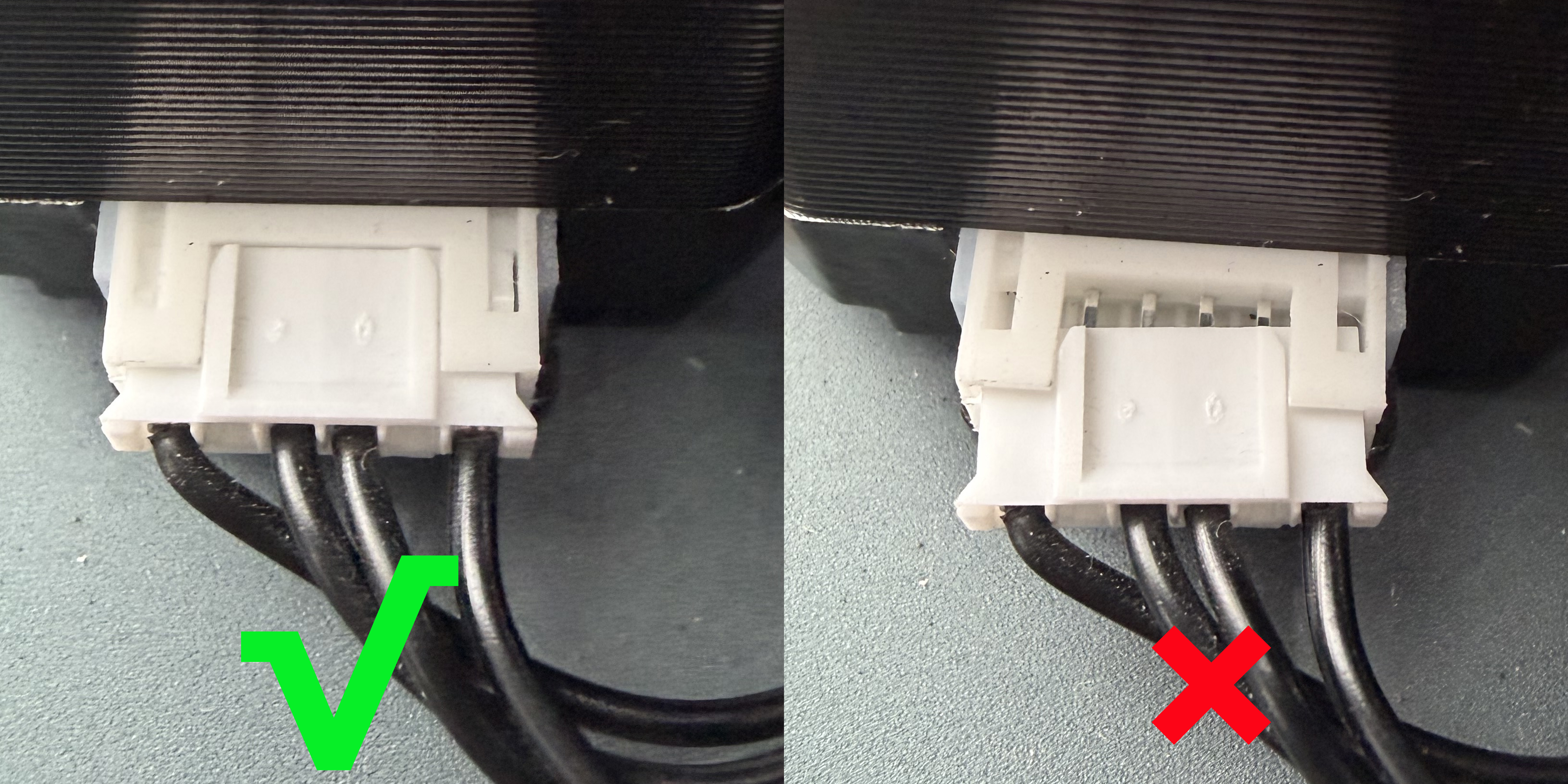
Check whether the motor cable and connector are:
- Loose
- Bent
- Damaged
Reconnect the motor connector securely.
¶ If the Issue Persists
Please contact technical support at 3dp@elegoo.com and provide the following information:
- A video showing the abnormal motor behavior and how the issue can be reproduced.
- Printer firmware version.
- Printer serial number (SN).
¶ Help us improve
If you have any ideas about the wiki pages, please let us know via ELEGOO official feedback channel