¶ Fault Symptoms
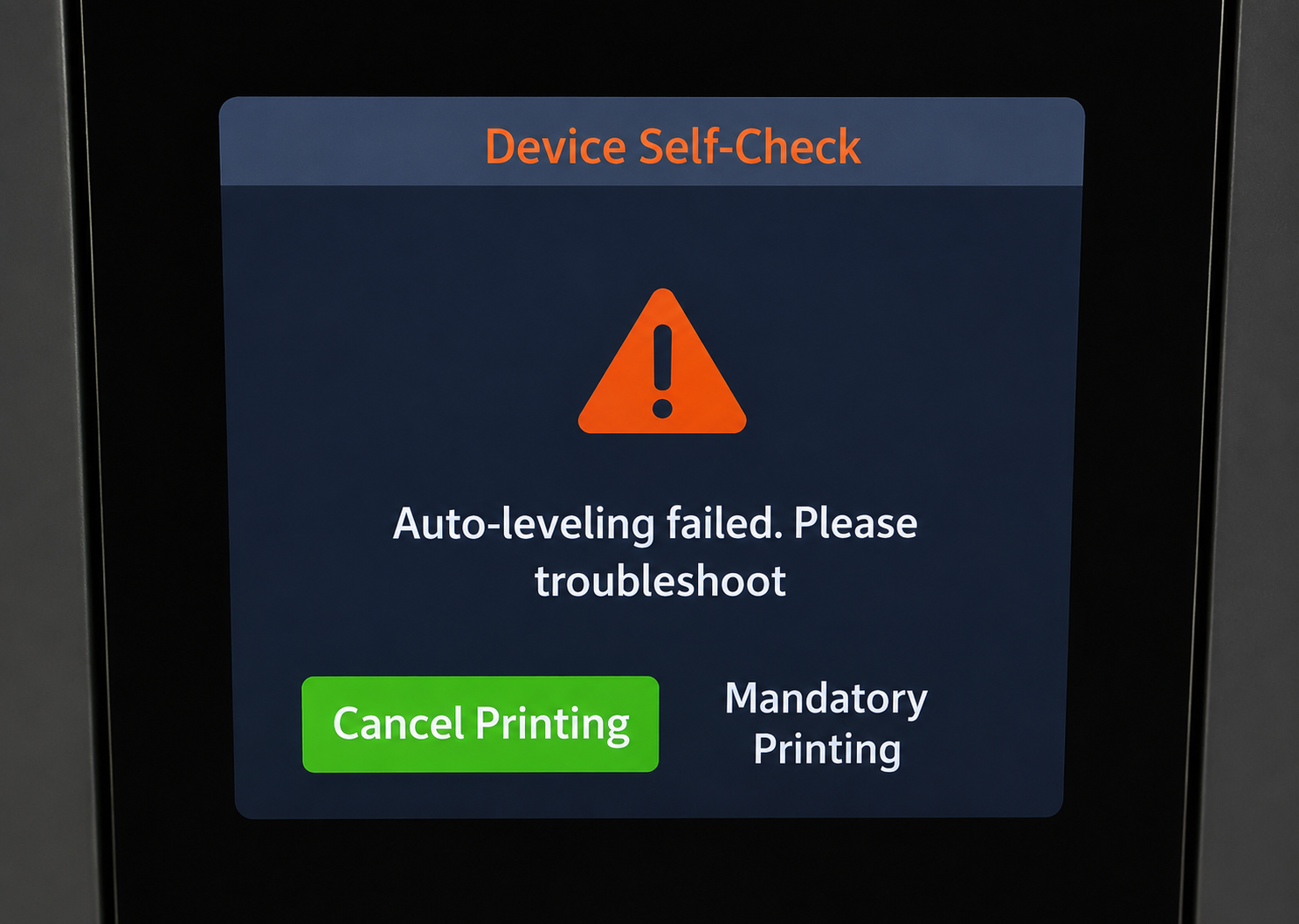
After starting a print, the touch screen displays the following error message:
"Auto-leveling failed. Please troubleshoot."
¶ Possible Causes
-
The leveling calibration data is incomplete or unstable.
During the initial leveling process, the leveling system may fail to obtain stable and complete measurement data. Performing manual leveling again allows the system to rebuild stable calibration data. -
The printer's condition has changed slightly after transportation.
Vibrations during shipping or handling may cause minor changes to the build plate position or the leveling sensor reference, resulting in a mismatch between the existing calibration data and the printer's current mechanical condition. -
A temporary deviation occurred during the leveling measurement.
In some cases, temporary fluctuations in sensor readings caused by printer conditions or environmental interference may trigger the auto-leveling warning.
¶ Troubleshooting Steps
¶ 1. Check and Update the Firmware
Update the printer to the latest firmware version by referring to the guide below. OTA update is recommended.
If your printer is already running the latest firmware, continue with the following troubleshooting steps.
¶ 2. Perform Manual Leveling Again
If the issue persists after the first attempt, repeat the manual leveling procedure several times if necessary.
In some cases, the system may require multiple calibration attempts before stable leveling data is established.
¶ 3. Temporary Workaround
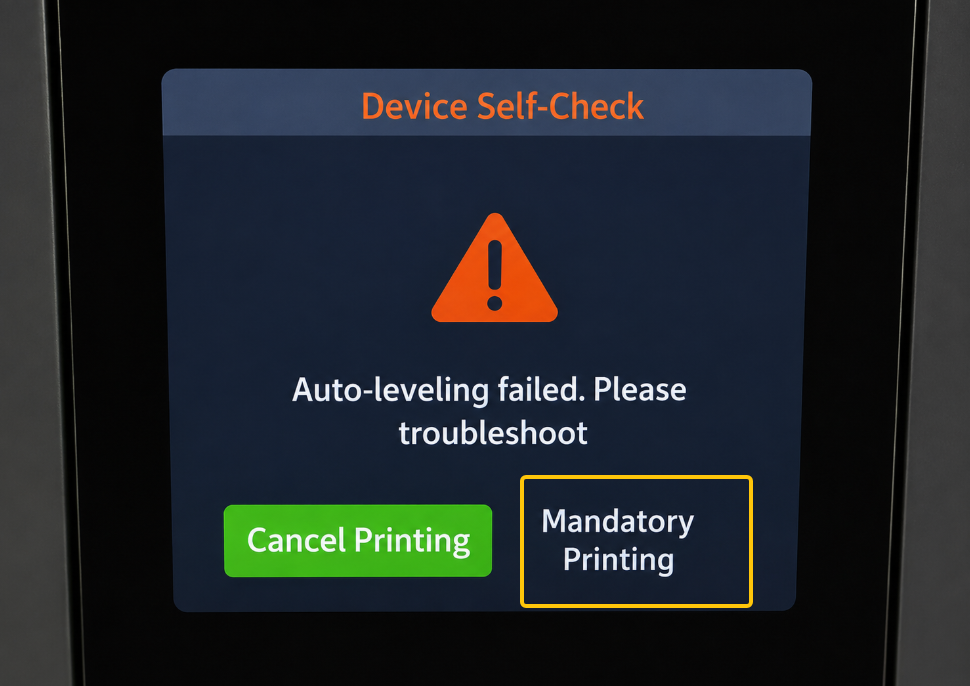
If the error still appears, you can try selecting "Mandatory Printing".
In some cases, the printer may still be able to complete the print successfully even when the auto-leveling warning is displayed.
¶ If the Issue Persists
Please contact our technical support team at 3dp@elegoo.com and provide the following information:
- A video showing how the error occurs.
- The current firmware version of the printer (Touch Screen > Device Info > Firmware Version).
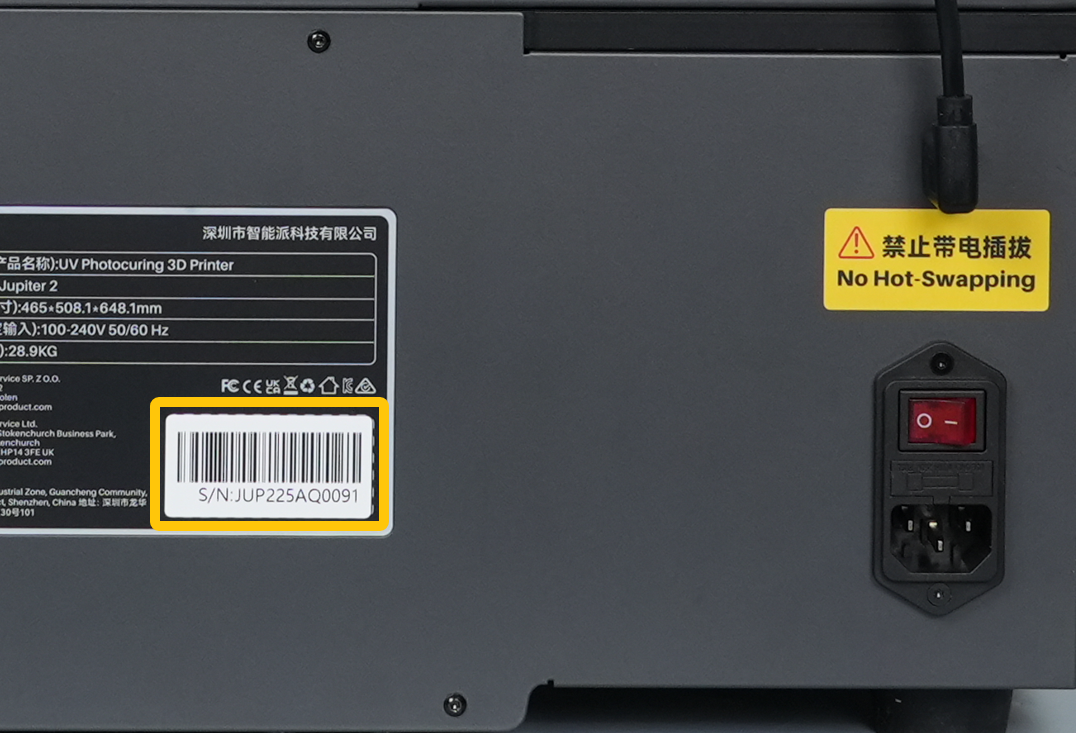
- The printer serial number (SN), located on the white label near the Power Switch, as shown below.
¶ Help us improve
If you have any ideas about the wiki pages, please let us know via ELEGOO official feedback channel