¶ Tools and Materials
-
A 2.0 mm Allen key
-
A pair of tweezers
-
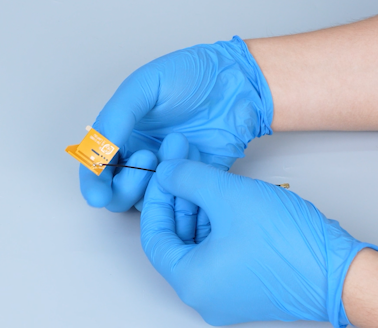
A new Wi-Fi module


¶ Tutorial Video
¶ Instruction
¶ Preparation
Turn the power switch OFF (symbol "〇") and unplug the power supply cable.
¶ Remove the old Wi-Fi module
-
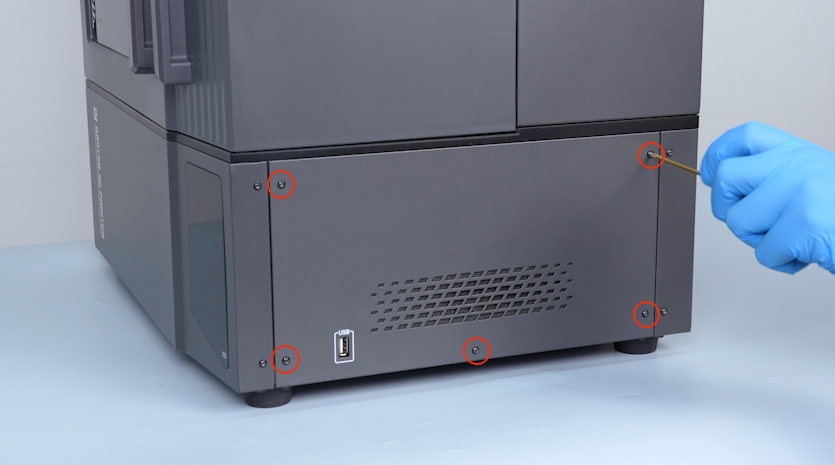
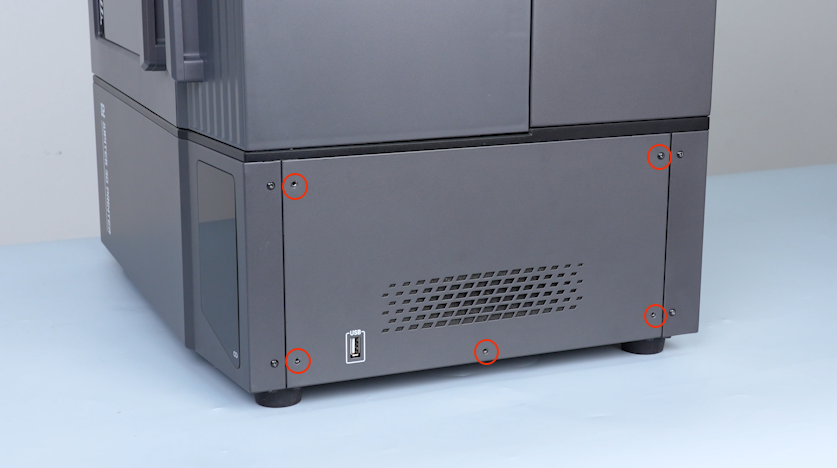
Release and remove the five screws securing the right cover with a 2.0 mm Allen key and remove the cover.
-
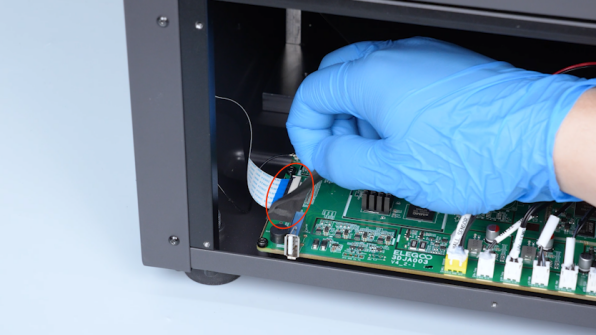
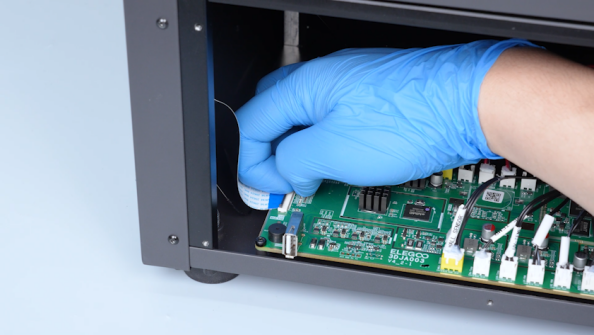
Remove the tape securing the touch screen ribbon cable and lift the clip.
-
Unplug the touch screen ribbon cable.
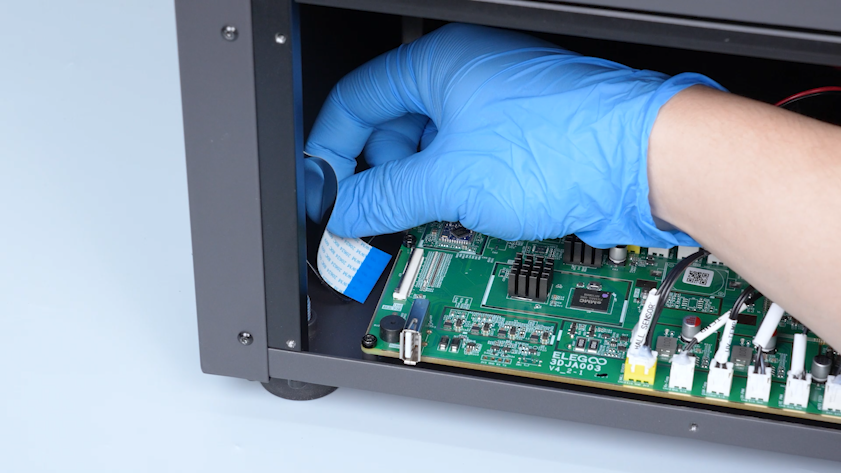
-
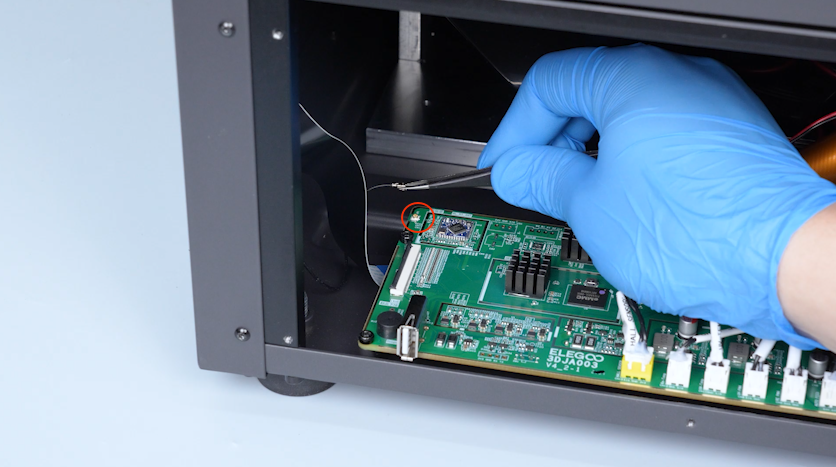
Unplug the Wi-Fi antenna with a pair of tweezers.
-
Peel off the tape securing the Wi-Fi module.
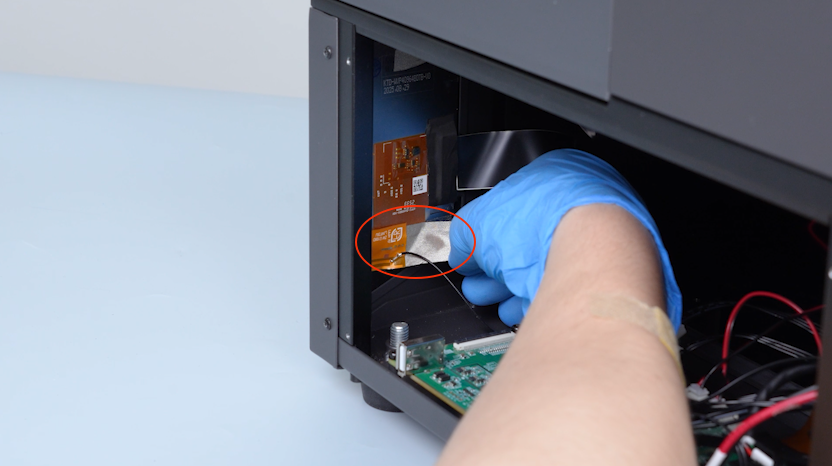
-
Separate the Wi-Fi module from the tape carefully.
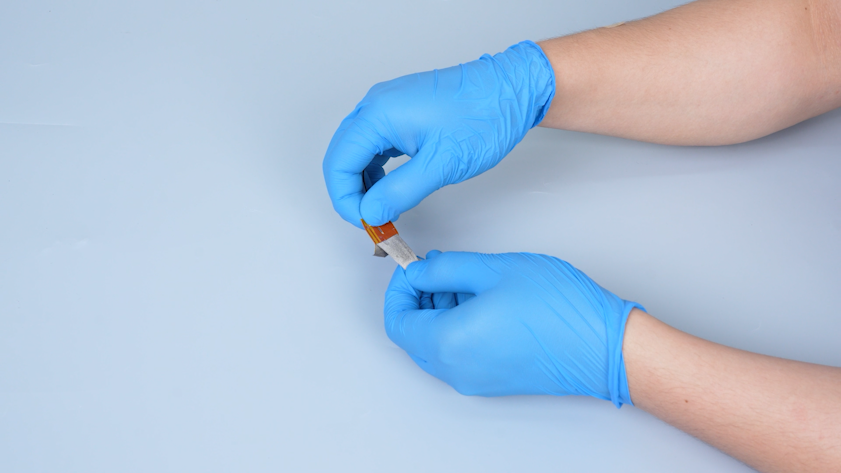
¶ Install the New Wi-Fi Antenna
-
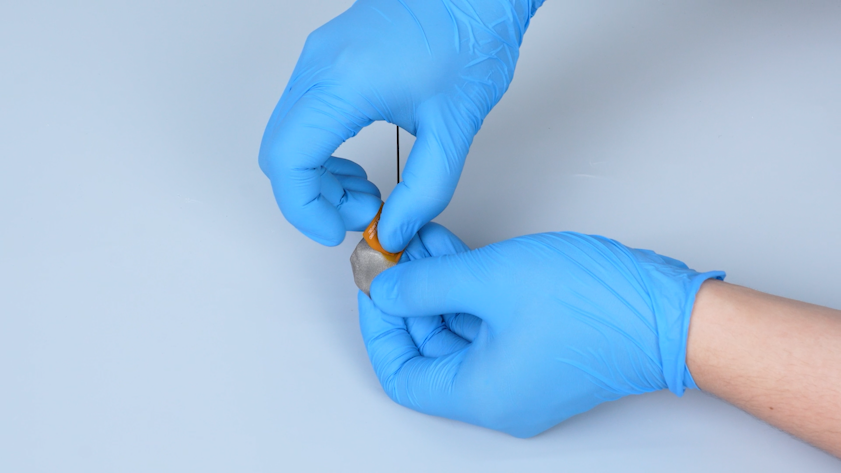
Get the new Wi-Fi module. Peel off the tape adhered to the back of the Wi-Fi module.
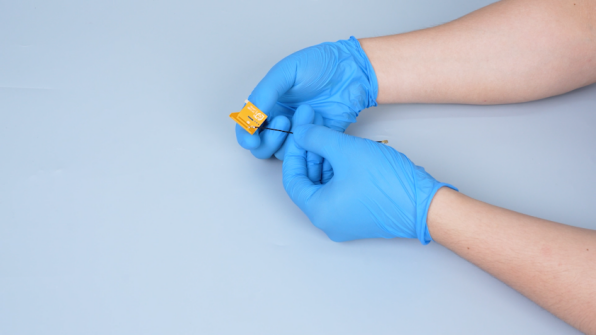
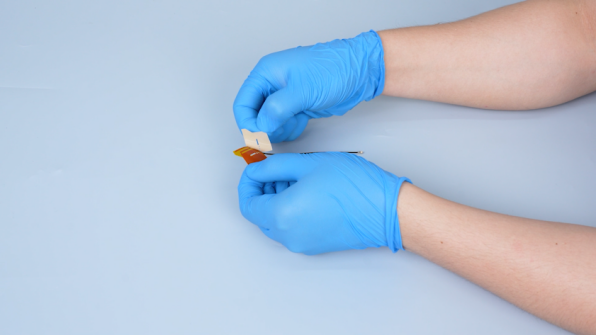
-
Stick the new Wi-Fi module to the tape.
-
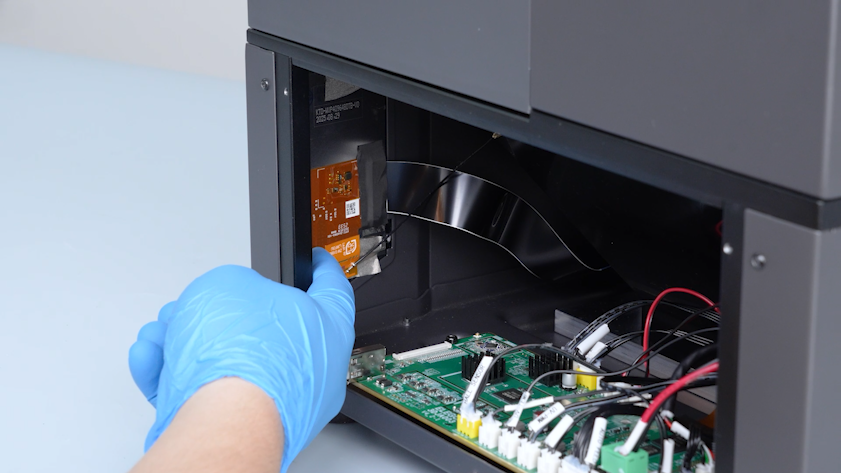
Adhere the Wi-Fi module to the back side of the touch screen.
-
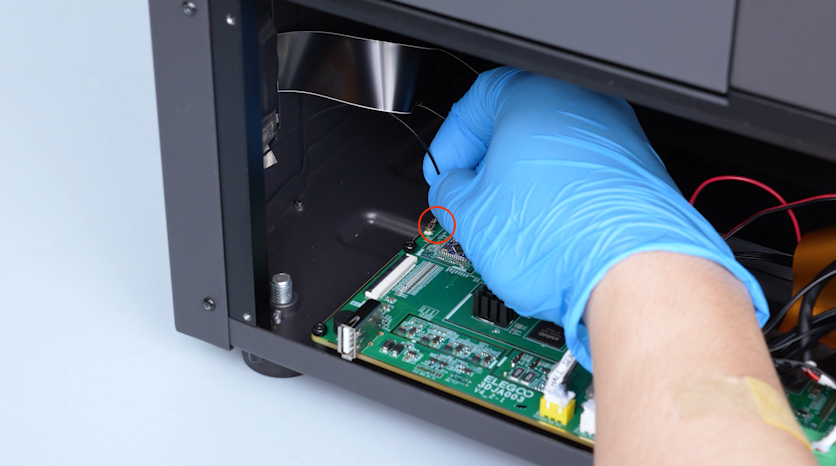
Plug in the Wi-Fi antenna onto the port on the motherboard.
-
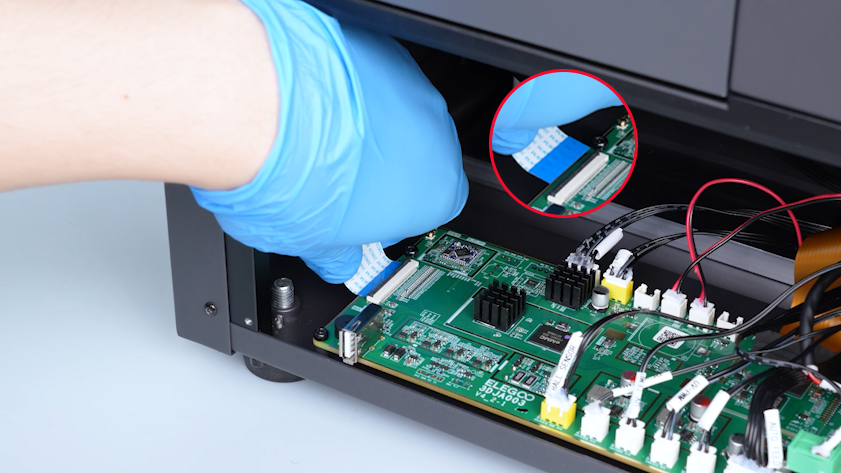
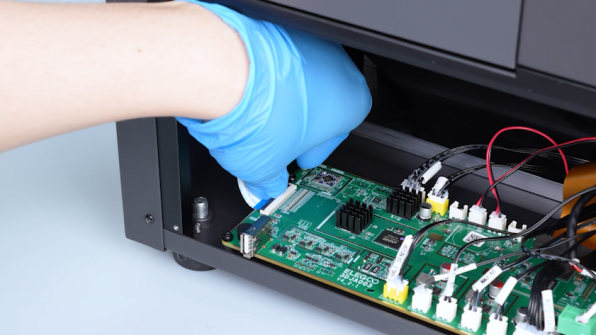
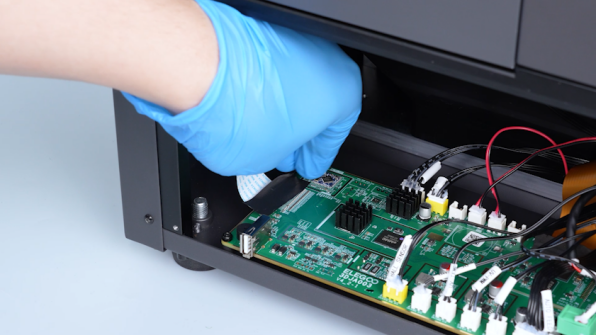
Plug in the touch screen ribbon cable.
Note: The blue side of the ribbon cable must face upward.
-
Press the clip and secure the touch screen ribbon cable with tape.
-
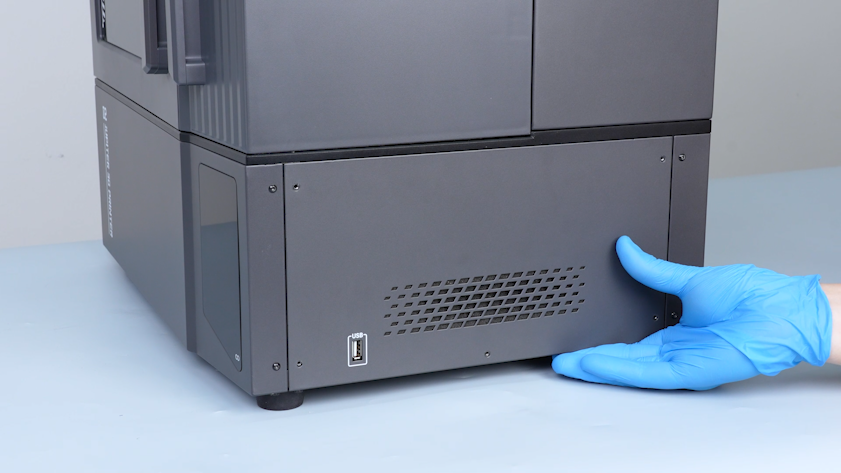
Put the right cover in the installation position.
-
Tighten the five screws securing the right cover.
¶ Verification
-
Plug in the power supply cable and turn the power switch ON (symbol "|").
-
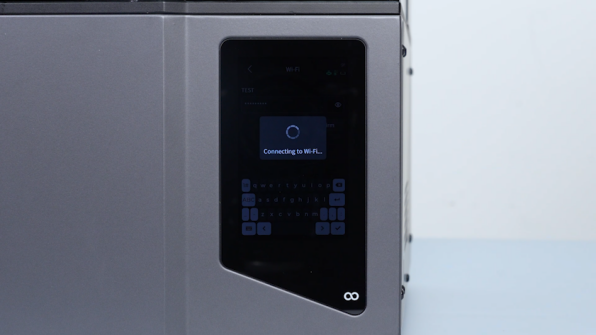
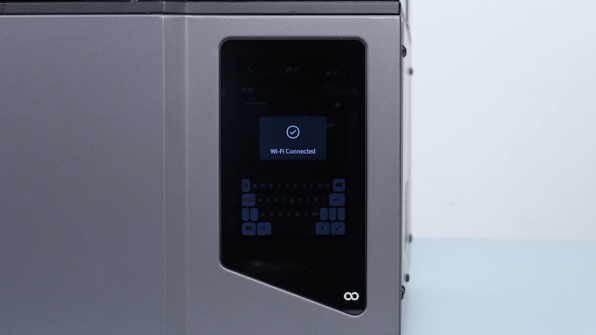
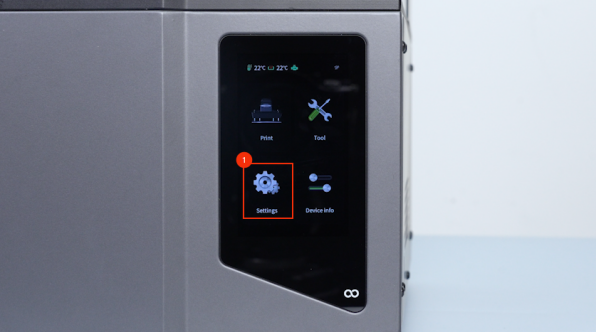
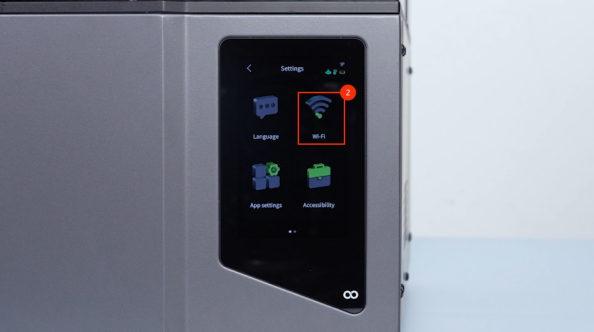
On the touch screen, select Settings - Wi-Fi.
-
Enter the password to connect Wi-Fi and confirm that the Wi-Fi is connected. The Wi-Fi module is replaced successfully.