¶ Tools and Material
-
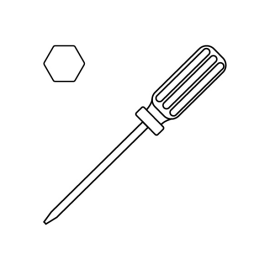
A 2.5 mm Allen key
-
A 2.0 mm Allen key
-
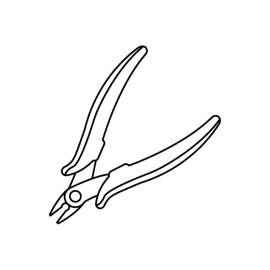
A pair of pliers
-
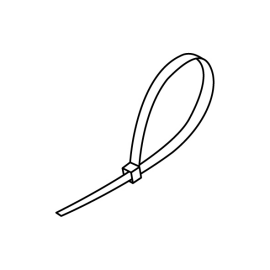
Cable ties
-
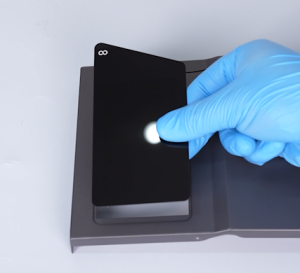
A new touch screen
¶ Tutorial Video
¶ Instruction
¶ Preparation
Turn the power switch OFF (symbol ""〇"") and unplug the power supply cable.
¶ Remove the old touch screen
-
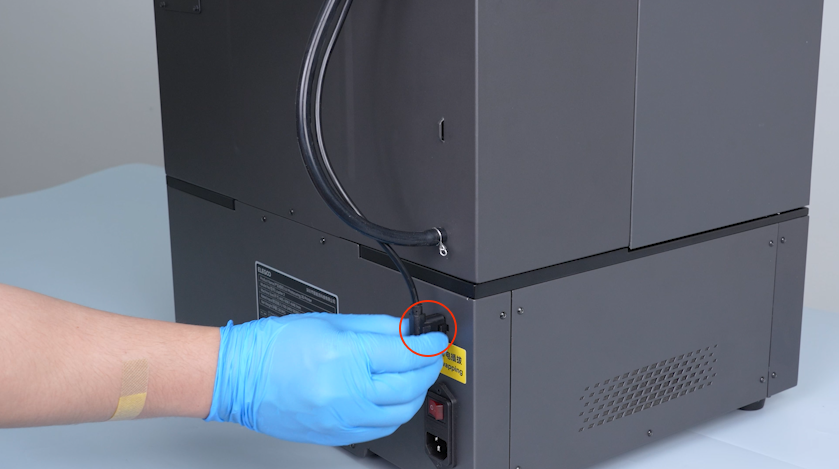
Remove the plug of the automatic resin feeding inlet.
-
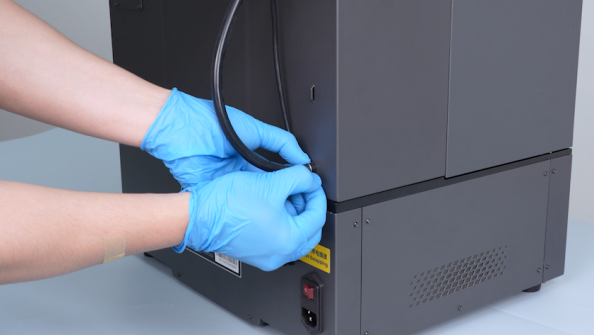
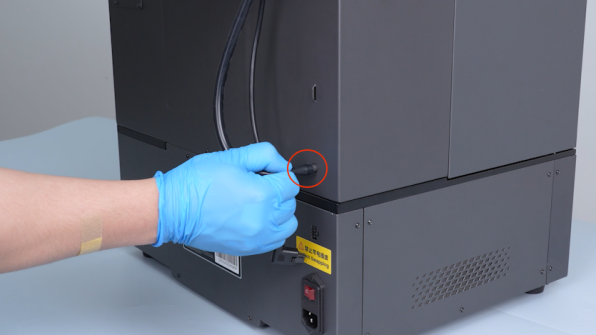
Press the clamp and unplug the automatic resin feeding tube.
Note: Hold the automatic resin feeding tube and keep the tube upward to prevent the resin from dripping.
-
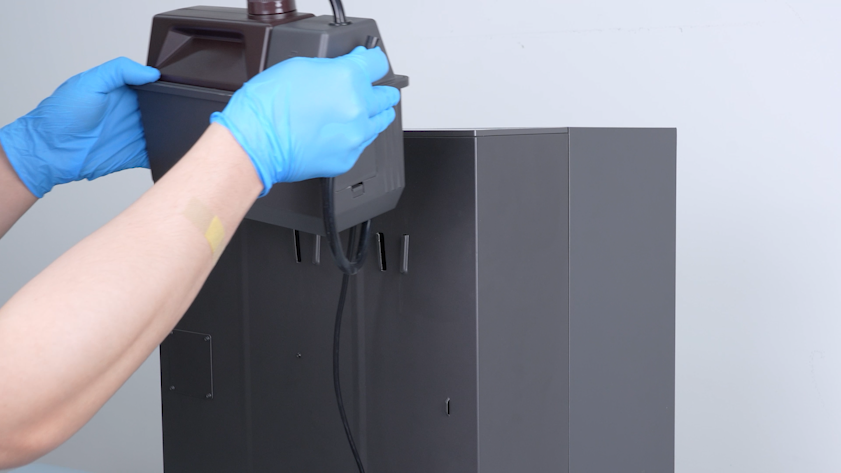
Remove the automatic resin feeding bottle.
-
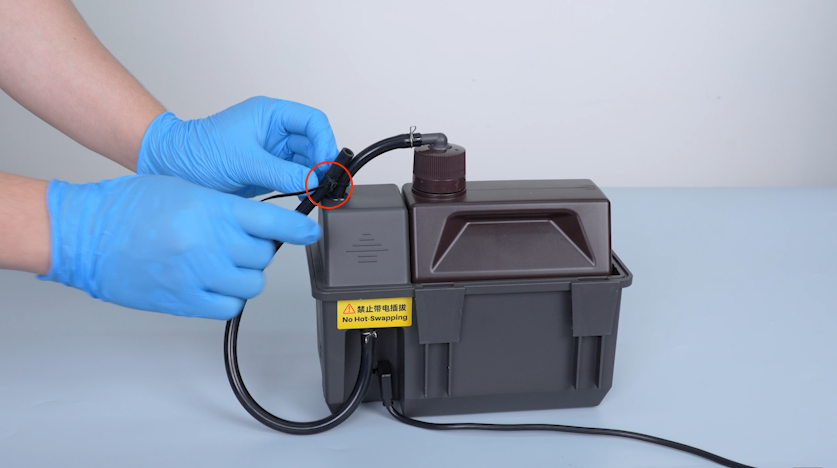
Seal the tube with a cable tie to avoid the resin drips.
-
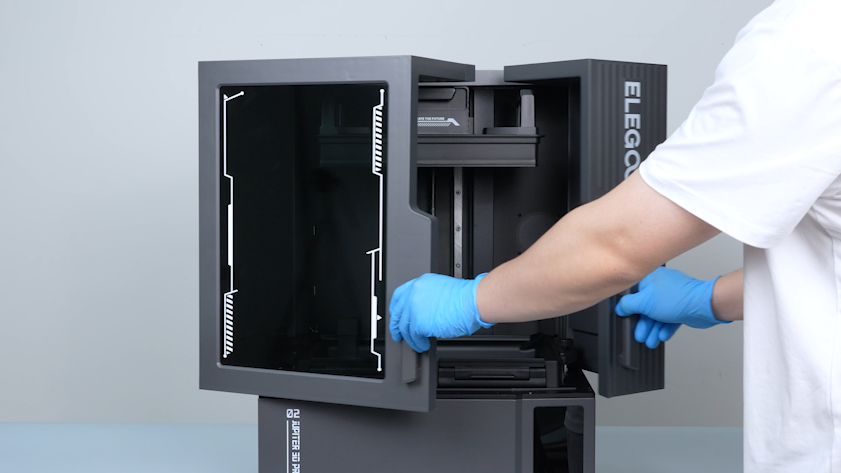
Open the front door.
-
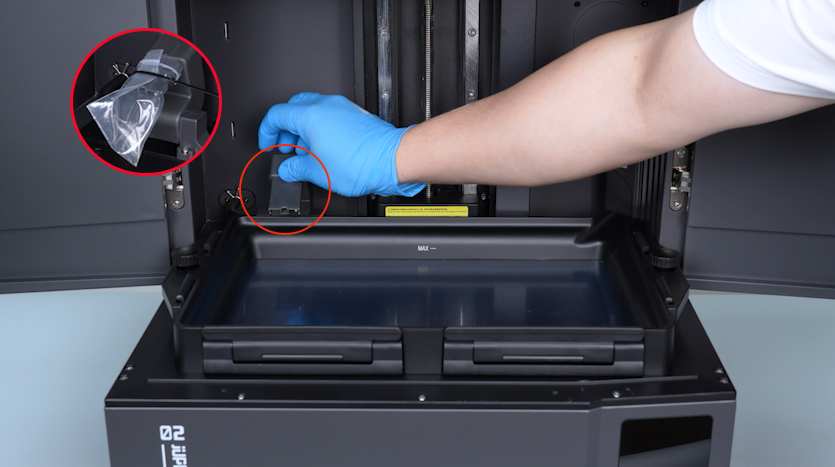
Lift the automatic resin feeding inlet.
-
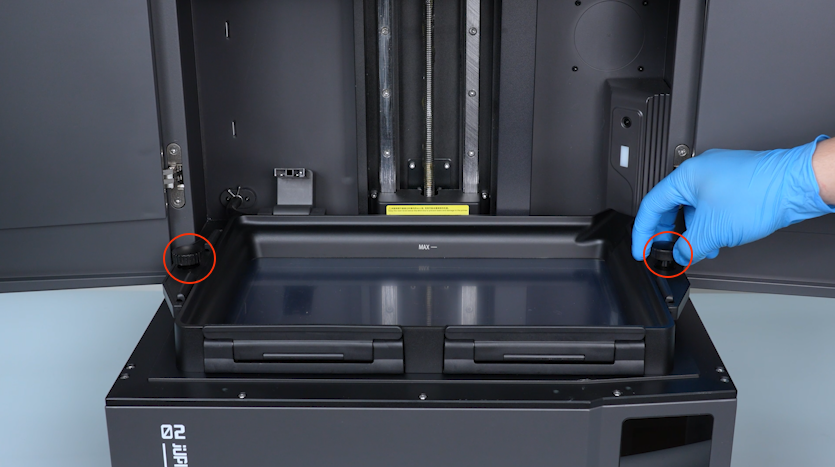
Release and remove the two knob screws and remove the resin tank.
Note: Seal the inlet with a bag and a cable tie to prevent the resin from dripping.
-
Release and remove the three screws on the upper part of the front cover with a 2.5 mm Allen key.
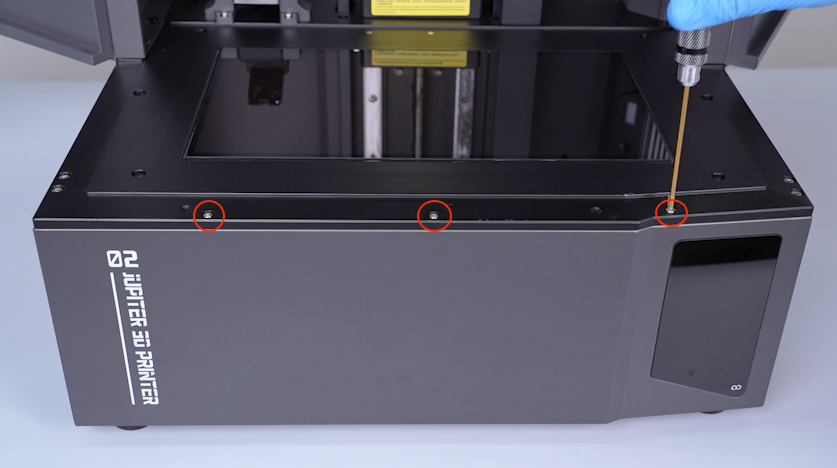
-
Close the front door.
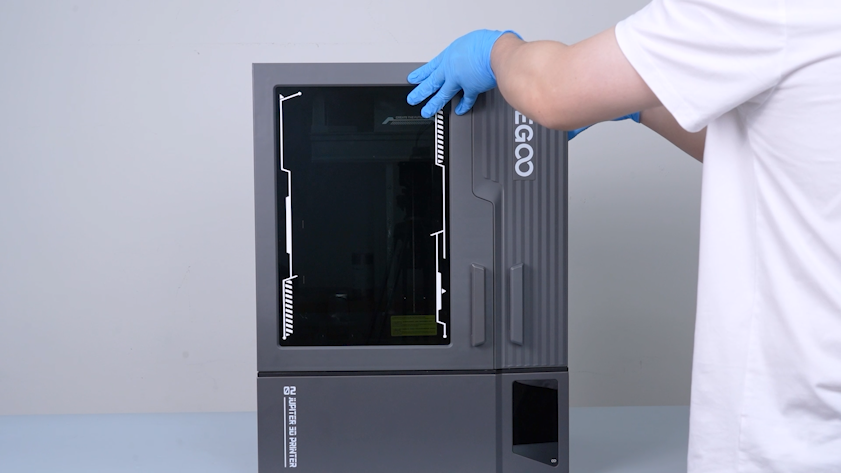
-
Release and remove the three screws on the lower part of the front cover with a 2.5 mm Allen key.
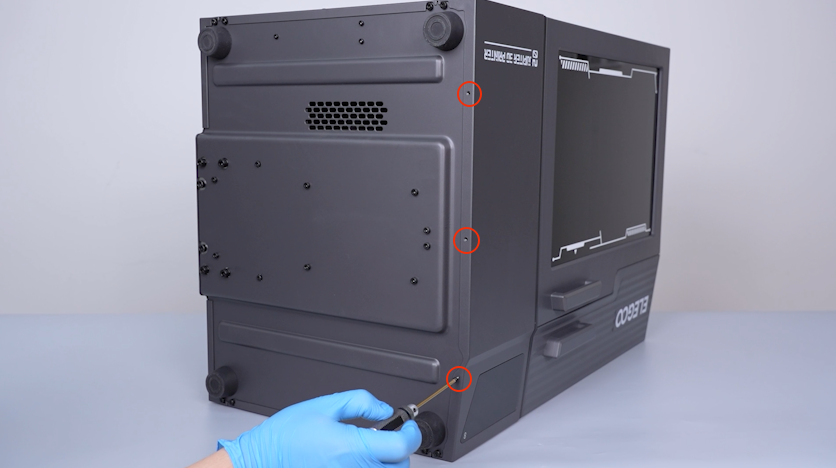
-
Release and remove the two screws on the right side of the front cover with a 2.0 mm Allen key.
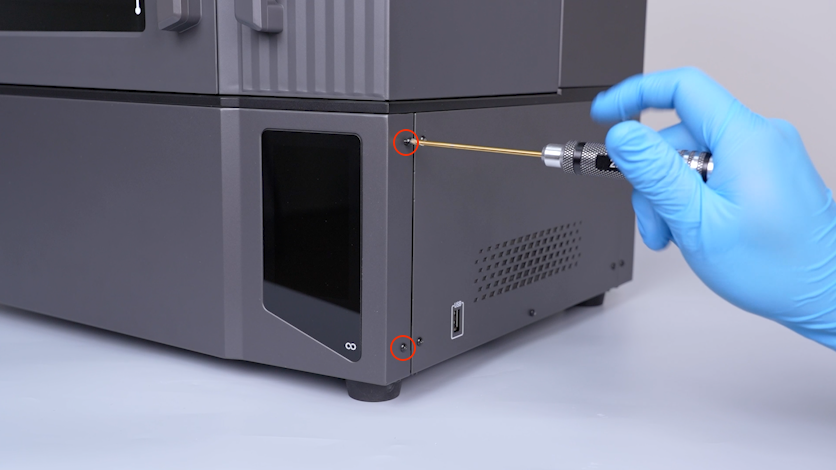
-
Release and remove the two screws on the left side of the front cover with a 2.0 mm Allen key.
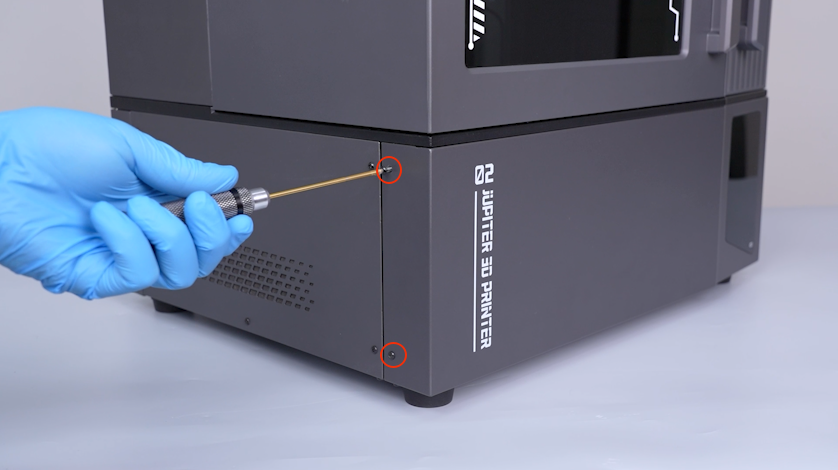
-
Carefully open the front cover.
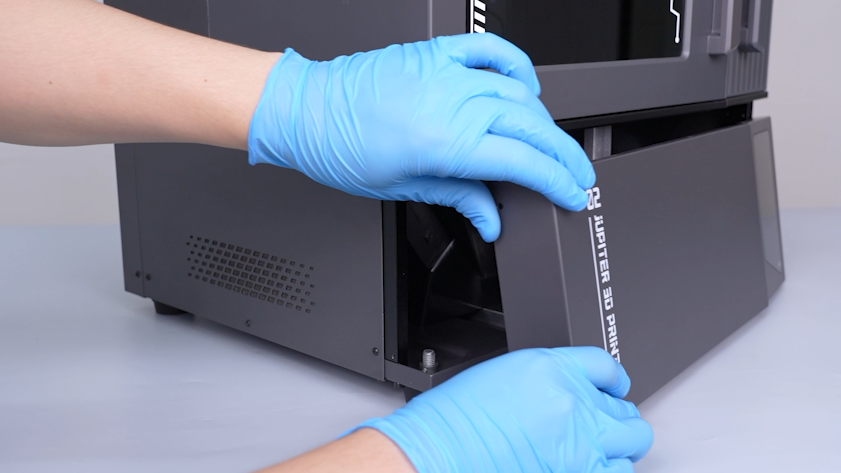
-
Remove the Wi-Fi antenna plug.
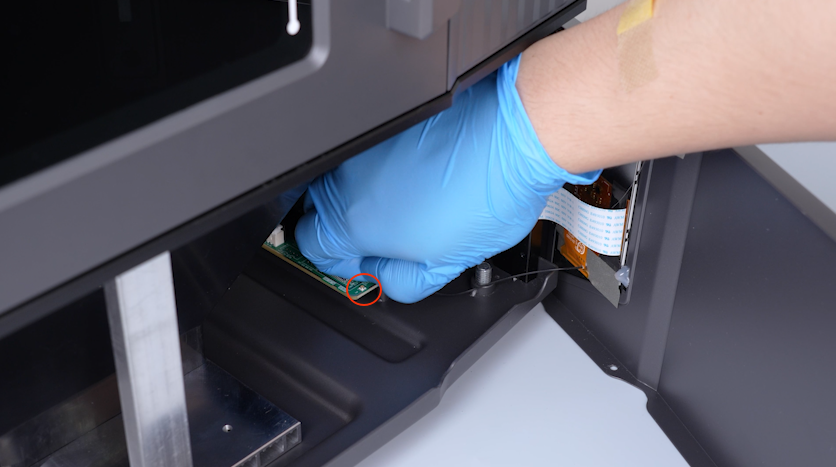
-
Remove the tape securing the touch screen ribbon cable.
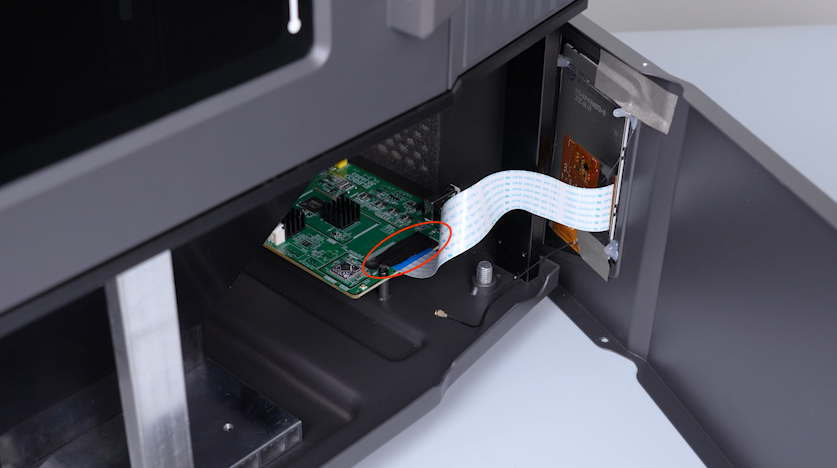
-
Lift the clip, unplug the touch screen ribbon cable and remove the front cover.
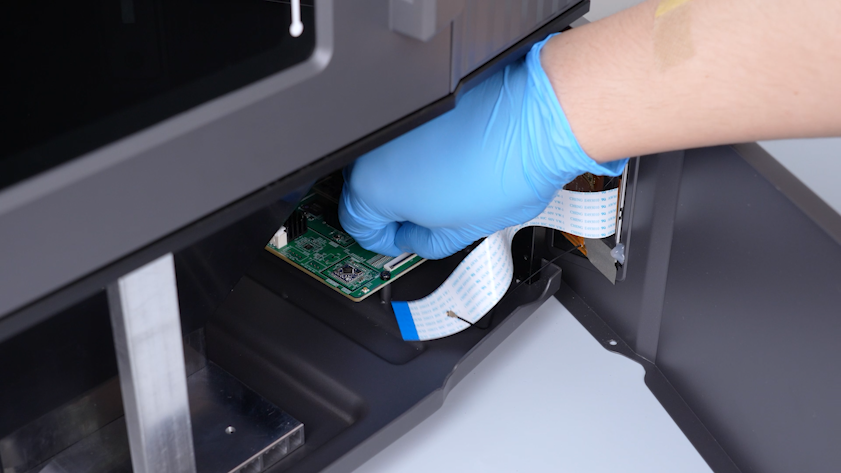
-
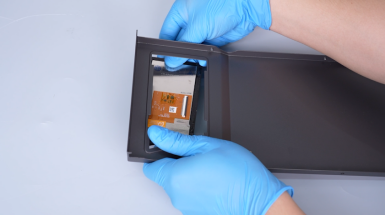
Remove the hot-melt adhesive securing the touch screen with a pair of pliers.
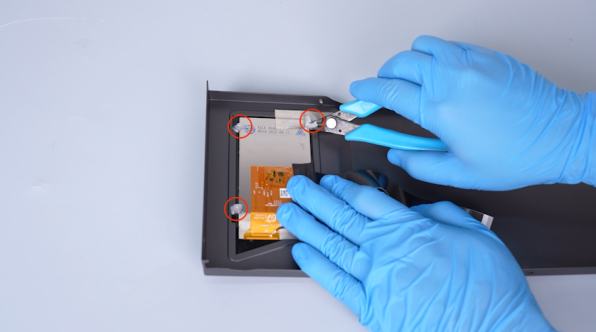
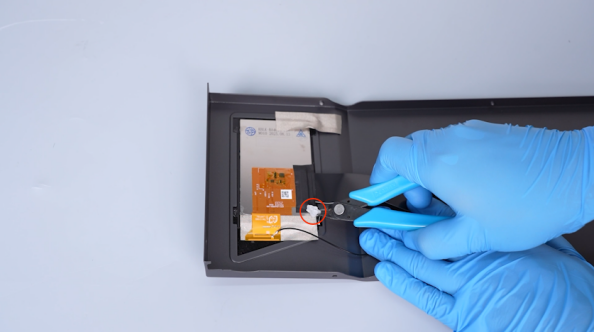
-
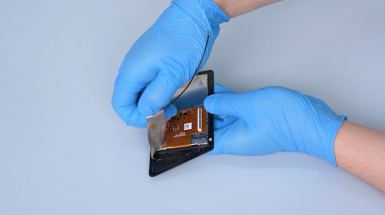
Remove the tape adhered to the back of the touch screen.
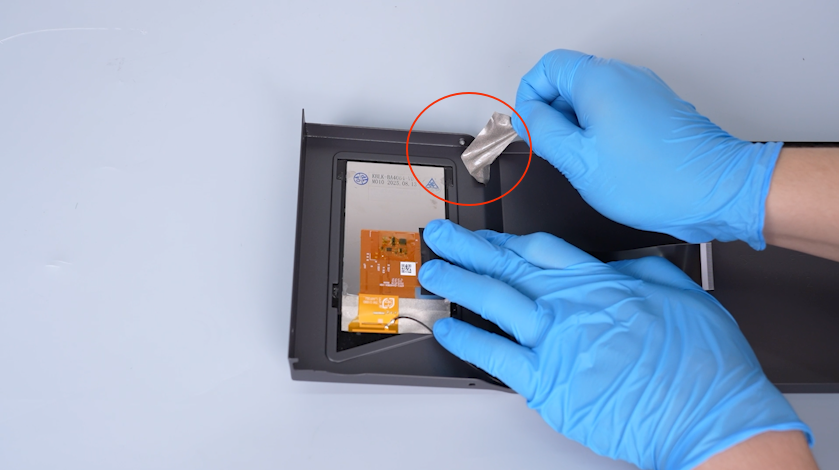
-
Peel the bottom right corner of the tape securing the Wi-Fi module.
Note: Do not peel off the tape.
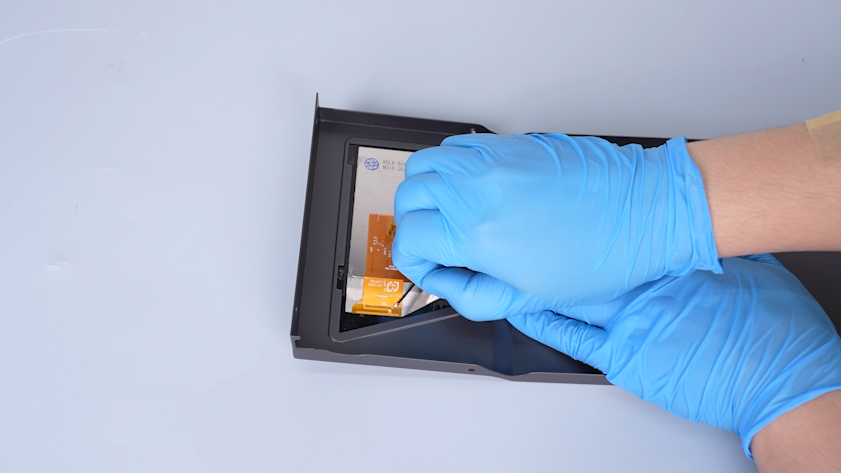
-
Remove the tape securing the touch screen ribbon cable. Lift the clip and remove the touch screen ribbon cable.
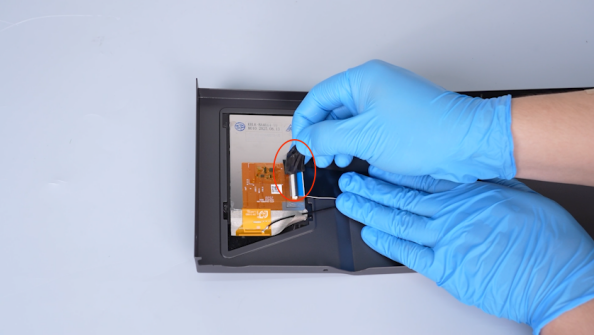
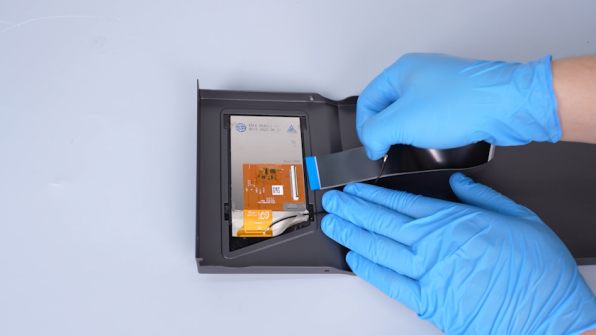
-
Press the back of the touch screen and remove the touch screen. Peel off the tape securing the Wi-Fi module.
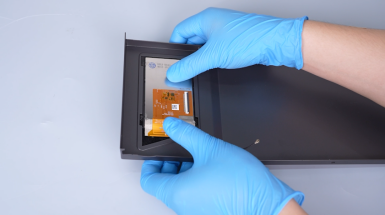
¶ Install the new touch screen
-
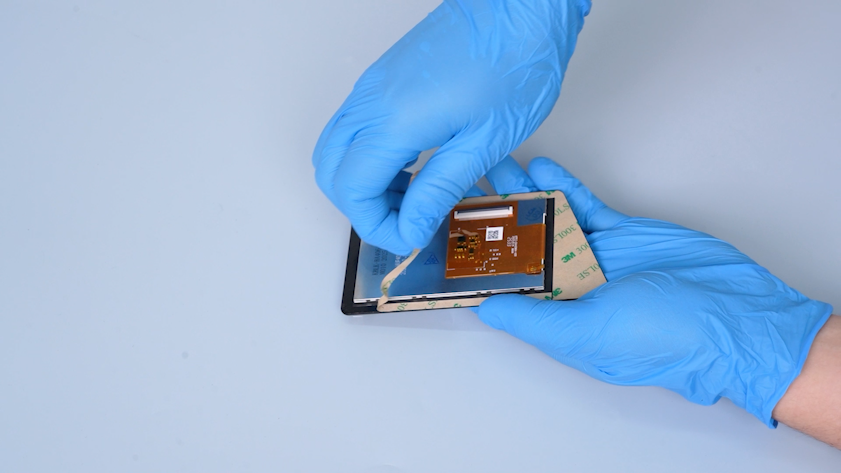
Get the new touch screen. Peel off sticker adhered to the back of the touch screen.
-
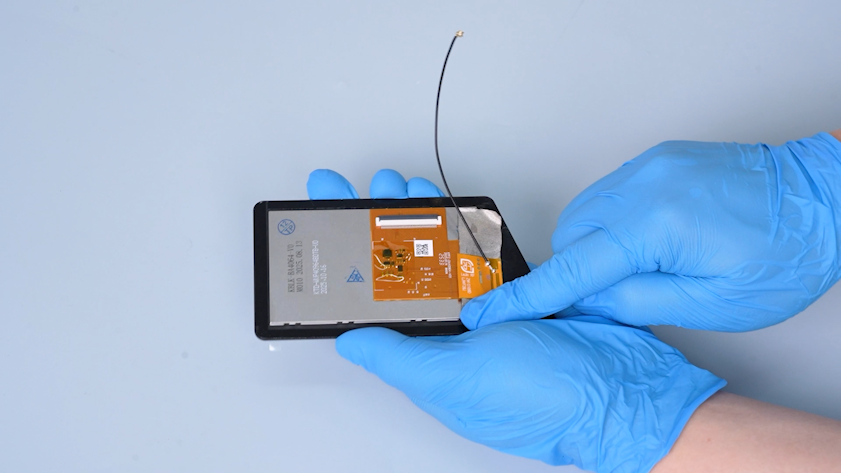
Adhere the Wi-Fi module.
-
Turn the front cover over and put the touch screen in the installation position. Press the touch screen.
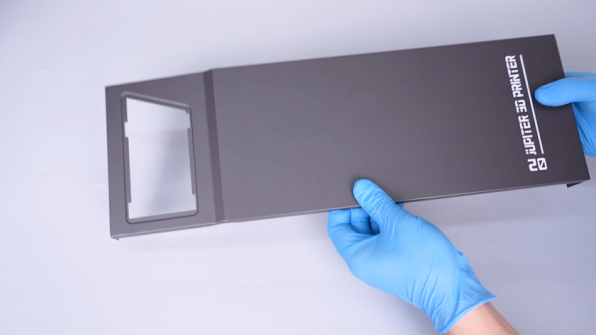
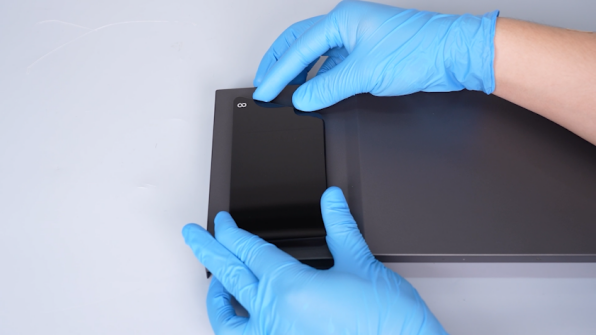
-
Turn the front cover over and face the back side upwards.
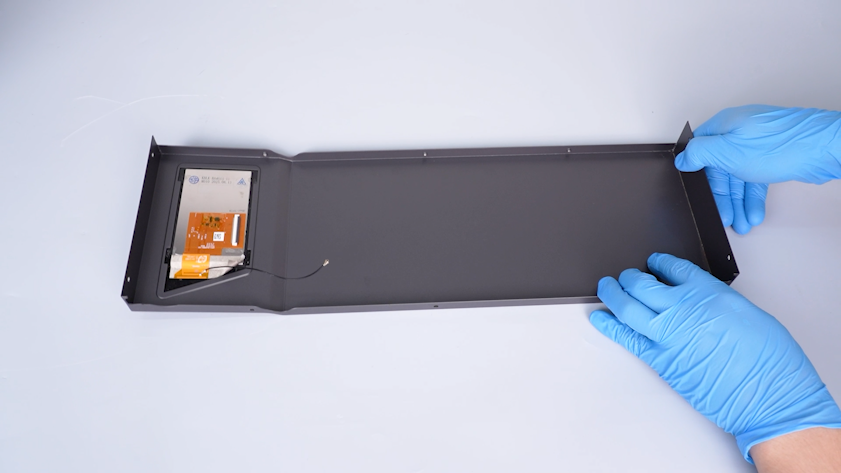
-
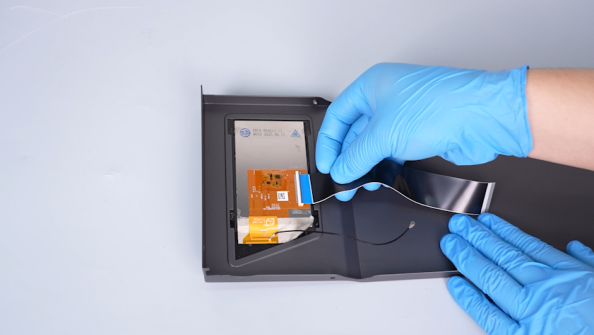
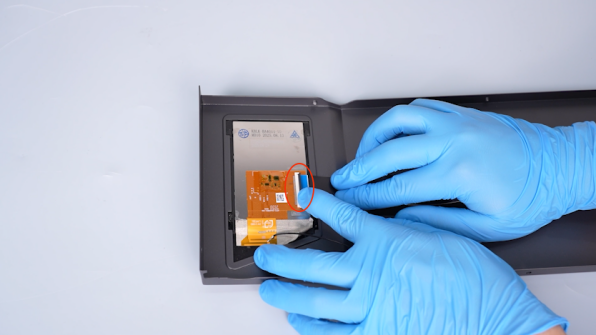
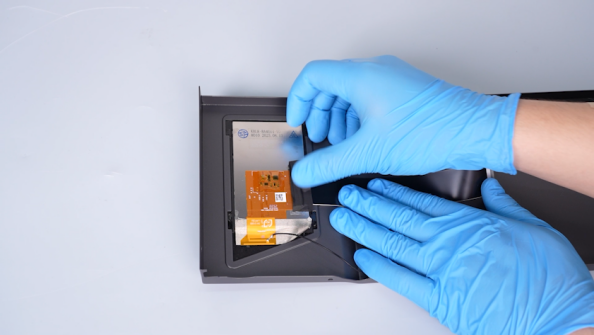
Lift the clip and plug in the touch screen ribbon cable. Press the clip and secure the touch screen ribbon cable with tape.
Note: The blue-black side of the ribbon cable must face upwards.
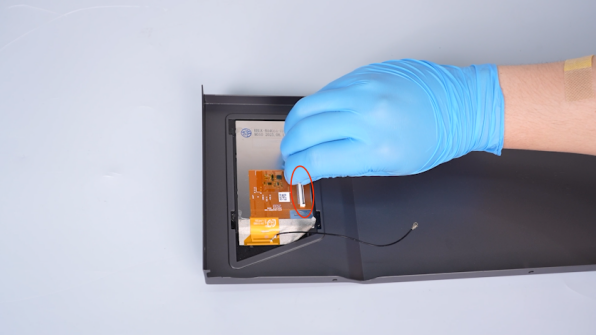
-
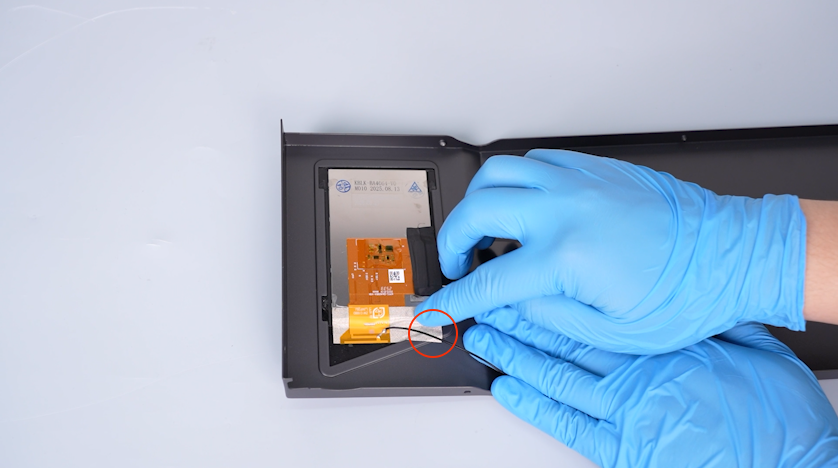
Adhere the bottom right corner of the tape securing the Wi-Fi module onto the front cover.
-
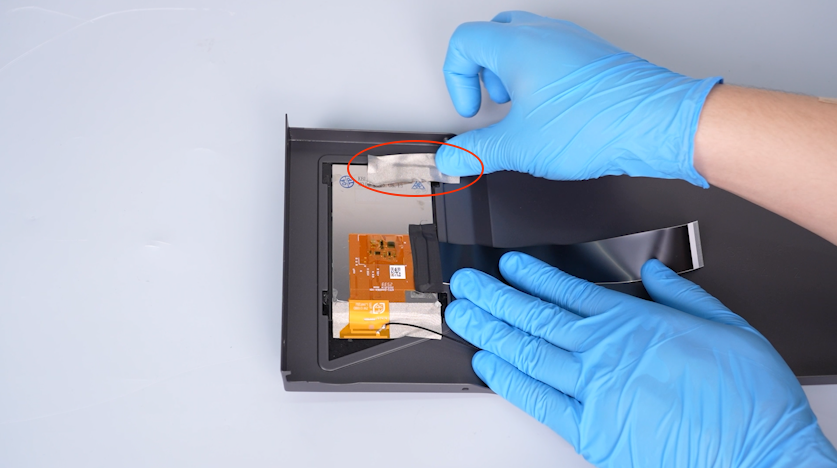
Secure the top right corner of the touch screen with tape.
-
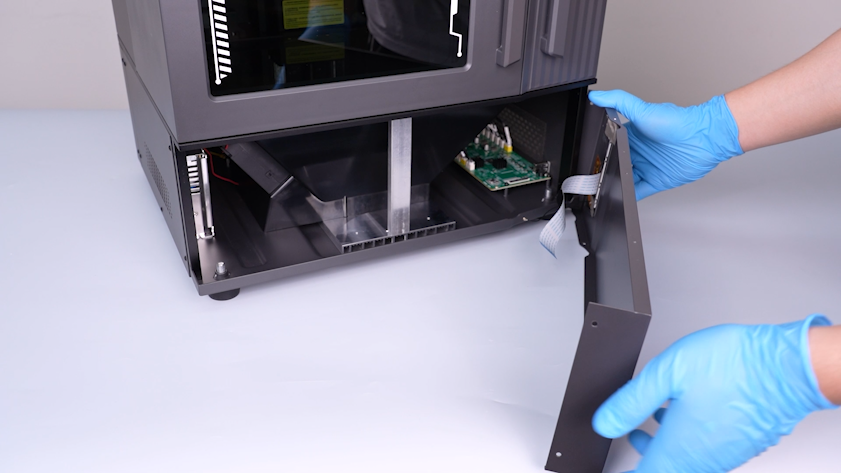
Put the front cover in the installation position.
-
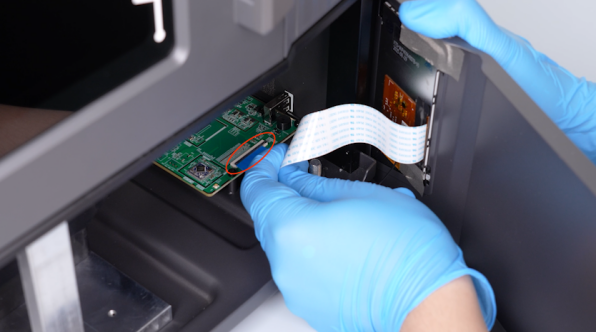
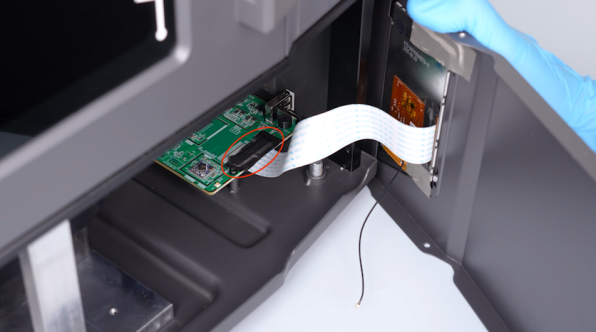
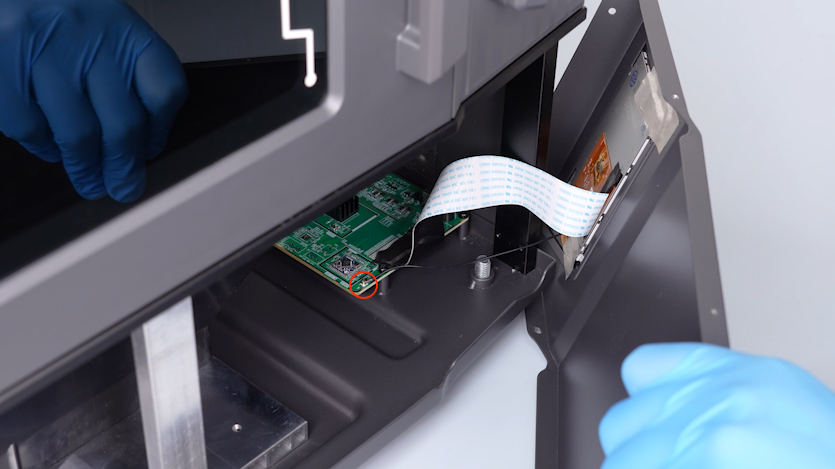
Plug in the touch screen ribbon cable onto the port on the motherboard. Press the clip and secure the touch screen ribbon cable with tape.
Note: The blue-white side of the ribbon cable must face upwards.
-
Plug in the Wi-Fi antenna onto the motherboard.
-
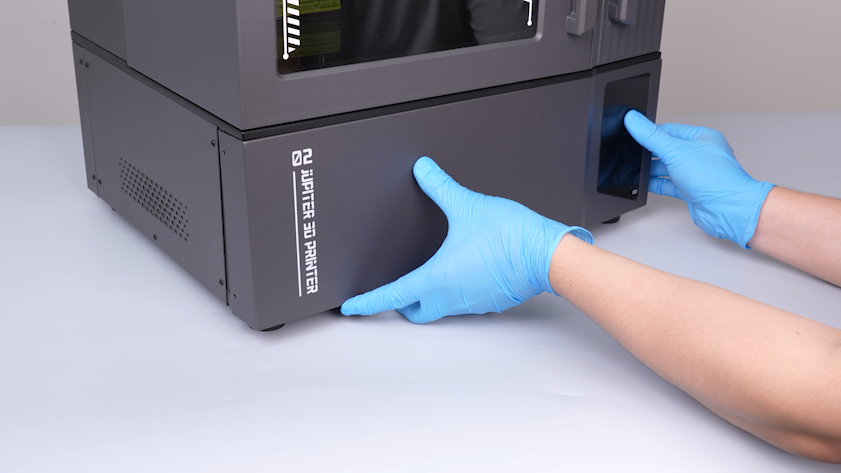
Put the front cover in the installation position.
-
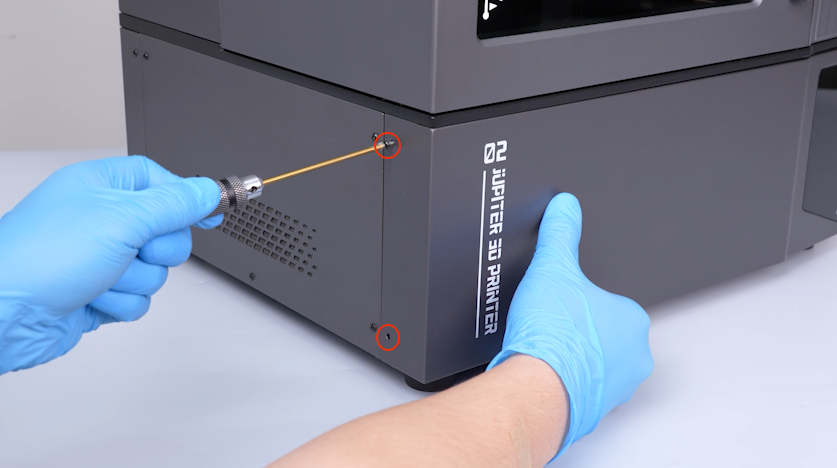
Hold the front cover and tighten the two screws on the left side of the front cover.
-
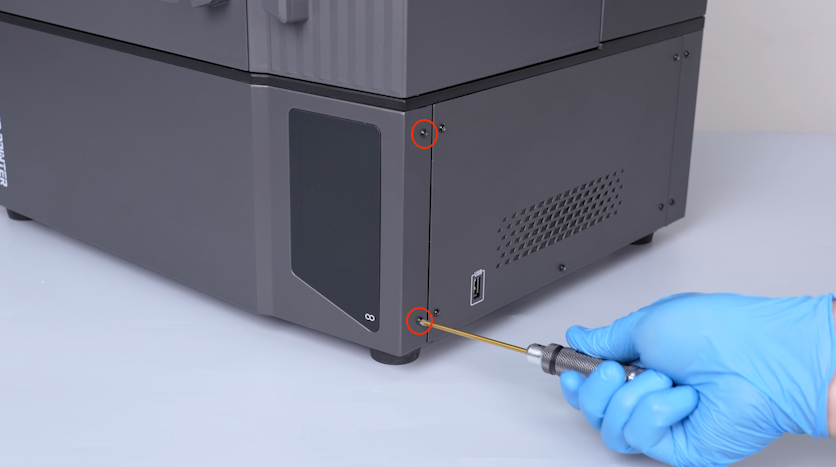
Tighten the two screws on the right side of the front cover.
-
Tighten the three screws on the bottom of the front cover.
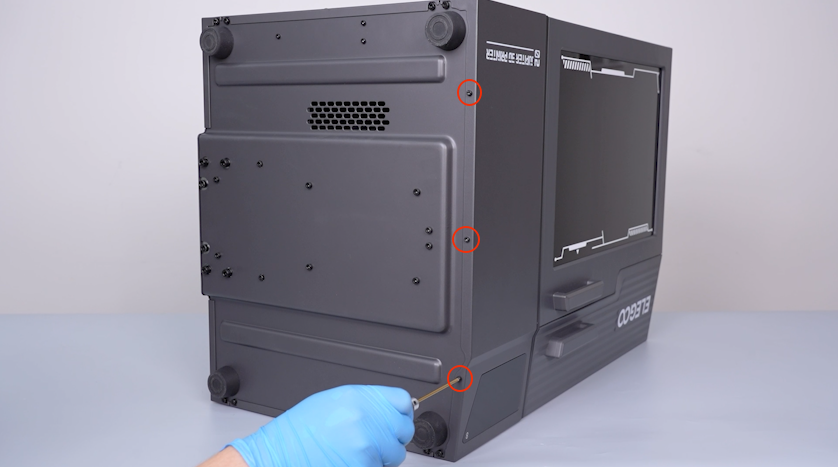
-
Open the front door.
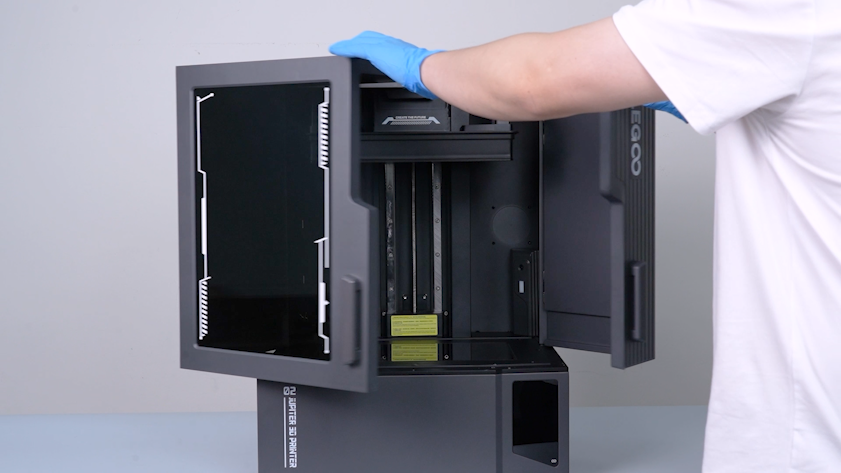
-
Tighten the three screws on the upper side of the front cover.
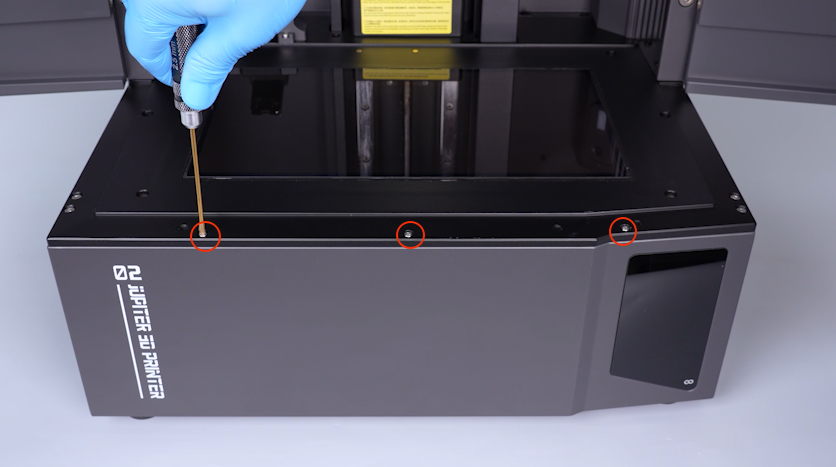
-
Get the resin tank and put it in the installation position.
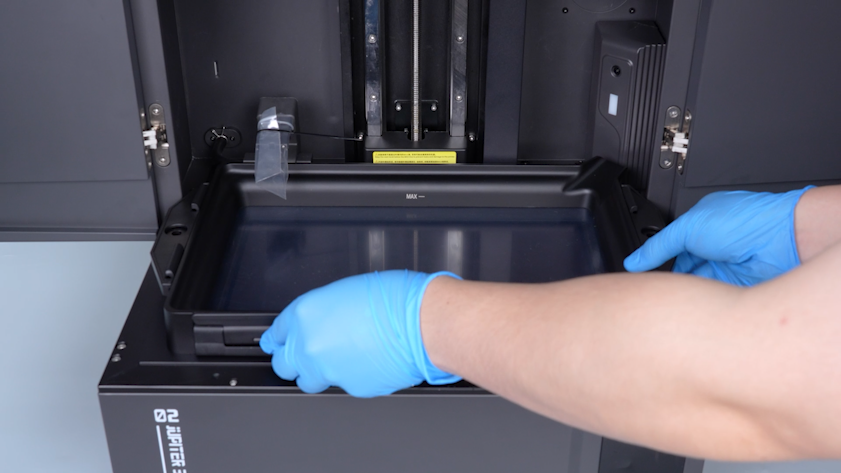
-
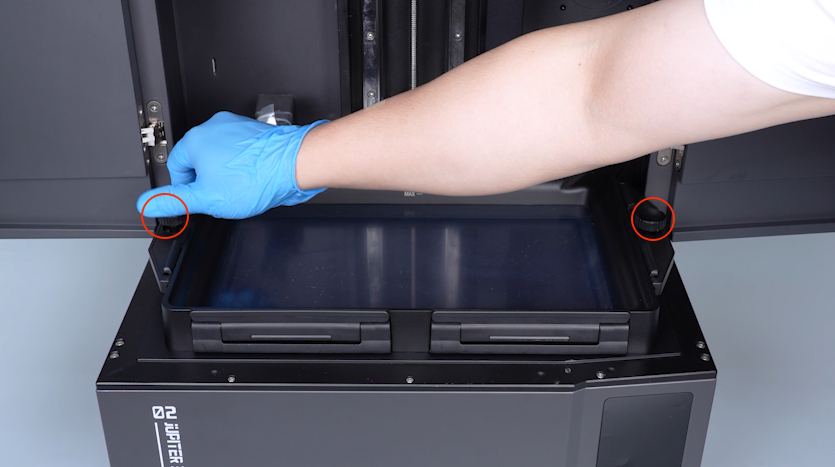
Tighten the two knob screws.
-
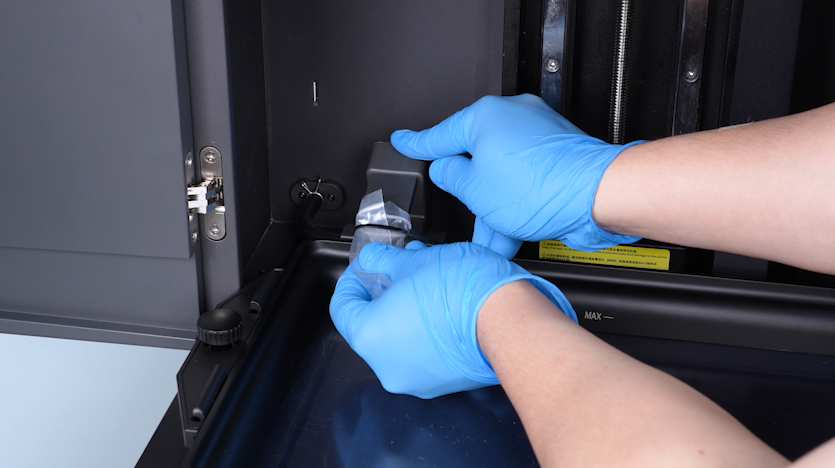
Remove the bag and the cable tie.
-
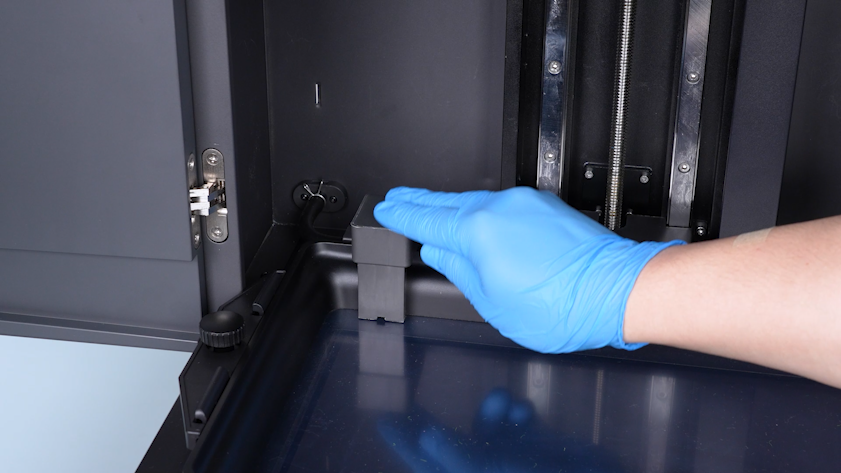
Restore the automatic resin feeding inlet.
-
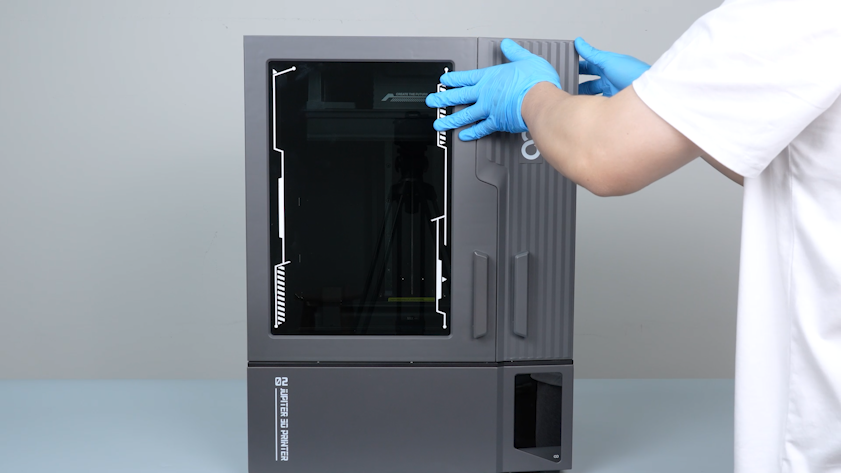
Close the front door.
-
Cut off the cable tie with a pair of pliers and restore the automatic resin feeding bottle.
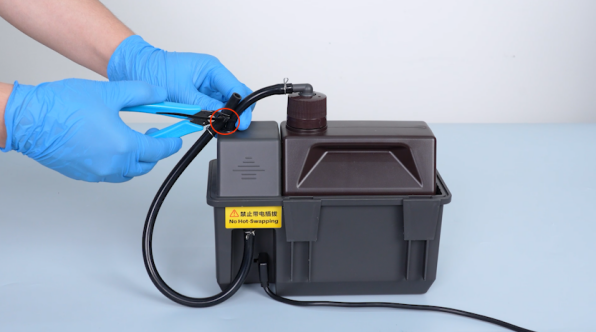
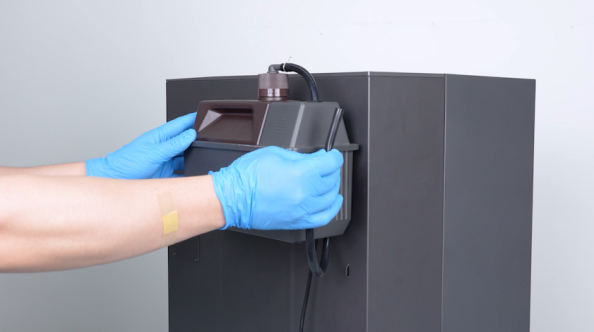
-
Insert the automatic resin feeding tube.
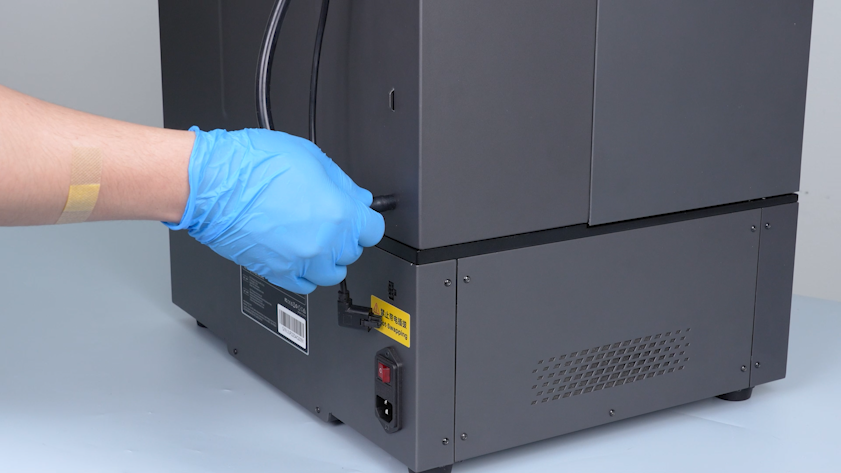
-
Install the clamp of the tube.
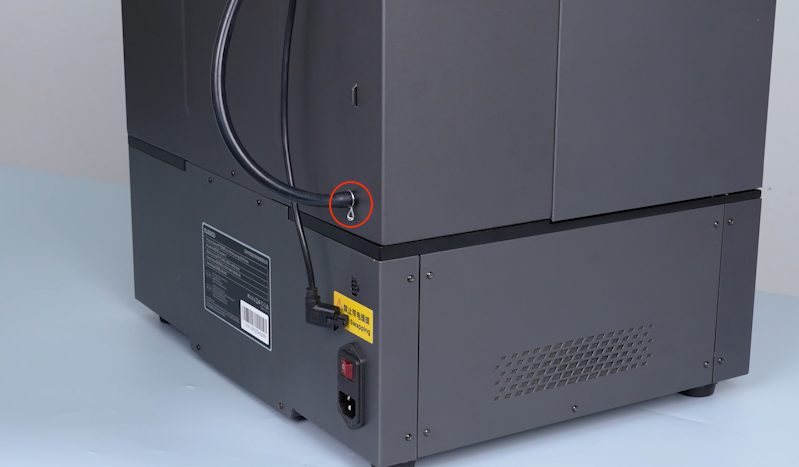
-
Insert the plug of the automatic resin feeding inlet.
¶ Verification
-
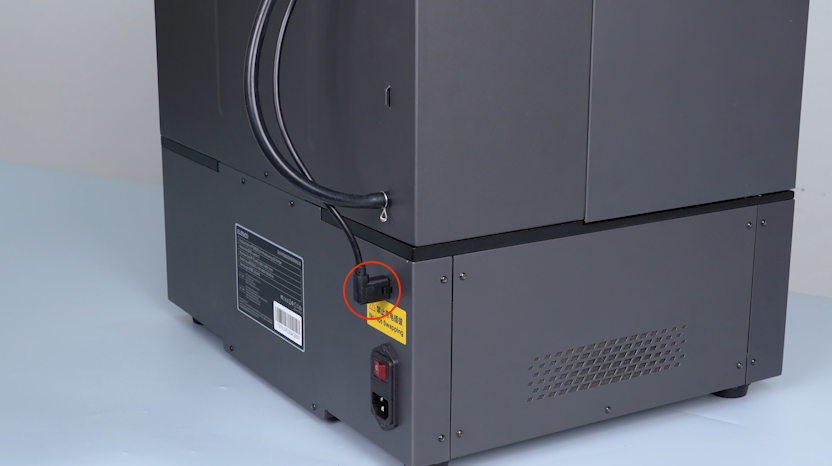
Plug in the power supply cable and turn the power switch ON (symbol "|").
-
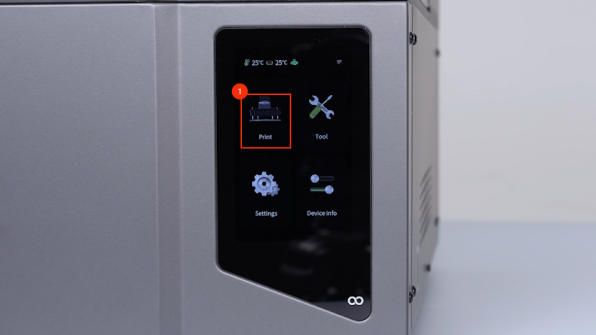
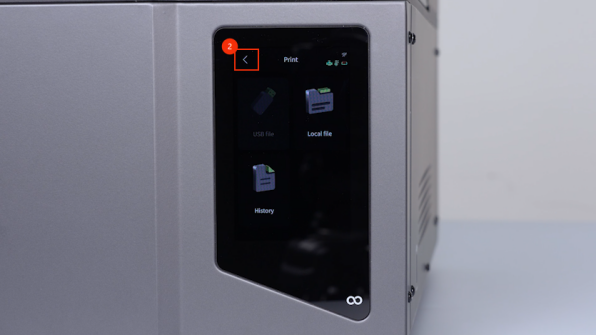
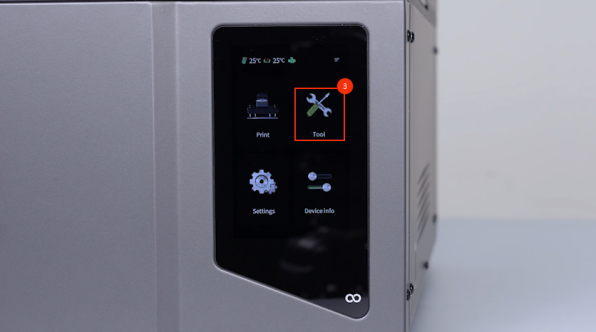
Make sure that the touch screen can be enabled and the touch screen functions normally.

-
The touch screen is replaced successfully.