¶ Preparation
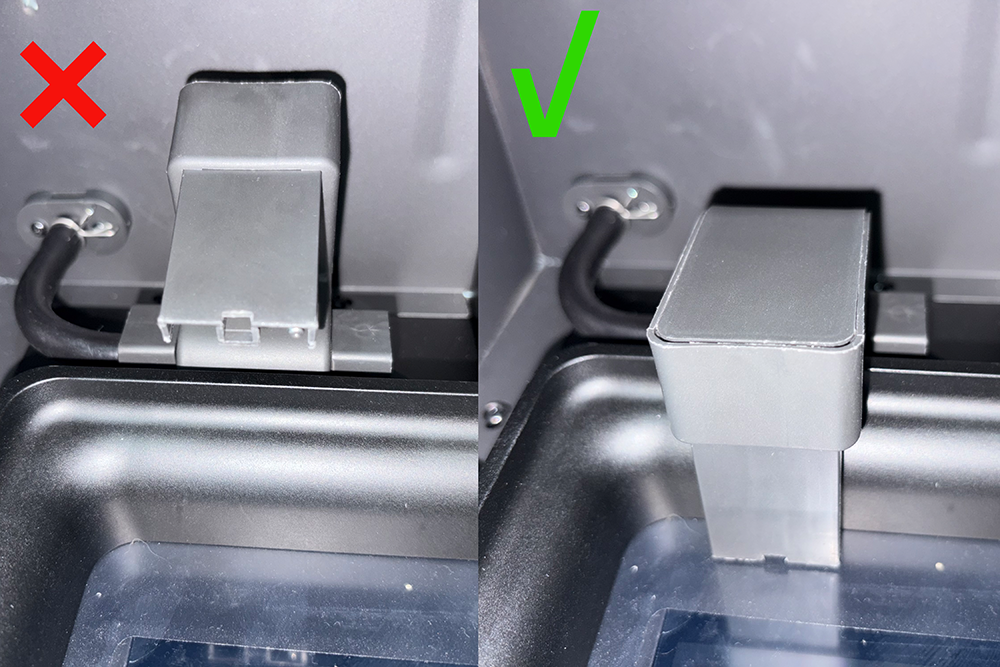
¶ 1. Confirm Resin Transfer Nozzle position and check resin level
Before use, ensure the Resin Transfer Nozzle is in the working position, and verify that the Resin Bottle has sufficient Resin.
The module supports both automatic feeding and resin recycling.
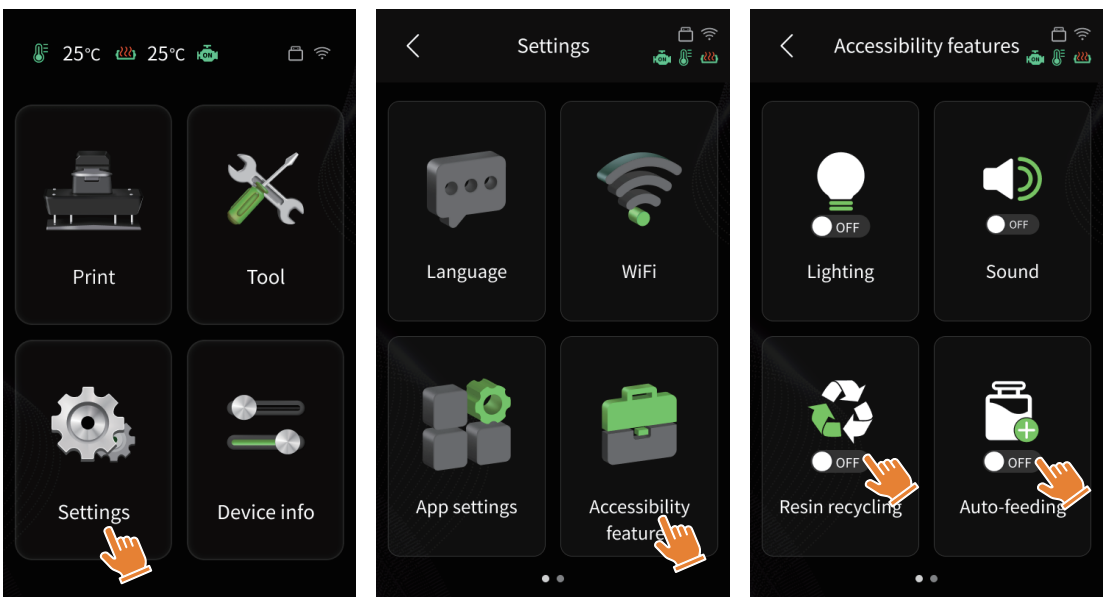
¶ 2. Function enable path
On the Touch Screen, tap “Settings” → “Accessibility”.
In this menu, you can enable or disable the Automatic Resin Feeding and Recycling functions.
¶ Auto-feeding Description
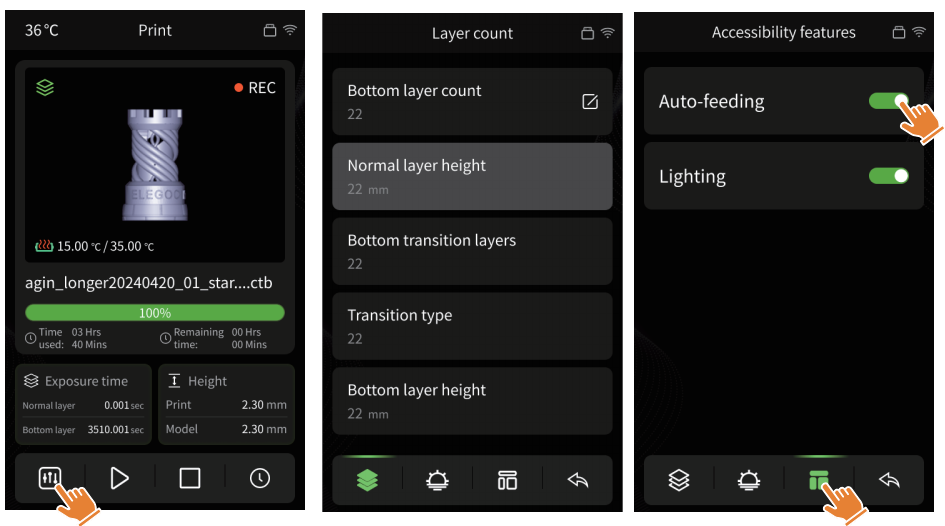
After enabling the Auto-feeding function, if the system detects insufficient resin during printing (less than 250 ml in the Resin Tank), the module will automatically supply resin.
Auto-feeding can also be enabled or disabled from the printing interface settings.
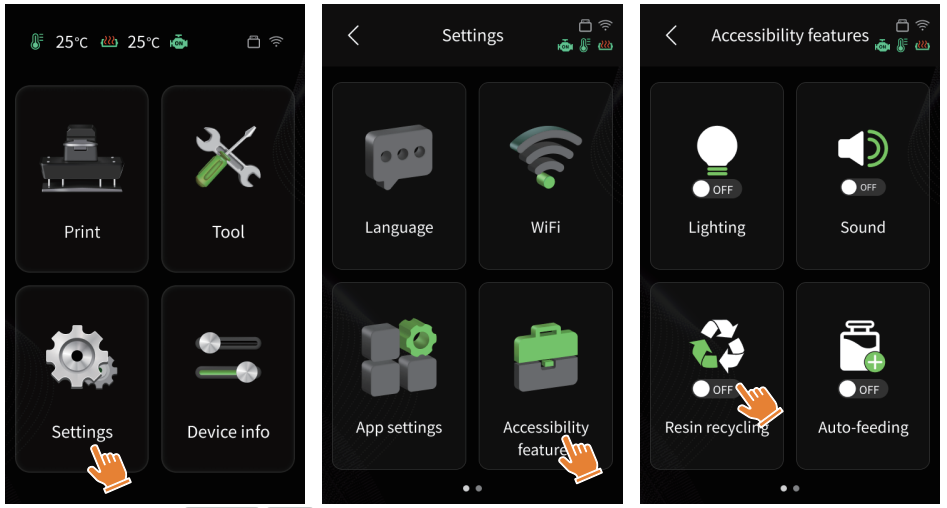
¶ Resin Recycling
Tap “Settings” → “Accessibility”, then enable Resin recycling.
The Resin Transfer Nozzle will move to the bottom of the Resin Tank and begin recovering resin until the system detects that the Resin Bottle is full, at which point recycling will stop.
If there is still a large amount of resin remaining in the tank, replace the resin bottle and re-enable the Resin recycling function to continue the process.
¶ Resin Recycling Tips
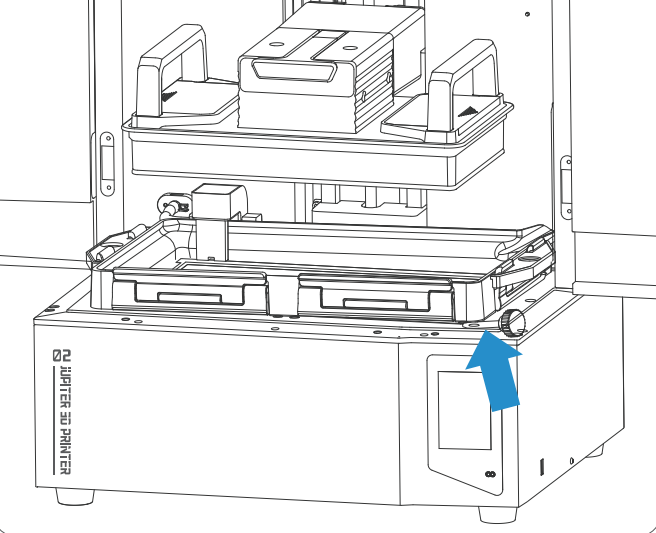
During recycling, if a small amount of resin remains in the Resin Tank and cannot be fully recovered, place one end of the Screw Knob under the tank position indicated by the arrow in the diagram.
This helps ensure complete resin recovery.
¶ Notes
- The Automatic Resin Feeding and Recycling Module only supports automatic feeding during printing, and only supports resin recycling when the printer is not printing.
- In the self-check page, if an exclamation mark appears, check whether the power cable of the automatic feeding module is properly connected.
- During printing, if the resin level in the Resin Bottle is detected as low, replace the bottle in time to continue using the Auto-feeding function.
- If the Resin Tank and the Resin Transfer Nozzle are not properly positioned during operation, a pop-up window will appear. Please follow the on-screen instructions on the Touch Screen to complete the operation.