¶ Issue Description
The touch screen or the Fluidd displays the error message:
MCU mcu shutdown Rescheduled timer in the past
¶ Reasons
- The installation of a third-party plug-in causes the MCU to overload.
- The firmware settings are incorrectly changed leading to a configuration conflict.
¶ Troubleshooting Steps
¶ Step 1 Load the fix pack
For Neptune 4 and Neptune 4 Pro, refer to the guide below to load the fix pack.
How to use the fix pack
For the Neptune 4 Plus and Neptune 4 Max, refer to the guide below to load the fix pack.
How to use the fix pack
¶ Step 2 Update the motherboard firmware and the touch screen firmware
For the Neptune 4 and Neptune 4 Pro, refer to the guide below to update motherboard firmware and touch screen firmware.
How to update the motherboard firmware and the touch screen firmware
For the Neptune 4 Plus and Neptune 4 Max, refer to the guide below to update motherboard firmware and touch screen firmware.
How to use the motherboard firmware and touch screen firmware
¶ Still Have Issues?
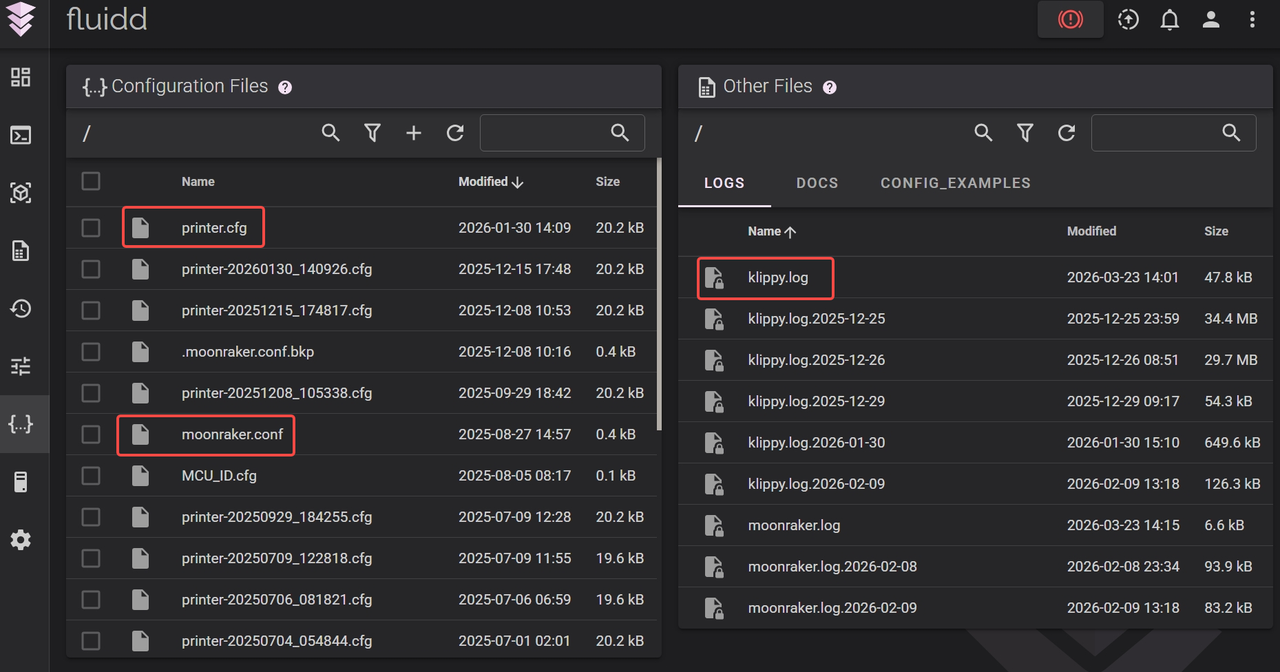
If the issue still occurs after the troubleshooting, connect the printer to Wi-Fi by referring to the Web Page Control and provide the print logs (printer.cfg, klippy.log, moonraker.log) to ELEGOO technical support team via 3dp@elegoo.com.