¶ Issue Description
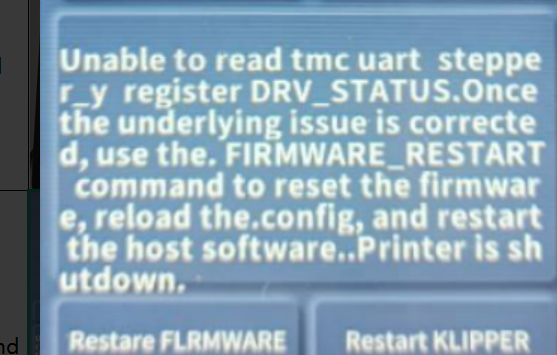
The touch screen or Fluidd displays an error message:
Unable to read tmc uart stepper y register DRV STATUS
¶ Reasons
-
The Y motor plug has poor contact.
-
The firmware is incorrectly configured.
-
The motherboard is damaged and fails to drive the Y motor.
¶ Troubleshooting Steps
¶ Step 1 Re-insert the Y motor plug on the Y motor side.
-
Turn the power switch OFF (symbol "〇") and unplug the power supply cable.
-
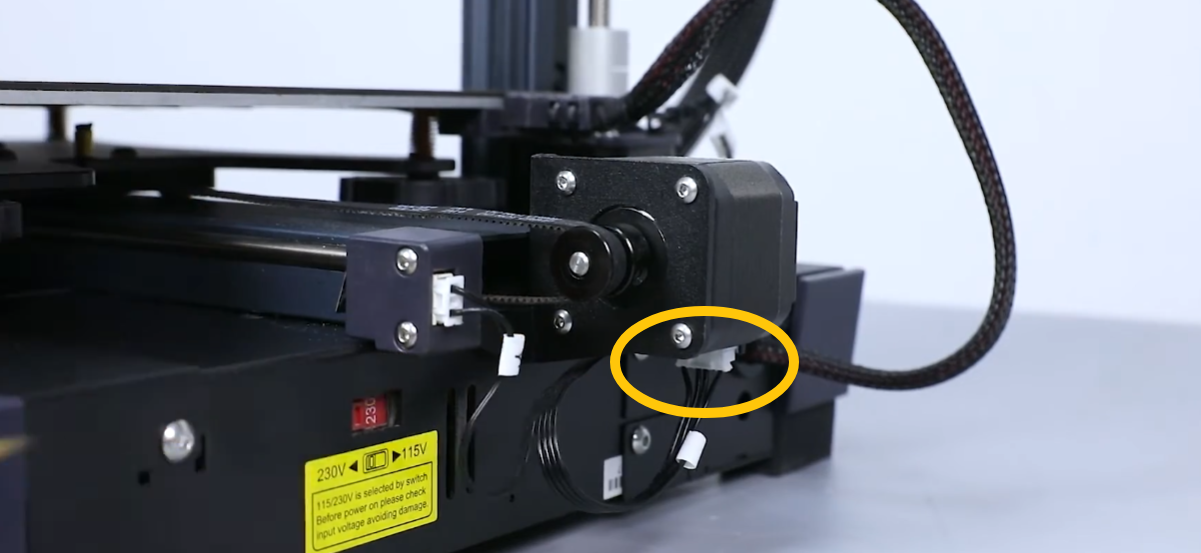
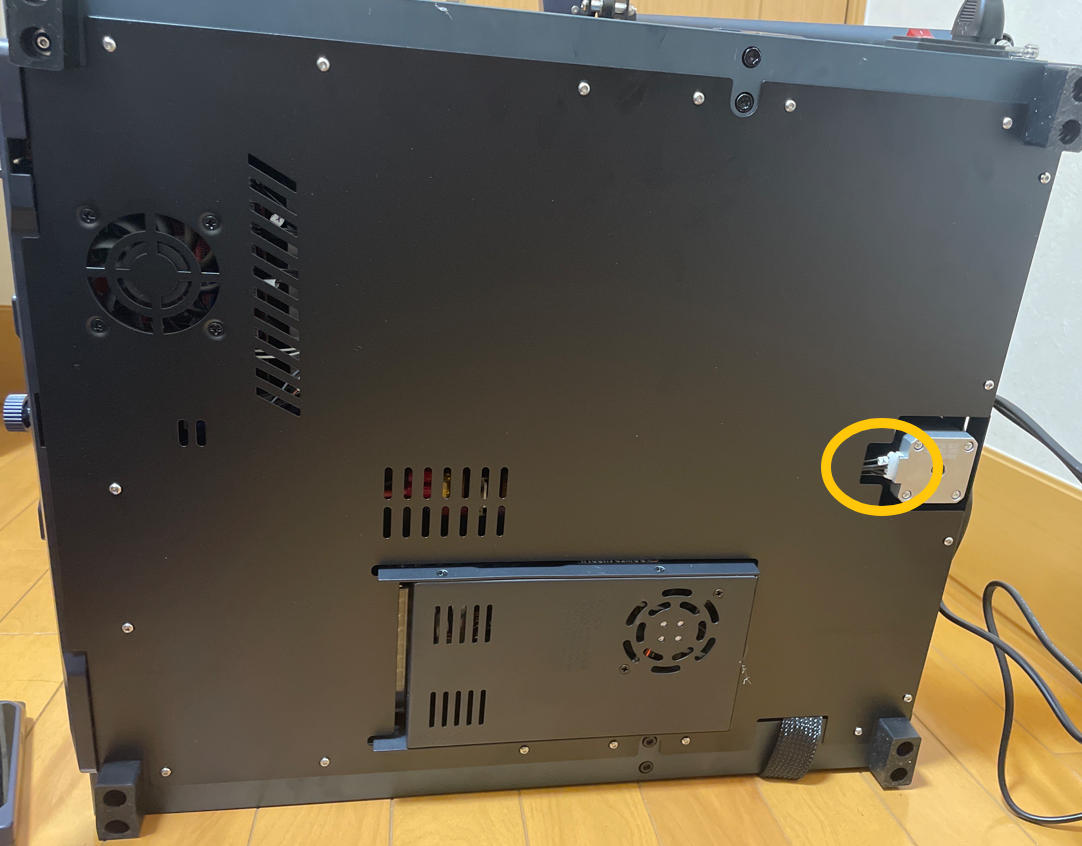
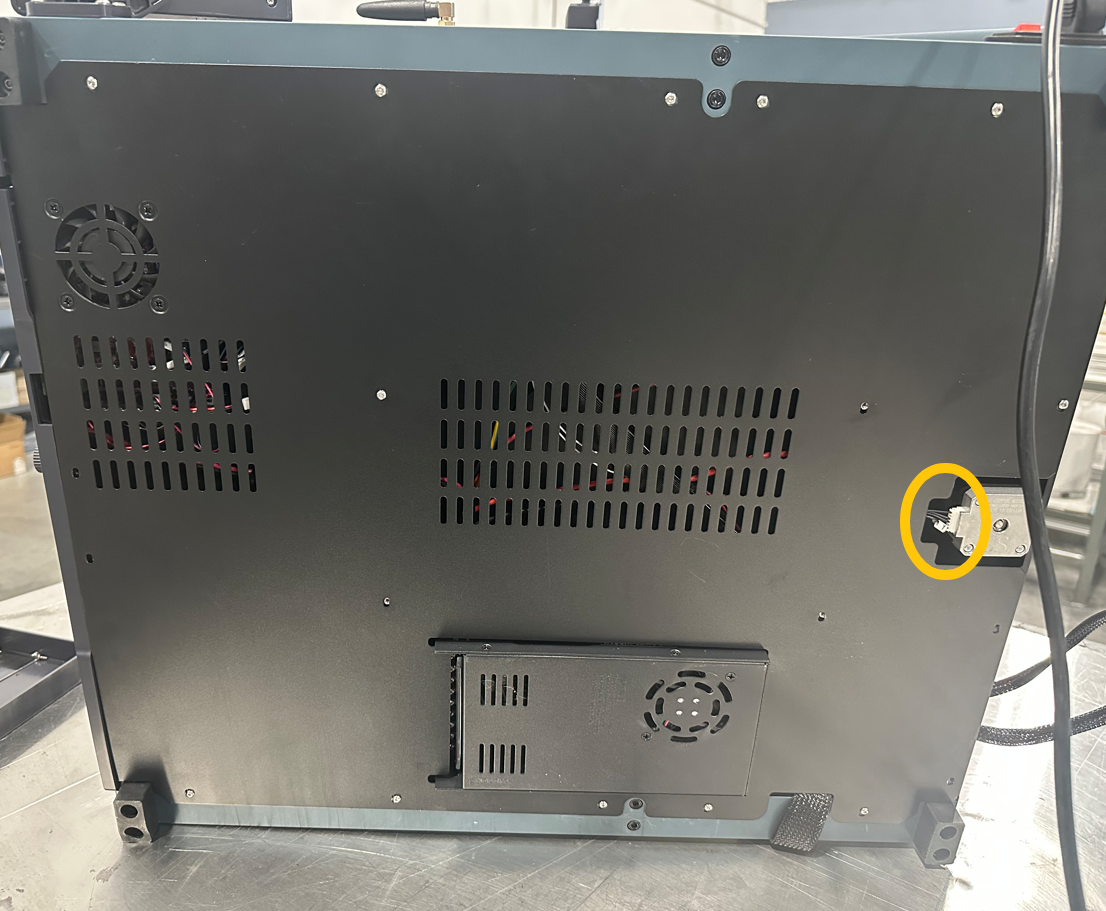
Re-insert the plug on the Y motor side.
Y motor plug location for Neptune 4 and Neptune 4 Pro
Y motor plug location for Neptune 4 Plus
Y motor plug location for Neptune 4 Max
¶ Step 2 Reinsert the Y motor plug on the motherboard side.
-
Turn the power switch OFF (symbol "〇") and unplug the power supply cable.
-
Release and remove the screws securing the bottom cover with a 2.0 mm Allen key. Remove the bottom cover.
The Neptune 4 Plus and 4 Max instruction starts from 00:00 to 00:15
https://www.youtube.com/watch?v=ttTBataUdOI
The Neptune 4 and 4 Pro instruction starts from 00:00 to 00:15
https://www.youtube.com/watch?v=NmtXTwokpyg
- Re-insert the Y motor plug.
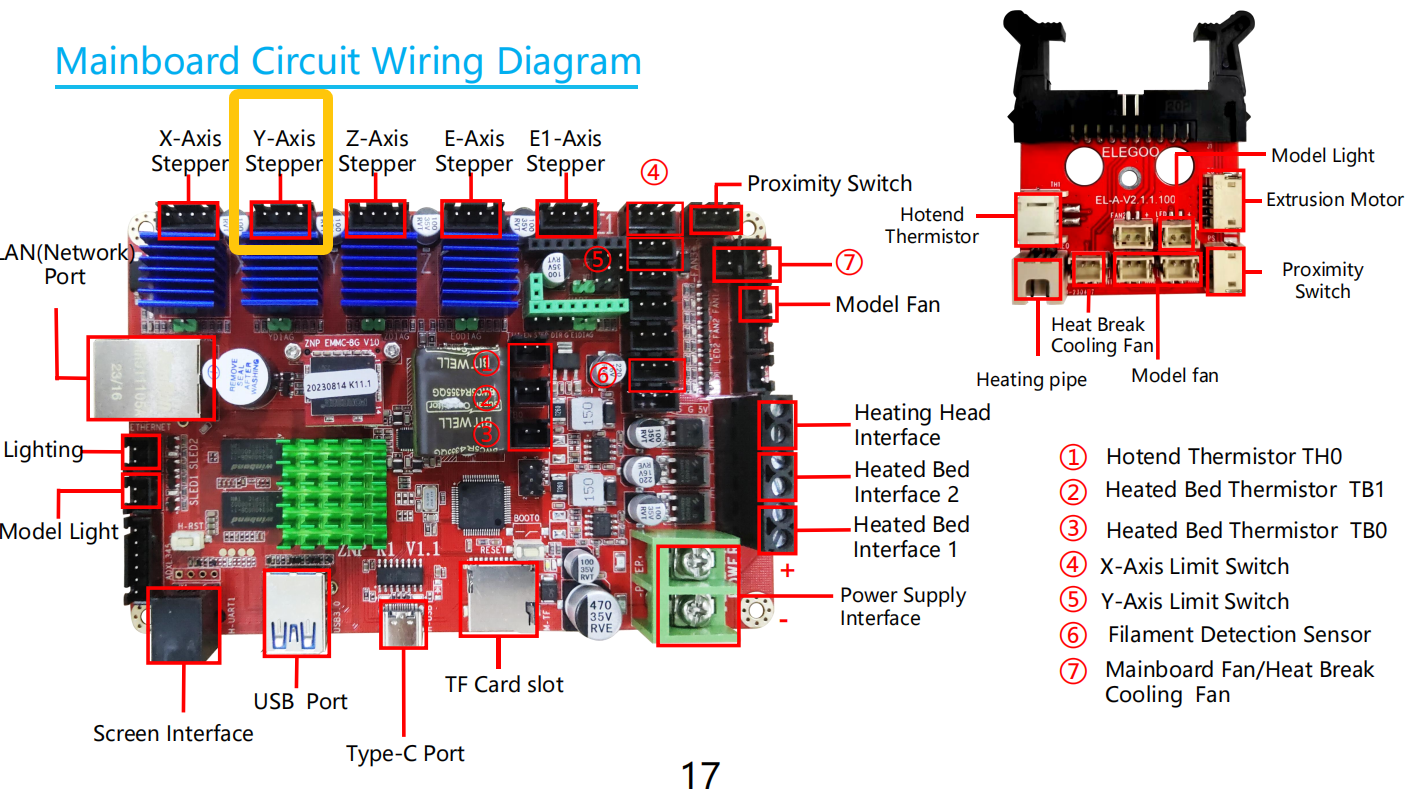
The Y motor plug location for Neptune 4 and Neptune 4 Pro
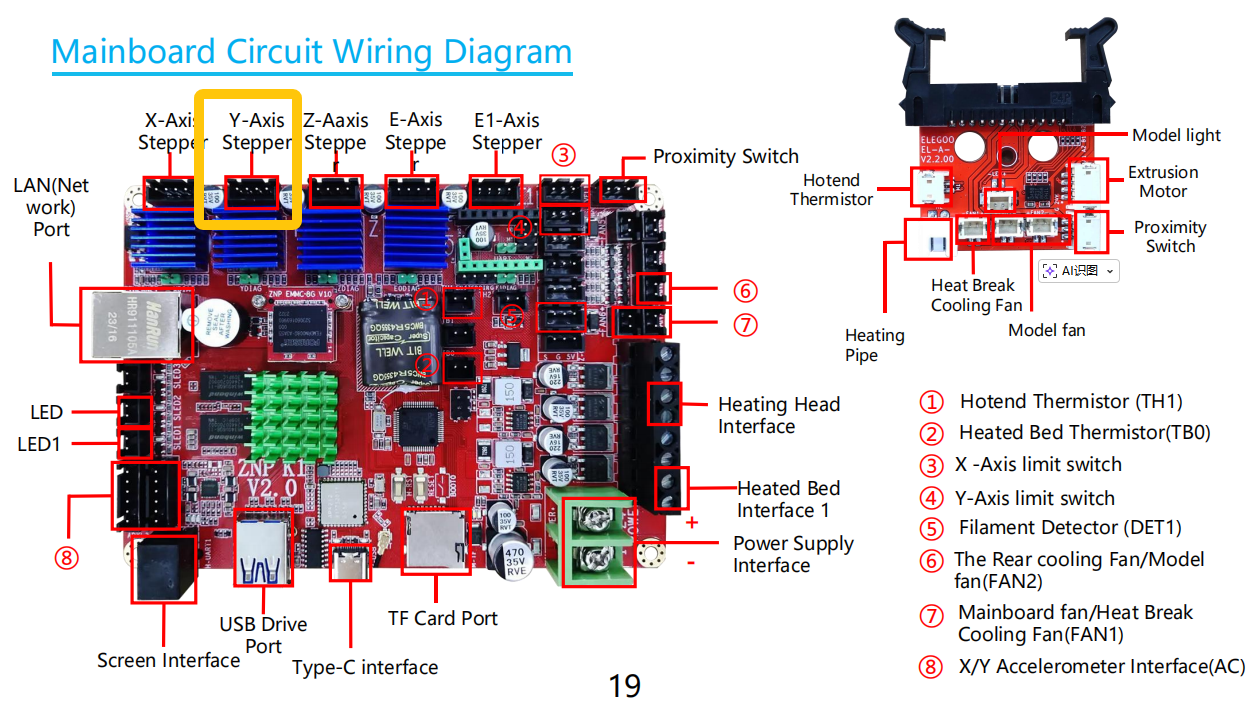
The Y motor plug location for Neptune 4 Plus and Neptune 4 Max
¶ Step 3 Load the latest firmware.
- Update the fix pack, motherboard firmware and the touch screen firmware.
How to load the fix pack
Neptune 4 and 4 Pro: How to use the fix pack
Neptune 4 Plus and 4 Max: How to use the fix pack
How to update the motherboard firmware and the touch screen firmware
Neptune 4 and 4 Pro: How to update the motherboard firmware and the touch screen firmware
Neptune 4 Plus and 4 Max: How to update the motherboard firmware and the touch screen firmware
- If the issue still occurs, it indicates that the motherboard is damaged and needs to be replaced.