¶ Issue Description
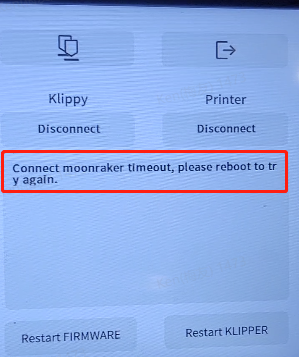
After powering on, the touch screen shows the error message:
Connect moonraker timeout,please reboot to try again.
¶ Reasons
The firmware files have been deleted or the default settings of the firmwares have been changed.
¶ Troubleshooting Steps
¶ Step 1 Turn the power switch OFF (symbol "〇"). Wait for about one minute and restart the printer.
-
If the error message disappears, it indicates that the issue is resolved.
Note: The issue may be caused by any wrong operation. If you encounter this issue again, provide [ELEGOO technical support team (https://www.elegoo.com/pages/contact-support) with details of the operation situation and operation steps.
-
If the issue still occurs, it indicates that the fixing firmware and the new firmware for touch screen and motherboard should be re-loaded and updated.
¶ Step 2 Re-load the fixing firmware and update the firmware for touch screen and motherboard.
-
Click the link below to download the firmwares.
https://elegoo-supportcenter.oss-us-west-1.aliyuncs.com/ELEGOO_UPDATE_DIR-20260121T032636Z-3-001.zip -
Refer to the tutorials below for update operations.
Note: The restart process takes about one minute. Wait patiently and do not interrupt the process. Frequent power cycling within a short period of time may cause the firmware to crash. This can be resolved by loading the updated firmware for the touch screen and motherboard.