¶ Issue Description
The auxiliary cooling fan does not rotate during printing.
¶ Reasons
-
The auxiliary cooling fan assembly cable is not connected correctly or the button is off.
-
The auxiliary cooling fan cable connected to the port on the adapter board is loose or damaged.
-
The auxiliary cooling fan is damaged.
-
The firmware is incorrectly changed.
¶ Troubleshooting Steps
¶ Tools needed for troubleshooting
- A 2.5 mm Allen key
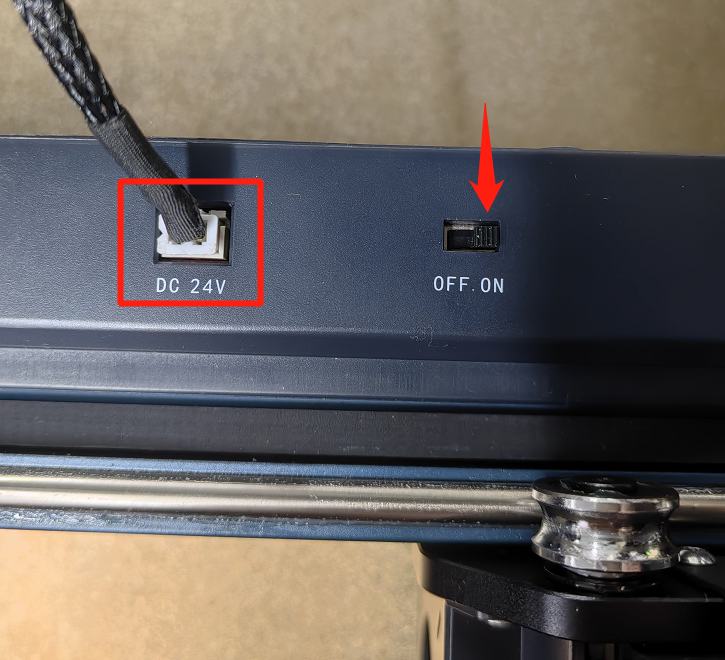
¶ Step 1 Check whether the auxiliary cooling fan cable is connected correctly or the button is on.
-
Check the auxiliary cooling fan cable and its switch. Make sure the cable is secured and the switch is turned on.
-
In the Settings interface, check whether the fans are turned on.
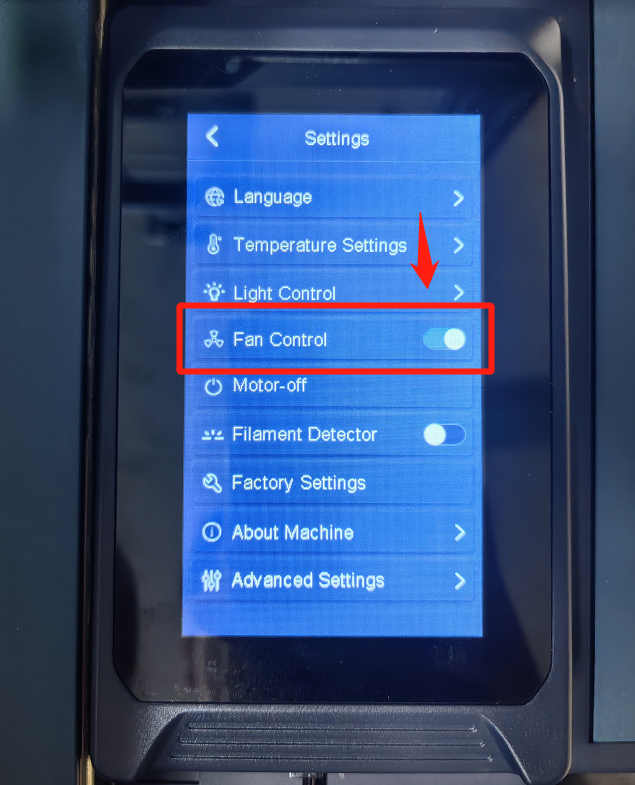
If the auxiliary cooling fan still cannot work, refer to Step 2 for further troubleshooting.
¶ Step 2 Check the cable connected to the port on the adpter board.
-
Turn the power switch OFF (symbol "〇") and unplug the power supply cable.
-
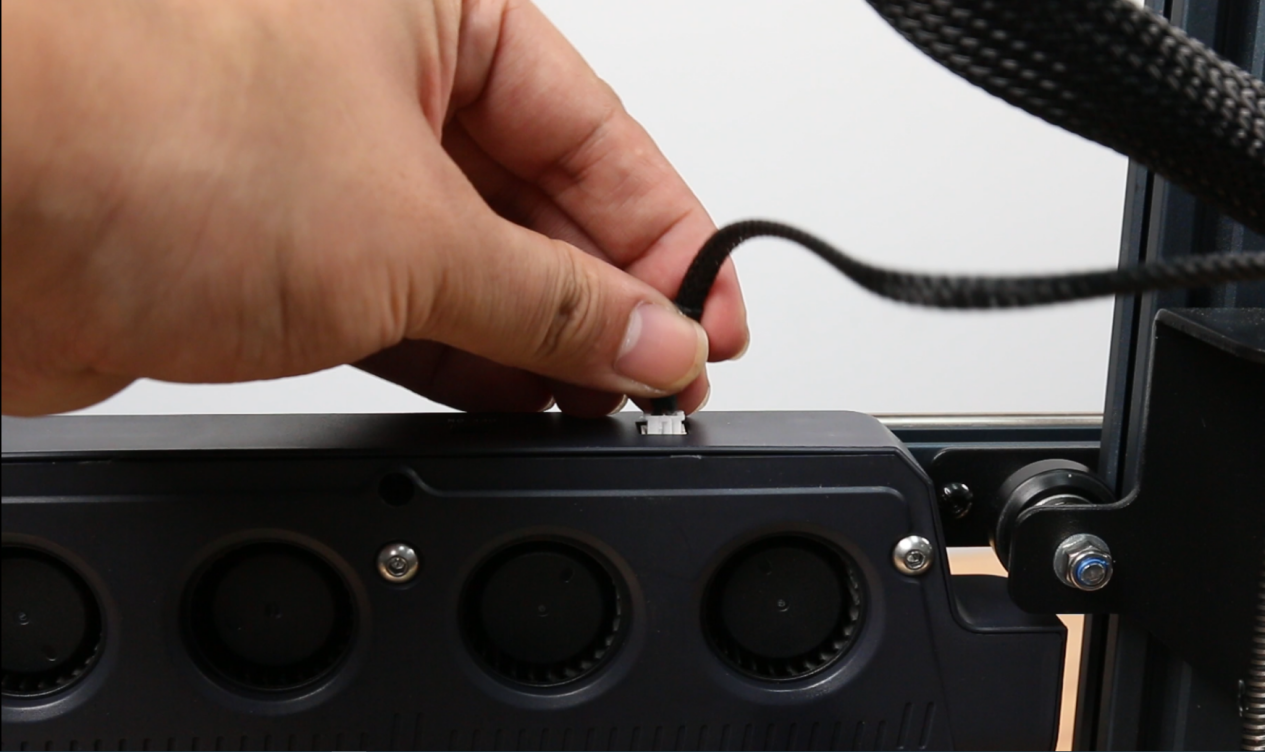
Unplug the auxiliary cooling fan assembly cable.
-
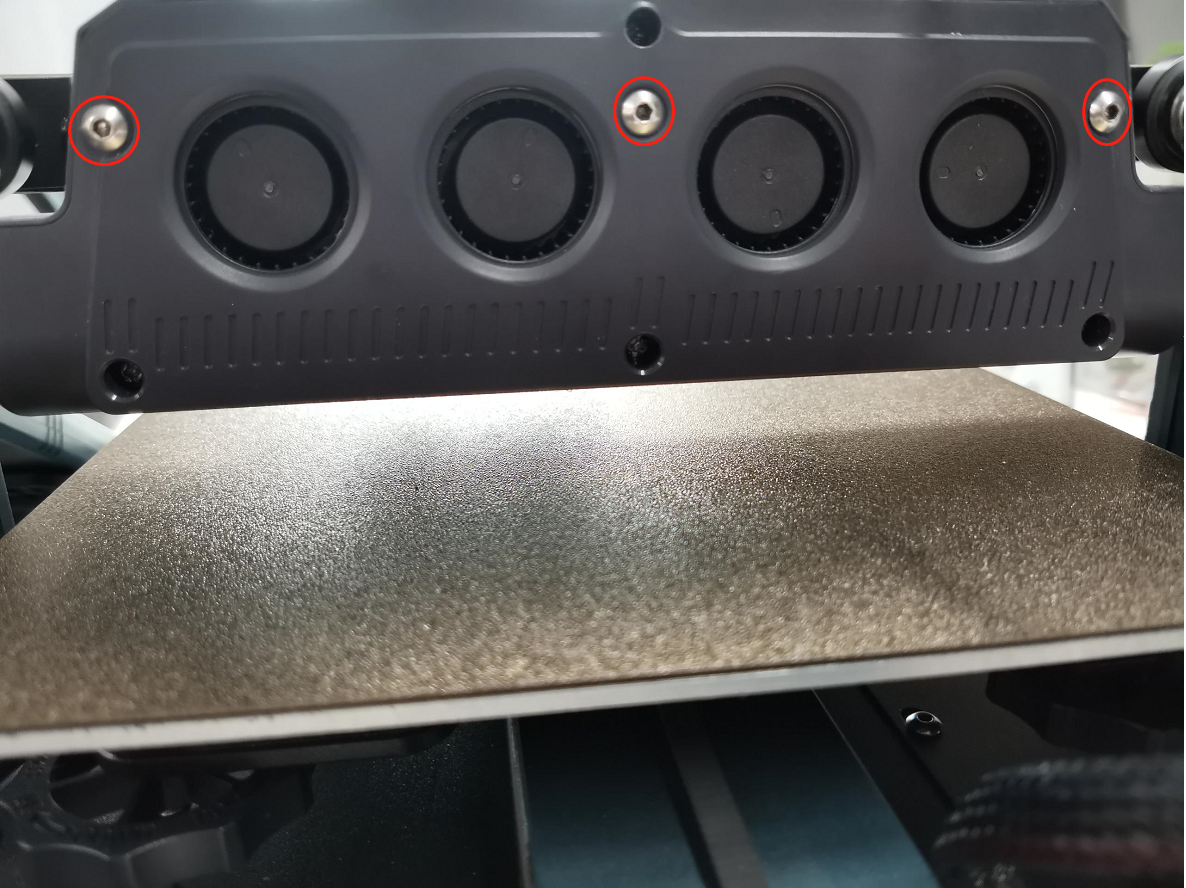
Remove the three screws securing the assembly with a 2.5 mm Allen key and remove the assembly.
-
Remove the screws securing the back cover of the auxiliary cooling fan assembly with a 2.5 mm Allen key and remove the back cover.
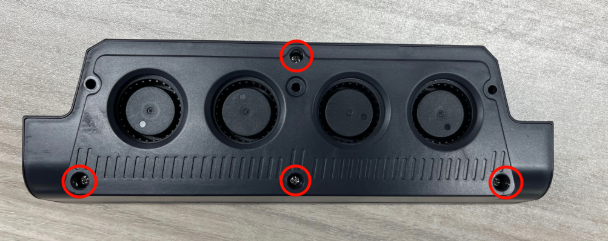
-
Re-plug the cables of the cooling fans connected to the adapter board and secure them.
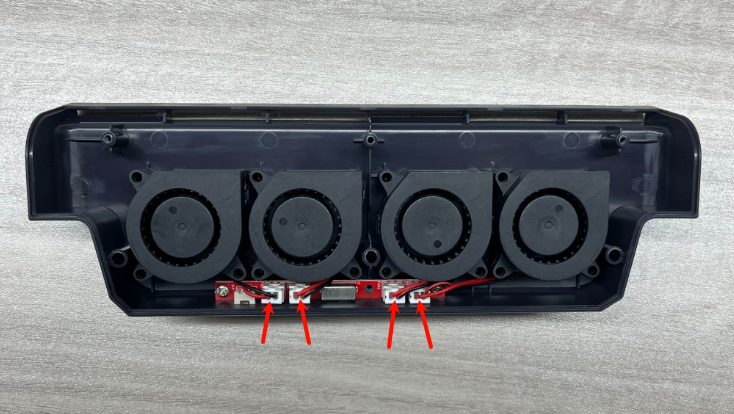
-
If the auxiliary cooling fan starts to work, it indicates that the issue is resolved.
-
If the auxiliary cooling fans still cannot work but the model cooling fans on the two sides of the print head can work, it indicates that the adapter cables or the auxiliary cooling fans are damaged and need to be replaced.
https://www.youtube.com/watch?v=OVI9t5fIEz8
https://www.youtube.com/watch?v=etRV5lG2hQM -
If the auxiliary cooling fans and the model cooling fans cannot work normally, it indicates that the frimware is incorrectly changed and
needs to be re-updated. Refer to MainBoard Firmware Update | ELEGOO Wiki and Touch Screen Firmware Update | ELEGOO Wiki for troubleshooting.
¶ Still Have Issues?
Following the above instructions to check the printer will not affect the printer's warranty.
If the issue still cannot be solved, contact ELEGOO technical support team for further assistance.