¶ Issue Description
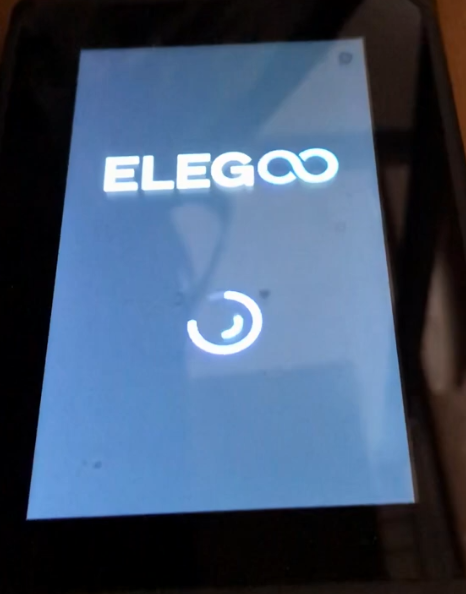
- After powering on the printer, the touch screen cannot access the menu interface for more than a minute and keeps displaying the loading icon.
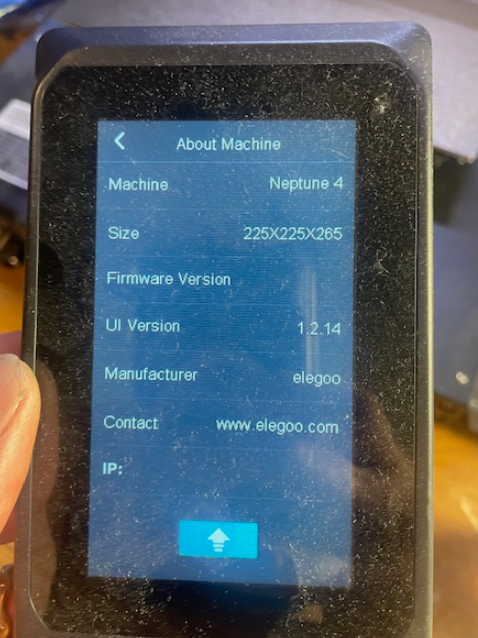
- After powering on the printer, the touch screen directly enters the settings interface, and the motherboard firmware is missing. The printer model is displayed as Neptune 4.
¶ Reasons
-
The accessories are short-circuited.
-
Firmware settings are incorrectly modified.
-
The motherboard firmware has crashed.
-
An unofficial firmware is installed.
-
The eMMC, motherboard or touchscreen is damaged.
¶ Troubeshooting Steps
¶ Tools necessary for toubleshooting
-
An eMMC adapter
-
A type-C data cable
-
A TF card - FAT-32 format, less than 32 GB memory
-
An USB flash drive - FAT-32 format, less than 16 GB memory
¶ Step 1 Confirm the accessory causing the touch screen to fail to enter the menu interface.
-
Turn the power switch OFF (symbol "〇") .
-
Unplug the four cables.
-
Turn the power switch ON (symbol "|").
-
Check whether the printer's touch screen can access the menu interface.
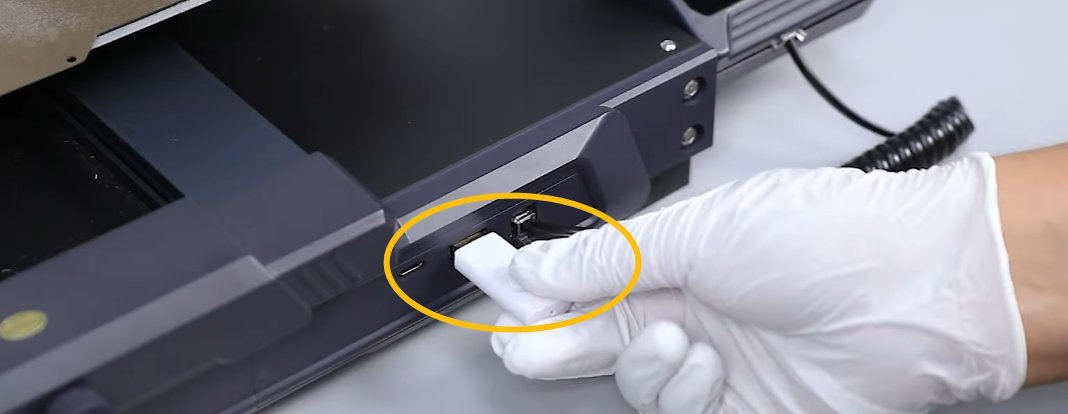
- USB flash drive
-
Filament runout sensor cable
-
Ganty led cable
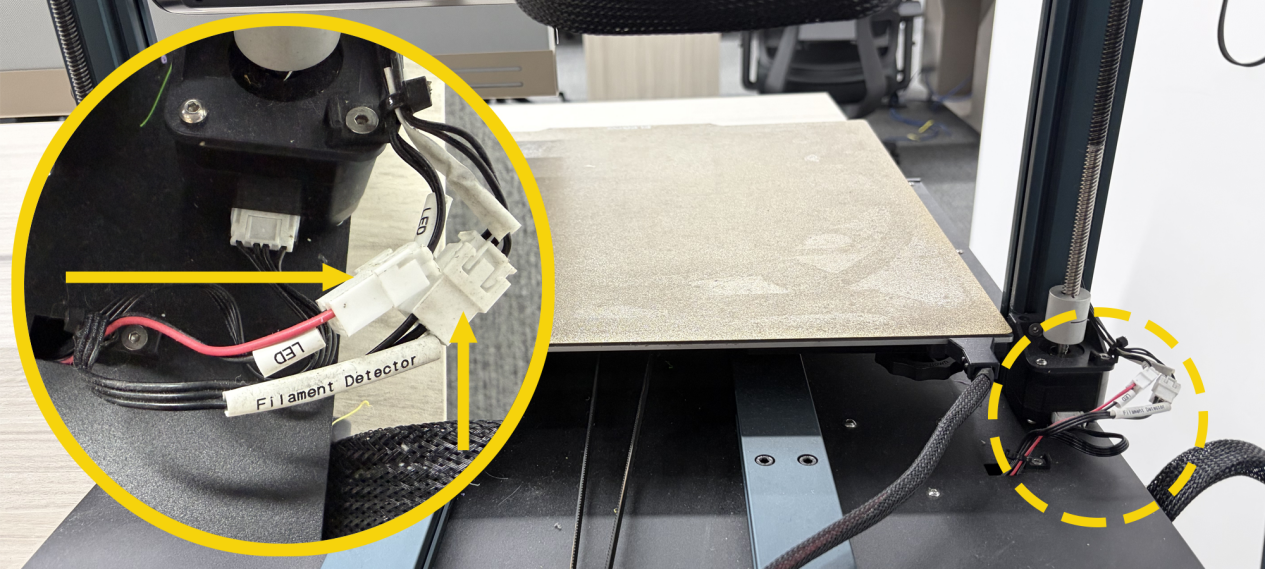
- Y-axis accelerometer cable
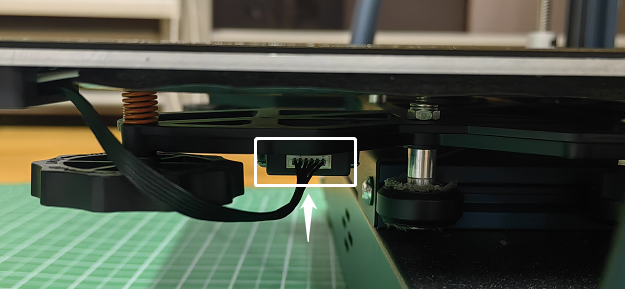
- If the menu interface can be accessed after unplugging the four cables at the same time, it indicates that one of the cables is short-circuited.
-
Turn the power switch OFF (symbol "〇") .
-
Plug in one cable at a time. Confirm the cable causing the the touch screen to fail to enter the menu interface.
- If the printer fails to enter the menu interface when a particular cable is inserted, it indicates that the corresponding accessory needs to be replaced.
¶ Step 2 Update the fix pack.
- The fix pack is stored in the firmware package. Download the package from the ELEGOO official website.
https://www.elegoo.com/pages/download
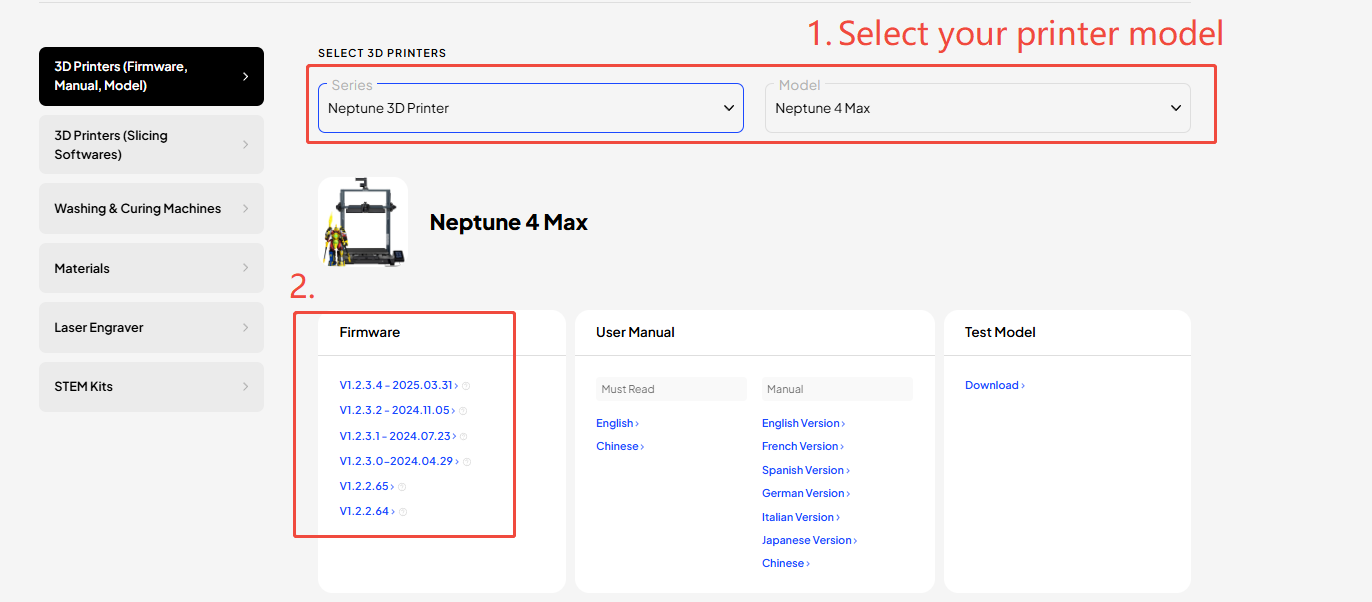
- Find the fix pack in the firmware package.
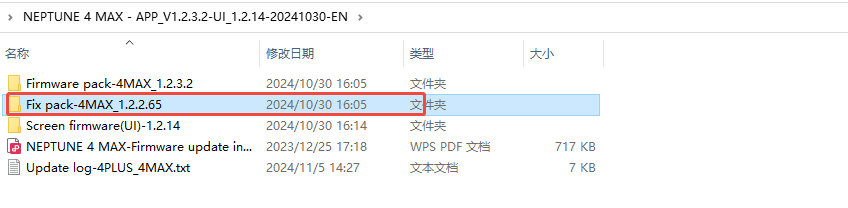
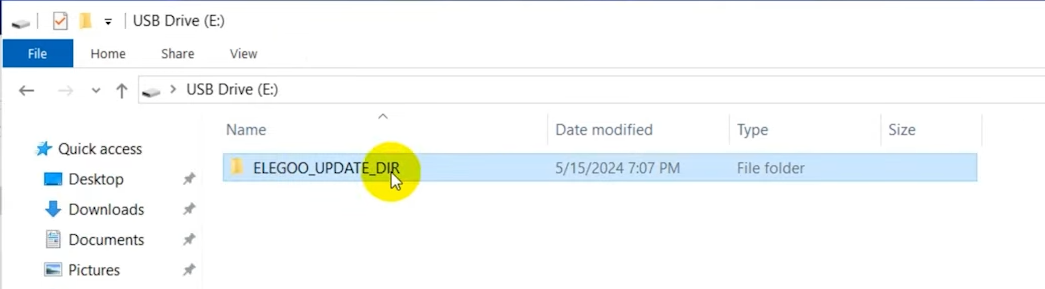
- Copy the fix pack into the root directory of a USB flash drive. The root directory can be accessed by double-clicking the USB flash drive.
Note:
-
The USB flash drive for the Neptune 4 series printer must be in FAT-32 format and have less than 16GB of memory.
-
The other files saved in the USB flash drive must be deleted.
- Insert the USB flash drive. Turn the power switch ON (symbol "|").
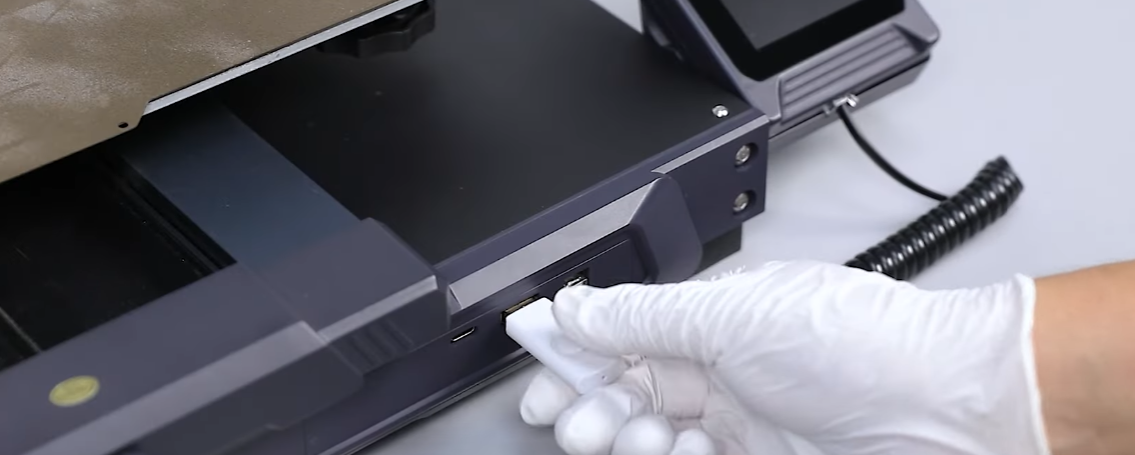
- Wait for about two minutes after powering on the printer. Check whether the touch screen can access the menu interface directly after installing the repair package.
- If the issue still occurs, follow Step 3 and Step 4 for
further troubleshooting.
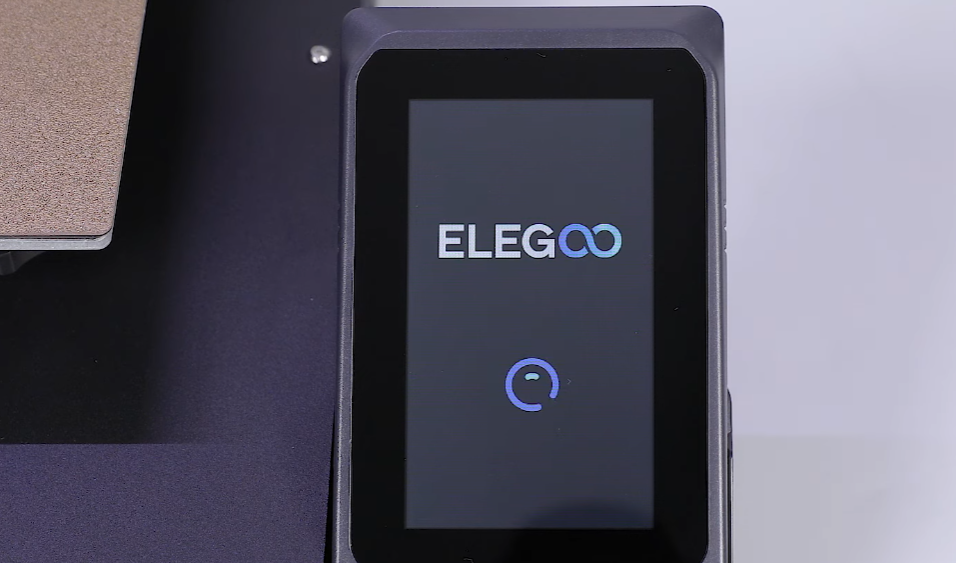
After updating the fix pack and entering into the touch screen, refer to the links below and update the motherboard and touch screen firmware first. Do not use the printer immediately.
How to update the motherboard firmware:
https://wiki.elegoo.com/machines/neptune/maintenance/neptune-4-series/mainboard-firmware-update
How to update the touch screen firmware:
https://wiki.elegoo.com/machines/neptune/maintenance/neptune-4-series/touch-screen-firmware-update
¶ Step 3 Check whether the fix pack is updated successfully and try updating the motherboard firmware with a type-c data cable.
- Remove the USB flash drive and insert it into PC. Find the ELEGOO_UPDATE_DIR folder and check whether the following two files are generated:
-
fix_klipper_successed
-
fix_tag
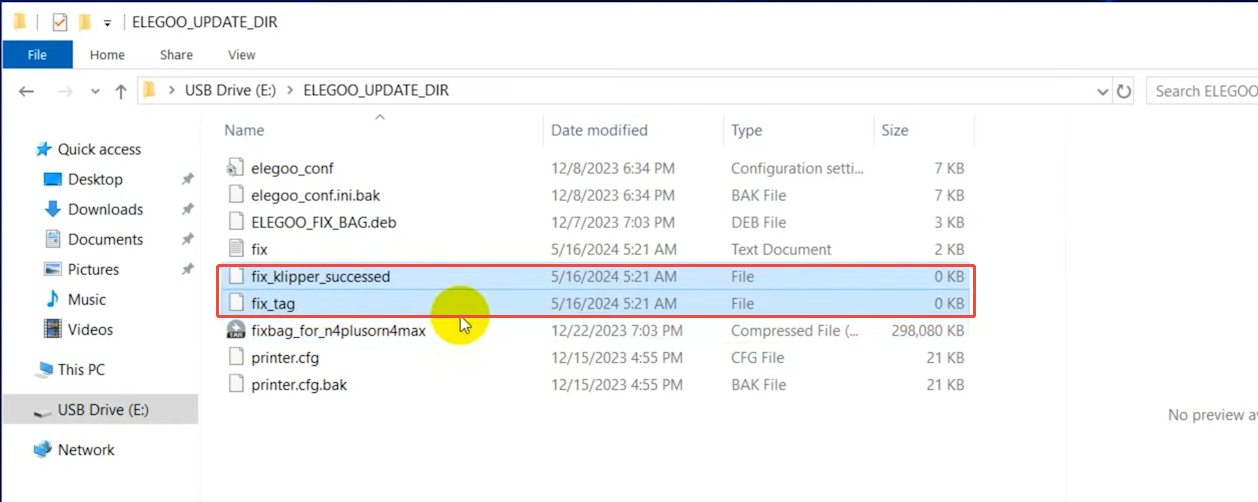
- If the two files are generated, update the motherboard firmware with a type-C data cable. Refer to the links below to update the motherboard firmware.
How to update the motherboard firmware with a USB-C data cable:
https://www.youtube.com/watch?v=bYAPmkKw7KA
Putty download link:
https://www.chiark.greenend.org.uk/~sgtatham/putty/latest.html
- If the USB flash drive does not contain the two files, refer to Step 4 and Step 5 for further troubleshooting.
¶ Step 4 Re-install the mirroring files to repair the crushed firmware.
- Reinstall the mirroring files by referring the links below.
Note: The Neptune 4 series printers use customised versions of Klipper. Do not update the firmware via Fluidd. Updating the firmware via Fluidd is not an official method and the printer may become bricked in this way.
https://wiki.elegoo.com/en/machines/neptune/maintenance/neptune-4-series/image-installation-methods
¶ Step 5 Check whether the eMMC, touch screen or the motherboard is damaged.
If the issue still occurs, it indicates that the eMMC, motherboard or touch screen is damaged.
-
If any other Neptune 4 series printer is available, the touch screen may also be temporarily used for this printer.
-
Check whether the menu interface can be accessed after replacing the touch screen.
-
If the menu interface can be accessed, it indicates that the touch screen needs to be replaced.
-
If the menu interface still cannot be accessed, it indicates that the eMMC or the motherboard need to be replaced.