¶ Issue Description
During printing, the touch screen displays the error message:
MCU shutdown_Timer to close
¶ Reasons
-
The firmware is incorrectly changed.
-
Installing a third-party plugin causes the system load to become extremely high.
¶ Troubleshooting Steps
¶ Tools and materials needed for troubleshooting
-
A USB flash drive (FAT-32 format, less than 16 GB capacity)
-
A TF card (less than 32GB capacity)
-
A 2.0 mm Allen key
¶ Preparation
-
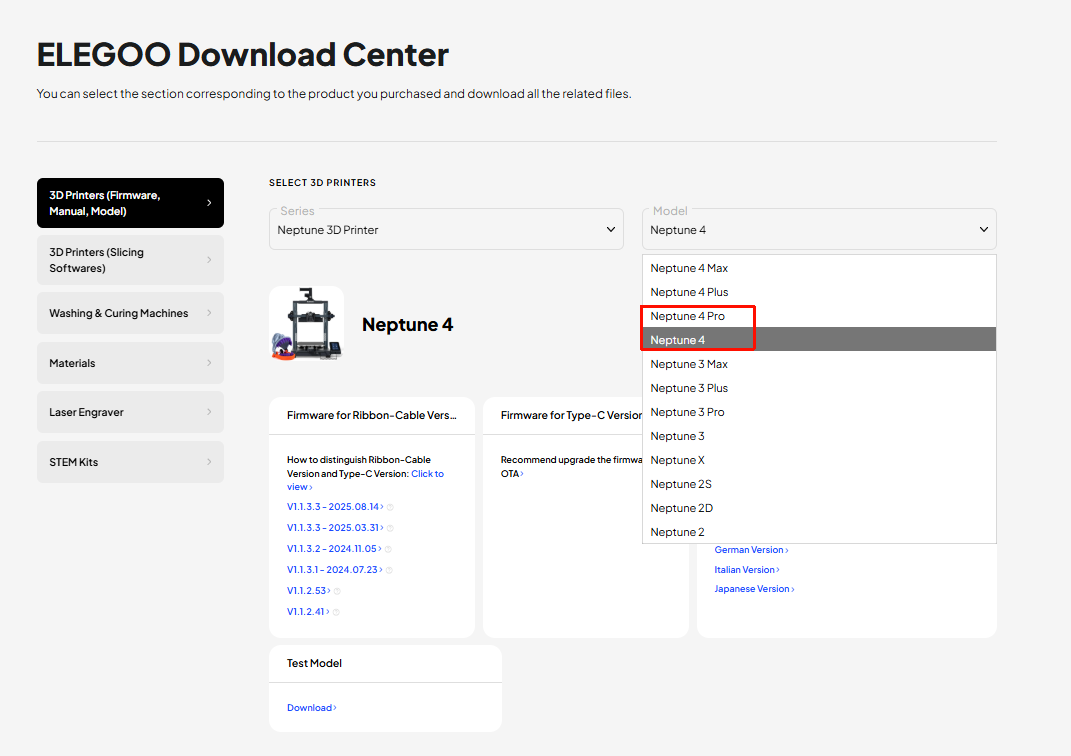
Click the link below and download the package.
https://www.elegoo.com/pages/download
-
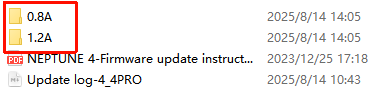
Confirm the package folders corrsponding to your printer.
a. After unzipping the package, you can find two folders named 0.8A and 1.2A.
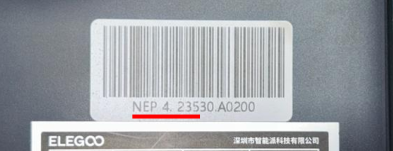
b. Check the label in the lower left corner of your printer:
-
If NEP 4. 234, NEP 4. 235, NEP 4. 236 is displayed, select the 0.8A folder.
-
If other serial numbers are displayed, select the 1.2A folder.
¶ Step 1 Load the fix pack.
Refer to How to use the fix pack for specific steps.
¶ Step 2 Update the motherboard firmware and touch screen firmware.
Refer to How to update the motherboard firmware and the touch screen firmware for specific steps.