¶ Issue Description
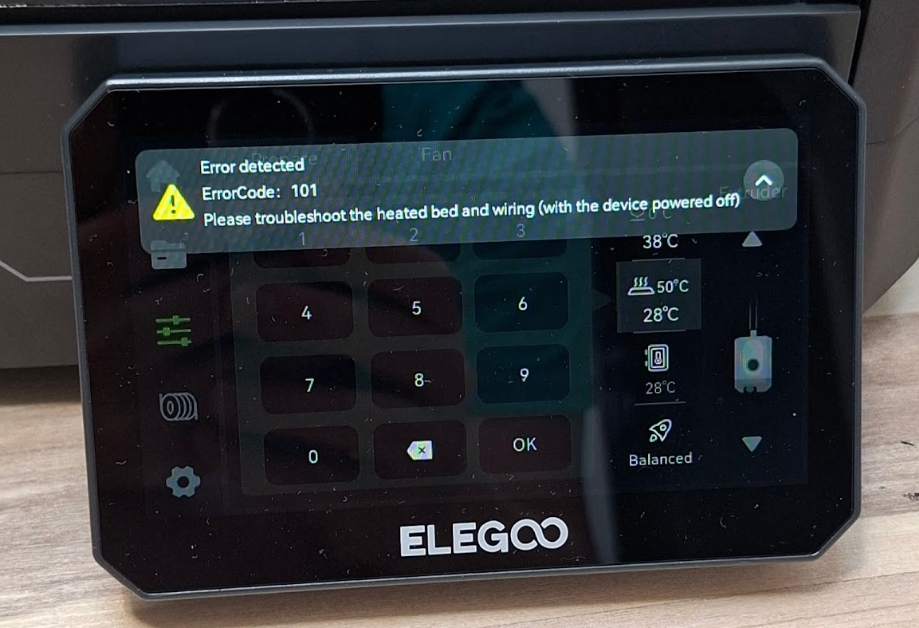
Please troubleshoot the heated bed and wiring (with the device powered off)
¶ Reasons
- The heated bed thermistor is damaged.
- The motherboard is damaged.
- The power supply is damaged.
- The heated bed or the heated bed control board is damaged.
¶ Troubleshooting Steps
¶ Tools necessary for toubleshooting
- A multimeter
- A 2.0 mm Allen key
¶ Step 1 Check whether the thermistor is damaged.
- Restart the printer.
- Wait for 10 to 20 minutes until the heated bed has cooled down to room temperature.
- Check whether the heated bed temperature displayed on the touch screen is lower than the ambient temperature of the room where the printer is placed.
Note: If the thermometer is not available, compare the ambient temperature with the nozzle temperature.
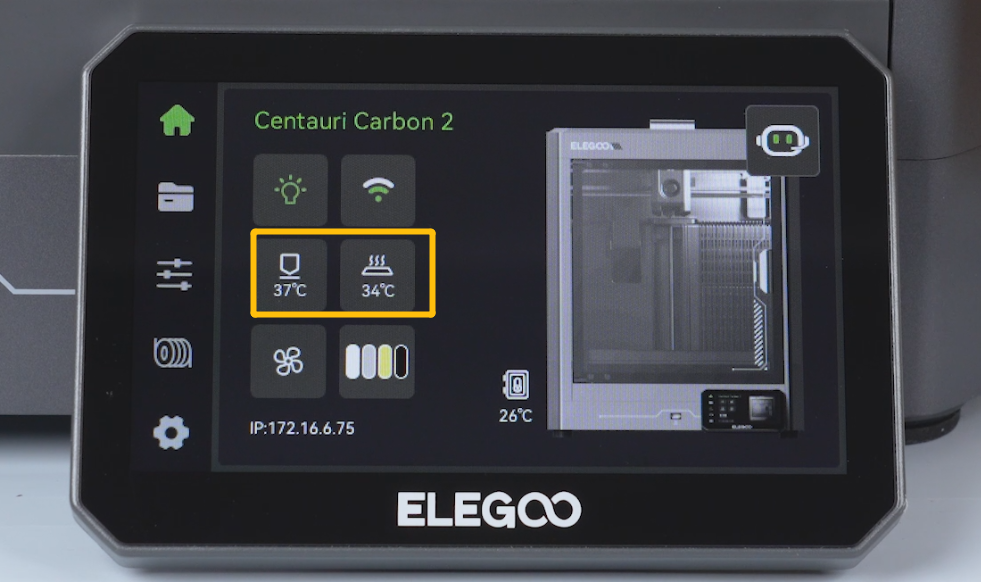
- Check whether the heated bed temperature displayed on the touchscreen is lower than the ambient temperature of the room where the printer is placed.
- If the heated bed temperature is significantly lower than the nozzle or room temperature, it indicates that the heated bed thermistor is damaged. It is necessary to replace it with a new thermistor.
¶ Step 2 Check whether the motherboard is damaged.
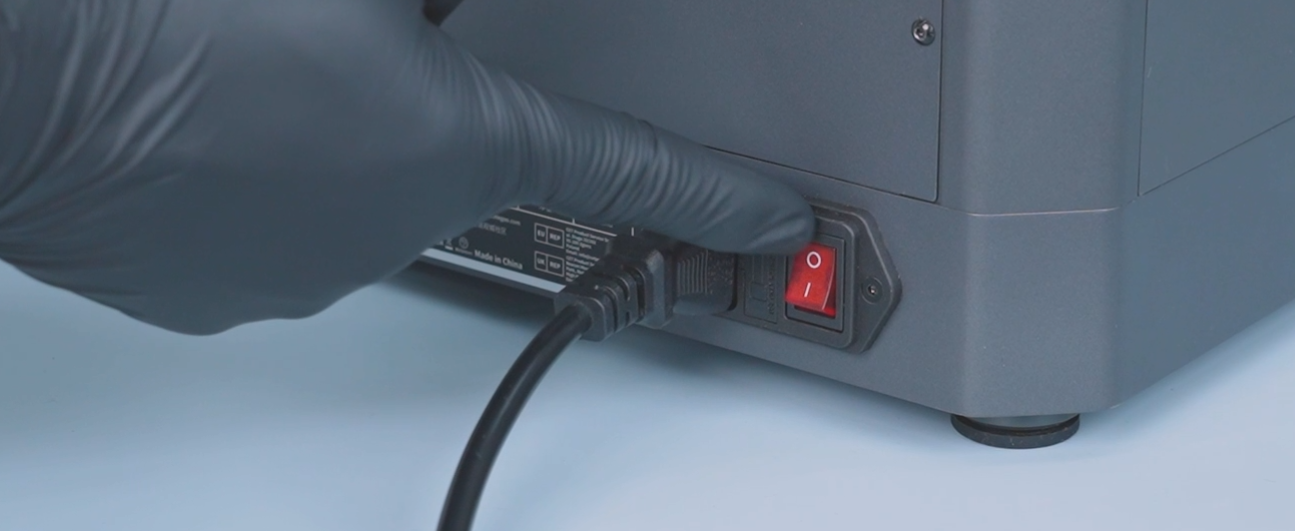
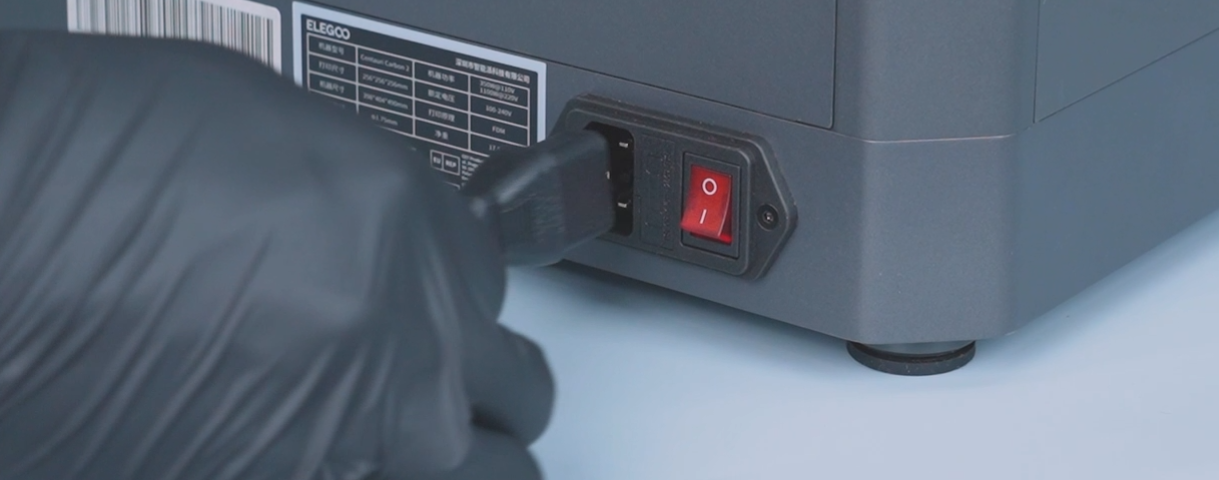
- Turn the power switch OFF (symbol "〇") and unplug the power supply cable.
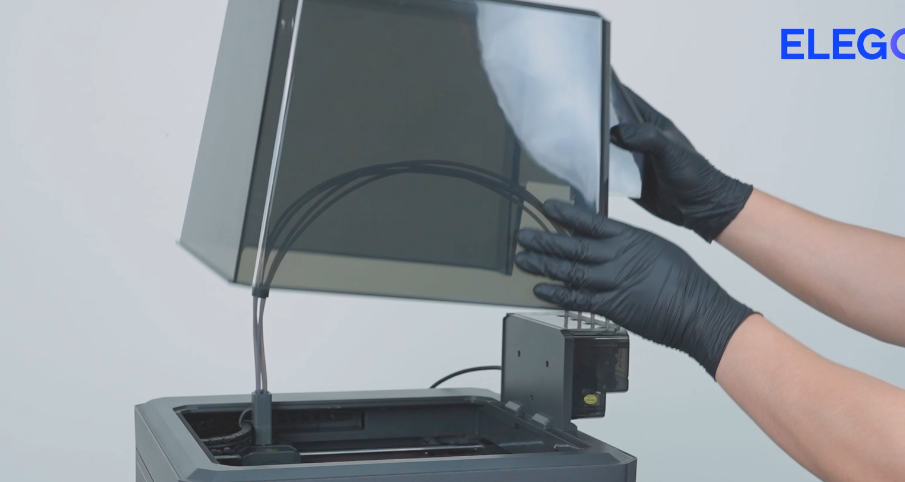
- Remove the lid.
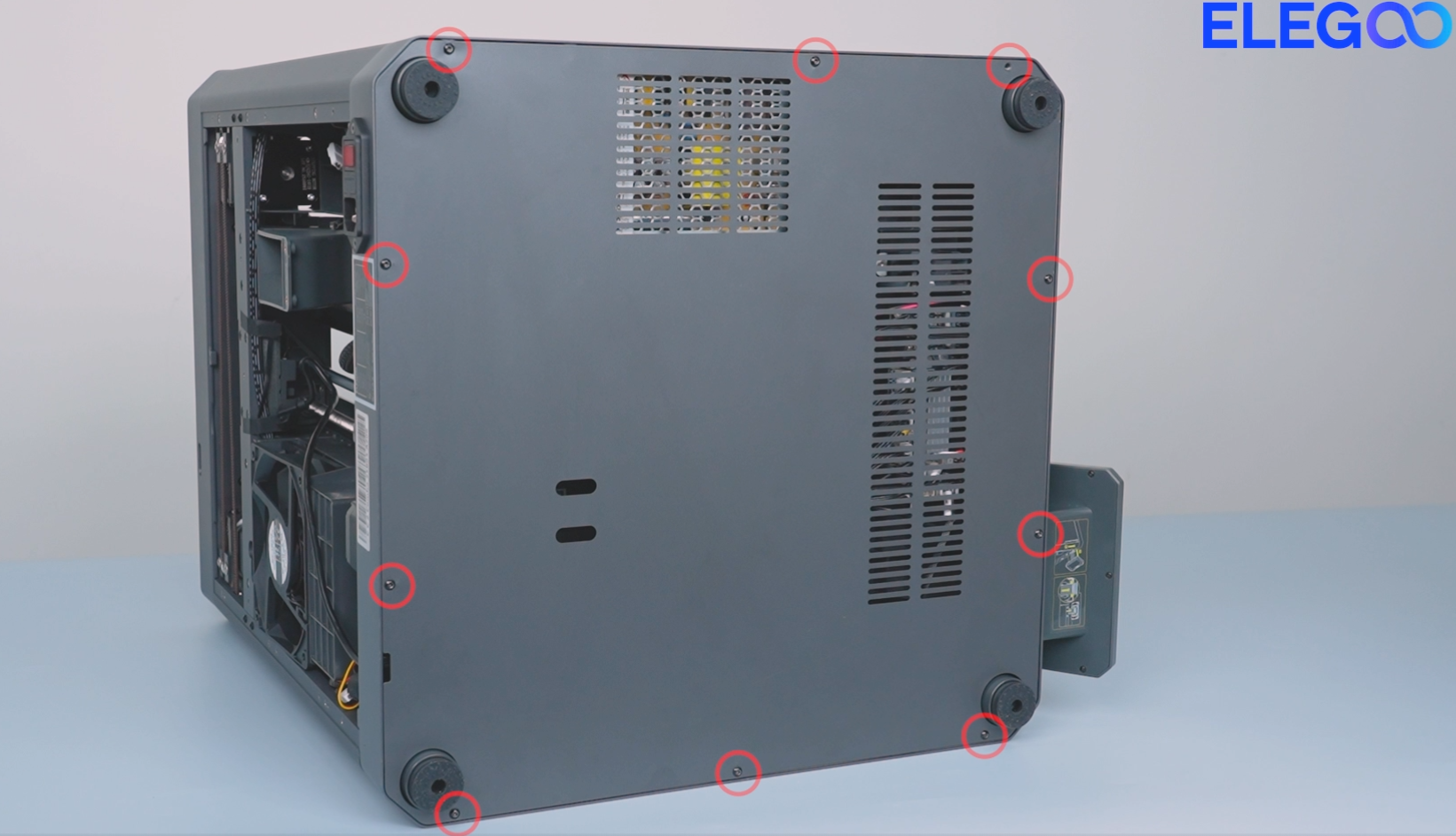
- Release and remove the ten screws securing the bottom cover with a 2.0 mm Allen key. Remove the bottom cover.
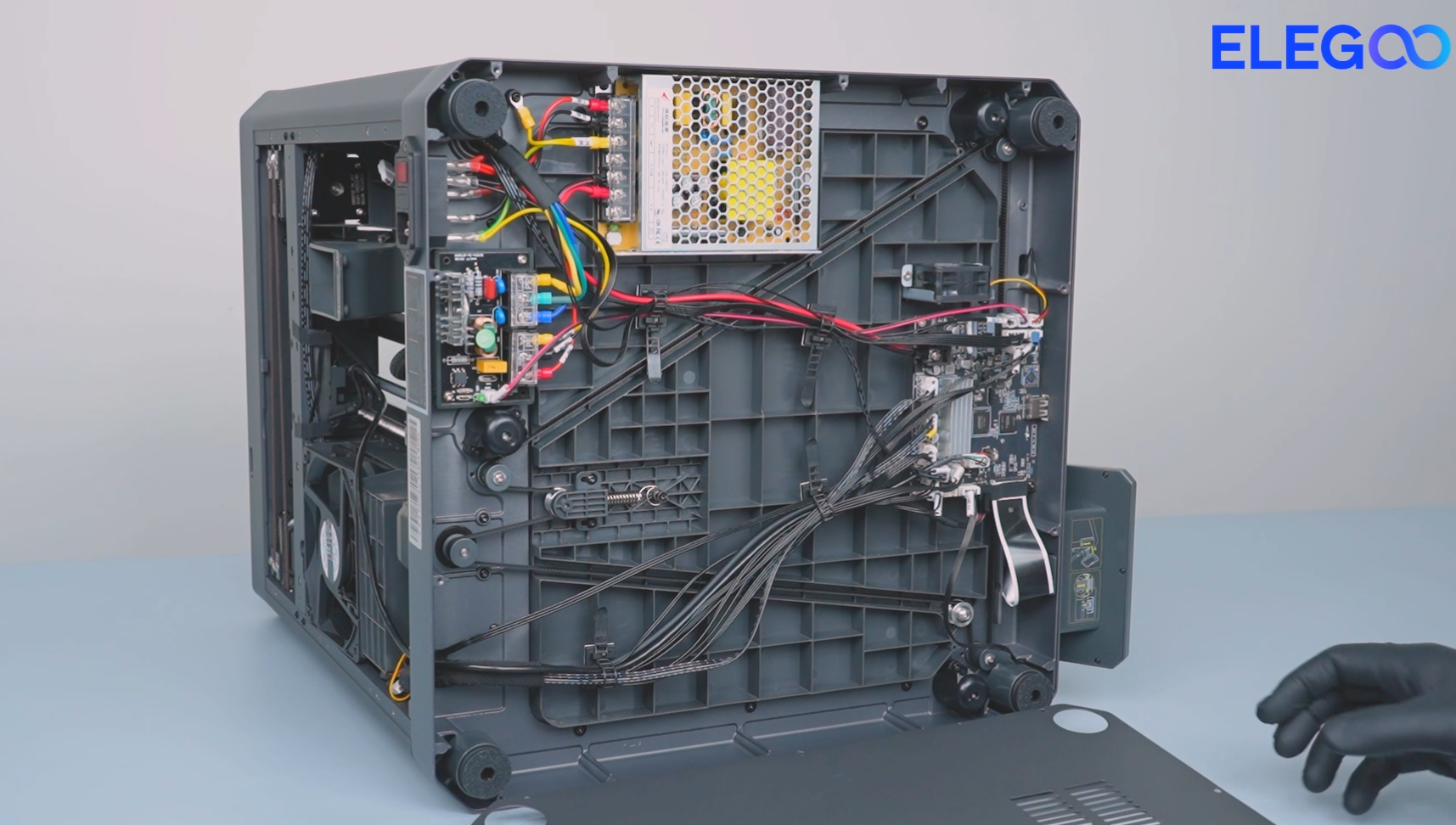
- Plug in the power cord and power on the printer.
- On the touch screen, select Control and set the bed to any temperature.
- Check whether the indicator light at the corresponding position on the motherboard lights up.
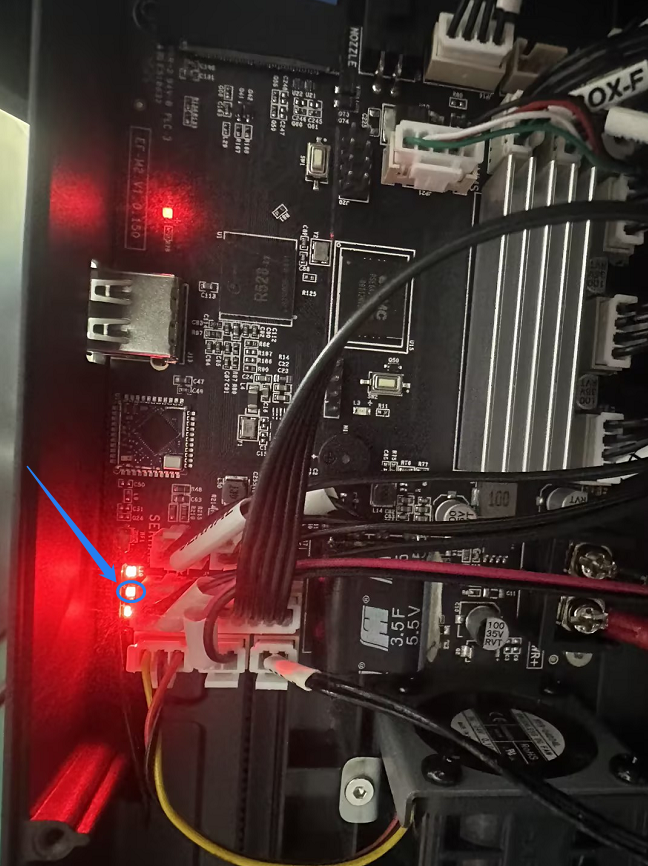
- If the indicator light cannot illuminate, it indicates that the motherboard is damaged and needs to be replaced.
- If the indicator light can illuminate, refer to Step 3 for further troubleshooting.
¶ Step 3 Check whether the power supply is damaged.
- Heat the heated bed up via the touch screen.
- During the heating process check whether the signal line or power output port of the heated bed control board has the output voltage of 24 V with a multimeter.
- If the voltage is unstable or significantly below 24V. It is necessary to replace the power supply.
Note: Temperature measurement should be taken during the heated bed's heating process. If the heated bed has already reached the preset temperature, it will affect the test results.
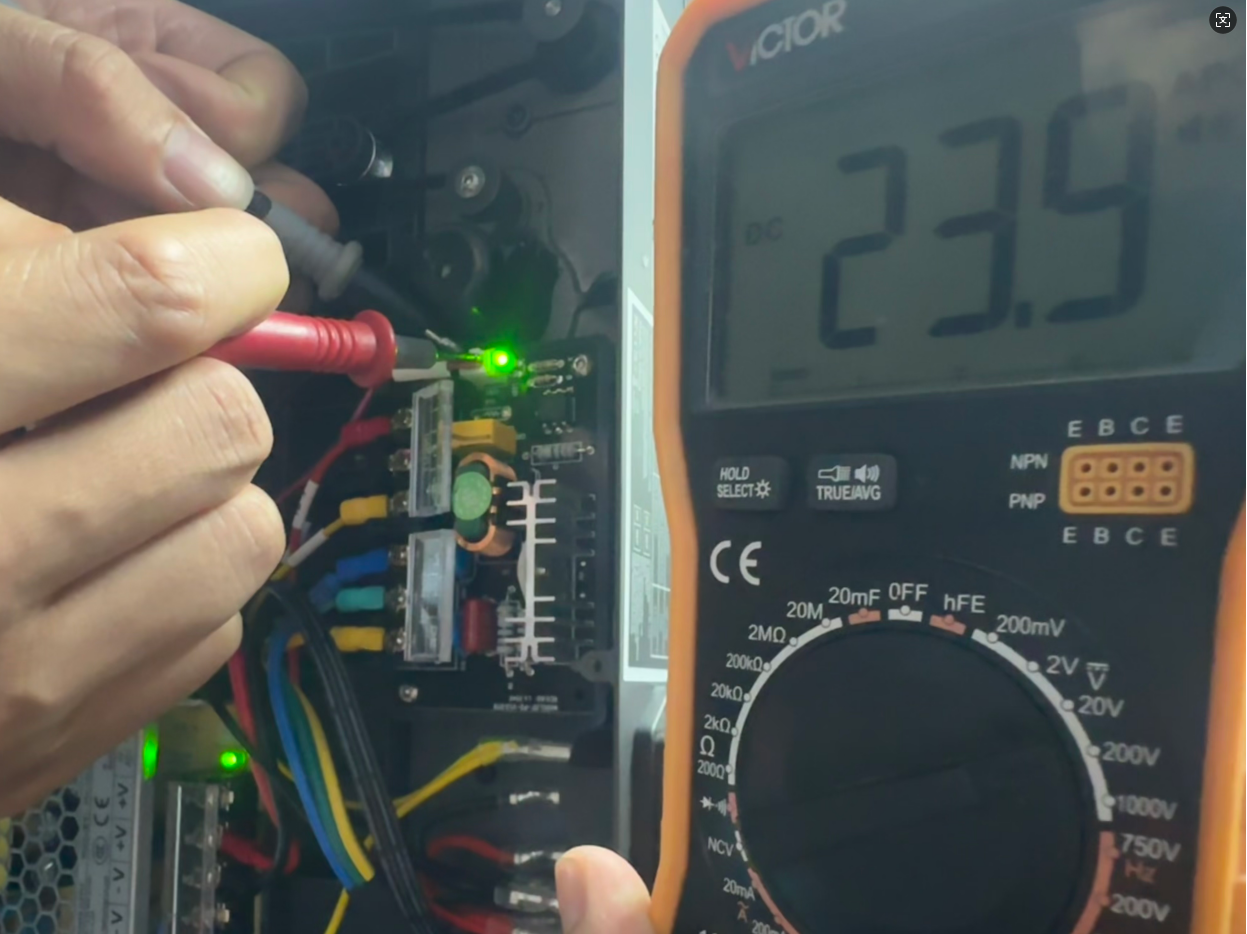
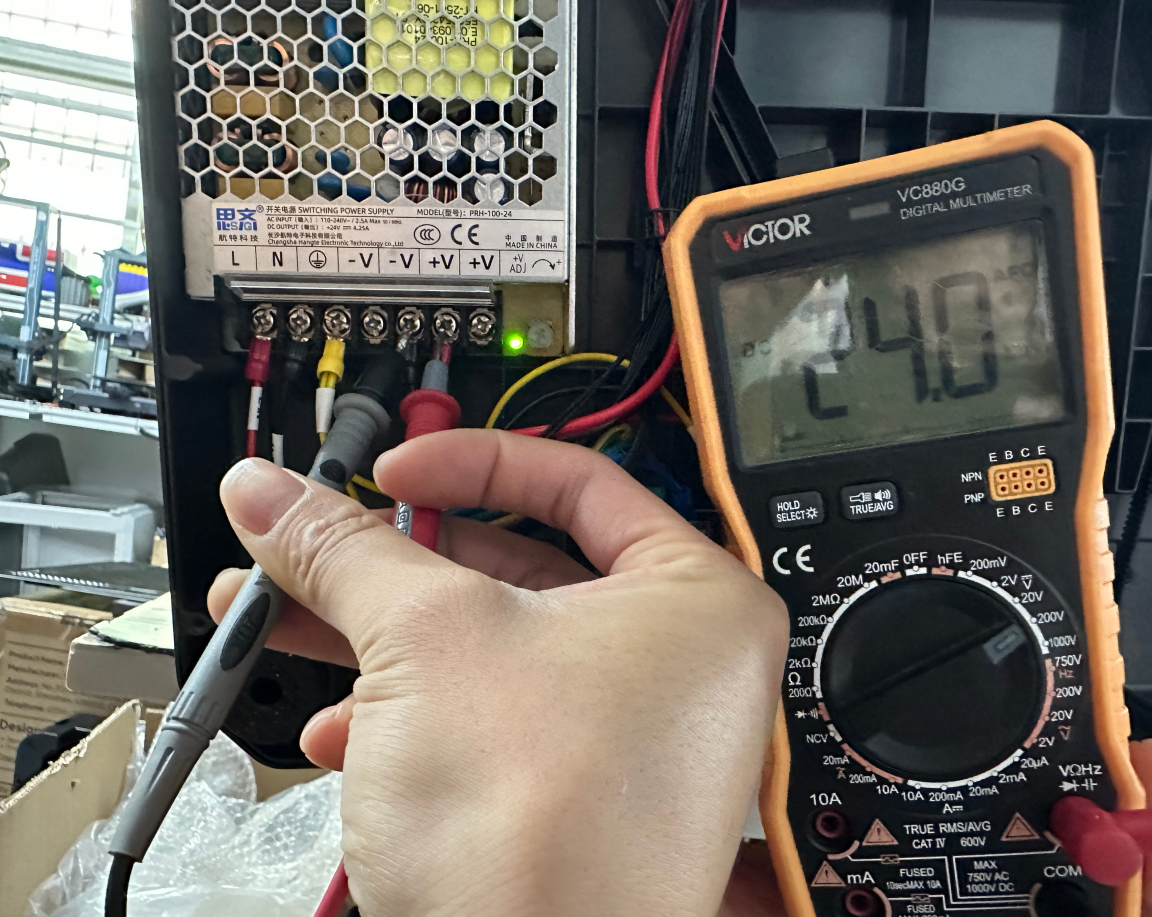
¶ Step 4 Check whether the heated bed or its control board is damaged.
- Set the multimeter to the correct AC voltage range.
- If the standard voltage is 110V in your region, set the multimeter to the 200V AC voltage range.
- If the standard voltage is 220V in your region, set the multimeter to the 750V AC voltage range.
- Heat the heated bed up via the touch screen.
- During the heating process check whether the heating bed input voltage or output voltage is normal with a multimeter.
- If the input voltage of the heated bed control board is the same as the standard voltage in your region, it indicates that the heated bed is damaged and needs to be replaced.
- If the input voltage of the heated bed control board does not match the standard voltage in your region, it indicates that the heated bed control board is damaged and needs to be replaced.
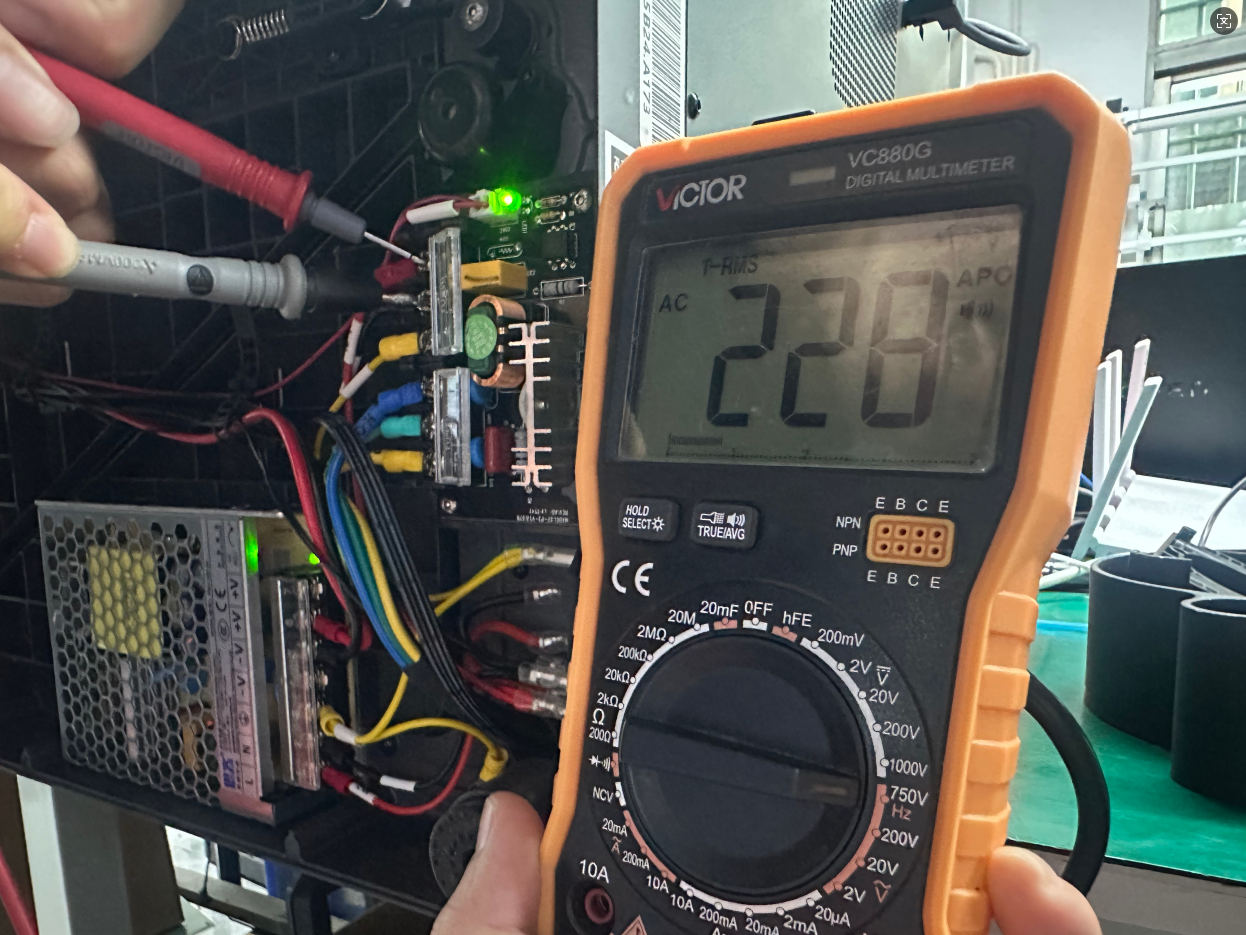
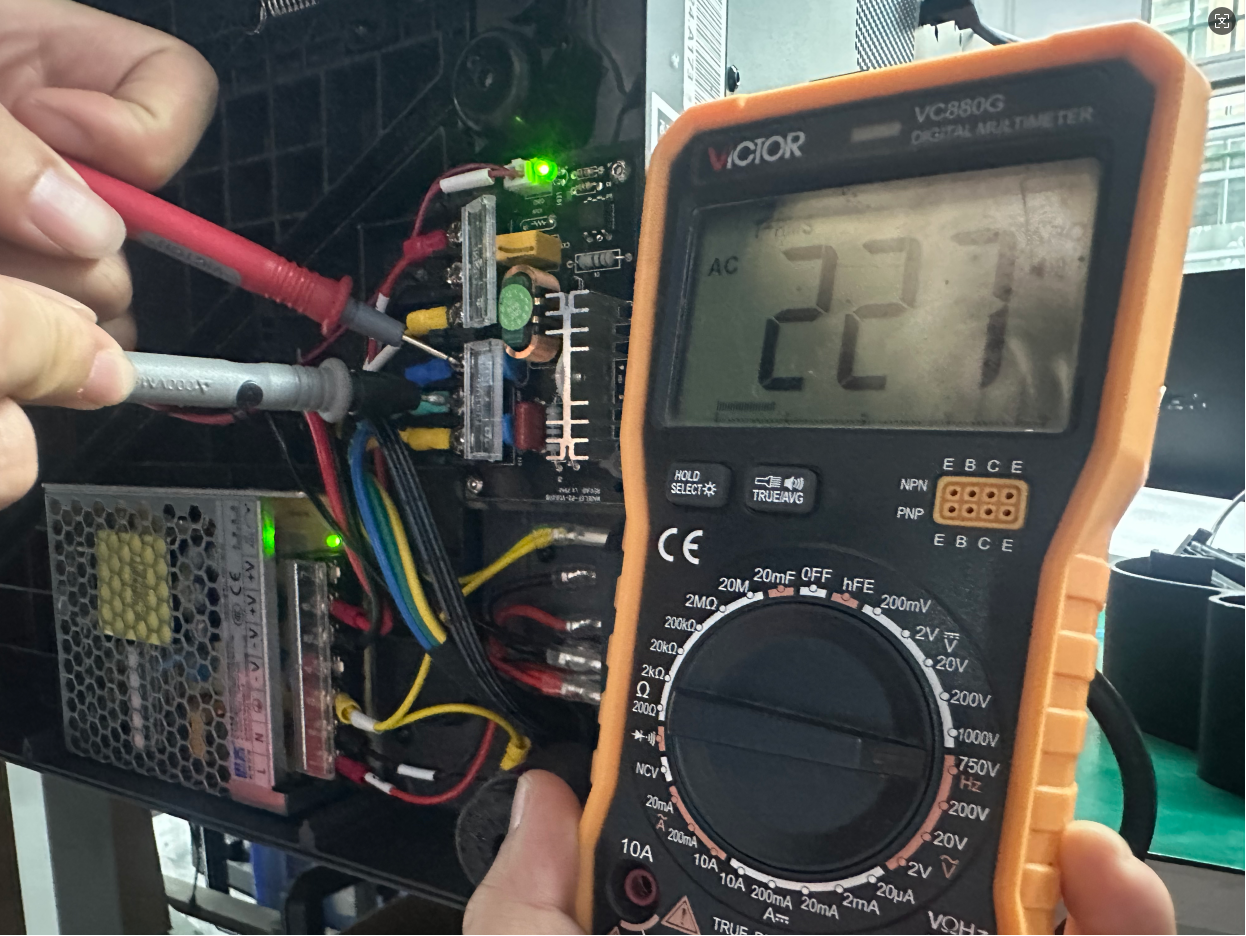
¶ Still have Issues?
Inspecting the printer in accordance with the above instructions do not affect the printer's warranty.
If you remain uncertain about the cause of the issue,contact ELEGOO technical support team and inform us of the results according to the following checks.
- Is the heated bed temperature lower than the ambient temperature in the room where the printer is located? Is the heated bed temperature lower than the nozzle temperature?
- During the heating process of the heated bed, can the indicator light at the corresponding position on the motherboard illuminate?
- During the heating process, is the voltage of the hetaed bed control board signal wires 24V? If the multimeter is not available, please inform us whether the indicator light on the heated bed control board is illuminated at this time.
- During the heating process, check whether the input voltage or output voltage of the heated bed control board is normal when tested with a multimeter.