¶ Product Introduction
¶ Features
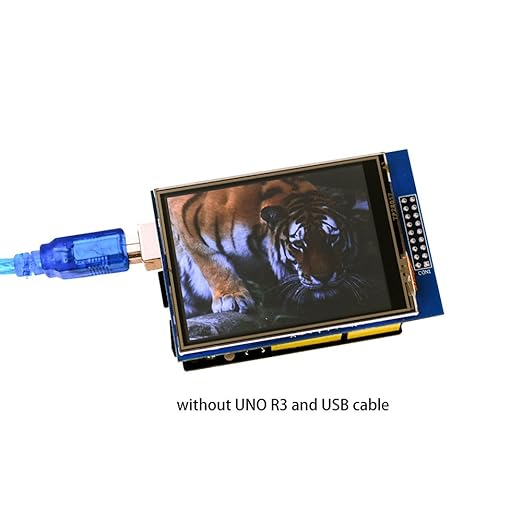
- Compatible with Arduino UNO, UNO R4 MINIMA, UNO R4 WIFI and Mega2560, and can be connected directly
- by inserting the pin into the interface without wire.
- Compatible with all kinds of 5v or 3V MCU with 5V-3.3V changee-over circuit
- 320X240 HD resolution, can be used as a touch screen.
- Adopting 8-bit parallel bus, quicker and smoother refresh than SSPI.
- Offer support with Arduino libraries, simplify program development
- With Micro-SD card circuit, easy to expand the scope of the test.
¶ Module Specifications
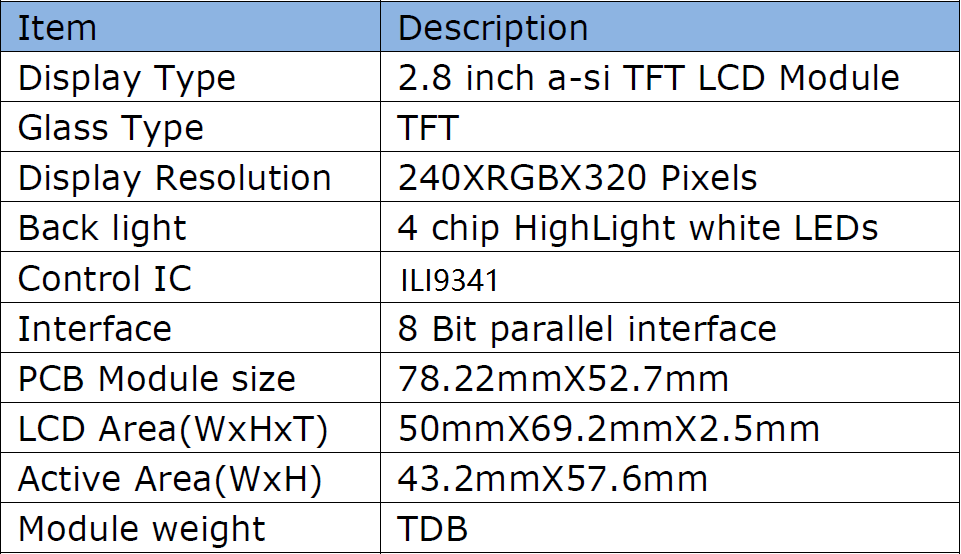
¶ Basic Specifications
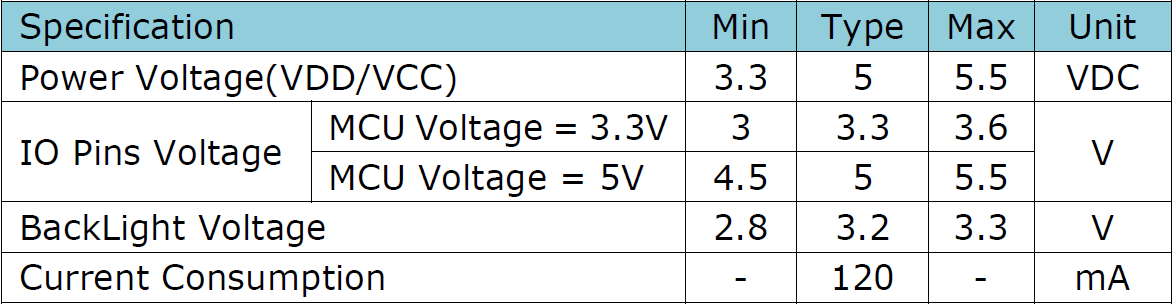
¶ Electronic Specifications
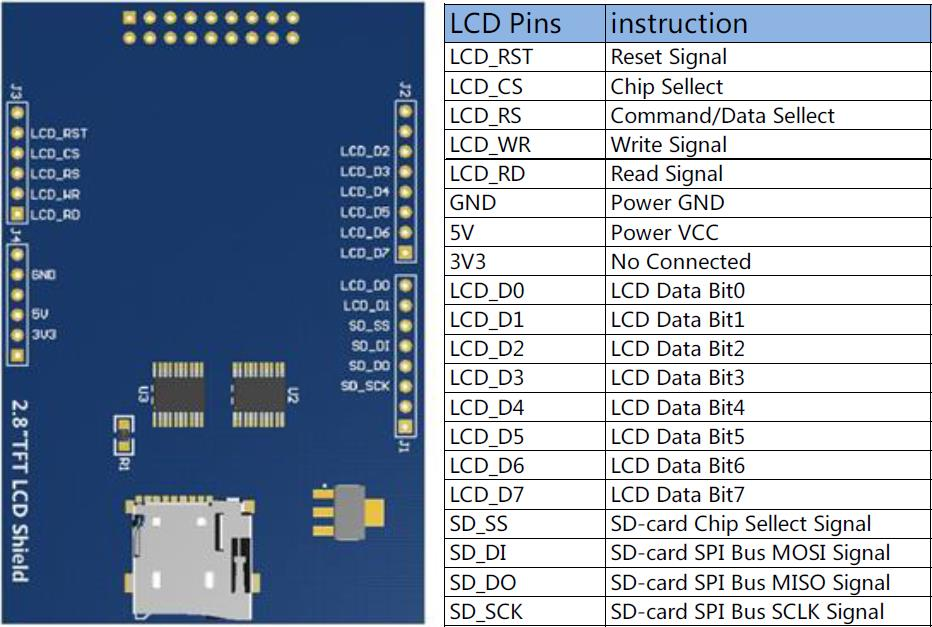
¶ Interface Definition
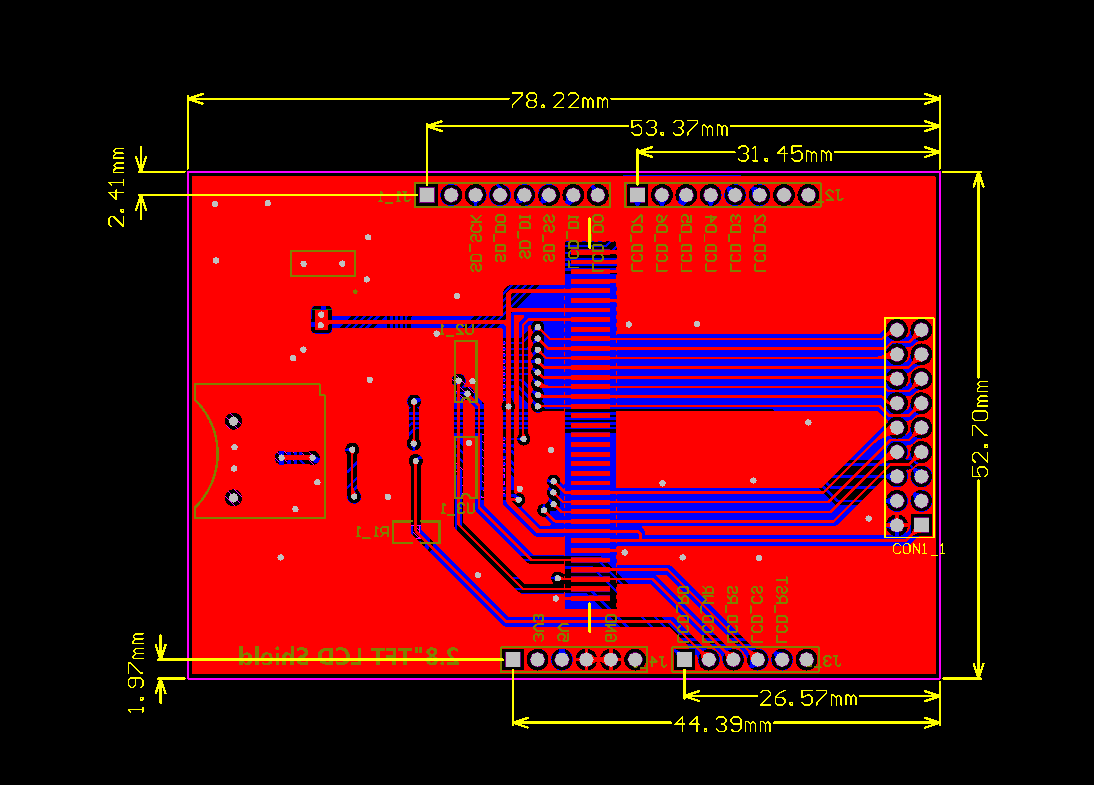
¶ Size Specifications
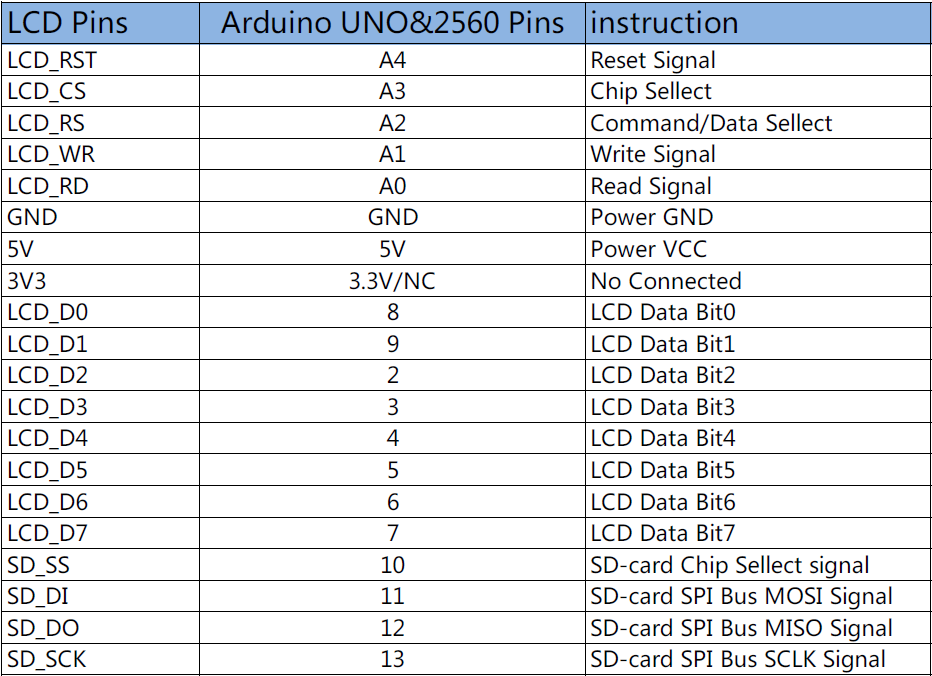
¶ Pins Correspondence
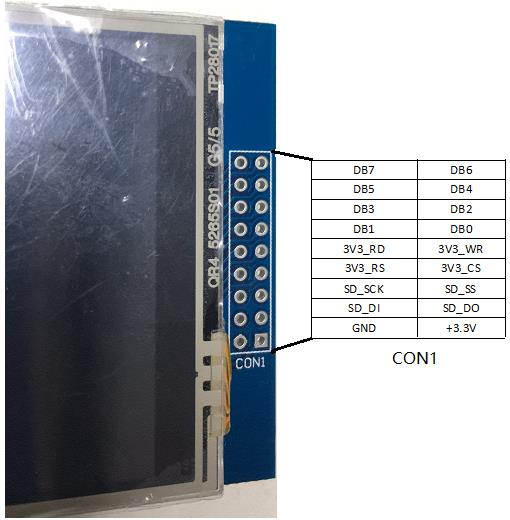
¶ CON1 interface
Note: Only SD_DO, SD_DI, SD_SS, SD_SCK and Arduino are on, and the rest are independent of Arduino's IO.
¶ Preparation
¶ Hardware Preparation
- A PC or a laptop
- A Arduino UNO board or a Arduino MEGA2560 board or a arduino UNO R4 WIFI board.
- A Mini USB Cable (Type B or Type C)
- A 2.8 inches Touch Screen.
- A micro SD card, any storage capacity is ok.
¶ Software Preparation
Download the Arduino IDE from the official site of Arduino. (www.arduino.cc). Install the IDE with default setting, you can select the installing path during the installation.For specific operations, please refer to the link below.
https://wiki.elegoo.com/oshw-getting-started-&-kits/ide-download
¶ Library File Preparation
If you experience failures during the library file import process, please consult the link below for relevant guidelines
https://wiki.elegoo.com/oshw-getting-started-&-kits/library-Installation
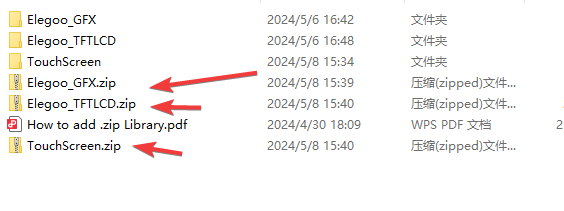
The downloaded directory contains archives and folders. Only ZIP-formatted library archives are supported for library loading.
¶ Working with UNO R3 /UNO R4
Connect 2.8 inches touch screen with Arduino UNO/UNO R4 board , then connect the UNO board with the PC or laptop with USB cable.
If you encounter missing or invalid library‑file issues during usage, please contact us promptly via our official customer‑service email. We will resolve the problem and update the resources as soon as possible.
you can reach out to us by simply droping a line at service@elegoo.com or EUservice@elegoo.com.
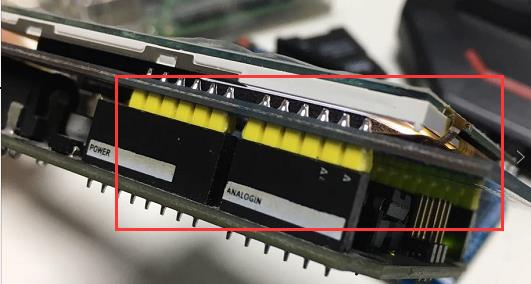
This display is equipped with anti-reverse insertion pin structure. Reverse the module if installation is blocked. When connecting with jumper wires, verify each pin connection for matching.
¶ Instructions for Other Operations
If you encounter operational issues or need operation methods, please refer to the link below, which can resolve relevant problems.
https://wiki.elegoo.com/oshw-getting-started-&-kits/faqs