¶ Real Time Clock Module
¶ Overview
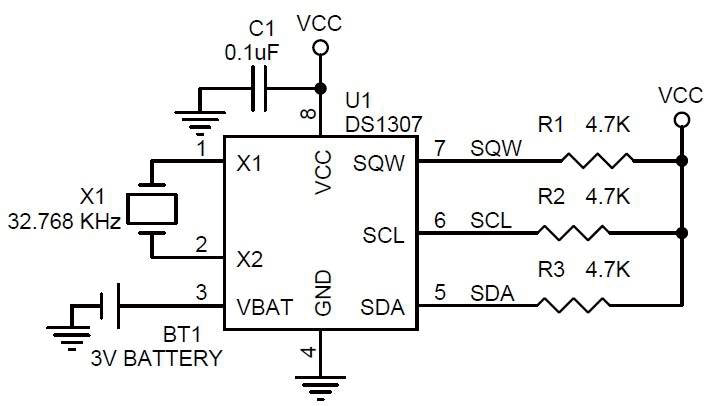
In this lesson, you will learn how to use the RTC module, The DS1307 real-time clock is a low-power chip.
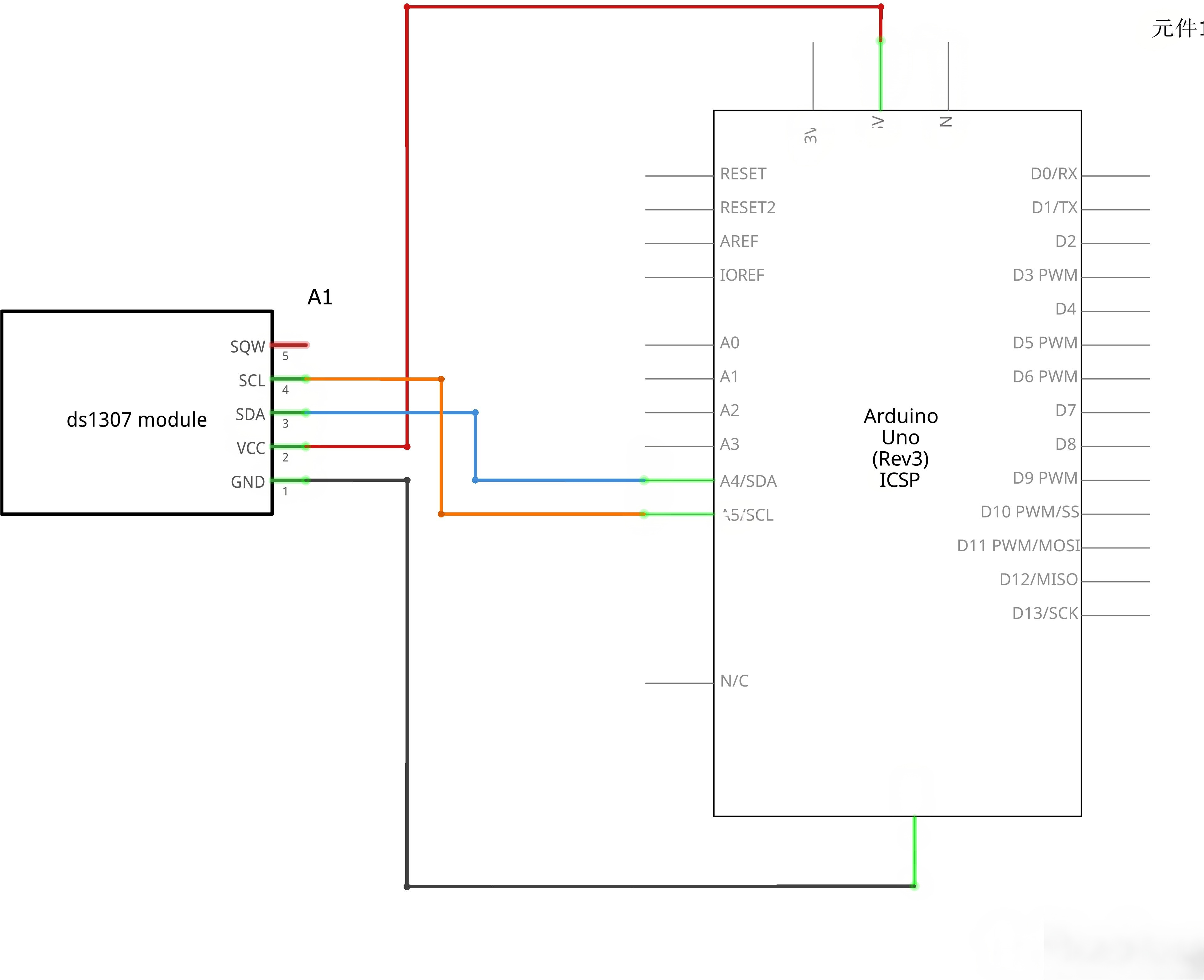
Address and data are transferred serially through an I2C, which can be used unless being connected to UNO with only three data cables. DS1307 provides seconds, minutes, hours, day, date, month, and year information. Timekeeping operation continues while the part operates from the backup supply.
¶ Component Required:
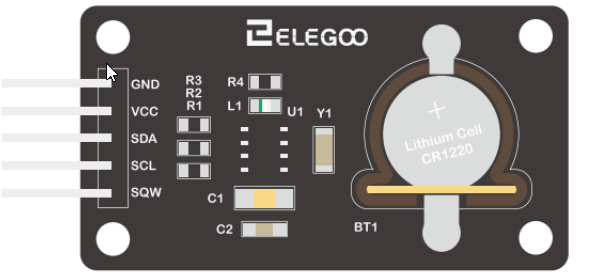
(1) x Elegoo Uno R3
(1) x DS1307 RTC module
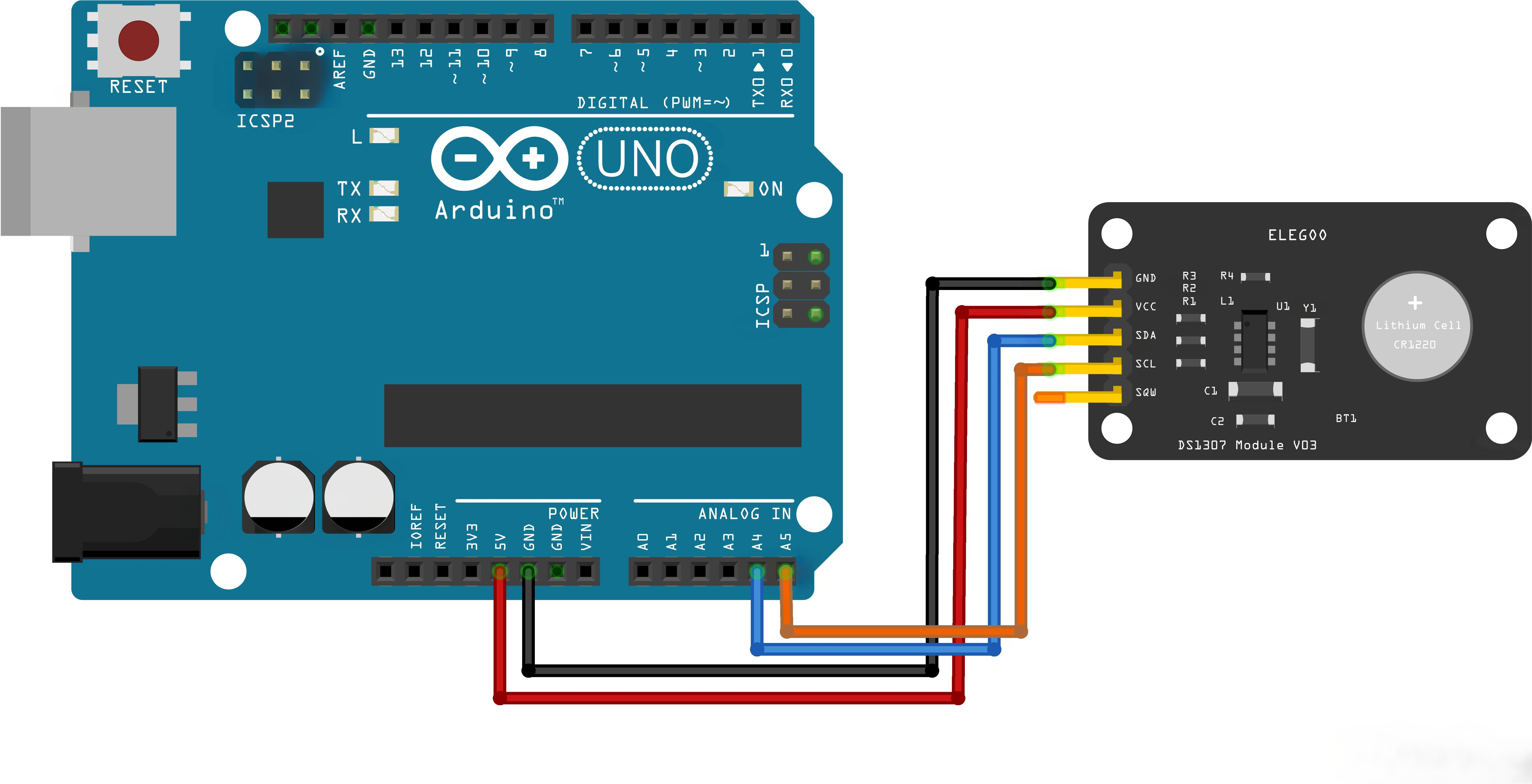
(4) x F-M wires (Female to Male DuPont wires)
¶ Component Introduction
¶ Connection Schematic
¶ Wiring diagram
¶ Code
You can click the blue text link to download the program file to your local device, and double-click the file to open it after the download is complete. Please note: Before opening the file, ensure that you have installed the Arduino IDE development environment and completed the installation of relevant components such as the board support package and driver corresponding to the UNO R3. If you have any questions about this operation process, you can refer to the "part 1" chapter of the document for detailed guidance.
Click the Serial Monitor button to turn on the serial monitor. The basics about the serial monitor are introduced in details in tutorial 4 in part 2.
#include <Wire.h>
#include <DS3231.h>DS3231 clock;
RTCDateTime dt;void setup()
{
Serial.begin(9600);Serial.println("Initialize RTC module");
// Initialize DS3231
clock.begin();// Manual (YYYY, MM, DD, HH, II, SS
// clock.setDateTime(2016, 12, 9, 11, 46, 00);// Send sketch compiling time to Arduino
clock.setDateTime(DATE, TIME);
/*
Tips:This command will be executed every time when Arduino restarts.
Comment this line out to store the memory of DS3231 module
*/
}
Includes and Setup:
#include <Wire.h>:Includes the Wire library for I2C communication#include <DS3231.h>:Includes the DS3231 library for RTC controlDS3231 clock;:Creates DS3231 objectRTCDateTime dt;:Creates RTCDateTime object to store date and timevoid setup():Initializes serial communication and RTC moduleclock.begin();:Initializes the DS3231 RTC moduleclock.setDateTime(__DATE__, __TIME__);:Sets the RTC time to the sketch compilation time
void loop()
{
dt = clock.getDateTime();// For leading zero look to DS3231_dateformat example
Serial.print("Raw data: ");
Serial.print(dt.year); Serial.print("-");
Serial.print(dt.month); Serial.print("-");
Serial.print(dt.day); Serial.print(" ");
Serial.print(dt.hour); Serial.print(":");
Serial.print(dt.minute); Serial.print(":");
Serial.print(dt.second); Serial.println("");delay(1000);
}
Loop Function:
dt = clock.getDateTime();:Gets the current date and time from the RTCSerial.print("Raw data: ");:Prints label for the data- Prints the date and time in YYYY-MM-DD HH:MM:SS format
delay(1000);:Waits 1 second before updating
¶ Troubleshooting
- No Data on Serial Monitor:Check serial monitor baud rate is set to 9600
- Incorrect Time:Verify the DS3231 module is properly connected and powered
- Time Not Updating:Ensure the DS3231 has a backup battery installed
- I2C Communication Issues:Check SDA and SCL connections
- Library Issues:Make sure both Wire and DS3231 libraries are installed