¶ Issue Description
After leveling is completed, the distance between the nozzle and the build plate remains too large or too small, resulting in poor first-layer print quality.
¶ Possible Causes
- POM wheels are too tight
- The screws securing the Brass Nut are overtightened
- Excessive play on the X/Y axes
- The X-axis is not parallel to the Heated Bed
- The Proximity Switch is tilted or its connector is loose
- Thermal drift
¶ Required Tools for Troubleshooting
- Open-end wrench
- 2.0 mm hex key
¶ Troubleshooting Steps
¶ 1. Check for Play on the X and Y axis
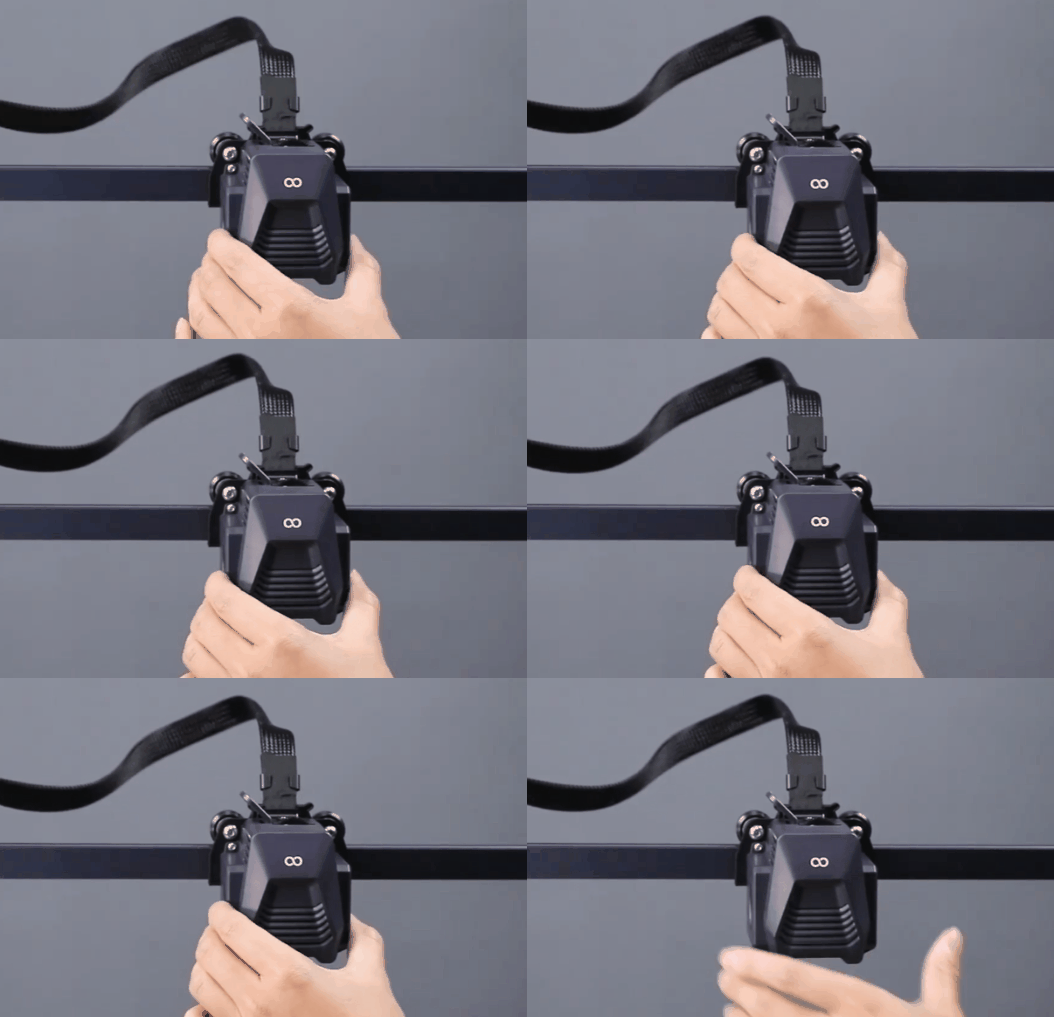
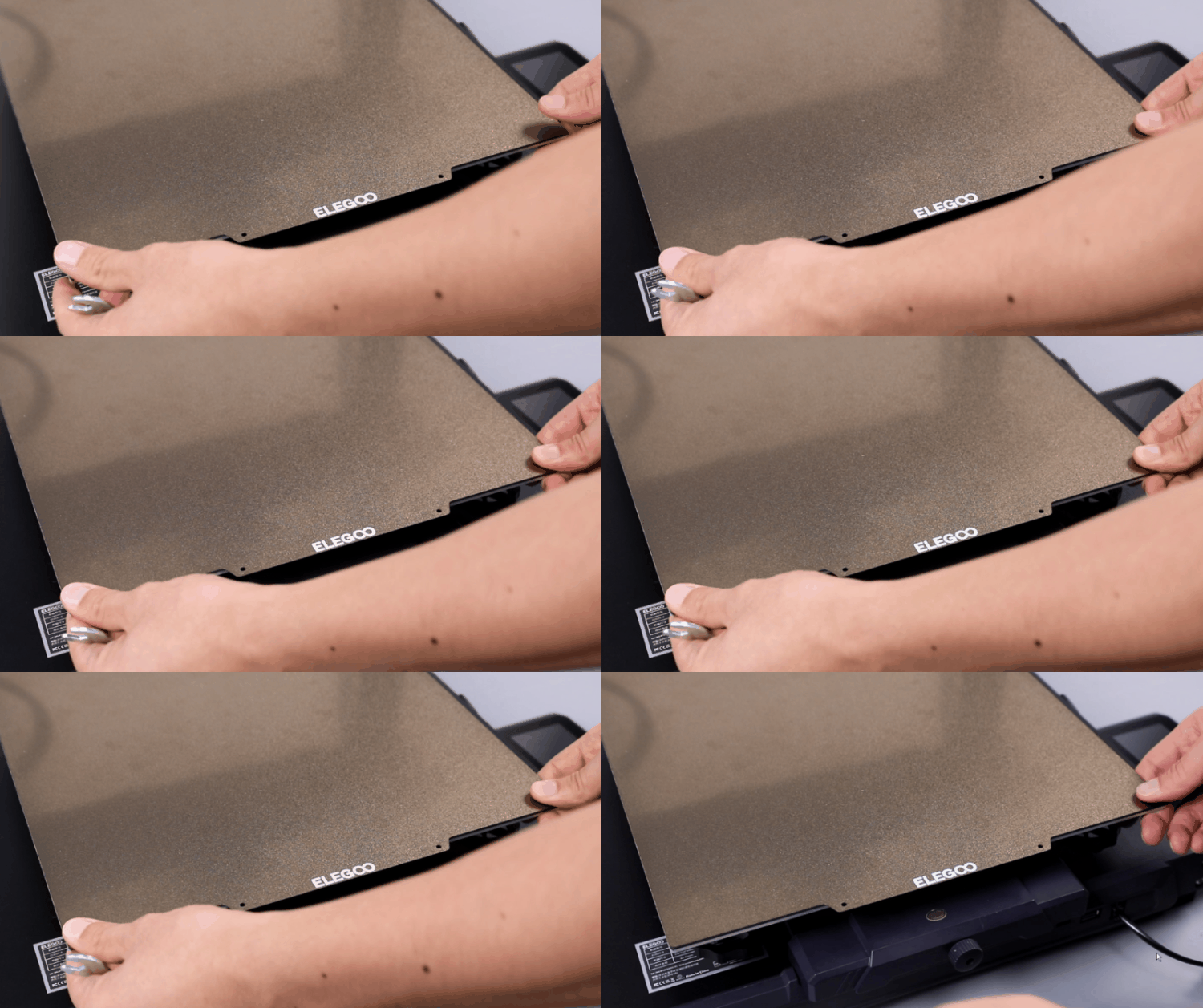
If there is any wobble or play on the X or Y axis, use a wrench to tighten the corresponding eccentric nuts.
¶ 2. Check the X-axis POM Wheels
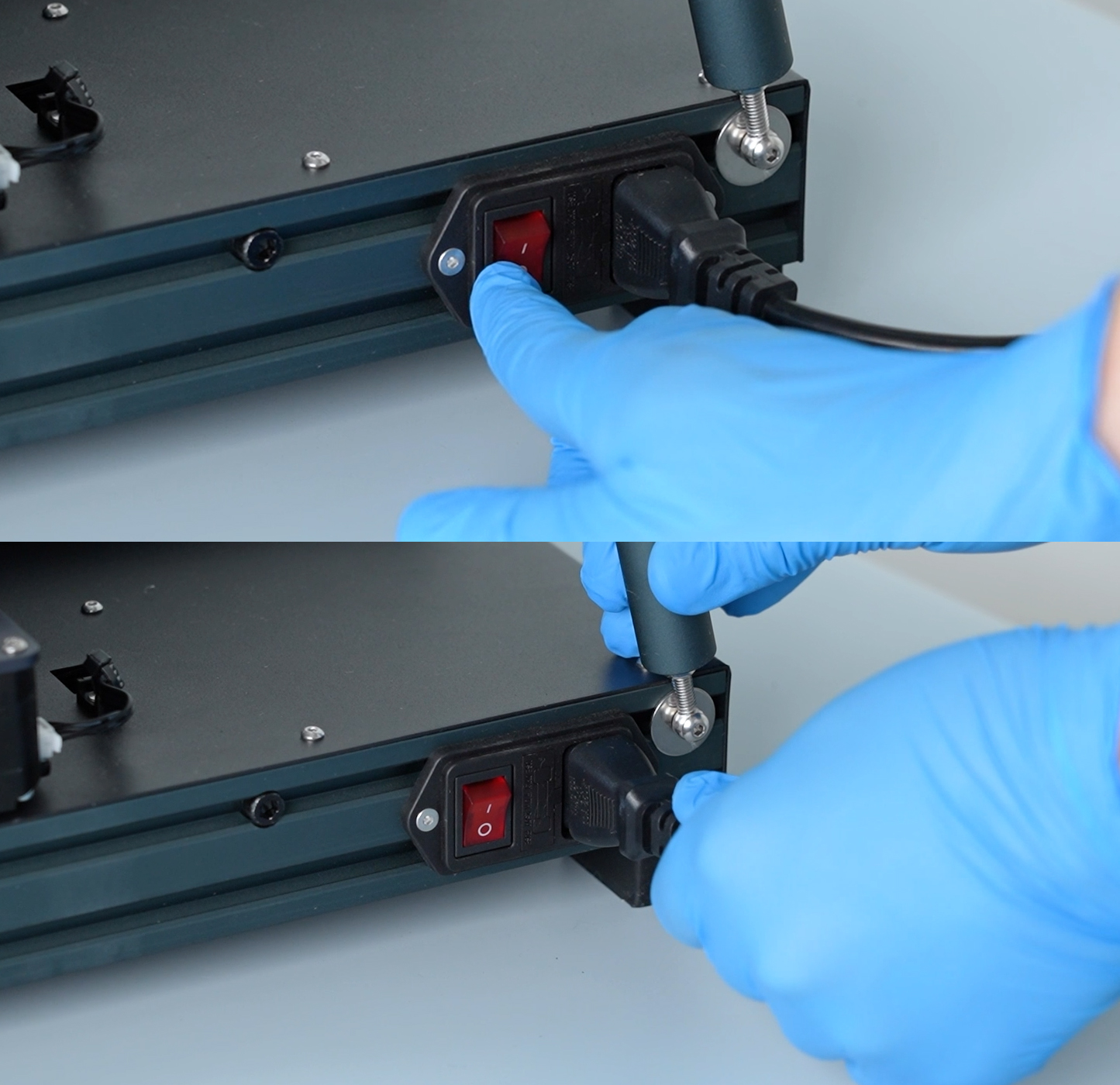
Before performing any further inspections, please turn off the printer, switch off the power, and unplug the power supply cable
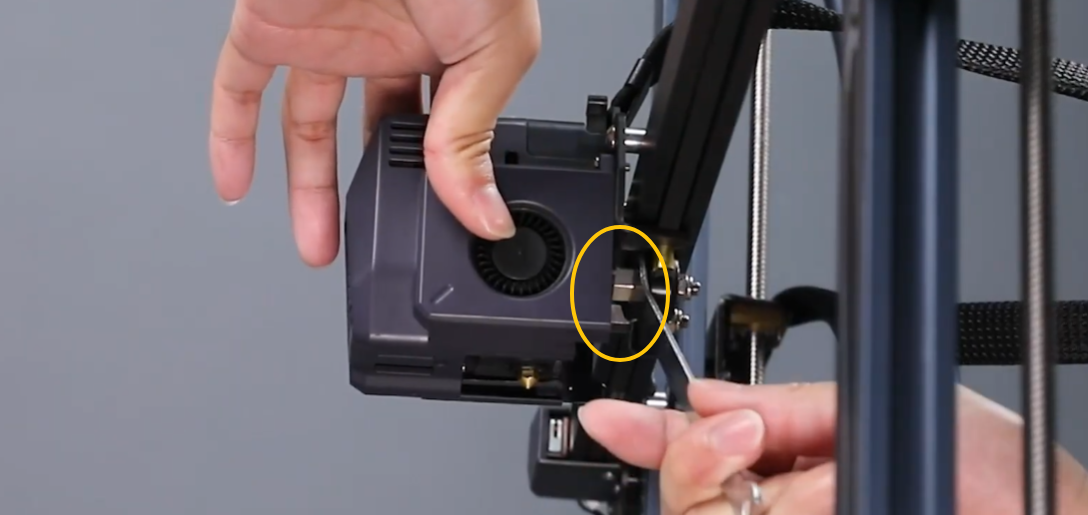
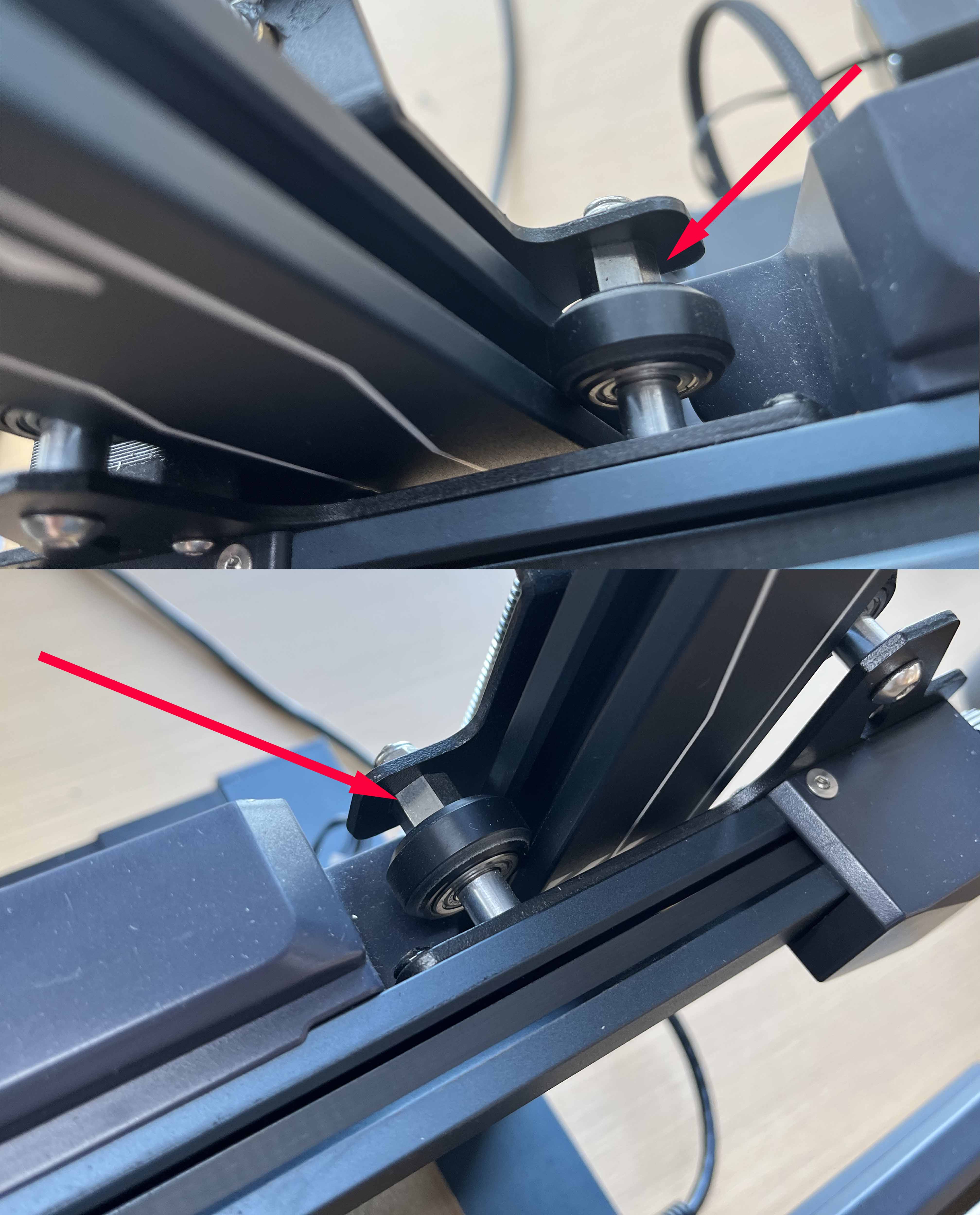
If the POM wheels on either end of the X-axis are too tight, the Z-axis may bind or stutter while moving upward.
Use an open-end wrench to adjust the eccentric nut at the marked position to either tighten or loosen the POM wheel. Turn the nut approximately 1/3 of a rotation at a time. Multiple adjustments may be required.
¶ 3. Check the Screws Securing the Brass Nut
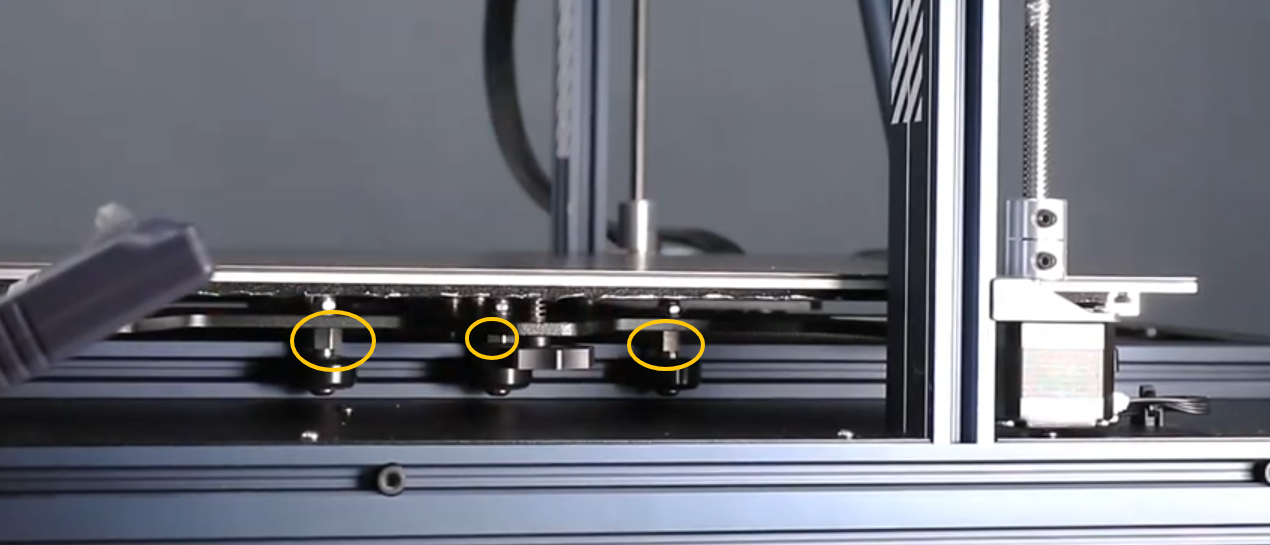
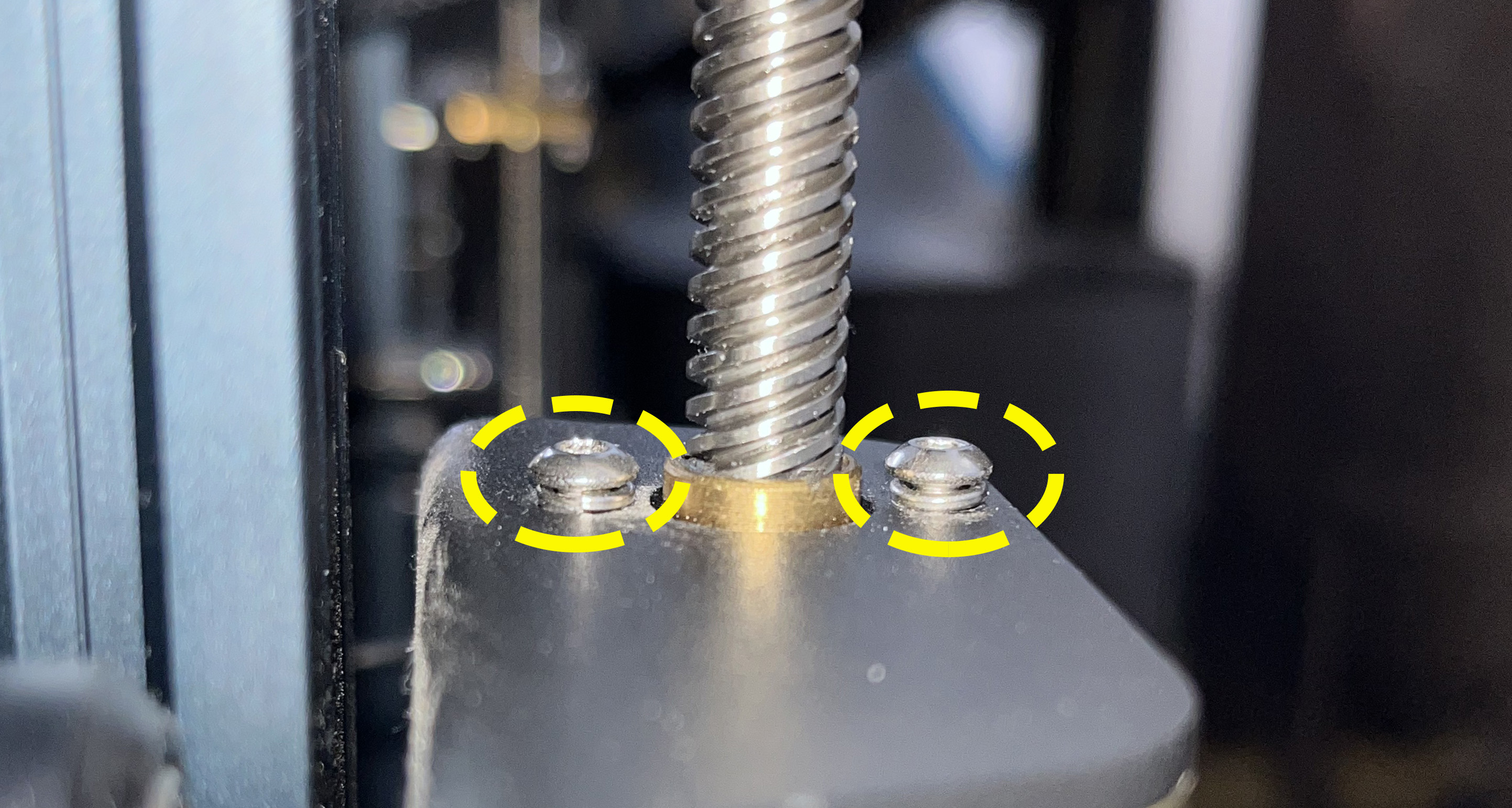
The screws securing the Brass Nut must remain slightly loose and should not be fully tightened.
¶ 4. Ensure the X-axis Is Parallel to the Heated Bed
Please inspect whether the X-axis is parallel to the Heated Bed.
If it is difficult to determine visually, use a ruler to measure the distance between each end of the X-axis and the Heated Bed, then compare the measurements.
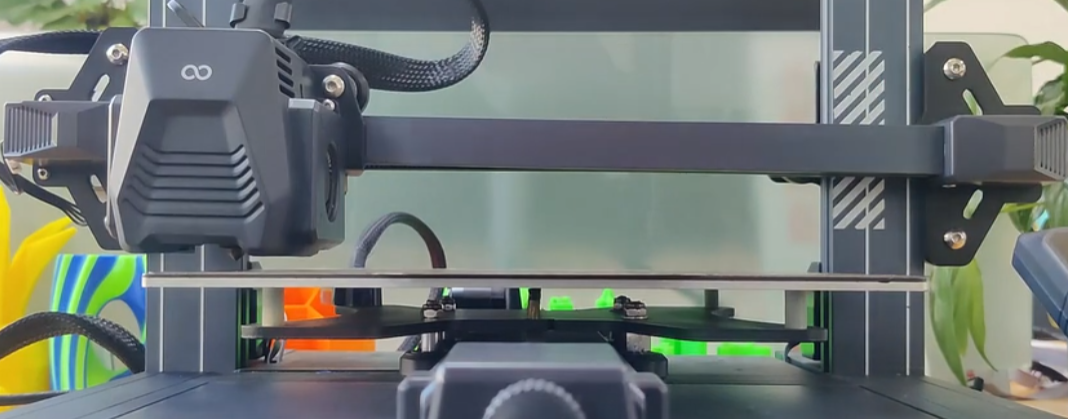
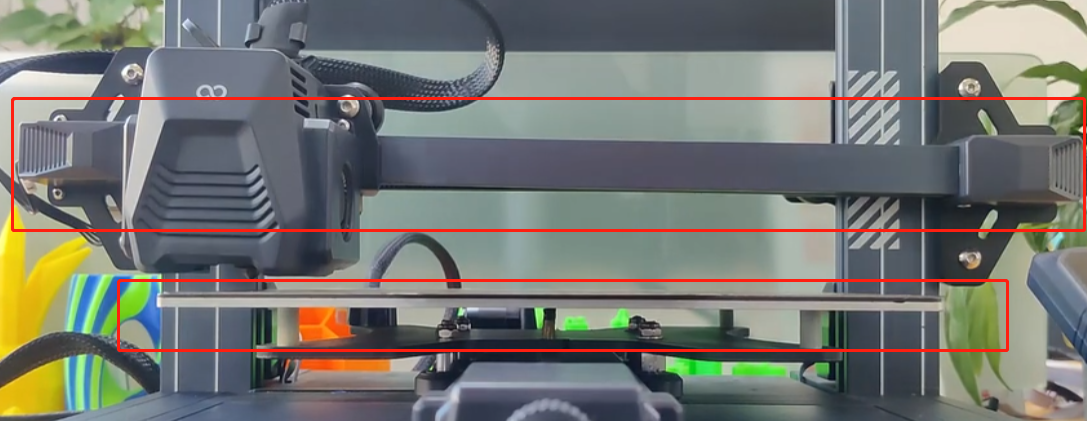
If the X-axis is not parallel to the Heated Bed, refer to the video below for adjustment instructions. The procedure is the same for all Neptune series printers.
https://youtu.be/lbeevQxRwlI
¶ 5. Check the Proximity Switch
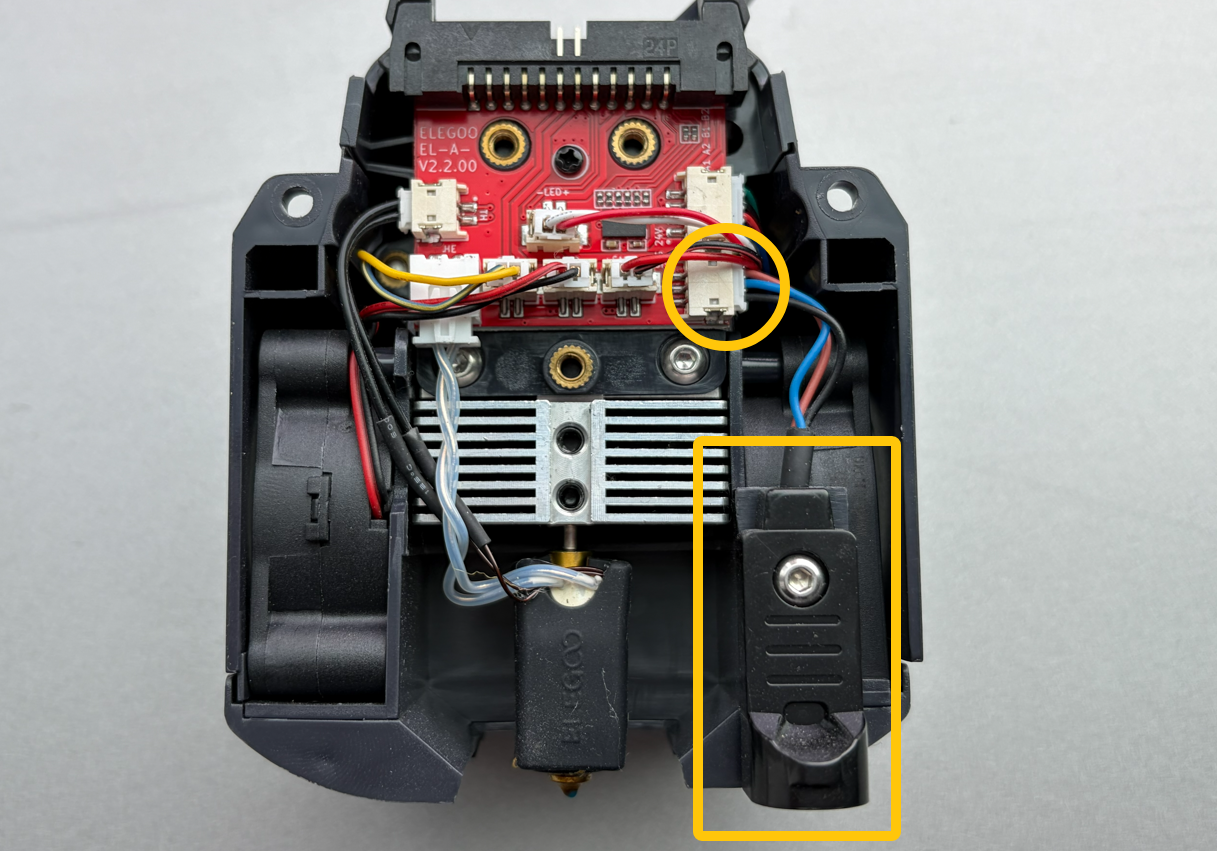
- a. Inspect whether the Proximity Switch connector is loose.
Disconnect and reconnect the connector to ensure a secure connection. - b. Inspect whether the Proximity Switch is tilted and whether the mounting screws are loose.
For instructions on disassembling the Extruder Kit and inspecting the Proximity Switch, refer to the following guide:
https://wiki.elegoo.com/neptune/neptune-4-plus-4-max-how-to-replace-the-proximity-switch
¶ 6. Repeat Manual Leveling
-
Follow the instructions in the video below to perform manual leveling again(
The adjustment steps are the same for all Neptune series printers.):
https://www.youtube.com/watch?v=H6_7zMqcaMQ -
If the first layer is still not satisfactory after completing manual leveling, follow the video below to make further adjustments:
https://www.youtube.com/watch?v=p3taqQQ3qzs
¶ 7. Preheat the Heated Bed
Thermal drift may also cause abnormal triggering of the Proximity Switch.
Set the Heated Bed temperature to 60°C and allow it to heat for approximately 20 minutes. Afterward, perform Auto Leveling and Z Offset Calibration again.
¶ If the Issue Persists
If the issue remains unresolved, please contact our technical support team at 3dp@elegoo.com and provide the following information:
- Required Information
- Printer SN (located on the white label on the left underside of the Heated Bed; format typically: NEP4 XXXX XXXX)
- Current firmware version (Touch Screen → Settings → About Machine)
- Please also provide the results of the following checks:
- Are the X-axis POM wheels excessively tight?
- Have the Brass Nut mounting screws been loosened?
- Is there any play or wobble on the X/Y axes?
- Is the X-axis parallel to the Heated Bed?
- Is the Proximity Switch tilted?
- Was there any improvement after preheating the Heated Bed?
¶ Help us improve
If you have any ideas about the wiki pages, please let us know via ELEGOO official feedback channel