¶ Fault Symptoms
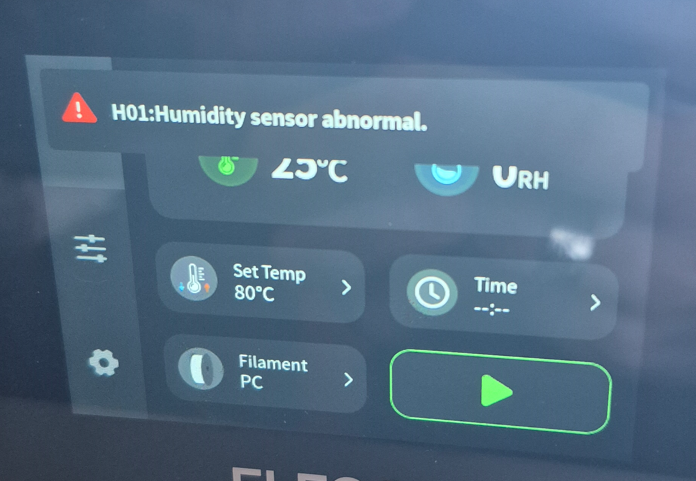
The temperature and humidity readings on the touch screen are abnormal, and the error message H01: Humidity Sensor Abnormal is displayed.
¶ Possible Causes
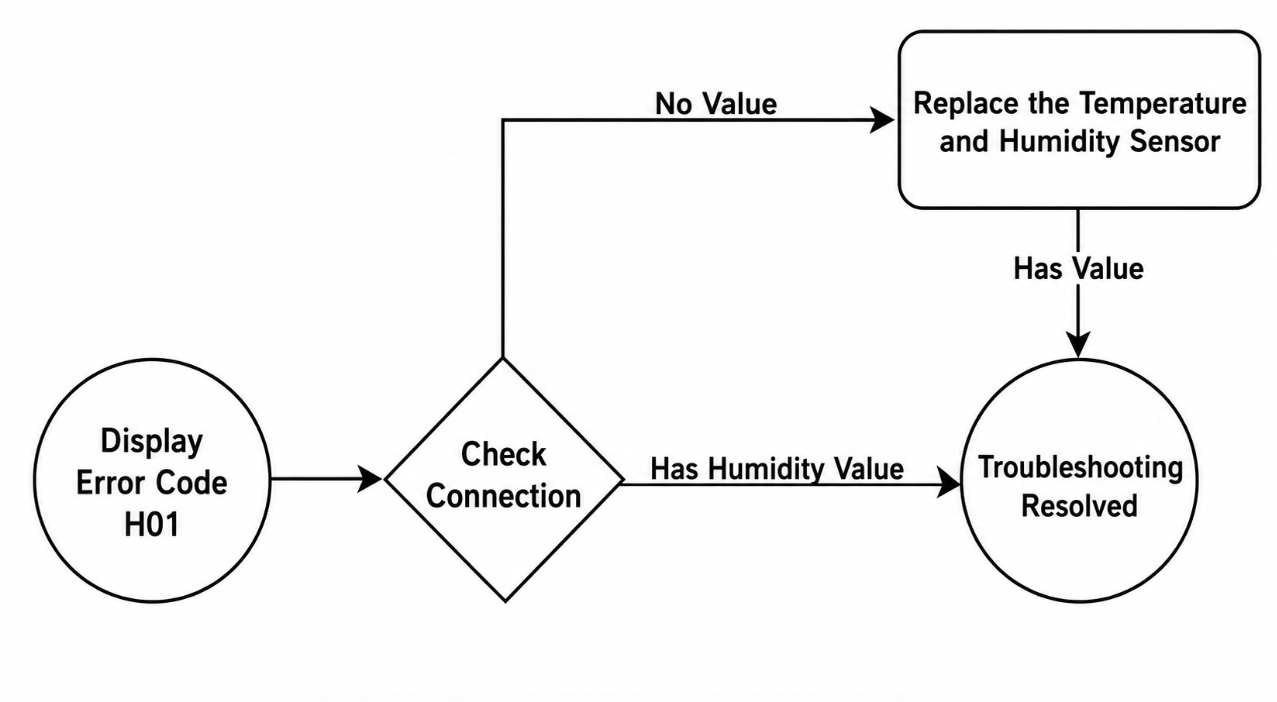
- The humidity sensor connector is loose.
- The humidity sensor is faulty.
¶ Tools Required
- 2.0 mm Allen Key
- 1.5 mm Allen Key
¶ Troubleshooting Steps
¶ Check the Mainboard-Side Connector
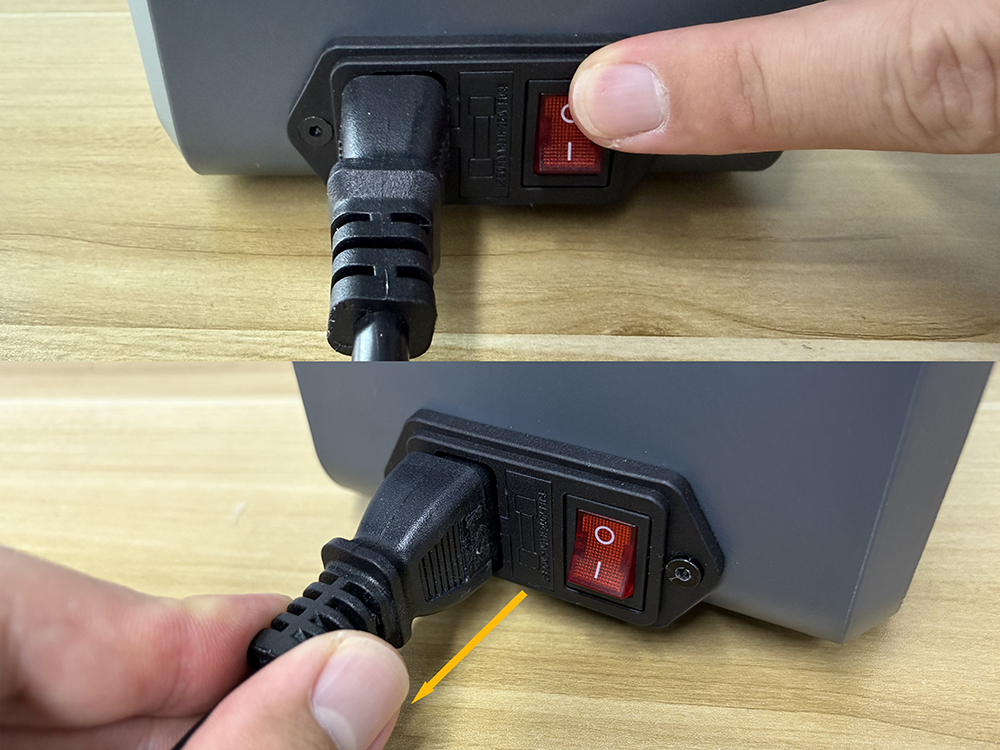
- Turn off the power switch and unplug the power cord.
- Place the H1 HT on its side on a stable surface.
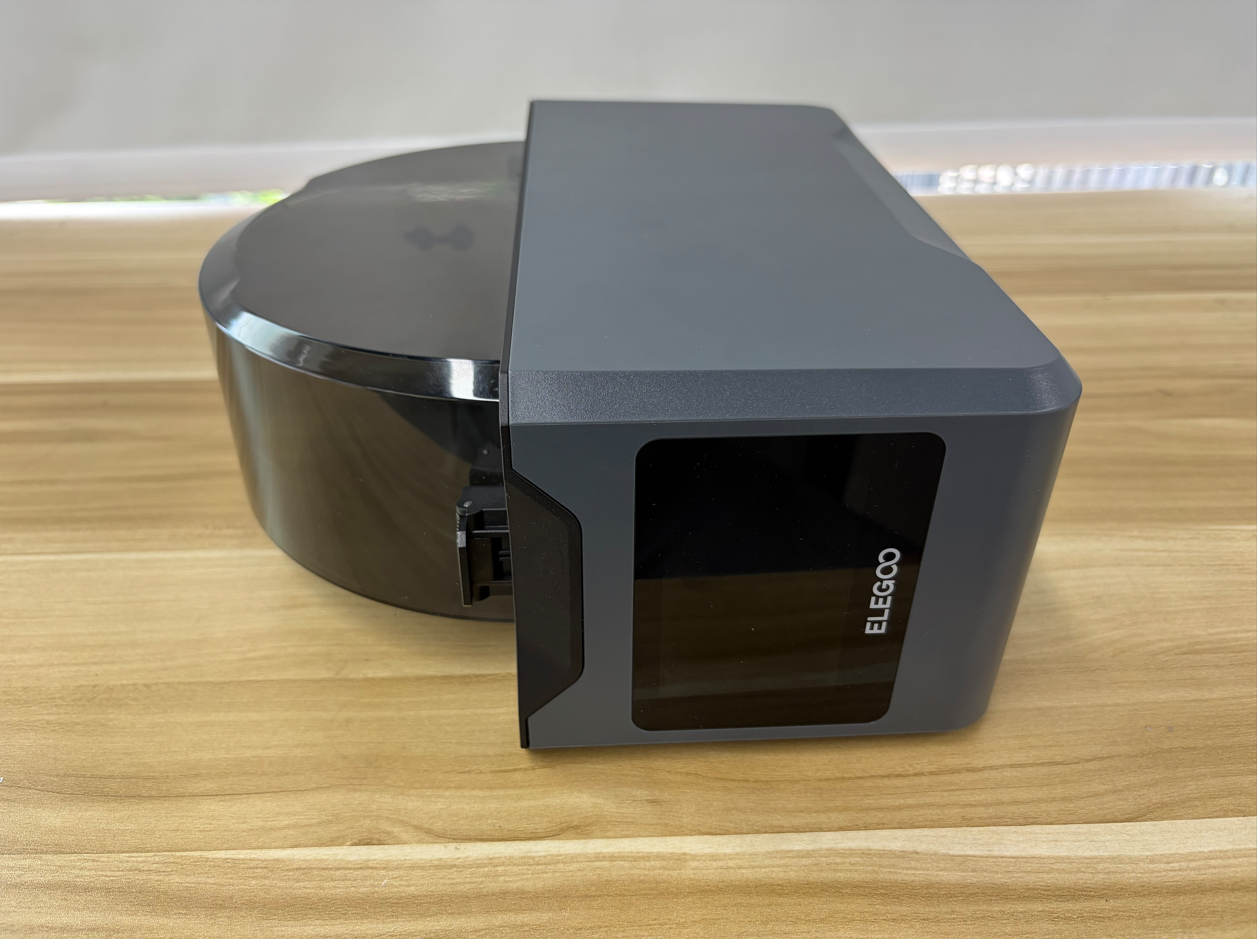
- Use a 2.0 mm Allen Key to remove the four screws securing the bottom cover.
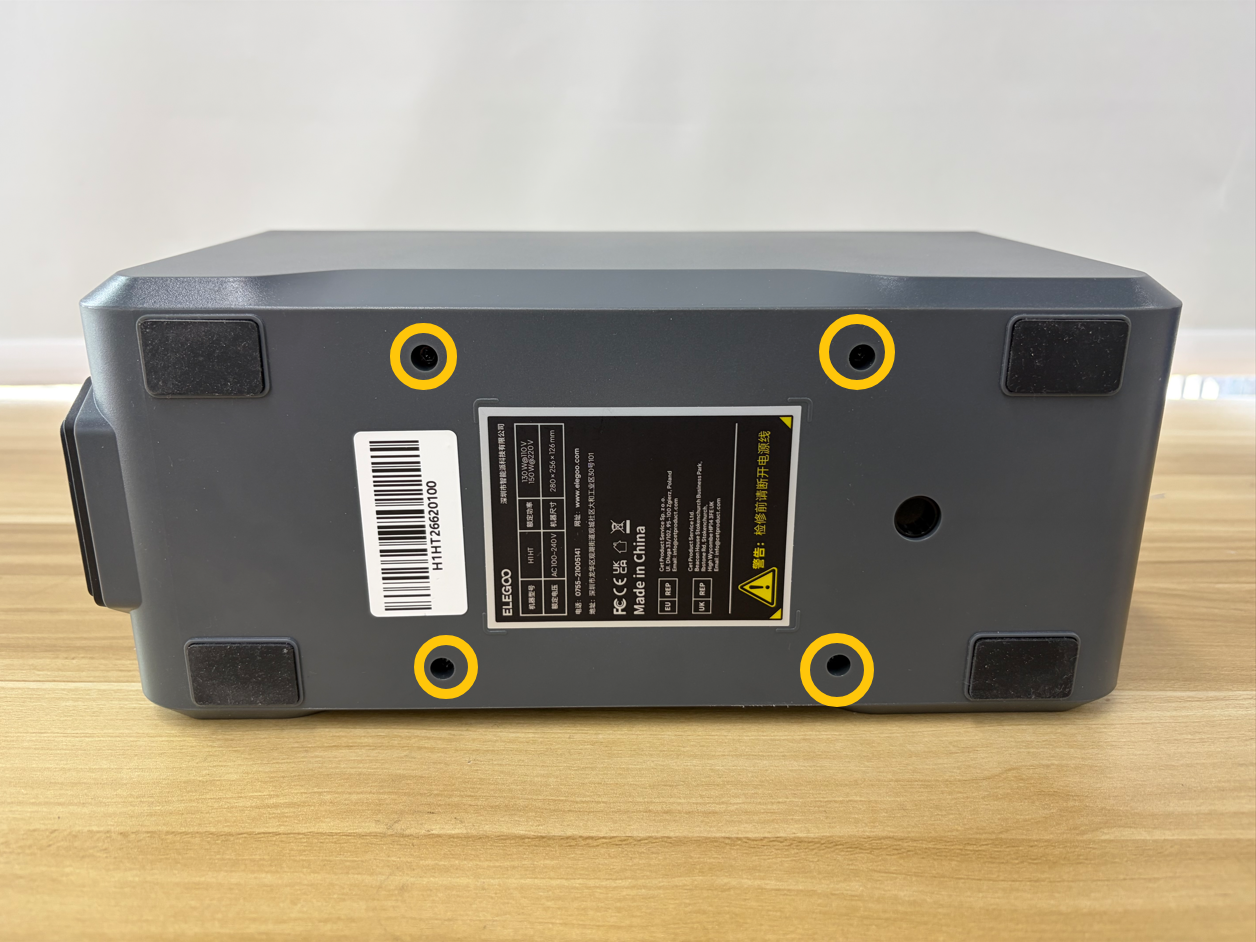
- Slowly open the bottom cover.
Note: Be careful not to pull or disconnect the cable harnesses inside the bottom cover.
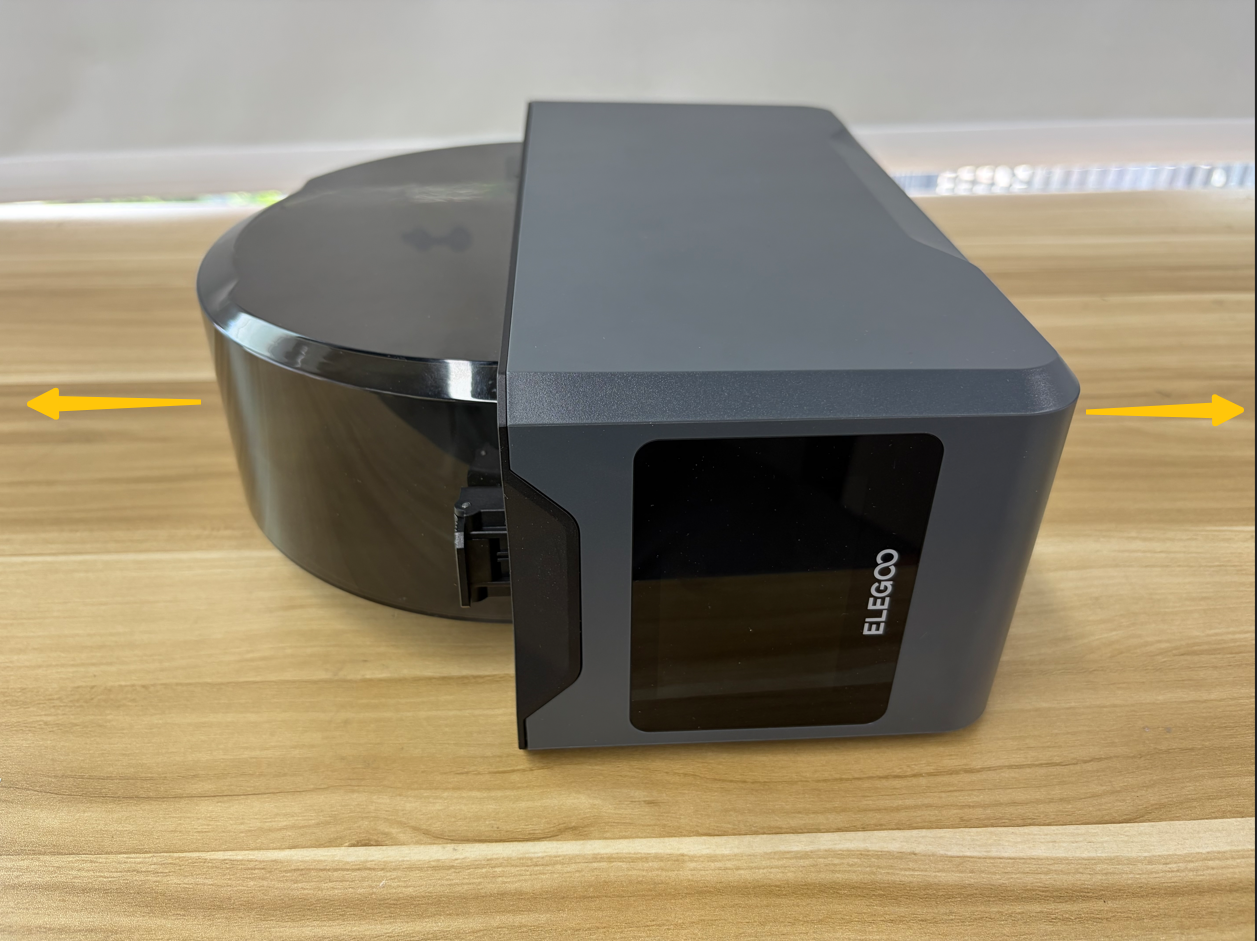
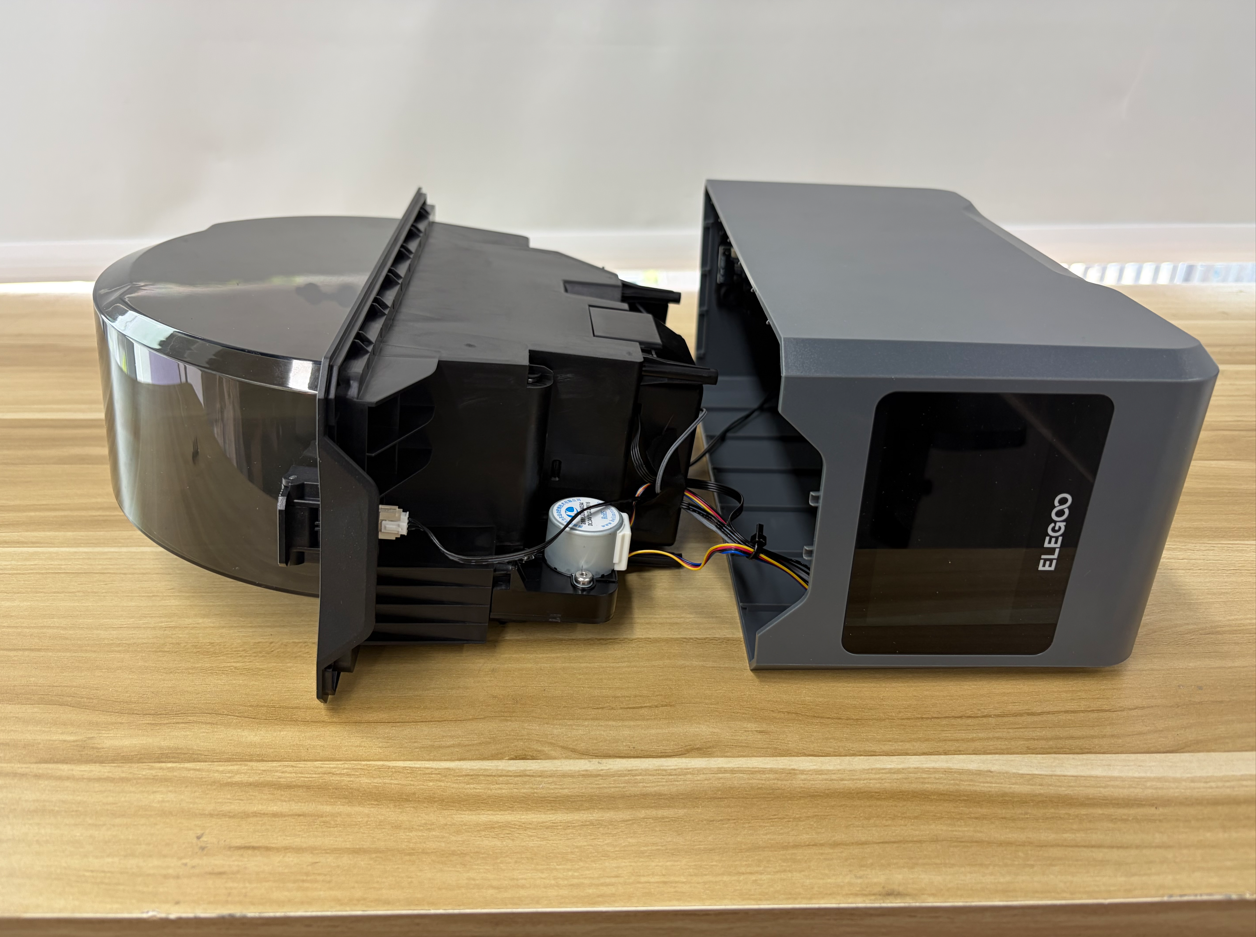
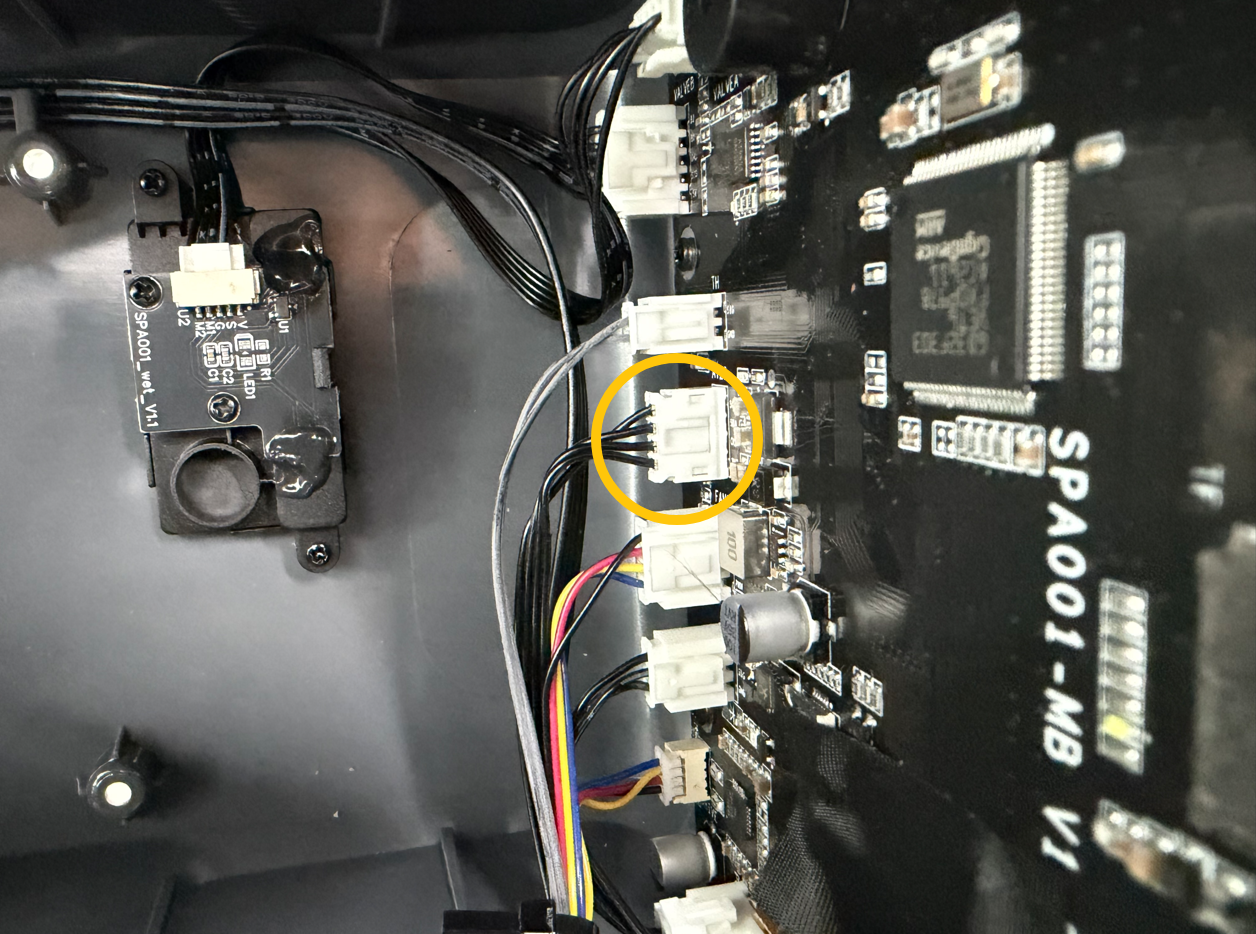
- Locate the mainboard on one side of the bottom cover. Check whether the connector is loose, then disconnect and reconnect it as shown below.
¶ Check the Connector on the Temperature and Humidity Sensor Board Side
Note: For easier access during the following steps, you can place the two filament spools on the inner tray assembly and use the top cover as support.

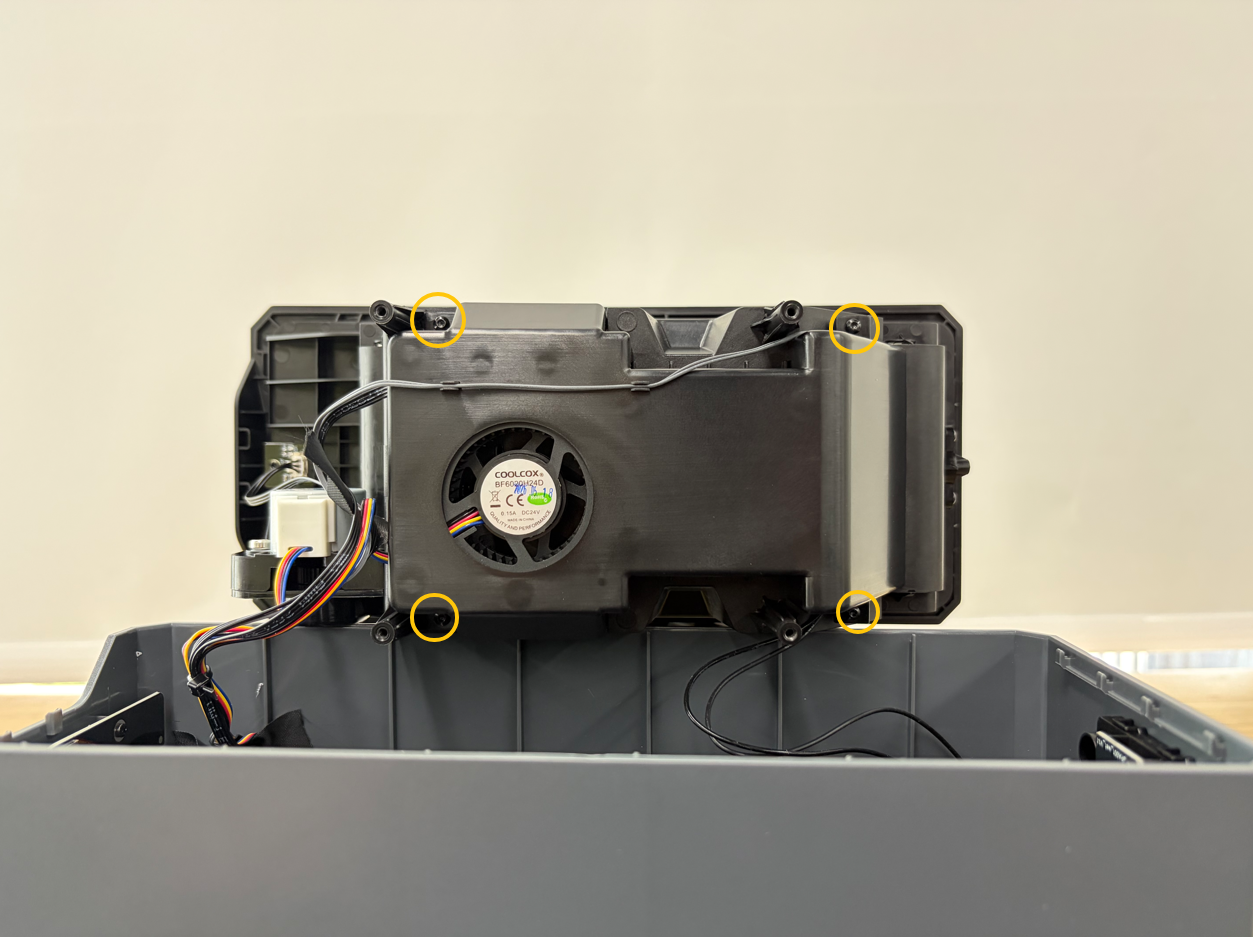
- Use a 1.5 mm Allen Key to remove the four screws securing the air duct protection assembly.
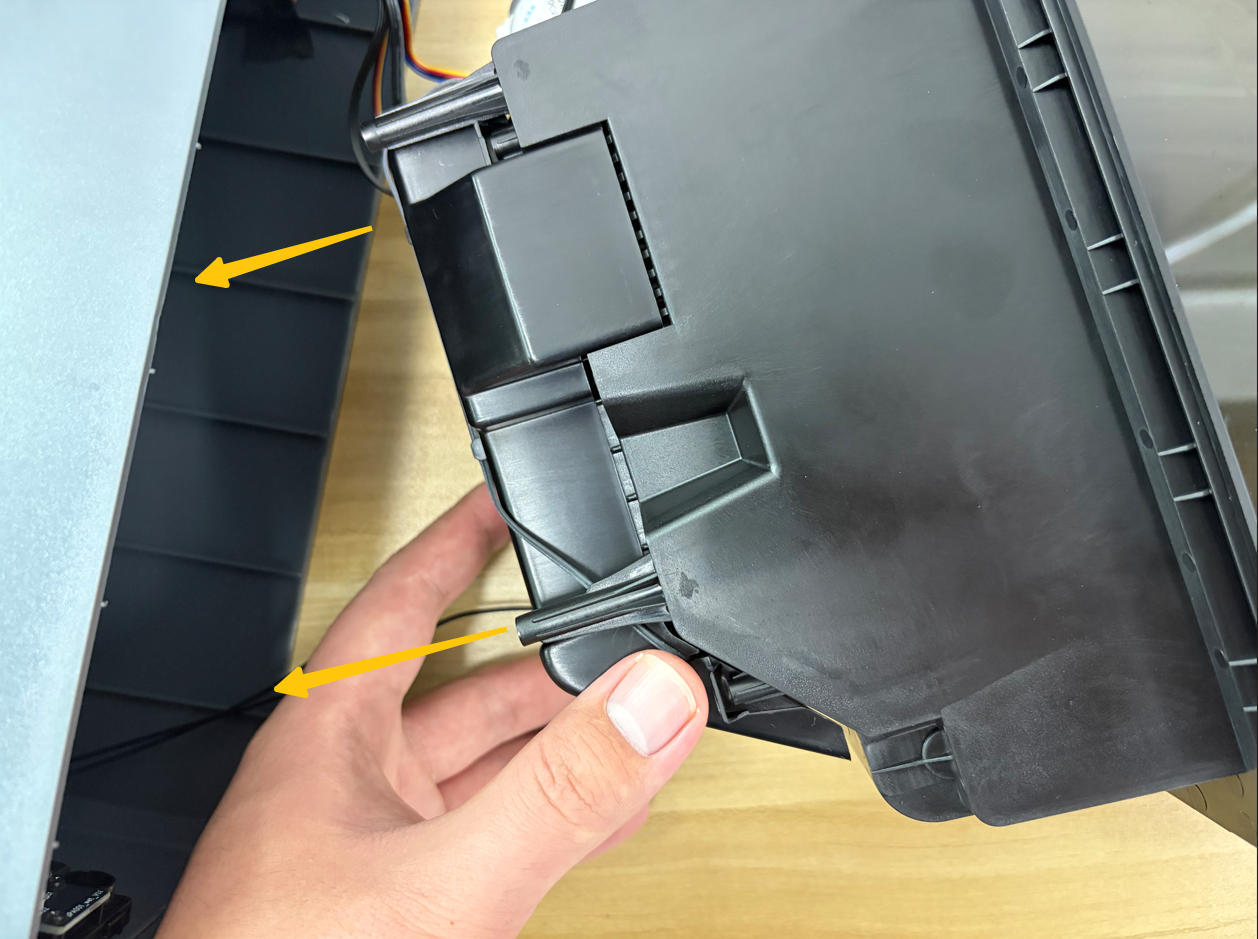
- Slowly separate the inner tray assembly.
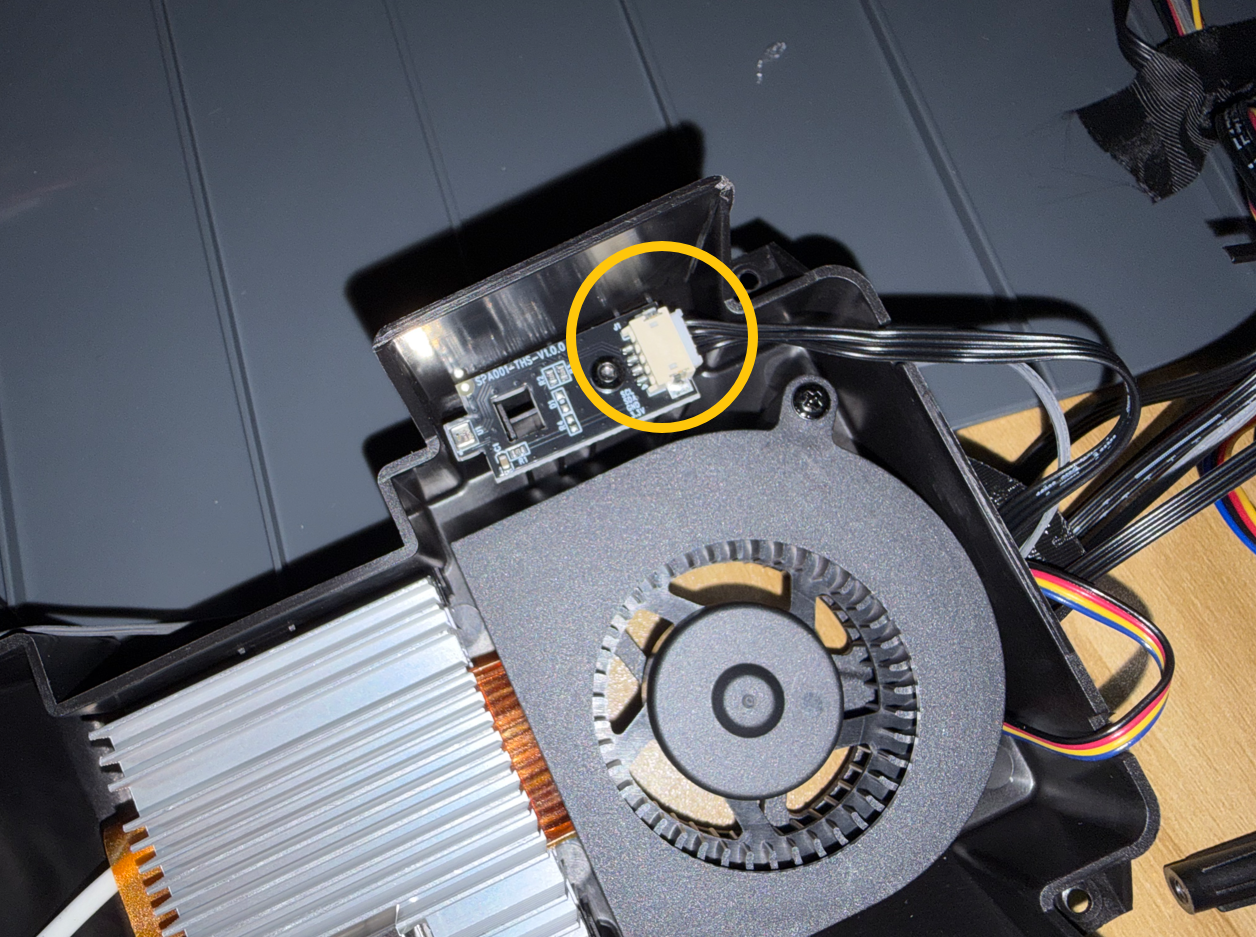
- Check whether the connector on the temperature and humidity sensor board side is loose, then disconnect and reconnect the temperature and humidity sensor cable.
¶ Verification
- Refer to the Temperature and Humidity Sensor Board and Cable Replacement guide to reassemble the H1 HT.
- Connect the power cord and turn on the power switch.
- Check whether the temperature and humidity readings on the touch screen are displayed correctly and whether the error message is still displayed.
- If the temperature and humidity readings are displayed correctly, troubleshooting is complete.
- If the temperature and humidity readings are still abnormal, replace the temperature and humidity sensor board and the temperature and humidity sensor cable.
¶ Help us improve
If you have any ideas about the wiki pages, please let us know via ELEGOO official feedback channel