¶ Fault Phenomenon
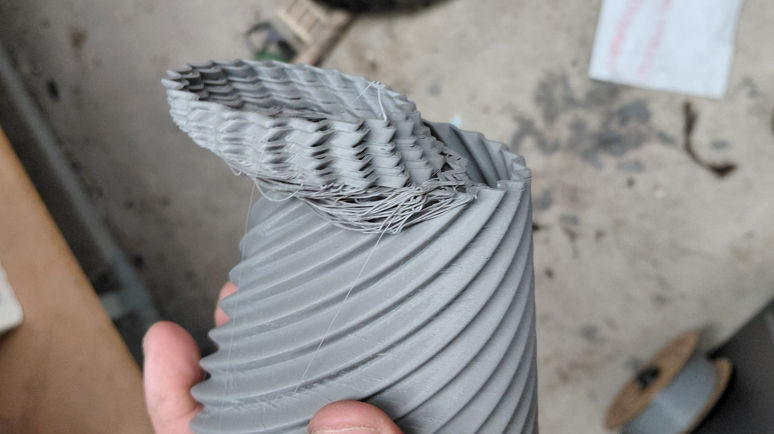
During printing, one or more layers of the model suddenly shift along the X-axis or Y-axis, causing visible steps, layer misalignment, or displacement of the overall model.
Minor layer shifts affect appearance and dimensional accuracy, while severe cases may lead to print failure.
¶ Possible Causes
- Model warping causes collision with the Nozzle / Hotend
- Timing belt is too loose or too tight
- Loose timing pulley set screws
- Excessive motion resistance in guide rails, bearings, or wheel systems
- Cable interference with moving components
- Printing speed or acceleration set too high
- Abnormal stepper motor or Mainboard driver behavior
¶ Required Tools
- Wire cutters
- Allen key
- Phillips screwdriver
- Grease
- Lubricating oil
- Cleaning cloth
¶ Troubleshooting Steps
¶ 1. Check whether the model is warped or detached from the build plate
If the model edges are lifting, the Nozzle / Hotend may collide with the model during movement, causing layer shift.
First resolve first-layer adhesion and warping issues.
Warping troubleshooting link
First layer adhesion troubleshooting link
¶ 2. Manually move the Tool head and build platform
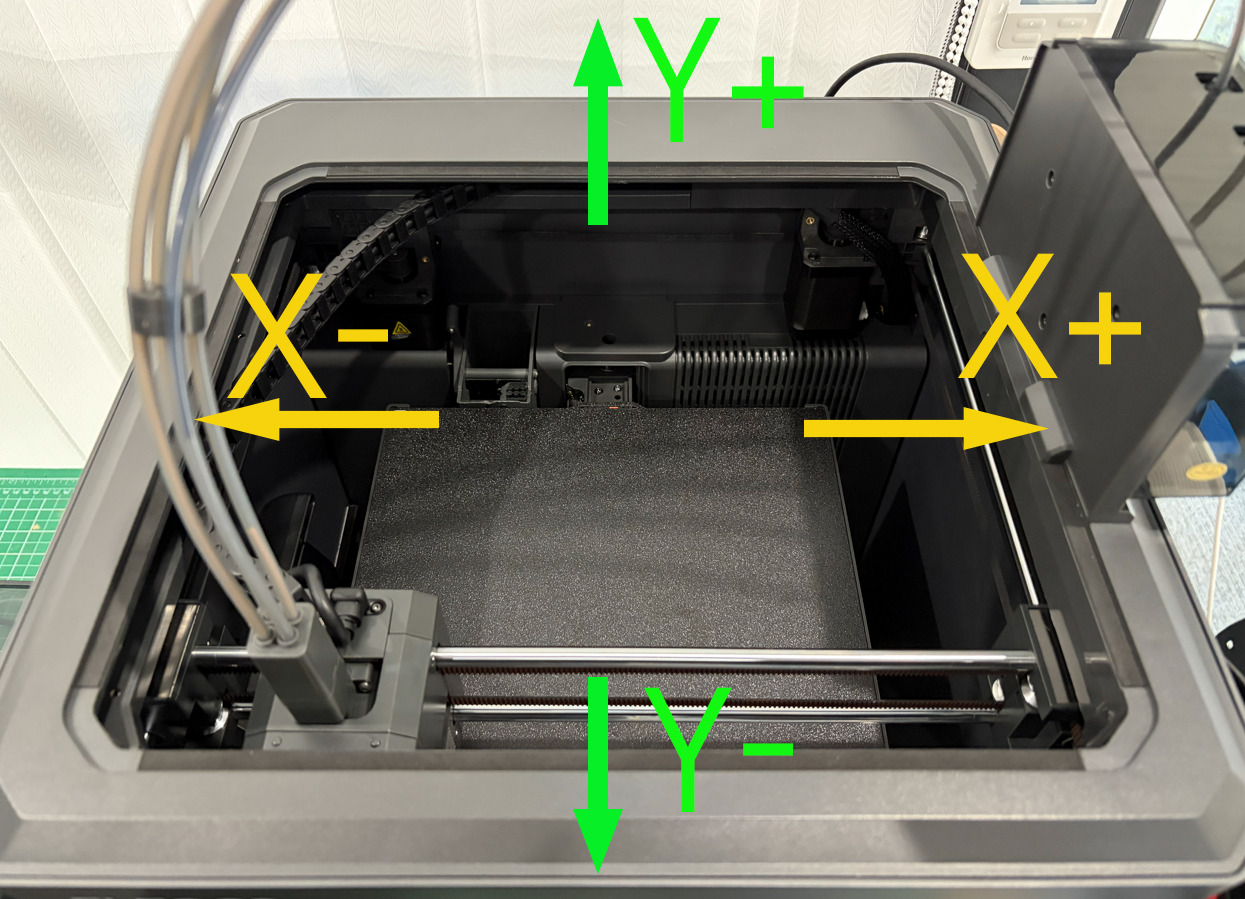
Turn off the power switch. Manually move the Tool head and build platform (for Centauri series, only move the Tool head).
Check whether X/Y-axis movement is smooth and whether there is any stuttering, abnormal noise, friction, or resistance.
¶ 3. Check timing belt tension
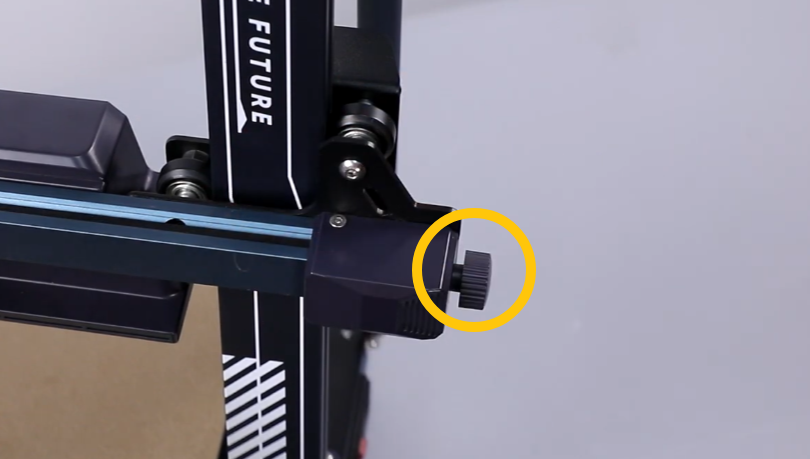
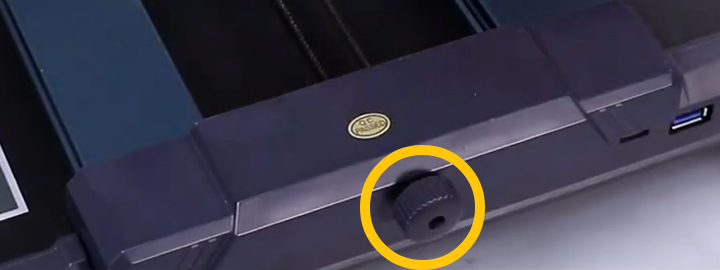
A loose timing belt may cause skipped steps, while an overly tight belt increases stepper motor load. Adjust to a moderate tension to ensure smooth motion without slack.
-
How to adjust timing belt tension (Centauri series):
https://wiki.elegoo.com/Centauri-carbon/how-to-adjust-the-belt-tensioner -
Neptune series adjustment: tighten the belt by turning counterclockwise
¶ 4. Check timing pulley and motor set screws
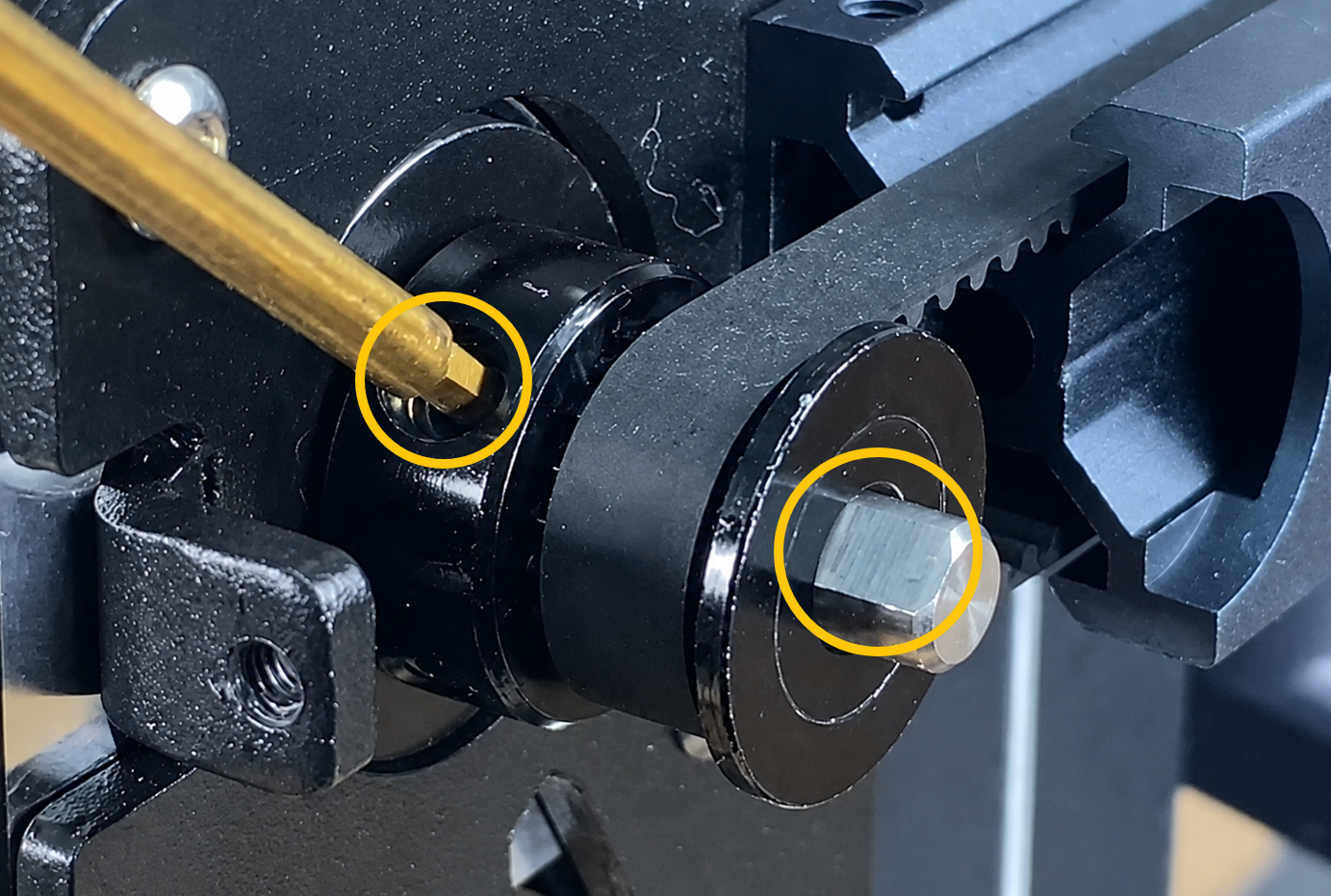
Ensure the timing pulley set screws are firmly locked onto the flat surface of the motor shaft to prevent slipping during printing.
¶ 5. Check guide rails, wheels, and bearings
Clean dust and debris from the guide rails. Apply appropriate lubrication if necessary.
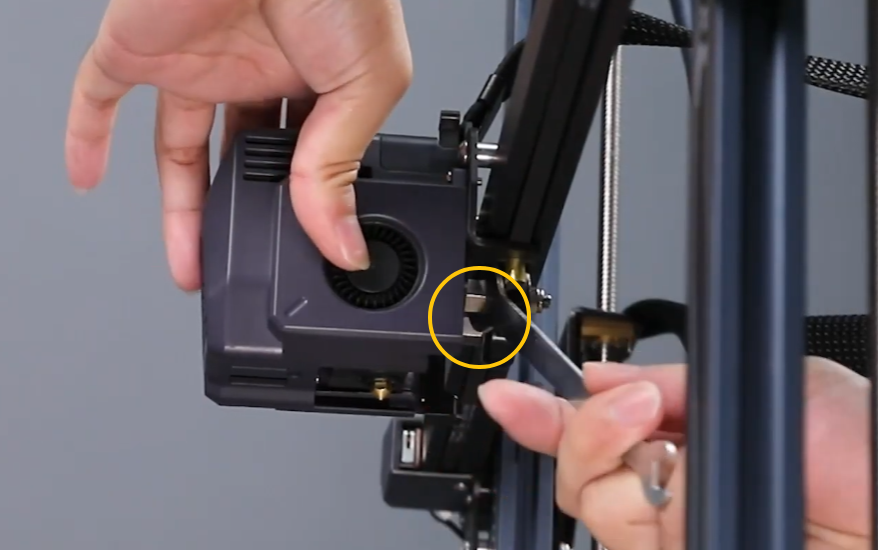
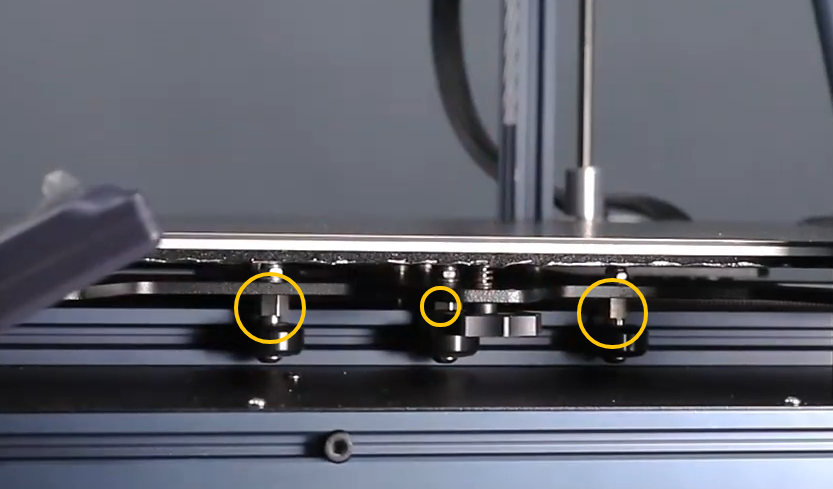
For V-wheel systems, check whether eccentric nuts are too tight or too loose.
¶ 6. Check cable interference with motion
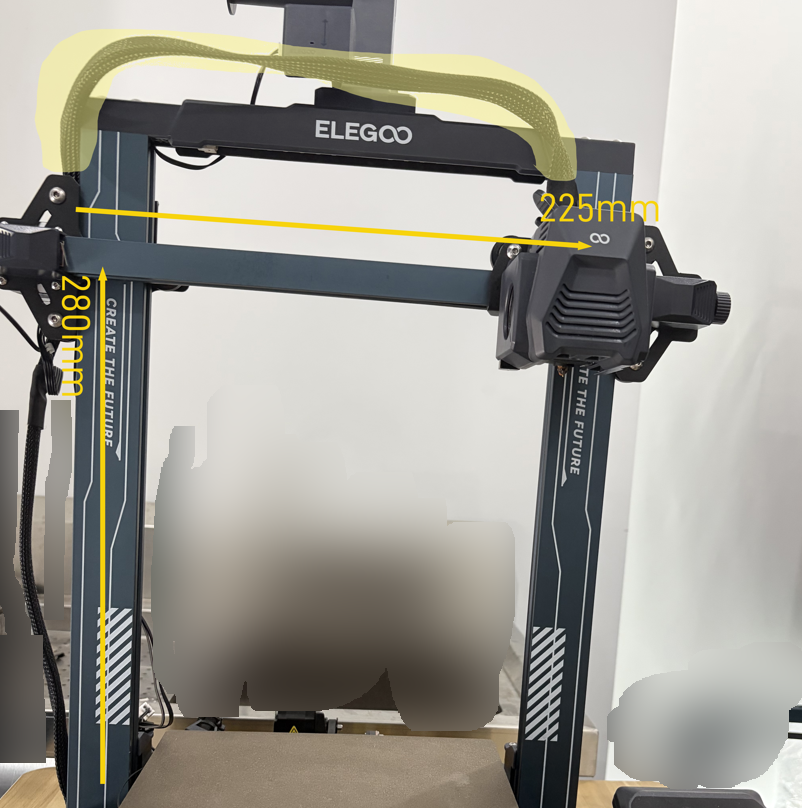
Ensure that the Tool head cable, build platform cable, or other wiring does not get stretched, caught, or collide with the frame during movement.
For example, on Neptune 3 / 4 series printers, manually move the Tool head to the maximum X/Y travel range to ensure the Tool head communication cable is not too short at extreme positions.
¶ 7. Reduce printing speed and acceleration
If layer shift occurs during high-speed printing or fast infill, reduce printing speed, acceleration, and Jerk settings before retesting.
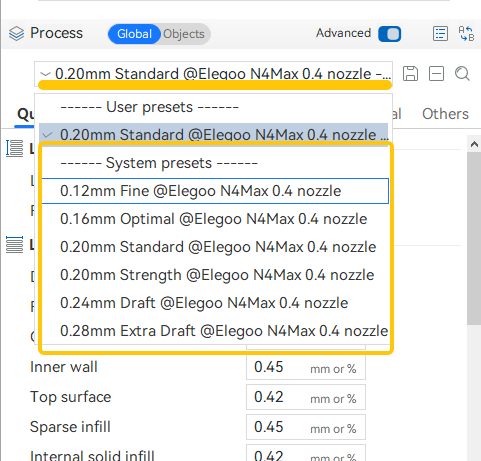
The default configuration in ELEGOO Slicer balances speed and print quality; you can switch back to the default profile in the configuration section.
¶ 8. Check stepper motor and driver status
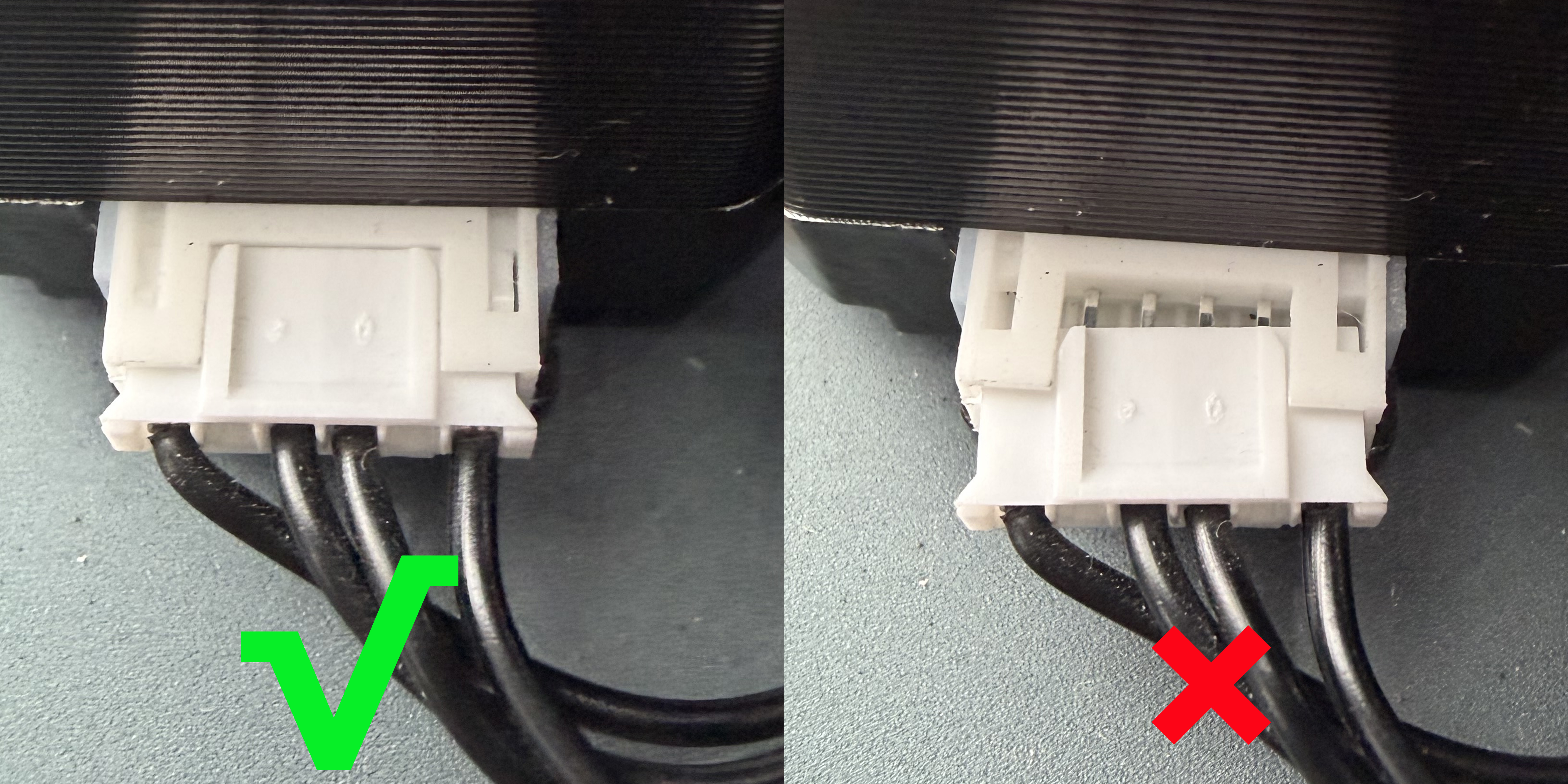
If the stepper motor overheats, makes abnormal noise, or repeatedly loses steps in the same direction, it may be related to driver current, Mainboard, motor, or cable issues. Further electrical inspection is required.
¶ Still Not Resolved
If the issue persists, please provide the following information and contact technical support(Email: 3dp@elegoo.com):
- Photos of the failed print model
- Model G-code file
- Filament information used (label on the spool side showing filament type, brand, etc.)
- Printer firmware version
- Printer SN code
¶ Help us improve
If you have any ideas about the wiki pages, please let us know via ELEGOO official feedback channel