¶ Fault Phenomenon
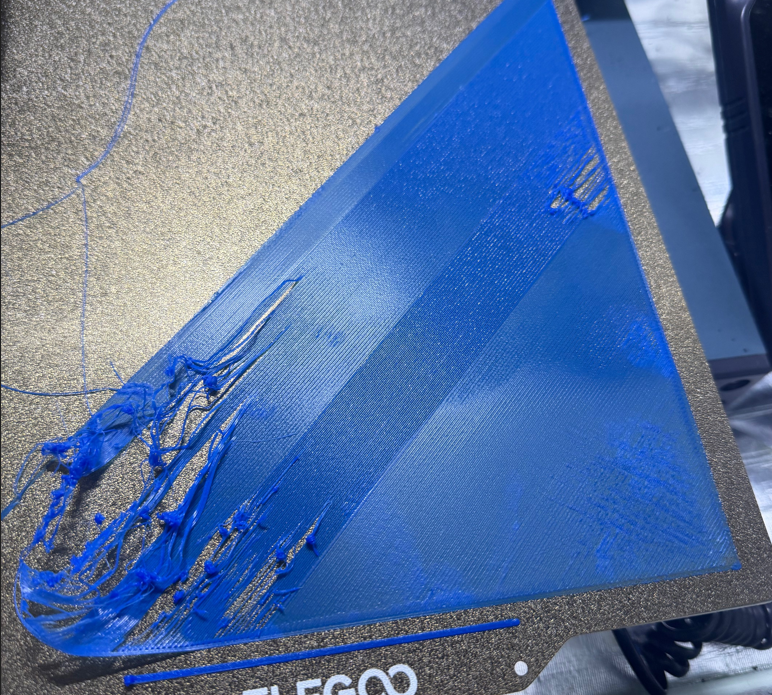
After printing starts, the first layer lines fail to adhere stably to the build platform, showing issues such as intermittent extrusion, lifting, over-deposition, over-compression, under-extrusion, excessive spacing, or uneven surface quality. In severe cases, the model detaches from the build plate at the early stage of printing, resulting in print failure.
¶ Cause of the Issue
First layer printing defects are usually related to bed leveling, Z Offset, build plate cleanliness, first layer parameters, and filament condition.
Common causes include:
- Excessive or insufficient distance between the nozzle and the build plate
- Oil or dust contamination on the heated bed surface
- Insufficient bed temperature
- Excessive first layer speed
- Insufficient first layer extrusion
- Local unevenness of the build plate
- Moisture in the filament leading to unstable extrusion
¶ Required Tools for Troubleshooting
- Lint-free cloth or paper towel
- 75% or higher isopropyl alcohol (IPA)
- Leveling paper
¶ Troubleshooting Steps
¶ 1. Check the Build Platform
Check whether the build platform has oil stains, dust, adhesive residue, or filament debris.
Clean the surface using alcohol or isopropyl alcohol, and wait until it is completely dry before printing again.
Do not touch the build plate surface with your hands, as skin oils may remain on the surface and reduce first layer adhesion.
¶ 2. Check Whether the Platform is Properly Installed
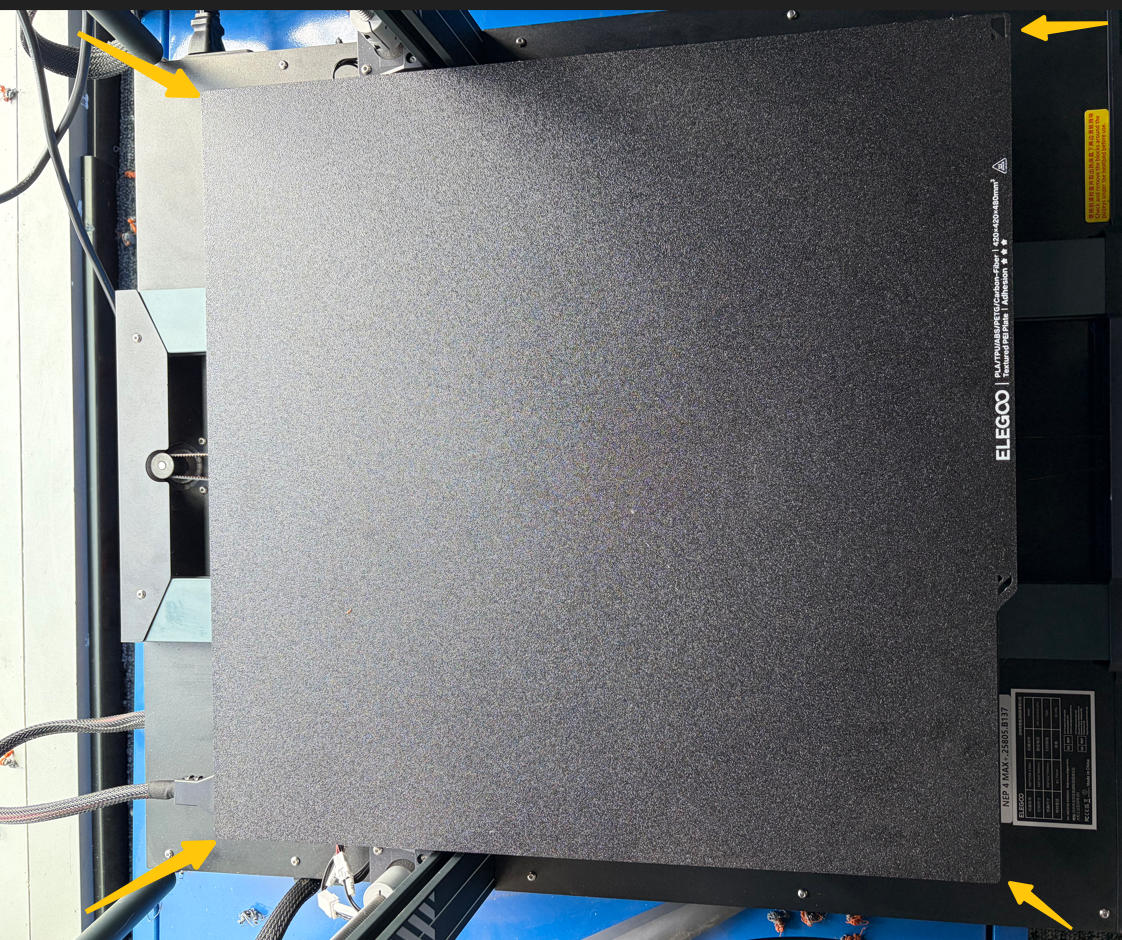
Ensure the PEI board or other build surface is correctly attached to the heated bed, without warping, misalignment, or foreign objects trapped underneath.
¶ 3. Adjust Z Offset
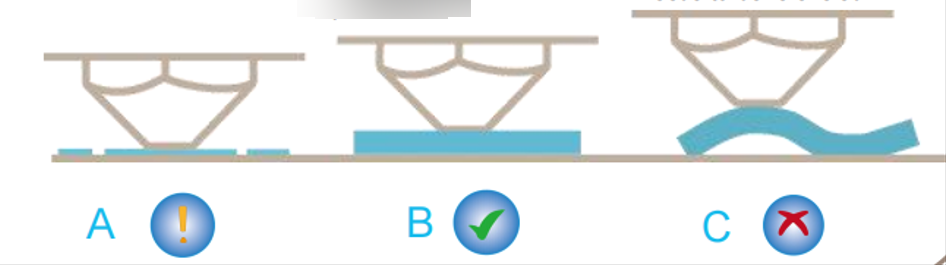
- If the first layer lines are loose and cannot stick to the build plate, the nozzle is likely too far from the surface → reduce Z Offset appropriately
- If the first layer is overly compressed, extrusion is difficult, or the nozzle scrapes the build plate → increase Z Offset appropriately
¶ 4. Reduce First Layer Printing Speed
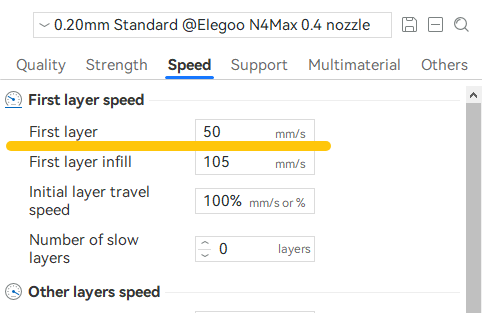
It is recommended to set the first layer speed to 15–30 mm/s, allowing sufficient time for the filament to properly adhere to the build plate.
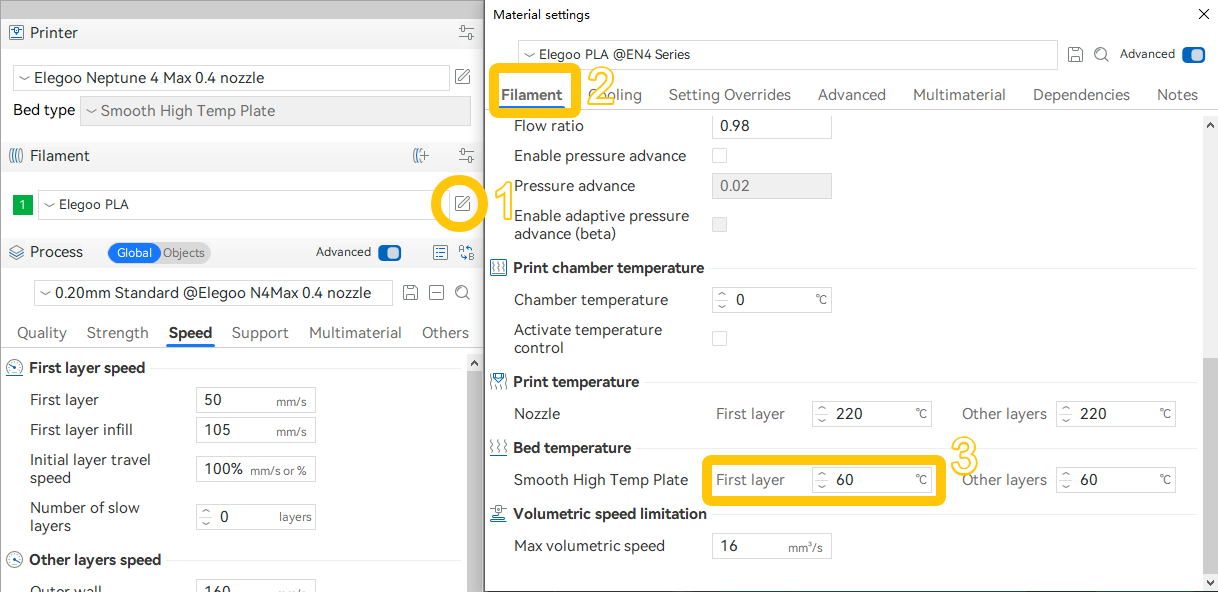
¶ 5. Increase Heated Bed Temperature for the First Layer
Adjust the heated bed temperature according to filament type:
- PLA: 50–65°C
- PETG: 70–85°C
¶ 6. Check Nozzle Extrusion Condition
Manually heat the hotend and extrude filament to observe whether the extrusion is continuous and consistent.
If the extrusion is:
- Curved
- Intermittent
- Significantly thinner than normal
Clean the nozzle or check for clogging in the hotend.
¶ 7. Re-run Auto Leveling or Manual Leveling
If the heated bed or tool head has been replaced or disassembled, auto leveling calibration must be performed again.
Even if no replacement or disassembly has occurred, if first layer adhesion issues or poor quality appear, it is still recommended to re-run auto leveling or manual leveling calibration.
¶ Still Not Resolved
If the issue persists, please provide the following information and contact technical support(Email: 3dp@elegoo.com):
- Photos of the failed print model
- Model G-code file
- Filament information used (label on the spool side showing filament type, brand, etc.)
- Printer firmware version
- Printer SN code
¶ Help us improve
If you have any ideas about the wiki pages, please let us know via ELEGOO official feedback channel