¶ Preparation
- Secure the object in a stable position to prevent it from moving during scanning.
- Avoid direct sunlight and strong lighting.
- Prepare a 3D scanning spray suitable for the object's material. Read the product instructions before use and test the spray on an inconspicuous area to ensure it does not damage the surface.
¶ Scanning Procedure
¶ 1. Treat the Surface According to Its Characteristics
| Surface Type | Recommended Treatment |
|---|---|
| Black | Try scanning directly first. If the captured data is insufficient or some surface areas remain missing, apply 3D scanning spray. |
| Reflective | Apply 3D scanning spray to areas with strong reflections that cannot be captured consistently. |
| Transparent | A matte coating is usually needed. Apply 3D scanning spray to create this coating. |
Apply the spray in a thin, even layer. Avoid excessive buildup, dripping, or covering fine surface details.
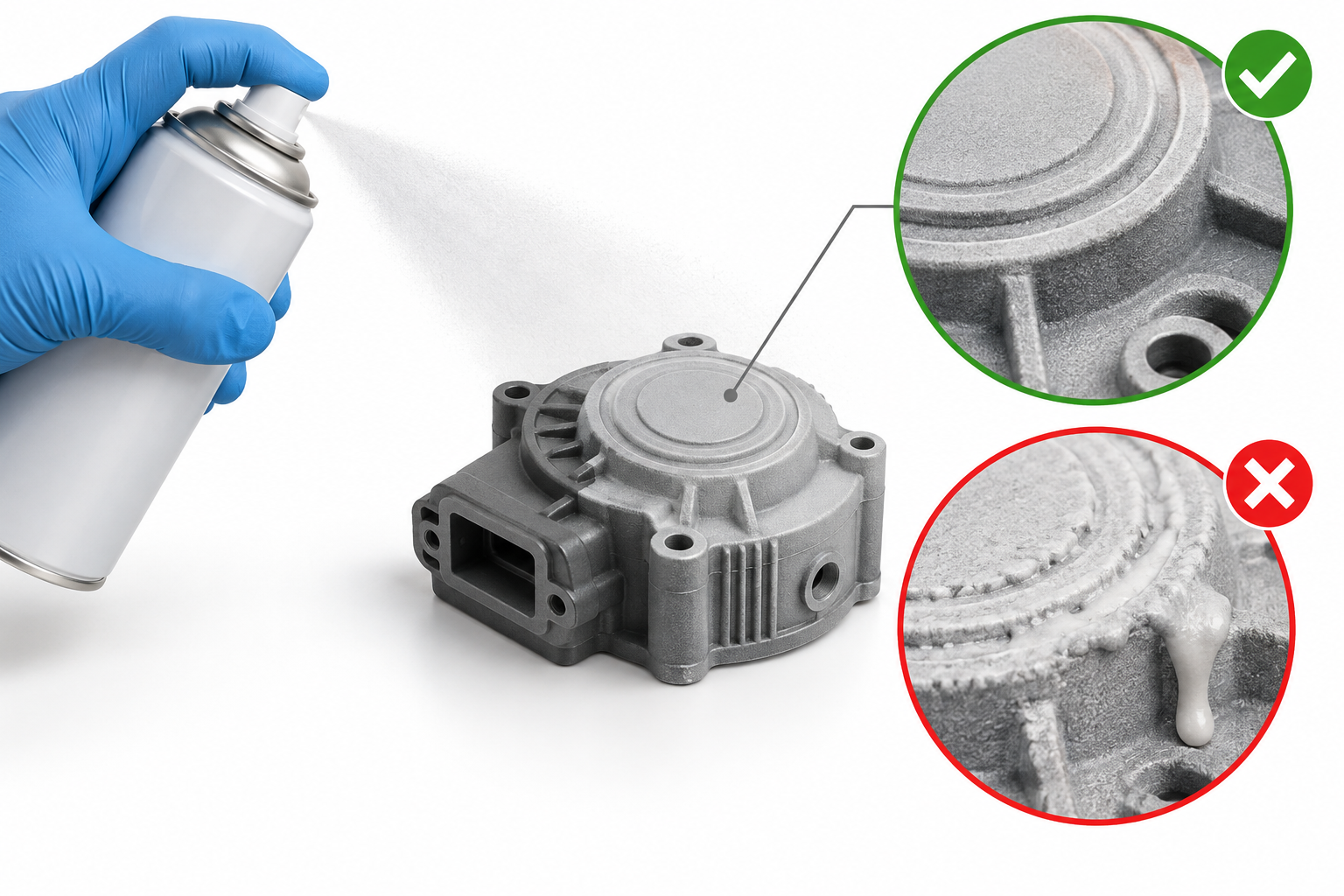
¶ 2. Select the Scan Mode
Select a scan mode suitable for the object according to the device instructions. If using a marker-based scanning mode, position the markers as specified for your model. Avoid spraying 3D scanning spray onto the marker detection areas.
¶ 3. Adjust the Scanning Distance and Exposure
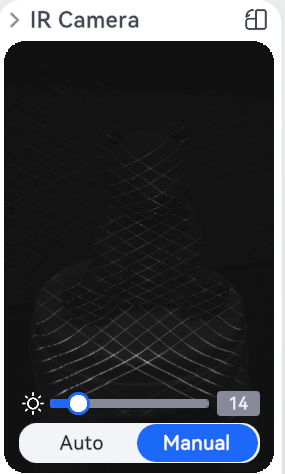
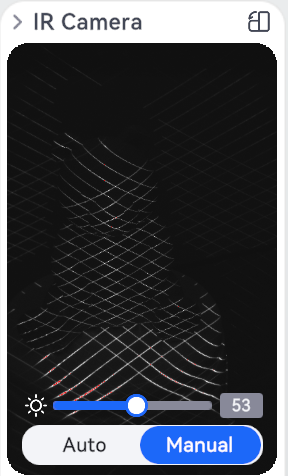
Maintain the appropriate scanning distance as indicated by the software, and use auto exposure (AE) whenever possible. If the captured data is still incomplete, adjust the exposure if necessary and slowly change the scanning angle.
| Too Dark | Normal | Too Bright |
|---|---|---|
 |
 |
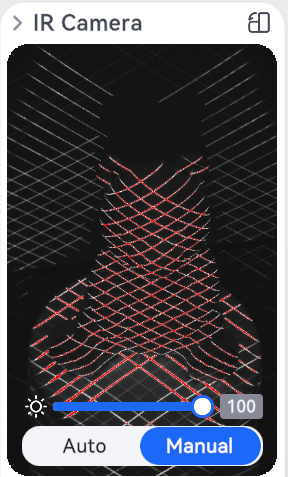 |
For instructions on adjusting exposure, see IR Camera Exposure Adjustment Guide (to be uploaded).
¶ 4. Scan Slowly and Check for Missing Areas
Move steadily around the object, ensuring sufficient overlap between adjacent scan areas. After scanning, inspect the model and scan any missing areas again from a different angle. If the same area cannot be captured consistently, check for persistent reflections, light transmission, or uneven spray coverage.
¶ Notes
- 3D scanning spray may affect the capture of the object's original colors and textures. It is not suitable for color scanning when preserving the object's original colors is essential.
- Excessive coating thickness may affect dimensional accuracy and fine details. Take particular care when spraying objects with intricate features.
- After scanning, treat the surface according to the spray manufacturer's instructions. For self-vanishing sprays, verify that the product is compatible with the object's material.
¶ Help Us Improve
If you have any suggestions for our wiki pages, please let us know through the ELEGOO Official Feedback Channel.