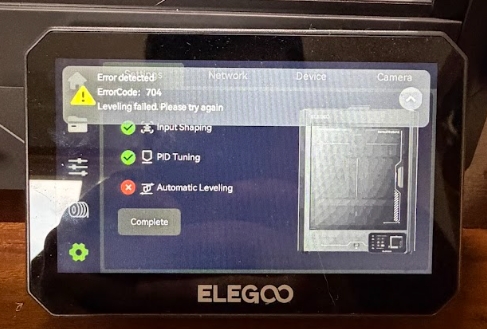
¶ Issue Description
Leveling failed. Please try again
¶ Possible Causes
- Z-axis homing failed.
- The printer is placed on an unstable or uneven surface.
- The heated bed is tilted.
- A faulty pressure sensor or strain gauge adapter board.
¶ Required Tools
- 2.0 mm Allen key
- 2.5 mm Allen key
¶ Troubleshooting
¶ 1. Check Z-axis Homing
Abnormal Z-axis homing may cause the printer to report Error 704 during the auto leveling process.
-
If this error occurs while the printer is performing Z-axis homing, refer to Error Code 304 for troubleshooting.
-
If Z-axis homing completes successfully but Error 704 occurs during Auto Leveling, continue to Step 2.
¶ 2. Check Printer Stability
If the printer is placed on an uneven or unstable surface, the pressure sensor readings may be inaccurate.
- Make sure the printer is placed on a flat, stable surface.
- Ensure the printer does not wobble during operation.
- If you are unsure whether the table is stable, temporarily place the printer on the floor and perform another test.
Note: Do not place the printer on a table with wheels.
¶ 3. Check Whether the Heated Bed Is Tilted
a. On the touch screen, tap Home.
b. Check whether the gaps between the three Z-axis mounting blocks and the heated bed mounting brackets are equal.
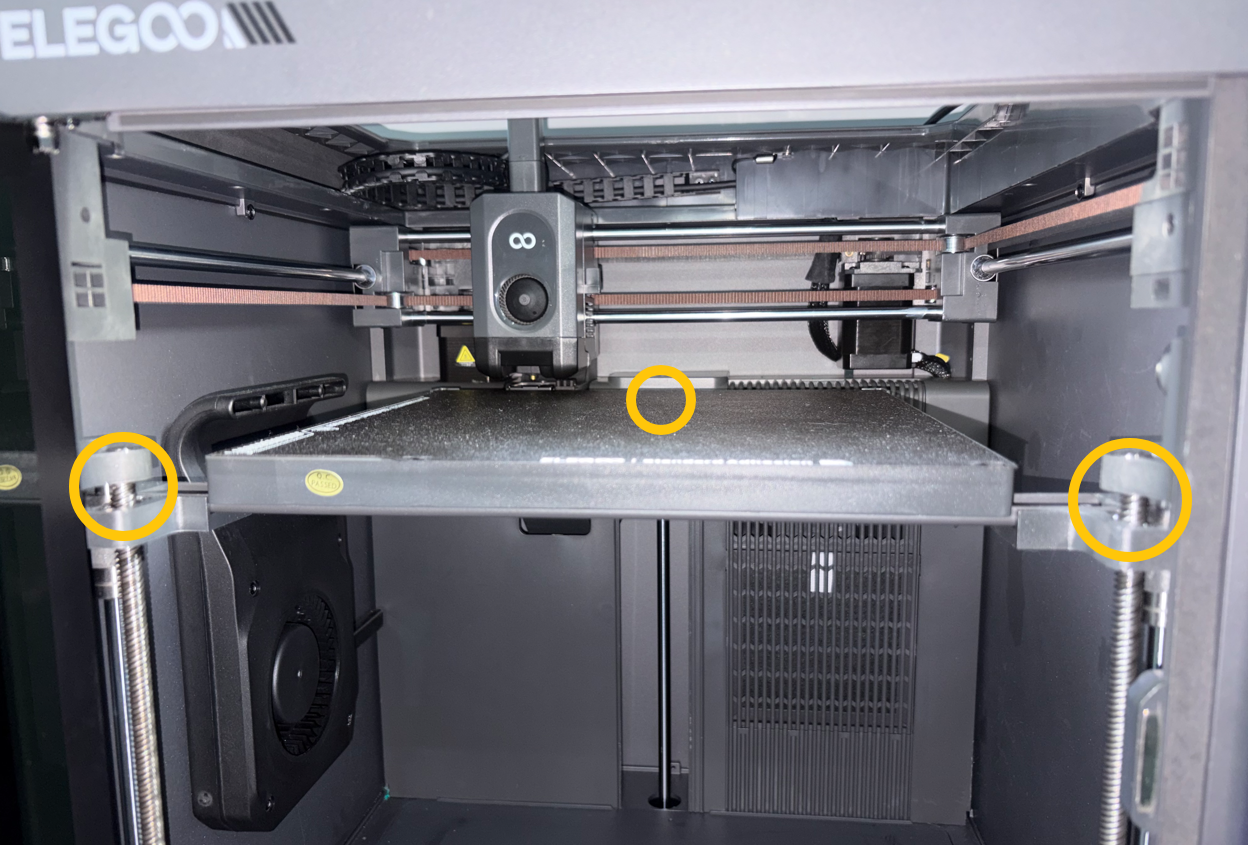
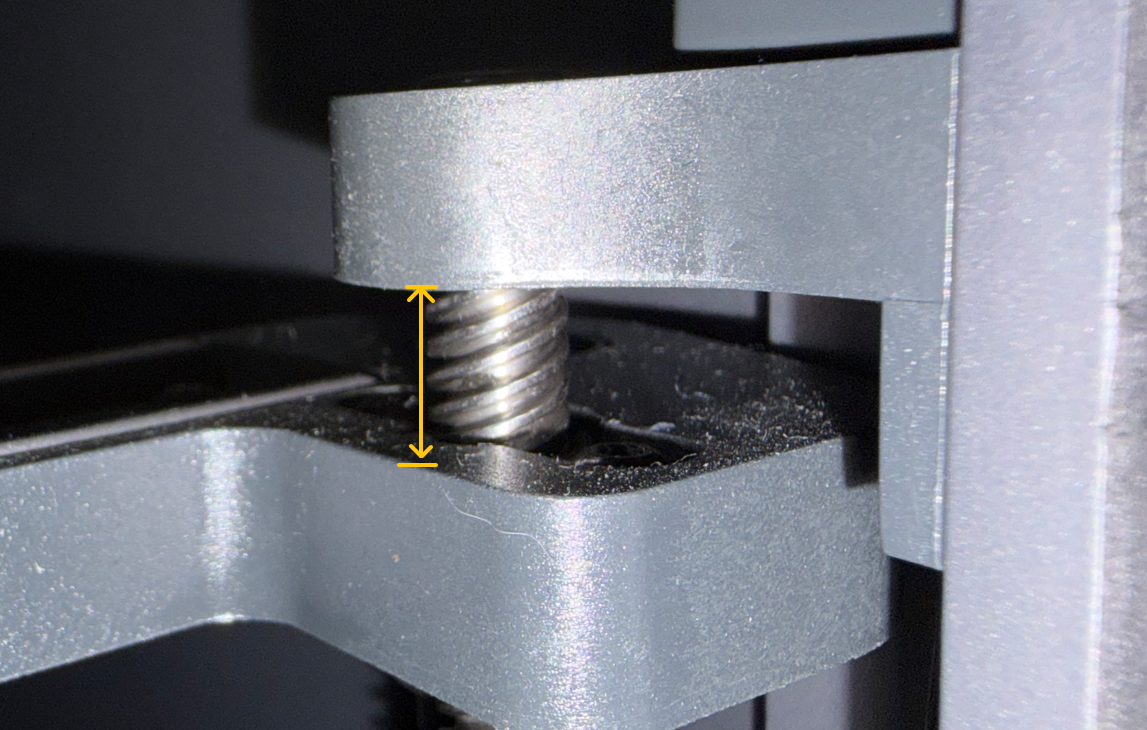
- If the heights are different, manually re-level the heated bed.
How to Manually Level the Heated Bed on the Centauri Carbon 2 Combo
How to manually level the heated bed
- If the heights are the same, continue with Step 4.
¶ 4. Identify the Faulty Pressure Sensor
a. Restart the printer and perform auto leveling again.
- If the nozzle stops or continuously presses down on the heated bed at a specific location, the corresponding pressure sensor may be faulty.
- Reseat the pressure sensor cable and check whether the connector is loose.
- Refer to the guide below to disassemble and open the heated bed, then inspect the pressure sensor connector.
Pressure Sensor Replacement Guide
How to Replace the Pressure Sensors(B0C2L1)
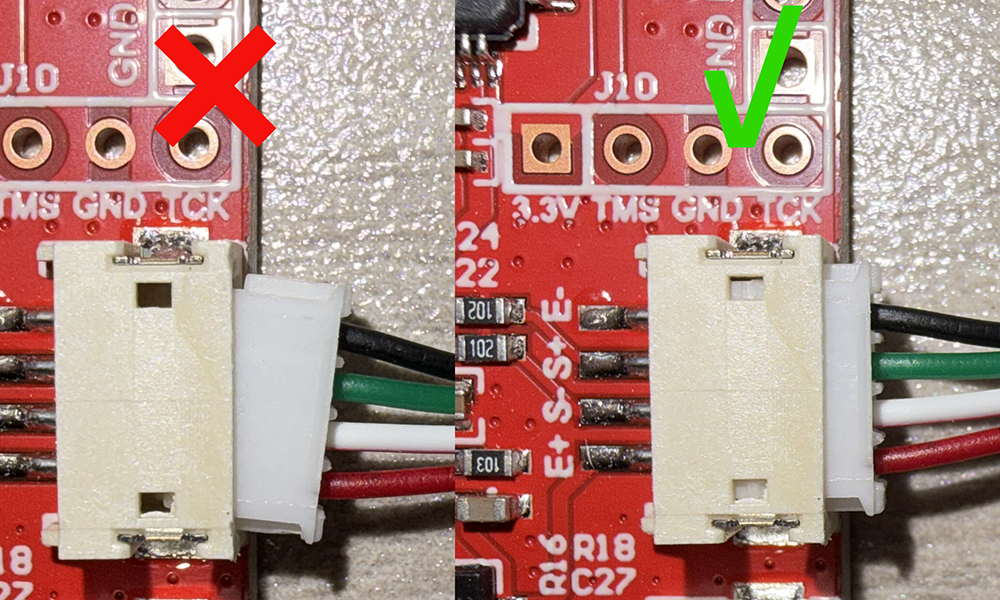
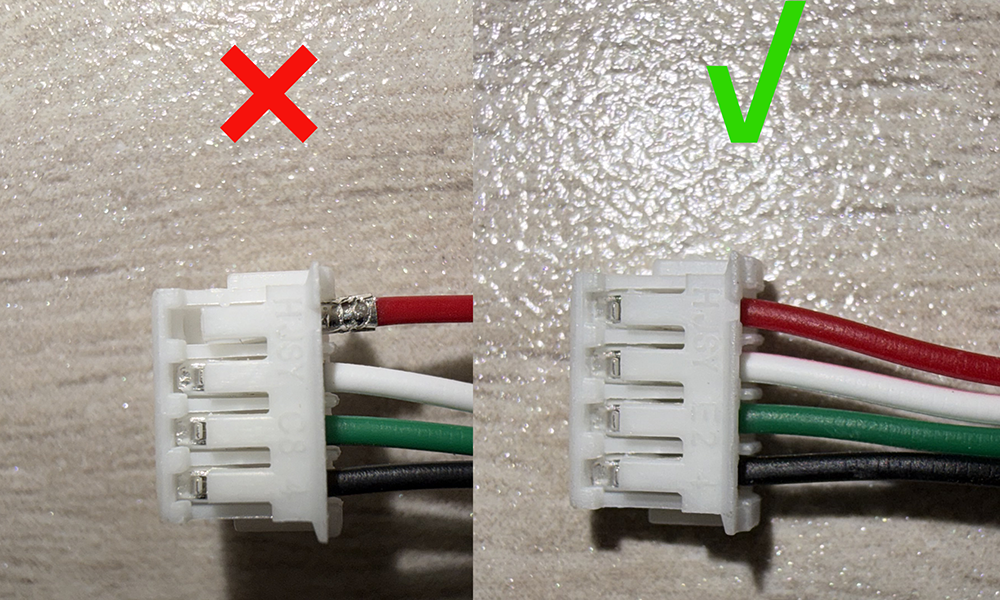
b. Swap the suspected pressure sensor with the adjacent pressure sensor on the same side, along with their corresponding cable connections.
Note: The installation positions of the four corner pressure sensors correspond to their respective cable connector positions.
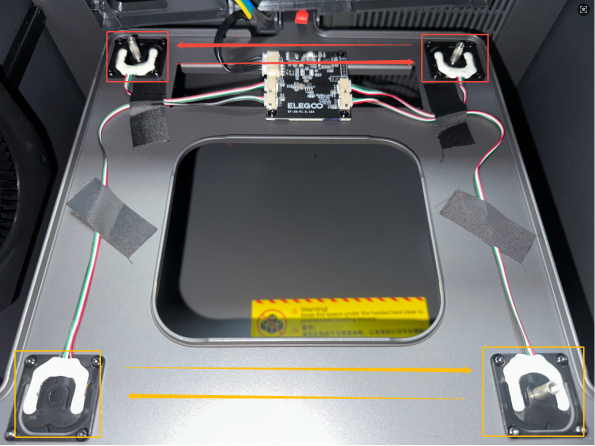
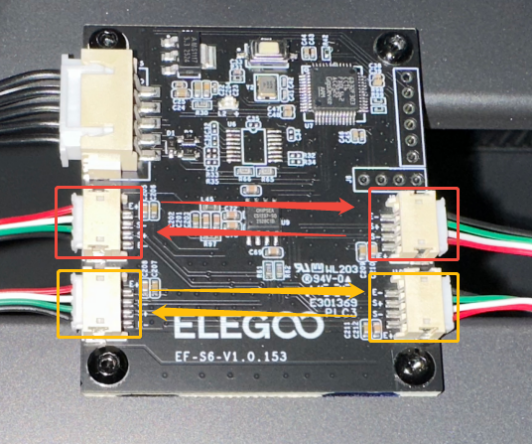
c. Run auto leveling again.
- If the location where the nozzle stops or continuously presses the heated bed changes, the pressure sensor is faulty and should be replaced.
- If the location does not change, replace the strain gauge adapter board.
¶ If the Issue Persists
Please contact technical support at 3dp@elegoo.com and provide the following information:
- A video showing how the issue can be reproduced. The video should clearly show:
- The error message on the touch screen.
- The movements of the Tool Head and the heated bed.
- The printer serial number (SN), located on the white label next to the power switch.
- The printer firmware version (Touch Screen → Settings → About Printer).
¶ Help us improve
If you have any ideas about the wiki pages, please let us know via ELEGOO official feedback channel