¶ Issue Description
Z-axis motor error, Please troubleshoot the motor and (with the device powered off)

¶ Possible Causes
- The Z-axis motor cable is loose or has a poor connection.
- The Z-axis motor is faulty, or the Z-axis motor driver circuit on the motherboard is malfunctioning.
- The Z-axis optical limit switch is faulty and cannot be triggered properly.
¶ Required Tools
- 2.0 mm Allen key
¶ Troubleshooting Steps
¶ 1. Check the Z-axis Movement During Homing
Click the Home button and observe the Z-axis movement during the homing process.
- If the nozzle continuously presses against the build plate during homing, the optical limit switch or its corresponding port on the motherboard may be damaged. Refer to Step 2 for further troubleshooting.
- If the Z-axis continuously vibrates, gets stuck, or fails to move during homing, the motor, driver circuit, or Z-axis motor cable may be faulty. Refer to Step 3 for further troubleshooting.
¶ 2. Check Whether the Optical Limit Switch Is Triggered Properly
Under normal conditions, when the Z-axis reaches the top position during homing, the optical limit switch should be triggered, and its indicator LED should illuminate red.
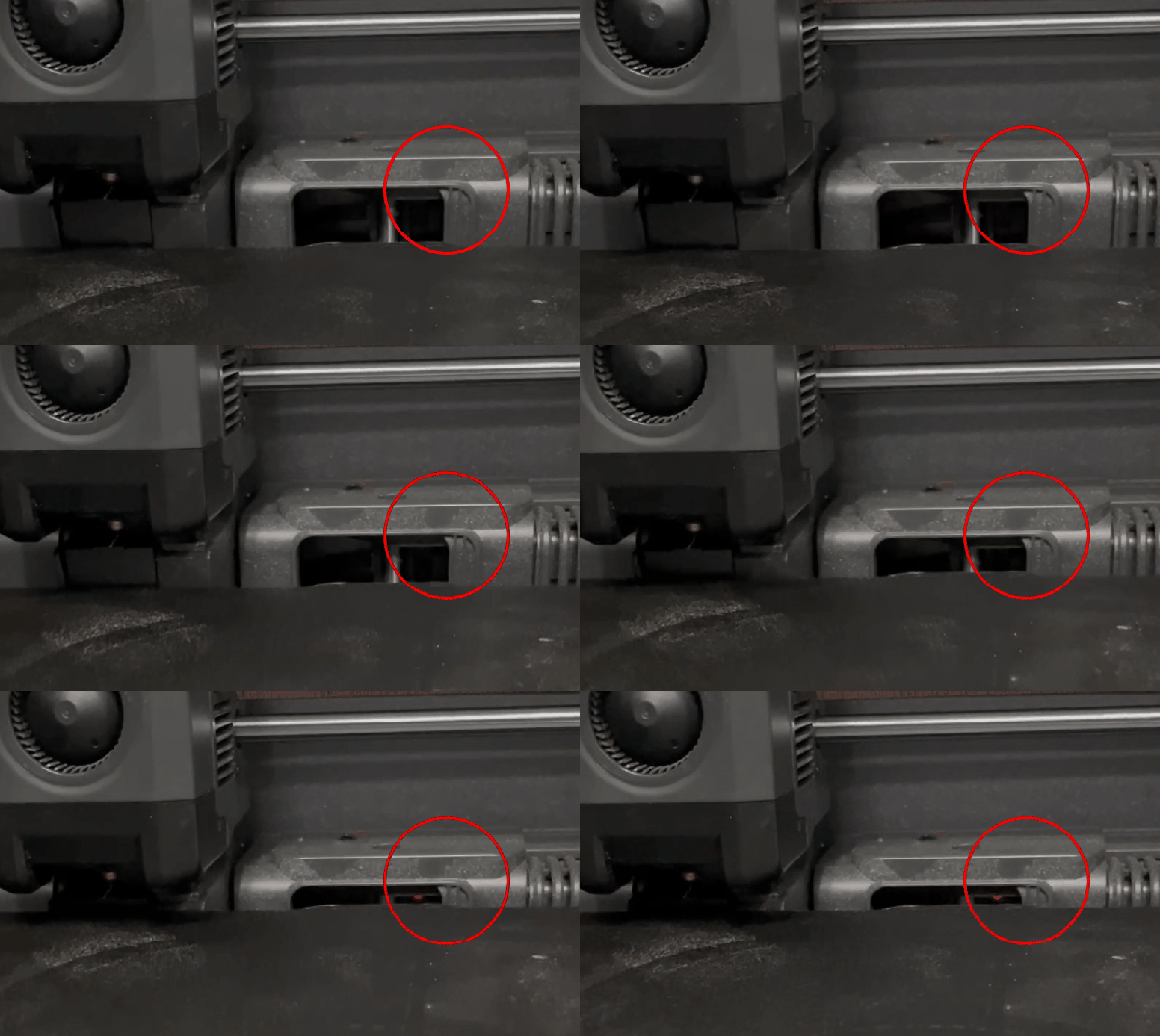
- Untriggered: The indicator LED is off or very dim (almost invisible).
- Triggered: The indicator LED illuminates clearly in red.
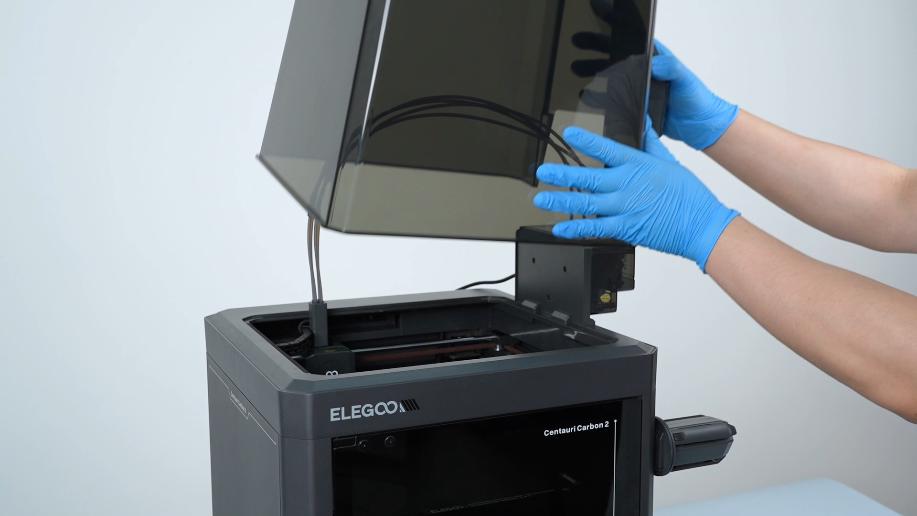
- Open the top cover.
- Use a 2.0 mm Allen key to remove the ten screws securing the bottom cover, then remove the bottom cover.
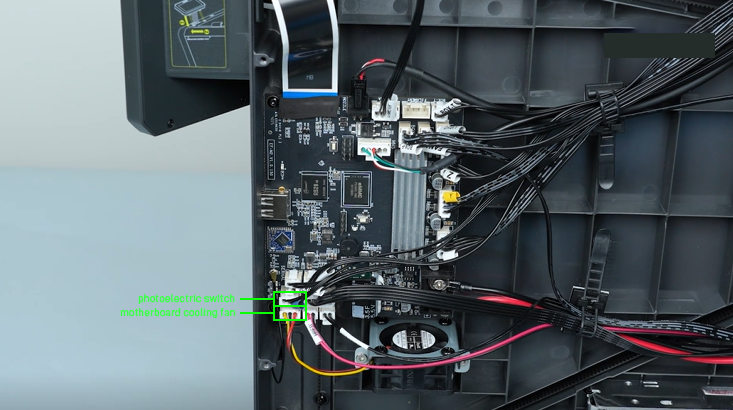
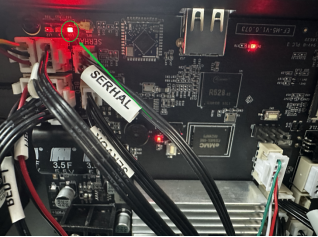
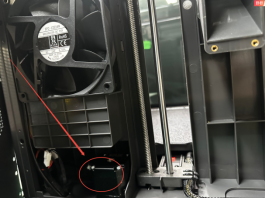
- Check whether the indicator LED at the corresponding optical limit switch port on the motherboard is illuminated.
- If the indicator LED is illuminated, the optical limit switch port on the motherboard is functioning properly. Replace the optical limit switch and its connection cable.
- If the indicator LED remains off, connect the motherboard cooling fan cable to the optical limit switch port and check the indicator LED again.
- If the indicator LED remains off, replace the motherboard.
- If the indicator LED illuminates, replace the optical limit switch and its connection cable.
¶ 3. Check the Z-axis Motor and Motor Cable
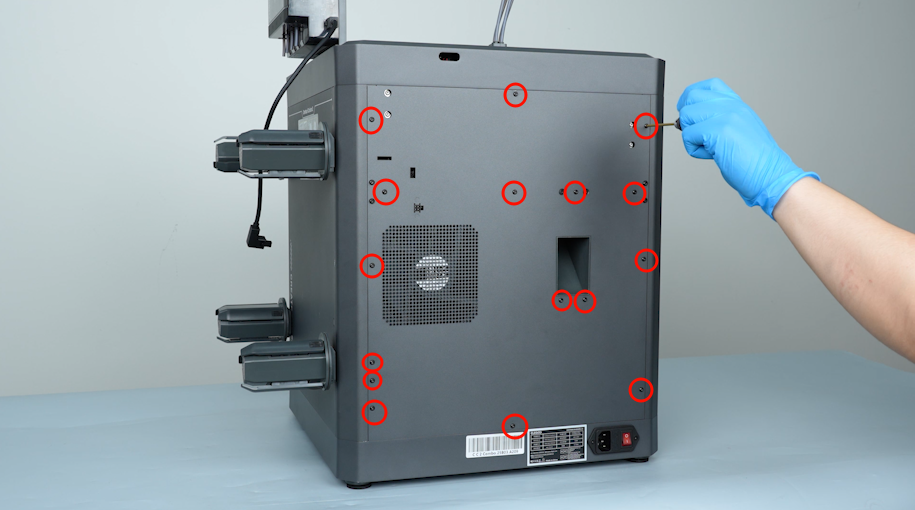
- Use a 2.0 mm Allen key to remove the sixteen screws securing the back cover, then remove the back cover.
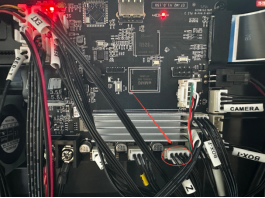
- Disconnect and reconnect the Z-axis motor cable connectors at both the motherboard and motor ends.
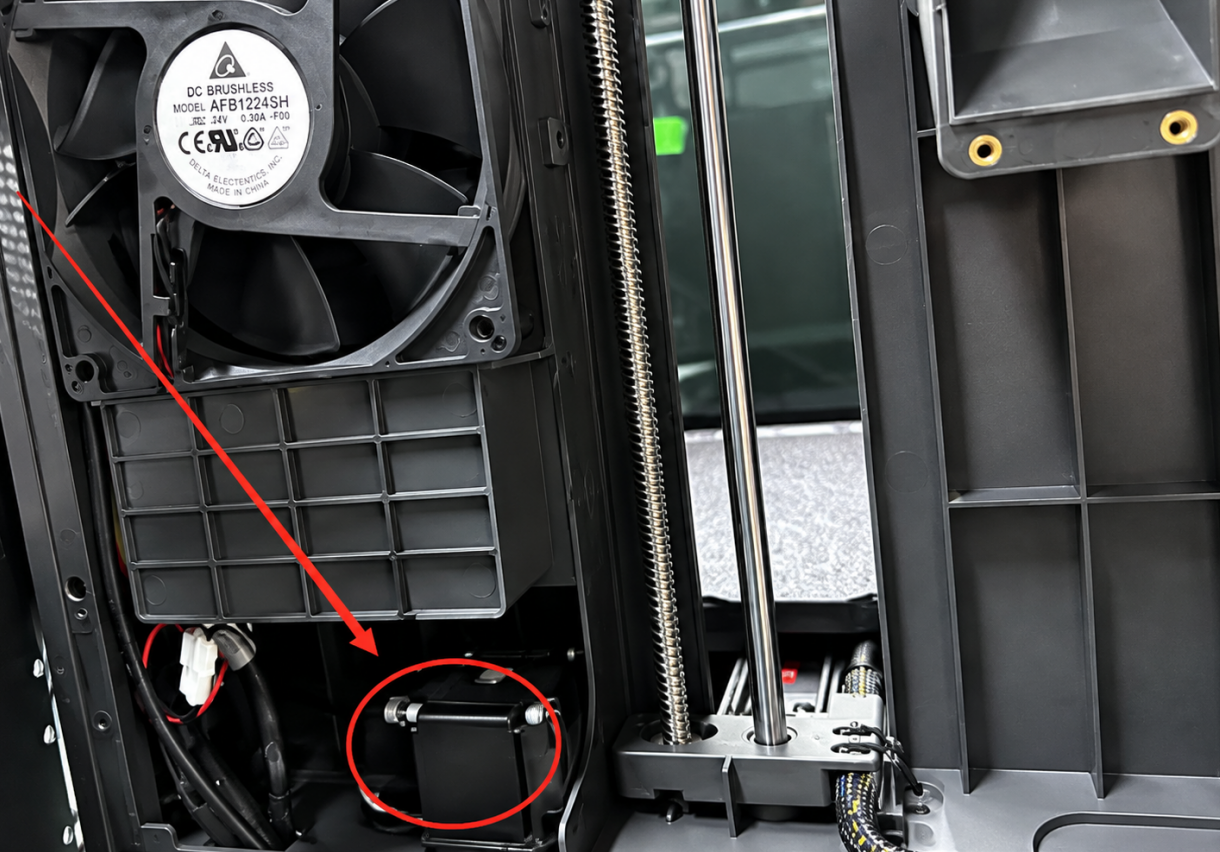
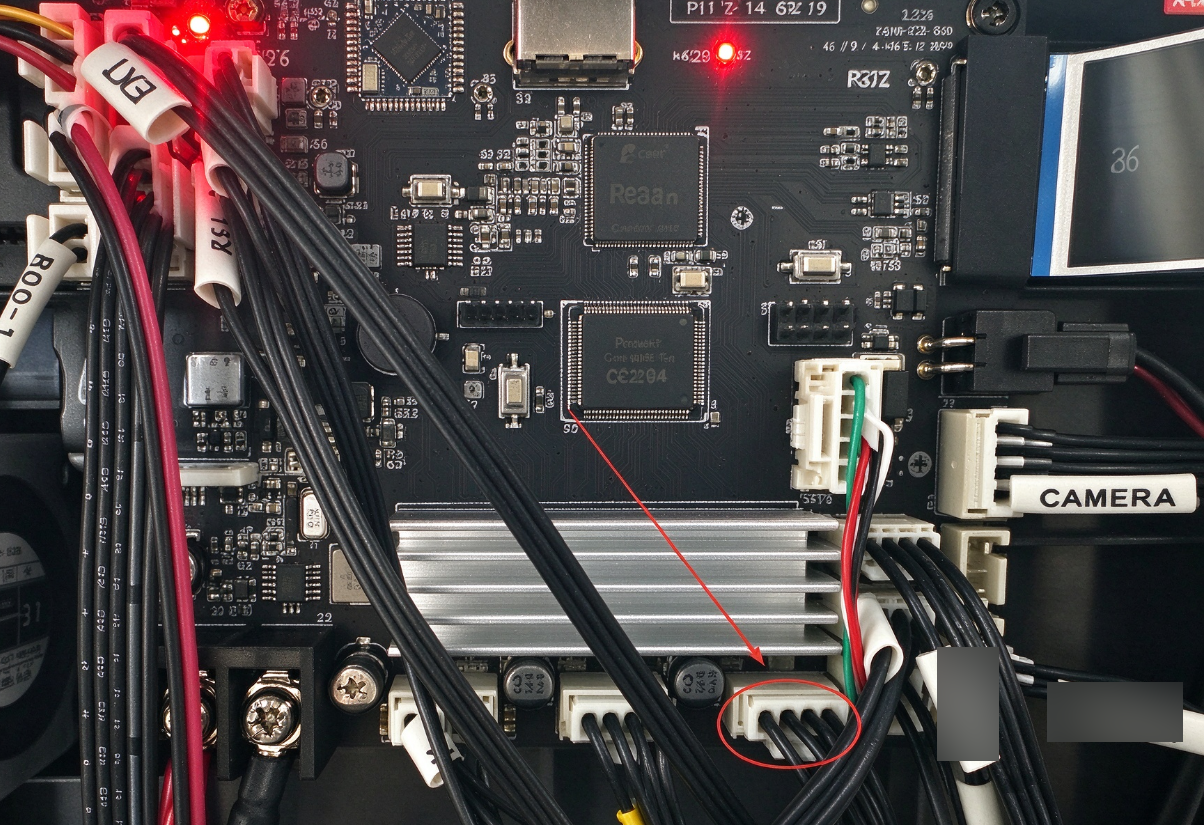
- If the Z-axis motor cable or its connector is damaged, replace the Z-axis motor cable.
- If the Z-axis motor connector on the motherboard is damaged, replace the motherboard.
- If no abnormalities are found during the above checks but Error 304 persists, perform a cross-test to identify the faulty component.
- Disconnect the Y-axis and Z-axis motor connectors from the motherboard.
- Connect the Z-axis motor cable to the Y-axis motor port on the motherboard.
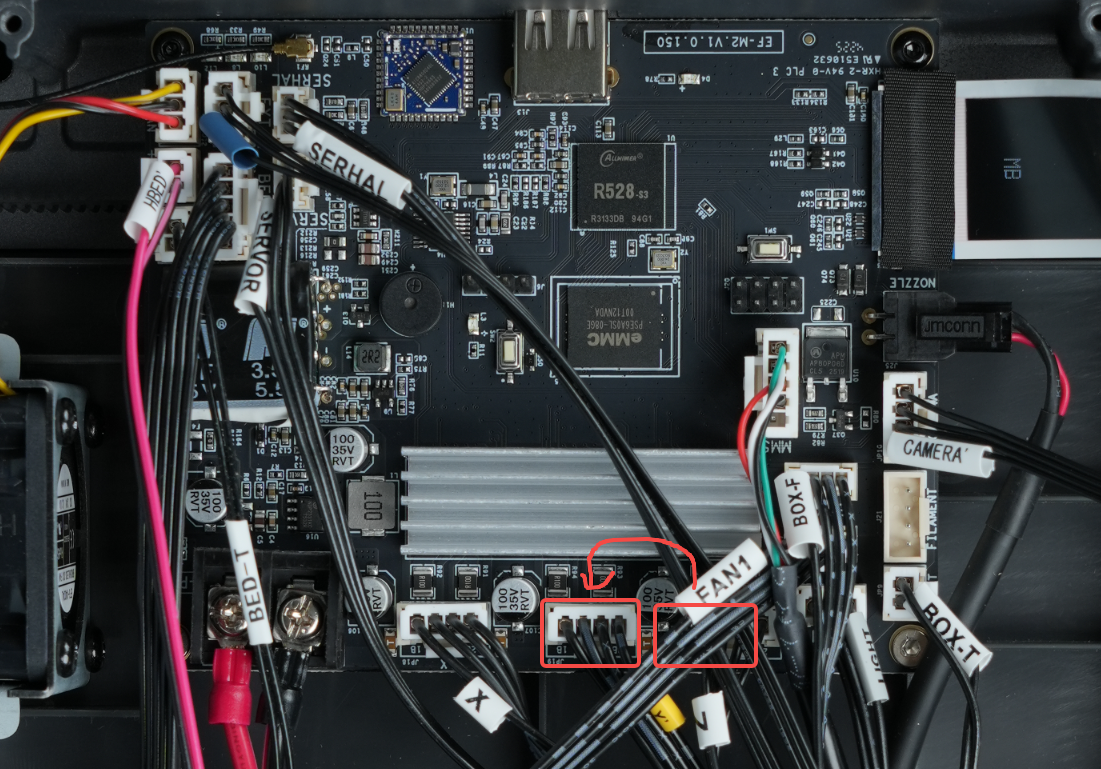
- Reconnect the power cord, turn on the printer, and perform the homing operation. Observe the Z-axis motor's movement.
- The motor runs normally without unusual noise: The Z-axis motor and its cable are functioning properly. The Z-axis motor driver circuit on the motherboard may be faulty. Replace the motherboard.
- The motor vibrates, shakes, or makes unusual noises: The Z-axis motor or its cable may be faulty. Further inspection or replacement of the motor and motor cable is recommended.
¶ Still Not Resolved?
If the issue persists, please provide the following information and contact our technical support team:
Email: 3dp@elegoo.com
- A photo showing Error 304.
- A complete video of the homing process.
- Photos of the Z-axis optical limit switch and its connection cable.
- A photo of the optical limit switch port on the motherboard.
- Photos of the Z-axis motor and its cable.
- A photo of the Z-axis motor cable connection port on the motherboard.
- Whether the Z-axis motor operates normally after connecting it to the Y-axis motor port on the motherboard.
¶ Help us improve
If you have any ideas about the wiki pages, please let us know via ELEGOO official feedback channel.