¶ Issue Description
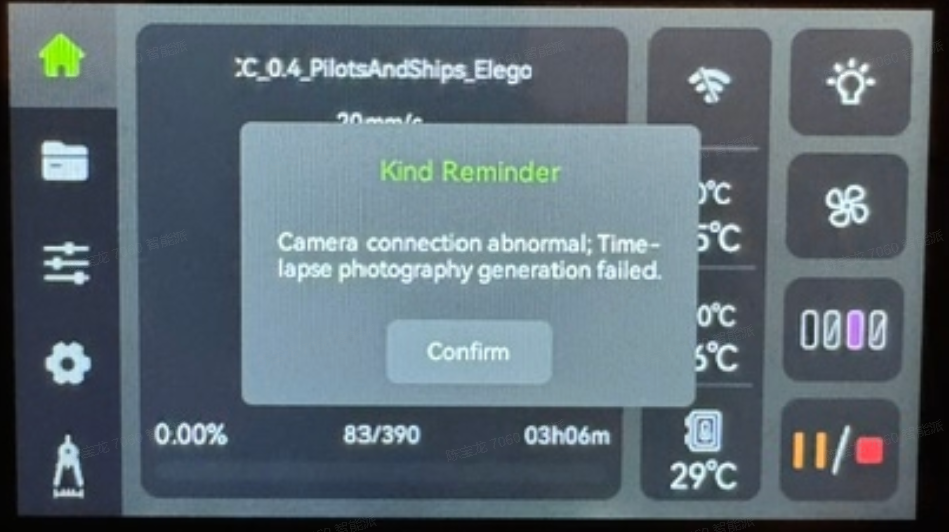
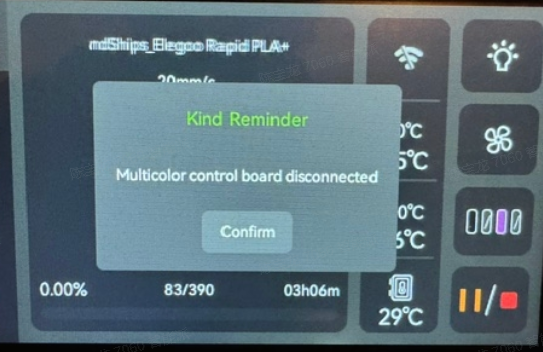
After installing CANVAS on Centauri Carbon, the printer simultaneously displays a camera connection error and a multi-color control board disconnection error.
¶ Possible Causes
- External cable connection issues, such as loose connections or broken wires.
- Poor contact issues with the CANVAS mainboard, CANVAS communication cable, camera, or related hardware.
- Insufficient power supply from the interface or abnormal power delivery.
¶ Required Tools
- 2.0 mm Allen key
- Tweezers
¶ Troubleshooting Steps
¶ 1. Check the CANVAS Connection
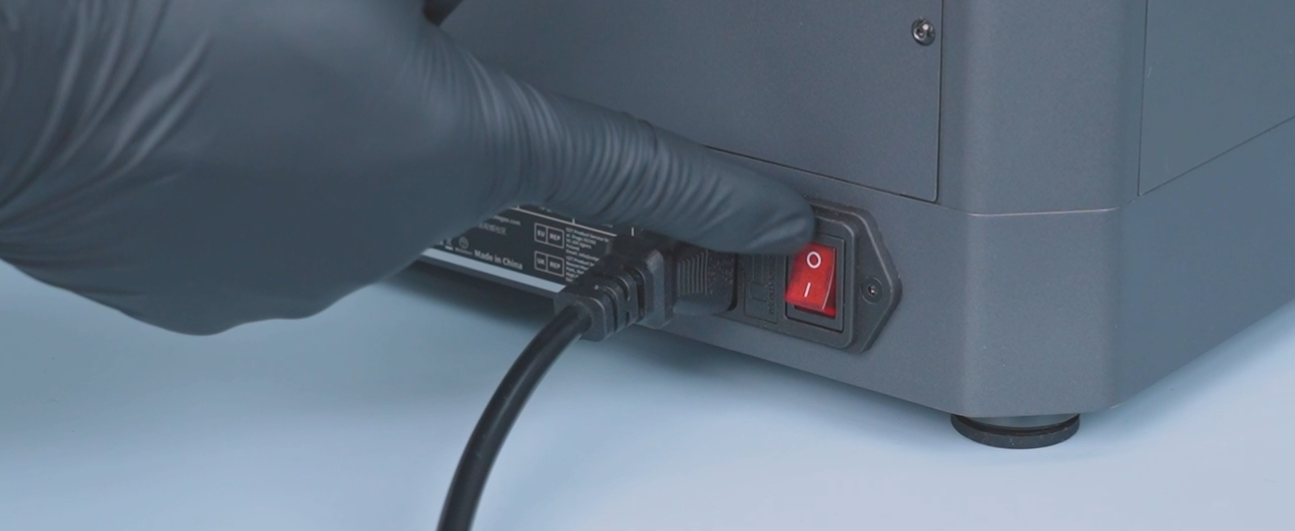
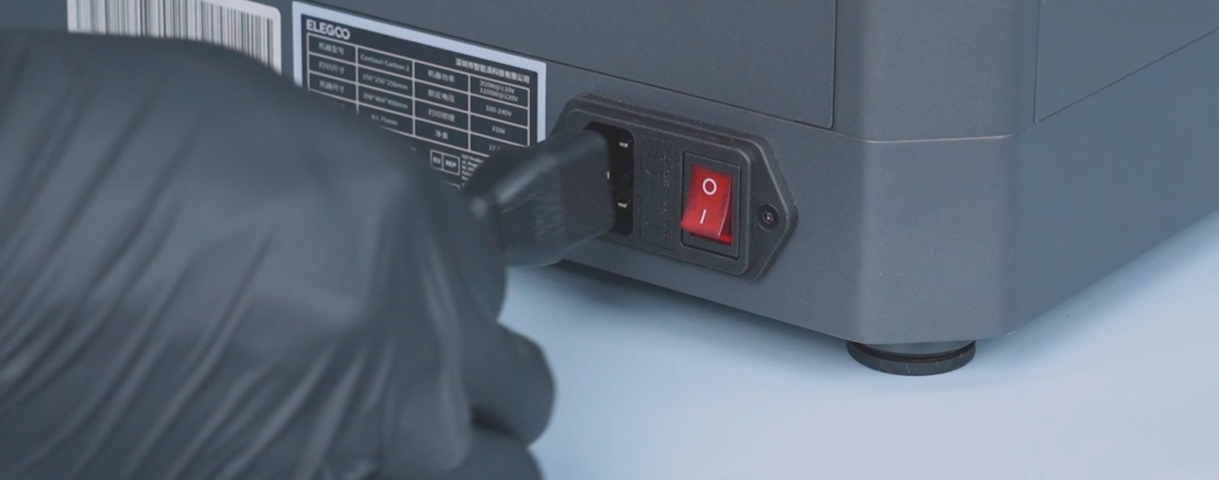
- Turn off the printer power switch and unplug the power cord.
- Disconnect the CANVAS cables, restart the printer, and check whether the camera is still disconnected.
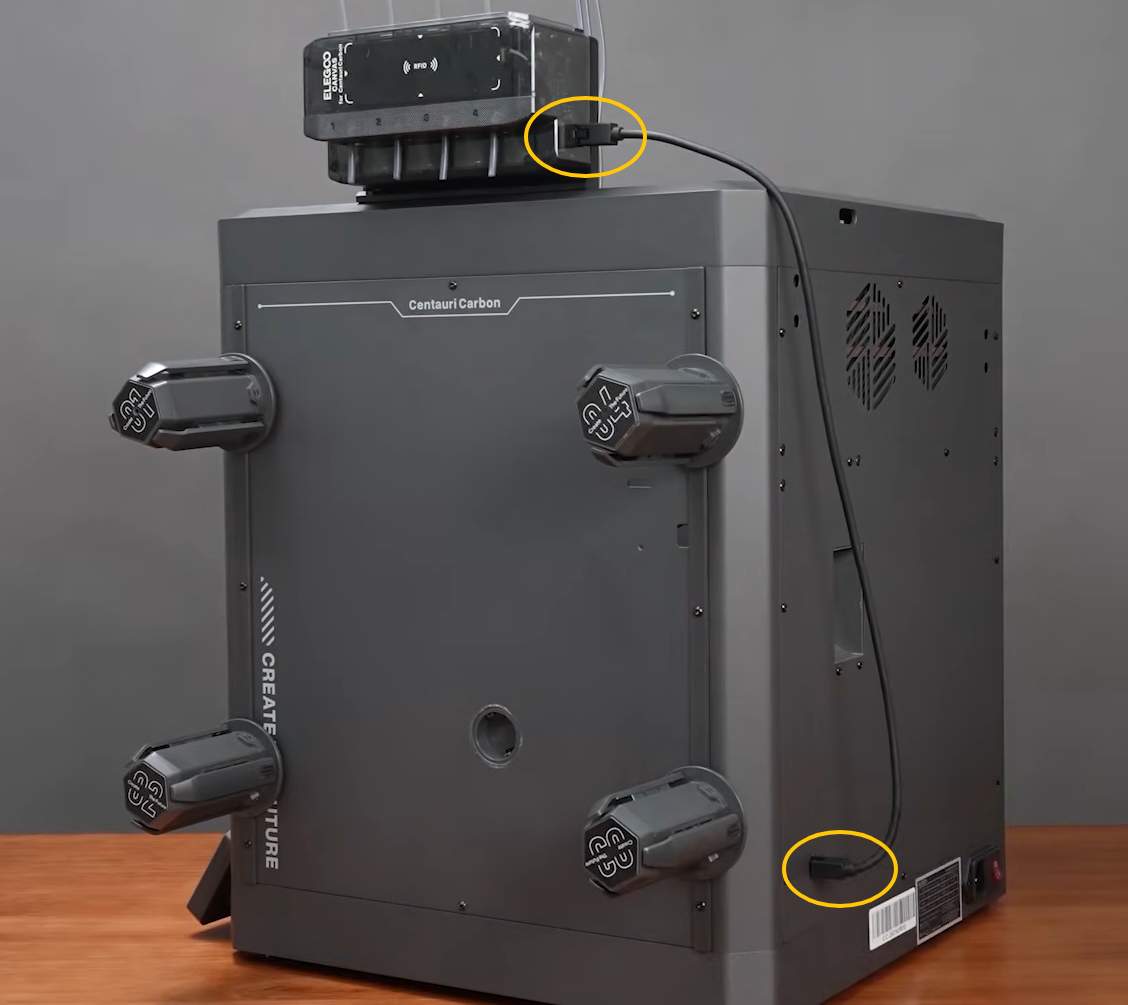
- If the camera is no longer disconnected, the issue is related to CANVAS communication. Please refer to the following guide to check the CANVAS connection: CANVAS Not Recognized
- If the camera is still disconnected, the issue is related to the camera connection. Refer to Step 2 to reconnect the camera.
¶ 2. Check the Camera Connection
- Turn off the printer and unplug the power cord.
- Use a 2.0 mm Allen key to loosen the screws securing the camera.
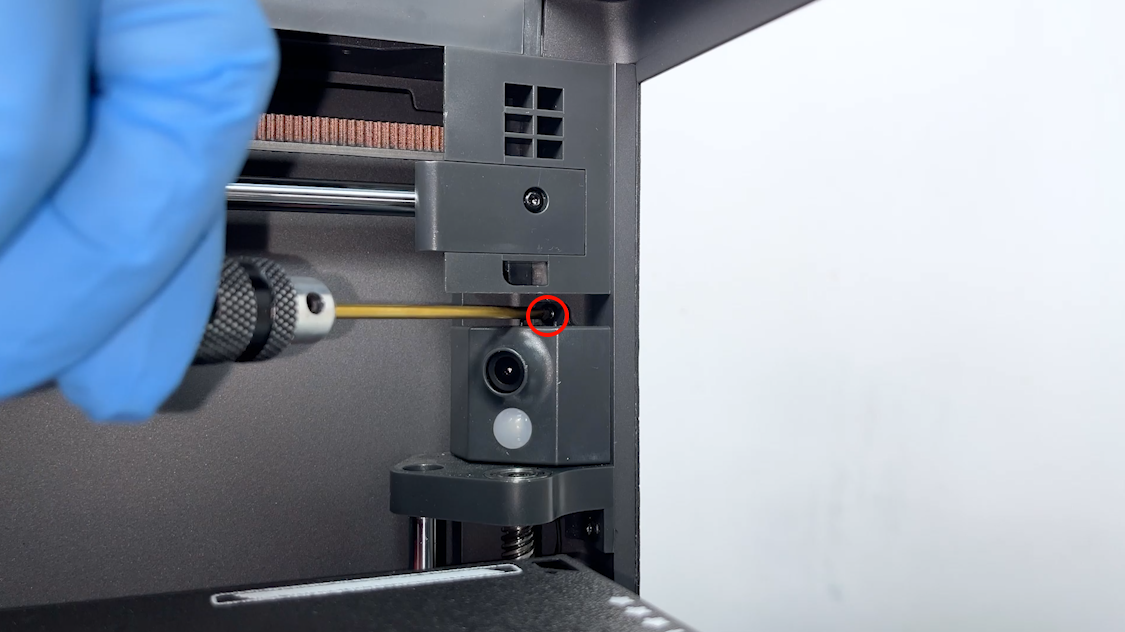
- Use tweezers to disconnect the flat cable on the back of the camera.
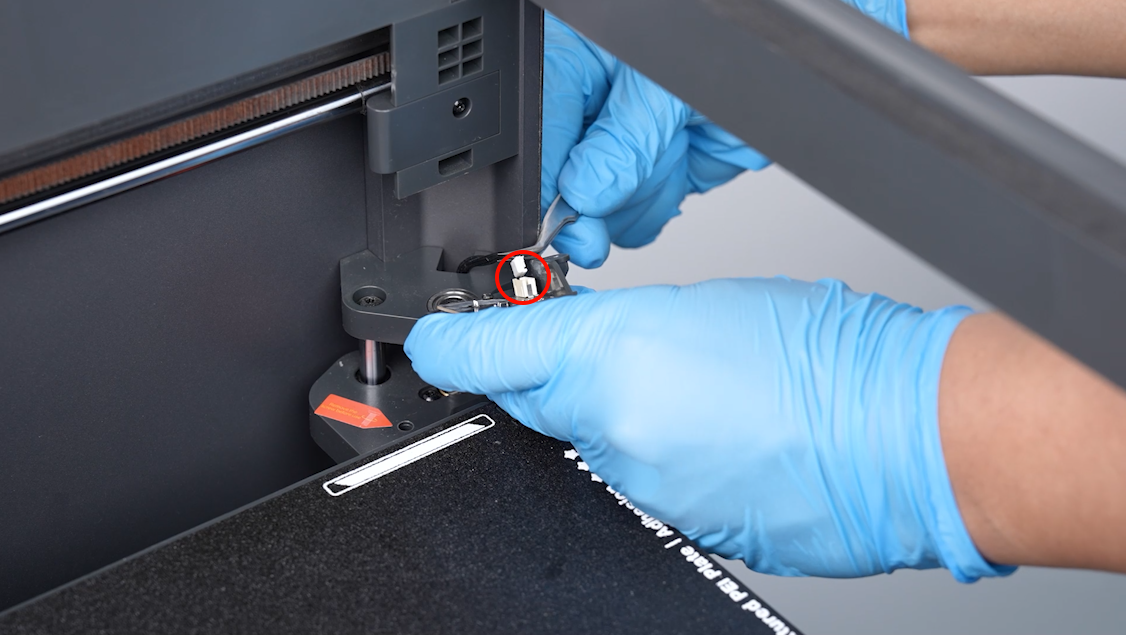
- If CANVAS is no longer disconnected, the issue is related to the camera or camera cable connection.
- If CANVAS is still disconnected, the issue is related to the CANVAS connection.
Note: The two troubleshooting procedures are reverse cross-checks used to verify the cause of the issue.
¶ Still Not Resolved
If the issue persists after completing all troubleshooting steps, please provide the following information and contact technical support.
Technical support email: 3dp@elegoo.com
- Pictures showing the camera connection error and multi-color control board disconnection error appearing simultaneously.
- Cross-test results.
¶ Help Us Improve
If you have any ideas about the wiki pages, please let us know via the ELEGOO official feedback channel.