¶ Fault Symptoms
- Abnormal noise occurs during printing.
- The printed model adheres to the bottom of the resin tank.
¶ Possible Causes
- The resin temperature may be too low.
- The model orientation may result in a large cross-sectional area or rapid changes in the cross-sectional area, causing excessive release force.
- The bottom exposure time or normal exposure time may be too long.
- The wait after release may be too short, causing the Build Plate to start lifting before the printed layer has sufficiently stabilized.
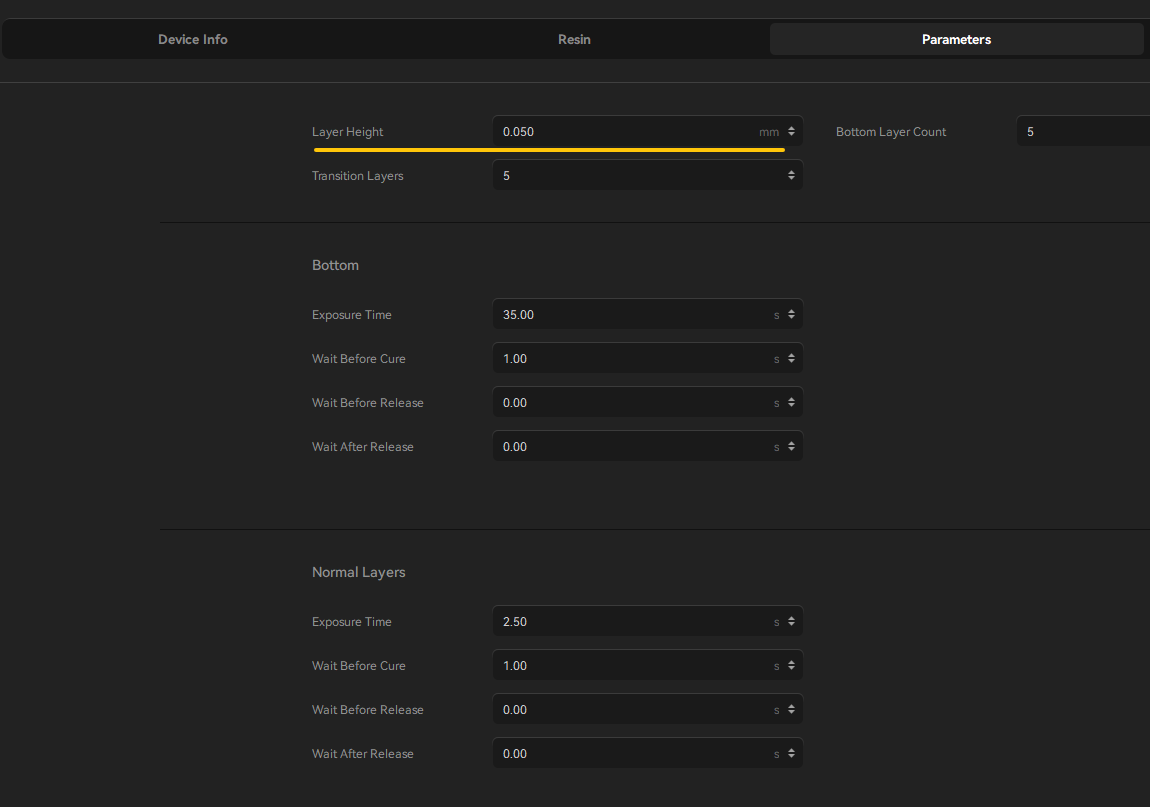
- An excessively low layer height may increase the difficulty of printing.
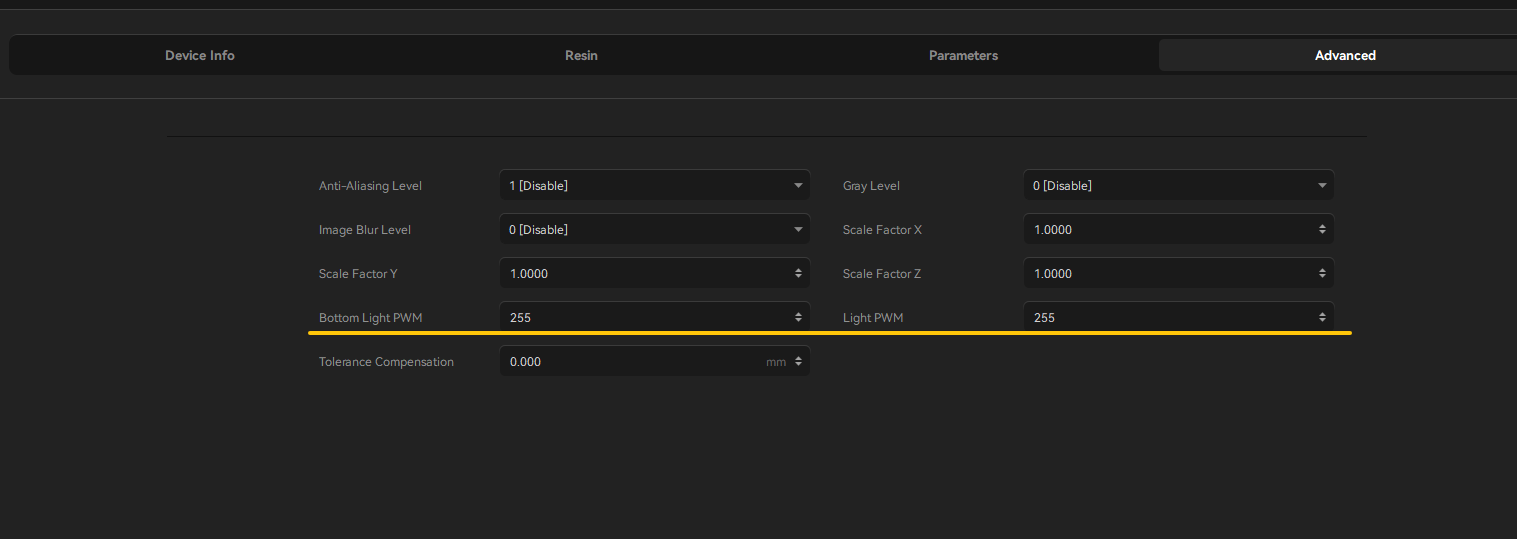
- The light intensity (PWM value) may be set too high.
¶ Tools and Materials Required for Troubleshooting
- The provided G-code file
- A compatible USB flash drive
- Slicing software
¶ Troubleshooting Steps
Note: Before proceeding with further troubleshooting, check whether there are failed-print fragments in the resin tank. If necessary, filter the resin to remove any cured resin fragments before continuing.
¶ 1. Preheat the Resin
The recommended resin temperature for printing is 25–30°C.
If the ambient temperature around the printer is below 25°C, preheat the resin before printing. Place the resin bottle in water at approximately 60°C for about 10 minutes to reduce the resin viscosity.
¶ 2. Optimize the Model Orientation
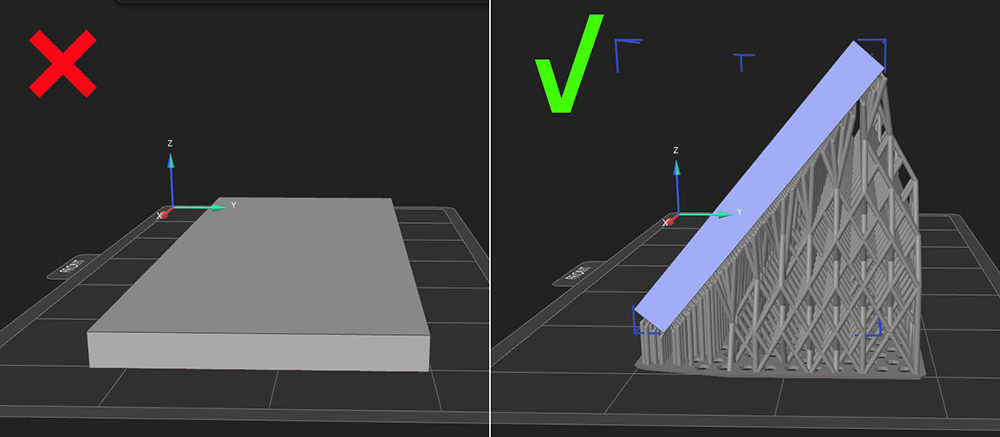
- Rotate the model in the slicing software and adjust its orientation and position to reduce large cross-sectional areas during printing.
- Keep the model's cross-sectional area as small as possible and avoid sudden changes in cross-sectional area throughout the printing process.
This is generally one of the most effective ways to reduce excessive adhesion between the model and the Release film and prevent the model from adhering to the bottom of the resin tank.
¶ 3. Reduce the Exposure Time
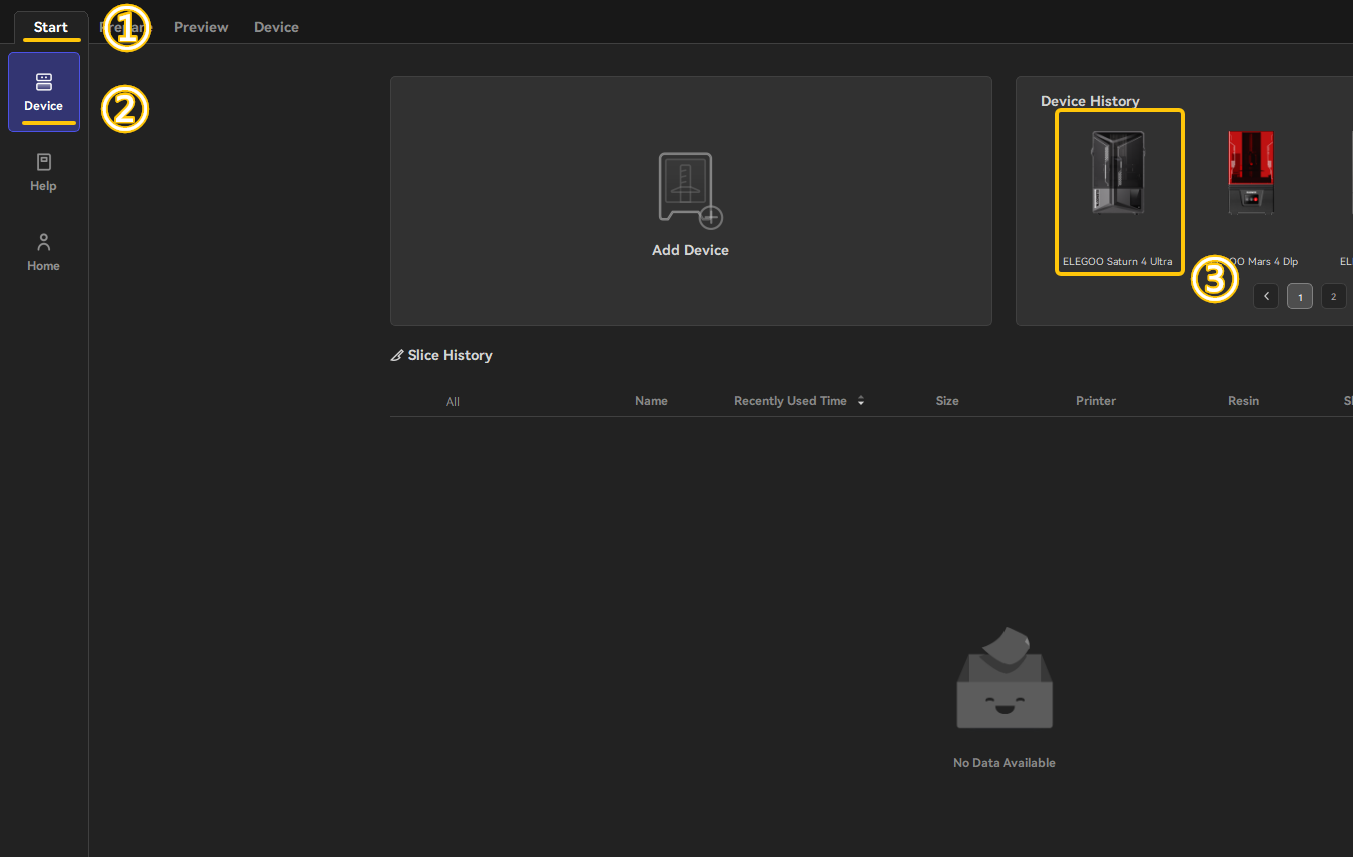
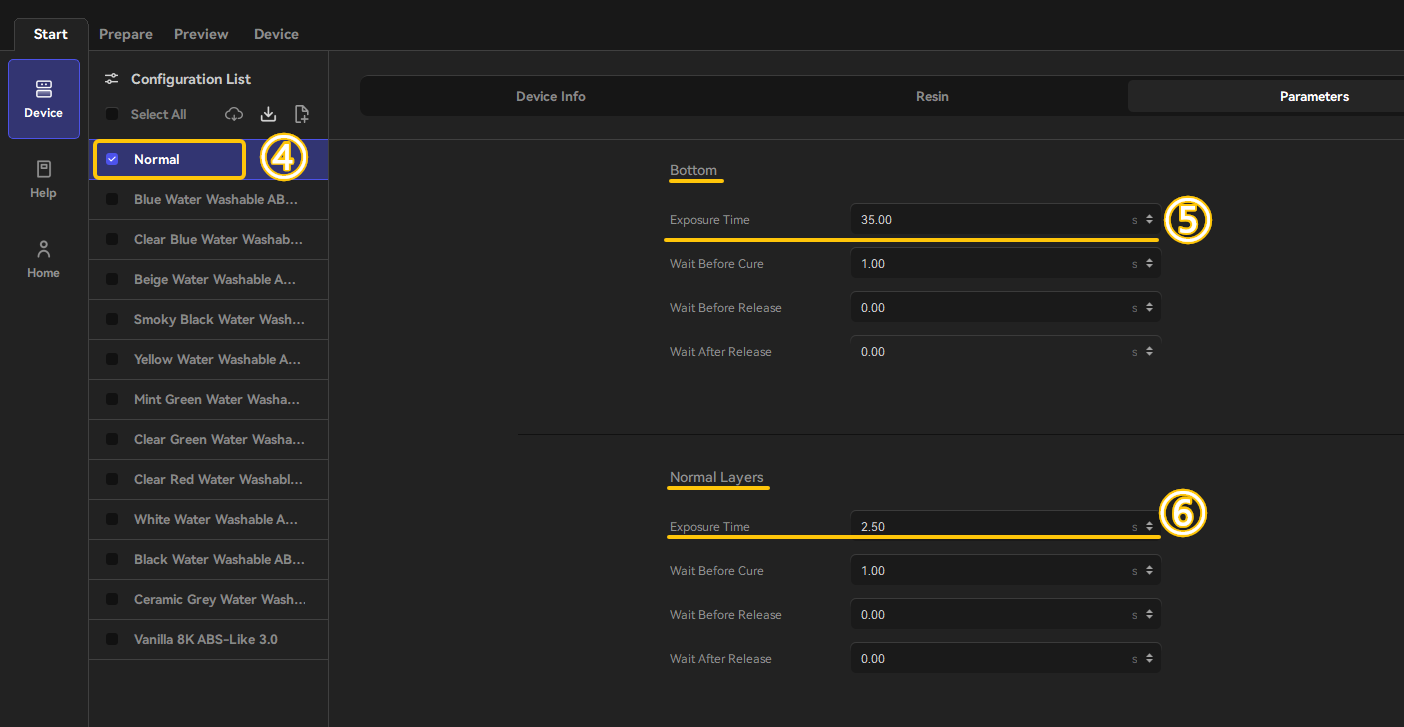
Find the resin you are currently using in the table below.
Reduce the bottom exposure time and normal exposure time appropriately, and then perform another test print.
¶ 4. Increase the Wait After Release
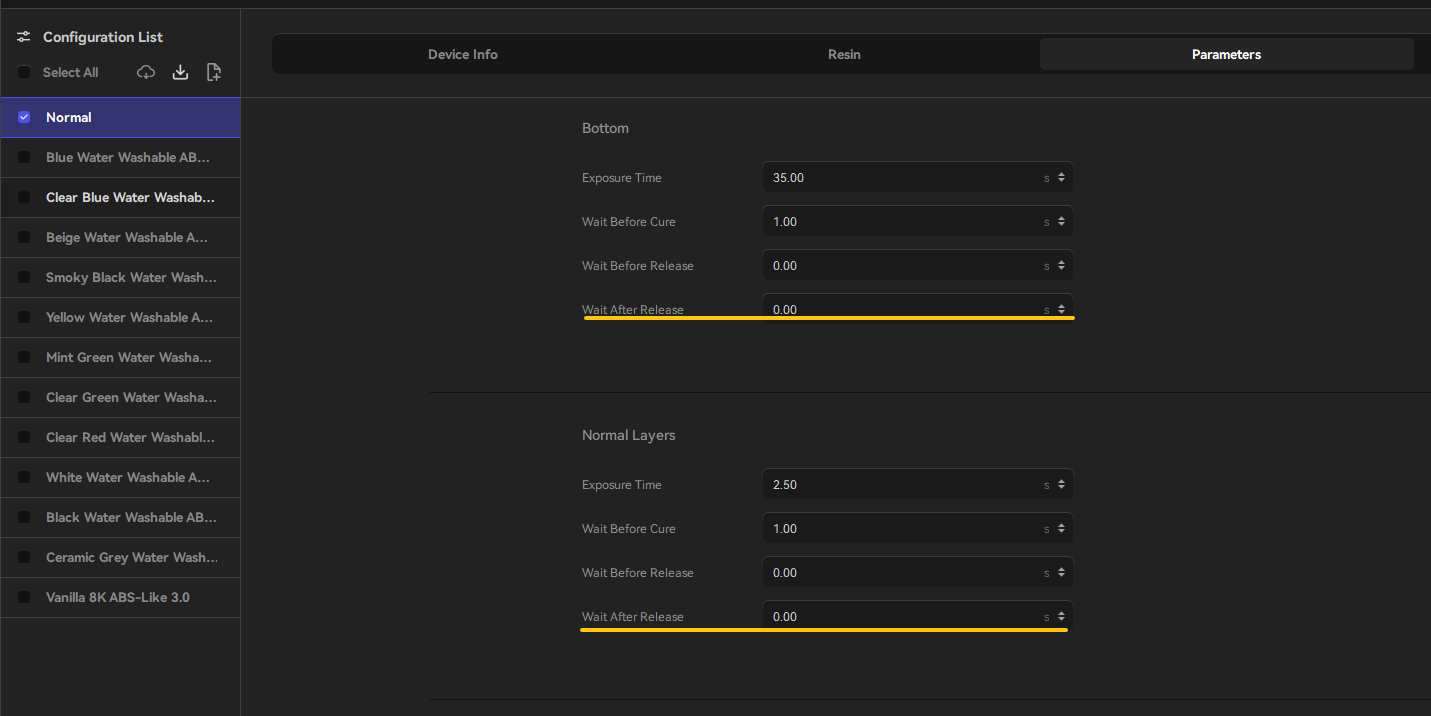
Increase the wait after release by approximately 20 seconds.
This allows the printed layer to stabilize sufficiently after separation and helps reduce the stress generated during the release process.
¶ 5. Adjust the Layer Height
If abnormal noise occurs and the model adheres to the bottom of the resin tank when using a lower layer height, set the layer height to 0.05 mm and perform a test print.
¶ 6. Reduce the PWM Value
Open the advanced settings and locate PWM.
Reduce the current PWM value by 10%.
The PWM value ranges from 0 to 255, where 255 corresponds to approximately 100% light output.
¶ 7. Run the G-code Adjustment File
Use the provided G-code file to update the printer settings.
This G-code file can reduce the automatic leveling trigger threshold and the pressure applied to the Build Plate.
No additional software is required, and you do not need to open the G-code file on a computer.
- Copy the G-code file directly to a USB flash drive.
- Insert the USB flash drive into the printer.
- Select the G-code file on the printer and run it in the same way as you would run a normal print file.
- After the G-code finishes running, perform a test print.
The G-code slightly raises the Build Plate position and reduces the release force, allowing the printed model to separate from the Release film more easily.
¶ Contact Technical Support
If the issue persists after completing all the troubleshooting steps above, contact technical support at 3dp@elegoo.com and provide the following information:
- A video showing the abnormal noise during printing
- The ambient temperature of the room where the printer is located
- The resin brand and printing parameters
- The
.gooor.ctbfile - The
.stlfile
Note: The files you provide will only be used to analyze the issue described above and will not be made public. The files will be deleted immediately after the issue is resolved.
¶ Help us improve
If you have any ideas about the wiki pages, please let us know via ELEGOO official feedback channel