¶ Fault Phenomenon
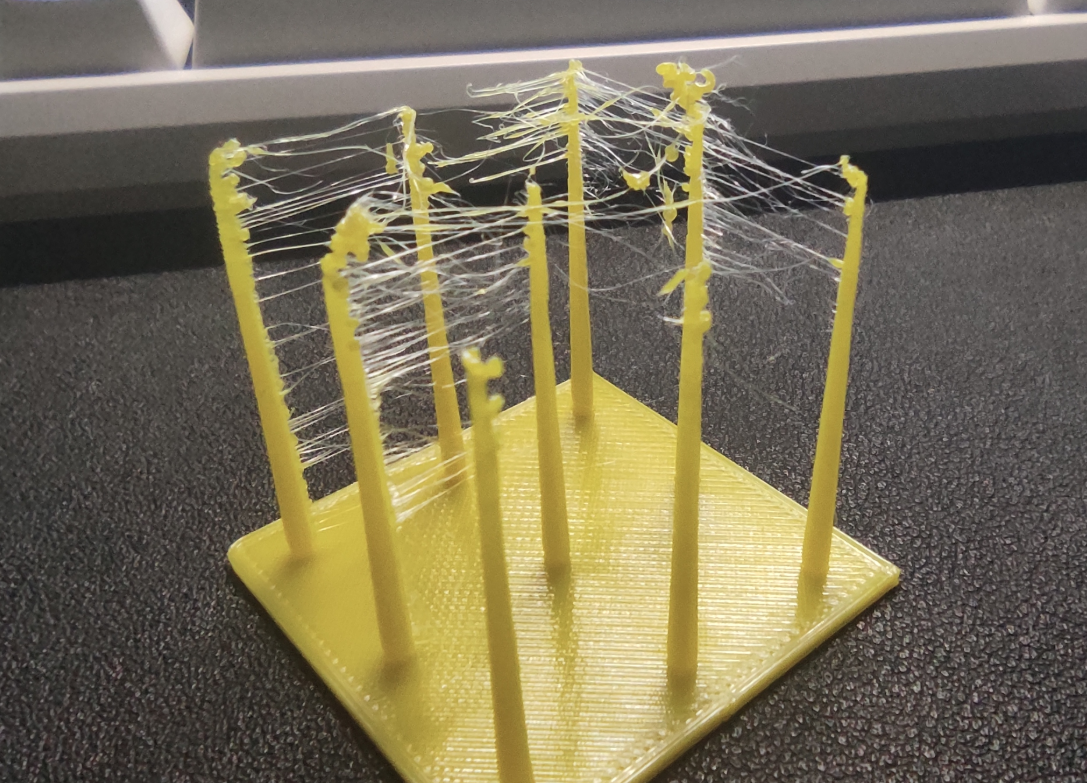
After the model is completed, fine string-like residual material appears between different structures of the model, similar to spider webs. Stringing typically occurs during non-print travel moves, and is especially noticeable when printing multiple independent structures, column-like structures, or hollow models.
¶ Cause of the Issue
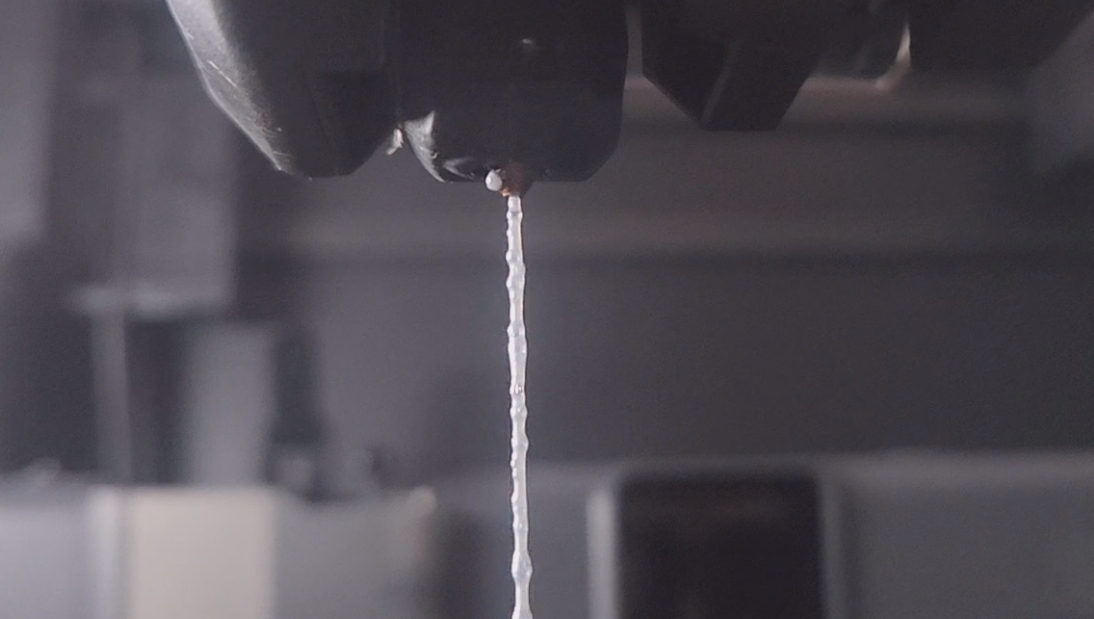
Stringing occurs when molten filament continues to ooze from the nozzle during travel moves.
Common causes include:
- Excessive printing temperature
- Insufficient retraction distance
- Improper retraction speed
- Low travel speed
- Moisture-absorbed filament
- Carbonized residue inside the nozzle
- Improper travel path settings in slicing software
¶ Tools Required for Troubleshooting
- Cutting pliers
- Fine needle or nozzle cleaning needle
- Filament drying box or drying equipment
- Lint-free cloth or paper towel
- Spare nozzle
- Corresponding specification Allen key or socket
¶ Troubleshooting Steps
¶ 1. Check Whether Filament is Moisture-Absorbed
If popping sounds, bubbles, rough surfaces, or increased stringing occur during printing, it is recommended to dry the filament before retesting.
Filament drying and storage guide:
FDM filament drying and storage guide
¶ 2. Confirm Filament Type and Recommended Printing Temperature Range
If the current temperature is close to the upper limit of the recommended range, reduce it by 5–10°C for testing.
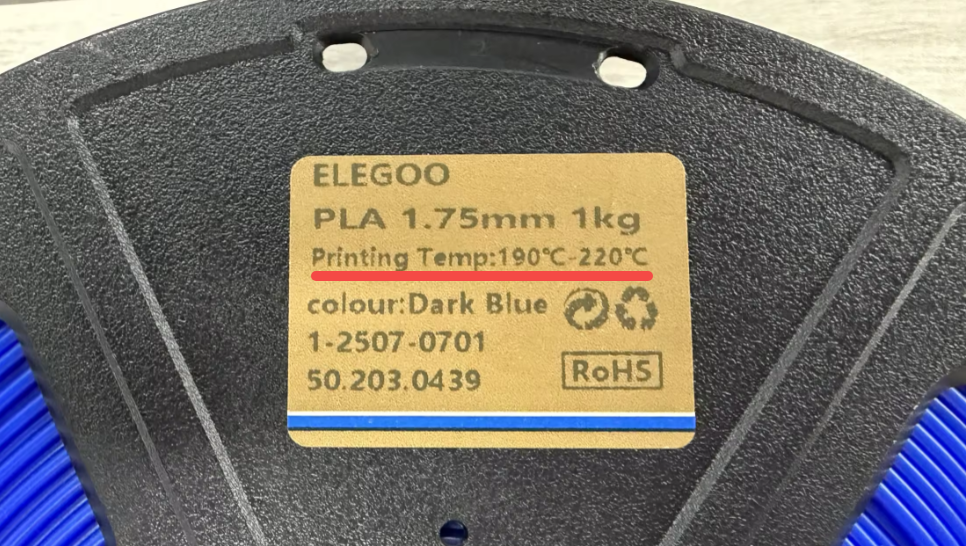
For ELEGOO filament, recommended parameters can be found on the spool label. For non-ELEGOO filament without labeled parameters, refer to the filament manufacturer.
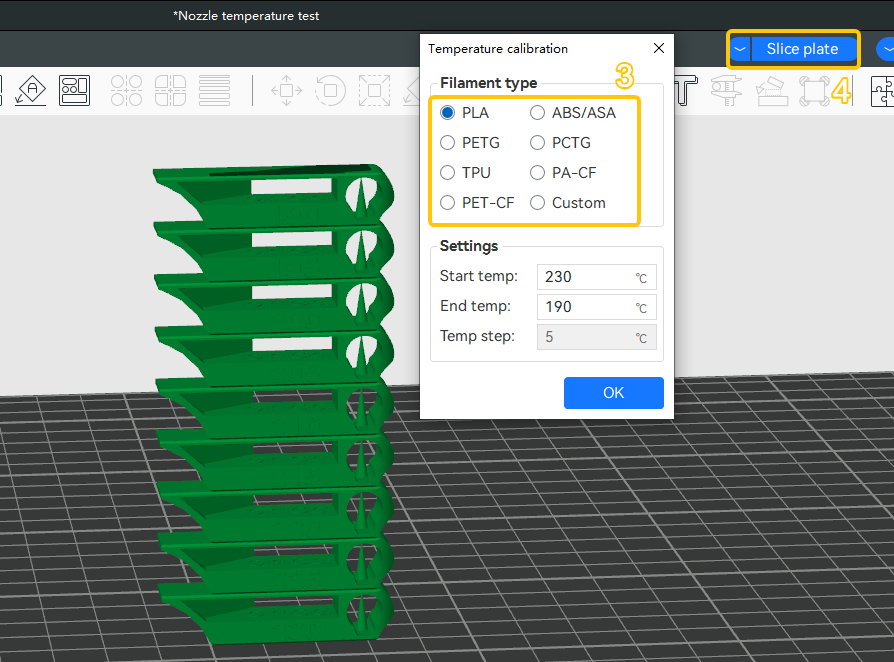
¶ 3. Temperature Tower Printing
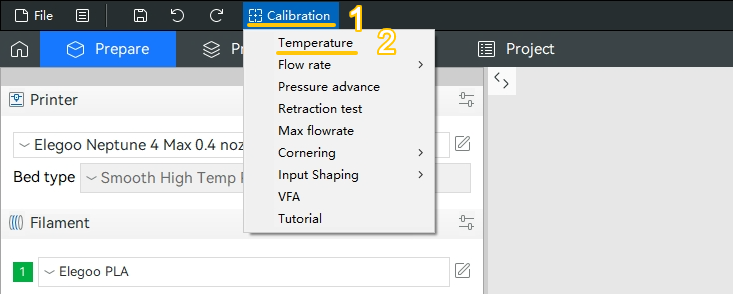
Use a temperature tower to observe stringing behavior at different temperatures, and select the temperature that shows minimal stringing while maintaining proper layer adhesion.
How to create a temperature tower:
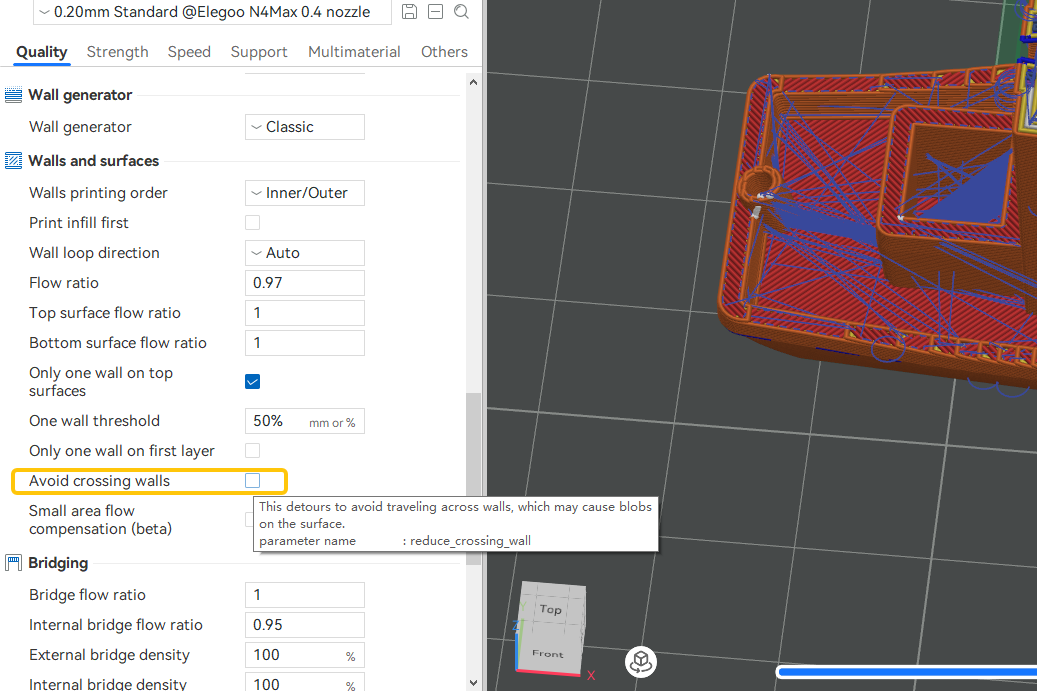
¶ 4. Enable or Optimize Combing and Avoid Crossing Perimeters Settings
Optimize nozzle travel paths to reduce movements across open spaces.
¶ 5. Clean the Nozzle
Heat the nozzle manually and extrude filament to check whether extrusion is smooth.
If residue or slight clogging is present, use a cleaning needle to clear the nozzle.
¶ 6. Check Whether the Nozzle is Worn or Internally Contaminated
If stringing persists after cleaning, it is recommended to replace the nozzle and retest.
¶ Still Not Resolved
If the issue persists, please provide the following information and contact technical support:
Email: 3dp@elegoo.com
-
Filament labels
-
STL file of the model
-
Gcode file of the model
-
All videos that show the printer's malfunction issues
-
SN code
¶ Help us improve
If you have any ideas about the wiki pages, please let us know via ELEGOO official feedback channel