¶ Fault Phenomenon
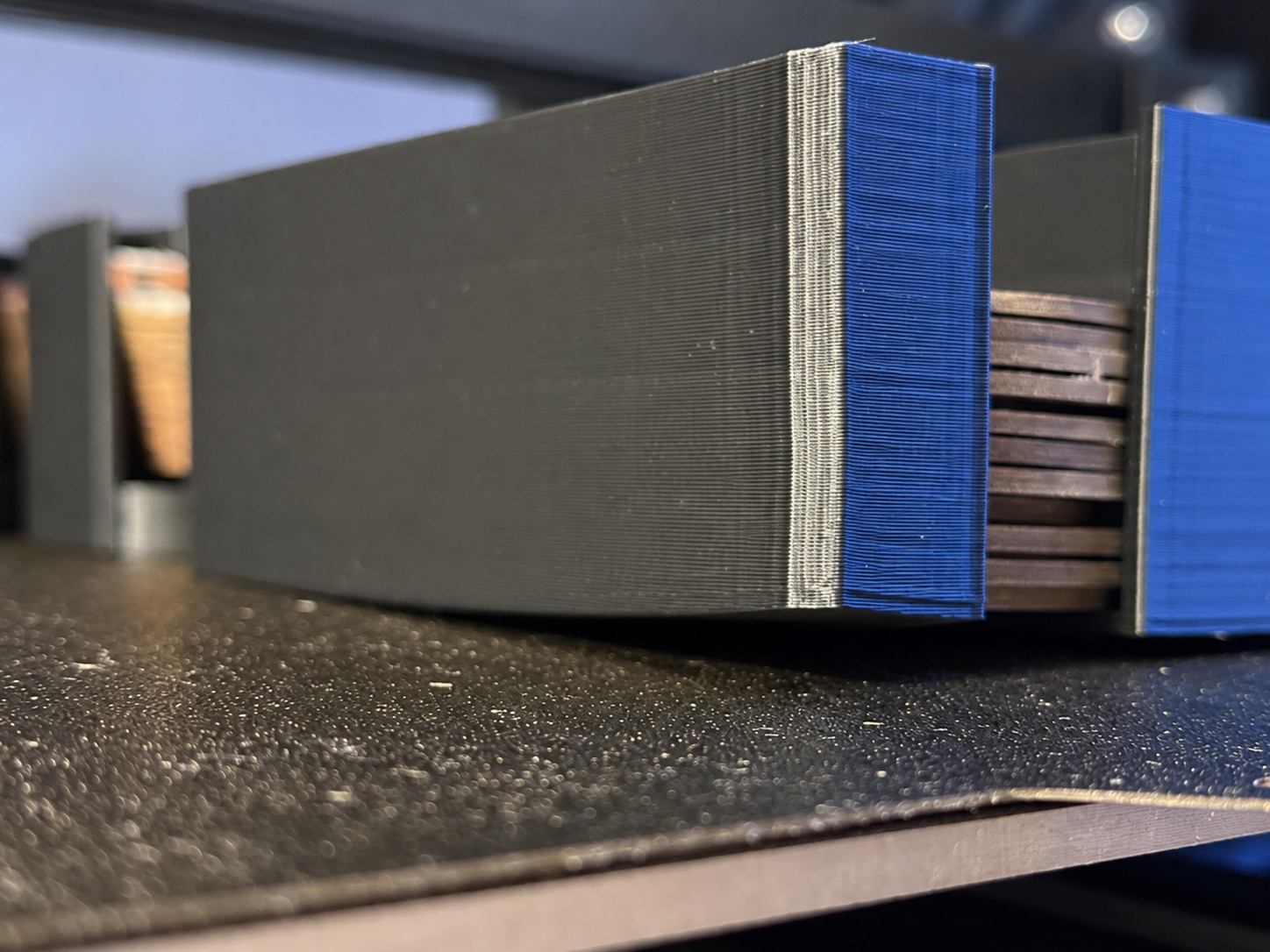
During printing, the corners or bottom edges of the model gradually lift from the Build Plate. This issue is common in large models, long-strip models, or models with a large contact area. Minor warping affects bottom surface flatness, while severe cases may cause model detachment, layer shifting, or print failure.
¶ Cause of the Issue
Warping is mainly caused by material shrinkage during cooling, which reduces adhesion between the model edges and the Build Plate. Common causes include insufficient heated bed temperature, low ambient temperature, premature activation of cooling fans, poor first-layer adhesion, insufficient bottom contact area, excessive printing speed, or reduced adhesion due to oil or contaminants on the Build Plate surface.
¶ Troubleshooting Steps
¶ 1. Check the Printing Environment
Avoid direct airflow from air conditioners, fans, or open windows toward the printer.
For high-shrinkage materials such as ABS, ASA, and PC, it is recommended to use a printer with an enclosure or thermal insulation cover.
¶ 2. Clean the Build Plate
Use Isopropyl Alcohol (IPA) or 75% alcohol to wipe the Build Plate surface. Remove oil, dust, and residual adhesive to ensure a clean printing surface and stable adhesion.
¶ 3. Check First-Layer Quality
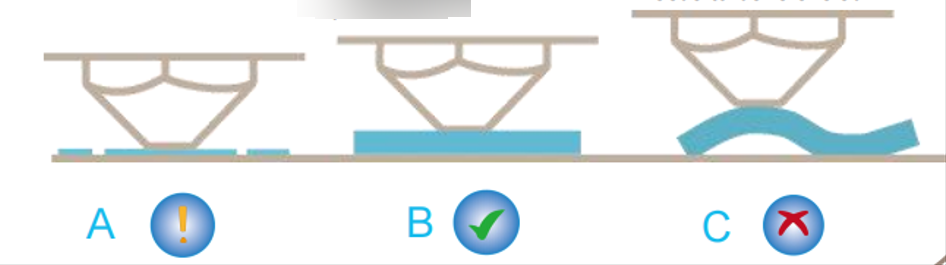
If the first-layer lines are not sufficiently flattened or there are visible gaps between extrusion lines, re-level the Build Plate and adjust the Z offset.
¶ 4. Adjust Cooling Fan Settings
For materials prone to warping, it is recommended to turn off or reduce the speed of the model cooling fan and auxiliary fan for the first 5–20 layers. Gradually enable cooling after the bottom layers become stable.
¶ 5. Reduce First-Layer Print Speed
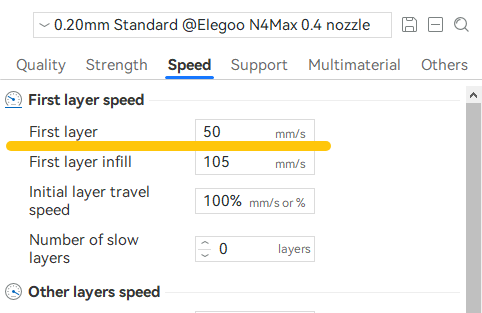
Set the first-layer speed to 15–30 mm/s to improve adhesion stability.
¶ 6. Increase Heated Bed Temperature
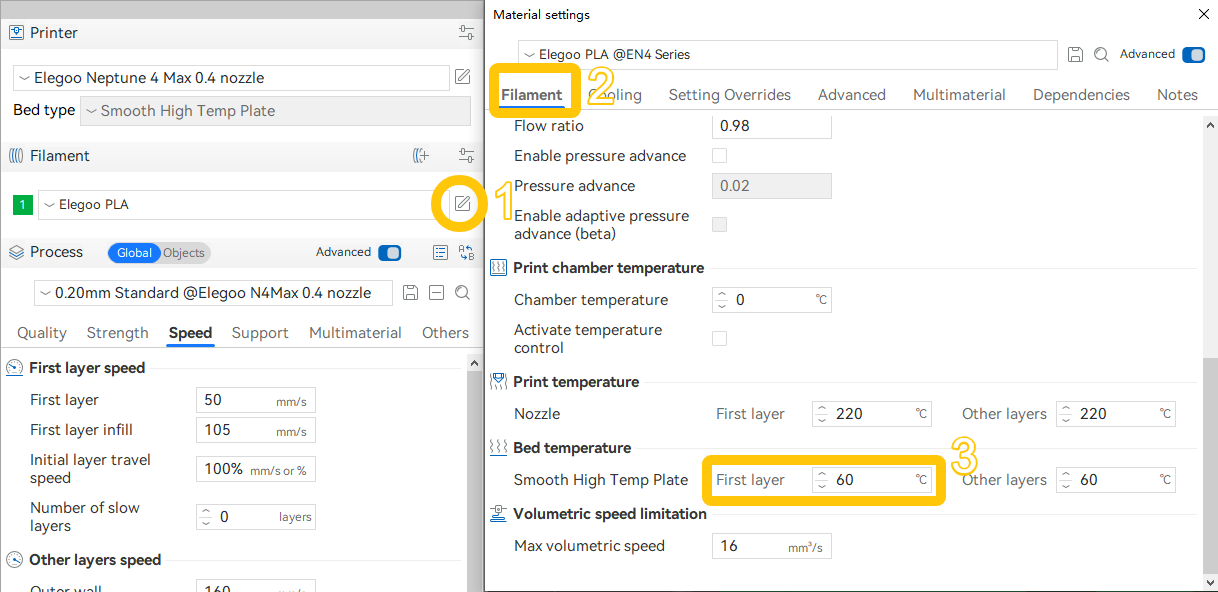
Adjust the heated bed temperature according to filament type:
- PLA: 50–65°C
- PETG: 75–85°C
- ABS/ASA: higher temperatures are typically required, along with an enclosed printing environment
¶ 7. Increase Build Plate Contact Area
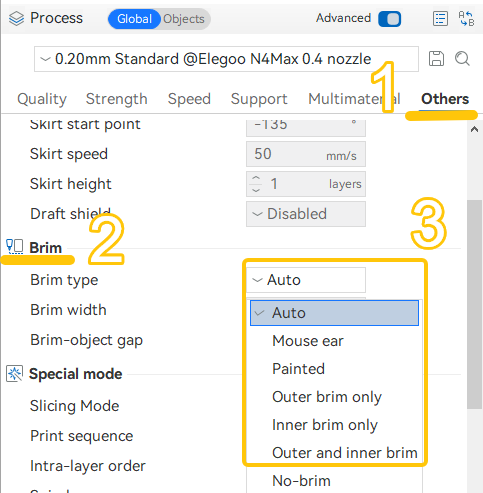
Enable Brim or Raft in the slicing software. For models with obvious corner warping, Brim is recommended as the first choice.
¶ Still Not Resolved
If the issue persists, please provide the following information and contact technical support(Email: 3dp@elegoo.com):
- Photos of the failed print model
- Model G-code file
- Filament information used (label on the spool side showing filament type, brand, etc.)
- Printer firmware version
- Printer SN code
¶ Help us improve
If you have any ideas about the wiki pages, please let us know via ELEGOO official feedback channel