¶ WiFi AP Mode Test Example
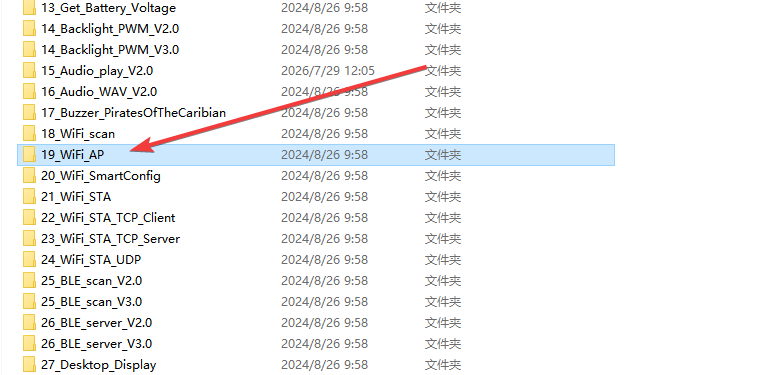
This example demonstrates how to configure the ESP32 as a WiFi Access Point (AP) mode and displays key WiFi AP information on the TFT LCD screen, including SSID, password, host IP address, MAC address, and the number of currently connected devices.
¶ Code Explanation
This example code is based on the ESP32-WROOM-32E microcontroller, used with a 2.8-inch ILI9341 TFT LCD screen.
¶ Basic Configuration
¶ Library Inclusion
#include <TFT_eSPI.h>
#include <WiFi.h>
TFT_eSPI.h: A TFT LCD driver library specifically designed for the ESP32, supporting multiple screen controllers including ILI9341WiFi.h: The ESP32 WiFi core library, providing AP mode and Station mode functionality
¶ WiFi AP Configuration Parameters
const char *ssid = "ESP32_AP";
const char *password = "0123456789";
ssid: The Service Set Identifier (SSID) of the WiFi access point, i.e., the network name displayed when devices scanpassword: The password for the WiFi access point, used to secure the network. The password must be at least 8 characters long
¶ Global Variables and Objects
char t_buf[100] = {0};
TFT_eSPI my_lcd = TFT_eSPI();
t_buf: Character buffer used to store formatted strings for displaymy_lcd: TFT_eSPI object instance that encapsulates all LCD screen operation interfaces
¶ setup() Function Details
The setup() function completes serial port initialization, LCD screen initialization, WiFi AP mode activation, and information display. It runs only once when the ESP32 is powered on or reset.
void setup()
{
  Serial.begin(115200);
  my_lcd.begin();
  my_lcd.setRotation(0);
  my_lcd.fillScreen(TFT_WHITE);
  my_lcd.setTextColor(TFT_RED);
  my_lcd.drawString("Enable ESP32 WIFI AP mode...", 22,85,2);
  WiFi.softAP(ssid, password);
  my_lcd.setTextColor(TFT_BLUE);
  sprintf(t_buf, "SSID : %s", ssid);
  my_lcd.drawString(t_buf, 22,105,2);
  sprintf(t_buf, "PASSWORD : %s", password);
  my_lcd.drawString(t_buf, 22,125,2);
  sprintf(t_buf, "HOST IP : %s", WiFi.softAPIP().toString().c_str());
  my_lcd.drawString(t_buf, 22,145,2);
  sprintf(t_buf, "HOST MAC : %s", WiFi.softAPmacAddress().c_str());
  my_lcd.drawString(t_buf, 22,165,2);
  my_lcd.drawString("CONNECTED NUMBER : ", 22,195,2);
}
¶ Serial Port Initialization
Serial.begin(115200);
Sets the serial port baud rate to 115200 for debug information output. Compared to the common 9600 baud rate, 115200 provides faster data transmission.
¶ LCD Screen Initialization
my_lcd.begin();
my_lcd.setRotation(0);
my_lcd.fillScreen(TFT_WHITE);
my_lcd.begin(): Initializes the TFT LCD screen, including configuring the SPI interface and identifying the driver chip modelmy_lcd.setRotation(0): Sets the screen rotation angle to 0° (the default orientation). Acceptable values are 0-3, corresponding to 0°, 90°, 180°, and 270°my_lcd.fillScreen(TFT_WHITE): Fills the entire screen with white as the display background
¶ WiFi AP Mode Activation
my_lcd.setTextColor(TFT_RED);
my_lcd.drawString("Enable ESP32 WIFI AP mode...", 22,85,2);
WiFi.softAP(ssid, password);
- Sets the text color to red (
TFT_RED) - Displays the prompt message "Enable ESP32 WIFI AP mode..." at screen coordinates (22, 85) with font size 2
- Calls
WiFi.softAP(ssid, password)to start the WiFi access point mode using the predefined SSID and password
¶ Information Display
After starting the AP mode, the screen sequentially displays detailed WiFi AP information:
Displaying SSID and Password:
my_lcd.setTextColor(TFT_BLUE);
sprintf(t_buf, "SSID : %s", ssid);
my_lcd.drawString(t_buf, 22,105,2);
sprintf(t_buf, "PASSWORD : %s", password);
my_lcd.drawString(t_buf, 22,125,2);
- Switches the text color to blue (
TFT_BLUE) - Uses
sprintf()to write the formatted SSID string into the buffer - Displays the SSID at coordinate (22, 105)
- Displays the password at coordinate (22, 125)
Displaying Network Address Information:
sprintf(t_buf, "HOST IP : %s", WiFi.softAPIP().toString().c_str());
my_lcd.drawString(t_buf, 22,145,2);
sprintf(t_buf, "HOST MAC : %s", WiFi.softAPmacAddress().c_str());
my_lcd.drawString(t_buf, 22,165,2);
WiFi.softAPIP(): Gets the IP address of the ESP32 in AP mode (default is 192.168.4.1)WiFi.softAPmacAddress(): Gets the MAC address of the ESP32.toString().c_str(): Converts the IPAddress or String object to a C-style string for use withsprintf()
Displaying Connection Count Label:
my_lcd.drawString("CONNECTED NUMBER : ", 22,195,2);
Displays the label "CONNECTED NUMBER : " at coordinate (22, 195), preparing for dynamic connection count updates in loop().
¶ loop() Function Details
The loop() function is the main loop of the Arduino program, running repeatedly after the setup() function completes. It updates the number of devices currently connected to the ESP32 AP mode in real time.
void loop()
{
  sprintf(t_buf, "%d", WiFi.softAPgetStationNum());
  my_lcd.fillRect(174, 195, my_lcd.width()-80, 25,TFT_WHITE);
  my_lcd.drawString(t_buf, 174,195,2);
  delay(1000);
}
¶ Getting Connected Device Count
sprintf(t_buf, "%d", WiFi.softAPgetStationNum());
WiFi.softAPgetStationNum(): Returns the number of stations currently connected to the ESP32 hotspot- Uses
sprintf()to convert the integer to a string format and store it in the buffer
¶ Partial Screen Refresh
my_lcd.fillRect(174, 195, my_lcd.width()-80, 25, TFT_WHITE);
Before updating the displayed number, the area with the old number is first covered with a white rectangle, achieving a partial refresh. This is more efficient than a full screen refresh, reducing screen flickering.
- Starting coordinate: (174, 195)
- Width:
my_lcd.width()-80(screen width minus offset) - Height: 25 pixels
- Fill color: white
TFT_WHITE
¶ Drawing the Updated Number
my_lcd.drawString(t_buf, 174, 195, 2);
Displays the connection count from the buffer at coordinate (174, 195) with font size 2.
¶ Delay
delay(1000);
A 1000-millisecond (1 second) delay that updates the connection count information once per second.
¶ Summary
This example program demonstrates the WiFi AP mode through the following steps:
-
Initialization Phase (setup):
- Initializes serial communication
- Initializes the LCD screen and sets display parameters
- Starts the WiFi AP mode
- Displays configuration information such as SSID, password, IP address, and MAC address on the screen
- Displays the connection count label
-
Loop Phase (loop):
- Retrieves and updates the number of currently connected devices every second
- Performs partial screen refresh to achieve dynamic update effects
Key functions used in the program:
TFT_eSPI.begin(): Initializes the TFT LCD screenTFT_eSPI.setRotation(): Sets the screen rotation angleTFT_eSPI.fillScreen(): Fills the entire screen with a specified colorTFT_eSPI.drawString(): Draws a string at a specified positionTFT_eSPI.fillRect(): Fills a rectangular area with a specified colorWiFi.softAP(): Starts the WiFi access point modeWiFi.softAPIP(): Gets the IP address in AP modeWiFi.softAPmacAddress(): Gets the device MAC addressWiFi.softAPgetStationNum(): Gets the number of currently connected stationssprintf(): Formatted string output
¶ Modification Guide
If you need to modify the code display effects or WiFi configuration, you can refer to the following aspects for adjustment:
-
Modify WiFi SSID and Password:
- Change the
ssidvariable to modify the network name - Change the
passwordvariable to modify the password (minimum 8 characters)
- Change the
-
Modify Screen Rotation:
- Change the parameter in
my_lcd.setRotation(0)(0-3) to adjust the display orientation
- Change the parameter in
-
Modify Display Colors:
- Change the color parameters in
my_lcd.setTextColor()(e.g.,TFT_RED,TFT_BLUE,TFT_GREEN, etc.)
- Change the color parameters in
-
Modify Display Position:
- Adjust the coordinate parameters (x, y) in
my_lcd.drawString()to change the text display position
- Adjust the coordinate parameters (x, y) in
-
Modify Refresh Frequency:
- Change the delay value in
delay(1000)in theloop()function to adjust the update frequency of the connection count
- Change the delay value in
-
Modify Display Font Size:
- Change the last parameter (1-5) in the
drawString()function to adjust the text size
- Change the last parameter (1-5) in the
-
Add More Display Information:
- Use
my_lcd.drawString()to add new information display lines - Extend display with additional information such as signal strength or connection time
- Use
-
Set AP Mode as an Open Network:
- Set
passwordto an empty string""to create an open network without a password
- Set