¶ LED
¶ Overview
In this lesson, you will learn how to change the brightness of an LED by using different values of resistor.
¶ Component Required:
- (1) x Elegoo ESP32
- (2) x 5mm red LED
- (2) x 220Ω resistor
- (1) x 1kΩ resistor
- (1) x 10kΩ resistor
- (6)x M-M wires (Female to Female jumper wires)
¶ Component Introduction
¶ BREADBOARD :
A breadboard enables you to creat a prototype circuits quickly, without having to solder the connections. Below is an example.
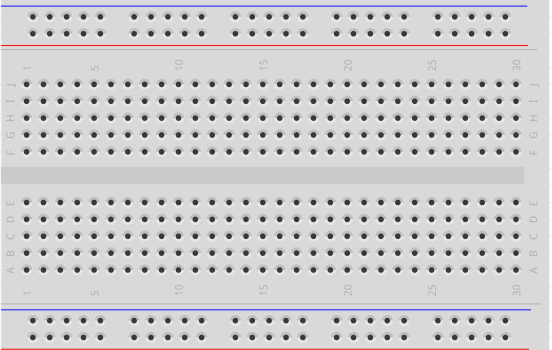
Breadboards come in various sizes and configurations.
- ①The simplest kind is just a grid of holes in a plastic block. Inside are strips of metal that provide electrical connection between holes in the shorter rows. Pushing the legs of two different components into the same row joins them together electrically. A deep channel running down the middle indicates that there is a break in connections there, meaning, you can push a chip in with the legs at either side of the channel without connecting them together.
- ②Some breadboards have two strips of holes running along the long edges of the board that are separated from the main grid. These have strips running down the length of the board inside and provide a way to connect a common voltage. They are usually in pairs for +5 volts and ground. These strips are referred to as rails and they enable you to connect power to many components or points in the board.
While breadboards are great for prototyping, they have some limitations. Because the connections are push-fit and temporary, they are not as reliable as soldered connections. If you are having intermittent problems with a circuit, it could be due to a poor connection on a breadboard.
¶ LED:
LEDs make great indicator lights. They use very little electricity and they pretty much last forever.
In this lesson, you will use perhaps the most common of all LEDs: a 5mm red LED.
5mm refers to the diameter of the LED. Other common sizes are 3mm and 10mm.
You cannot directly connect an LED to a battery or voltage source because:
- ① the LED has a positive and a negative lead and will not light if placed the wrong way.
- ②a LED must be used with a resistor to limit or 'choke' the amount of current flowing through it; otherwise, it will burn out!
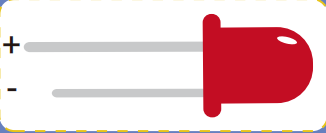
If you do not use a resistor with an LED, then it may well be destroyed almost immediately, as too much current will flow through it, heating it and destroying the 'junction' where the light is produced.
There are two ways to tell which is the positive lead of the LED and which the negative.
- ① the positive lead is longer.
- ② where the negative lead enters the body of the LED, there is a flat edge to the case of the LED.
If you happen to have an LED that has a flat side next to the longer lead, you should assume that the longer lead is positive.
¶ RESISTORS:
As the name suggests, resistors resist the flow of electricity. The higher the value of the resistor, the more it resists and the less electrical current will flow through it. We are going to use a resistor to limit how much current flows through the LED and therefore, how brightly it shines.
But first, more about resistors...

The unit of resistance is called the Ohm, which is usually shortened to Ω the Greek letter Omega. Because an Ohm is a low value of resistance (it doesn't resist much at all), we also denote the values of resistors in kΩ (1,000 Ω) and MΩ (1,000,000 Ω). These are called kilo-ohms and mega-ohms.!
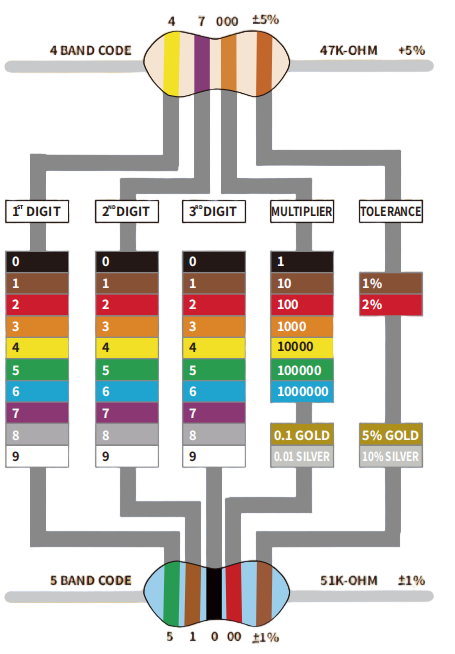
In this lesson, we are going to use three different values of resistor: 220Ω, 1kΩ and 10kΩ. These resistors all look the same, except that they have different colored stripes on them. These stripes tell you the value of the resistor.
The resistor color code has three colored stripes and then a Gold stripe at one end.
¶ Connection Schematic
¶ Wiring diagram
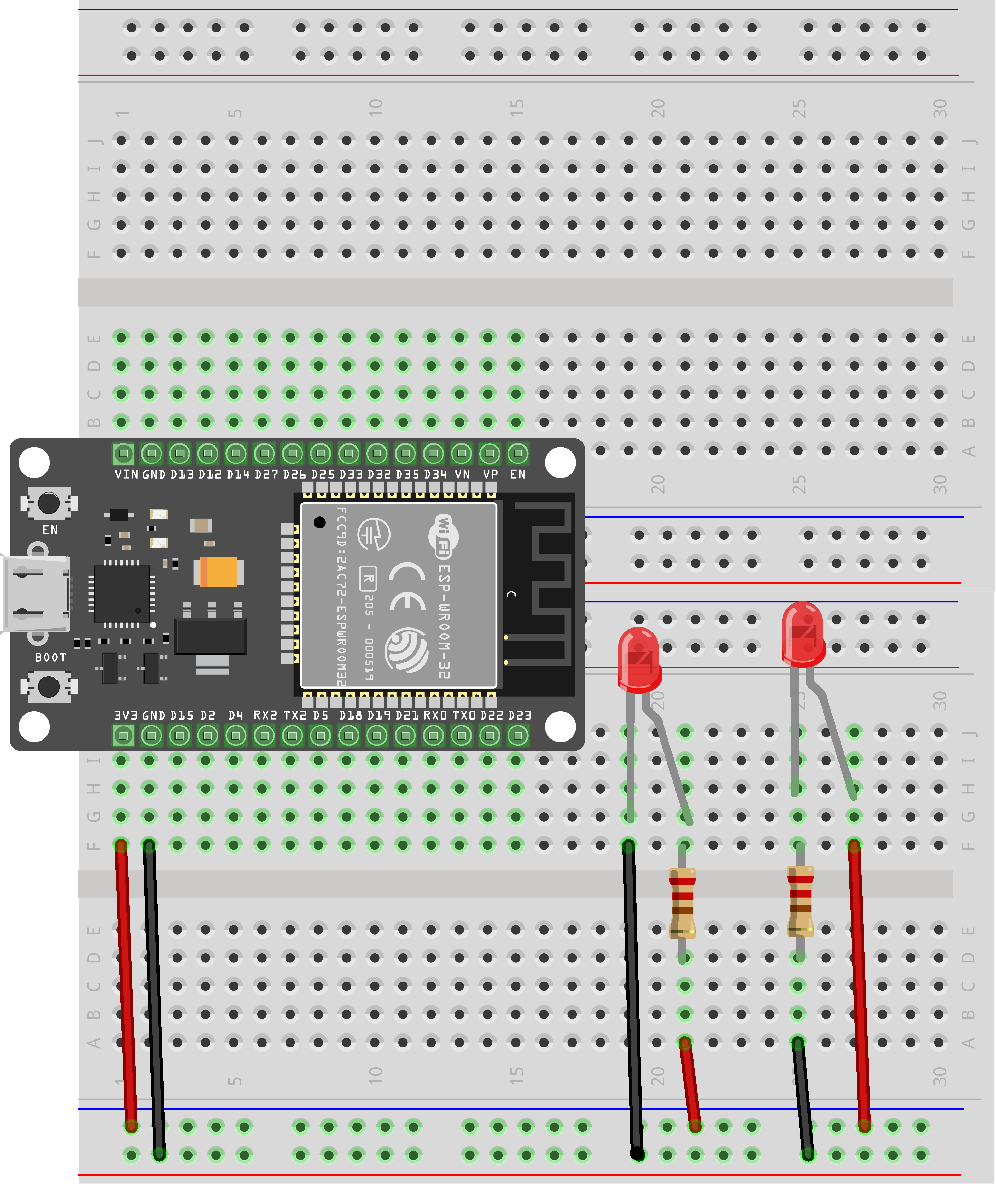
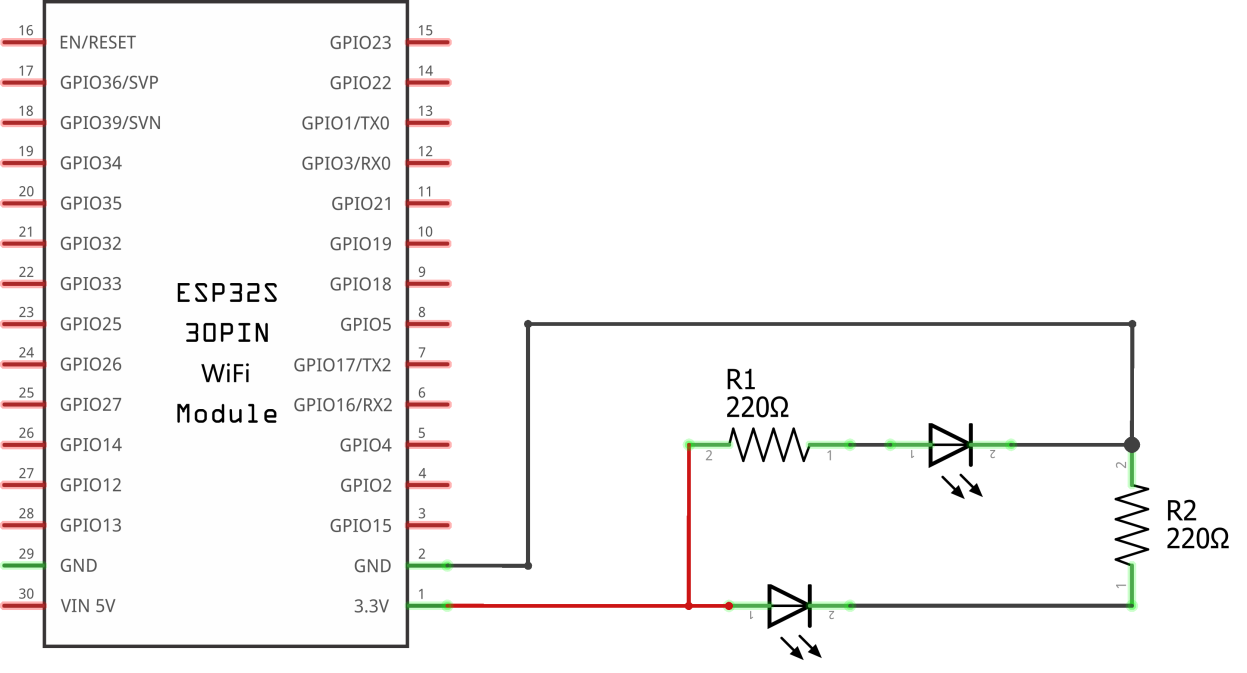
The ESP32 is a convenient source of 3.3 volts, which we will use to provide power to the LED and the resistor. You do not need to do anything with your ESP32, except to plug it into a USB cable.
With the 220 Ω resistor in place, the LED should be quite bright. If you swap out the 220 Ω resistor for the 1kΩ resistor, then the LED will appear a little dimmer. Finally, with the 10 kΩ resistor in place, the LED will be just about visible. Pull the red jumper lead out of the breadboard and touch it into the hole and remove it, so that it acts like a switch. You should just be able to notice the difference.
At the moment, you have 3.3V going to one leg of the resistor, the other leg of the resistor going to the positive side of the LED and the other side of the LED going to GND. However, if we moved the resistor so that it came after the LED, as shown below, the LED will still light.
You will probably want to put the 220Ω resistor back in place.
It does not matter which side of the LED we put the resistor, as long as it is there somewhere.