¶ Update and Reflash the firmware
¶ Update
The official firmware for UNO R4 WiFi gets regular updates, bringing new features and improved libraries. The firmware preloaded on ELEGOO UNO R4 WiFi is older. If you wish to use the latest features and libraries, please update the firmware manually. I will show you how to do it step by step.
-
Step 1: Connect your ELEGOO UNO R4 WiFi to the computer.
-
Step 2: Launch the Arduino IDE.
-
Step 3: Navigate to Tools > Firmware Updater > Select Board, then choose UNO R4 WiFi from the drop-down list.
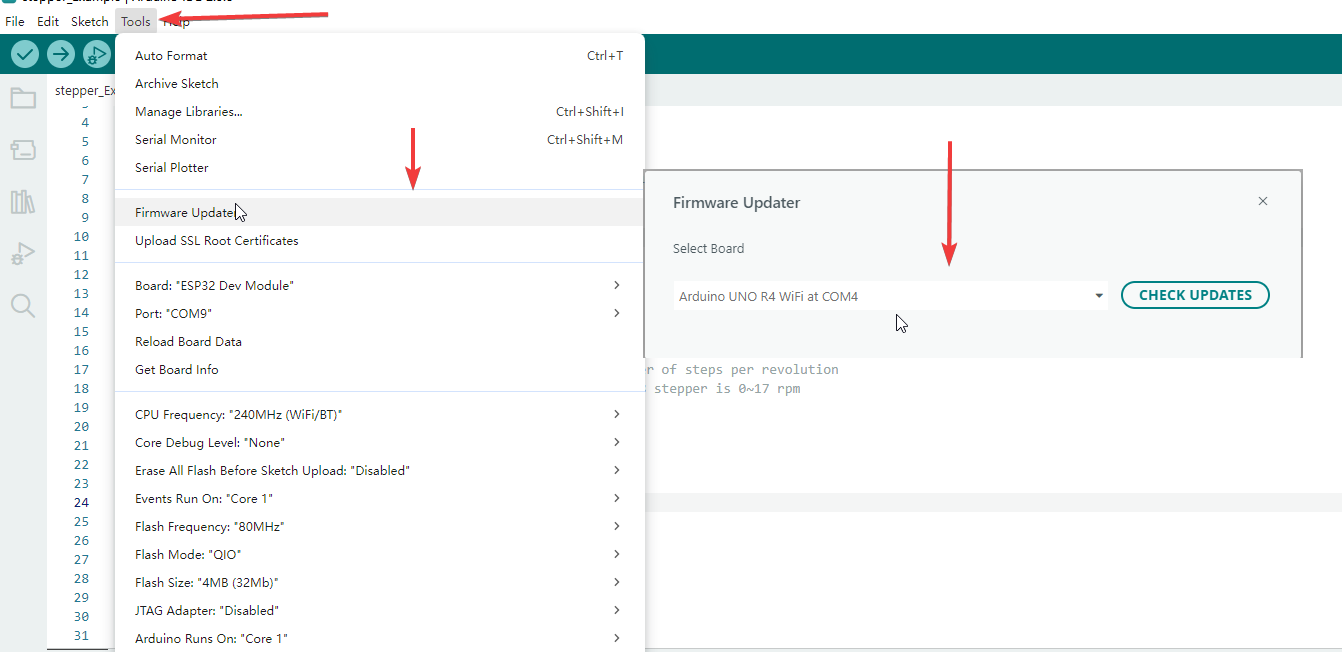
Select the firmware version you need and click the Install button. The update will finish in 3 to 5 minutes.
¶ Reflash the firmware
If you still fail to connect to the mainboard, recognize the port or upload codes after updating libraries, you can try re-flashing the firmware. The flashing steps are as follows:
¶ Step 1: Enter ESP32-S3 forced download mode
- Unplug the USB cable of the mainboard to cut off power completely.
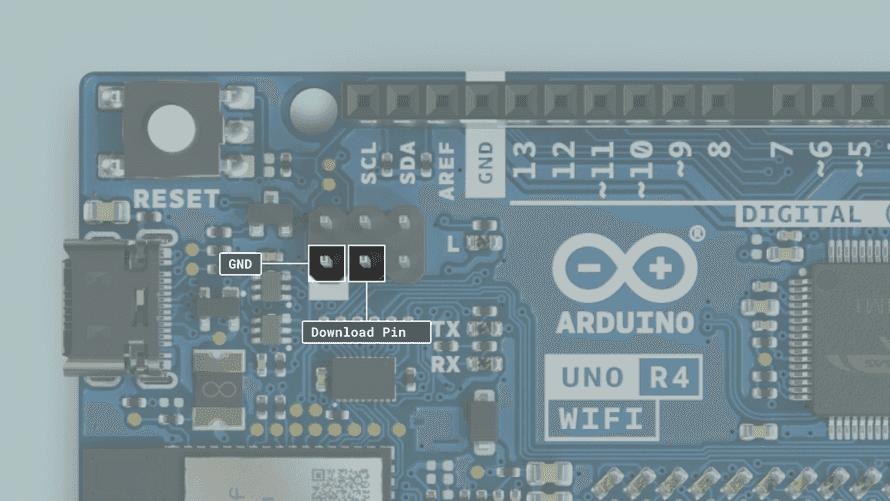
- Locate the pins labeled Download and GND on the 6-pin header next to the USB-C port.
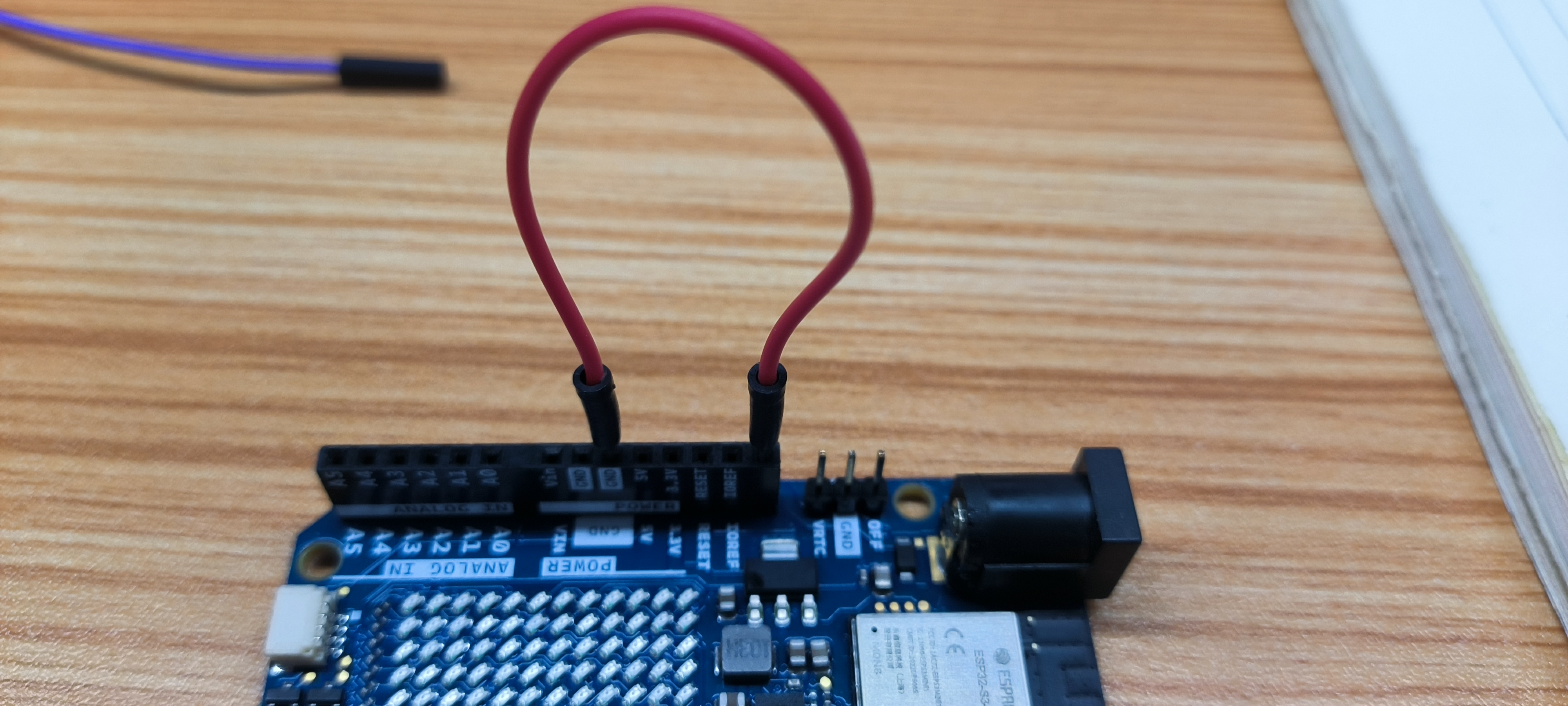
- Use a jumper wire to firmly short the Download pin and GND pin together.
- Plug in the USB cable to power the board and wait for 2 seconds.
- Remove the jumper wire. The ESP chip will stay in persistent download mode.
¶ Step 2: Flash the specified version of ESP bridge firmware with espflash
- Open the official release page: https://github.com/arduino/uno-r4-wifi-usb-bridge/releases
- Scroll down the page to the Releases section, select your required firmware version (v1.0.0 / v1.0.1 / v1.0.2) and click to enter its detail page.
- Download the unor4wifi-update-windows.zip package from the Assets area at the bottom of the page.
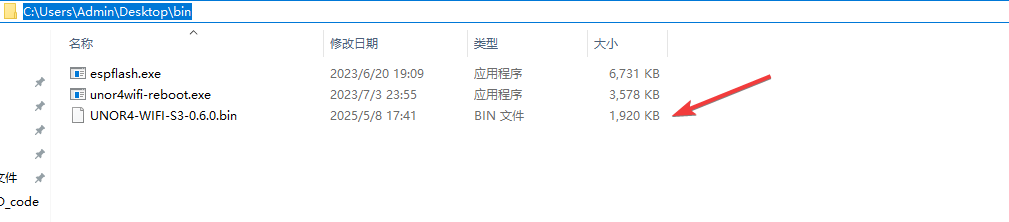
- Unzip the package and open the firmware folder inside. The file named UNOR4-WIFI-S3-vX.X.X.bin is the firmware image compatible with espflash.
- Copy this bin file to your desktop for easier access via CMD.
You may also click the buttons below according to your needs to download the corresponding version directly.
The unzipped folder contains three types of items: bin firmware files, firmware folder and bat scripts. One-click flashing is available on some computers. If supported, double-click update.bat directly to flash, or run the executable file inside the bin folder. This demonstration will cover the manual flashing process for devices that do not support one-click flashing.
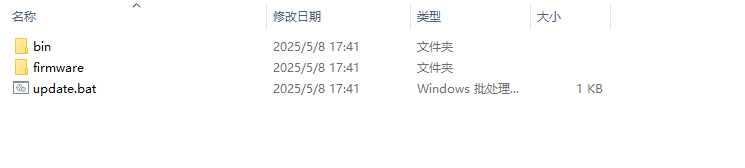
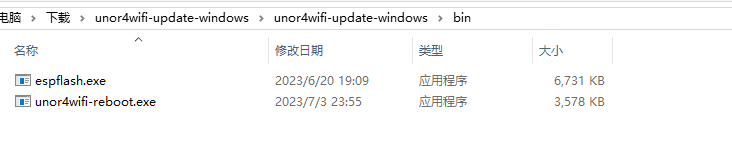

Copy the bin firmware file from the firmware folder into the bin folder, then copy the entire bin folder to the desktop for later use.
¶ Step 3: Install Python environment. Skip this step if Python is already installed.
No need to launch Python software after installation.
Please click the link below and download the version you need:https://www.python.org/downloads/
¶ Step 4:flash firmware
Open the command line tool directly:
For Windows, press Win+R shortcut, type cmd.exe and press Enter to open CMD.
For Mac, press Command+Space to open Spotlight Search and launch Terminal.
In this example, the bin folder is placed on the desktop, so we need to switch to this directory in the command line. Enter the actual path according to where your files are stored.
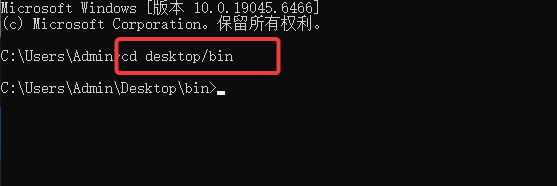
Before proceeding to the next step, make sure the Download pin and GND pin are shorted with a jumper wire. Connect the two pins at the positions marked in the figure directly.
Modify the filename according to your actual firmware version. The bin filename in the command must exactly match the firmware file inside the bin folder.
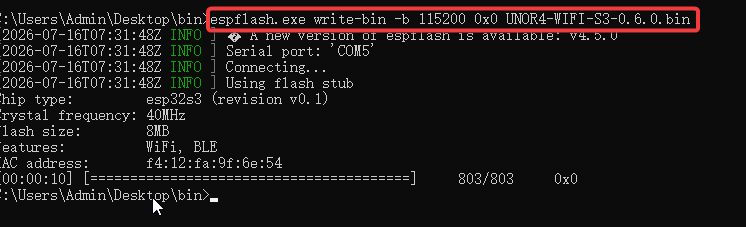
If connection failures or errors occur with this method, power off the device, repower it, wait for a period of time, and then try again.
If the above methods still do not work, you can adopt the following solution. Please note that this is the final troubleshooting measure, which should only be used after repeated attempts of the previous two methods fail to resolve the issue.
Click the blue button below to download the corresponding resource file and extract it for later use.
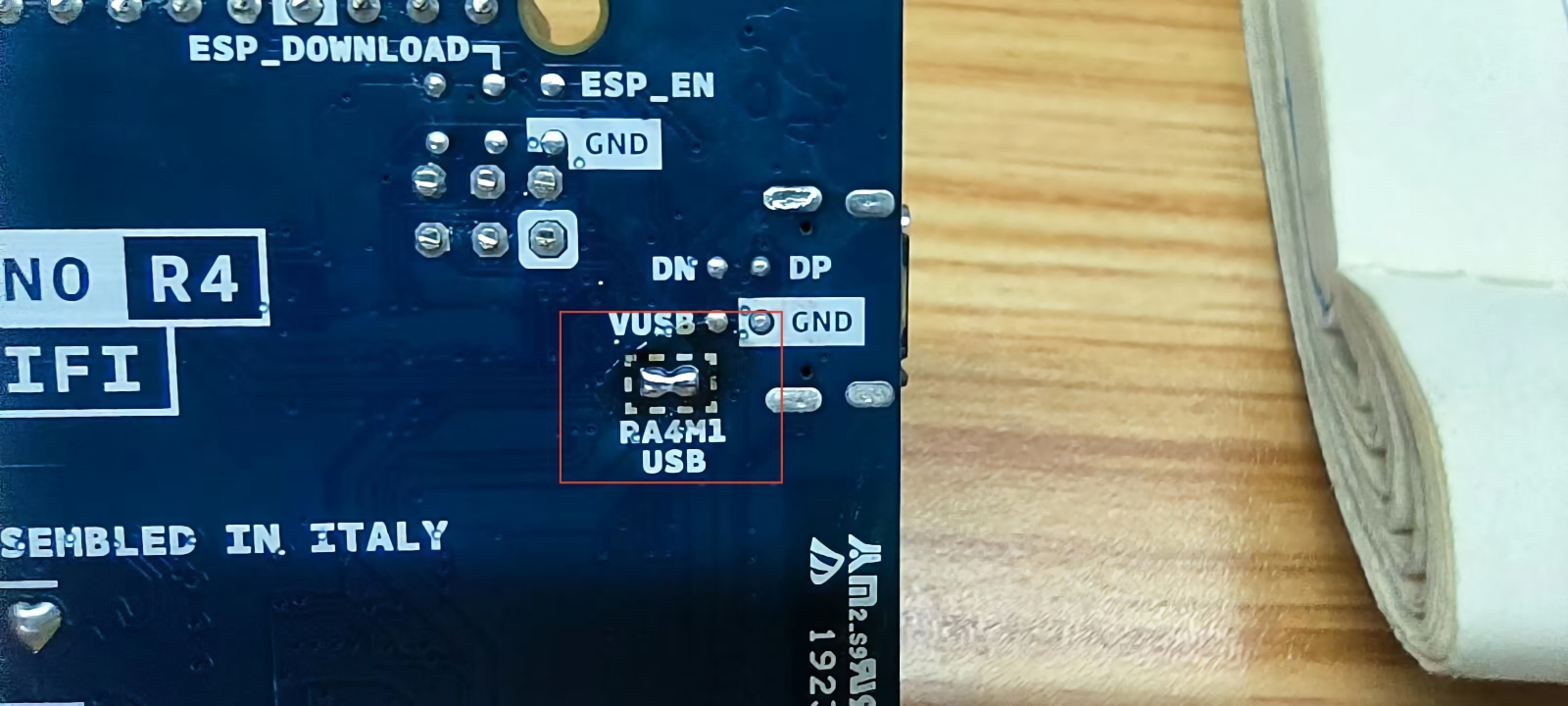
- Solder the USB enable pads on the back of the UNO R4 board (as shown in the figure below). After shorting, the USB connection bypasses the onboard ESP32 and connects directly to the Renesas MCU.
-
Connect the USB port of the development board to your PC.
-
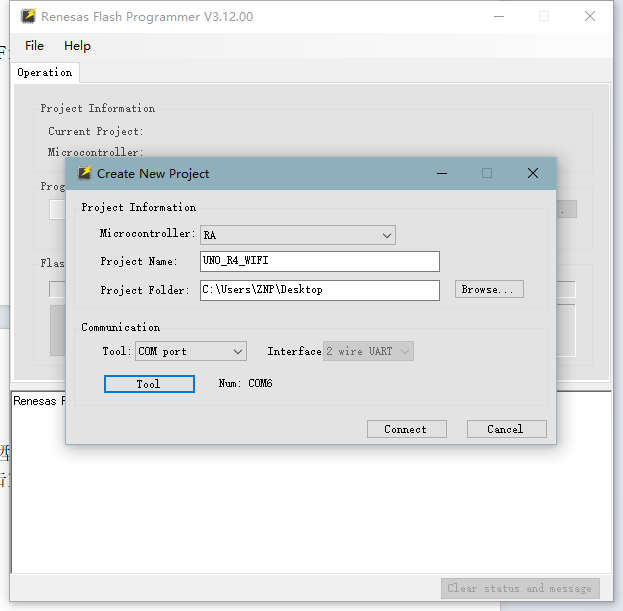
Open the official Renesas flash programming tool and select "File" — "New Project".
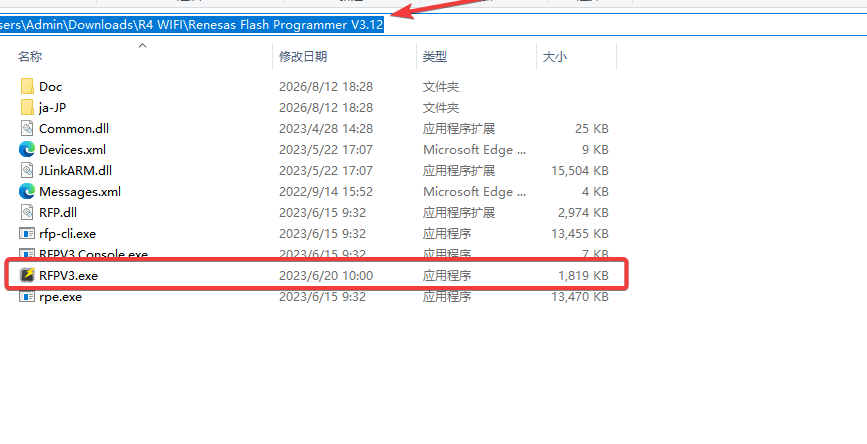
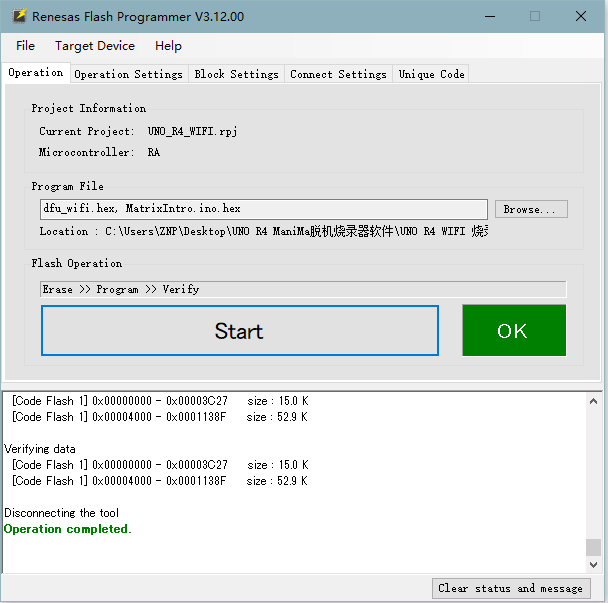
- Configure the new project as shown in the figure below: select the chip model, set the project name, set the project save path, select the communication tool, choose the communication port, and click Finish.
Note: Steps 1 to 4 must be completed to create the project successfully.