¶ Active buzzer
¶ Overview
In this lesson, you will learn how to generate a sound with an active buzzer.
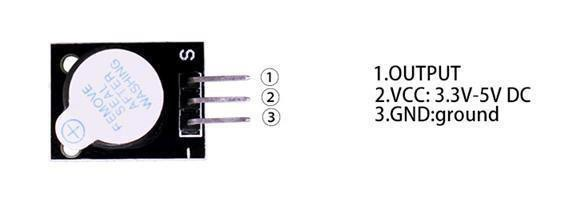
¶ BUZZER:
Electronic buzzers are DC-powered and equipped with an integrated circuit. They are widely used in computers, printers, photocopiers, alarms, electronic toys, automotive electronic devices, telephones, timers and other electronic products for voice devices. Buzzers can be categorized as active and passive ones. Turn the pins of two buzzers face up.The one with a green circuit board is a passive buzzer, while the other enclosed with a black tape is an active one.
The difference between the two is that an active buzzer has a built-in oscillating source, so it will generate a sound when electrified. A passive buzzer does not have such a source so it will not tweet if DC signals are used; instead, you need to use square waves whose frequency is between 2K and 5K to drive it. The active buzzer is often more expensive than the passive one because of multiple built-in oscillating circuits.

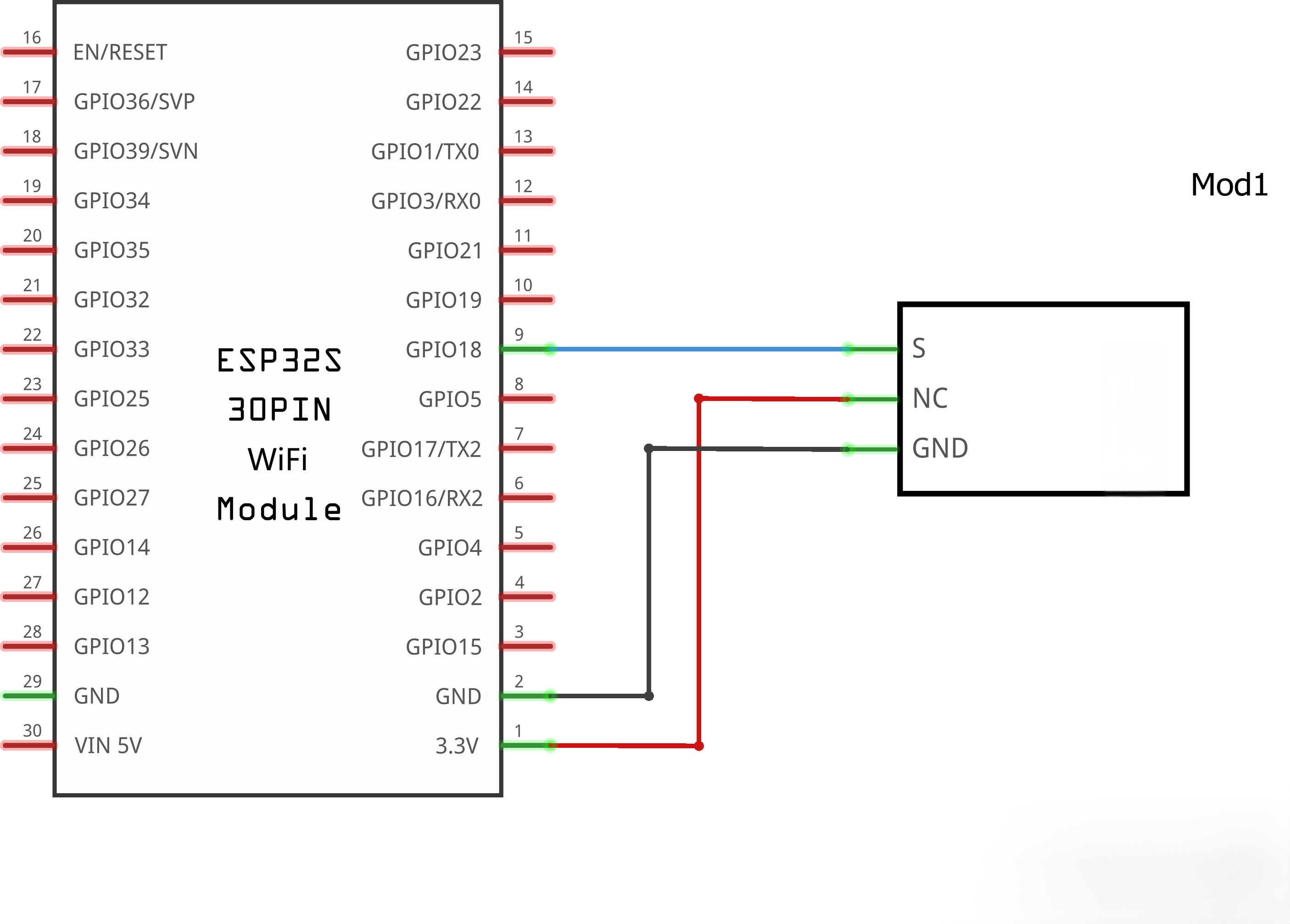
¶ Connection Schematic
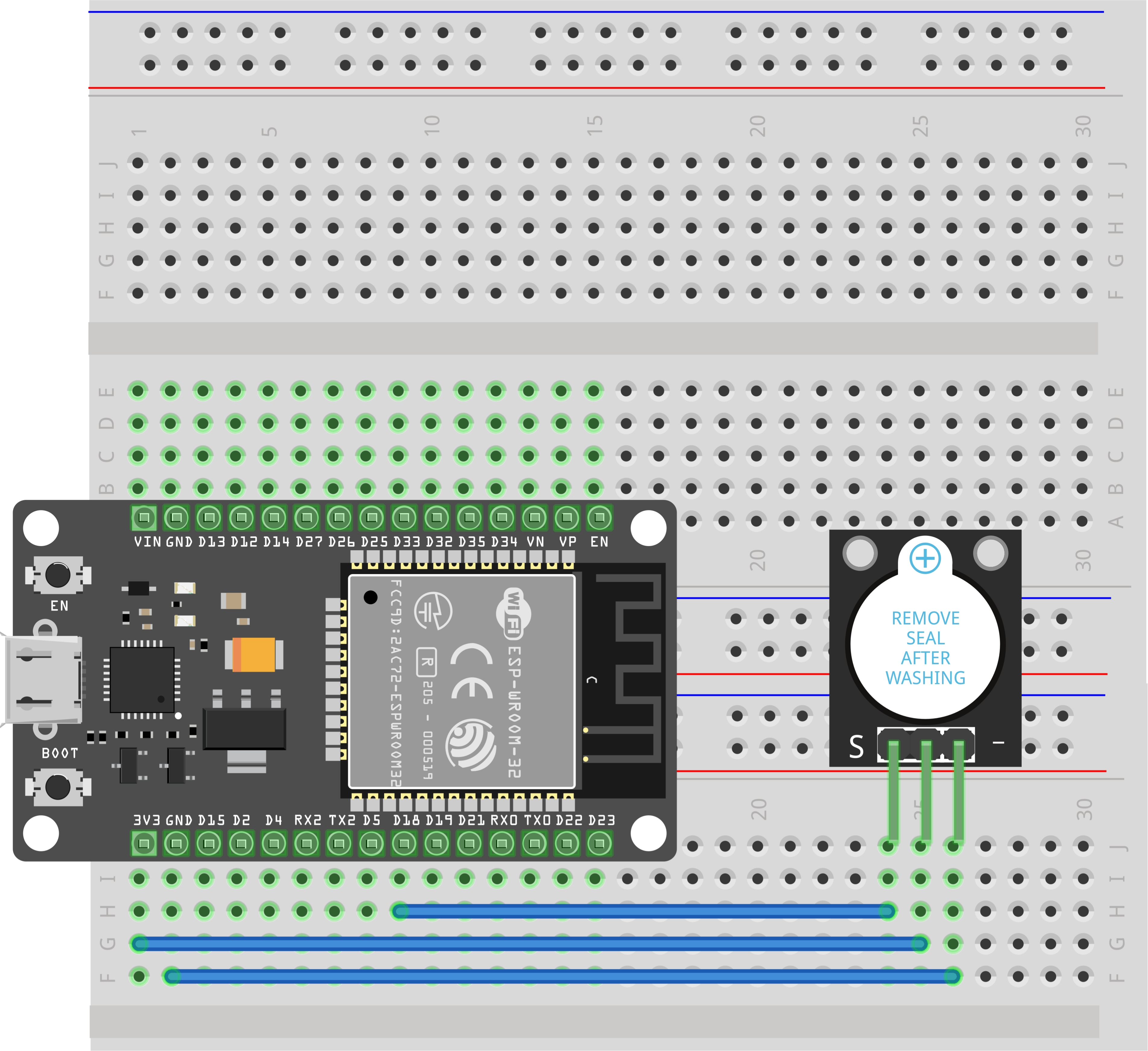
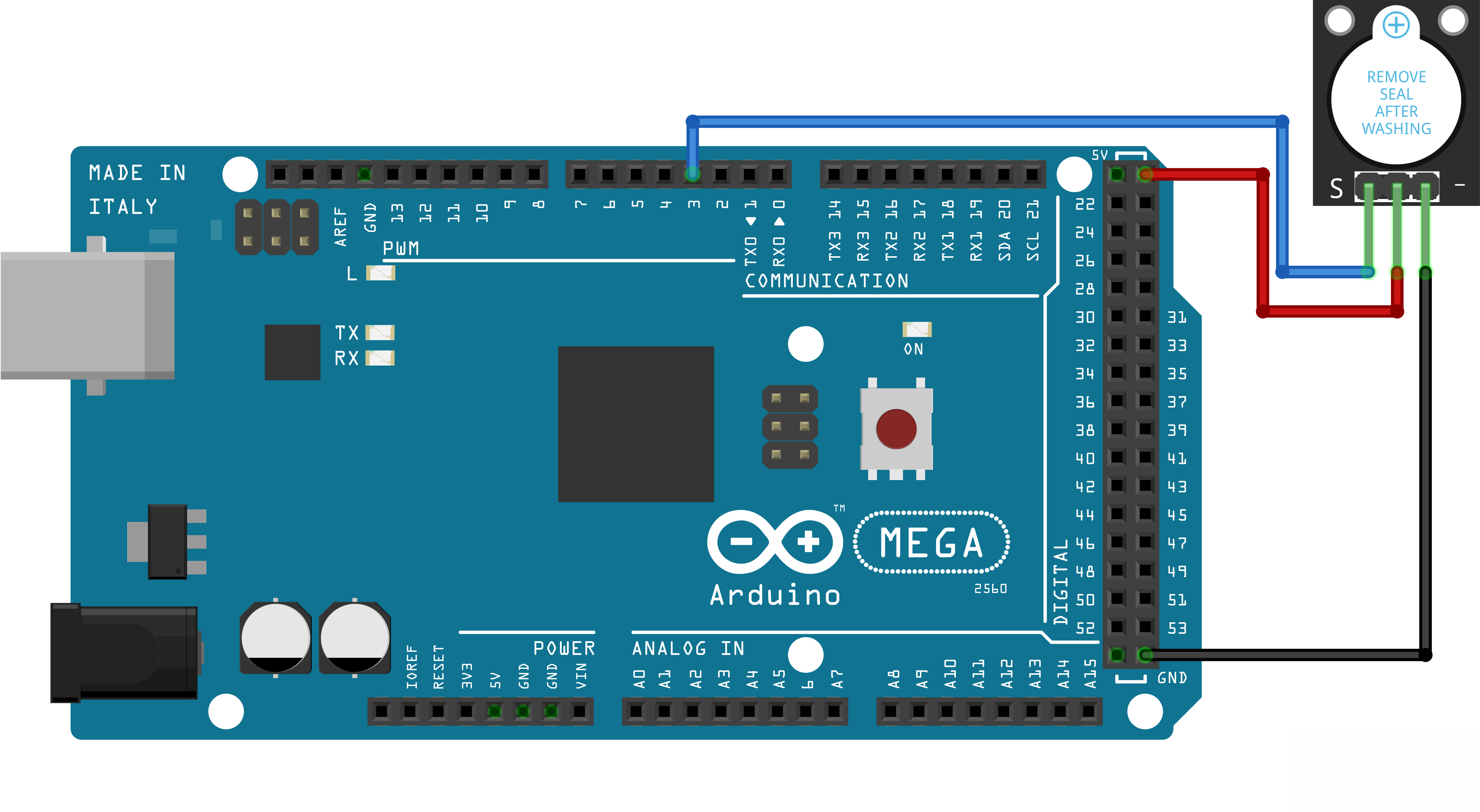
¶ Wiring diagram
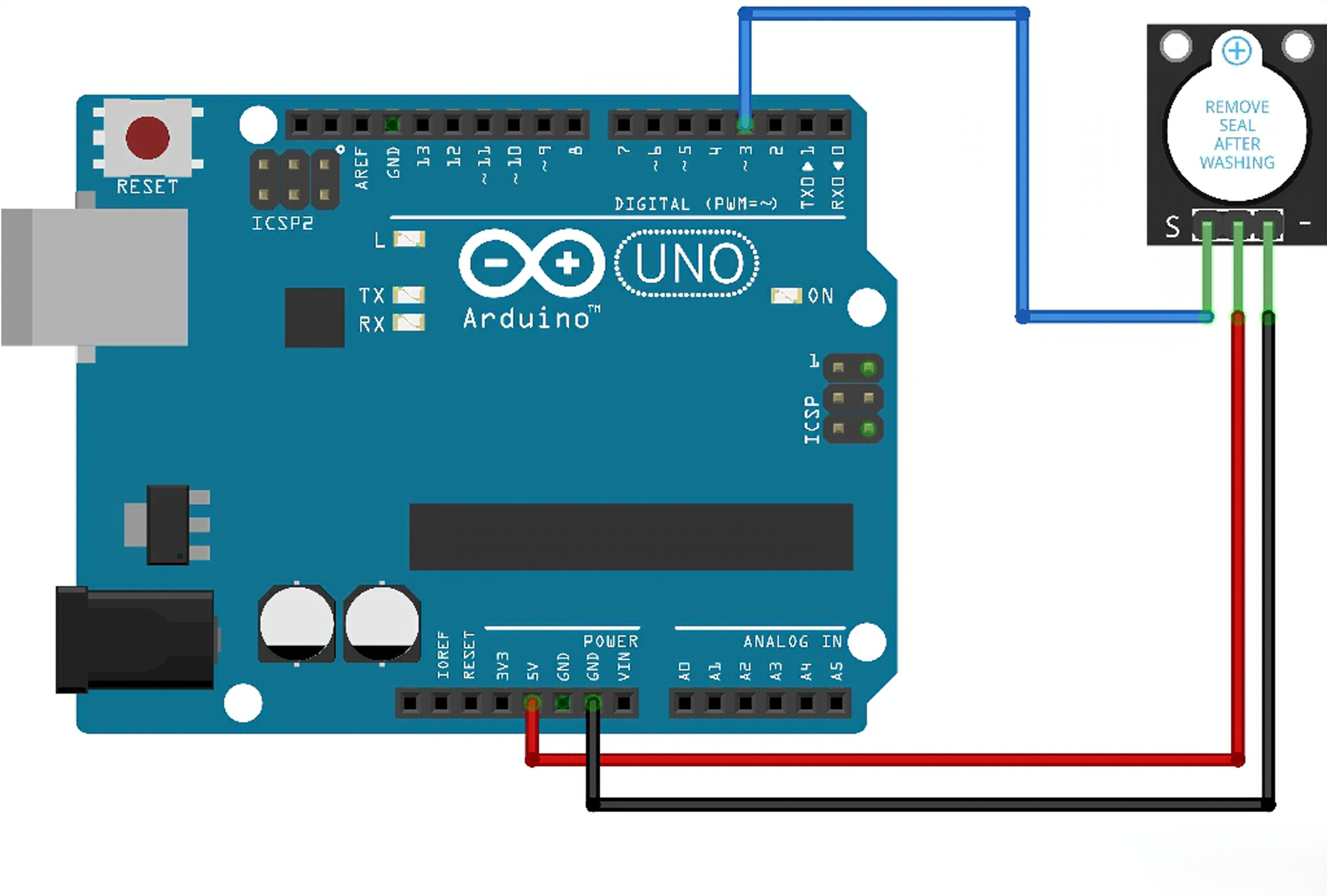
¶ Code
You can click the blue text link to download the program file to your local device, and double-click the file to open it after the download is complete. Please note: Before opening the file, ensure that you have installed the Arduino IDE development environment and completed the installation of relevant components such as the board support package and driver corresponding to the ESP32 development board.
If you cannot open the downloaded program package, copy the following code into the IDE and modify the pin to the one you actually wired.
int buzzer = 18;//the pin of the active buzzer
void setup()
{
pinMode(buzzer, OUTPUT); //initialize the buzzer pin as an output
}
void loop()
{
int sound_duration = 500;
for (int i = 0; i < 20; i++)
{
//use the if function to gradually shorten the interval of the sound
if (i < 5)
{
sound_duration = 500;
} else if (i < 10)
{
sound_duration = 300;
} else if (i < 20)
{
sound_duration = 100;
}
//activate the active buzzer
digitalWrite(buzzer, HIGH);
delay(sound_duration);//wait for sound_duration ms
//deactivate the active buzzer
digitalWrite(buzzer, LOW);
delay(sound_duration);//wait for sound_duration ms
}
//activate the active buzzer
digitalWrite(buzzer, HIGH);
delay(5000);//keep playing sound for 5 seconds.
}
This program consists of two key parts. First, the variable sound_duration controls the buzzer sounding duration and is regulated by a for loop. The loop variable i increments from 0 to 20, and the value of sound_duration changes with different values of i. Second, digitalWrite(buzzer, HIGH); is used to make the buzzer beep.