¶ Relay
In this tutorial, you will learn how to use a relay.
¶ Component Required:
(1) x Elegoo Mega 2560 R3
(1) x 830 tie-pointsbreadboard
(1) x Fan blade and 3-6v dcmotor
(1) x L293D IC
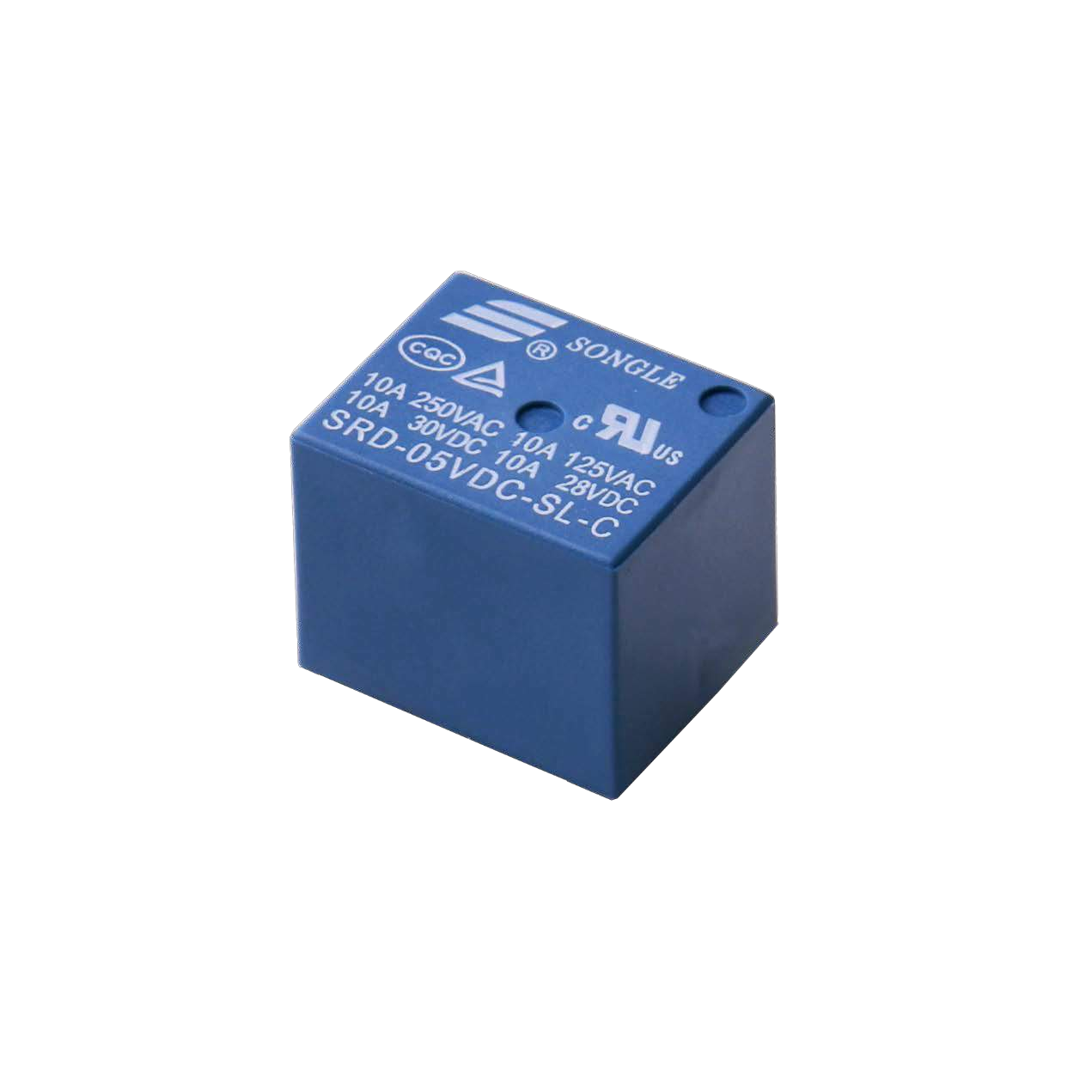
(1) x 5v Relay
¶ Component Introduction
Relay:
A relay is an electrically operated switch. Many relays use an electromagnet to mechanically operate a switch, but other operating principles are also used, as in solid-state relays. Relays are used where it is necessary to control a circuit by a low- power signal (with complete electrical isolation between control and controlled circuits), or where several circuits must be controlled by one signal. The first relays were used in long-distance telegraph circuits as amplifiers. They repeated the signal coming in from one circuit and re-transmitted it on another circuit. Relays were used extensively in telephone exchanges and early computers to perform logical operations.
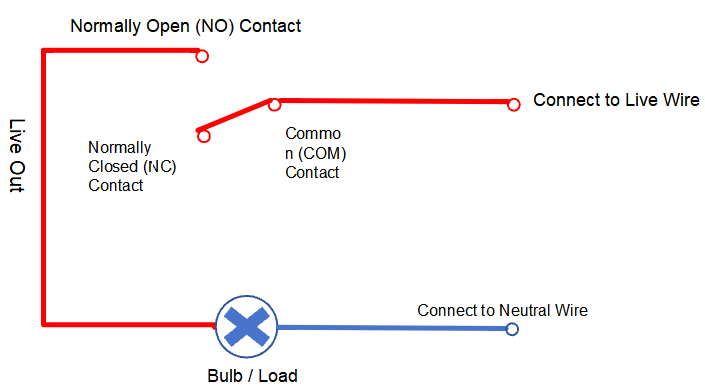
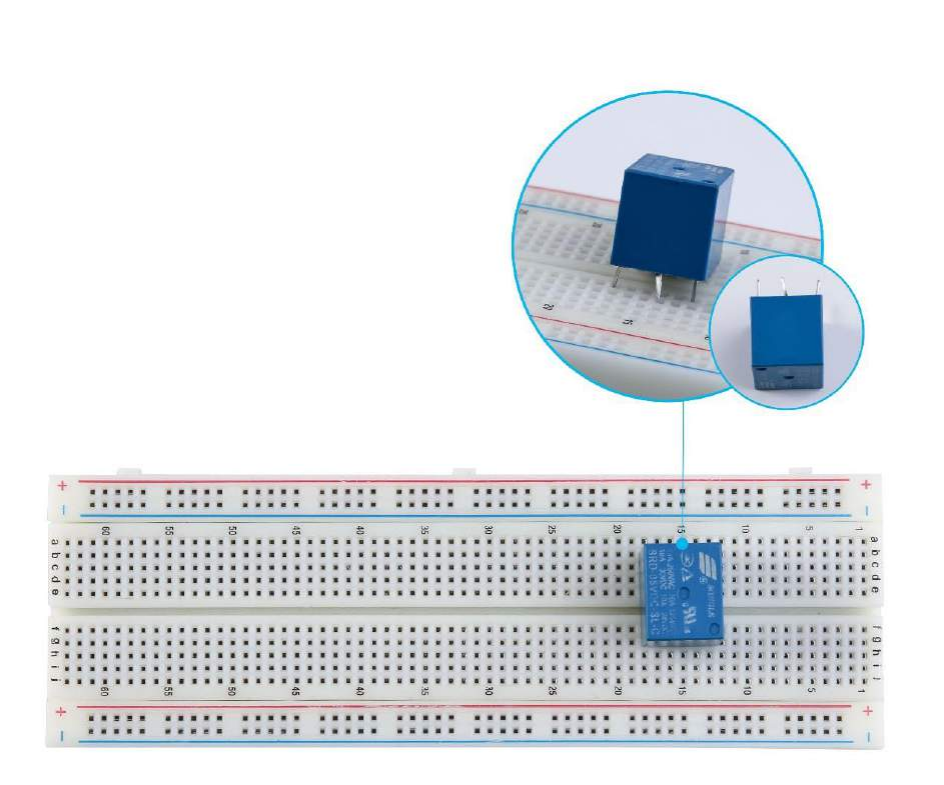
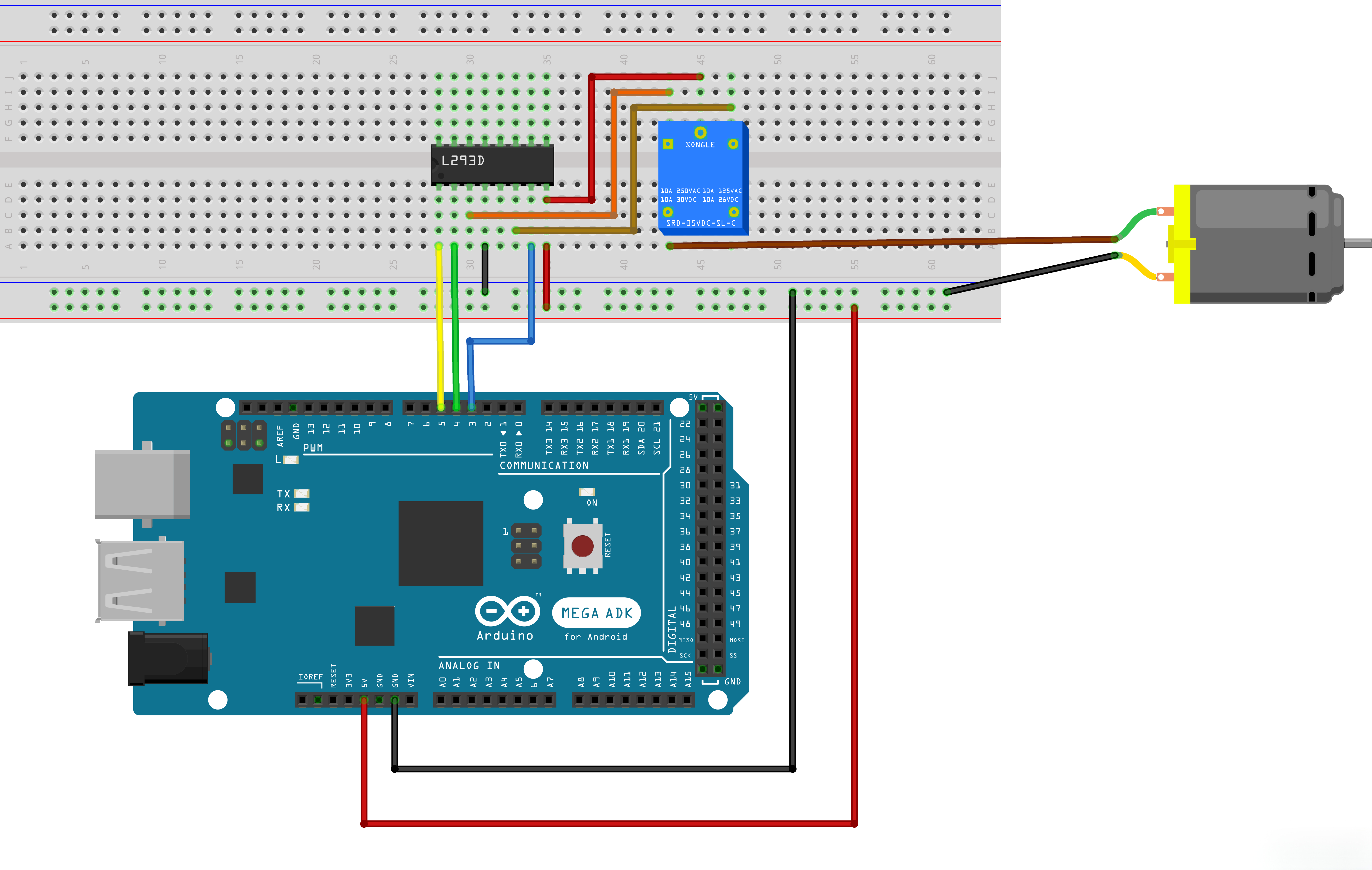
This relay features pin-through-hole mounting. There may be minor positional misalignment between the relay and the breadboard. Follow the installation method shown in the figure below during use. Apply a little force when inserting it into the breadboard to ensure secure connection.
¶ Connection Schematic
¶ Wiring diagram
¶ Code
You can click the blue text link to download the program file to your local device, and double-click the file to open it after the download is complete. Please note: Before opening the file, ensure that you have installed the Arduino IDE development environment and completed the installation of relevant components such as the board support package and driver corresponding to the 2560 R3. If you have any questions about this operation process, you can refer to the "part 1" chapter of the document for detailed guidance.
Click the Serial Monitor button to turn on the serial monitor. The basics about the serial monitor are introduced in details in tutorial 4 in part 2.
#define ENABLE 5
#define DIRA 3
#define DIRB 4int i;
Pin Definitions:
#define ENABLE 5:Arduino digital pin 5 connected to the enable pin of L293D#define DIRA 3:Arduino digital pin 3 connected to direction pin A of L293D#define DIRB 4:Arduino digital pin 4 connected to direction pin B of L293Dint i;:Variable used for loop counter
void setup() {
//---set pin direction
pinMode(ENABLE,OUTPUT);
pinMode(DIRA,OUTPUT);
pinMode(DIRB,OUTPUT);
Serial.begin(9600);
}
Setup Function:
pinMode(ENABLE,OUTPUT);:Sets the enable pin as outputpinMode(DIRA,OUTPUT);:Sets direction pin A as outputpinMode(DIRB,OUTPUT);:Sets direction pin B as outputSerial.begin(9600);:Initializes serial communication at 9600 baud rate
void loop() {
//---back and forth example
Serial.println("One way, then reverse");
digitalWrite(ENABLE,HIGH); // enable on
for (i=0;i<5;i++) {
digitalWrite(DIRA,HIGH); //one way
digitalWrite(DIRB,LOW);
delay(750);
digitalWrite(DIRA,LOW); //reverse
digitalWrite(DIRB,HIGH);
delay(750);
}
digitalWrite(ENABLE,LOW); // disable
delay(3000);
for (i=0;i<5;i++) {
digitalWrite(DIRA,HIGH); //one way
digitalWrite(DIRB,LOW);
delay(750);
digitalWrite(DIRA,LOW); //reverse
digitalWrite(DIRB,HIGH);
delay(750);
}
digitalWrite(ENABLE,LOW); // disable
delay(3000);
}
Loop Function:
Serial.println("One way, then reverse");:Prints a message to the serial monitordigitalWrite(ENABLE,HIGH);:Enables the motor driver- First for loop (5 iterations):
digitalWrite(DIRA,HIGH); digitalWrite(DIRB,LOW);:Sets motor direction one waydelay(750);:Waits 750 millisecondsdigitalWrite(DIRA,LOW); digitalWrite(DIRB,HIGH);:Reverses motor directiondelay(750);:Waits 750 milliseconds
digitalWrite(ENABLE,LOW);:Disables the motor driverdelay(3000);:Waits 3 seconds- Second for loop (5 iterations):
- Repeats the same forward/reverse cycle
digitalWrite(ENABLE,LOW);:Disables the motor driverdelay(3000);:Waits 3 seconds before repeating the entire sequence
¶ Troubleshooting
- Motor Not Running:Check connections between Arduino and L293D, and between L293D and motor
- Motor Running Only in One Direction:Verify DIRA and DIRB connections are correct
- Motor Not Responding:Ensure the ENABLE pin is properly connected and set to HIGH when motor should run
- Overheating:Ensure the L293D has proper heat sinking and isn't overloaded
- Serial Monitor Issues:Check that serial communication is set to 9600 baud
¶ L293D Pin Connections
| Arduino Pin | L293D Pin | Function |
|---|---|---|
| Digital 5 | Enable | Motor enable |
| Digital 3 | IN1 | Direction control A |
| Digital 4 | IN2 | Direction control B |
| 5V | VCC1 | Logic power |
| 5V/12V | VCC2 | Motor power |
| GND | GND | Ground |