¶ OLED
¶ Overview
In this tutorial, we will show you how to use the SSD1306 0.96 inch I2C OLED display with the UNO R4 WiFi. We’ll show you some features of the OLED display, how to connect it to the UNO R4 WIFI board, and how to write text.
¶ Component Required:
(1) x Elegoo UNO R4 WIFI
(1) x I2C OLED Display
(1) x 830 Tie Points Breadboard
(4) x M-Mwires (Male to Male jumper wires)
¶ Component Introduction
I2C OLED Display
The organic light-emitting diode (OLED) display that we’ll use in this tutorial is the SSD1306 model: a monocolor, 0.96-inch display with 128×64 pixels as shown in the following figure.
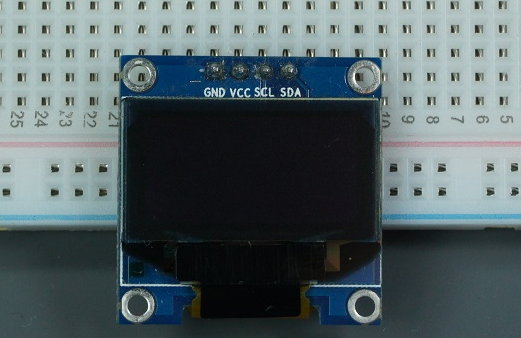
The model we’re using here has only four pins and communicates with the UNO R4 WIFI using I2C communication protocol. There are models that come with an extra RESET pin. There are also other OLED displays that communicate using SPI communication.
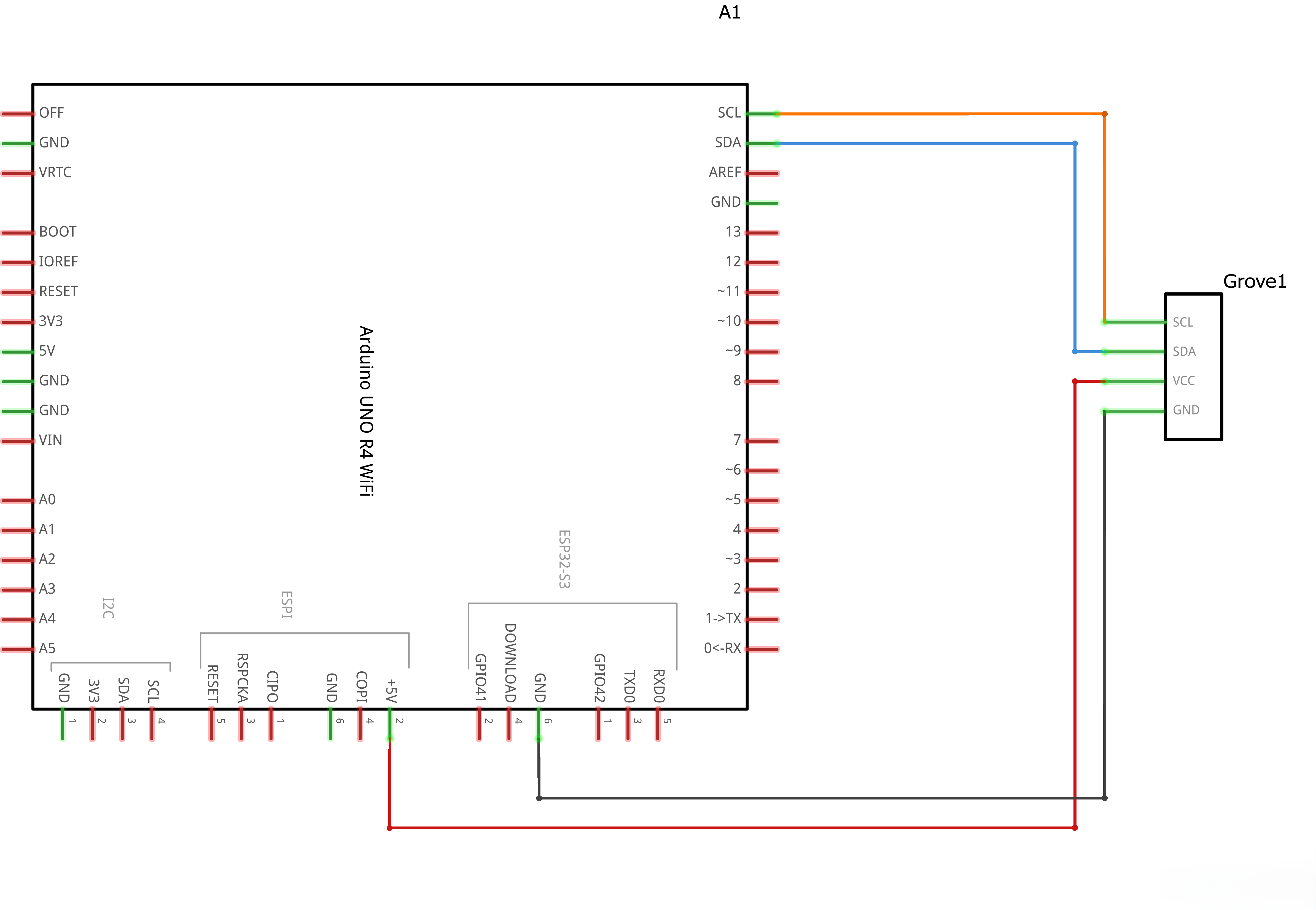
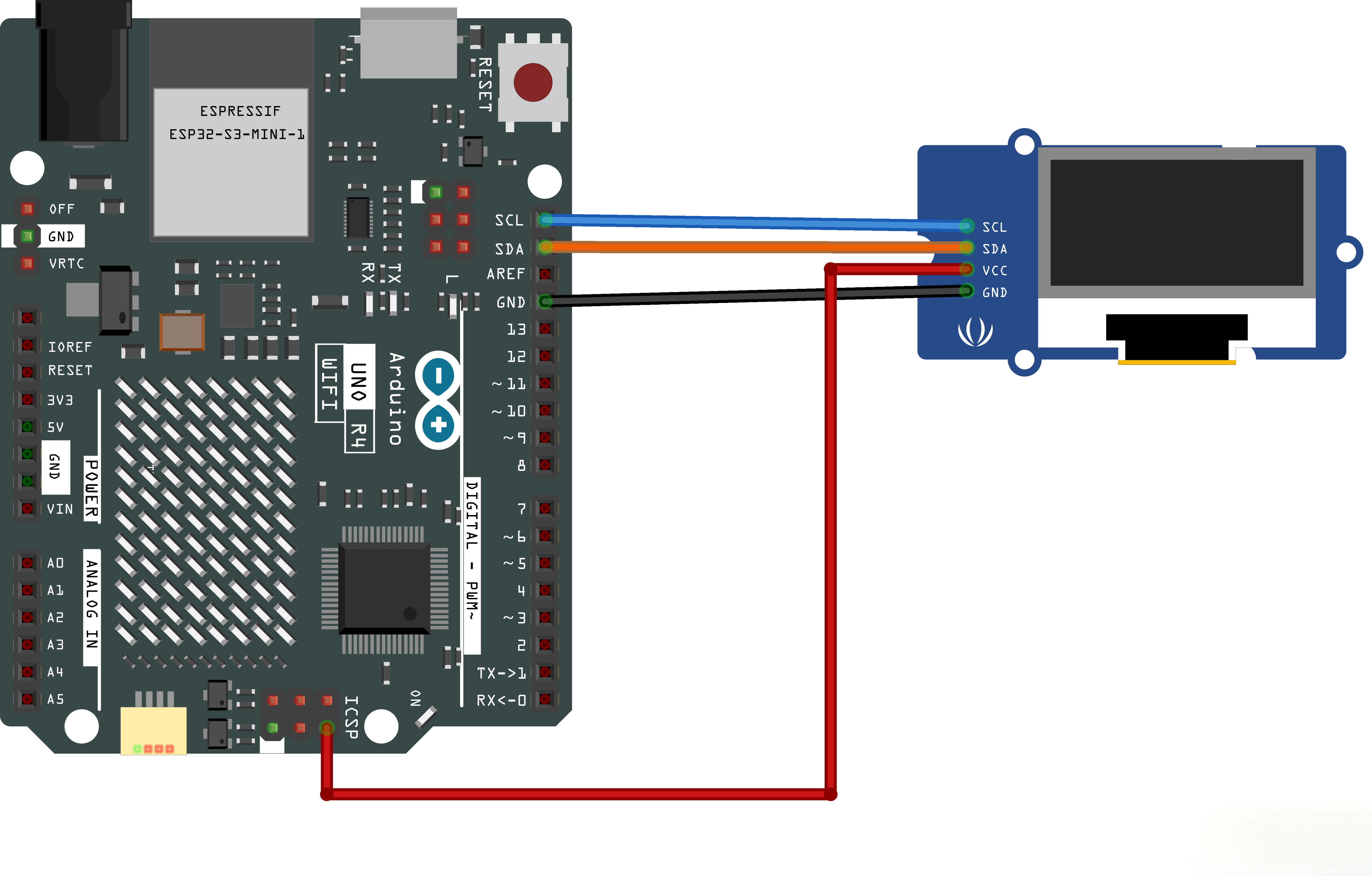
Because the OLED display uses I2C communication protocol, wiring is very simple. You just need to connect to the UNO R4 WIFI I2C pins as SDA and SCL
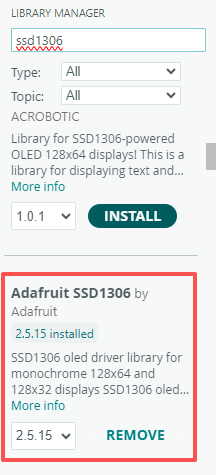
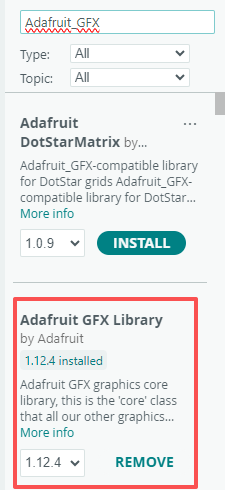
To control the OLED display you need the adafruit_SSD1306.h and the adafruit_GFX.h libraries. Follow the next instructions to install those libraries.
- Open your Arduino IDE and go to Sketch > Include Library > Manage Libraries. The Library Manager should open.
- Type “SSD1306” in the search box and install the SSD1306 library from Adafruit.
¶ Tips for writing text using these libraries
Here are some functions that will help you handle the OLED display library to write text or draw simple graphics.
- display.clearDisplay() – all pixels are off
- display.drawPixel(x,y, color) – plot a pixel in the x,y coordinates
- display.setTextSize(n) – set the font size, supports sizes from 1 to 8
- display.setCursor(x,y) – set the coordinates to start writing text
- display.print(“message”) – print the characters at location x,y
- display.display() – call this method for the changes to make effect
¶ Connection Schematic
¶ Wiring diagram
¶ Code
After wiring the OLED display to the Arduino and installing all required libraries, you can use one example from the library to see if everything is working properly.
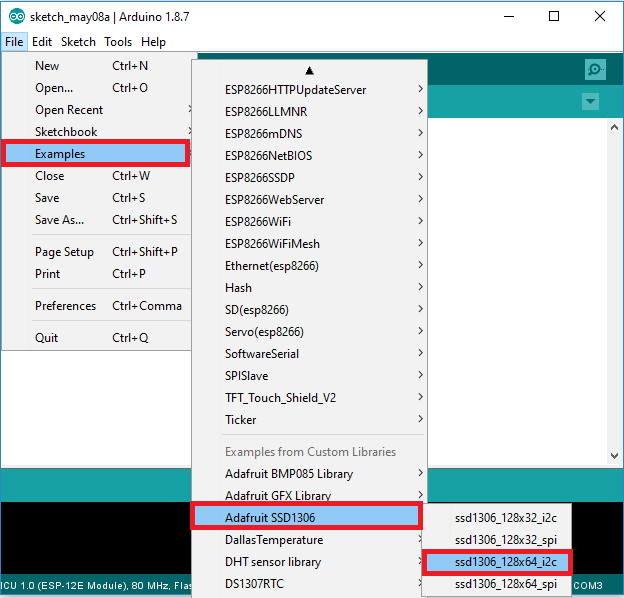
In your Arduino IDE, go to File > Examples > Adafruit SSD1306 and select the example for the display you’re using.
The default I2C address for most 0.96" SSD1306 OLED displays is 0x3C. Some modules use 0x3D instead. If the display doesn't work, try changing the SCREEN_ADDRESS in the code or run an I2C scanner to find the correct address.
You can click the blue text link to download the program file to your local device, and double-click the file to open it after the download is complete.
Please note: Before opening the file, ensure that you have installed the Arduino IDE development environment and completed the installation of relevant components such as the board support package and driver corresponding to the uno R4 WIFI development board. If you have any questions about this operation process, you can refer to the "part 1" chapter of the document for detailed guidance.