¶ Issue Description
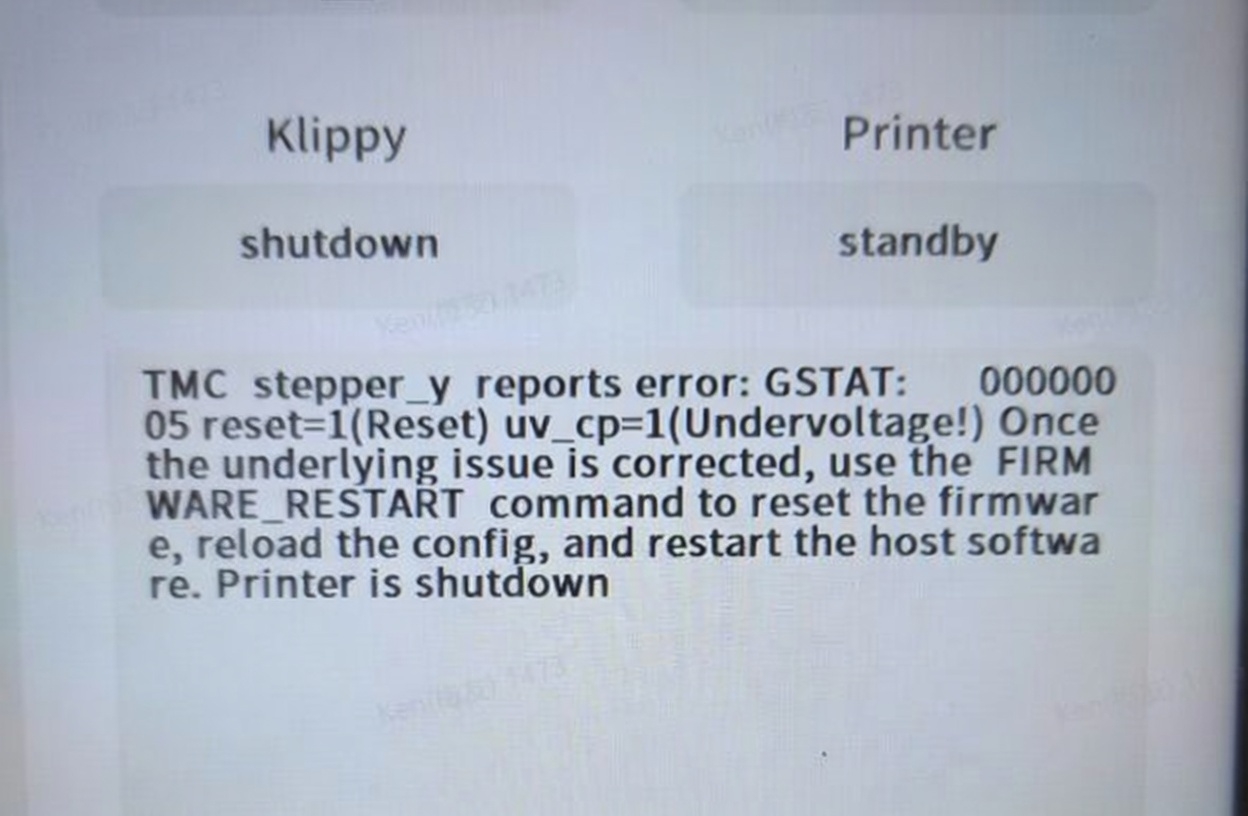
During the printing process or when the printer is power on, the touch screen shows the error message:
TMC stepper_y reports error: GSTAT:05 reset=l(Reset)uv_cp=l(Undervoltage!)oncethe underlying issue is corrected, use the FlRMWARE RESTART command to reset the firmware, reload the config, and restart the host software. Printer is shutdown!
¶ Reasons
-
The Y-axis motor cable has defective contact.
-
The Y-axis motor or the Y-axis motor cable is damaged.
¶ Troubleshooting Steps
¶ Tools needed for troubleshooting
- A 2.0 mm Allen key
¶ Step 1 Check whether the Y-axis motor cable is damaged.
-
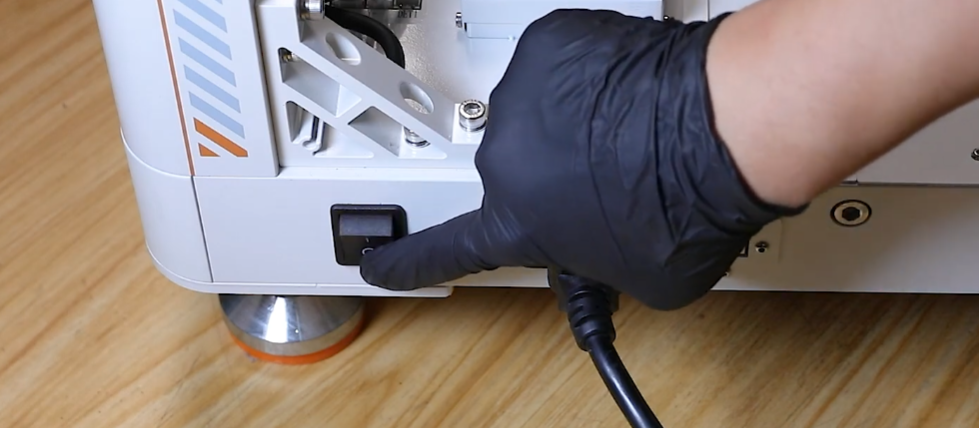
Turn the power switch OFF (symbol "〇").
-
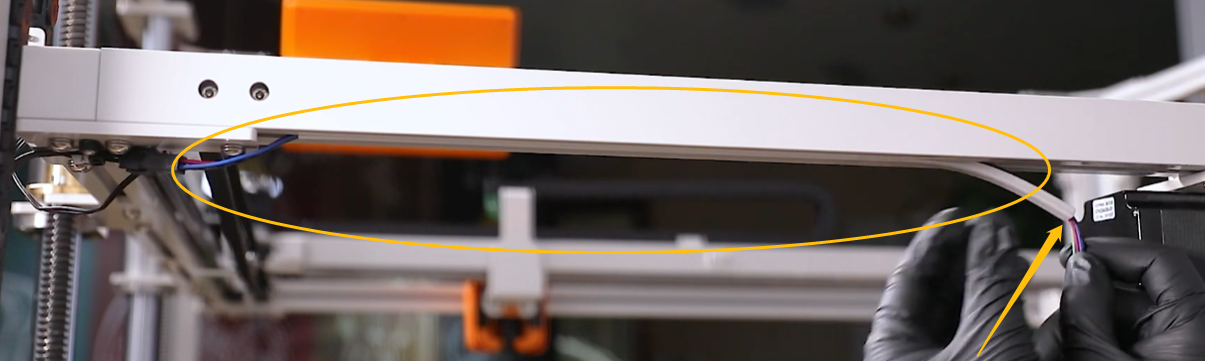
Check whether the Y-axis motor cable is damaged.
Note: The Y-axis motor cable is marked by the yellow circle. The cable can be pulled out of the trunking on the right side.
¶ Step 2 Check whether the adapter cable of the Y-axis motor is damaged.
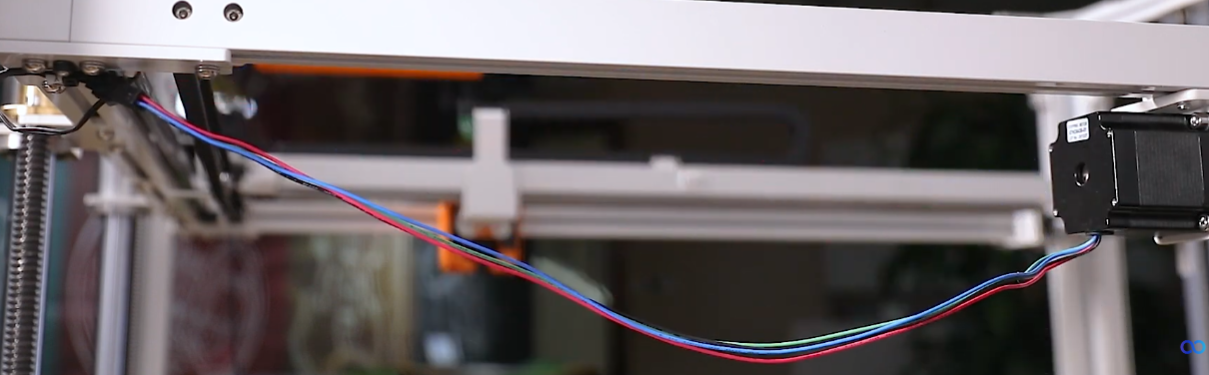
The adapter cable is marked by the yellow line.
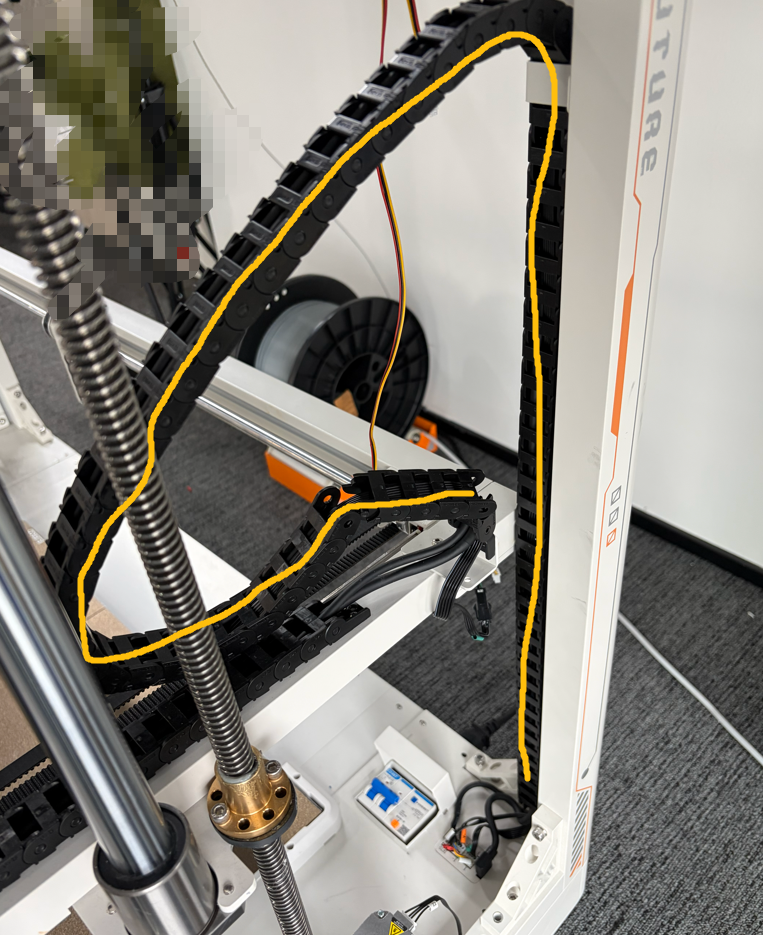
-
Locate the adapter cable by the labels at the two ends of the cable.
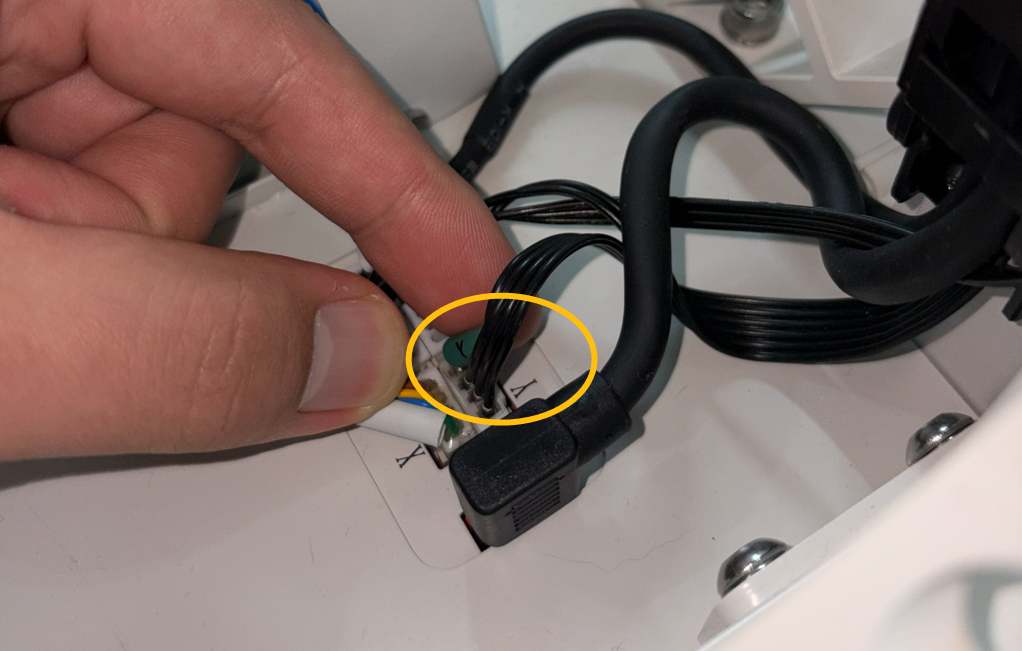
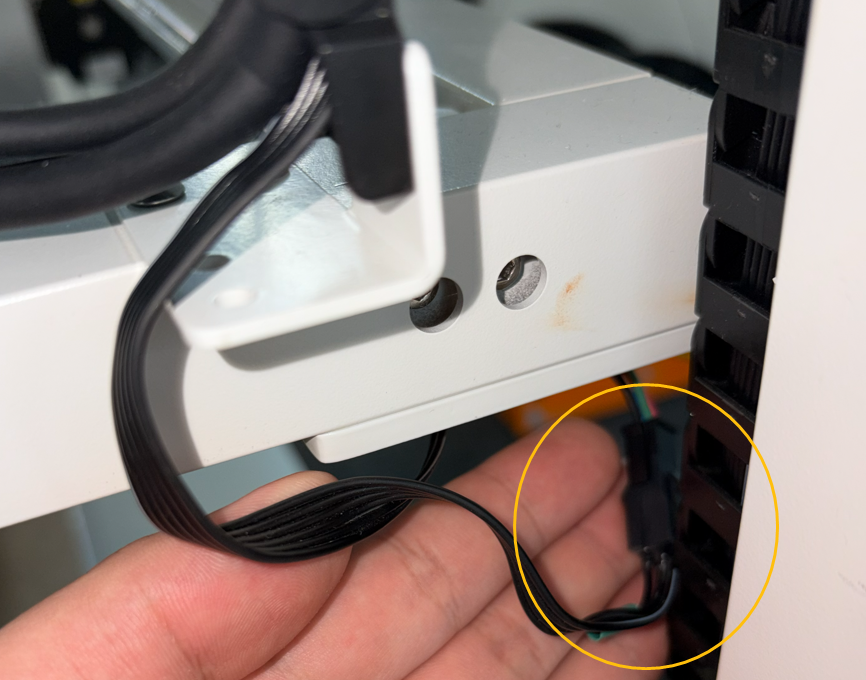
-
If the error occurs during printing process, turn the power switch ON (symbol "|") and wiggle the cable.
-
Observe if the error message occurs at this time.
¶ Step 3 Check whether the Y-axis cable is inserted incorrectly.
-
Turn the power switch OFF (symbol ""〇").
-
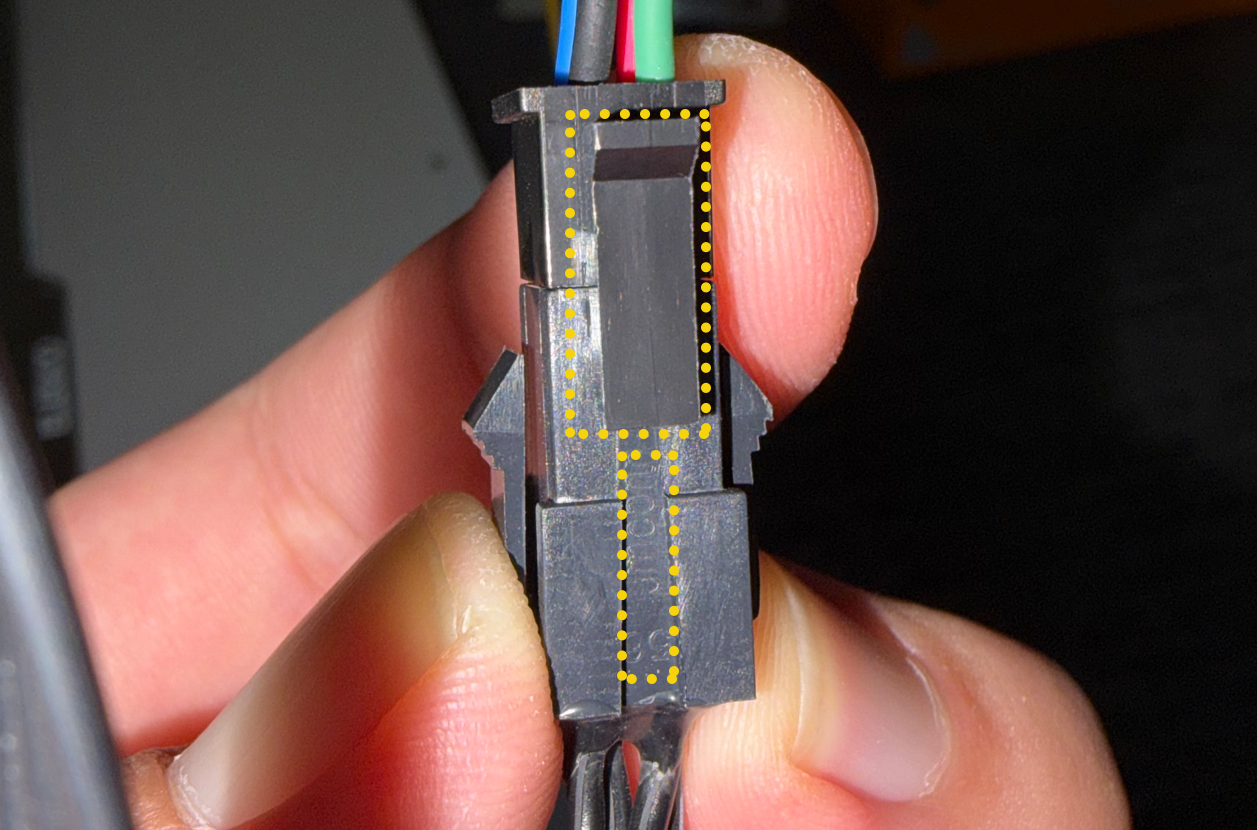
Check whether the Y-axis cable connector is inserted incorrectly.
Note: The connector with the snap should be inserted into the termimal side marked with number.
¶ Step 4 Re-plug the Y-axis motor cable on the chamber adapter board side.
-
Turn the power switch OFF (symbol ""〇").
-
Re-plug the adapter cable marked in the picture below.
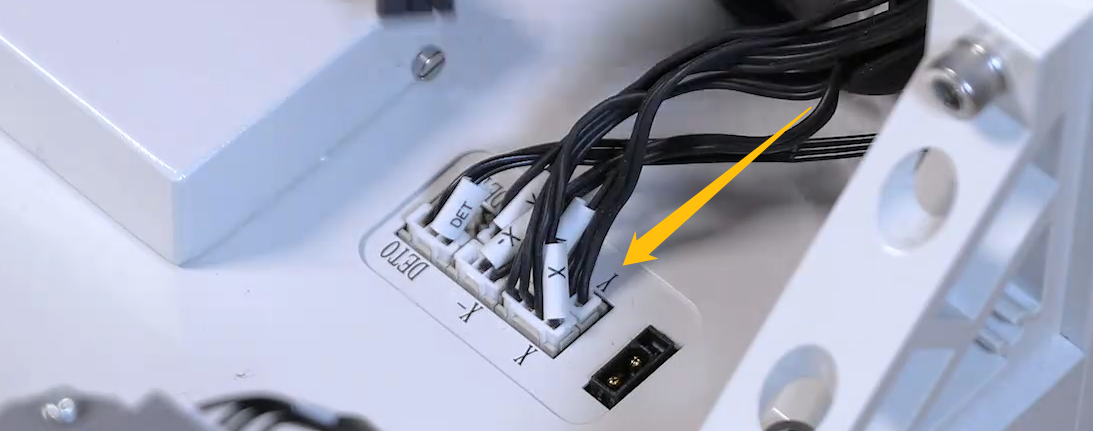
¶ Step 5 Re-plug the Y-axis motor cable on the back side of the chamber adapter board.
-
Turn the power switch OFF (symbol "〇").
-
Remove the marked screws shown in the picture below.
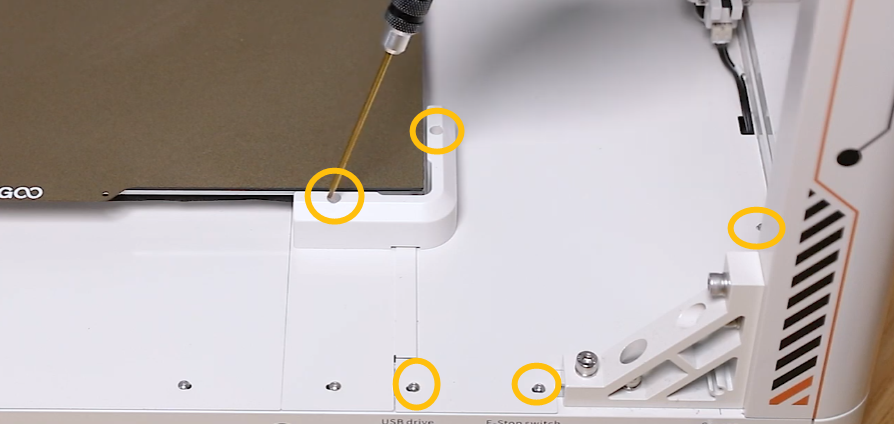
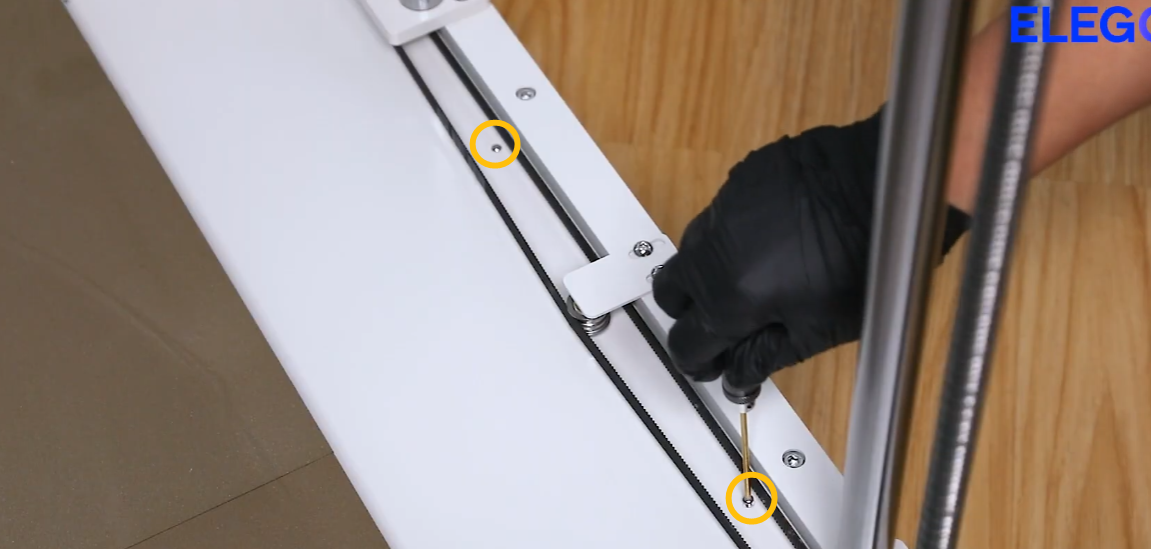
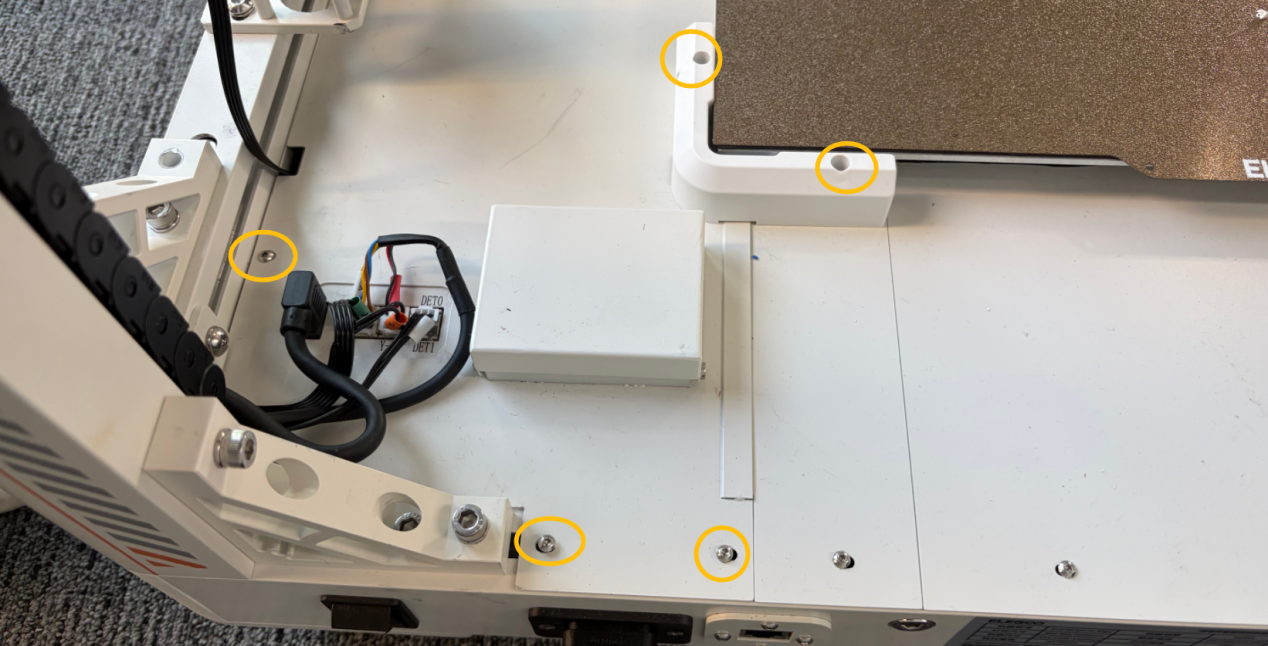
-
Unplug the cables shown in the picture below.
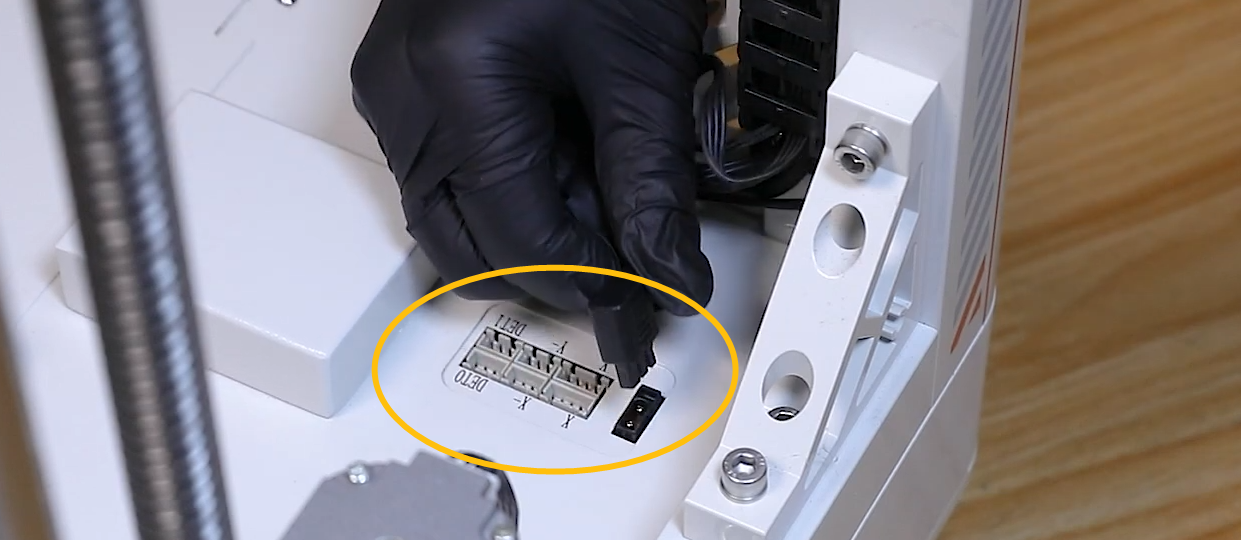
-
Remove the motherboard cover.
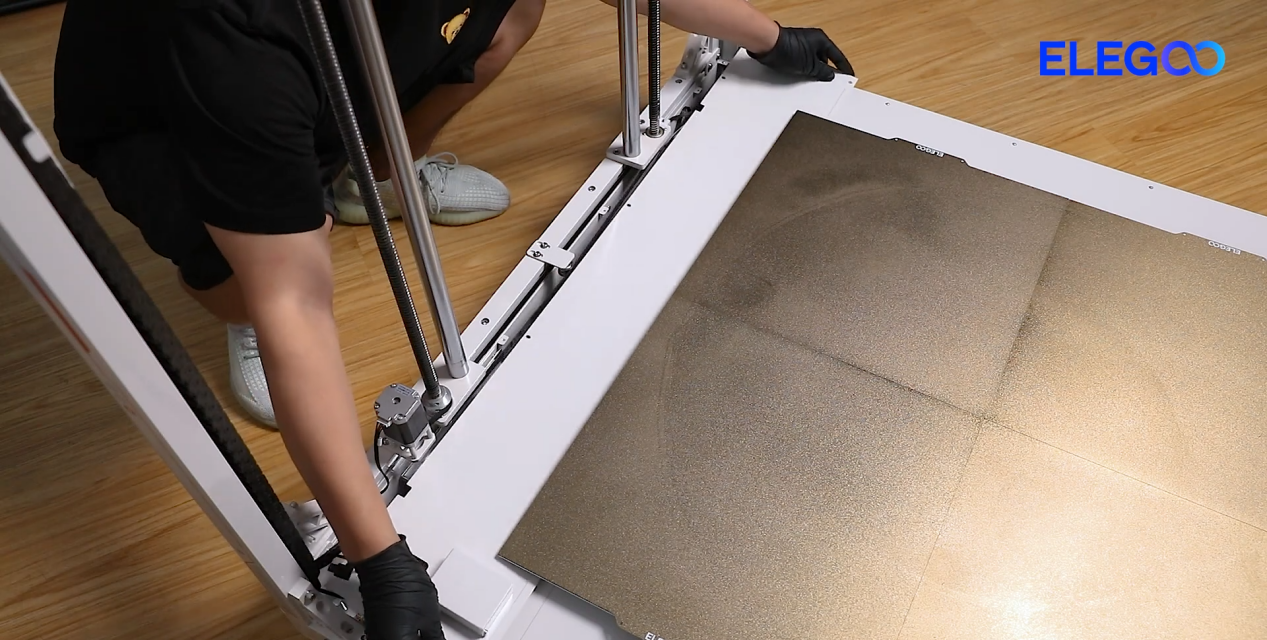
-
Locate the chamber adapter board marked by the yellow circle.
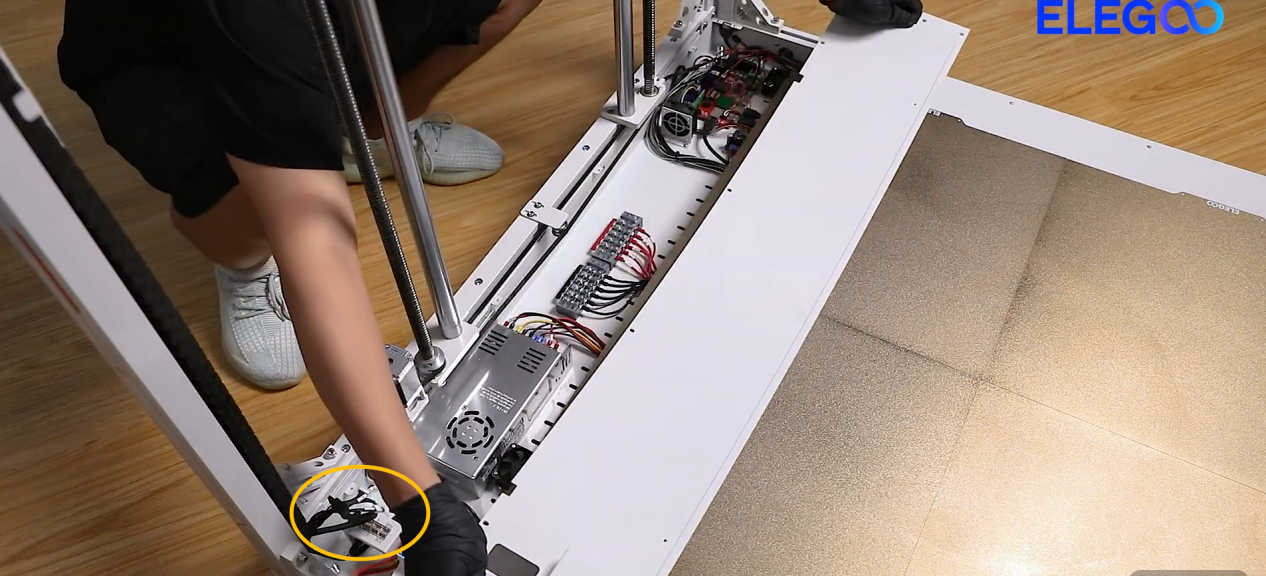
-
Re-plug the cable marked with Y.
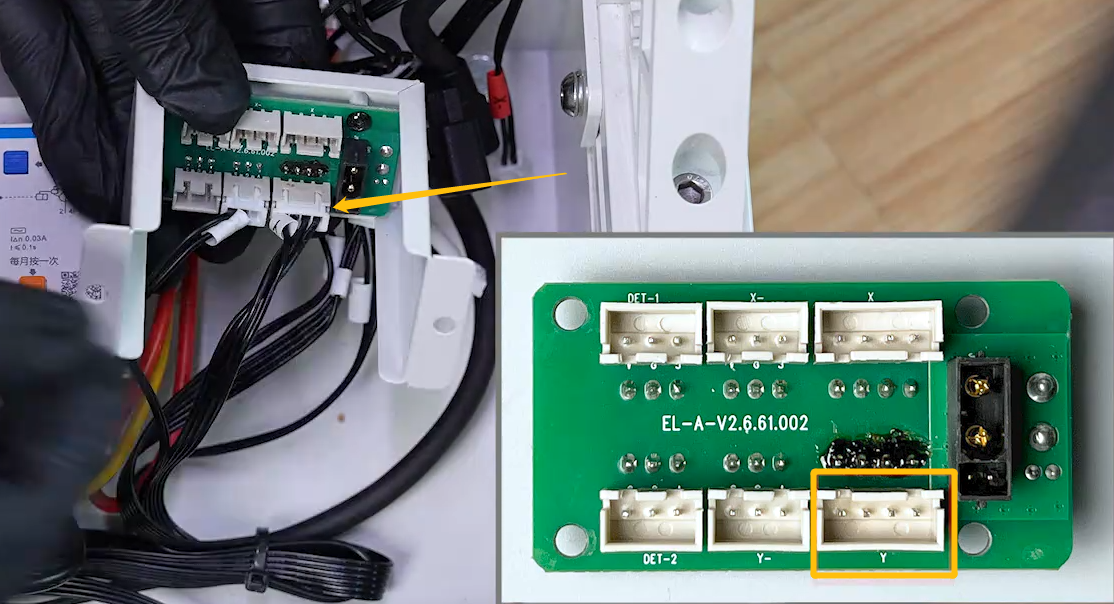
¶ Step 6 Re-plug the cables of the Y-axis driver board and motherboard.
-
Turn the power switch OFF (symbol "〇").
-
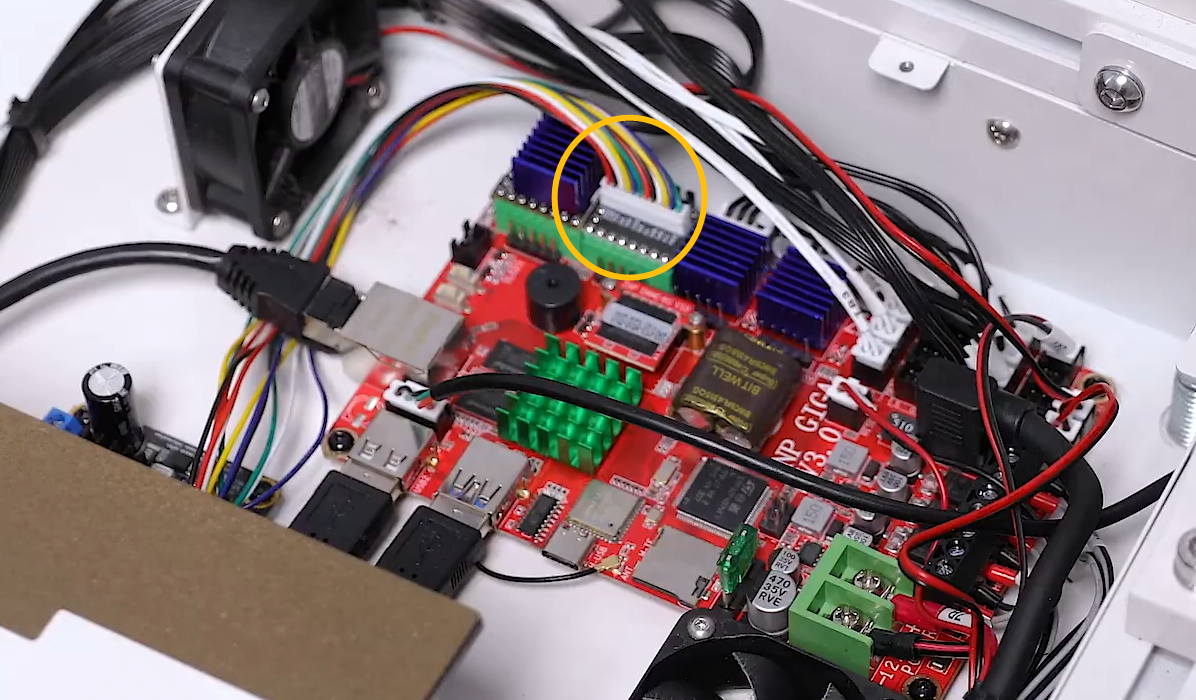
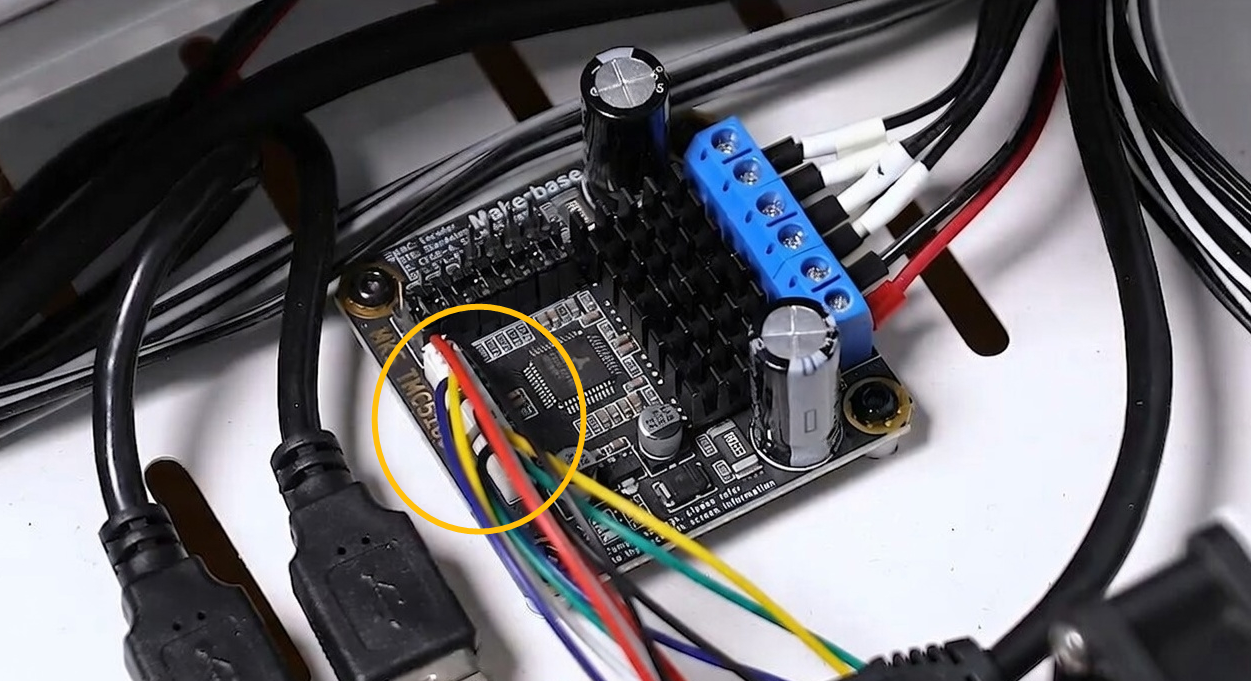
Locate the cables of the Y-axis driver board and motherboard.
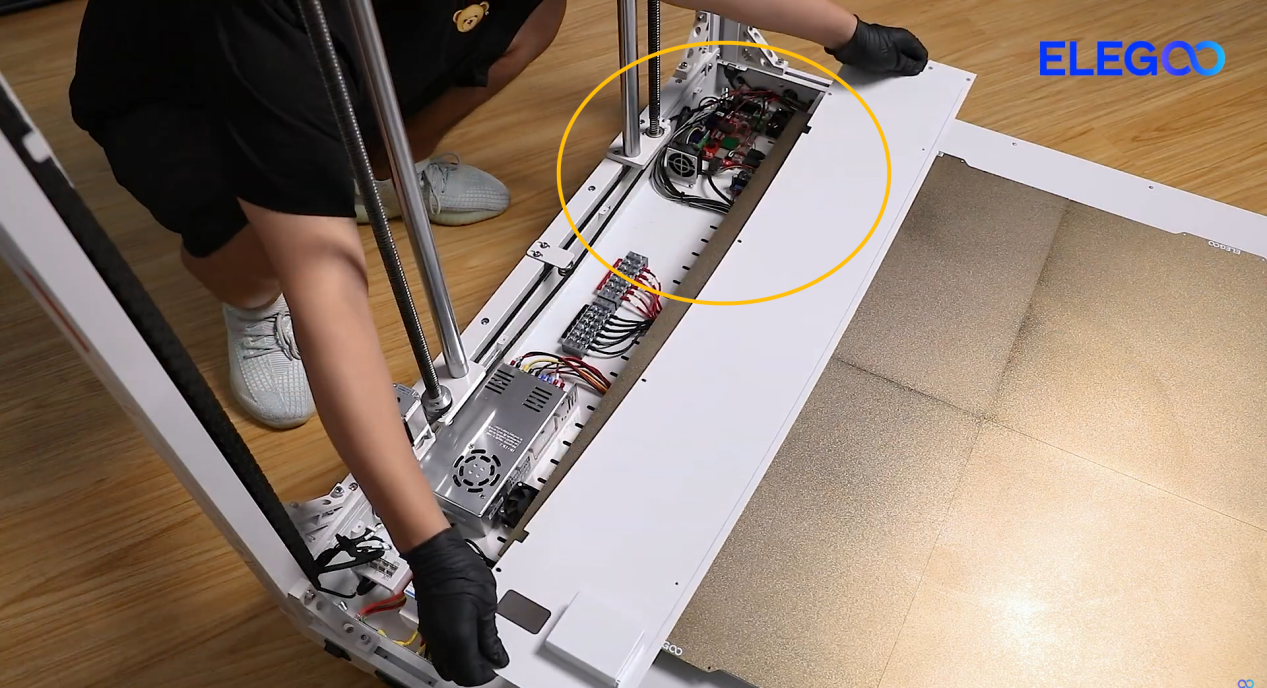
-
Re-plug the marked two cables.
¶ Still Have Issue?
Inspecting the printer according to the above instructions will not affect the printer's warranty. To assist ELEGOO technical support team in resolving the issue more efficiently, provide the results of from item 1 to 5.
-
Under what circumstances does the error message appear? For example: the error message appears immediately on the touch screen after powering on the printer or the error message appears during printing process.
-
Is the Y-axis motor cable damaged?
-
Is the Y-axis motor adapter cable damaged? Does gently wiggle the Y-motor adapter cable trigger the error message?
-
Is the Y-axis motor plug incorrectly inserted?
-
After re-plugging the Y-axis motor cable (on the top and bottom of the chamber, motherboard side and Y-axis driver board side), is the issue resolved?