¶ Fault Description
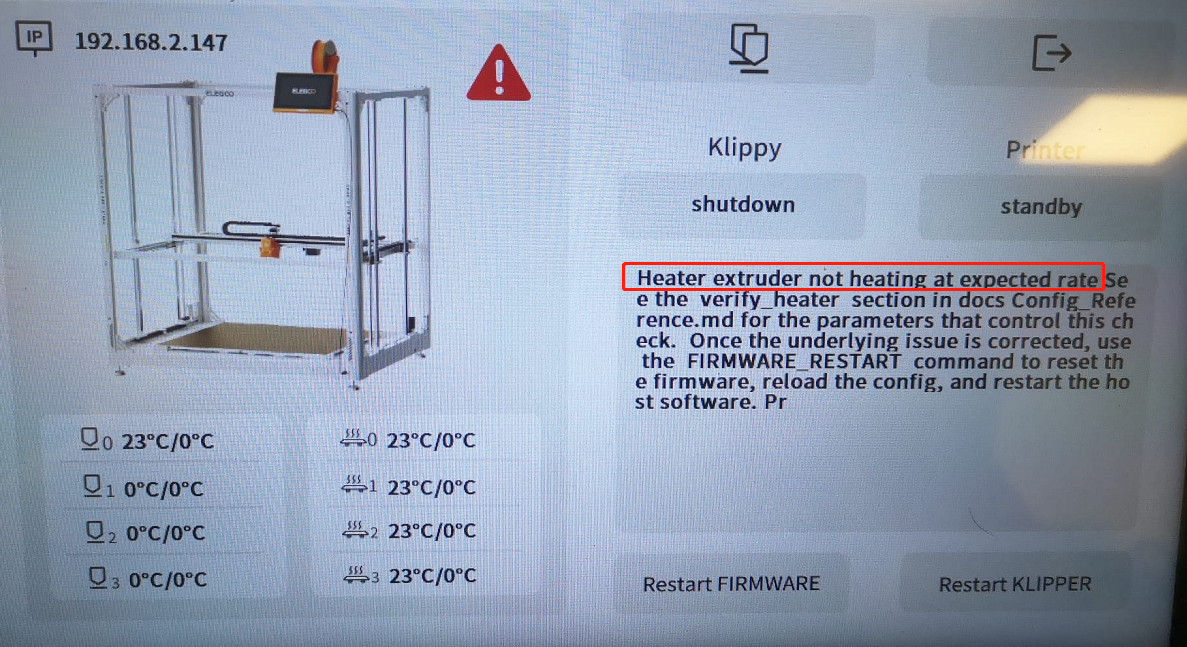
The touch screen displays the error message "heater extruder not heating at expected rate" during hotend heating.
¶ Possible Causes
- Incorrect power supply voltage setting.
- Poor contact with the printhead adapter cable connection.
- Loose or damaged hotend connections, or a faulty hotend.
- Faulty printhead adapter board.
¶ Troubleshooting Steps
¶ 1. Check the Power Supply Voltage Setting
1.1 Turn off the power switch and unplug the power cord.
1.2 Check whether the power supply voltage selector switches are set correctly.
Note: The OrangeStorm Giga has five voltage selector switches distributed across the left and right sides of the printer.
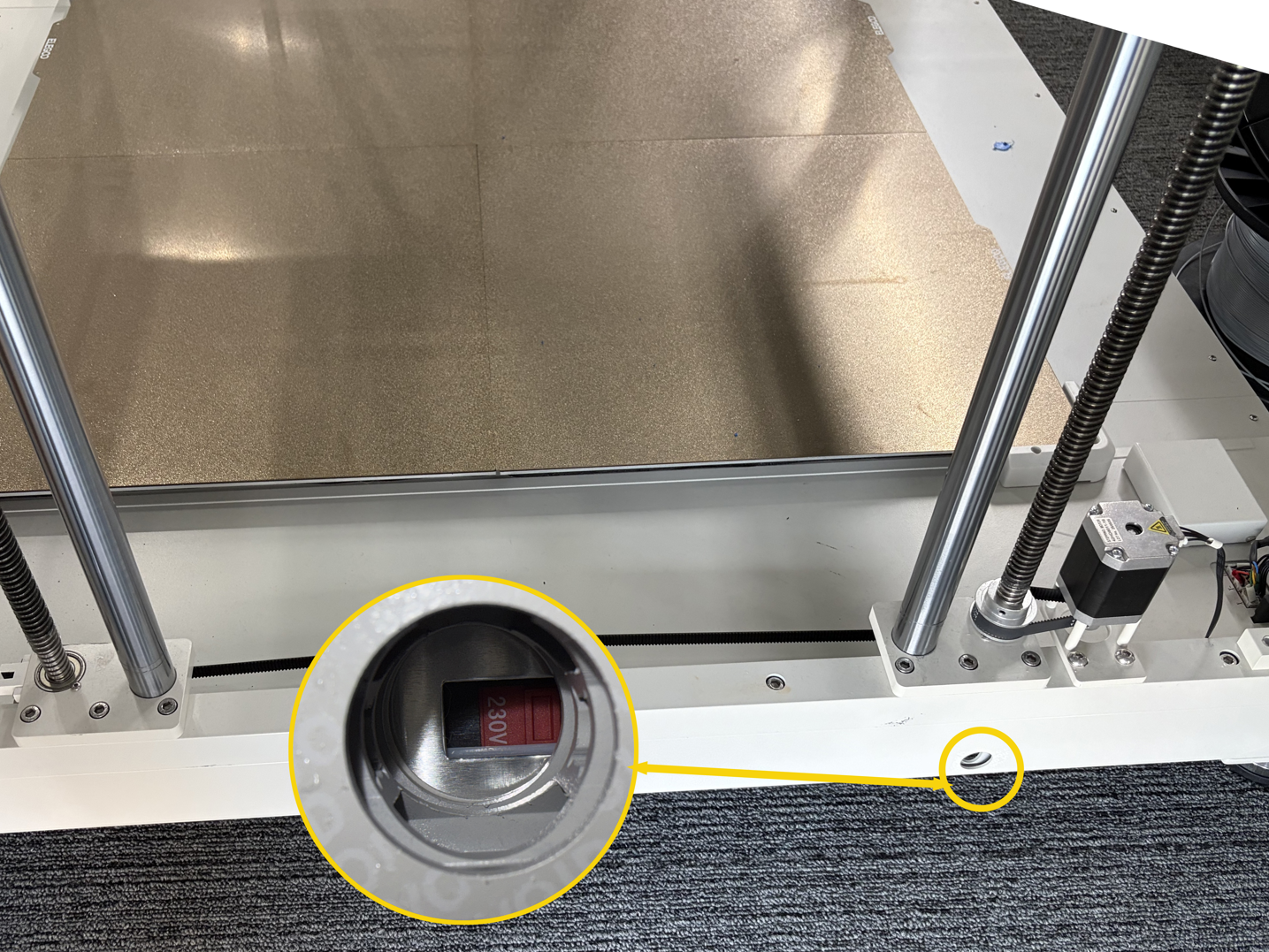
- If the voltage setting is incorrect, adjust it to the correct value and test the hotend again.
- If the voltage setting is correct, proceed to the following troubleshooting steps.
¶ 2. Check the Printhead Adapter Cable Ports
2.1 Keep the printer powered off. Disconnect and reconnect the printhead adapter cable.
2.2 If reconnecting the cable does not resolve the issue, connect the printhead adapter cable to another CAN port. Then turn on the printer and check whether the hotend heats up normally.
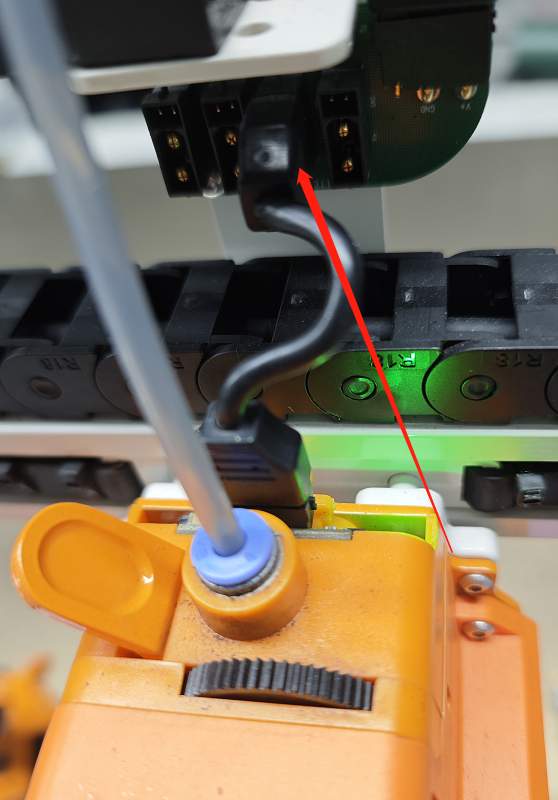
- If the hotend heats up normally after switching to another port, the original port is likely faulty. Avoid using this port.
- If the hotend still does not heat up normally, proceed to the following troubleshooting steps.
¶ 3. Check the Ceramic Heater Connector and Cable
3.1 Turn off the printer and remove the printhead by following this video.
3.2 Check whether the ceramic heater connector is loose or its cable is damaged.
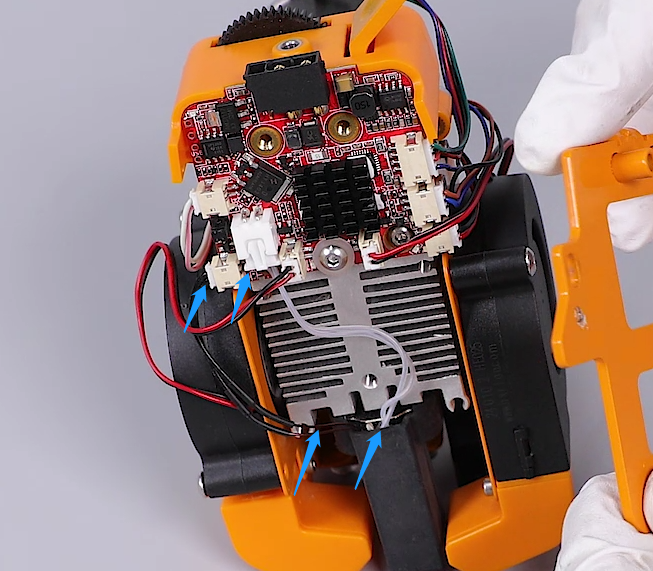
- If the ceramic heater connector is loose, reconnect it securely to its original position.
- If the ceramic heater cable or ceramic heater is damaged, replace the ceramic heater assembly.
- If the connector is secure and neither the cable nor the ceramic heater is damaged, proceed to the following troubleshooting steps.
¶ 4. Check the Indicator Light on the Printhead Adapter Board
4.1 Leave the printhead removed and turn on the printer.
4.2 Use the touch screen to heat the hotend and observe whether the indicator light on the printhead adapter board illuminates during heating.
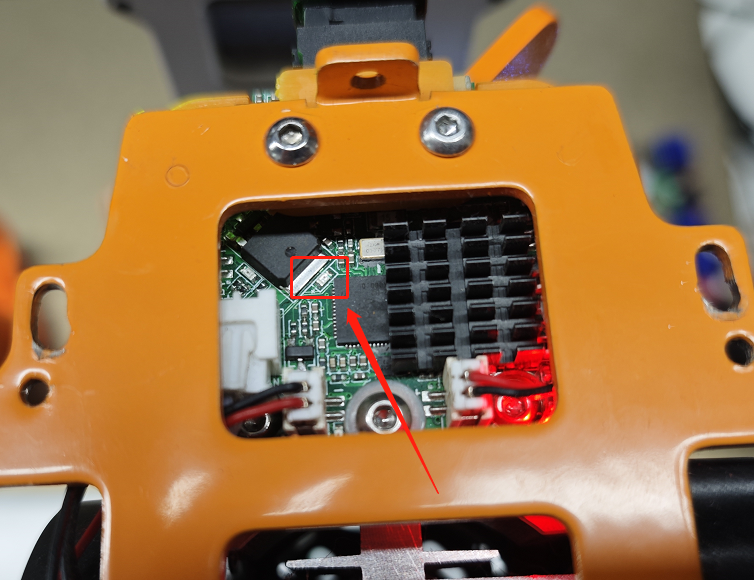
- If the indicator light illuminates during heating, the hotend may be faulty and needs to be replaced.
- If the indicator light does not illuminate during heating, one of the following components may be faulty: the printhead adapter board, CAN expansion board, CAN bus, enclosure adapter board, or CAN bus adapter cable.
¶ Contact Technical Support
If the issue persists after completing all the troubleshooting steps above, please provide the following information when contacting technical support:
- The current power supply voltage setting.
- Whether the hotend heats up normally after reconnecting the printhead adapter cable or connecting it to another port.
- Whether the indicator light on the adapter board illuminates during heating.
- Photos of the hotend and its connections.
¶ Help Us Improve
If you have any suggestions for this page, please contact us through the ELEGOO Official Feedback Channel.