¶ Issue Description
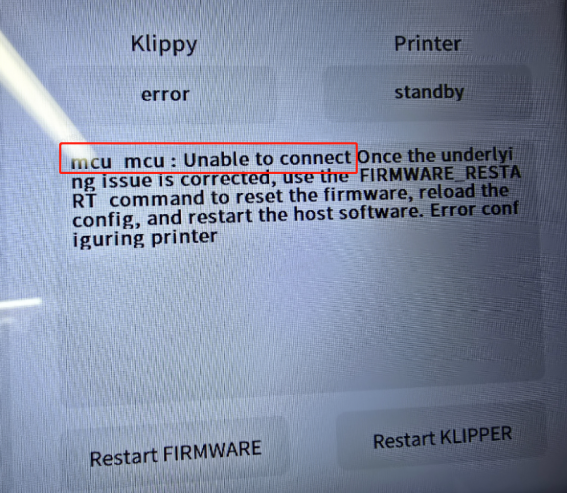
The error message appears on the touch screen or Fluidd : mcu mcu:Unable to connect Once the underlying issue is corrected,use the FIRMWARE_RESTART command to reset the firmware, reload theconfig, and restart the host software.Error configuring printer
¶ Reasons
-
Poor contact in components such as CAN bus or CAN bus adapters, extruder adapter boards, and chamber adapter boards.
-
Damage to components including CAN bus or CAN bus adapters, extruder adapter boards, and chamber adapter boards.
¶ Troubleshooting Steps
¶ Tools Needed for Troubleshooting
- A 2.0 mm Allen key
¶ Step 1 Re-plug the cables.
-
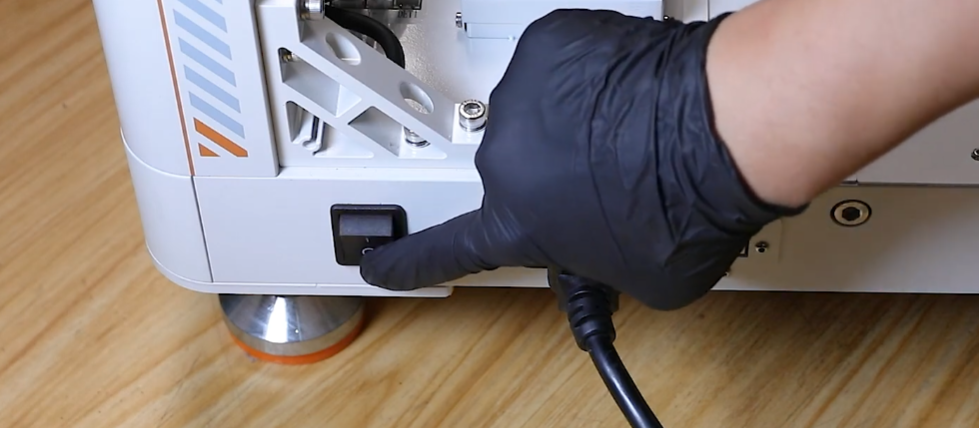
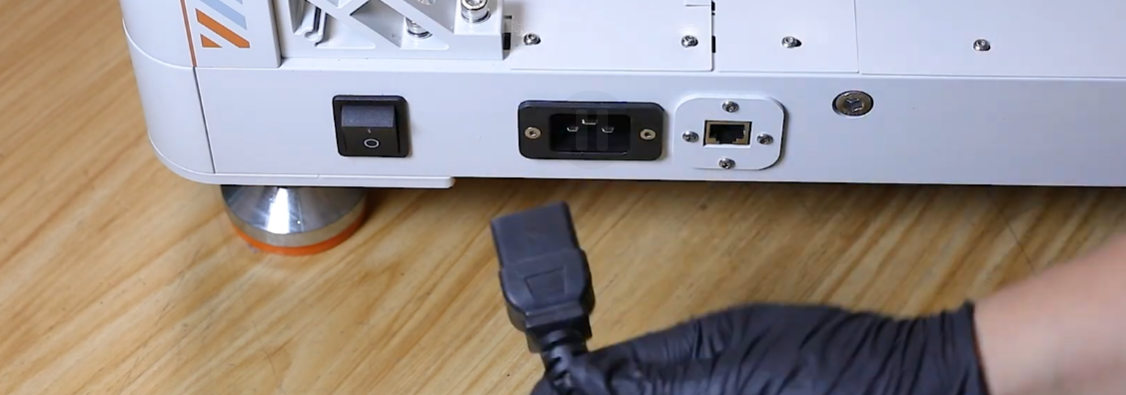
Turn the power switch OFF (symbol "〇") and unplug the power supply cable.
-
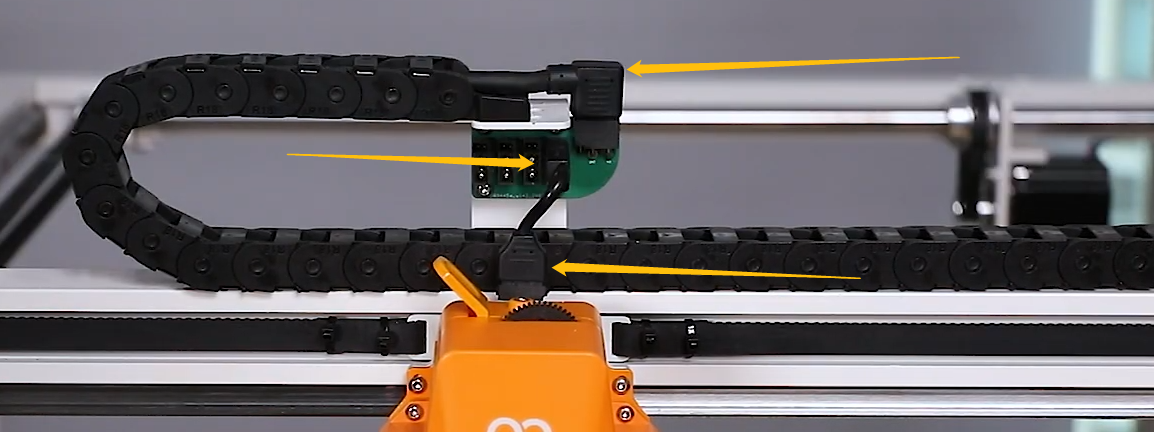
Re-plug the three cables shown in the picture below.
¶ Step 2 Re-plug the Cables Connected to the Extruder.
-
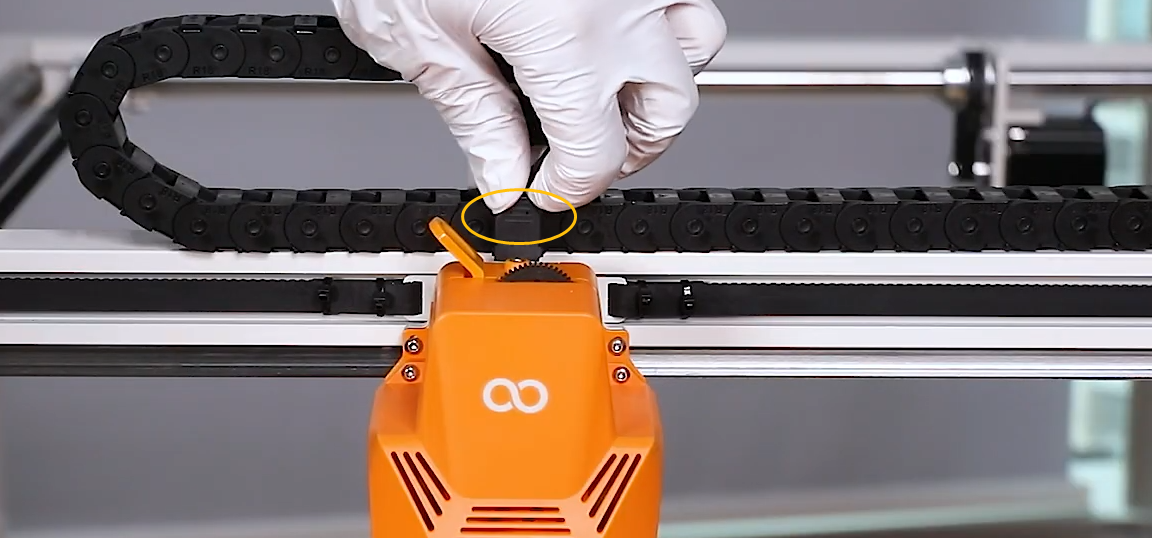
Unplug the adapter cable of the extruder.
-
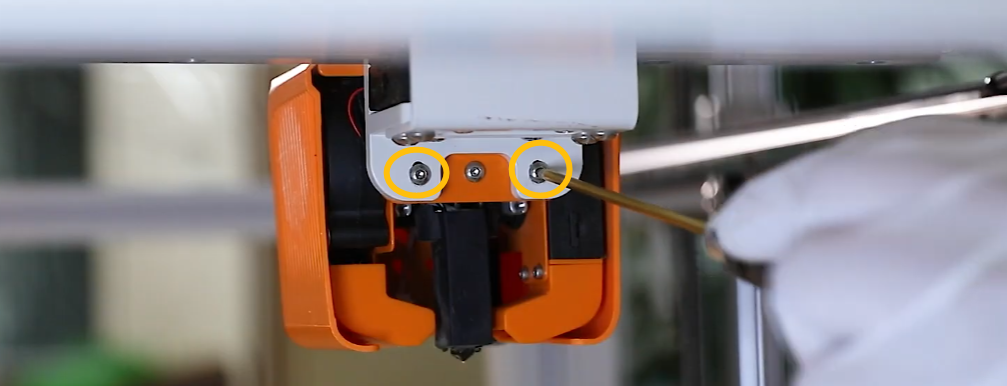
Release and remove the two marked screws shown in the picture below.
-
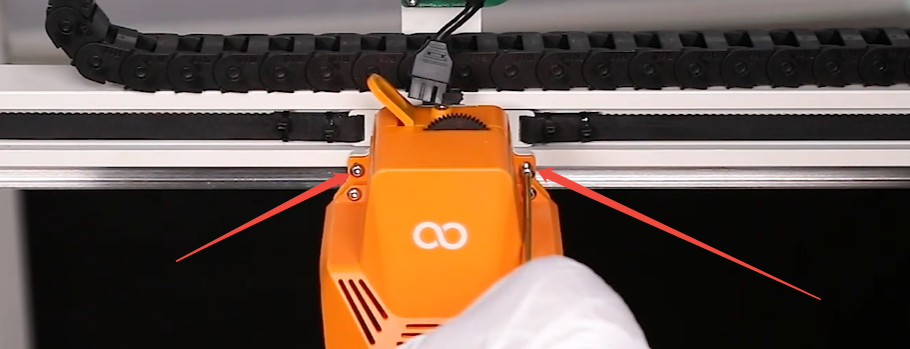
Hold the extruder when removing the two marked screws shown in the picture below.
-
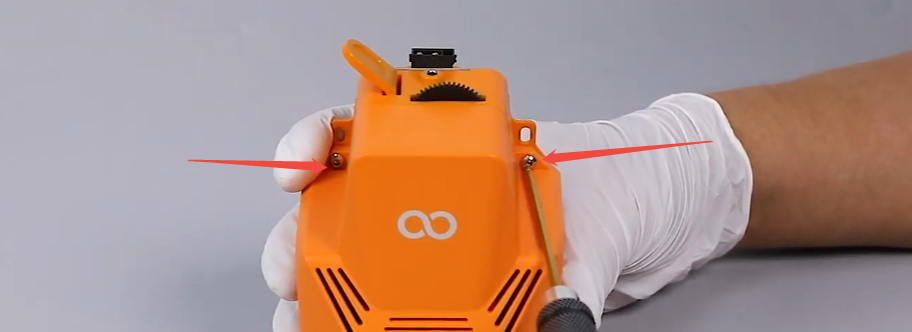
Release and remove the two marked screws shown in the picture below.
-
Remove the front cover of the extruder.
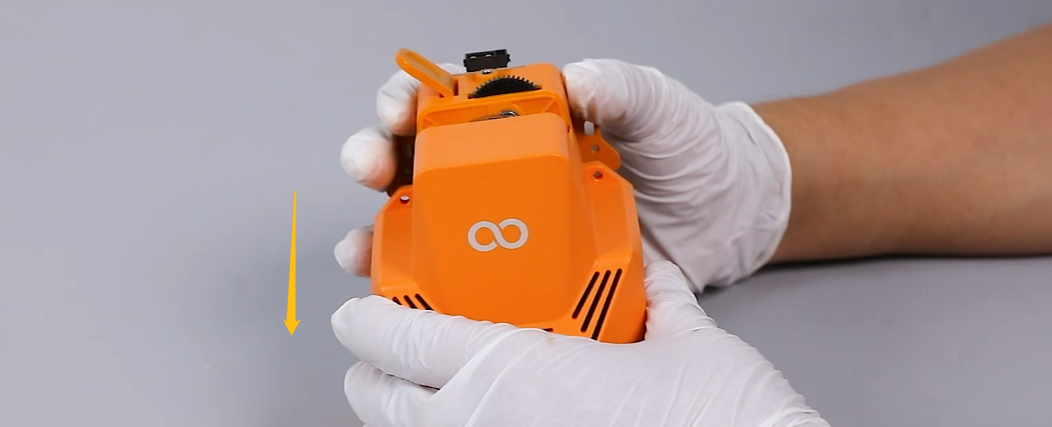
-
Release the three marked screws shown in the picture below.
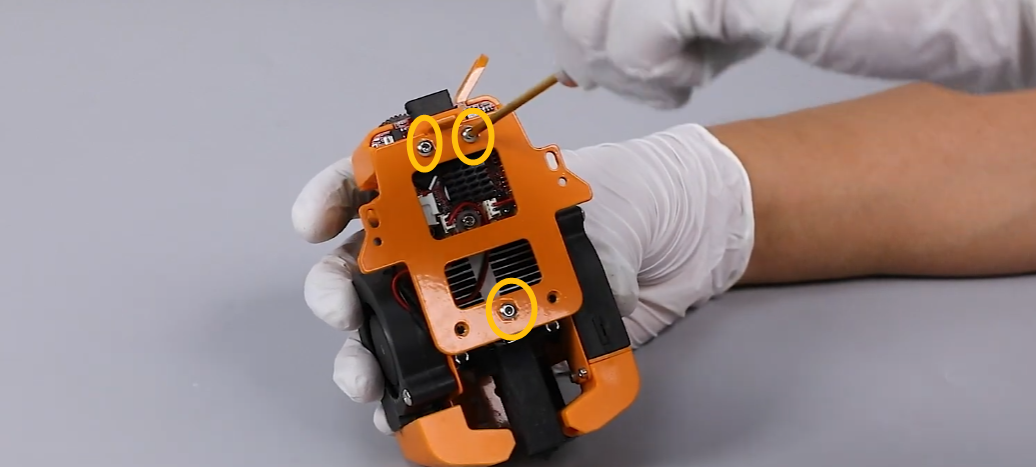
-
Remove the pressure plate.
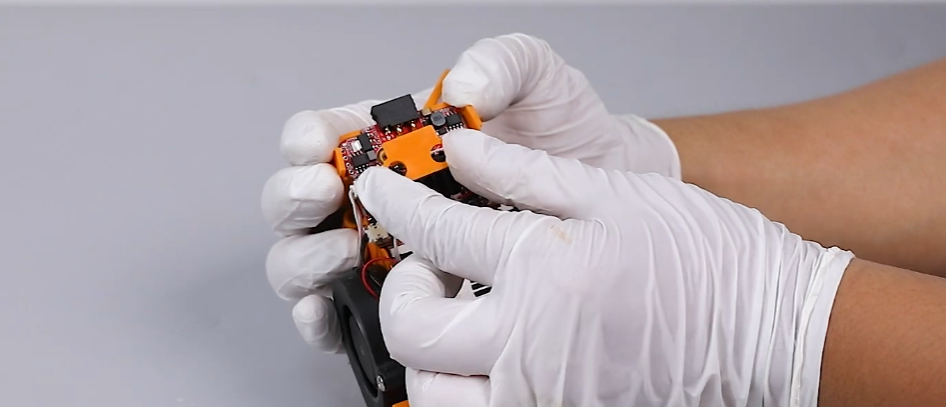
-
Re-plug the cables shown in the picture below.
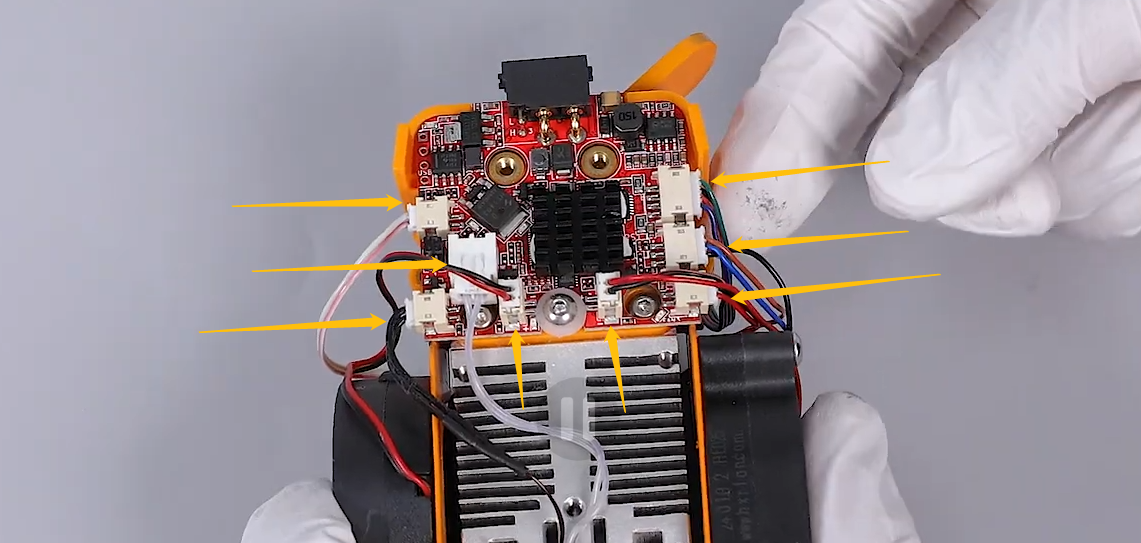
¶ Step 3 Re-plug the CANbus cables on the chamber adapter board.
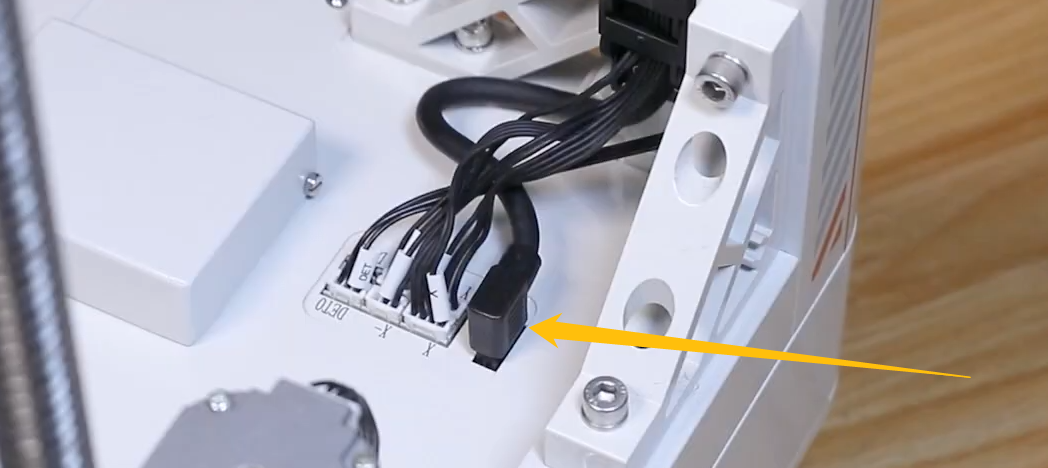
¶ Step 4 Re-plug the CAN bus adapter cable connected to the motherboard.
-
Remove the screws marked in the picture below.
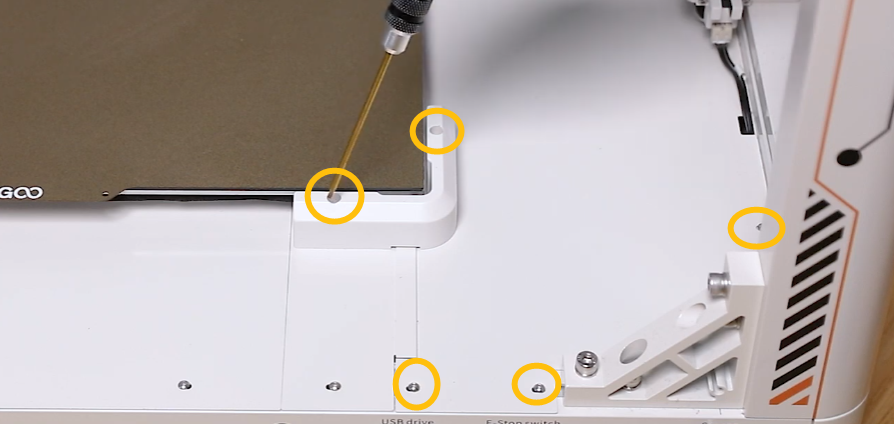
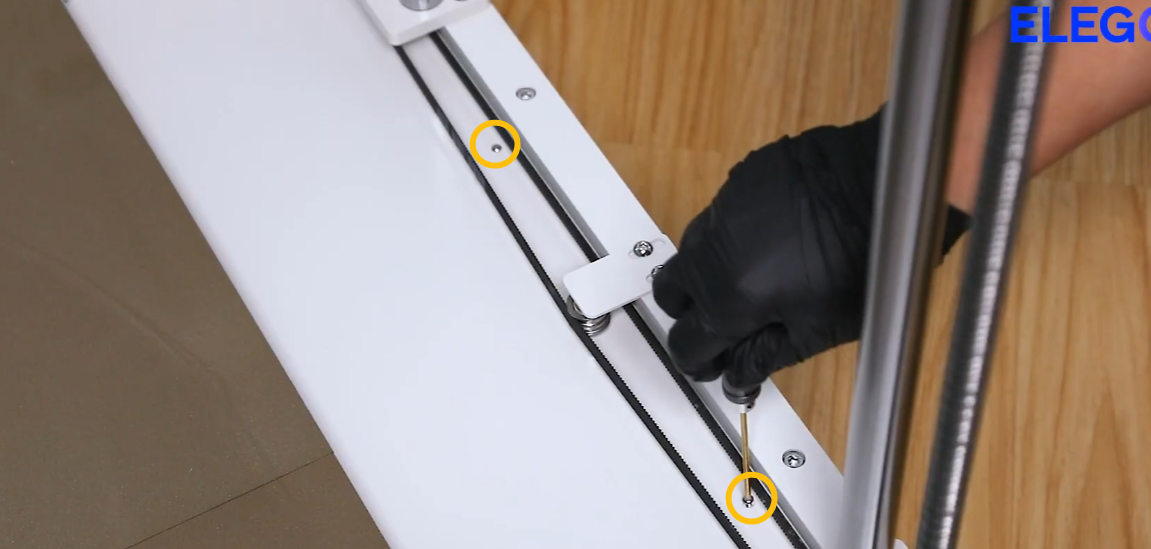
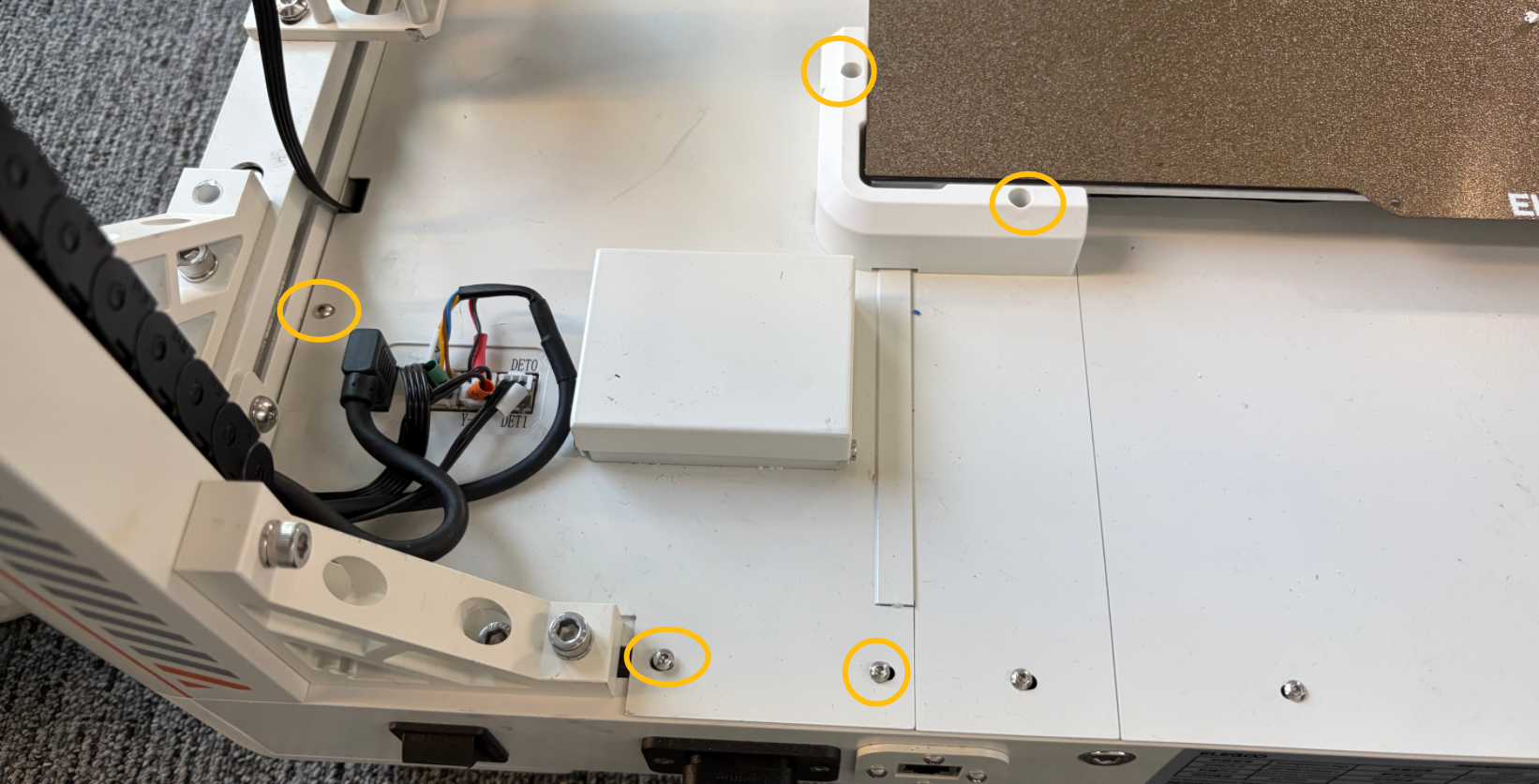
-
Unplug the cables shown in the picture below.
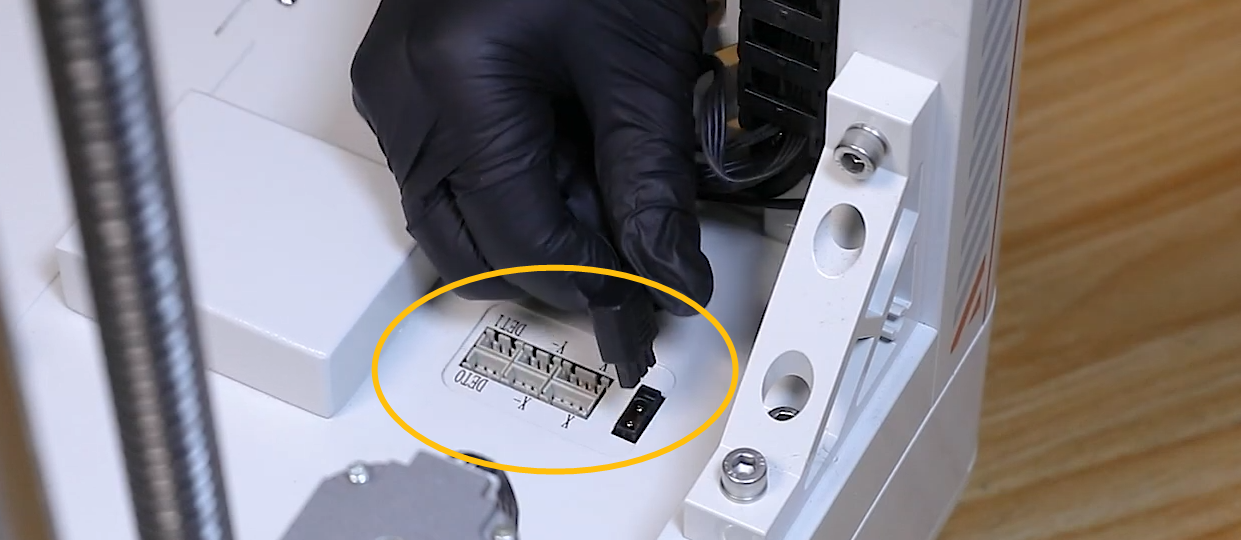
-
Remove the cover of the motherboard.

-
The motherboard is located in the marked area shown in the picture below.
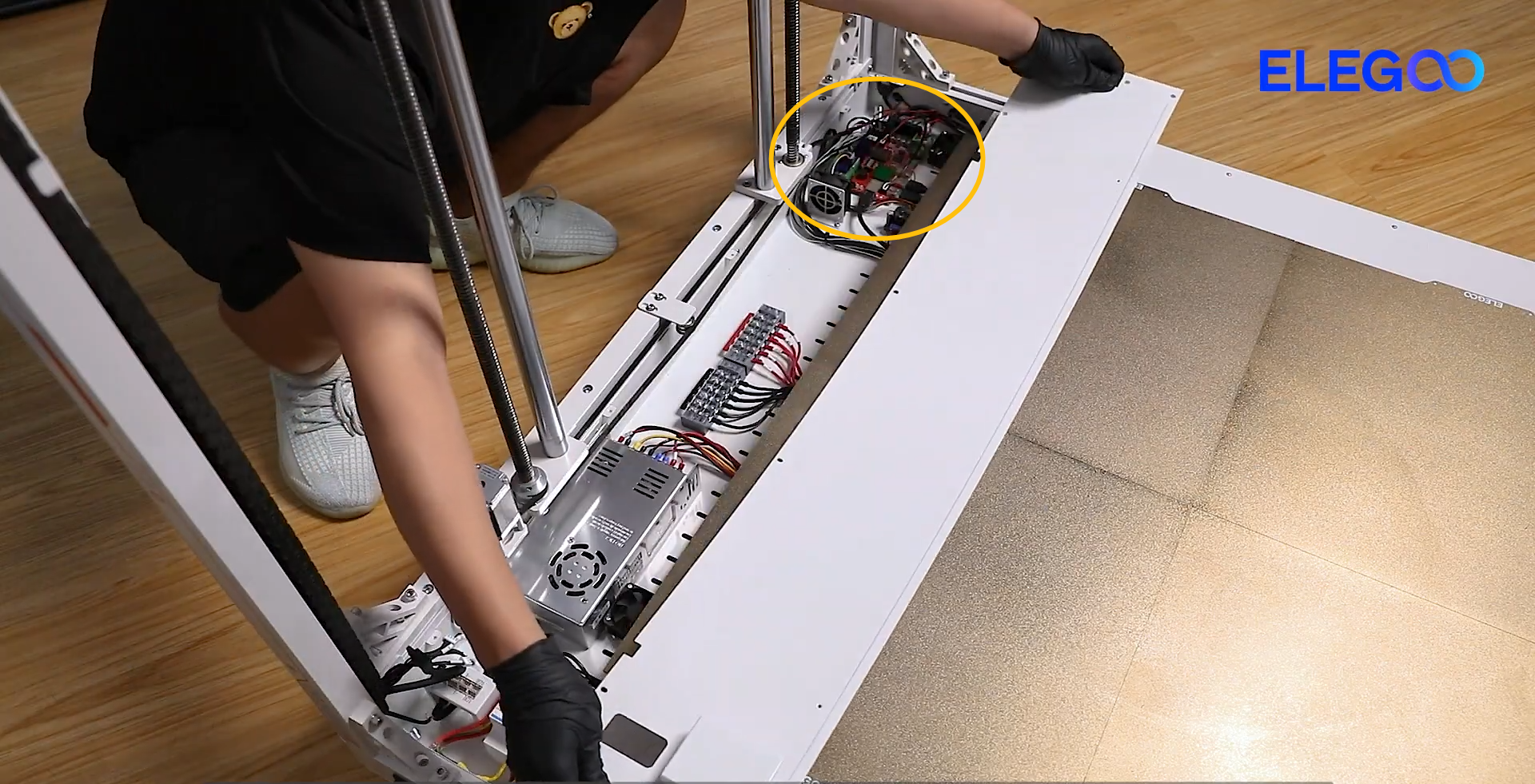
-
Re-plug the cables shown in the picture below.
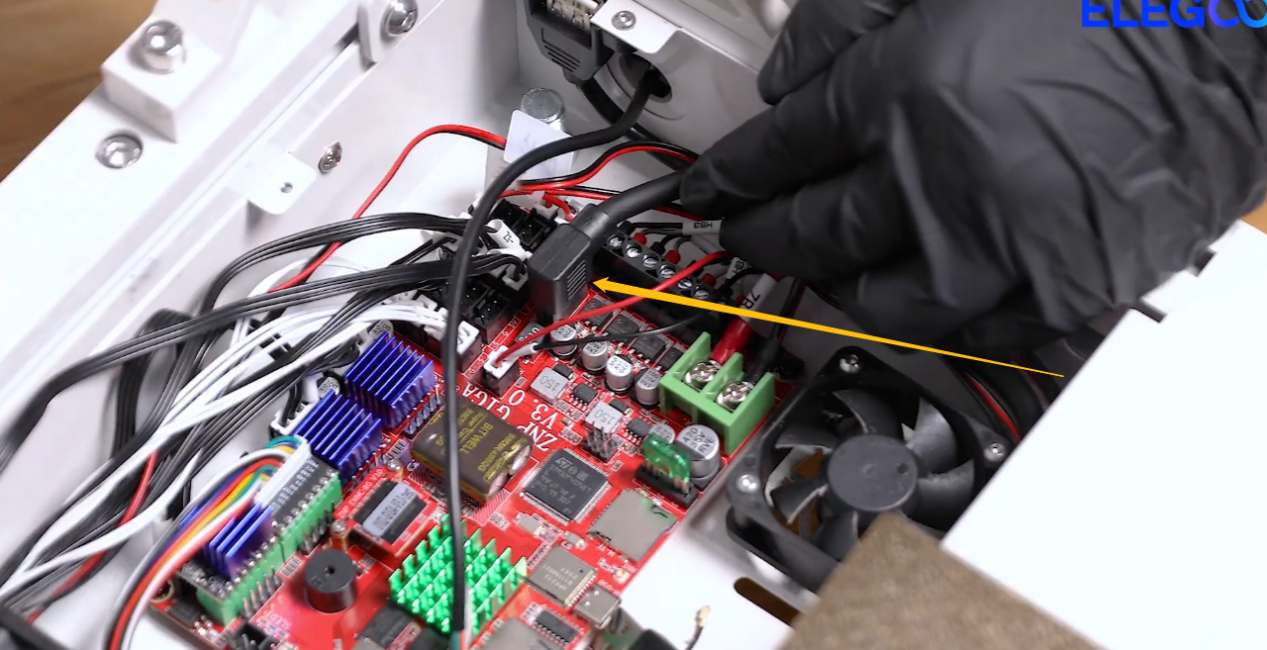
¶ Step 5 Re-plug the CANbus connected to the back side of the chamber adapter board
-
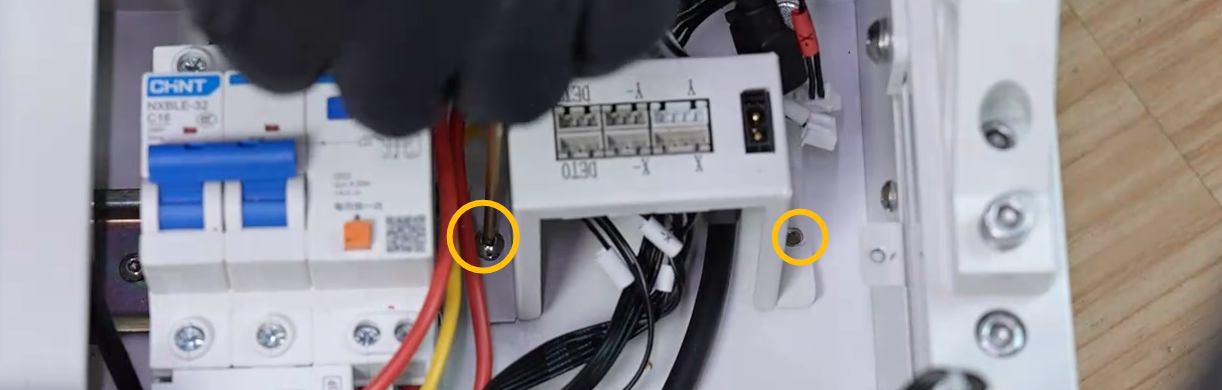
Locate the chamber adapter board in the marked area.
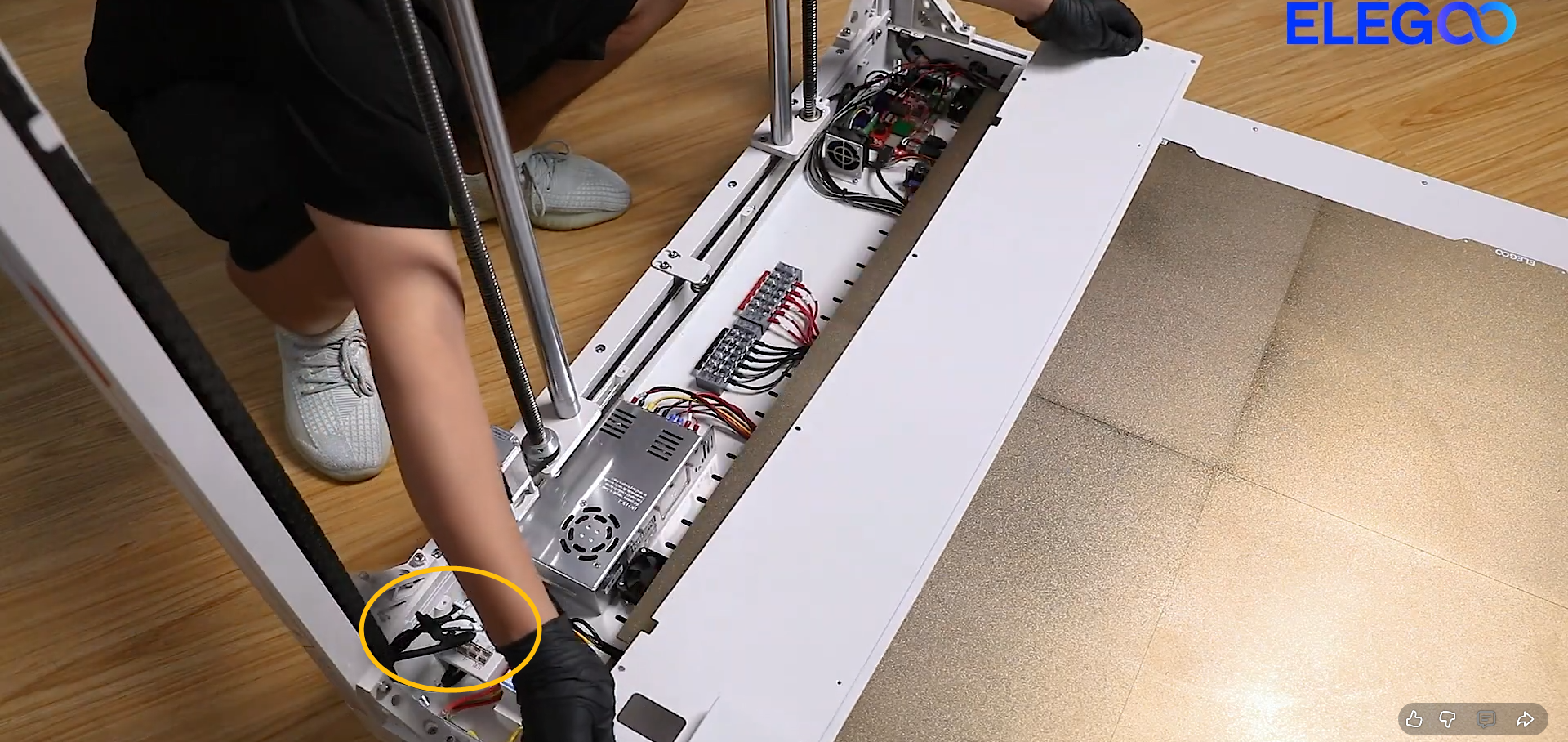
-
Remove the two marked screws and turn the chamber adapter over.
-
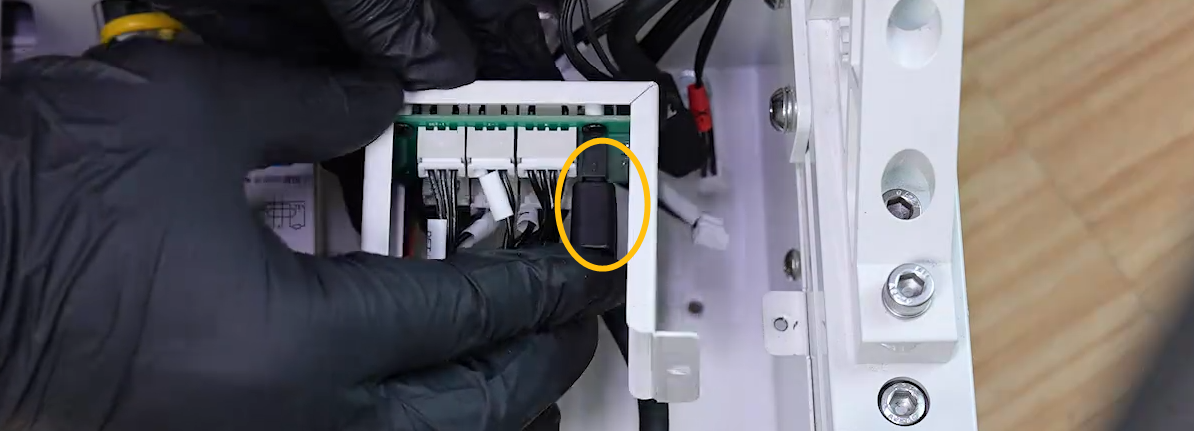
Re-plug the marked cable shown in the picture below.
¶ Still Have Issues?
Should you continue to encounter this error message after completing the steps, contact ELEGOO technical support team for further advice.