¶ Issue Description
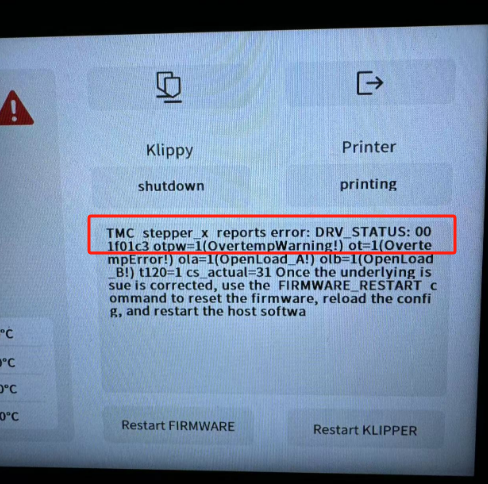
The touch screen or Fluidd displays the following error message:
TMC stepper_x reports error: DRV_STATUS: 001f 01c3 otpw=1(OvertempWarning!)
¶ Reasons
-
Insufficient motherboard-driven cooling
-
Poor contact of the X-axis motor cable
-
One of the components is faulty: motherboard, motherboard fan, X-axis motor, X-axis motor cable or X-axis motor adapter cable
¶ Troubleshooting Steps
¶ Tools needed for troubleshooting
2.0 mm Allen key * 1
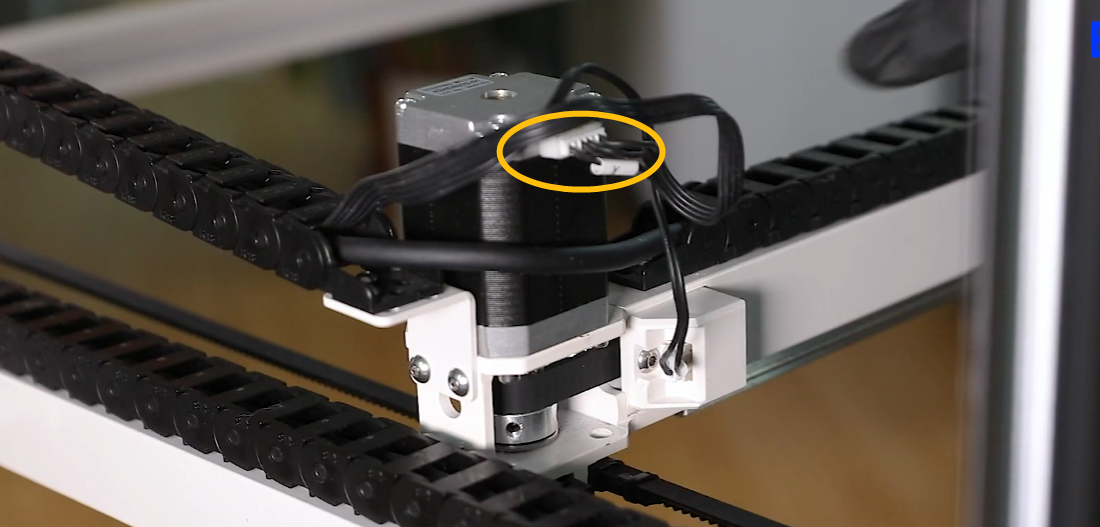
¶ Step 1 Re-plug the X-axis motor cable on the X-axis motor side.
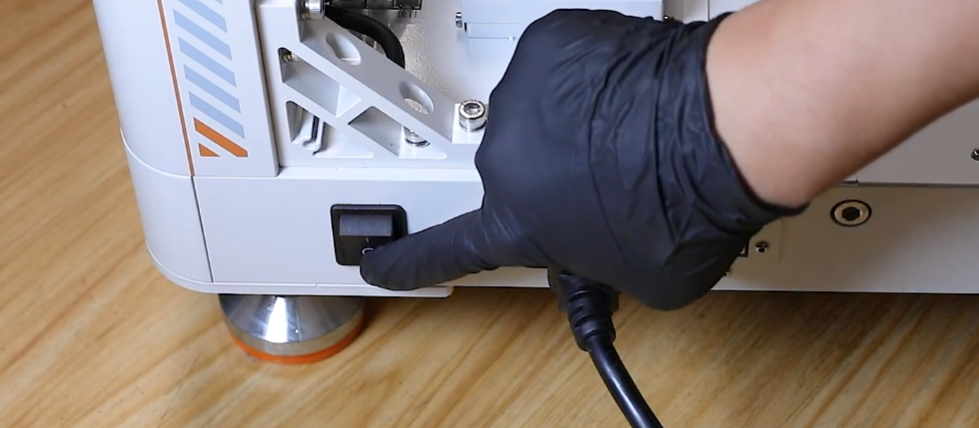
1. Turn the power switch OFF (symbol "丨").
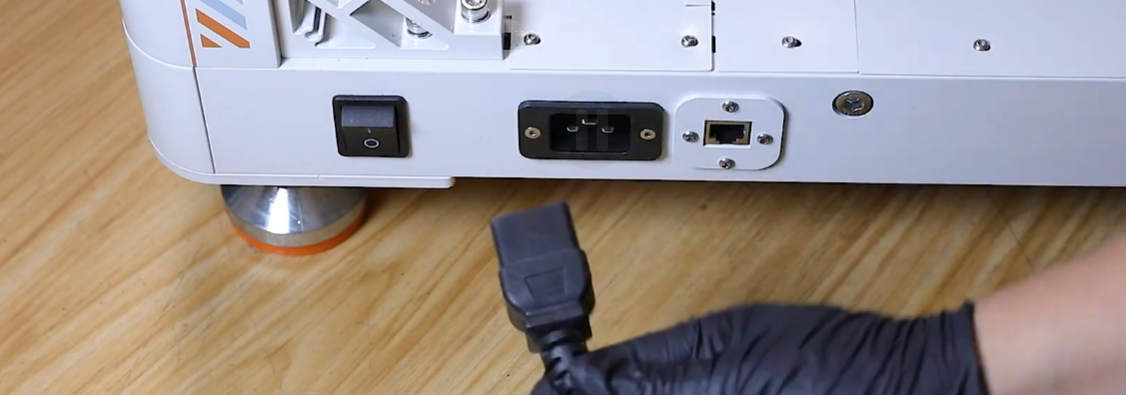
2. Unplug the power cable.
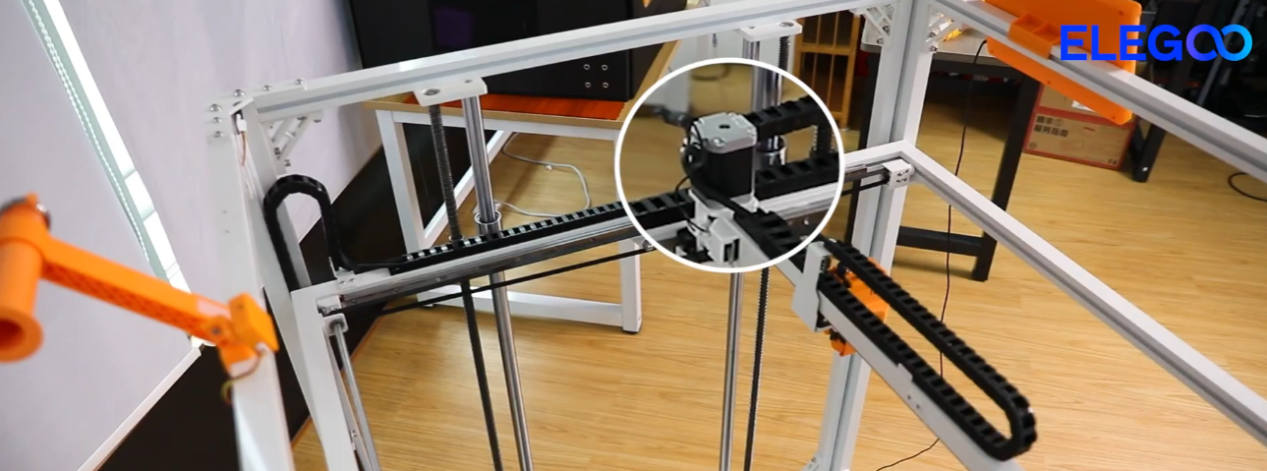
3. Re-plug the X-axis motor cable on the X-axis motor side.
 \
\
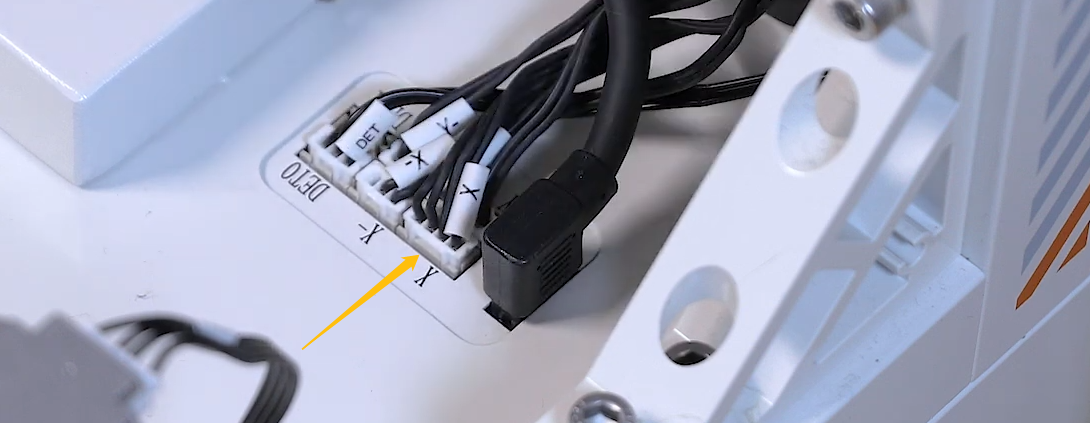
¶ Step 2 Re-plug the X-axis motor cable on the chamber adapter board
side.
 \
\
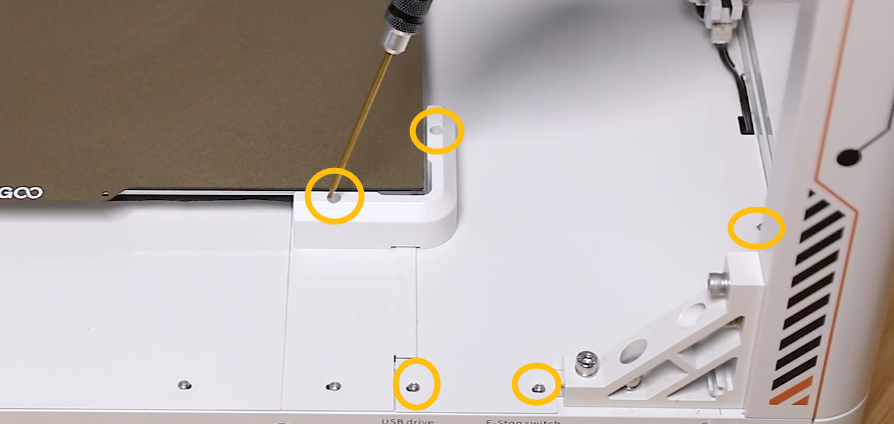
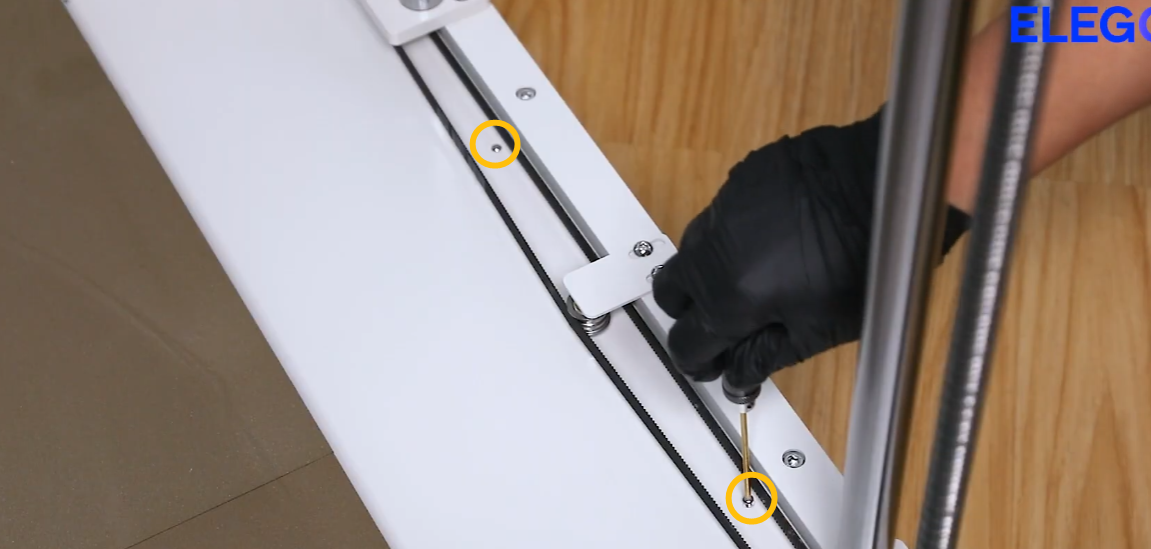
¶ Step 3 Re-plug the X-axis motor cable on the motherboard side.
- Remove the marked screws shown in the picture below.
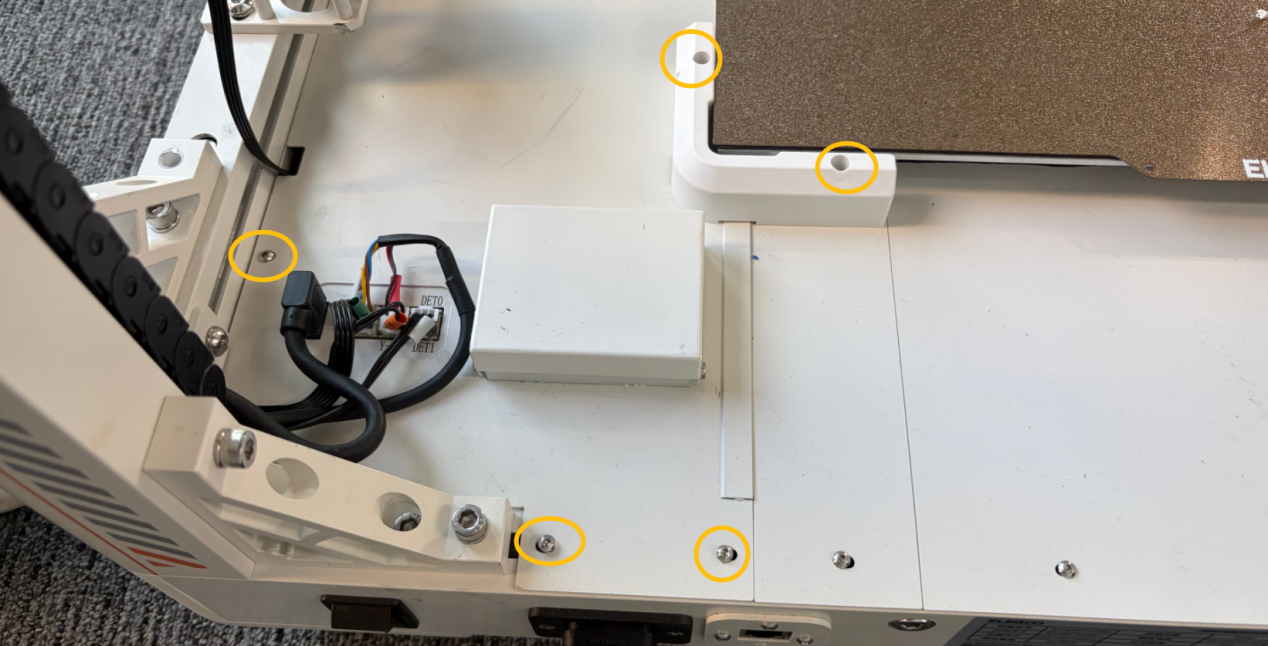 \
\ - Unplug the marked cables shown in the picture below.
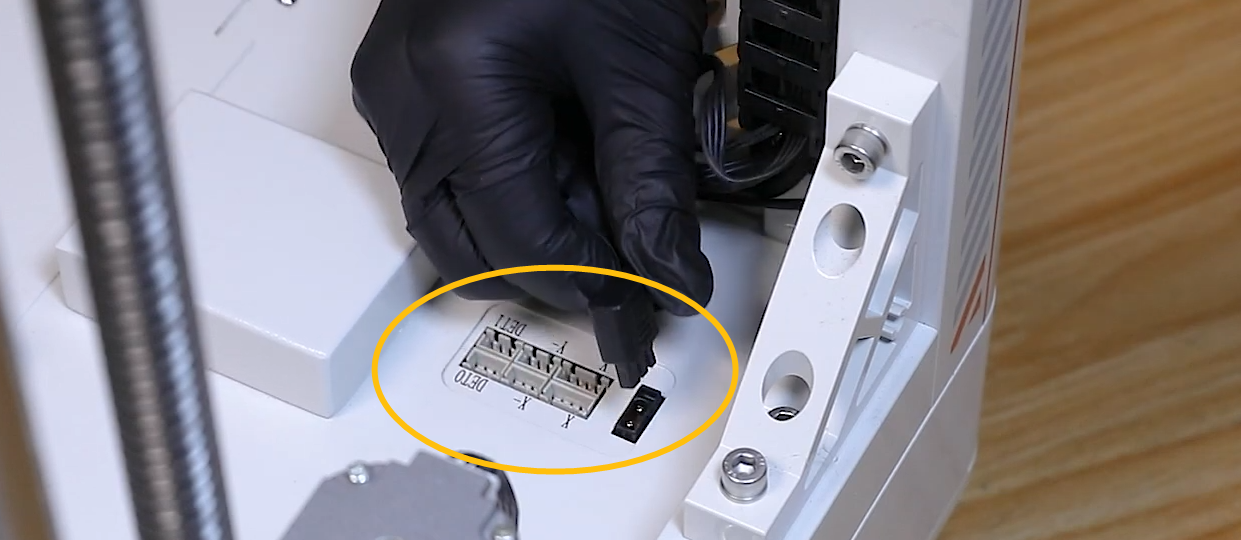 \
\ - Remove the motherboard cover.
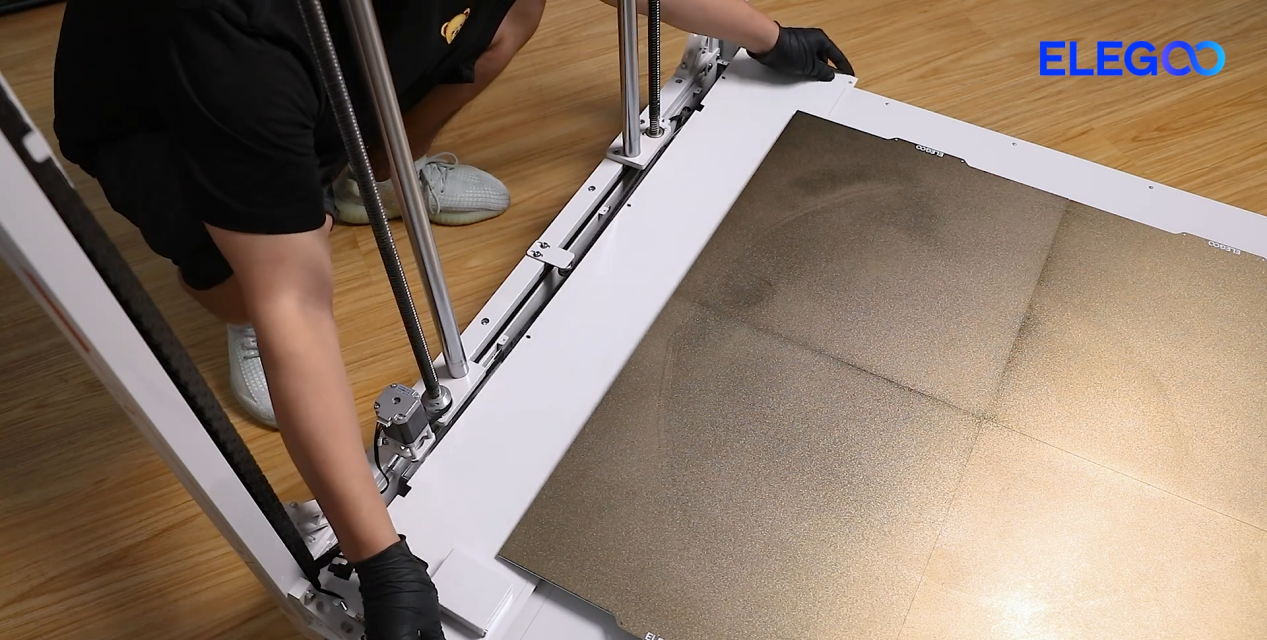
4. The motherboard is located under the cover.
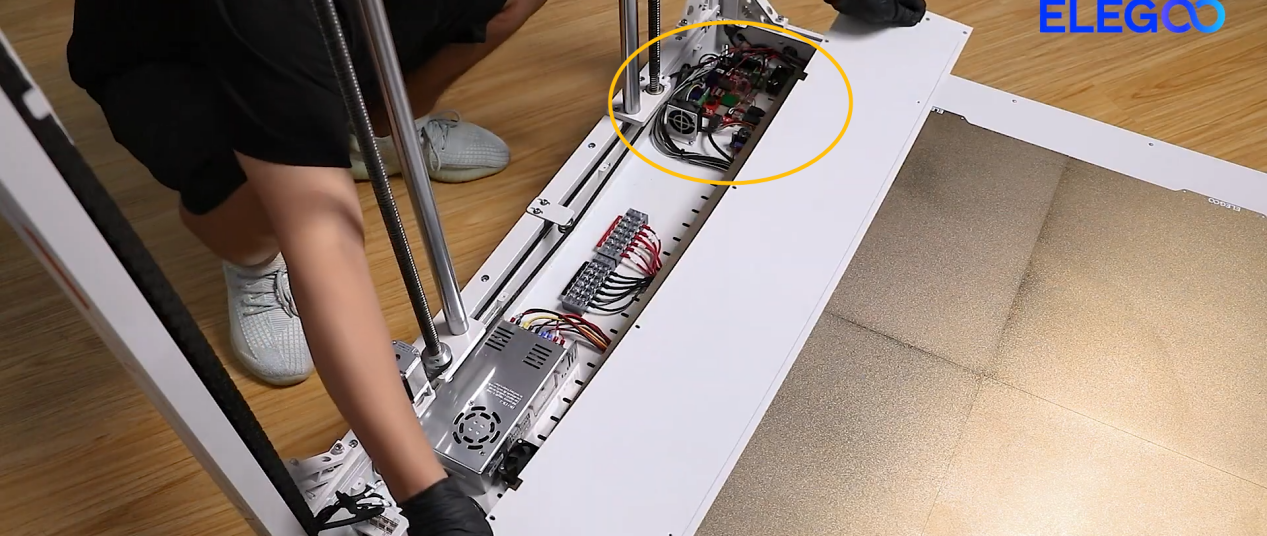
5. Re-plug the X-axis motor cable.
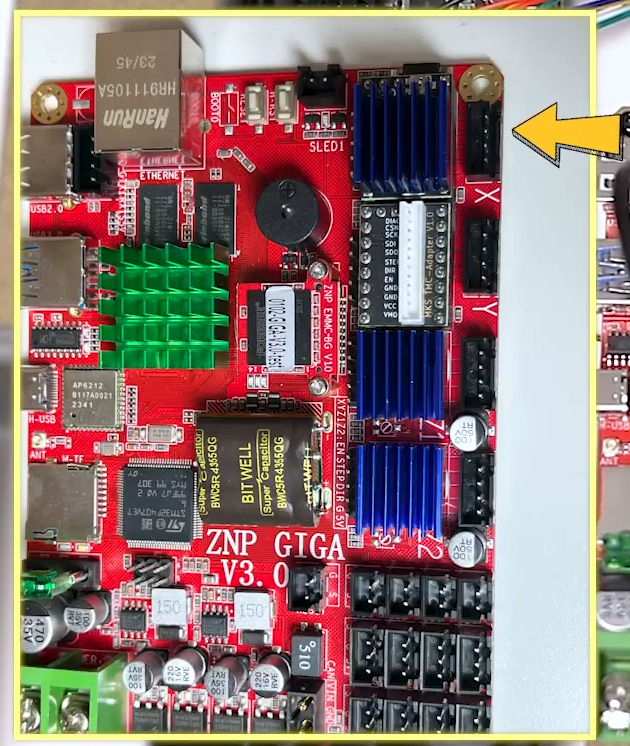 \
\
¶ Step 4 Re-plug the X-axis motor adapter cable on the back of the chamber adapter board.
- Remove the two marked screws shown in the picture below with a 2.0 mm
Allen key.
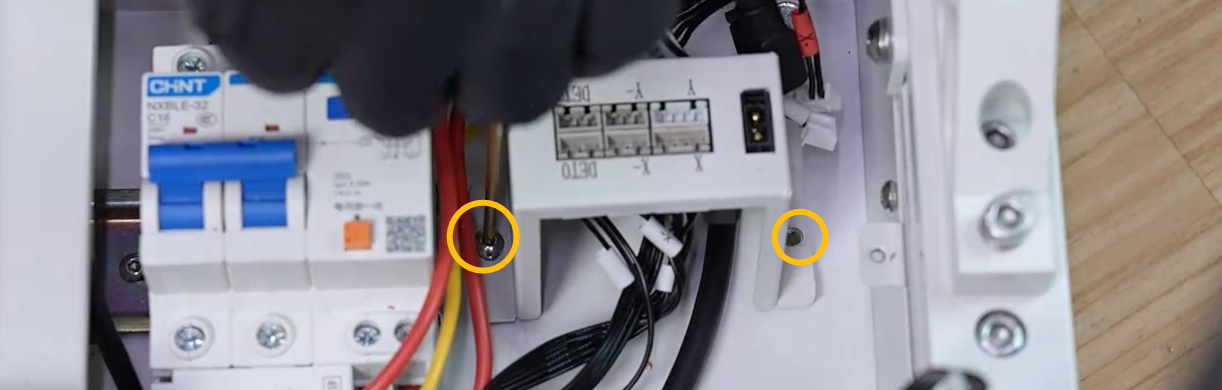 \
\ - Re-plug the X-axis motor adapter cable on the back of the chamber
adapter board.
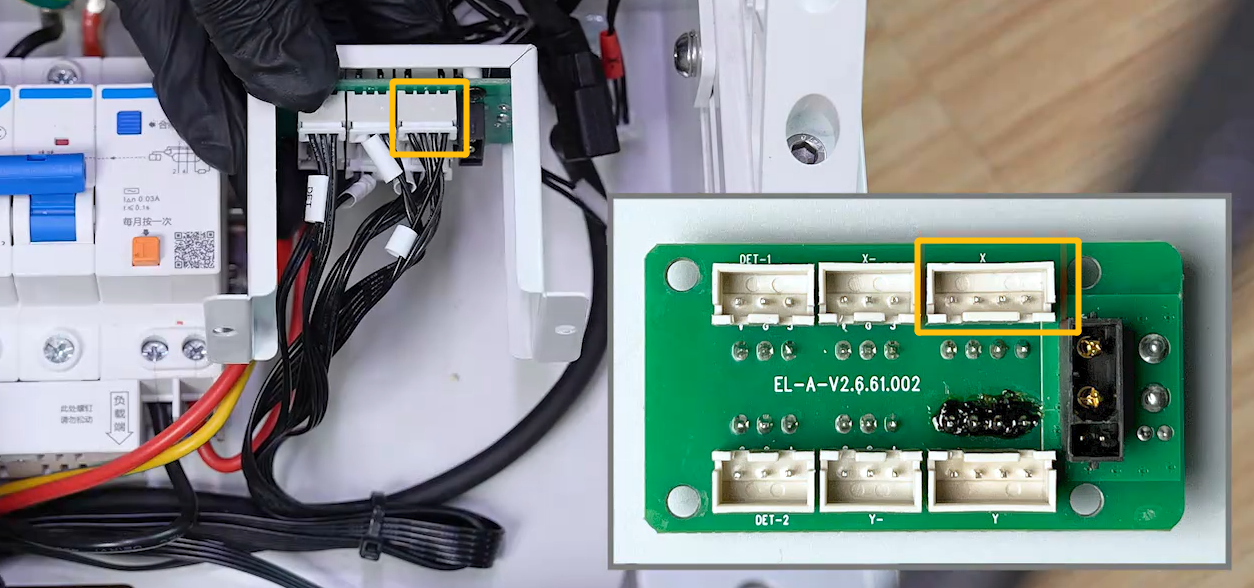 \
\
¶ Step 5 Install a fan duct onto the motherboard cooling fan.
-
Download the fan duct STL file from the link below and print it.
fd.stl -
Install the fan duct onto the motherboard cooling fan.
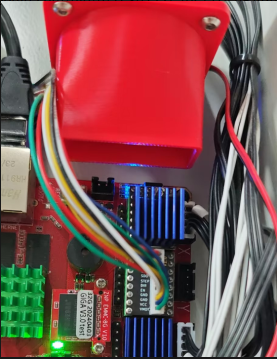
¶ Still have issues?
If the issue persists, contact the ELEGOO after-sales technical support team. Provide the troubleshooting results and the ELEGOO technical team will investigate and provide a solution based on the information you provide.