¶ Fault phenomenon
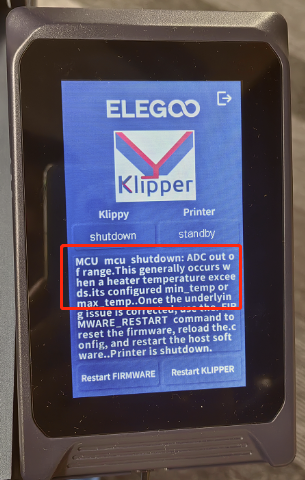
The error message "MCU mcu shutdown: ADC out of range" typically occurs when the temperature of a heater exceeds its configured minimum or maximum temperature limits. In this case, there is an abnormal reading between the hot - end and hot - bed thermal sensors of the Printer. The most likely cause is a damaged thermal sensor.
¶ Tools necessary for toubleshooting
A 2.0 mm Allen key
¶ Troubleshooting steps
¶ Step 1 Re-install the cable.
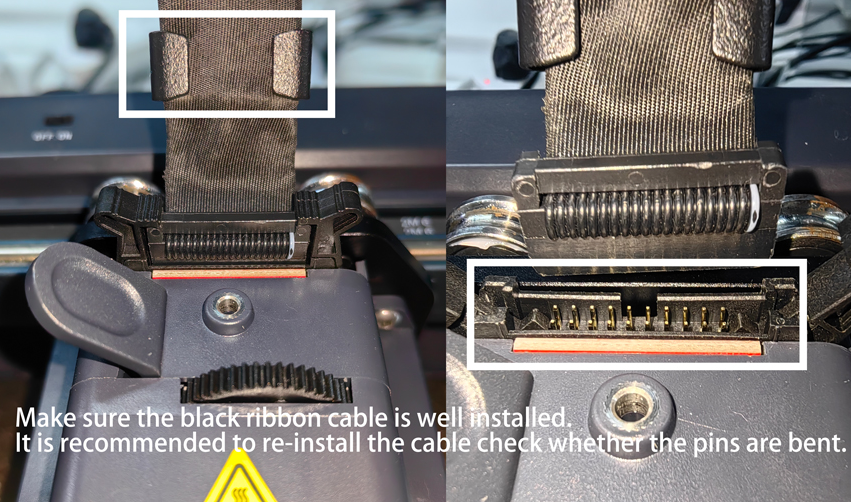
Turn off the printer and re-install the cable in this area.
Wait for approximately one minute before powering on the Printer again. This may automatically clear the fault message.
¶ Step 2 Straighten the pins of the cable using external force.
If the pins of the cable are bent, you can try to straighten them using external force. However, if they cannot be straightened, please provide detailed photos. Based on these photos, we will apply for an adapter PCB board to resolve the issue.
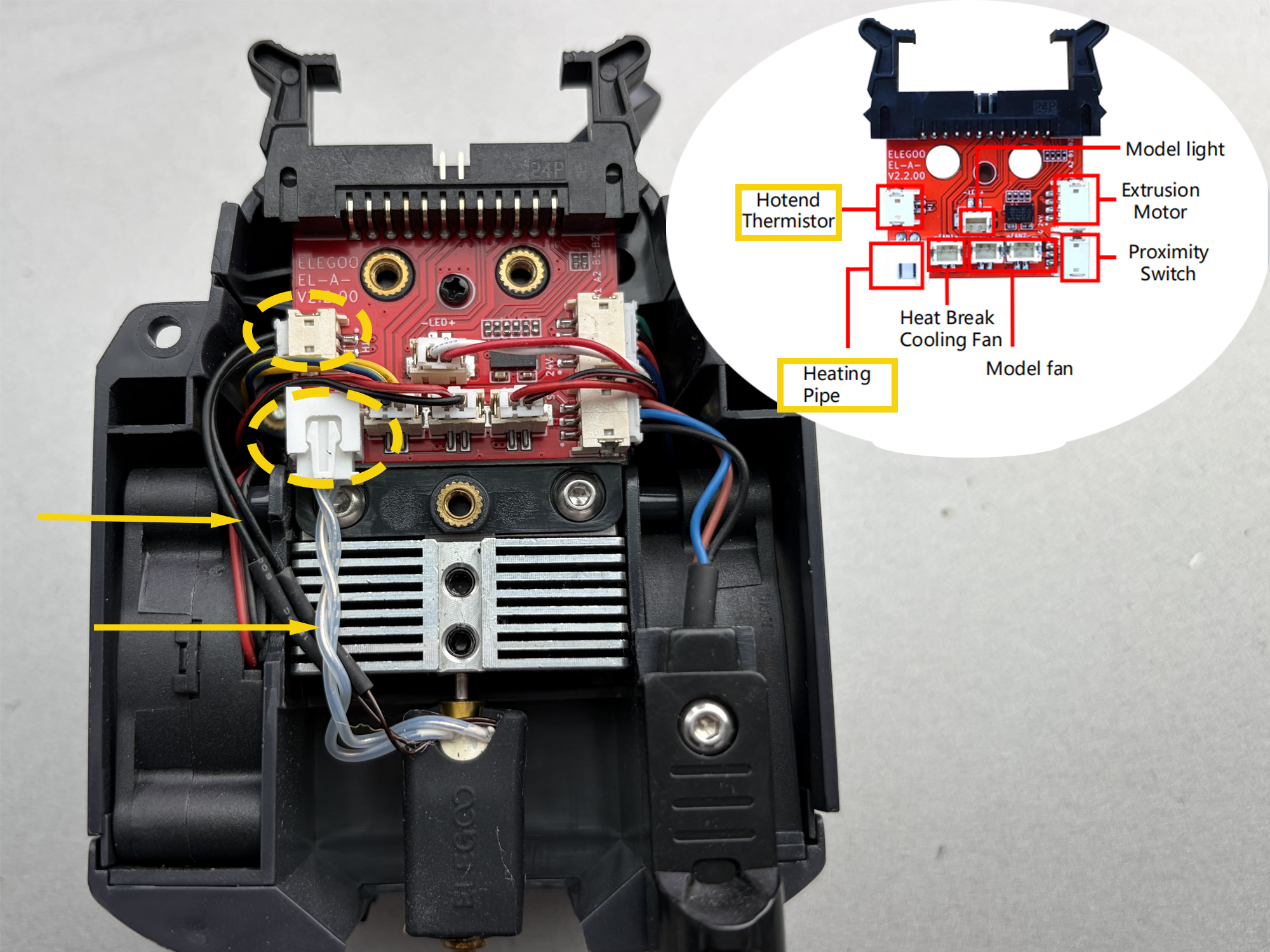
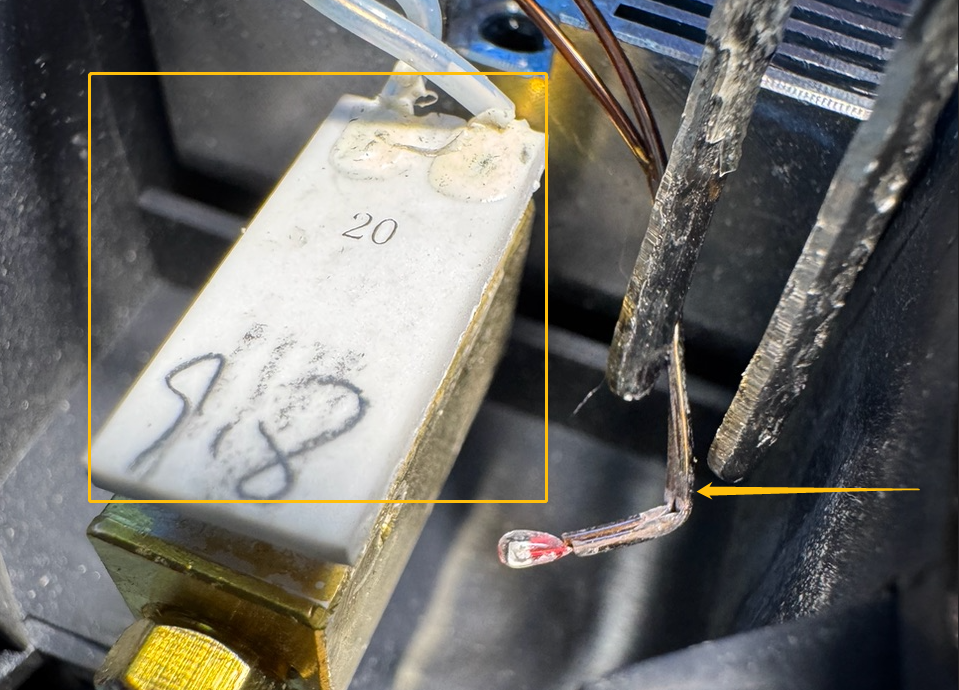
¶ Step 3 Check whether the extruder and the thermal bed's thermal wiring are damaged.
If the printer has been in use for some time, you should also check whether the extruder and the thermal bed's thermal wiring are damaged. You can refer to this video to check the hotend thermal wiring: https://youtu.be/t6Of81JaPVE.
Inspect the hotend thermosensitive component as well.
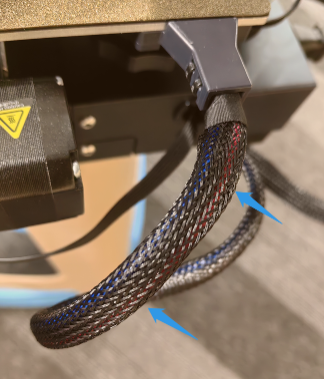
¶ Step 4 Move the heated bed to reduce the bending of the wiring in that area.
Turn off the Printer power, move the bed to reduce the bending of the wiring in that area, and then restart the Printer. If the fault disappears, the issue lies with the bed's thermal wiring. Please inform us of the results.
¶ Step 5 Check whether the temperatures of the nozzle and the heated bed are displayed normally.
In addition, if you can't identify the issue, please refer to the online - printing function to perform online troubleshooting. Check whether the temperatures of the nozzle and the bed are displayed normally. As shown in the figure, if the nozzle temperature shows a negative number, you can submit photos of the temperature parameters displayed on the web port for analysis.
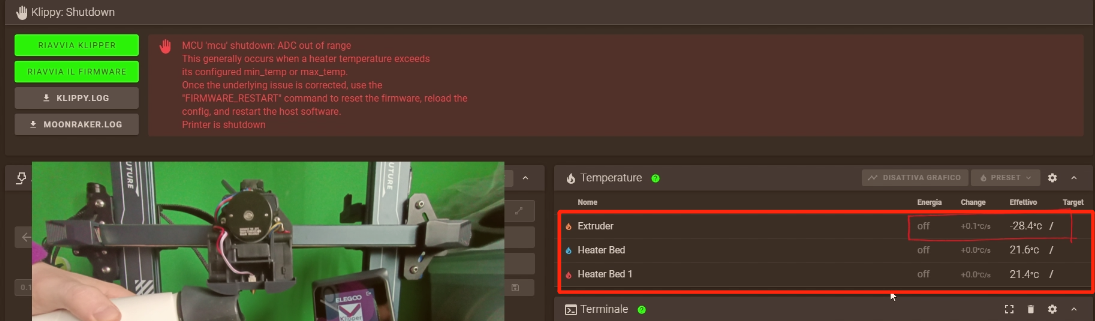
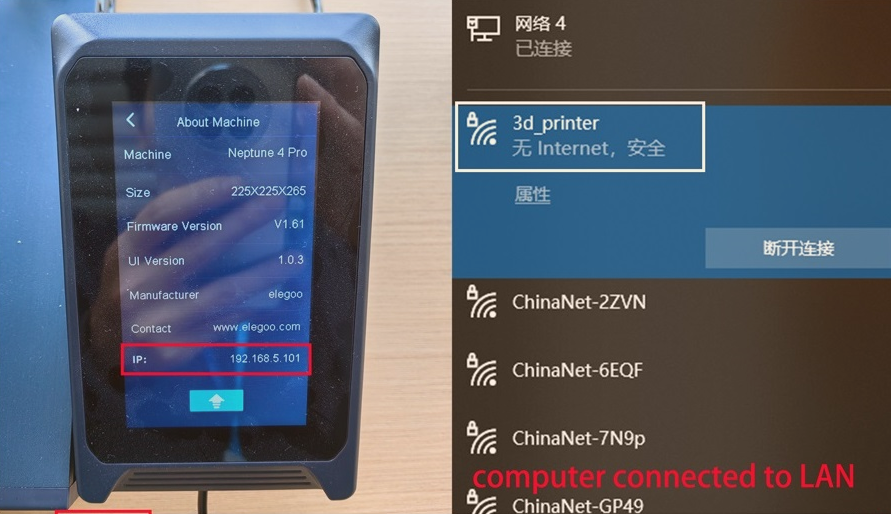
The Neptune 4 series uses the Klipper system. The Neptune 4 Plus and Neptune 4 Max models are directly connected to the local area network via Wi - Fi. Here is the online - printing tutorial: https://youtu.be/z_RYmpIIvIc
¶ Still have issues?
Following the above instructions to check the printer will not affect the printer's warranty.
If the issue persists after completing the above troubleshooting steps, please contact ELEGOO support team.