¶ Issue Description
The extruder stops feeding filament during printing.
¶ Reasons
-
Filament diameter exceeds the allowable tolerance range.
-
The actual filament used does not match the filament type set in the slicing software.
-
The heat break cooling fan fails to operate normally.
-
The room temperature where the printer is placed is close to or exceeds 40 ℃.
-
Filament debris is stuck in the gearbox.
-
The gearbox is damaged.
-
The PTFE tube or the nozzle is worn.
¶ Troubleshooting Steps
¶ Tools needed for troubleshooting
-
A caliper
-
A 2.0 mm Allen key
¶ Step 1 Check whether the filament diameter is within the reasonable range.
Note: The standard tolerance of ELEGOO PLA filament is ± 0.02 mm.
How to measure the filament diameter:
-
Prepare one meter of filament and select 5 points on it.
-
Check whether the measured values at these points exceed the standard tolerance range with a caliper.

¶ Step 2 Check whether the filament type selected in the slicing software matches the one in use.
The default filament type in most slicing software is PLA. If PETG, ASA and ABS is used but the filament type is not changed in the software, nozzle clogging is highly likely to occur, as the nozzle temperatures in the configuration files for different filament types are different.
- Select the currently used filament type in the Filament menu of the slicing software.
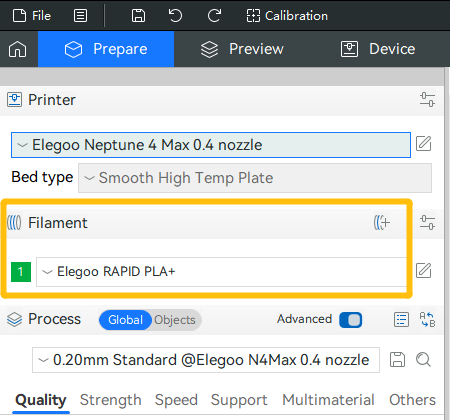
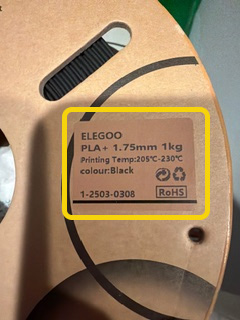
Note: The parameters of ELEGOO filament can usually be found on the brown label on the side of the spool.
¶ Step 3 Check if the heat break cooling fan operates normally.
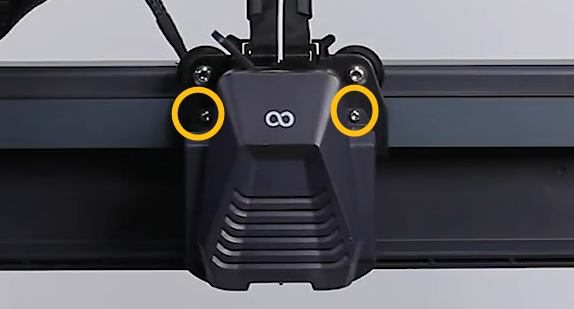
- Remove the two marked screws.
-
Set the nozzle temperature to 200 ℃ on the touch screen.
-
Check if the heat break cooling fan (Fan 2) starts rotating automatically when the nozzle temperature rises above 50℃.
Note: Under normal conditions, the heat break cooling fan turns on automatically when the nozzle temperature exceeds 50℃.
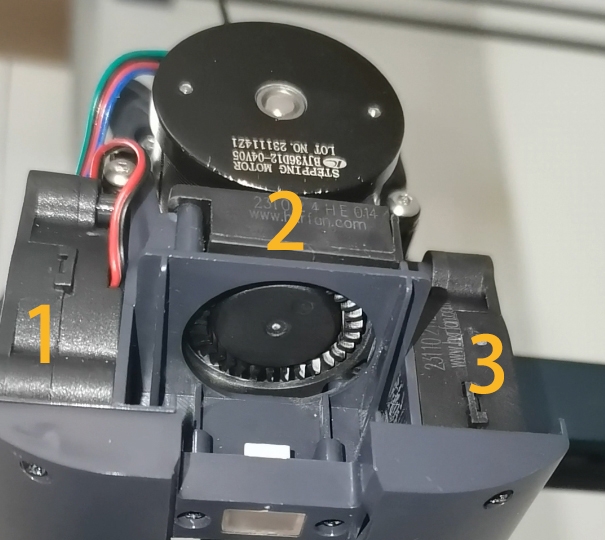
- If the heat break cooling fan rotates normally, check whether the ambient temperature of the printer's room is close to or exceeds 40 ℃.
Note: If the temperature is close to 40 ℃, the heat break does not cool sufficiently during printing, increasing the risk of the nozzle becoming clogged.
- If the heat break cooling fan fails to rotate when the temperature exceeds 50 ℃, it indicates that one of the following components may be damaged and need to be replaced: heat break cooling fan, adapter board, extruder cable, and motherboard. Perform further troubleshooting by following the link (Troubleshooting for Non-rotating Heat Break Cooling Fan).
¶ Step 4 Check for gearbox damage.
-
Turn the power switch OFF (symbol "〇").
-
Disassemble the gearbox by referring to the video link below.
https://www.youtube.com/watch?v=7dGtYT3cMIY&list=PLkFeYZKRTZ8YtkA1-ZWWD5TlkWCoXSvtI&index=23&t=81s -
Check whether the internal handle of the gearbox is damaged and if the gear surface is worn.

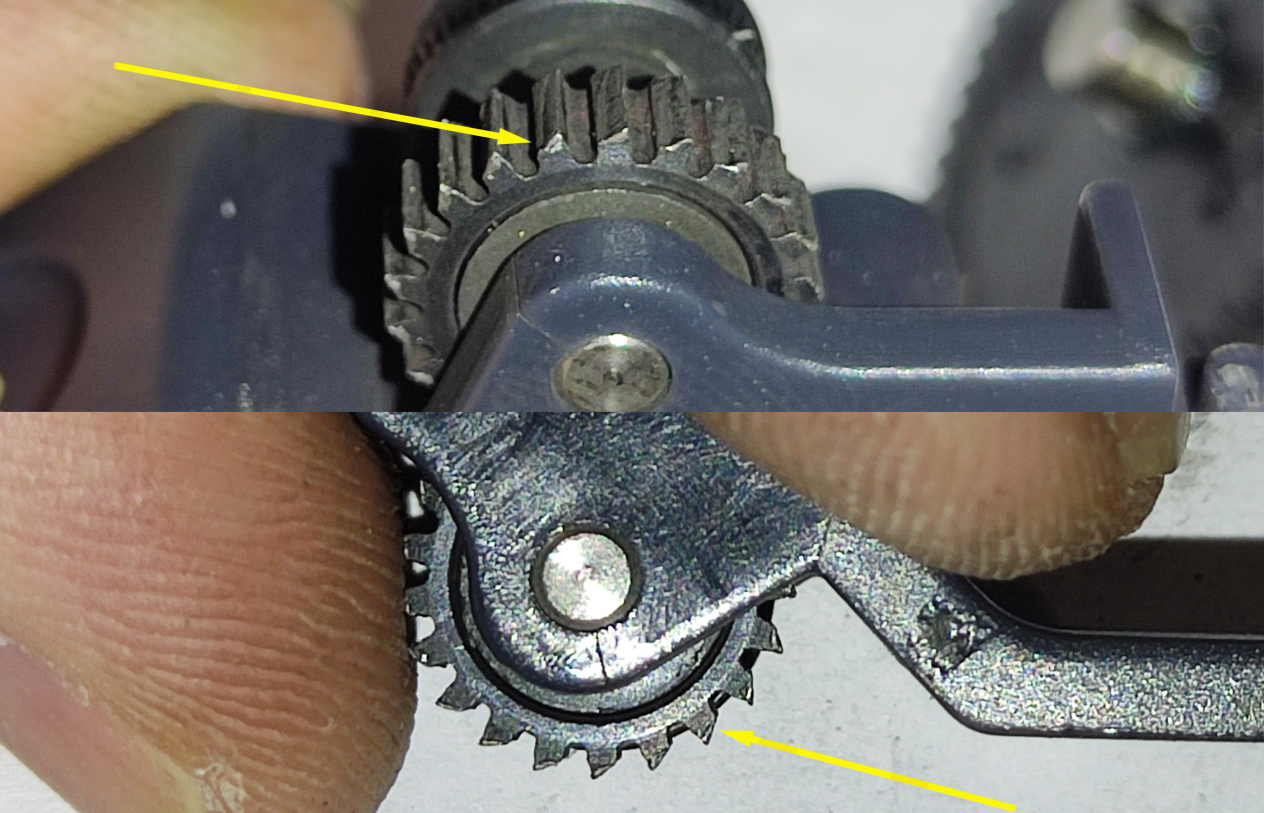
- Check the position below for filament debris that may affect filament feeding.

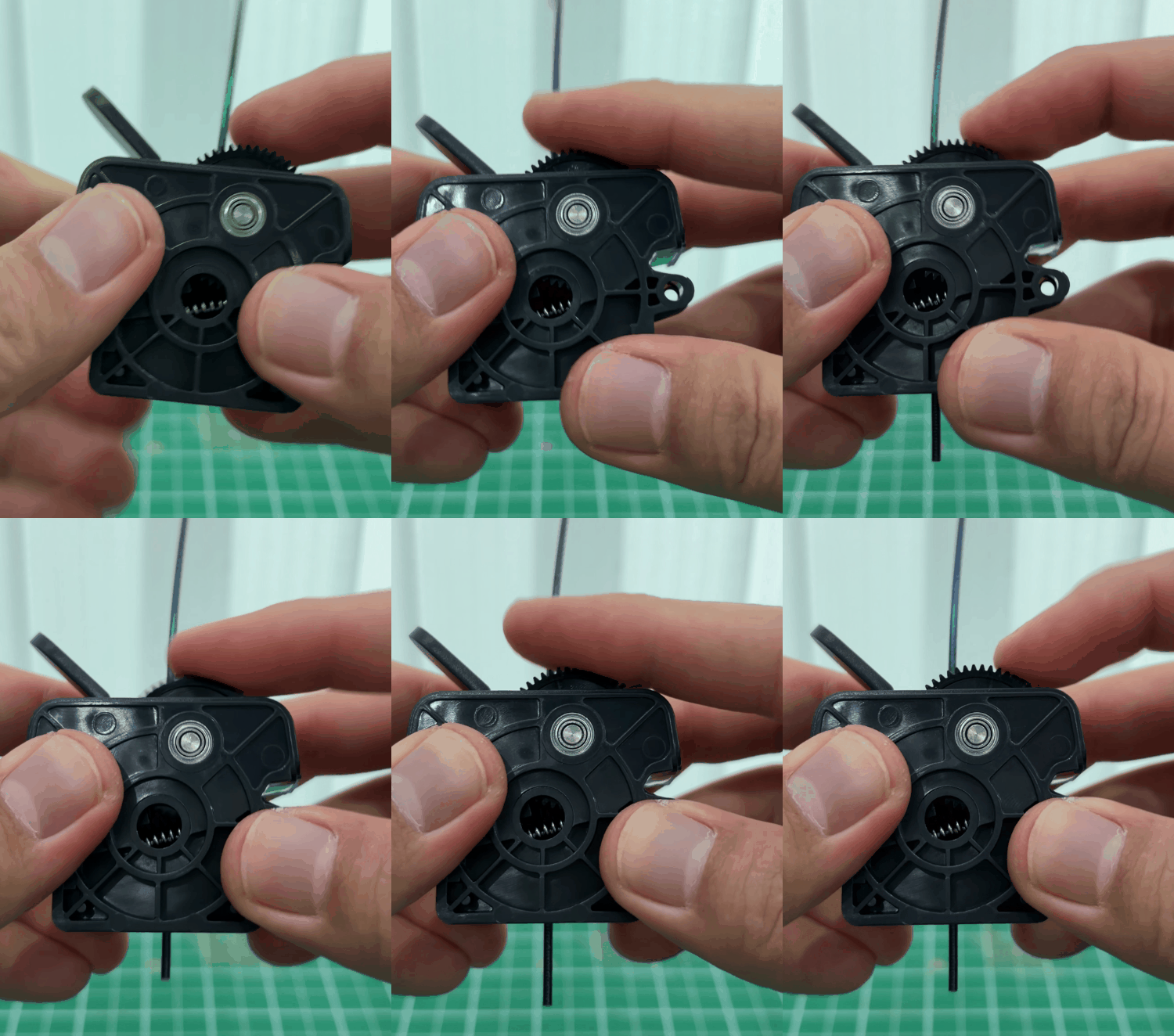
- If there is no internal damage to the gearbox, try to tighten the gears.
Note: Turn clockwise to loosen the gears and counterclockwise to tighten them.

- After adjustment, check manually if the gearbox can normally feed filament.
¶ Step 5 Check if the PTFE tube and PTFE parts are worn.
The PTFE tube and nozzle are consumables. The inner wall of the PTFE tube and the tip of the nozzle wear out gradually during printing.
- Replace the PTFE tube and nozzle and then print again.
How to replace the nozzle:
https://www.youtube.com/watch?v=dRLgzSIZkl8&t=2s
Note: To remove the PTFE tube, disassemble the hotend, unscrew the two lower screws, and remove the heat sink.

How to remove the hotend:
https://www.youtube.com/watch?v=7j2q0-GQuPo&list=PLkFeYZKRTZ8YzgMhmp451oDEqlf-NE_Ue&index=2
Note:
-
The nozzles for Neptune 4 Plus and Neptune 4 Max are custom-made. Non-original nozzles are not compatible.
-
Specifications of the PTFE tube are shown below.
- Length: 26.5 mm
- Inner diameter: 2 mm
- Outer diameter: 4 mm
-
After replacing the PTFE tube and nozzle, reset the Z offset and perform auto-leveling. Refer to the video below.
https://www.youtube.com/watch?v=NmY_OQ1D2ag&list=PLkFeYZKRTZ8YtkA1-ZWWD5TlkWCoXSvtI&index=4
- If the filament is stuck in the extruder and hard to remove, refer to the video below to remove the stuck filament:https://www.youtube.com/watch?v=DfXCMzTMSAY