¶ Issue Description
The base of the printer wobbles.
¶ Reasons
Deformation of the base is caused by transportation.
To ensure it is level, the printer base is calibrated on a marble platform prior to leaving the factory. However, deformation is inevitable during transportation, and minor deformation does not affect the printer's operation.
To achieve the best print quality and user experience, it is recommended that the base is recalibrated to restore its levelness.
¶ Troubleshooting Steps
¶ Tools needed for troubleshooting
-
4.0 mm Allen key
-
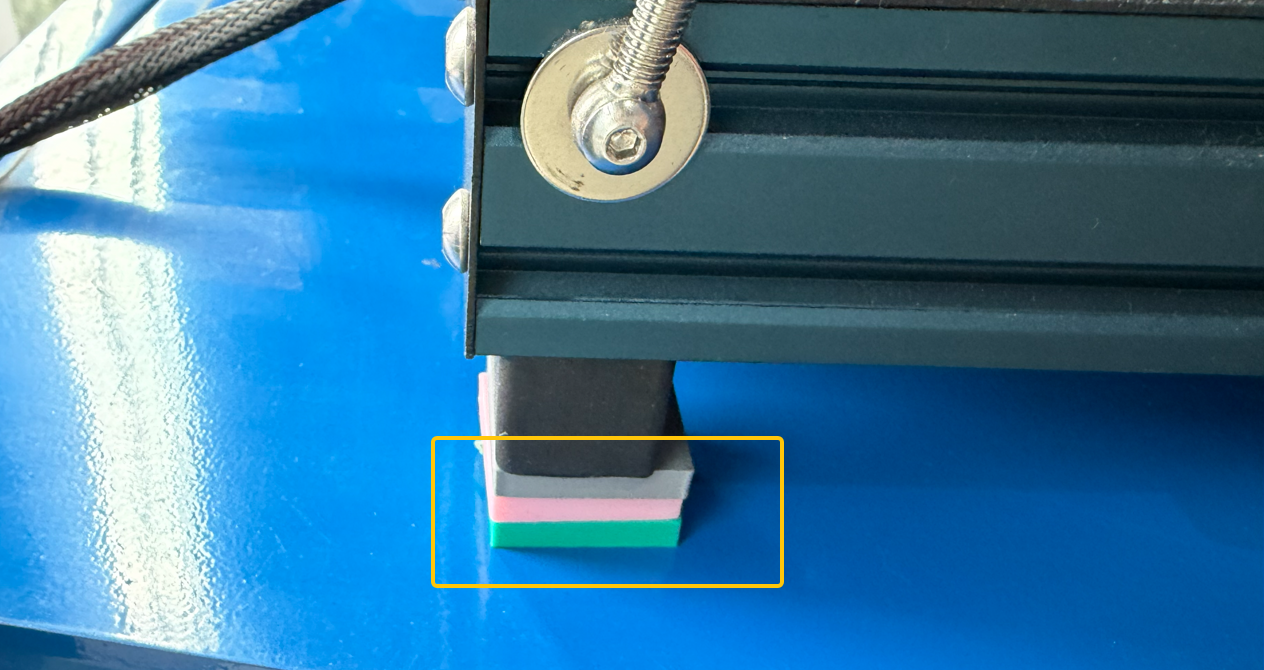
10 mm-high column × 2
-
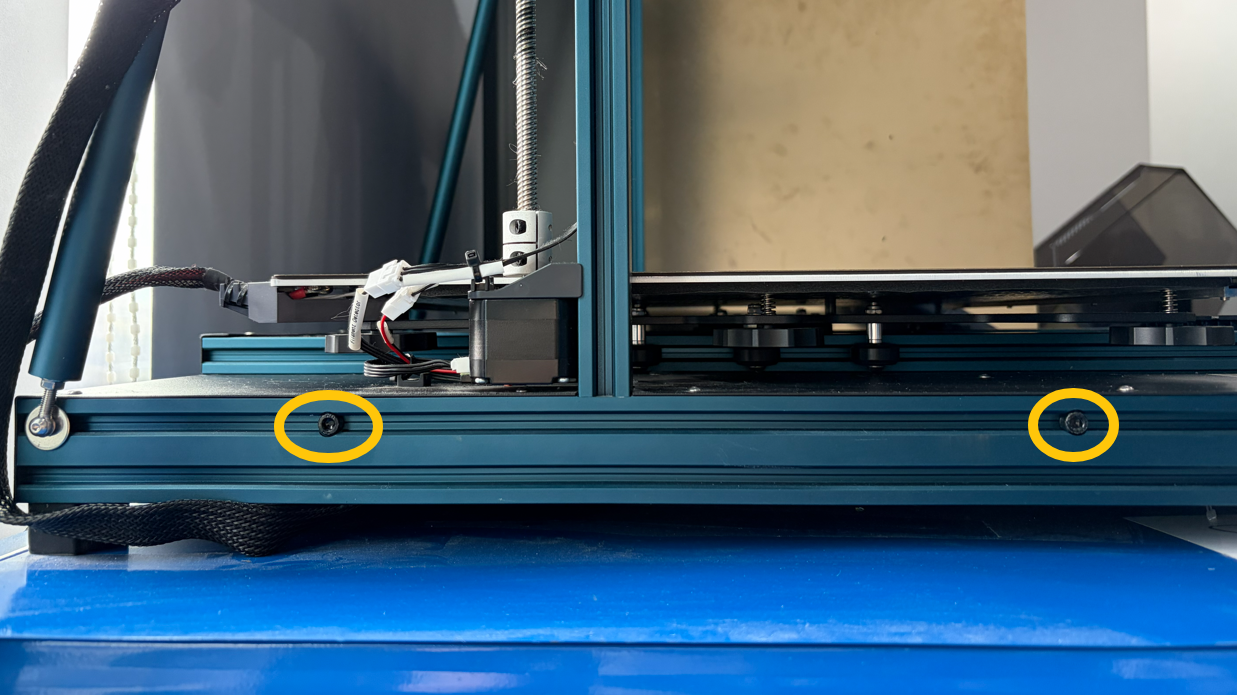
Loosen the two screws on the two sides of the base with a 4.0 mm Allen key.
Note: Do not remove the screws.
-
Put a 10 mm-high column under the non-overhanging foot pad.
-
If A and C foot pads are overhanging, put the columns under the B and D foot pads.
-
If B and D foot pads are overhanging, put the columns under the A and C foot pads.
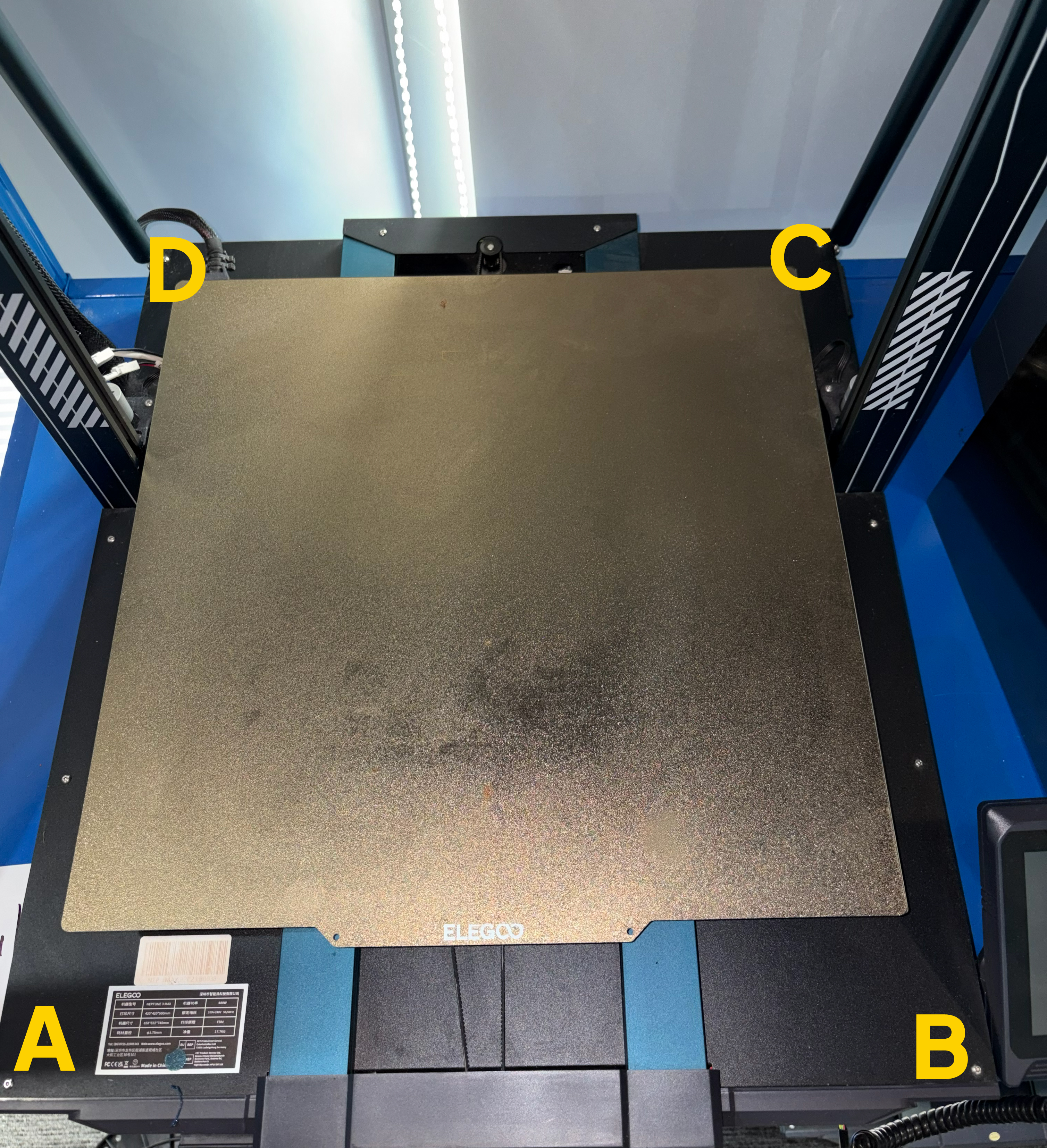
- Press the non-overhanging foot pads to level the base.
-
If the A and C food pads arenon-overhanging, press the A and C positions.
-
If the B and D food pads arenon-overhanging, press the B and D positions.
- Check whether the base is still unstable.
After pressing, remove the columns from the foot pads. Check whether the base is stable.
-
If the base is stable, tighten the screws on the two sides of the base.
-
If the base is still unstable, repeat Step 2 and Step 3.