¶ Instruction
¶ Step 1 Access the Fluidd via LAN
Refer to the link below to access Fluidd.
https://wiki.elegoo.com/neptune/neptune-4-series-web-page-control
¶ Step 2 Access the configuration file directory to locate the heated bed settings
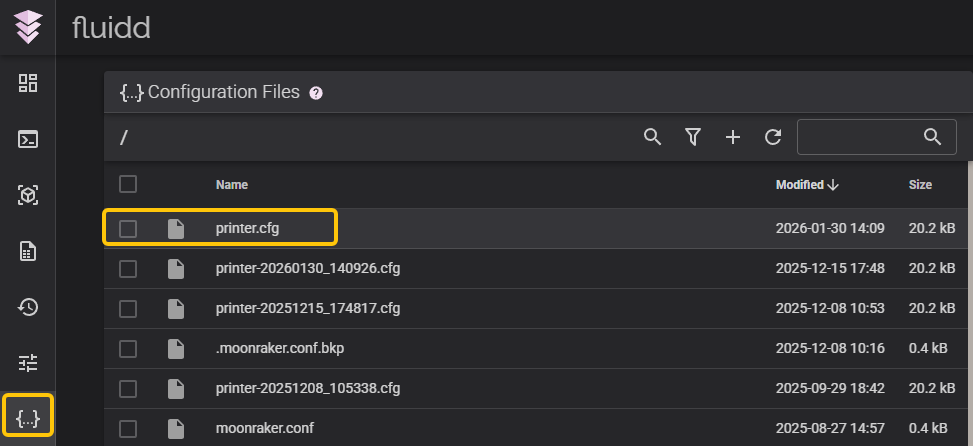
Left-click the Printer.cfg file and enter the configuration file directory.
¶ Step 3 Change the heated bed settings.
-
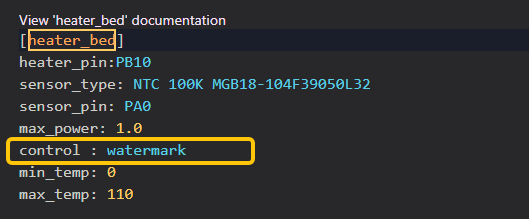
Press Ctrl+F and search for the keyword heater_bed.
-
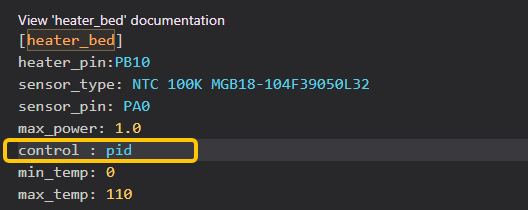
Replace watermark with pid in the line after Control.
-
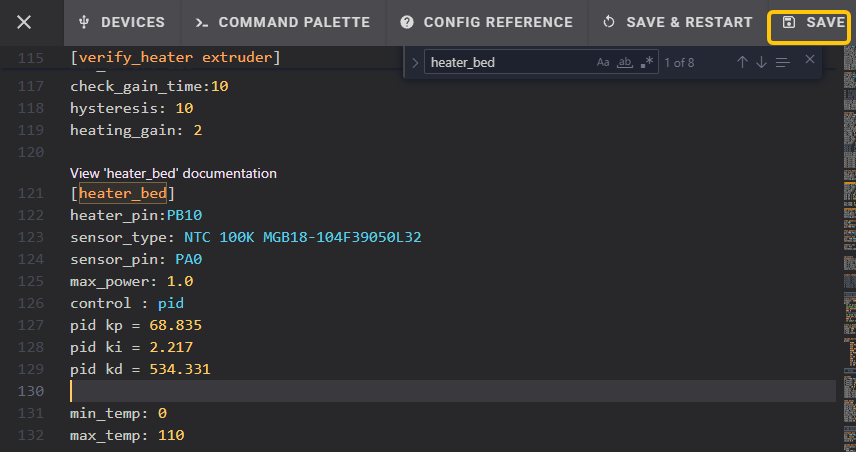
Add the code below control: pid.
pid kp = 68.835
pid ki = 2.217
pid kd = 534.331 -
On the top right corner, select Save.
¶ Step 4 Calibrate the PID via the console
-
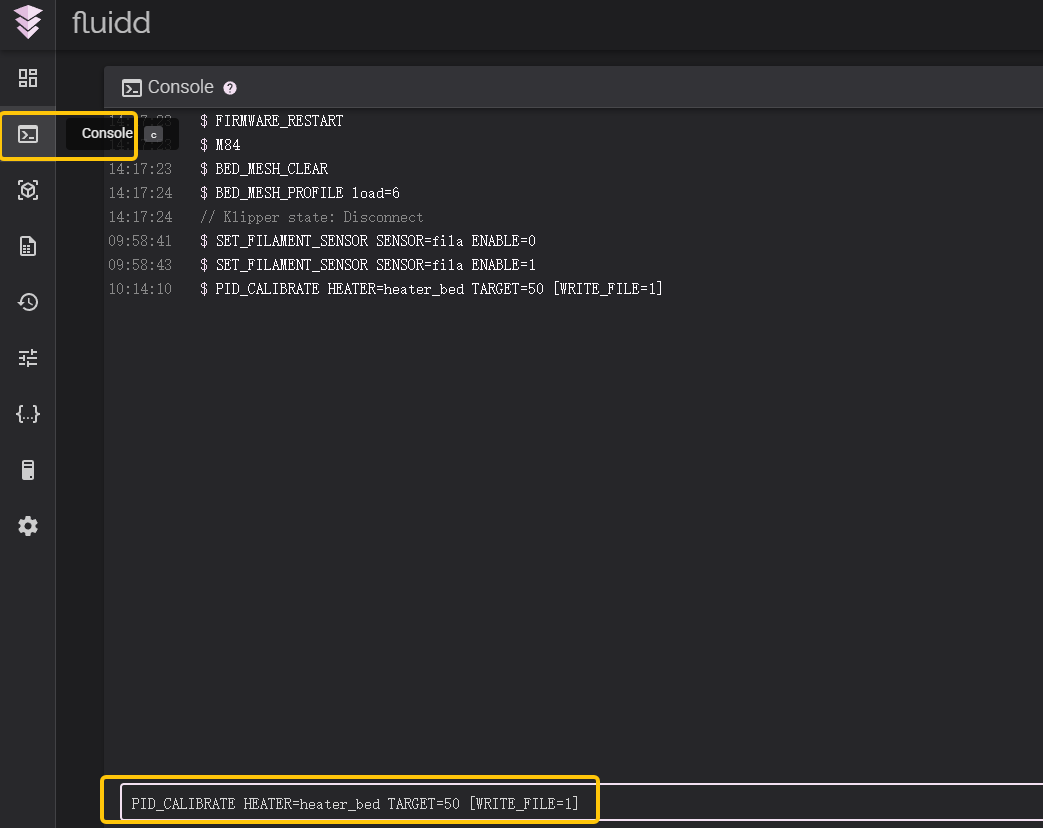
Open the Console and enter the following command: PID_CALIBRATE HEATER=heater_bed TARGET=50 [WRITE_FILE=1]
-
Click Enter and the heated bed starts calibrating.
Note:
-
The Neptune 4 Pro features two heating zones: heater_bed and
heater_bed1. You need to perform a separate PID calibration for each
zone.
The steps for adjusting the other zone of the heated bed are the same, except replacing heater_bed in the code with heater_bed1.
For example,
PID_CALIBRATE HEATER=heater_bed TARGET=50 [WRITE_FILE=1]
replace with:
PID_CALIBRATE HEATER=heater_bed1 TARGET=50 [WRITE_FILE=1] -
These two zones cannot be calibrated simultaneously.
-
PID calibration typically needs to be adjusted only once.
¶ Step 5 Save the settings and confirm the configuration file is modified successfully
-
PID calibration usually takes 10-20 minutes. A prompt as shown below appears in the console if calibration is completed.

-
Enter SAVE_CONFIG in the console, then press Enter to save the settings.