¶ Issue Description
The touch screen displays the error message:
'Please run "SDCARD RESET FILE" or "FIRMWARE RESTART" to resume.' Extruder not configured.
¶ Reasons
- The model file is sliced by unofficial software.
- The memory is insufficient in Fluidd.
¶ Troubleshooting Steps
¶ Step 1 Print the test model on a USB flash drive for testing
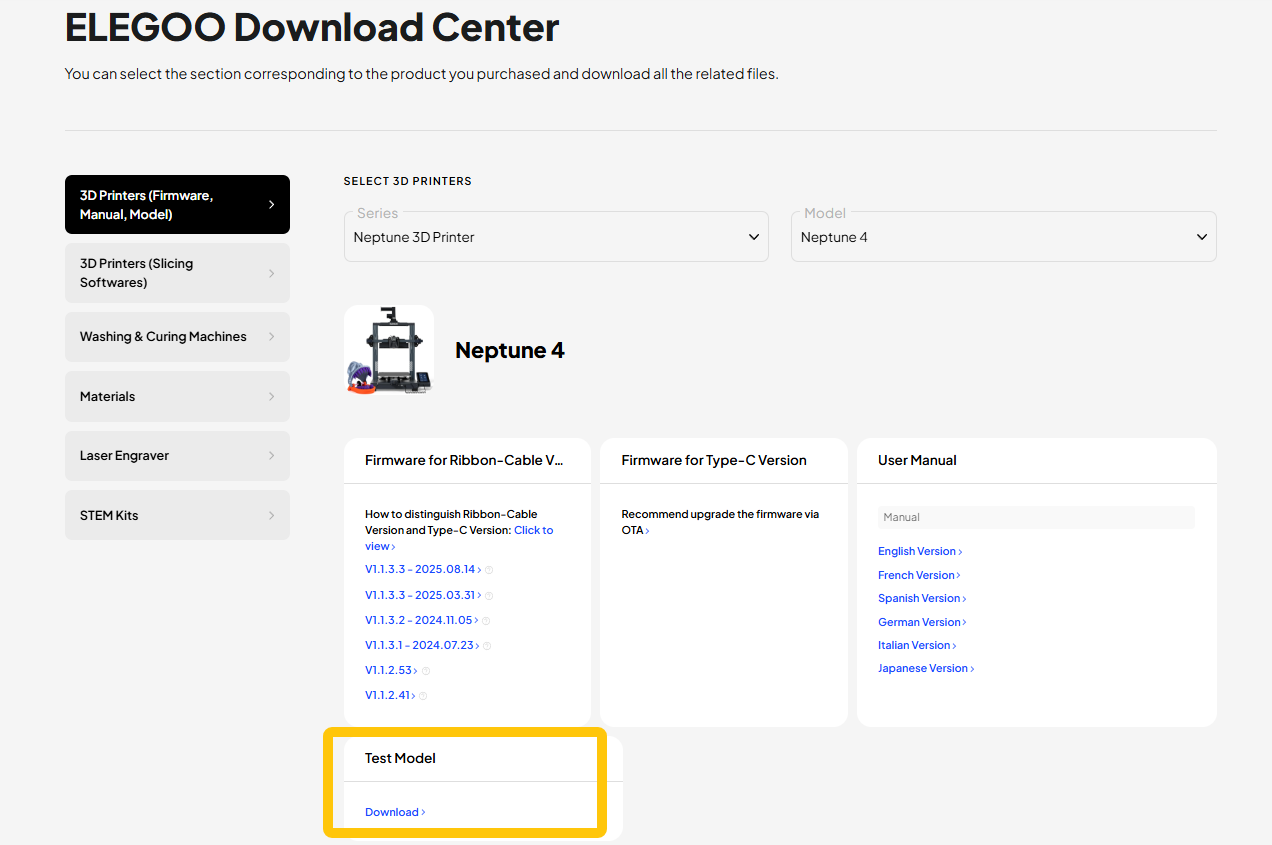
The test model saved on a USB flash drive is sliced via ELEGOO Slicer or ELEGOO Cura. If the test file is deleted, download it from the ELEGOO official website.
https://www.elegoo.com/pages/download
-
If the issue still occurs, refer to Step 3 for further troubleshooting.
-
If the issue does not occur, refer to Step 2 for further troubleshooting.
¶ Step 2 Slice the model again using the Elegoo Slicer or Elegoo Cura
- Download ELEGOO Slicer or ELEGOO Cura via the links below.
ELEGOO Cura download link: https://github.com/ELEGOO-Slicer/ELEGOO-Cura4.8.0/releases/tag/4.8.0_1.1.1.0
ELEGOO Slicer download link: https://github.com/ELEGOO-3D/ElegooSlicer/releases
ELEGOO Cura user manual: https://wiki.elegoo.com/en/fdm-slicing-software/elegoo-cura-quick-start-guide
ELEGOO Slicer user manual: https://elegoo-downloads.oss-us-west-1.aliyuncs.com/tutorials/Centauri Carbon/Accompanying/ElegooSlicer User Manual_V1.9.pdf
-
Install ELEGOO Cura or ELEGOO Slicer.
-
Import the test model into the ELEGOO Cura and ELEGOO Slicer. Slice the model with the default settings.
-
Load the .gcode file into the printer.
¶ Step 3 Check whether the memory is sufficient in Fluidd and delete any unnecessary files
-
Refer to the link below and connect the printer to the Fluidd.
https://wiki.elegoo.com/neptune/neptune-4-series-web-page-control -
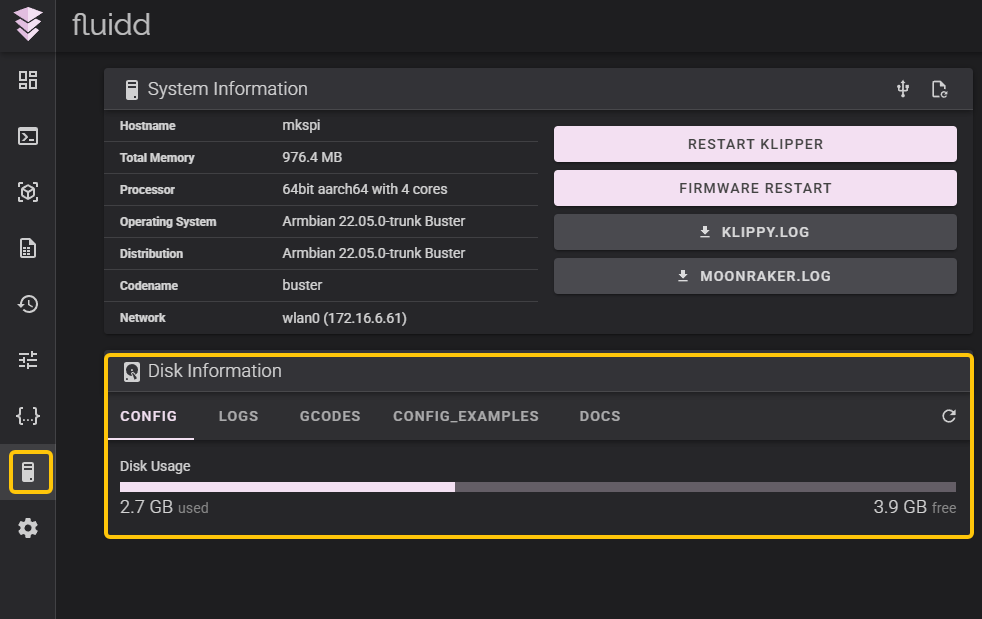
Check the current memory usage on the following page.
-
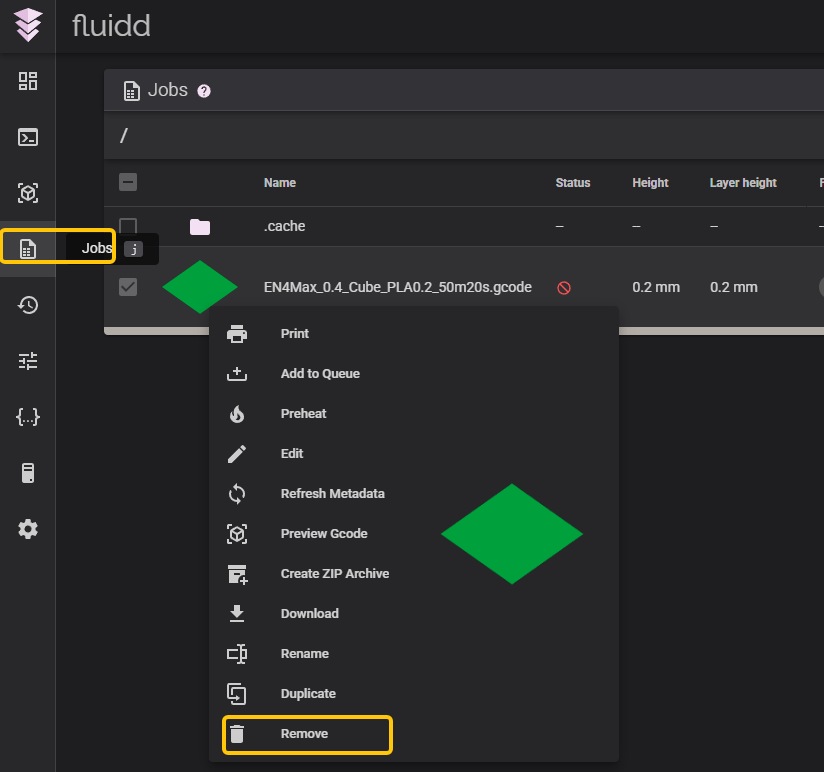
If the memory is insufficient, delete unnecessary G-code files in the Job directory.