¶ Fault Symptoms
After turning on the printer power switch, the touch screen does not light up.
¶ Possible Causes
- Incorrect power supply voltage setting
- Blown fuse
- Loose touch screen ribbon cable
- Mainboard failure
- Power supply failure
- Touch screen failure
¶ Required Tools
- 2.0 mm Allen key
- 2.5 mm Allen key
- Multimeter
- Phillips screwdriver
¶ Troubleshooting Steps
¶ 1. Check the Power Supply Voltage Setting
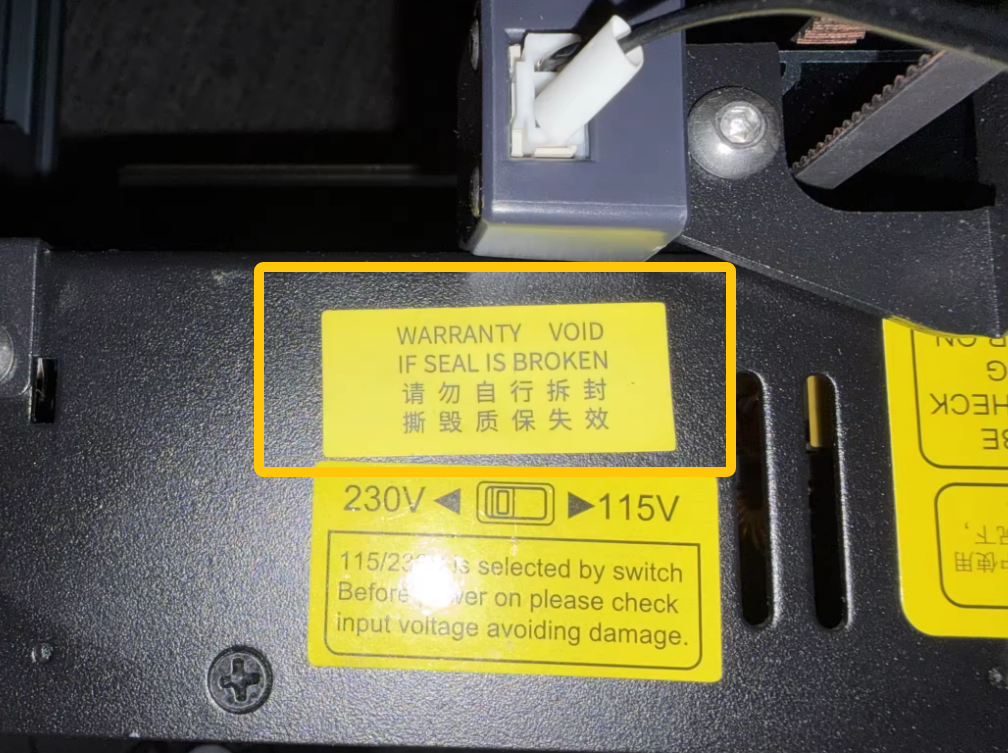
Note: Some printer batches have the voltage preset at the factory. If the voltage selector is sealed with a sticker, skip this step and proceed to Step 2.
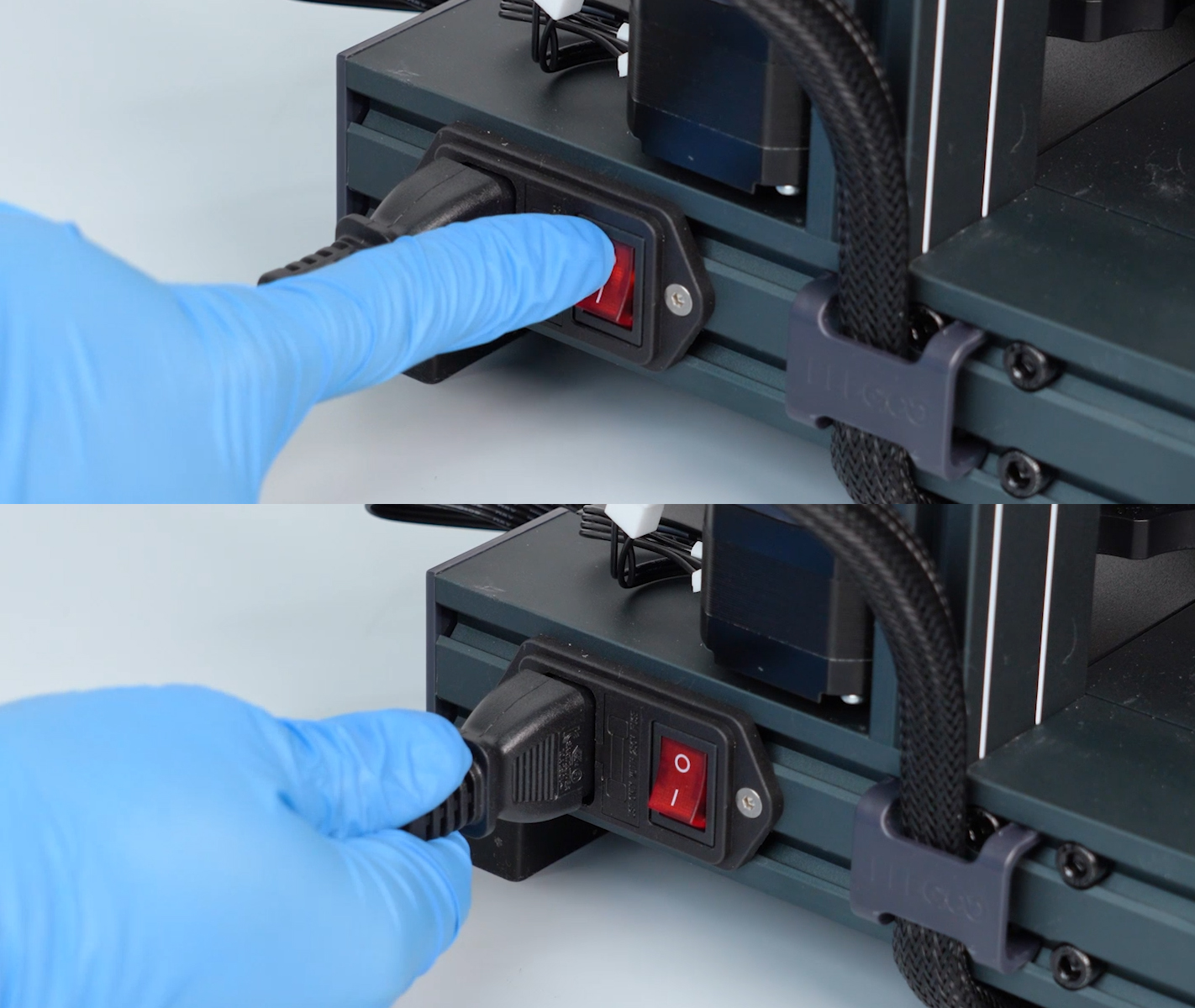
- Turn off the printer power switch and unplug the power cord.
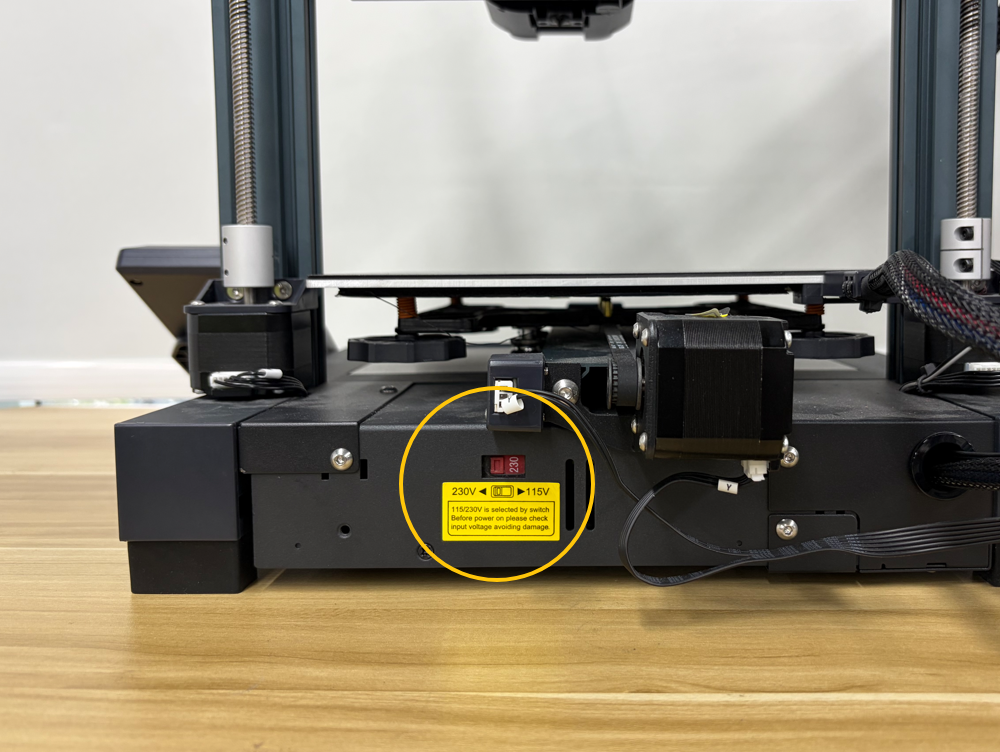
- Locate the voltage selector on the rear of the printer.
- Verify that the power supply voltage is set correctly according to your local mains voltage.
Note: Always turn off the printer power switch and unplug the power cord before changing the voltage setting.
- If your local mains voltage is 110 V, set the selector to 115 V.
- If your local mains voltage is 220 V, set the selector to 230 V.
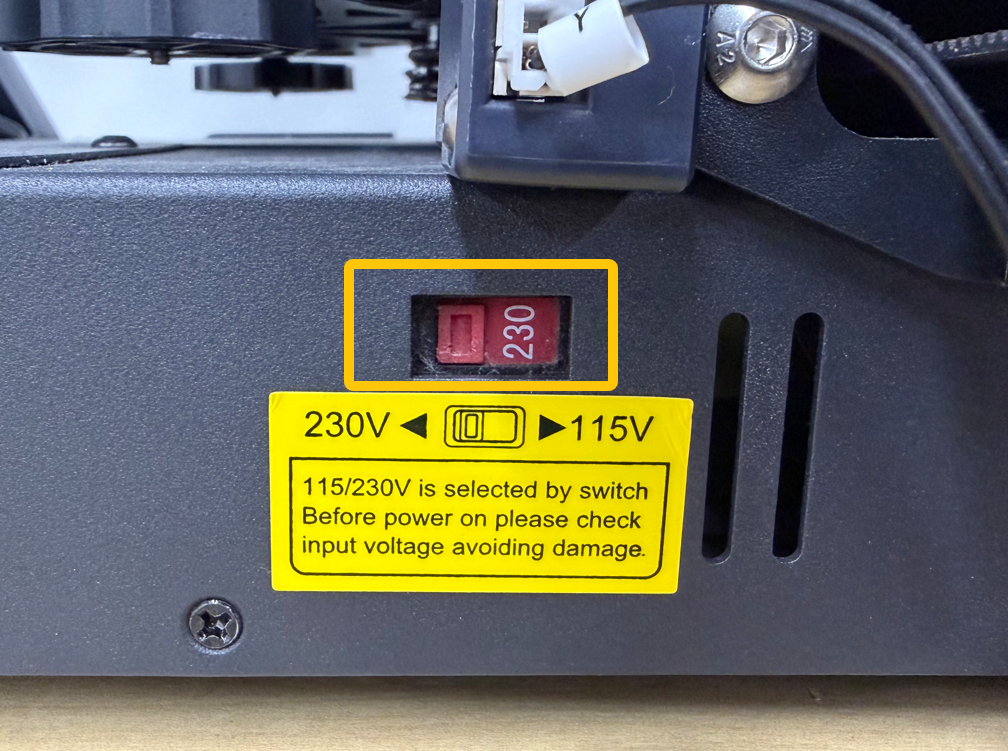
- If the voltage setting is incorrect, set it to the correct value, reconnect the power cord, and test the printer again.
- If the voltage setting is correct, continue with the next troubleshooting step.
¶ 2. Check the Fuse
-
Turn off the printer power switch and unplug the power cord.
-
Remove the fuse as shown below.
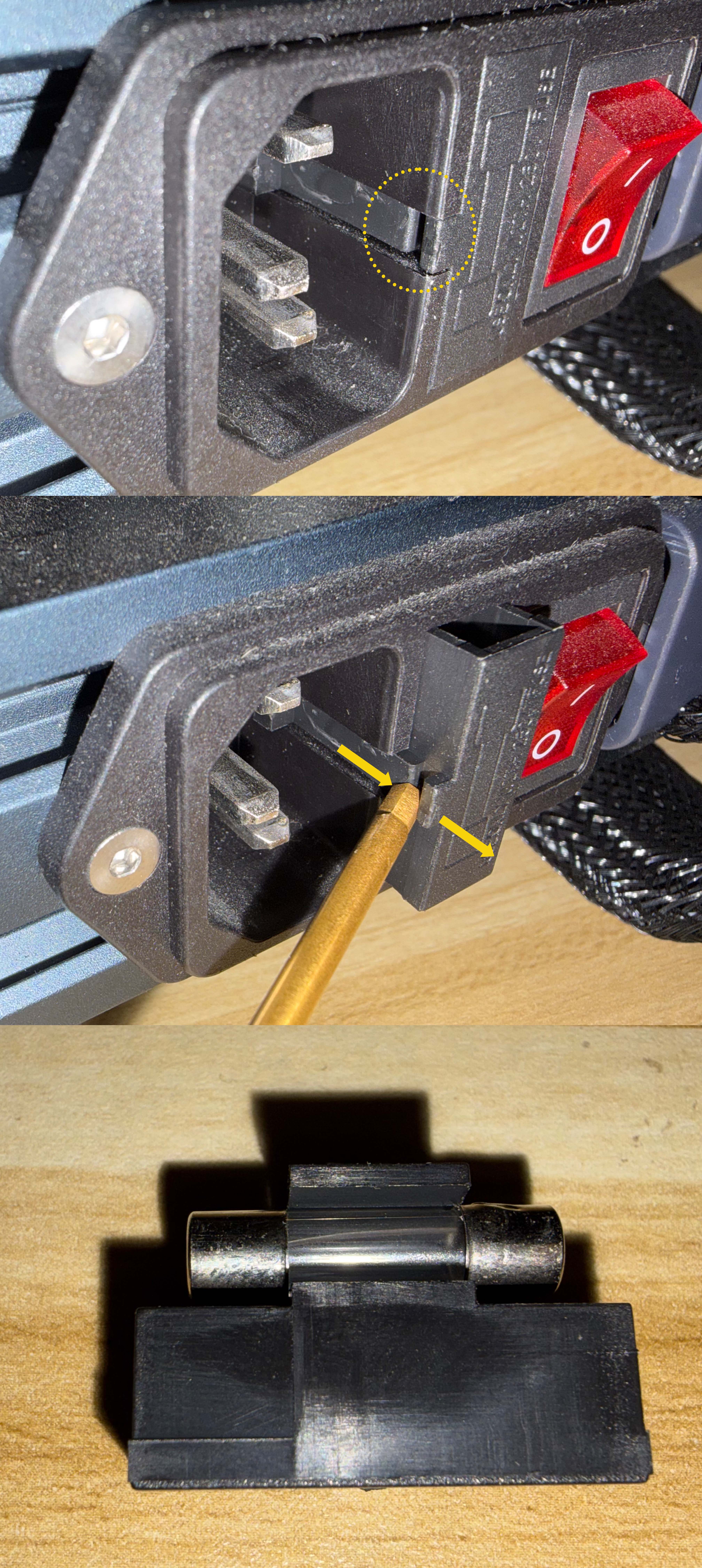
- Check whether the fuse has blown.
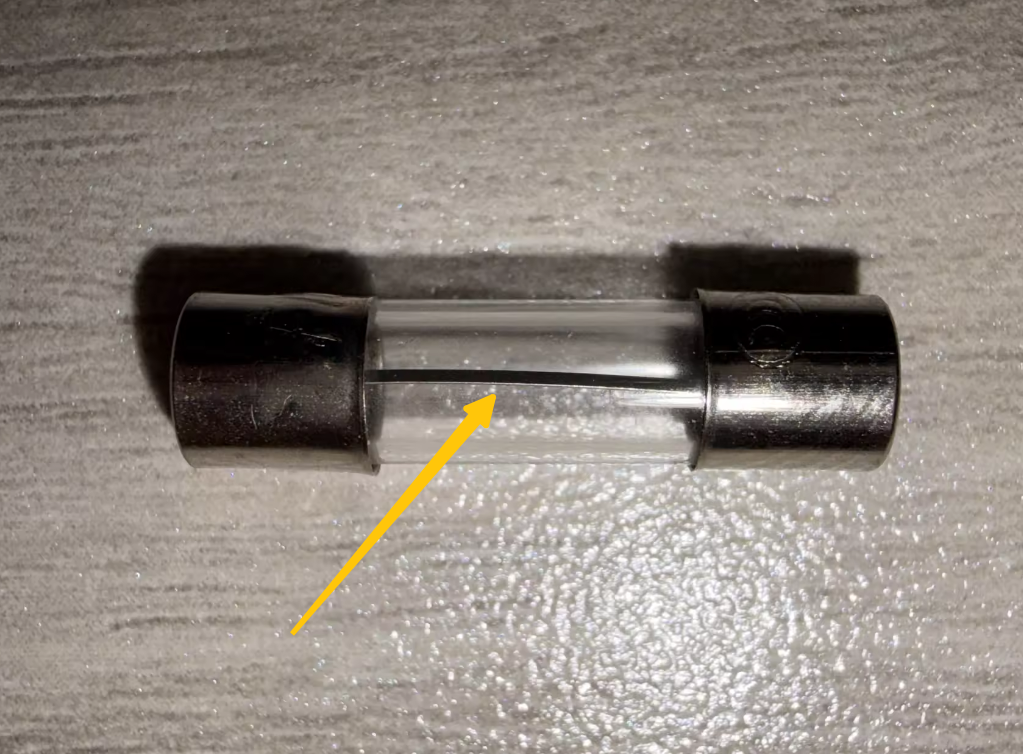
- If the fuse is damaged, replace it with a new one.
Note:
The fuse specification is AC 250 V / 10 A. If necessary, a replacement fuse can be purchased from a local hardware store or Amazon.
- If the fuse is normal, continue with the next troubleshooting step.
¶ 3. Check the Touch Screen Ribbon Cable
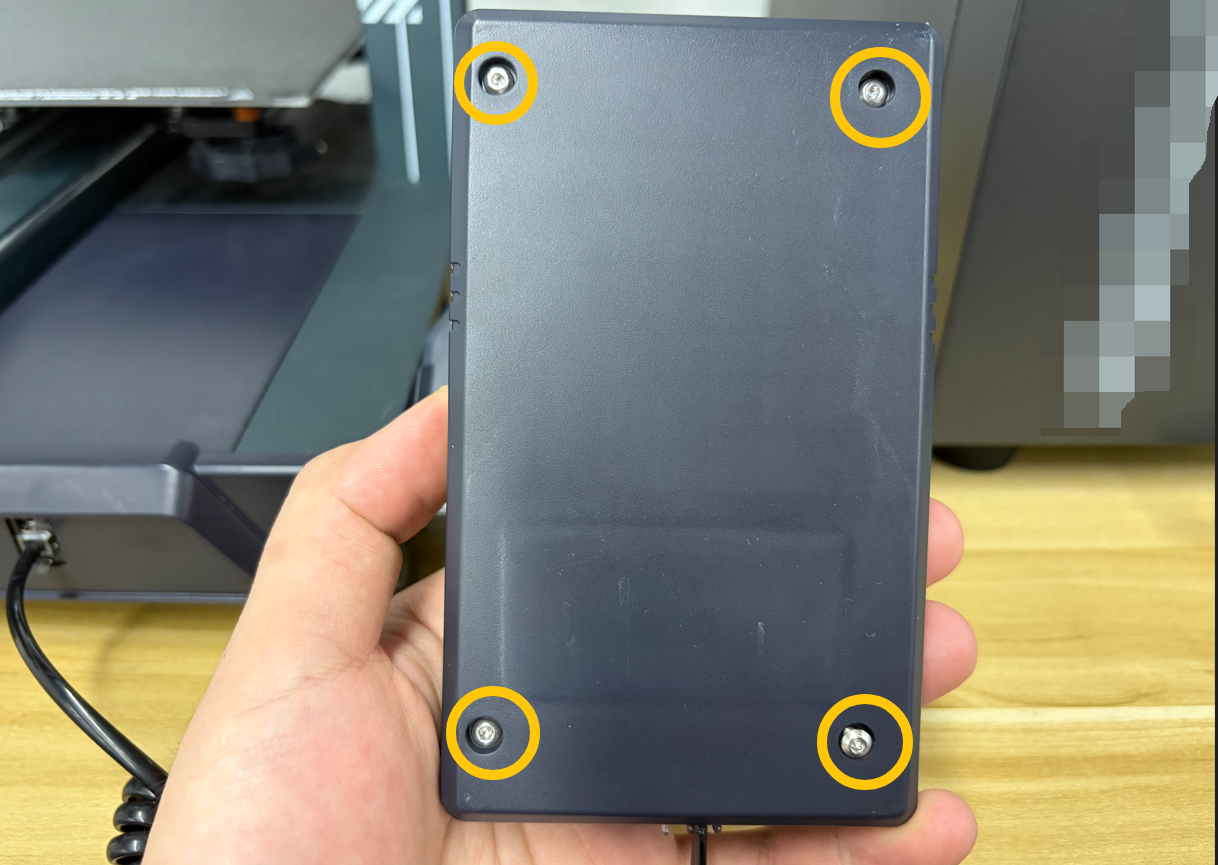
- Turn the touch screen over. Remove the four screws securing the rear cover using a 2.0 mm Allen key, then remove the rear cover.
- Check whether the three ribbon cables and connectors shown below are loose. The image below shows the correct connection.
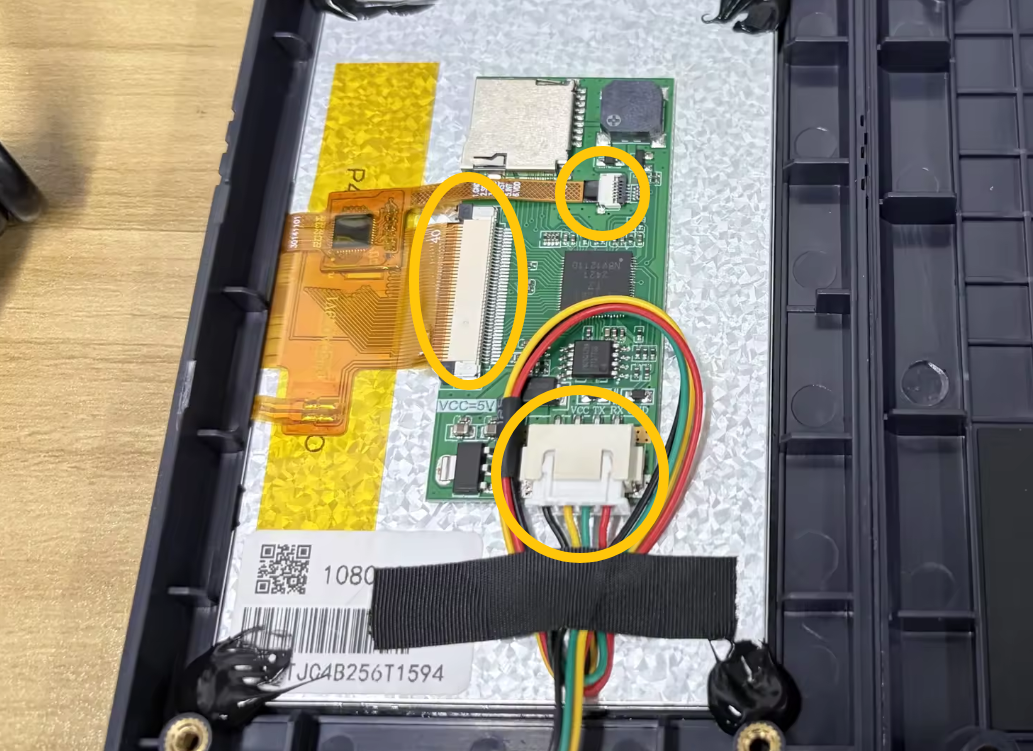
- If any ribbon cable or connector is loose, reconnect it as shown.
- If all ribbon cables and connectors are secure, continue with the next troubleshooting step.
¶ 4. Check the Power Supply Indicator LED
Note: Remove the filament spool in advance to prevent it from falling and damaging the spool during this procedure.
- Turn the printer over with the power switch facing upward.
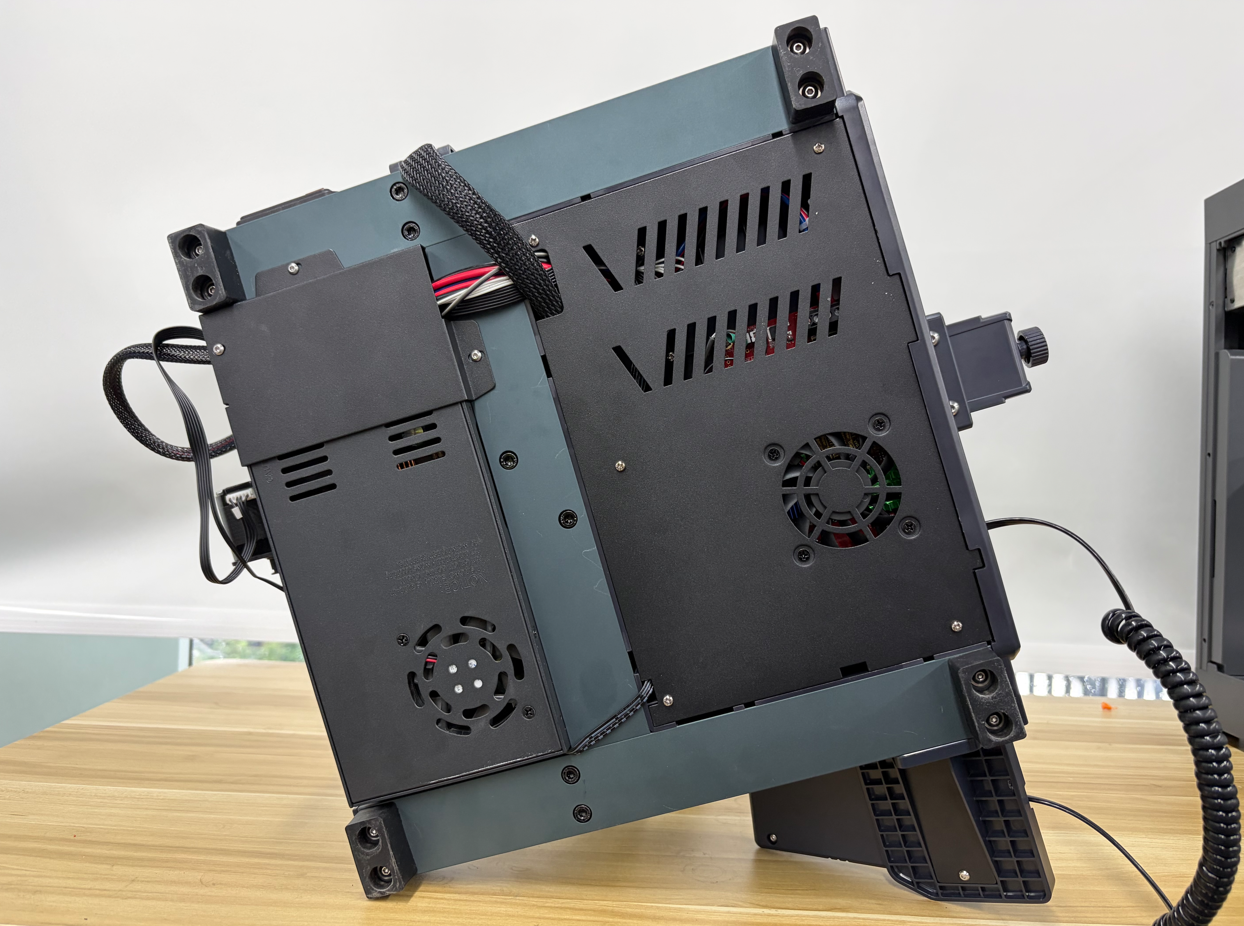
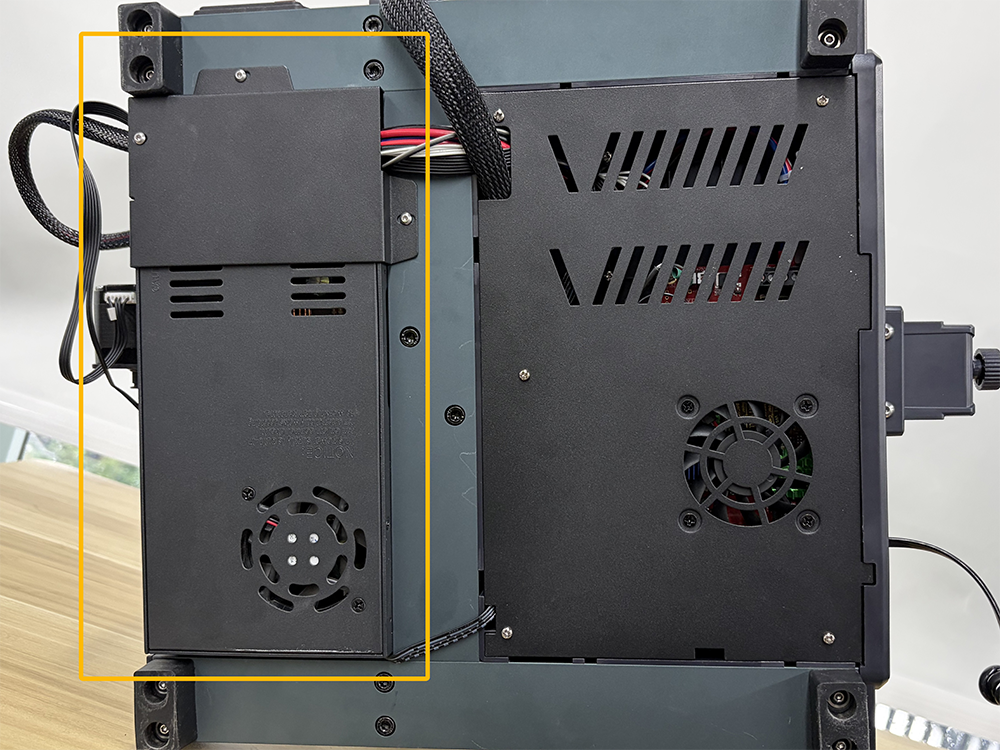
- Locate the power supply as shown below.
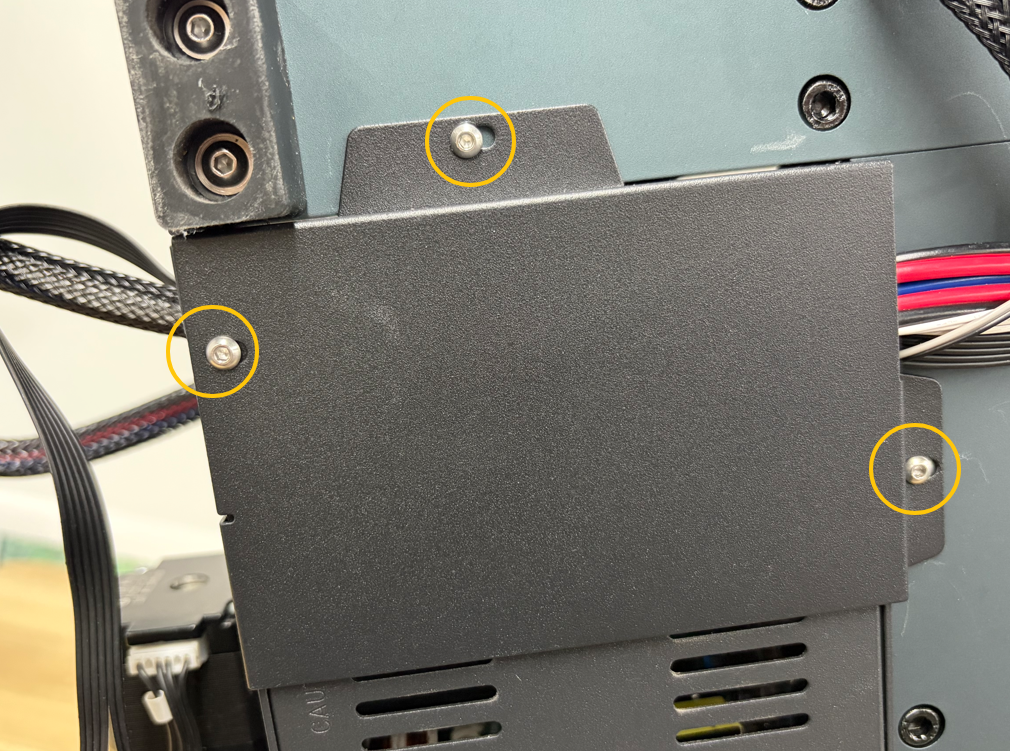
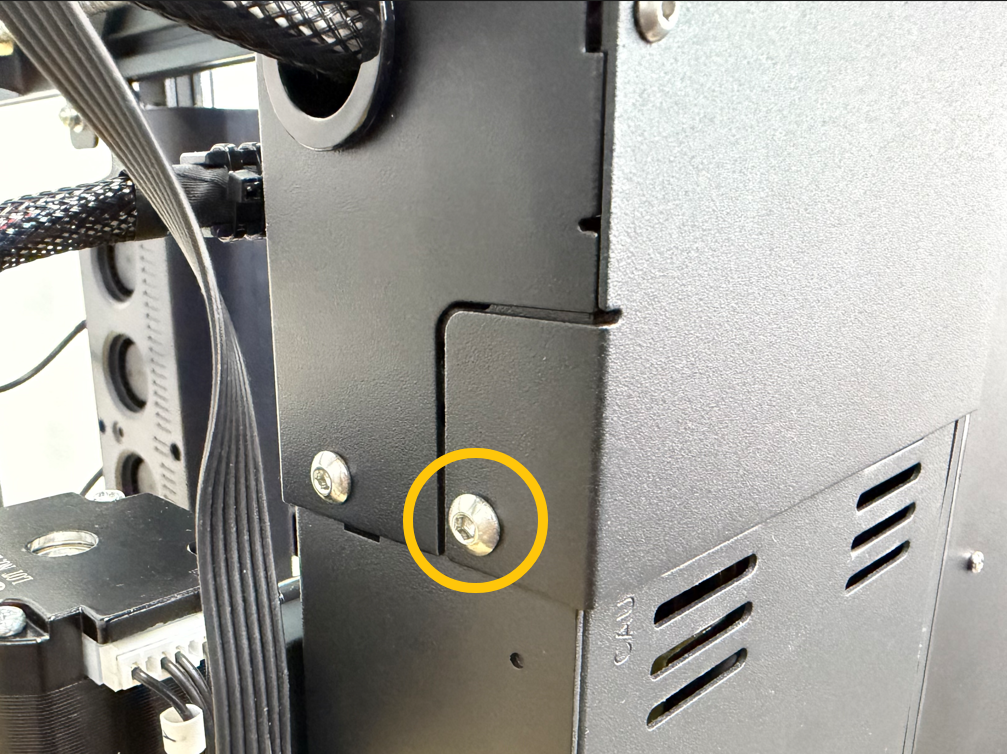
- Remove the four screws securing the power supply cover using a 2.0 mm and 2.5 mm Allen key, then remove the cover.
-
Connect the power cord and turn on the printer power switch.
-
Check whether the indicator LED on the power supply is illuminated.
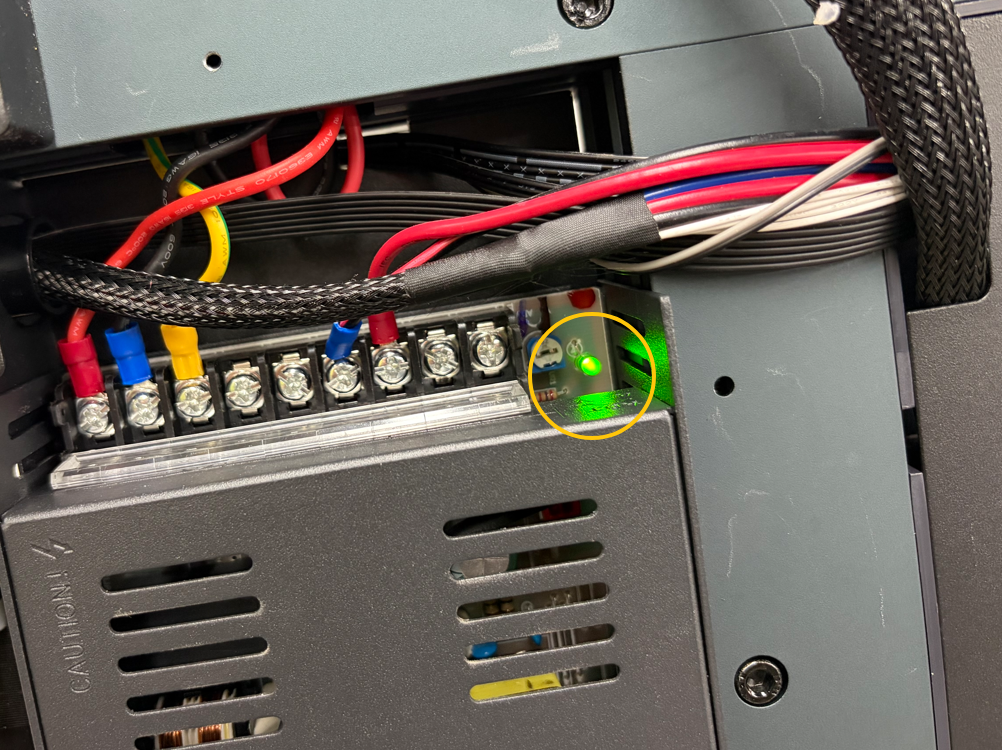
- If the power supply indicator LED is off, the power supply may be faulty.
- If the power supply indicator LED is on, continue with the next troubleshooting step.
¶ 5. Check the Mainboard Indicator LEDs
-
Turn off the printer power switch and unplug the power cord.
-
Remove the five screws securing the bottom cover using a Phillips screwdriver.
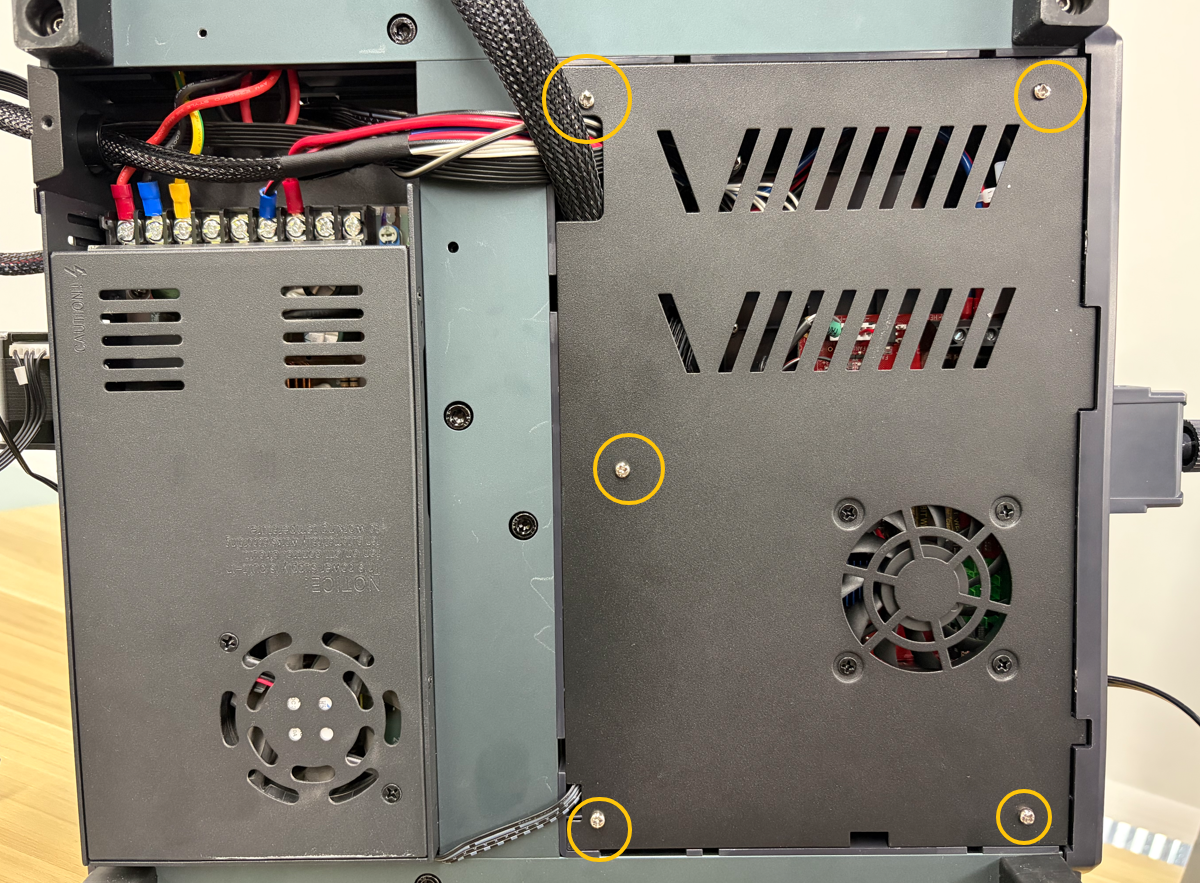
- Carefully open the bottom cover, disconnect the mainboard cooling fan connector, and then remove the bottom cover.
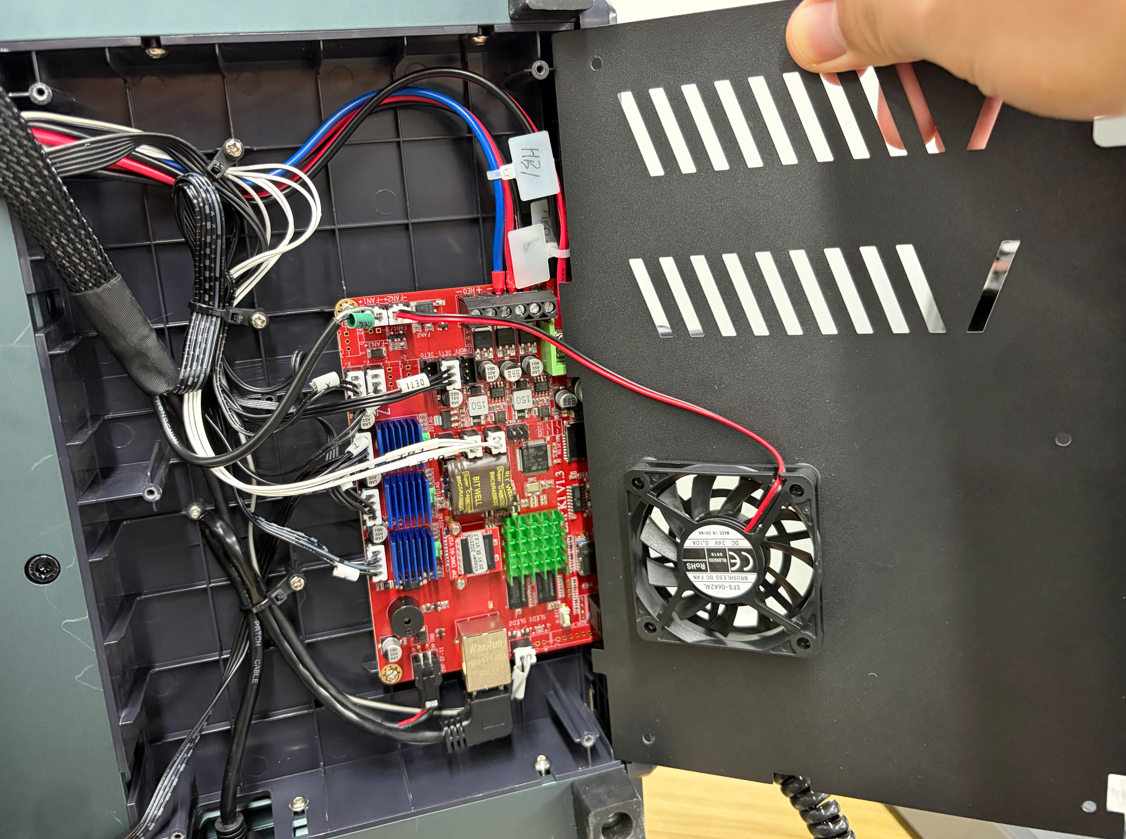
-
Plug in the power cord and turn on the printer power switch.
-
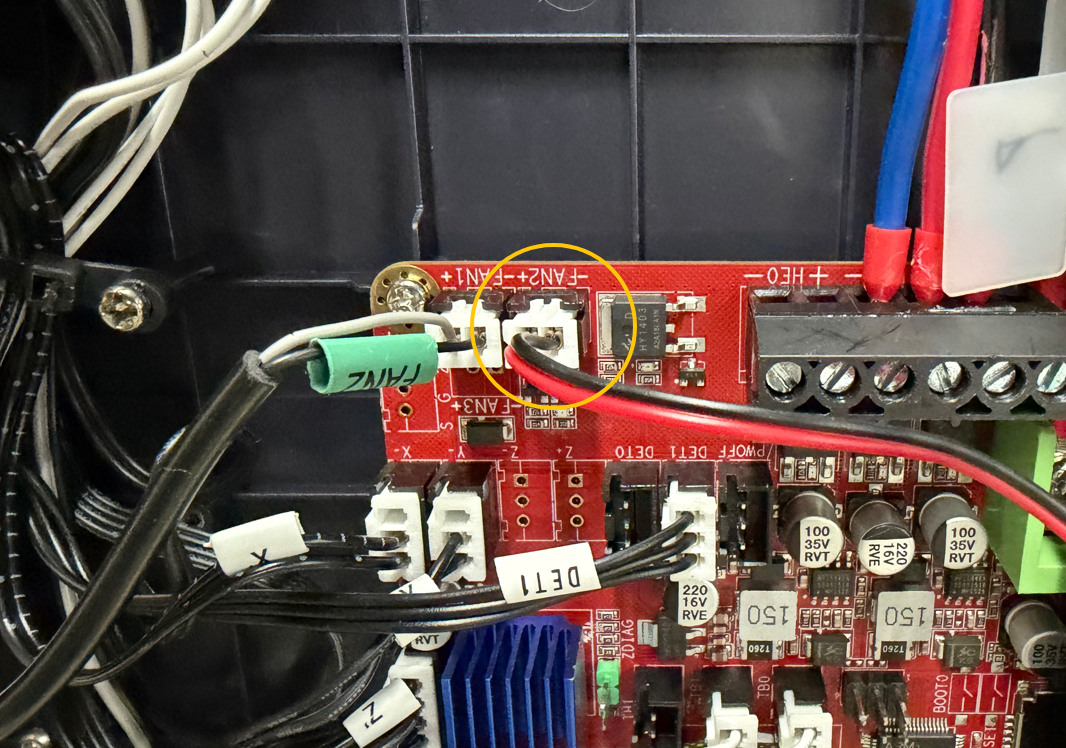
Wait approximately 50 seconds, then check whether the four indicator LEDs shown below are illuminated.
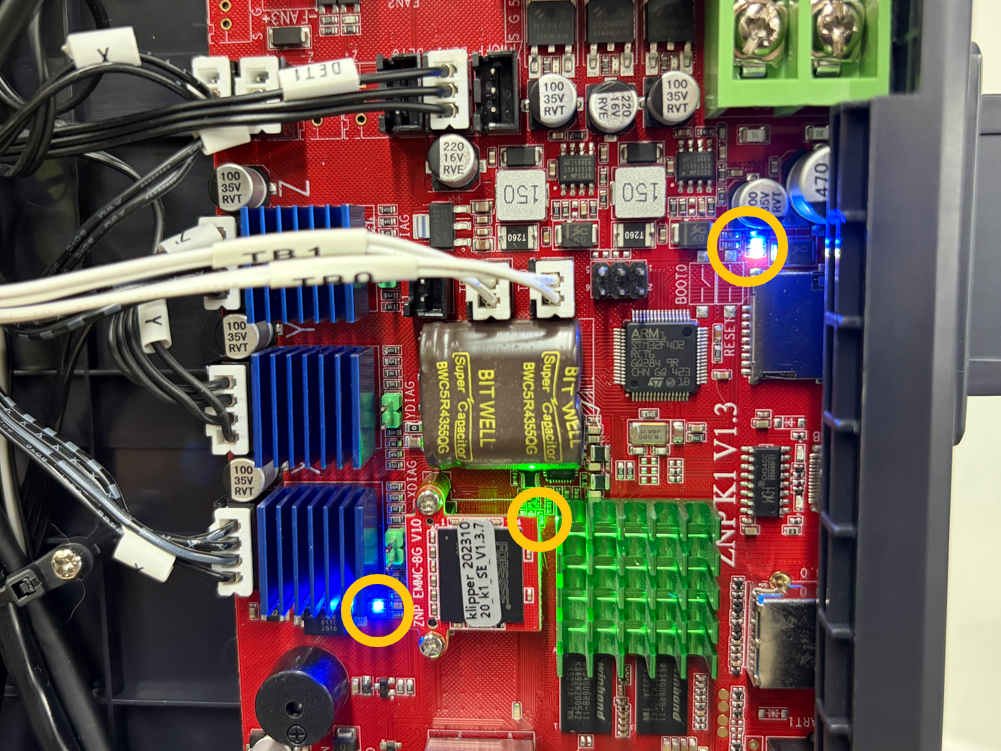
- If the mainboard indicator LEDs are not illuminated, the mainboard may be faulty.
- If all mainboard indicator LEDs are illuminated, the touch screen may be faulty.
¶ 6. Check the Power Supply Output Voltage
Note: This step requires a multimeter and experience using one. If you do not have a multimeter, you may skip this step.
-
Set the multimeter to the DC 200 V range.
-
Measure the voltage at the mainboard power connector and verify that it provides a stable 24 V DC output.
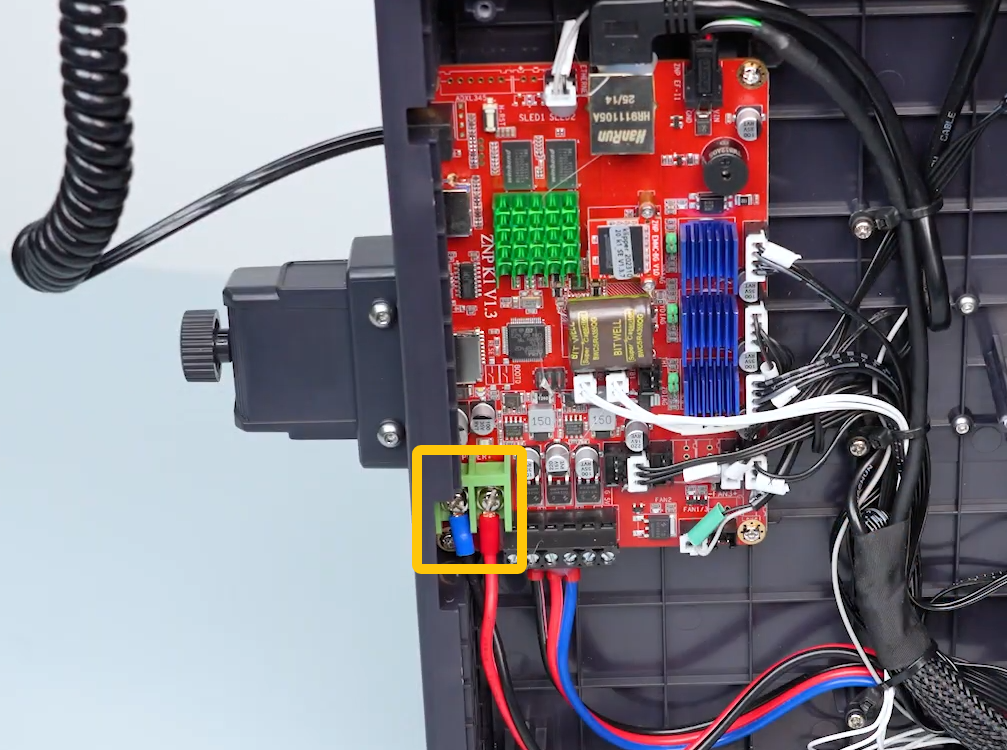
- If there is no output voltage or the voltage is unstable, the power supply is faulty and should be replaced.
¶ Contact Technical Support
If the issue persists after completing all of the troubleshooting steps above, please contact technical support at:
Please provide the following information:
- Is the power supply voltage set correctly?
- Is the fuse damaged?
- Is the touch screen ribbon cable loose or damaged?
- After turning on the printer, do the mainboard indicator LEDs illuminate?
- After turning on the printer, does the power supply indicator LED illuminate?
- Does the power supply output 24 V DC, and is the output voltage stable?
(Skip this item if you do not have a multimeter.)
¶ Help us improve
If you have any ideas about the wiki pages, please let us know via ELEGOO official feedback channel