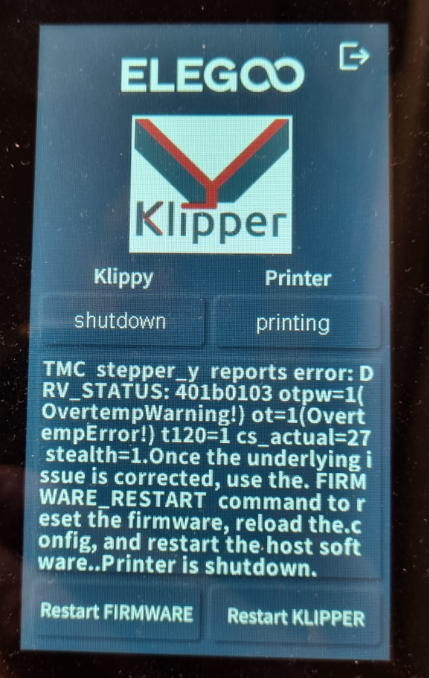
¶ What does it look like
This error message appears on the touchscreen during printing, or immediately after the printer is turned on.
¶ Tools necessary for toubleshooting:
A Phillips screwdriver
¶ Troubleshooting steps:
¶ Step1 Check if the Y motor plug is loose
-
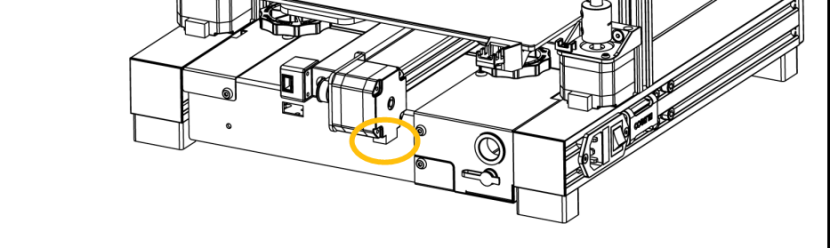
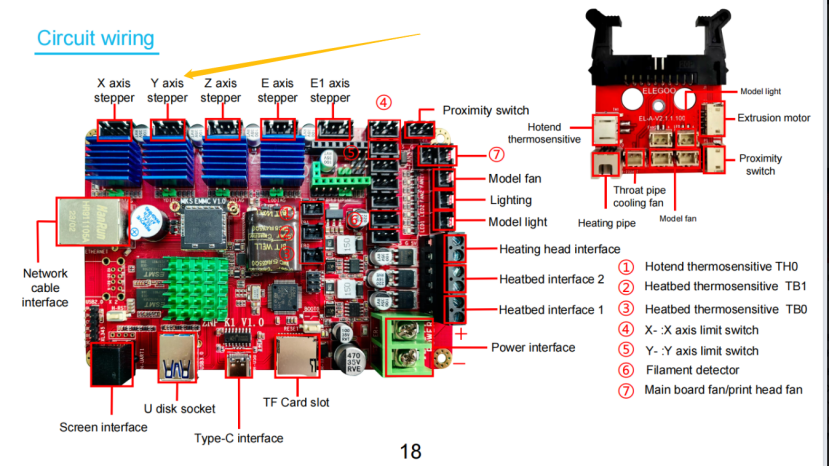
Power off the printer power and check if the Y motor plug is loose. Try to reseat the Y motor plug.
-
Refer to the video below to open the base unit and check the Y motor plug.
https://www.youtube.com/watch?v=NmtXTwokpyg&list=PLkFeYZKRTZ8ZviEeRG1xeiFK_PItYiyqg&index=9
¶ Step 2 Re-update the firmware.
If the default motor current settings have been altered or the configuration file has been incorrectly modified, it may cause this situation. Therefore, it is recommended to re-update the firmware to restore the default settings. The firmware update instructions and download link have been provided below.
¶ Firmware download link
https://www.elegoo.com/pages/download
¶ Firmware Update Instructions
https://www.youtube.com/watch?v=TC-Y0lonv74
Note: The steps for updating the firmware are the same for the Neptune 4 series printers.
00:00 Note
00:06 Prepare before updating
00:27 Install the fix pack
01:29 Install the mainboard firmware
02:25 Install the screen firmware
04:01 FAQ
¶ Step 3 Check whether the cooling fan can work normally.
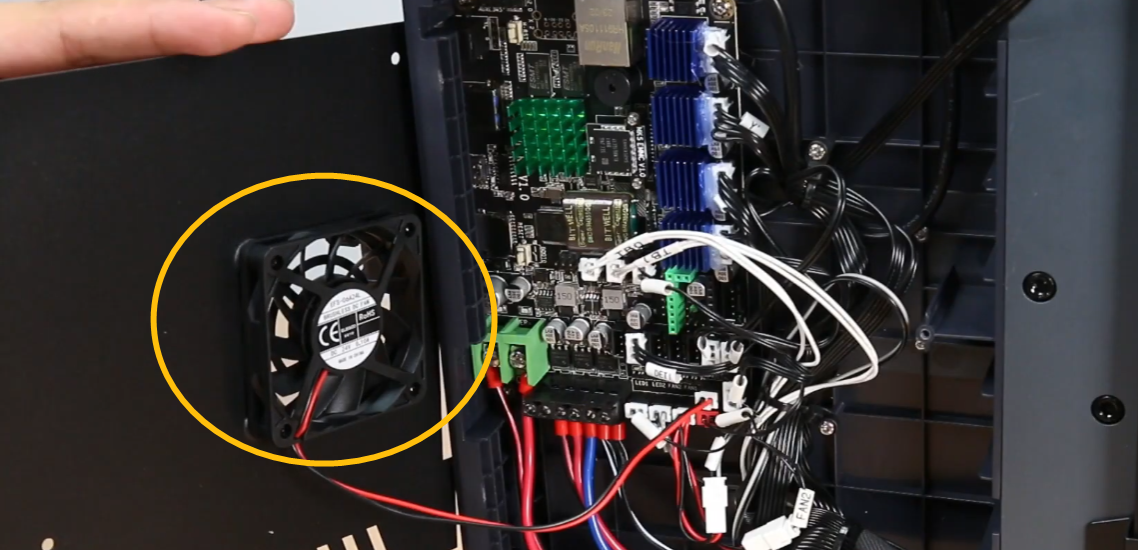
Check if the fan under the base unit is rotating normally. This fan will automatically start rotating after the nozzle temperature reaches 50℃.
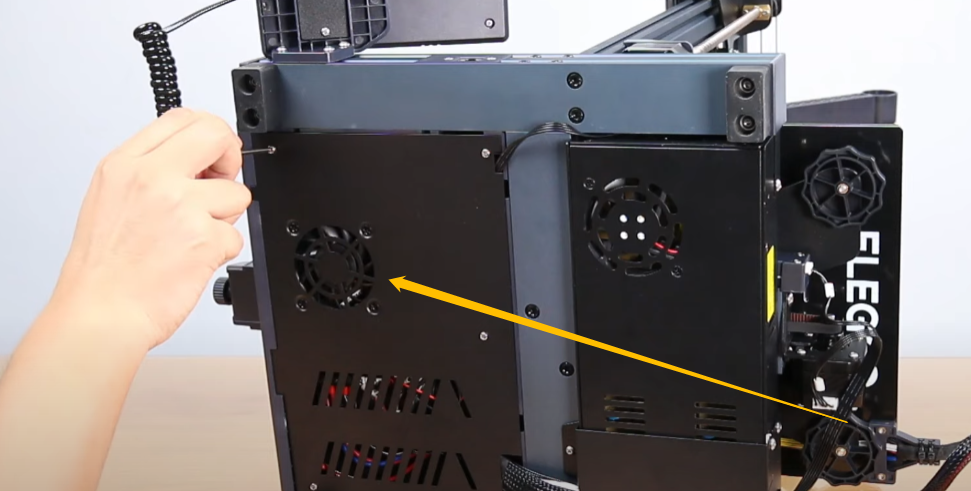
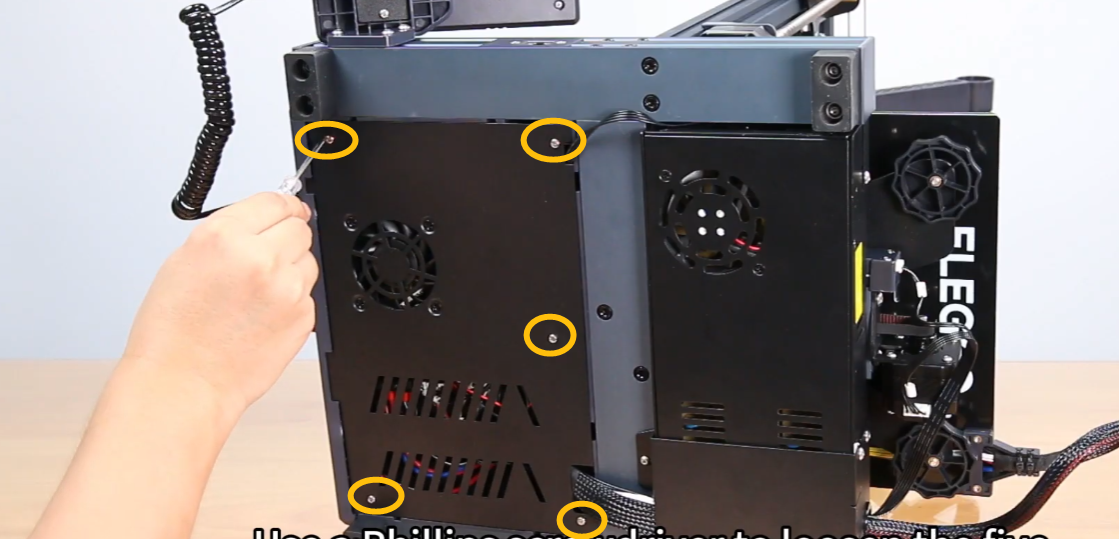
If this fan does not spin after the nozzle temperature reaches 50°C, please open the bottom cover. Check if any object is obstructing the fan's rotation.
¶ Step 4 Slightly loosen the X/Y belt.
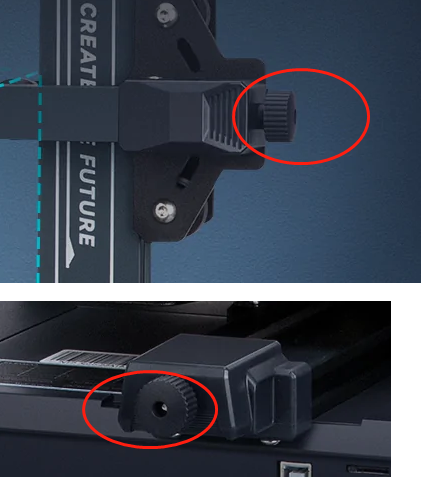
Slightly loosen the X/Y belt. A belt that is too tight may overload the motor.(Turn counterclockwise to loosen, turn clockwise to tighten)
¶ Still have issues?
Following the above instructions to check the printer will not affect the printer's warranty.
If the issue persists after completing the above troubleshooting steps, contact us via ELEGOO technical support team.