¶ Fault phenomenon:
During the printer's homing process, the extruder continues to descend in the Z-direction and cannot stop.
¶ Tools necessary for toubleshooting:
A 2.0 mm Allen key
¶ Troubleshooting steps
¶ Step 1 Use the default nozzle.
Do not use non-original nozzles. The nozzles of Neptune 4 /4 pro are custom-made. Wrong nozzles may cause abnormalities.
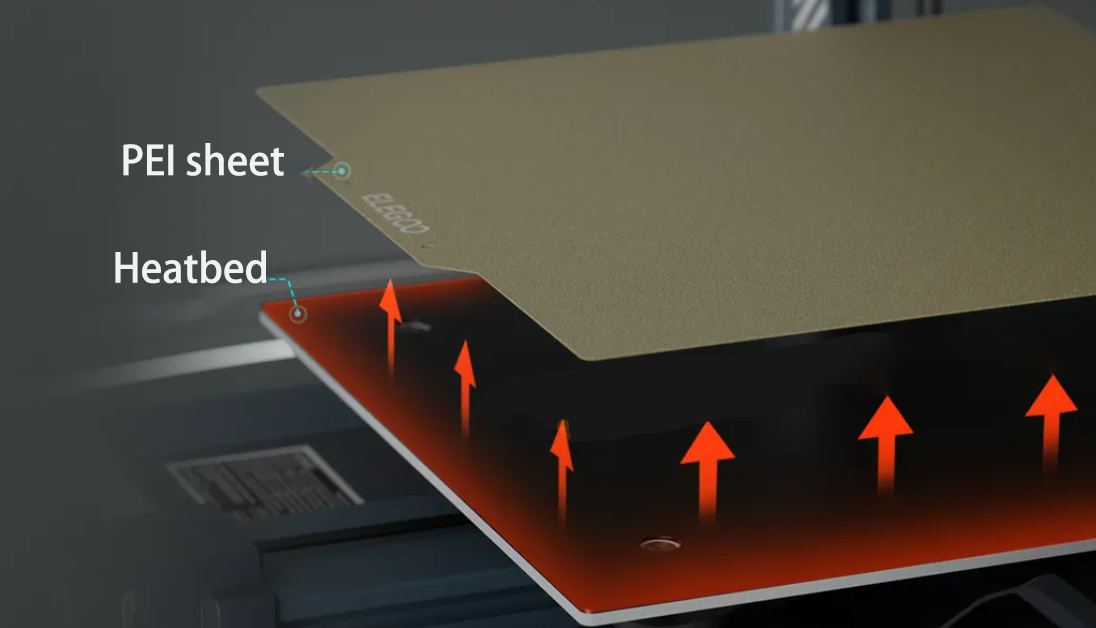
¶ Step 2 Make sure that the PEI sheet is attached on the heated bed.
Proximity switch can only recognize metal and cannot recognize other materials. Do not use the "level" and "home" functions without attaching the PEI sheet.
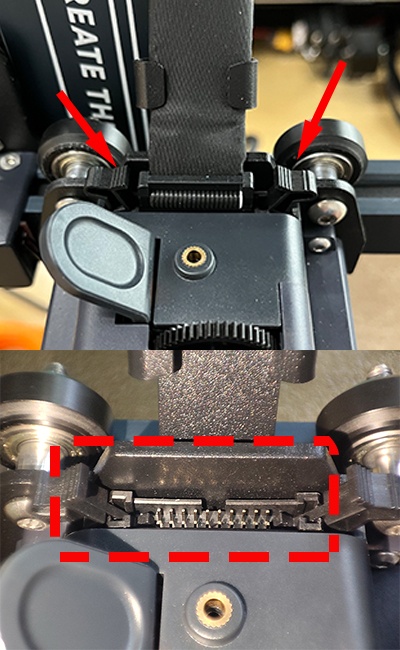
¶ Step 3 Check whether the pins at the marked positions are deformed or damaged.
Turn off the printer power, and then check whether the pins at the marked positions are deformed or damaged.
¶ Step 4 Check whether the proximity switch plug is damaged or loose.
Refer to the video below for the disassembly steps.
https://youtu.be/z_0IVMnSEN0
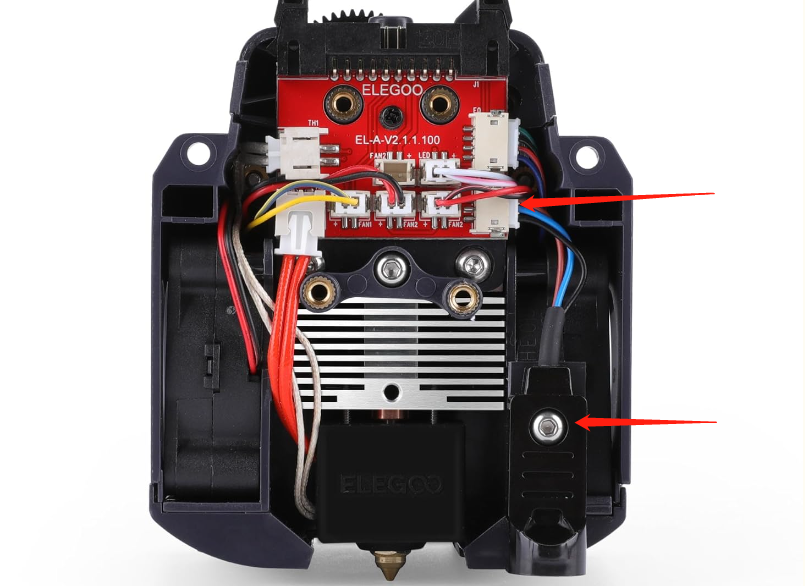
¶ Step 5 Check whether the proximity switch plug is loose.
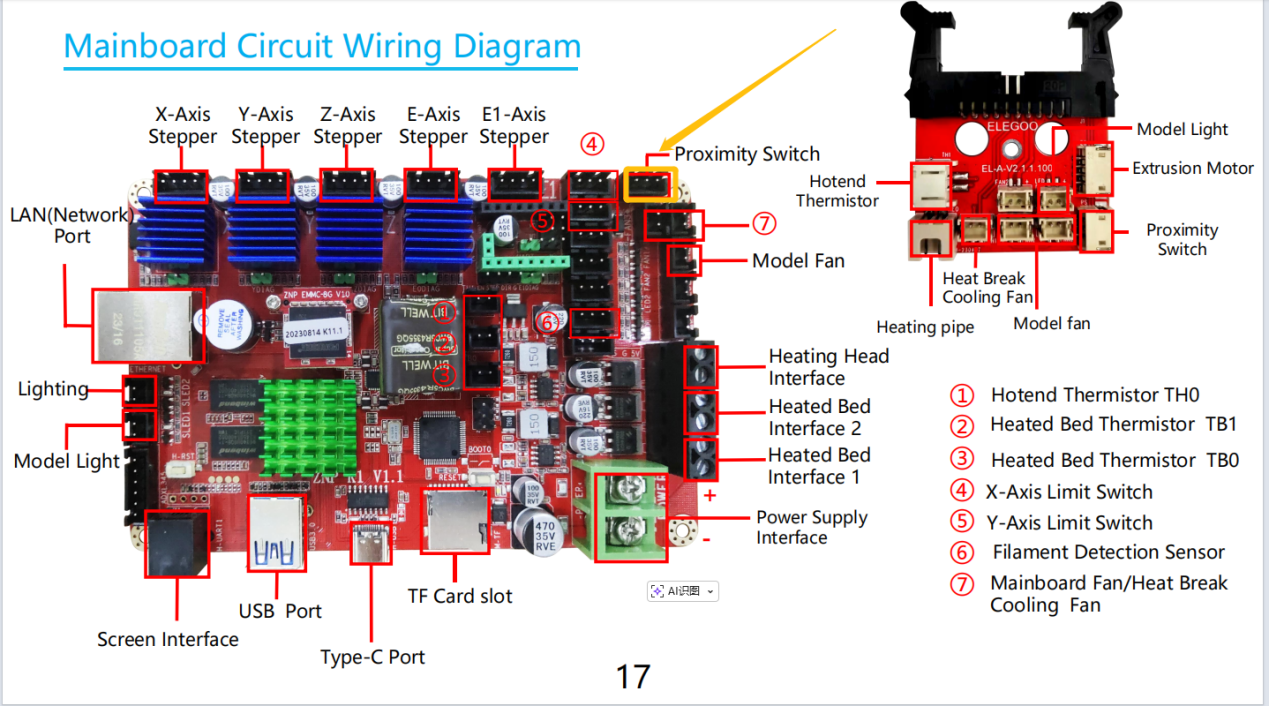
If the printer was just ordered, turn off the printer power. Open the printer's bottom cover and check if the proximity switch plug is loose. Try reseating the limit switch plug.
Refer to the video below to open the printer's bottom cover.
https://www.youtube.com/watch?v=NmtXTwokpyg&list=PLkFeYZKRTZ8ZviEeRG1xeiFK_PItYiyqg&index=9
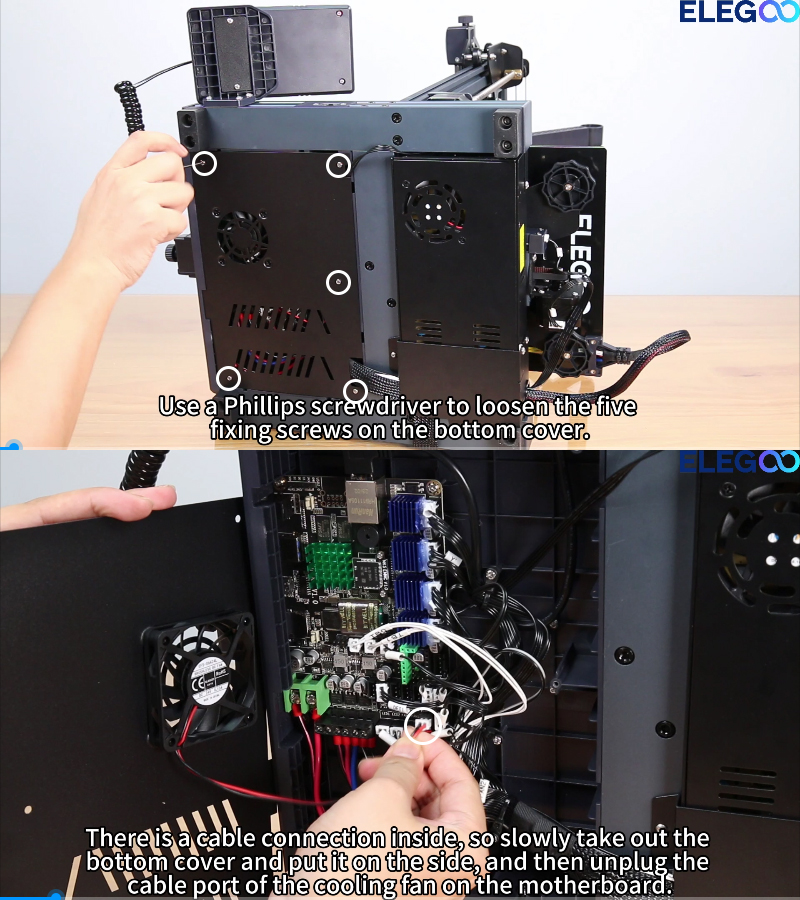
The limit switch plug is located at the marked position.
¶ Still have issues?
Following the above instructions to check the printer will not affect the printer's warranty.
If the issue persists after completing the above troubleshooting steps, please contact us via ELEGOO technical support team.