¶ Issue Description
- The base unit of the printer is unstable and wobbles due to transportation.
¶ Troubleshooting Steps
¶ Tools needed for troubleshooting
- A 4.0 mm Allen key
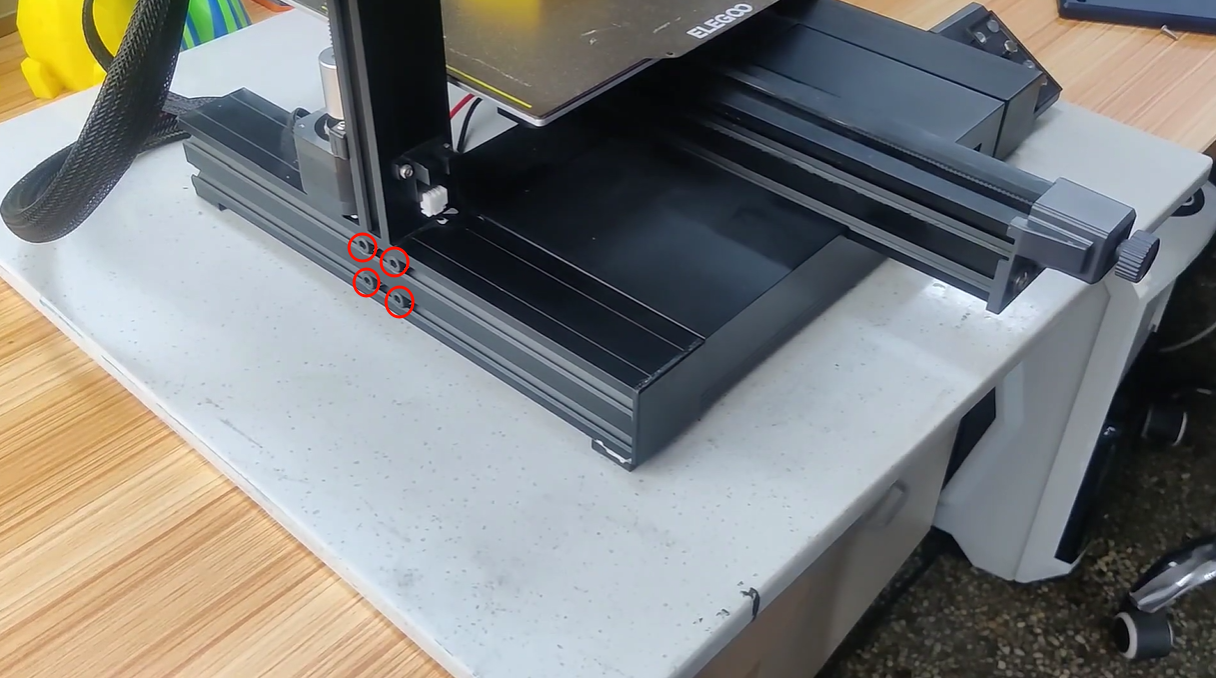
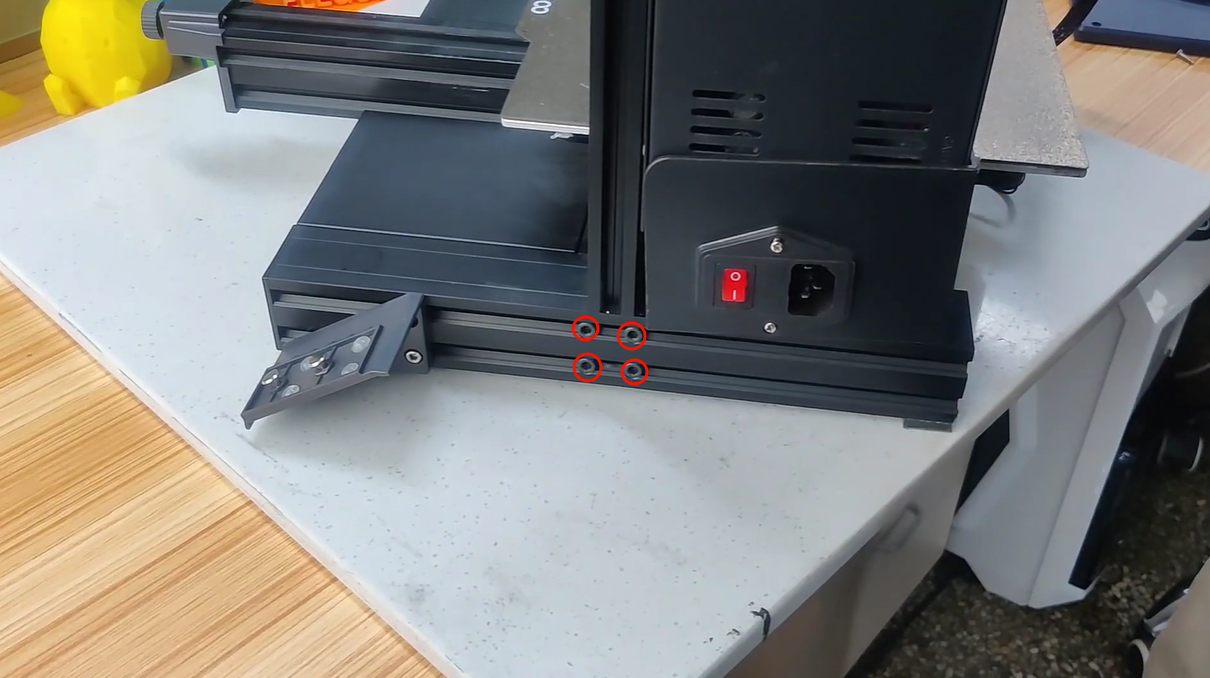
- Loose the four screws on the two sides of the base unit with a 4.0 mm Alln key.
Note: Loosen the screws instead of removing them.
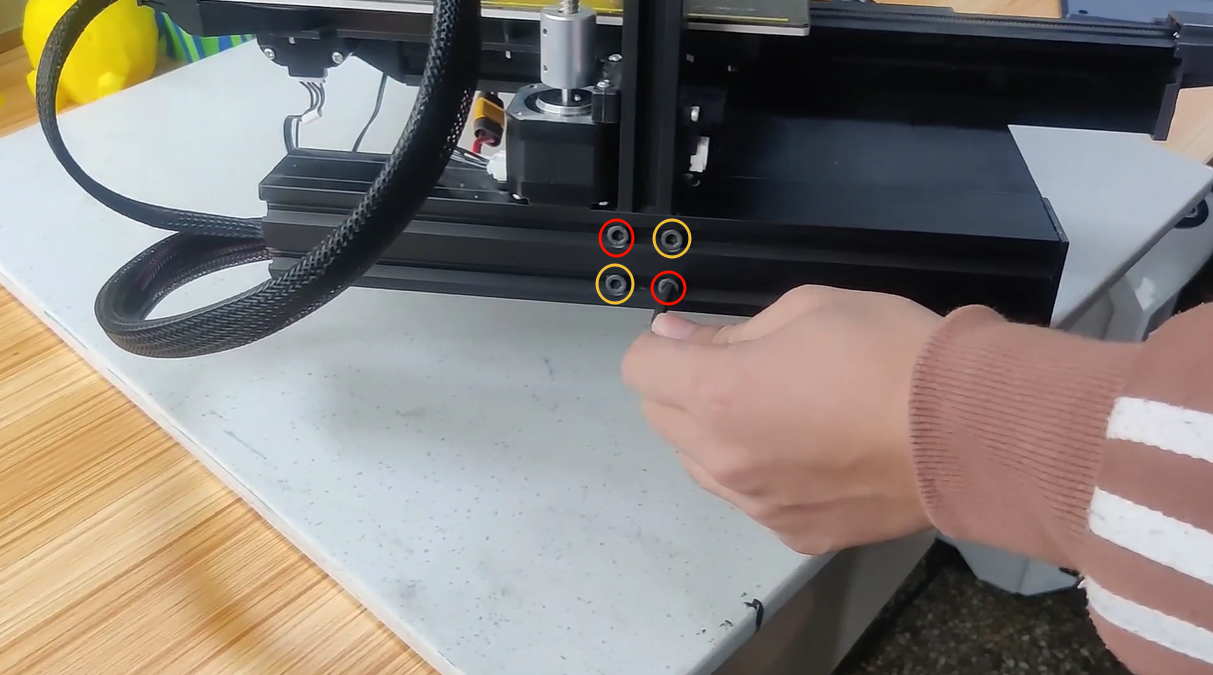
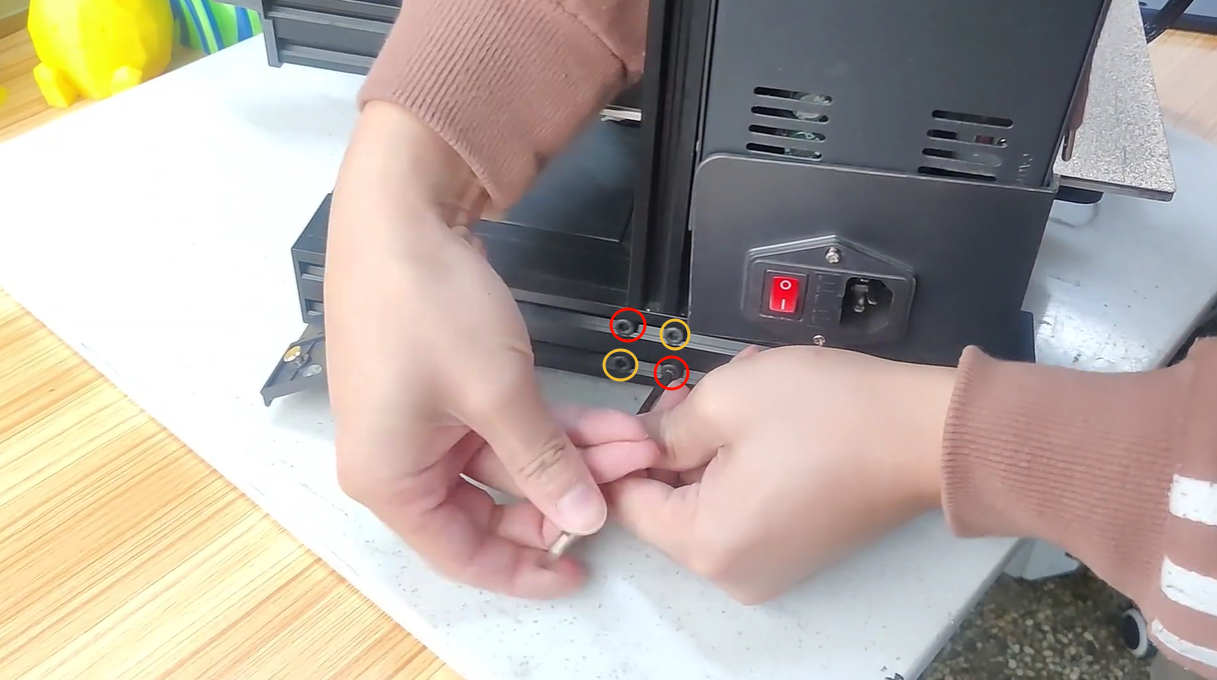
2. Tighten the four screws diagonally on the two sides of the base unit.
3. Shake the base unit by hand to confirm whether the base unit remains stable.
- If it is still unstable, repeat Step 2 and check the stability again.
- If the base unit is stable, it indicates that the issue is resolved.