¶ Issue Description
The printer is unable to display print files after a TF card is inserted.
¶ Reasons
The TF card or the TF card reader is damaged.
The TF card port on the motherboard is damaged.
¶ Troubleshooting Steps
¶ Tools needed for troubleshooting
-
A TF card (FAT32 with a block size of 4096 bytes and a capacity of less than 32 GB)
-
A TF card reader
¶ Step 1 Test whether the TF card and the TF card reader is normal
-
Insert the TF card reader and the TF card into a USB port on your computer.
-
Check whether the computer can read the TF card.
-
If your computer cannot read the TF card, clean the gold-plated contacts on the TF card with alcohol.
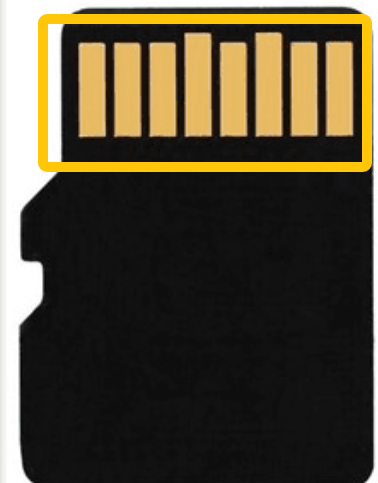
-
If your computer can read the TF card, format the TF card and test it again.
¶ Step 2 Test whether the motherboard TF card slot is working properly
- Download the test file via ELEGOO official website.
https://www.elegoo.com/?srsltid=AfmBOoqnpMhmap91wH3T2jATwdLYj3wvgbDxmJI2MGtYfowKTarlCjll
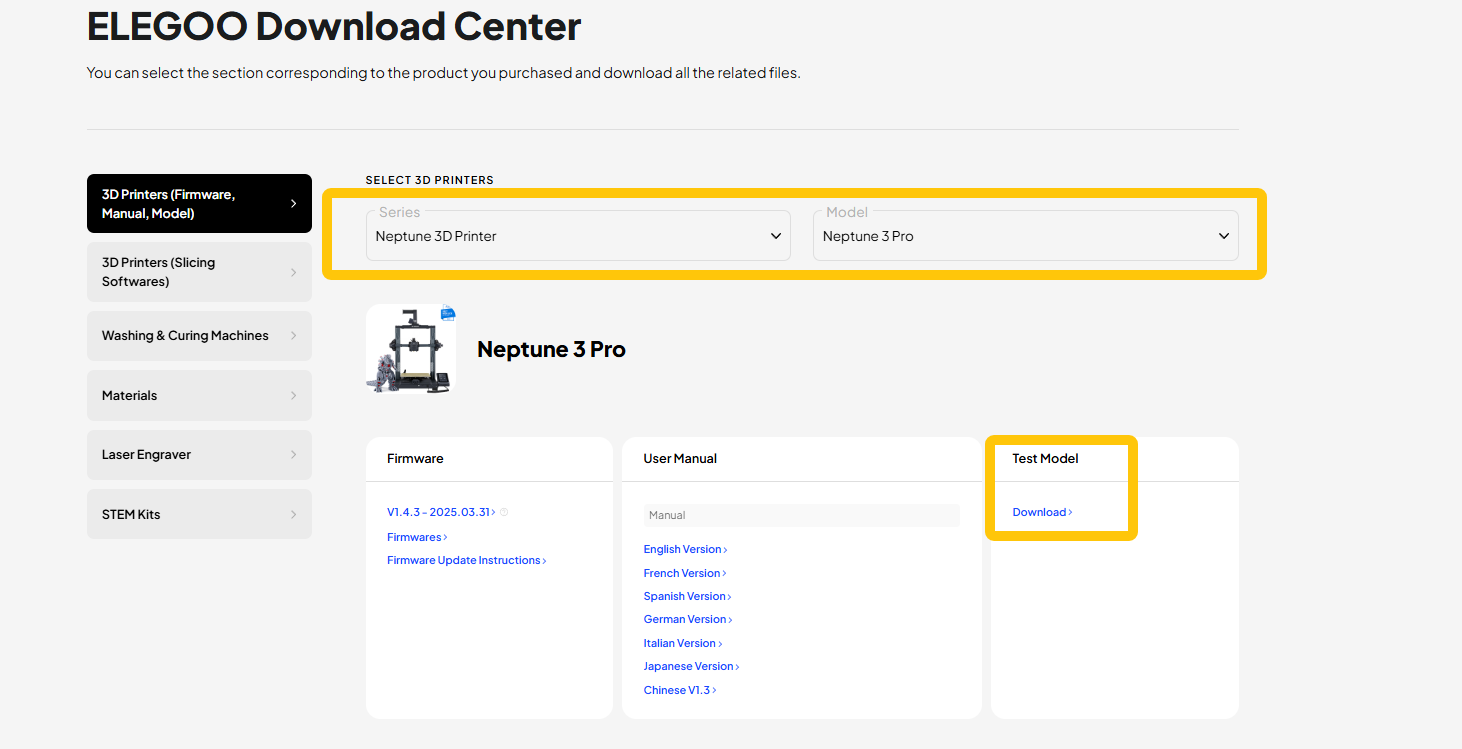
- Copy the file onto another TF card.
Note: The TF card should be FAT32 with a block size of 4096 bytes and a capacity of less than 32 GB.
-
Insert the TF card into the printer.
-
Enter into the print menu via the touch screen and check whether the file can be read.
- If the file cannot be read, it indicates that the TF card port on the motherboard is damaged and a new motherboard needs to be replaced.