¶ Description
The printer stopped extruding mid print.
¶ Reasons
- Filament issues.
- The filament diameter exceeds the allowable range.
- The filament contains impurities.
- A high ambient temperature. If the room temperature is high, for example, close to 40 ℃, the filament can soften in the hotend.
- Hardware issues.
- The PTFE tube is not installed correctly.
- The heat break cooling fan is not running.
- The gearbox handle is damaged.
- The motherboard or extruder cable is damaged.
- Software issues. The correct slicing software configuration file was not used for printing.
- Other causes.
- Imporper cleaning. When changing from a high-temperature filament like ABS to a lower-temperature one like PLA, some of the old, partially melted filament can remain in the nozzle and cause a clog.
- Hardened steel nozzles were used, but the nozzle temperature was not set correctly.
¶ Solution
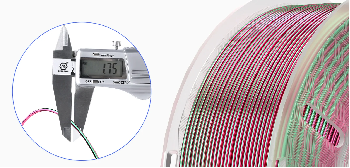
¶ Step 1 Check the diameter of the filament.
- Make sure that the diameter of the filament is within the allowable range.
- For example, the tolerance range for Elegoo PLA is ±0.02 mm. Impurities in the filament entering the nozzle can also cause nozzle blockage.
If you have other filaments, you can also try printing with those to check if the same problem occurs.
¶ Step 2. Remove any leftover high-temperature filament from the hotend by extruding it.
- After printing models with high-temperature filaments, set the nozzle temperature to 260°C on the extruder.
- On the touchscreen, select Extruder. Extrude the remaining high-temperature filament before starting to print different models.
¶ Step 3. Place the printer in a room with a suitable temperature.
The Neptune 3 Pro/Plus/Max operates within a temperature range of 5 °C to 40 °C.
If the room temperature exceeds 40°C, the likelihood of nozzle clogging increases. It is recommended to place the printer in a room with a suitable temperature.
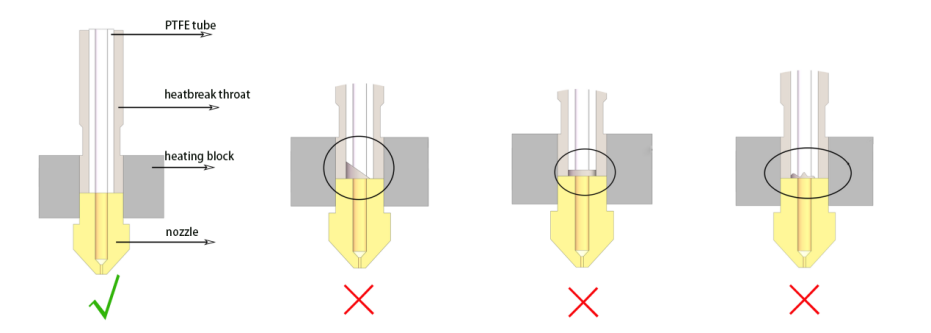
¶ Step 4. Check that whether the PTFE tube is installed correctly.
- If the PTFE tubing was recently replaced, improper installation or wear can cause nozzle clogging. Refer to the diagram and the tutorial video to check if the PTFE tubing is installed correctly.
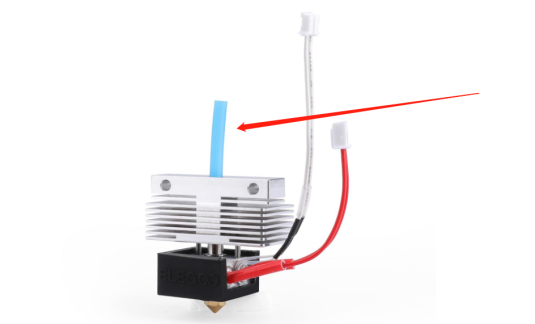
https://youtu.be/Z6kueAA2V4U - Make sure that the PTFE tube specifications for Neptune 3 Pro/Plus/Max are: light blue, D4-d2, 54mm.
¶ Step 5. Check the parameters of the slicing file.
-
Increase the nozzle temperature.
Hardened steel nozzles have lower thermal conductivity than the default nozzle.
Note: the default nozzle size is MK8 0.4mm, made of brass.
When using hardened steel nozzles, increase the nozzle temperature by 20°C from the nozzle temperature specified in the Elegoo slicer consumable profile. -
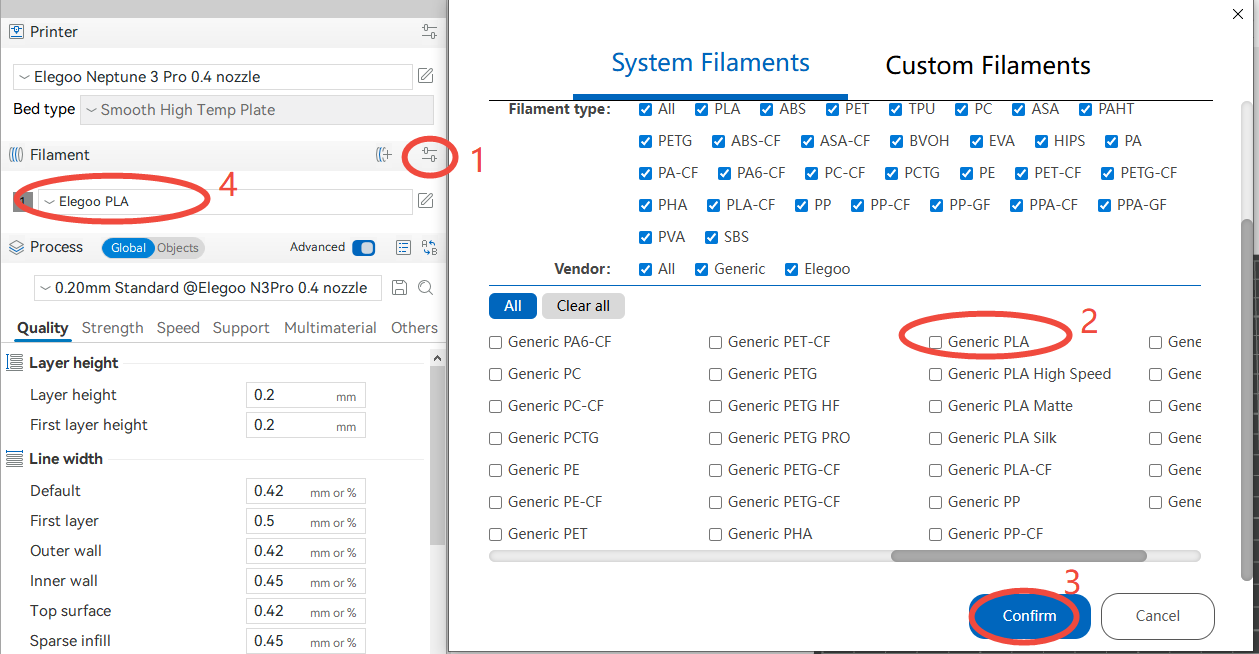
If you are changing to a different diameter nozzle, switch to the corresponding printer profile. Different filament types have different nozzle temperatures. Make sure that your current profile matches the filament type on the filament label.
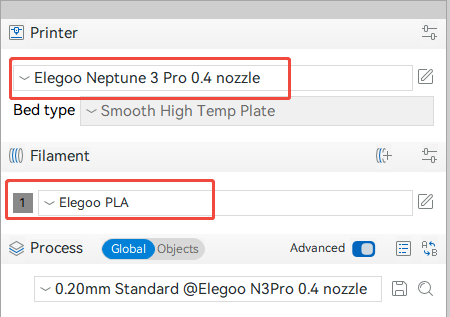
If you are not using our slicer, you can switch to a generic supply profile (Generic PLA, Generic PETG, etc.) in the settings.
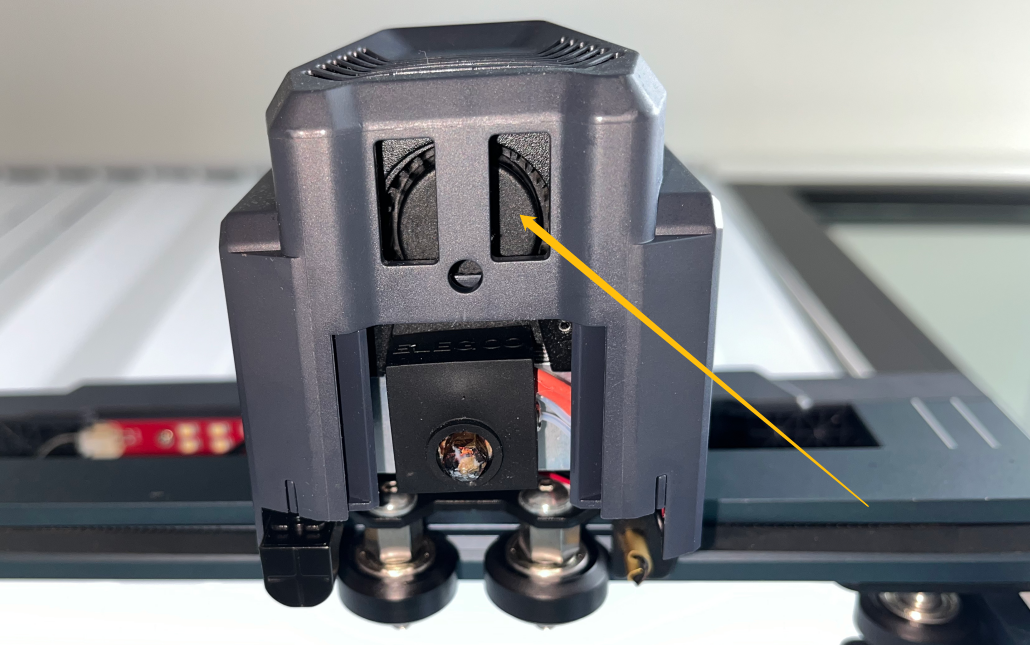
¶ Step 6. Check if the heat break cooling fan rotates normally after the nozzle temperature reaches 50°C.
If the heat break cooling fan does not rotate or its speed decreases, it will cause thermal creep, which can lead to nozzle blockage.
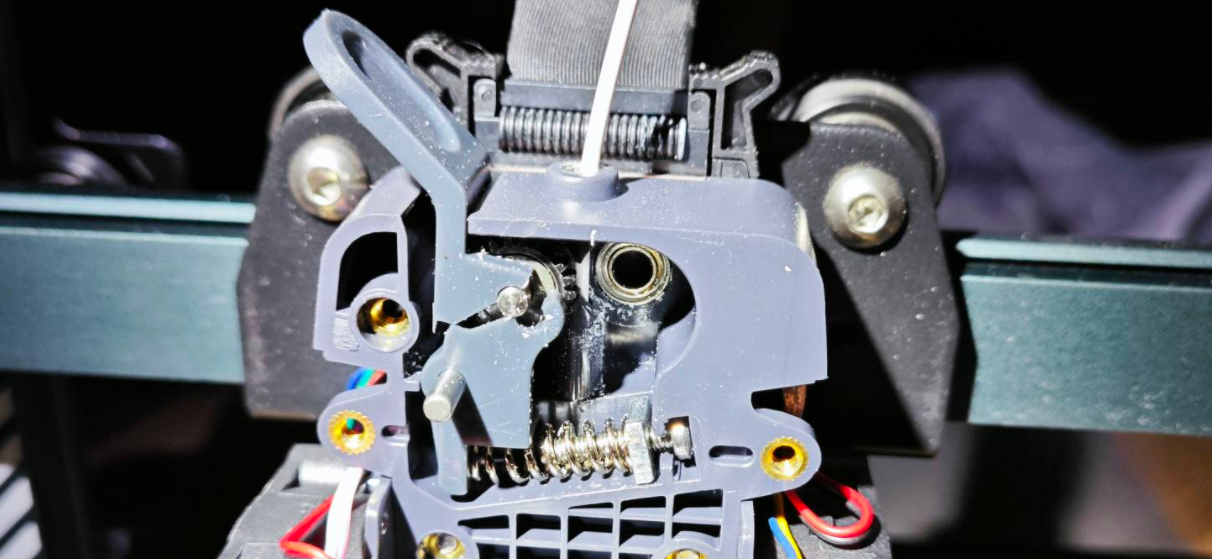
¶ Step 7. Check if the extruder handle is broken.
Open the gearbox and check if the extruder handle is broken.
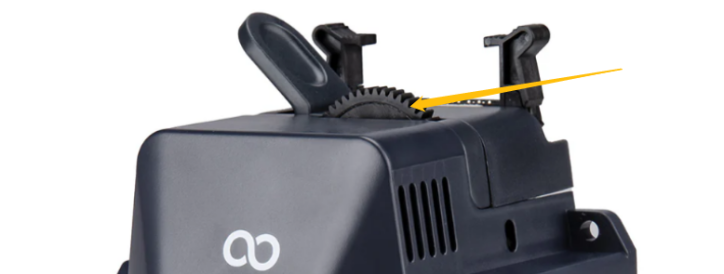
¶ Step 8. Check if the extruder gears stop rotating or vibrate during printing.
The motherboard extruder driver may be damaged, or there may be poor contact in the extruder cable. Please check if the extruder gears stop rotating or vibrate during printing.
¶ Still have issues?
If the issue persists, contact the ELEGOO after-sales technical support team.
Provide the troubleshooting results, photos of the printing failure, the type of consumables used, and the .gcode file. The ELEGOO technical team will investigate and provide a solution based on the information you provide.