¶ Issue description
- During the Input shaper calibration, the printer prompts that X-axis vibration detection failed or X-axis sensor status is abnormal.
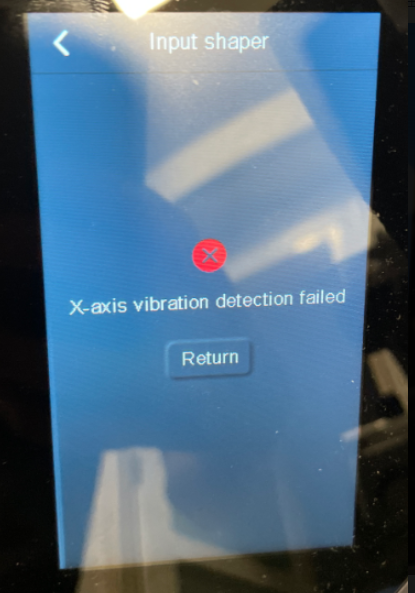
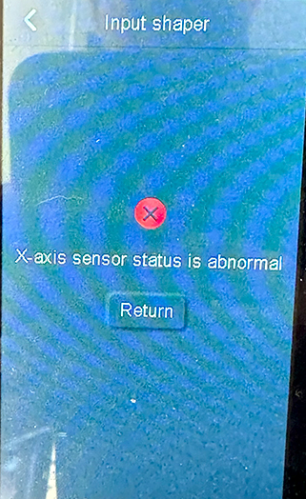
- During the Input shaper calibration, the Fluidd prompts error messages as shown below.
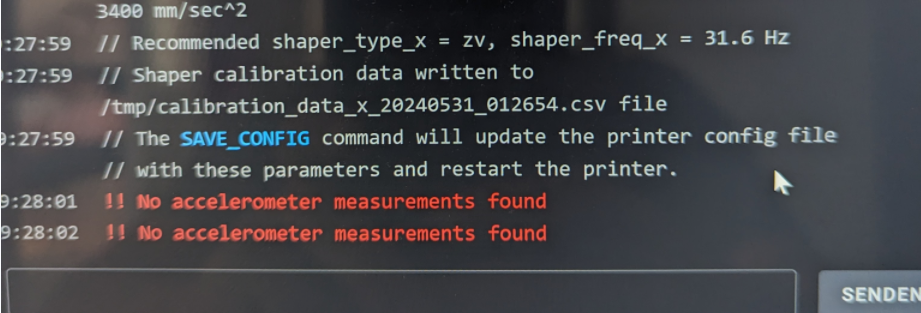

¶ Reasons
¶ Hardware issues
- X-accelerometer or extruder cable has malfunction.
- The extruder cable has poor contact.
¶ Firmware issues
- Printer power not restarted after firmware update.
- Incompatible motherboard firmware and touchscreen firmware/failed motherboard or touchscreen firmware update.
¶ Tools needed for troubleshooting
- A 2.0mm screwdriver
- A FAT-32 formatted USB flash drive with less than 16GB of memory
- A FAT-32 formatted TF card with less than 32GB of memory
¶ Troubleshooting steps
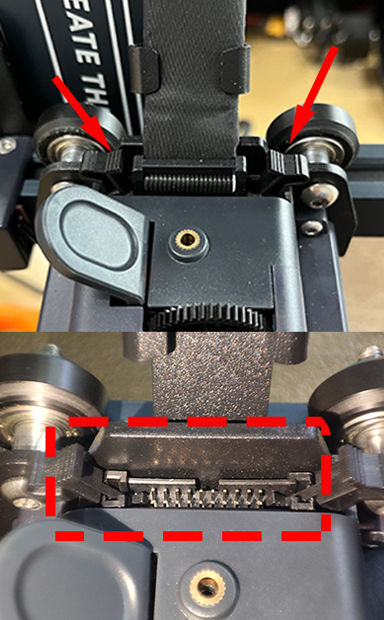
¶ Step 1 Re-plug the extruder cable.
- Power off the printer and re-plug the extruder cable.
- If the pins are deformed, straighten them using a pair of tweezers.
- Then power on the printer back and check if the error still appears.
¶ Step 2 Remove the printer's bottom cover and reconnect the Input shaper port plug on the motherboard side.
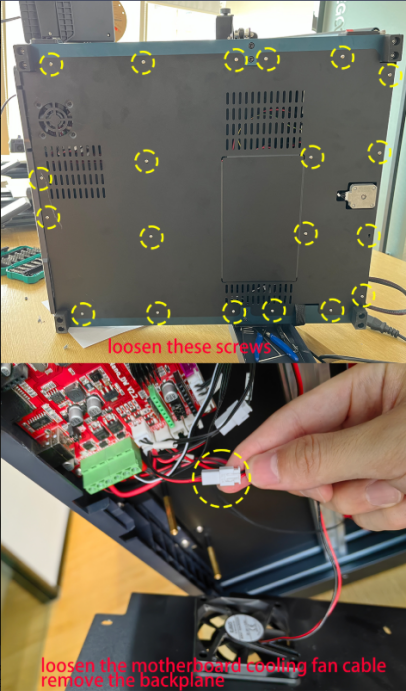
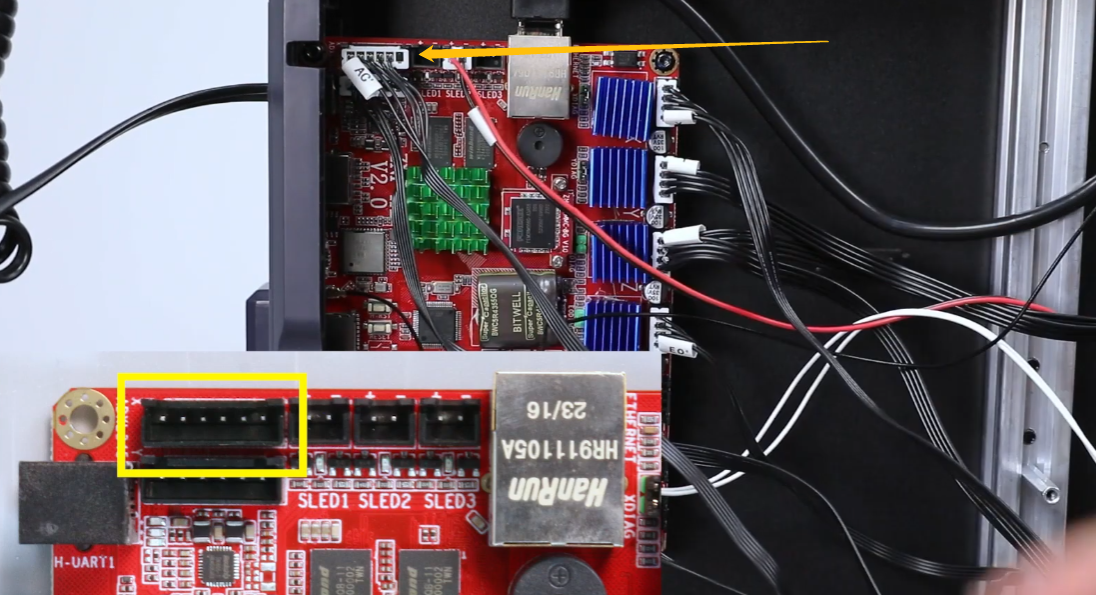
¶ Step 3 Re-start the printer.
If a firmware has been updated, restart the printer and check if the error still appears.
If the problem persists, go to the steps below for further troubleshooting.
¶ Step 4 Check if the touchscreen firmware and motherboard firmware are compatible.
-
Check the current motherboard firmware version and touchscreen firmware version according to the list below.
Mainboard firmware: v1.2.2.64 Touchscreen firmware (UI) version 1.2.11
Mainboard firmware: v1.2.2.65 Touchscreen firmware (UI) version 1.2.12
Mainboard firmware: v1.2.3.0 Touchscreen firmware (UI) version 1.2.13
Mainboard firmware: v1.2.3.1 Touchscreen firmware (UI) version 1.2.14
Mainboard firmware: v1.2.3.2 Touchscreen firmware (UI) version 1.2.14 -
Locate the motherboard and touchscreen firmware version information in Settings → About machine.
¶ Step 6 Update the motherboard and touchscreen firmware.
Note: The firmware update process is the same for Neptune 4 series printers.
Firmware download link:
https://www.elegoo.com/pages/download
Firmware Update Instructions:
https://www.youtube.com/watch?v=TC-Y0lonv74
00:00 Note
00:06 Prepare before updating
00:27 Install the fix pack
01:29 Install the mainboard firmware
02:25 Install the screen firmware
04:01 FAQ
¶ Still have issues?
If the issue still occurs, the extruder cable or extruder adapter plate, where the accelerometer is located may be damaged and needs replacement.
Contact ELEGOO technical support team via 3dp@elegoo.com.