¶ Issue Description
The heat break cooling fan fails to rotate during printing.
¶ Reasons
-
The heat break cooling fan cable has poor contact.
-
The heat break cooling fan is damaged.
-
The extruder cable is damaged.
-
The heat break cooling fan port on the motherboard is damaged.
¶ Troubleshooting Steps
¶ Precautions before troubleshooting
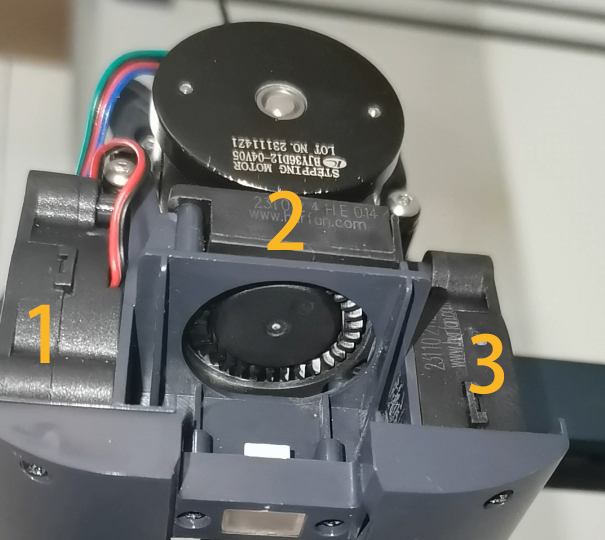
The heat break cooling fan(Fan 2) normally starts rotating when the nozzle temperature reaches 50 ℃.
¶ Tools needed for troubleshooting
-
A 2.0 mm Allen key
-
A multimeter
¶ Step 1 Re-plug the heat break cooling fan cable and the extruder cable.
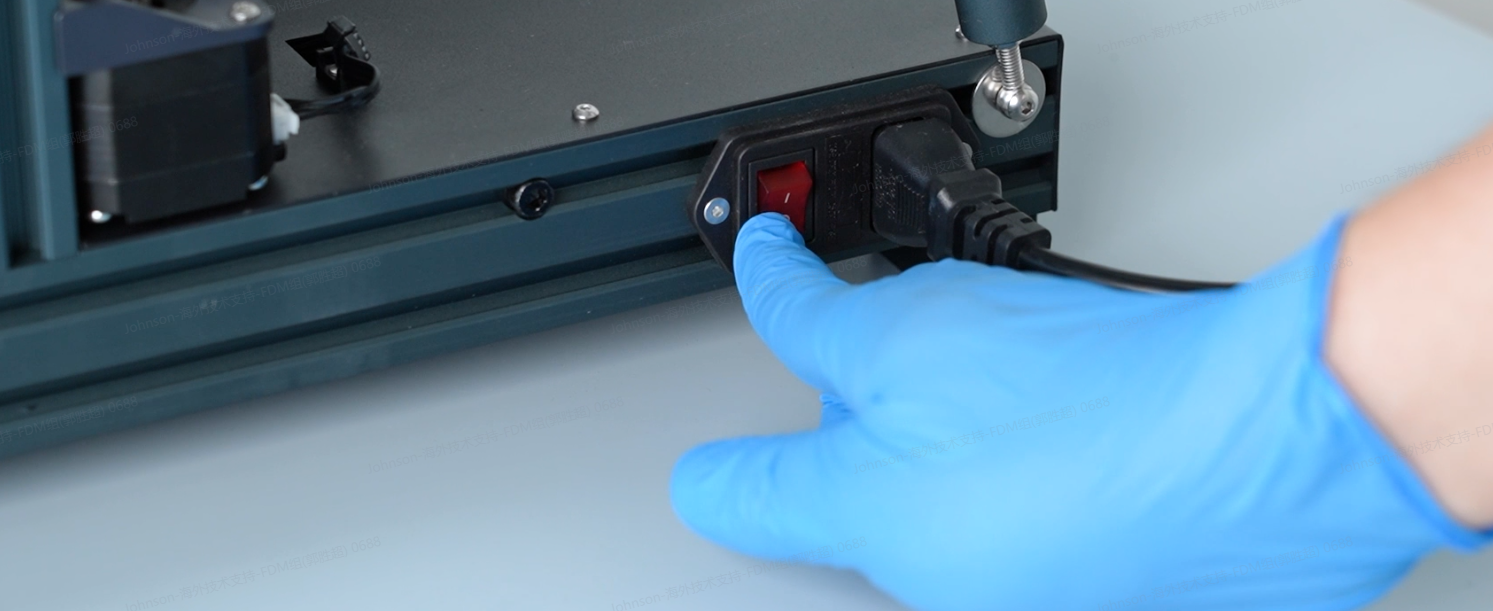
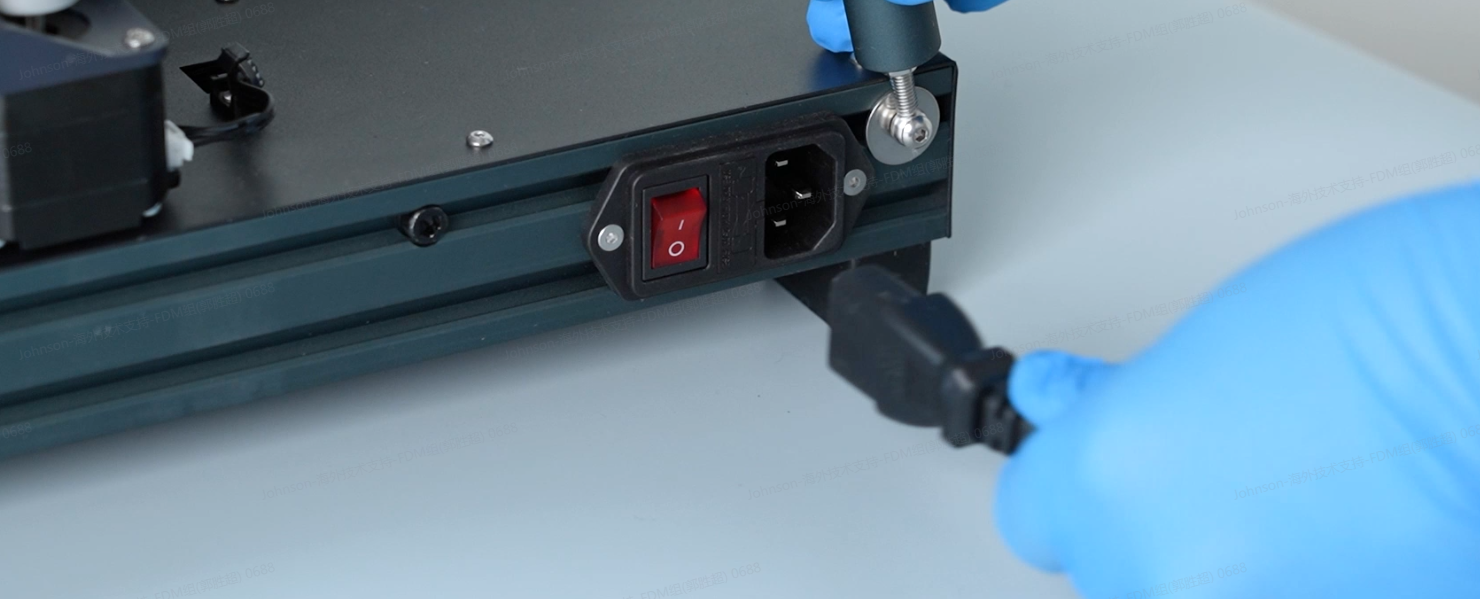
- Turn the power switch OFF (symbol "〇") and unplug the power supply cable.
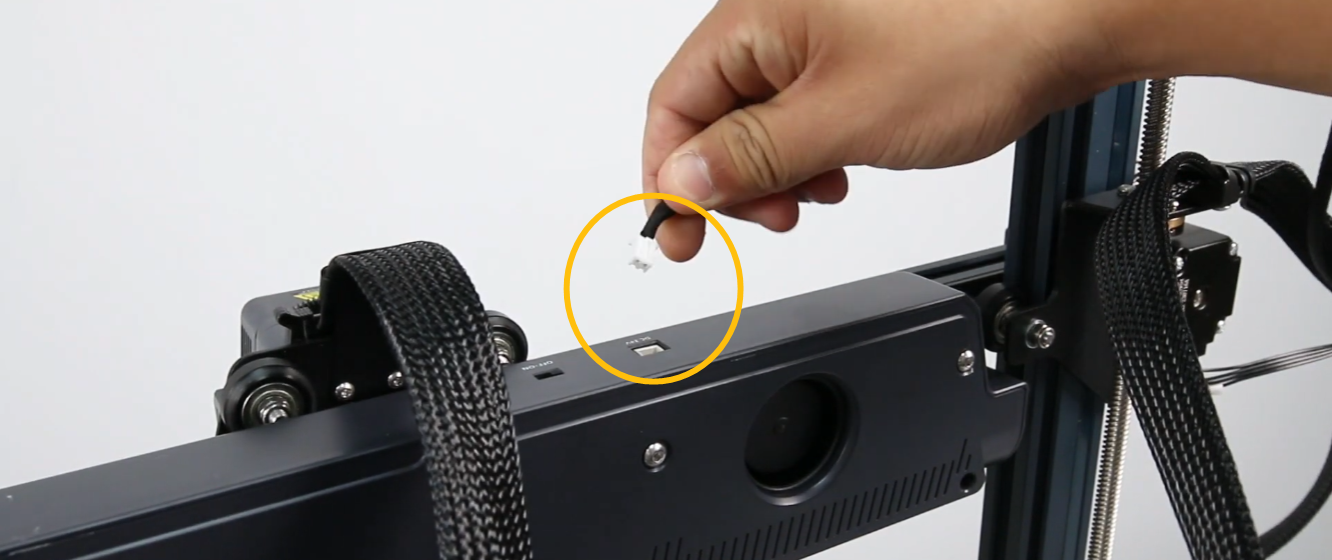
- Unplug the auxiliary cooling fan cable.
- Remove the four screws securing the auxiliary cooling fan and remove the fan.
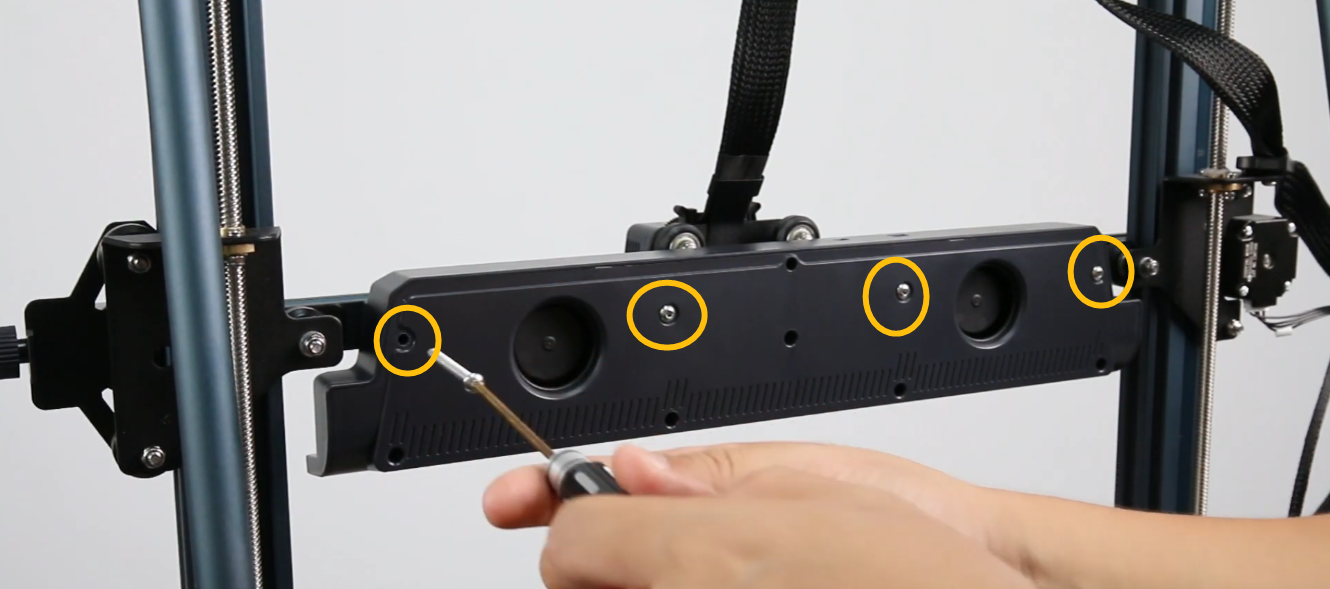
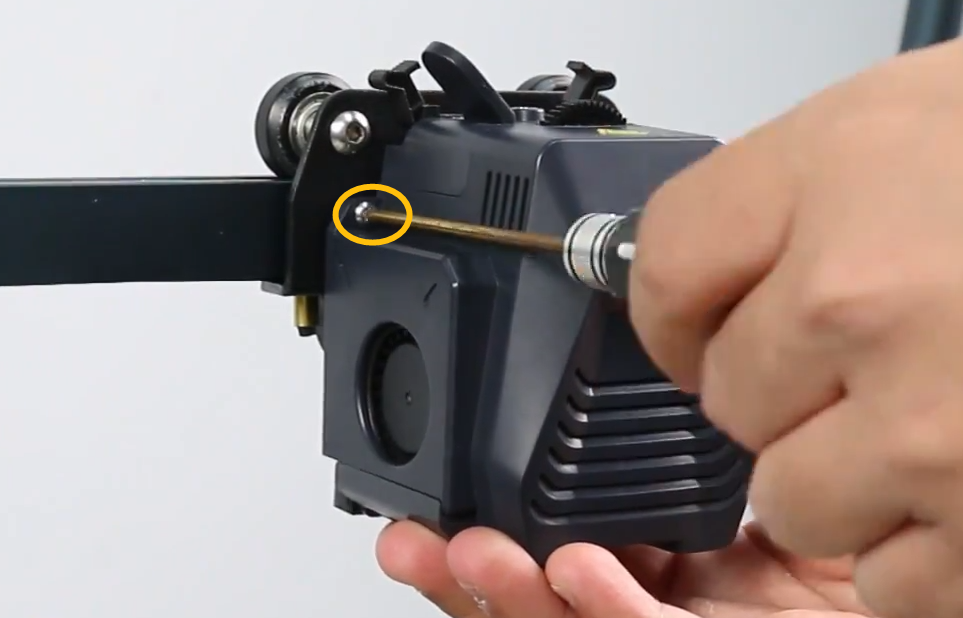
- Remove the three screws on the back of the extruder.
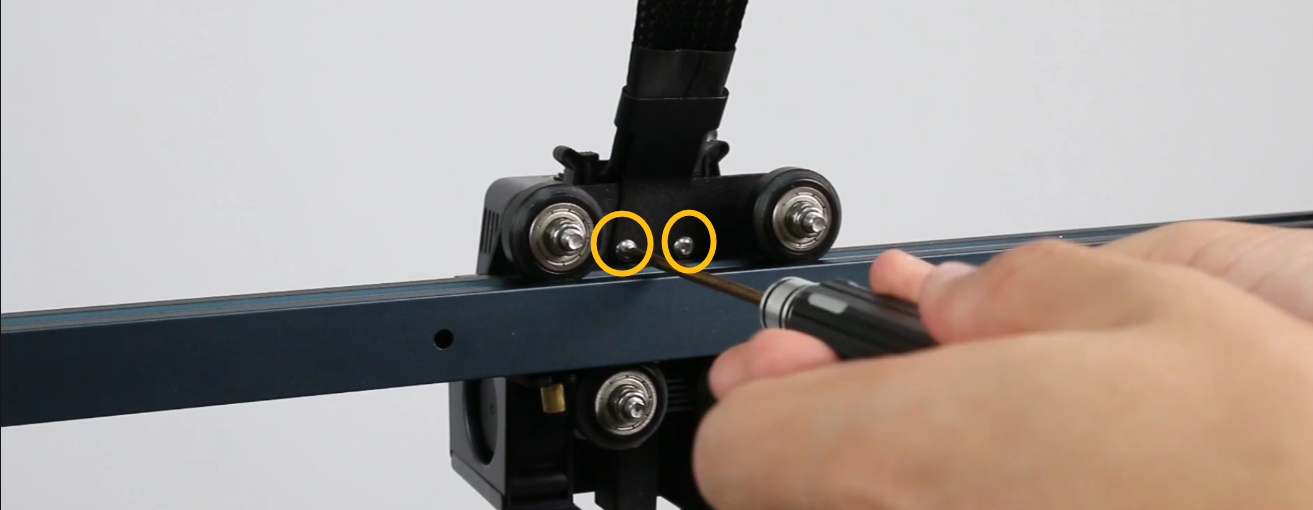
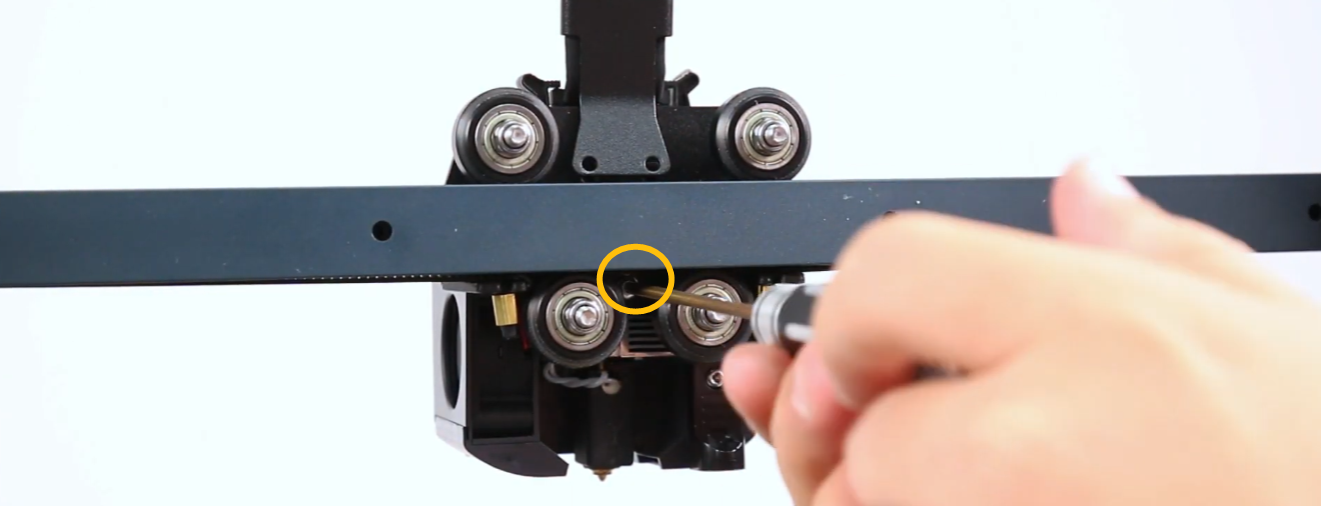
- Remove the two screws on the front of the extruder.
Note:
- Do not unplug the extruder cable.
- Hold the extruder when removing the last screw to prevent it from falling.
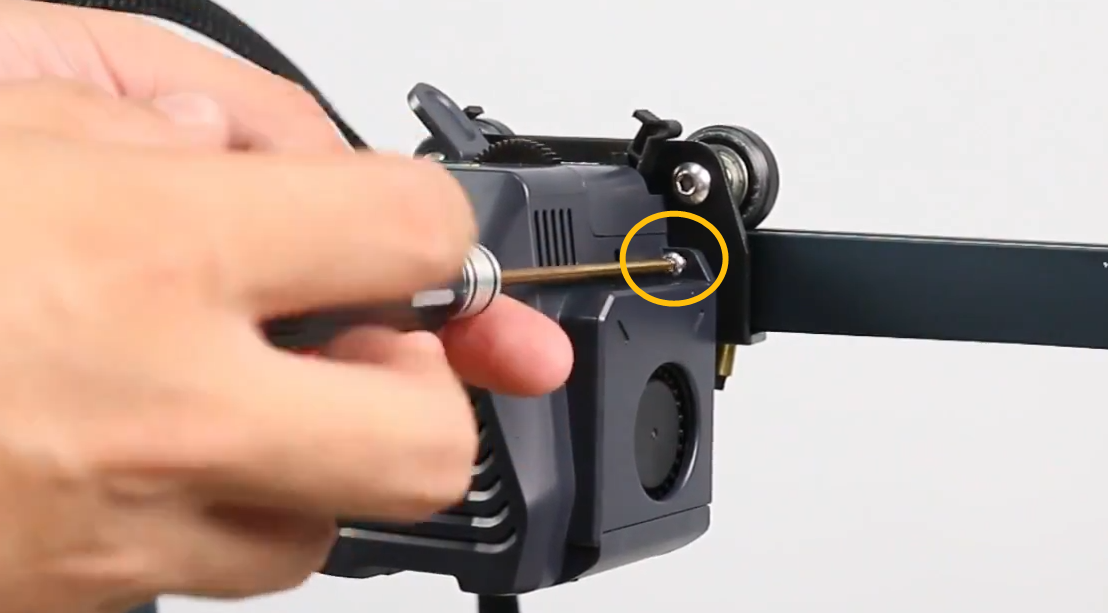
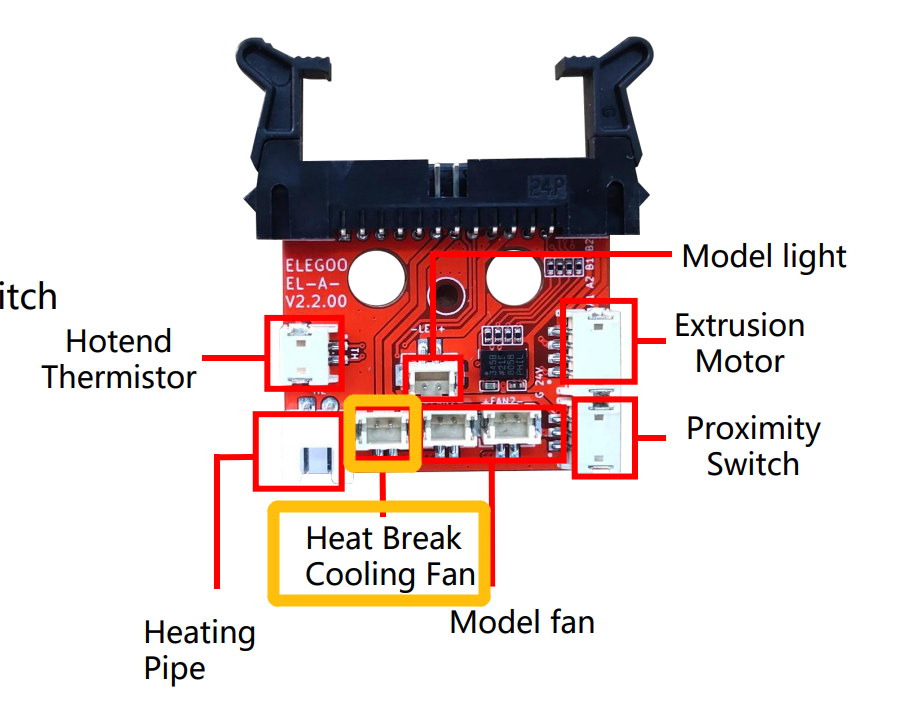
- Re-plug the marked cables.
Note: Press the two marked latches to release the extruder cable.

-
Plug in the power supply cable and turn the power switch ON (symbol "|").
-
Set the nozzle temperature to 200 ℃ and check whether the heat break cooling fan rotates normally.
- If the heat break cooling fan still cannot rotate, refer to Step 2 for further troubleshooting.
¶ Step 2 Interchange the heat break cooling fan and the model cooling fan for testing.
-
Turn the power switch OFF (symbol "〇") and unplug the power supply cable.
-
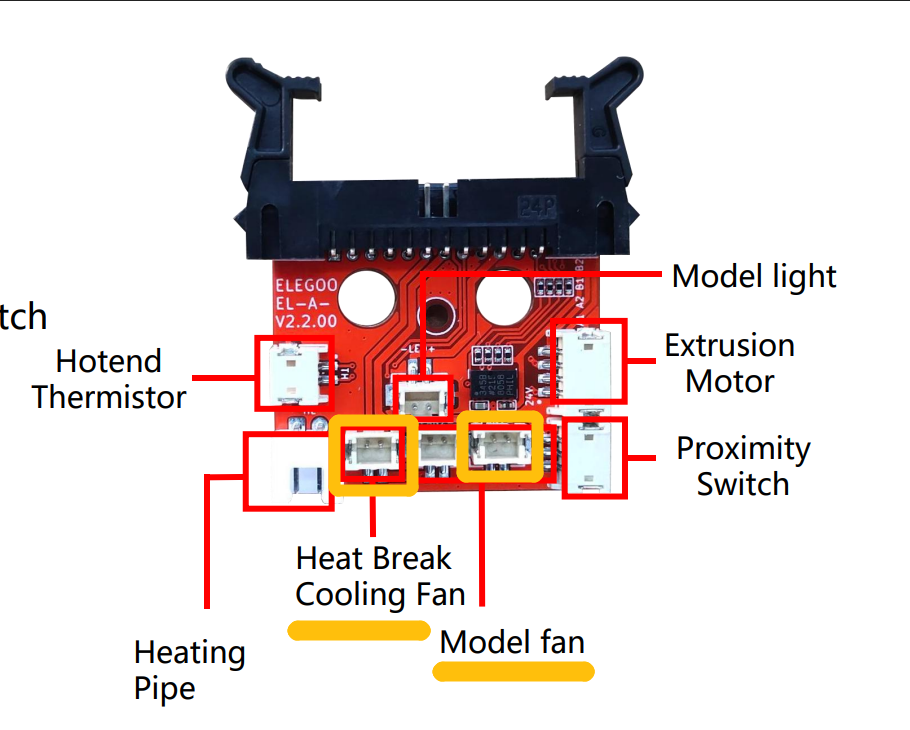
Interchange the heat break cooling fan and the model cooling fan for testing.
-
Plug in the power supply cable and turn the power switch ON (symbol "|").
-
On the touch screen, turn the model cooling fan on and check whether the heat break cooling fan can rotate normally.
-
If the heat break fan still fails to rotate, it indicates that the heat break fan is damaged and needs to be replaced.
-
If the heat break fan can rotate normally, it indicates that one of the following components: motherboard, the extruder cable or the extruder adapter board may be damaged and needs to be replaced.
Refer to Step 3 for further troubleshooting.
¶ Step 3 Insert the heat break cooling fan cable directly to the motherboard port.**
-
Turn the power switch OFF (symbol "〇") and unplug the power supply cable.
-
Remove the tool drawer.
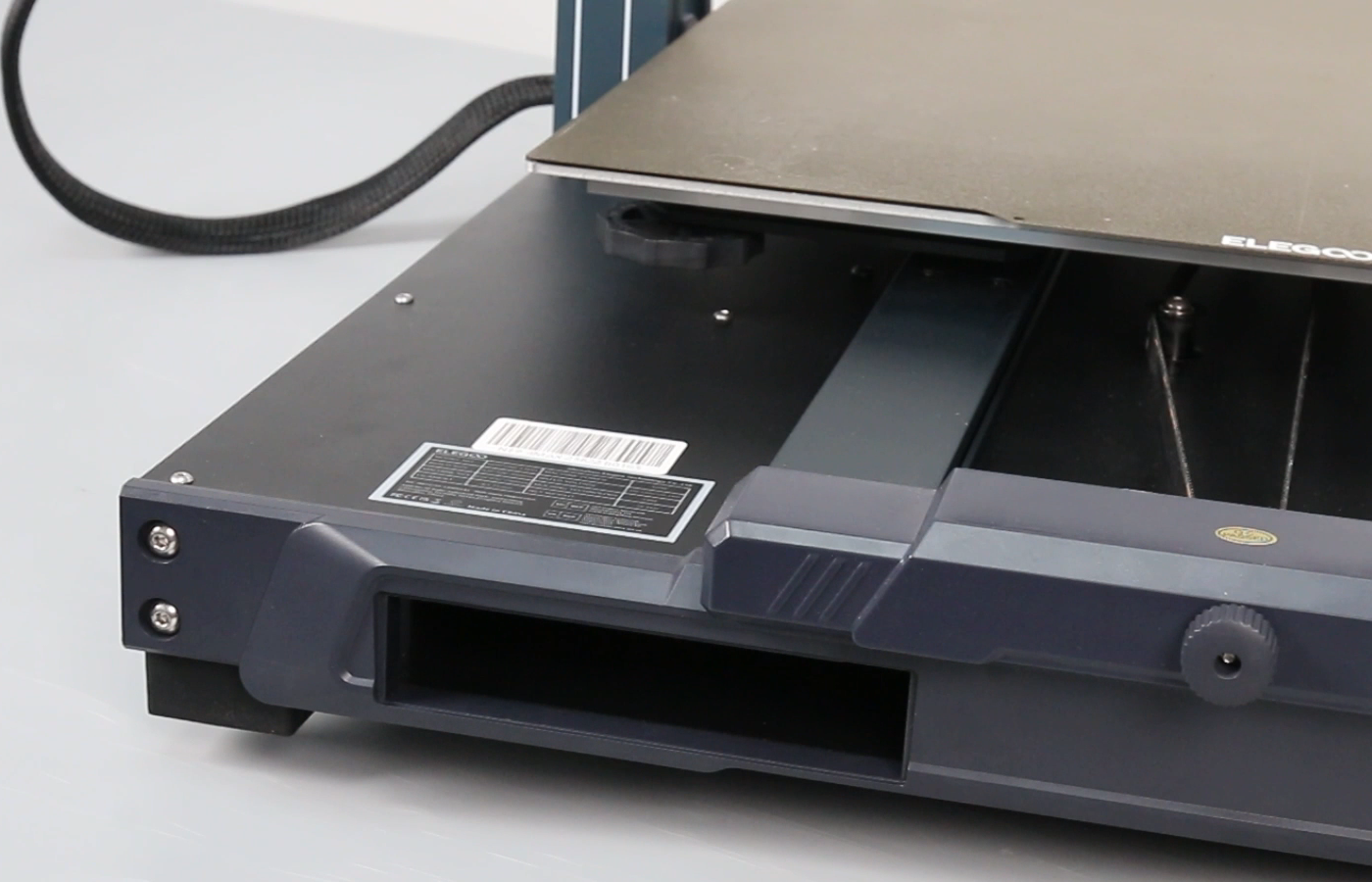
- Remove the screws securing the bottom cover and remove the bottom cover. Put the printer on its side.
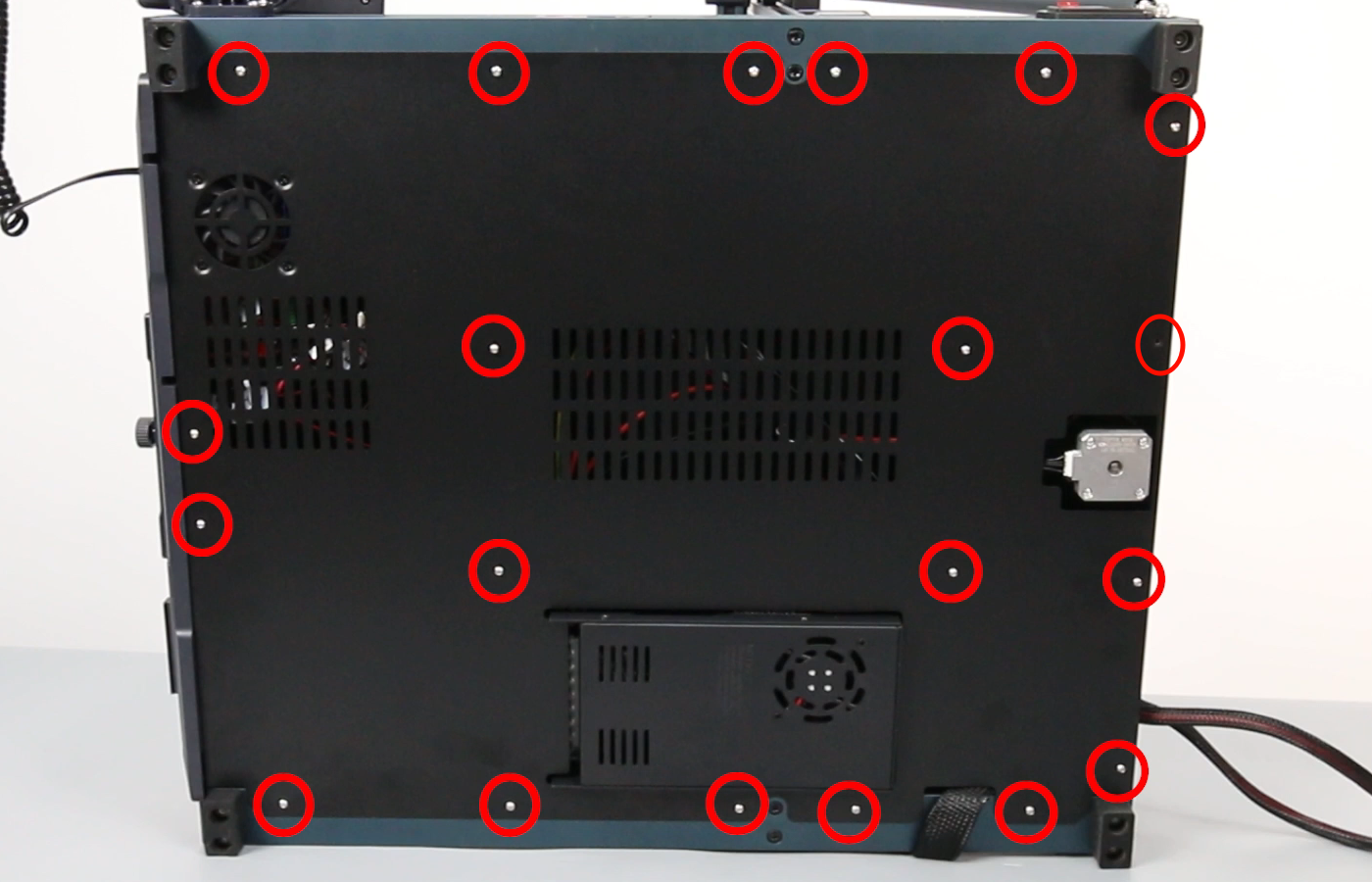
- Open the bottom cover carefully and unplug the motherboard cooling fan cable.
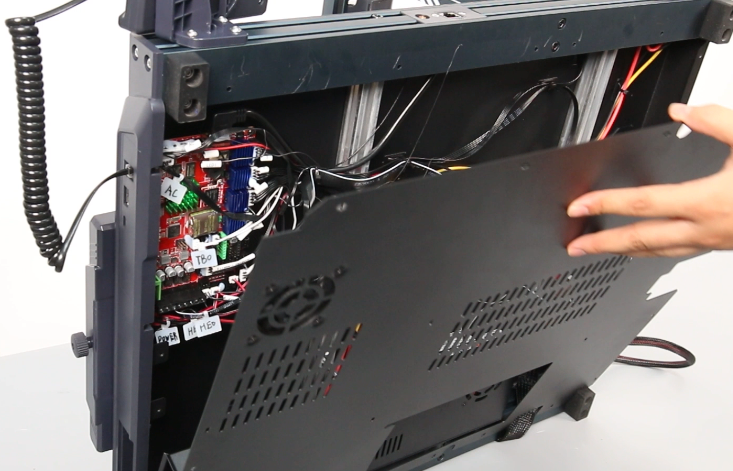
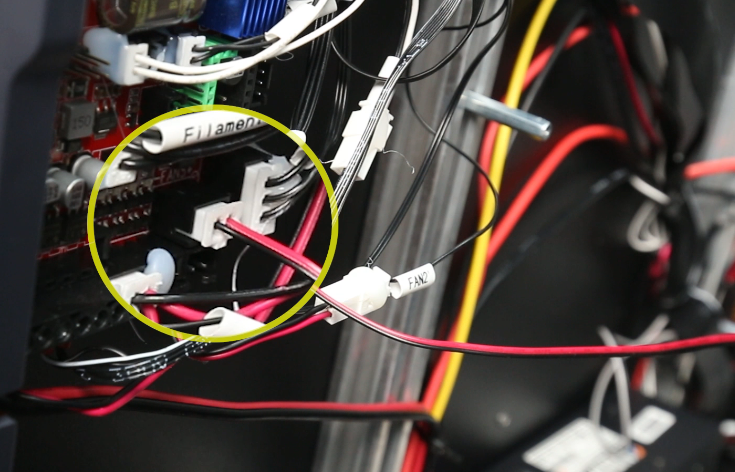
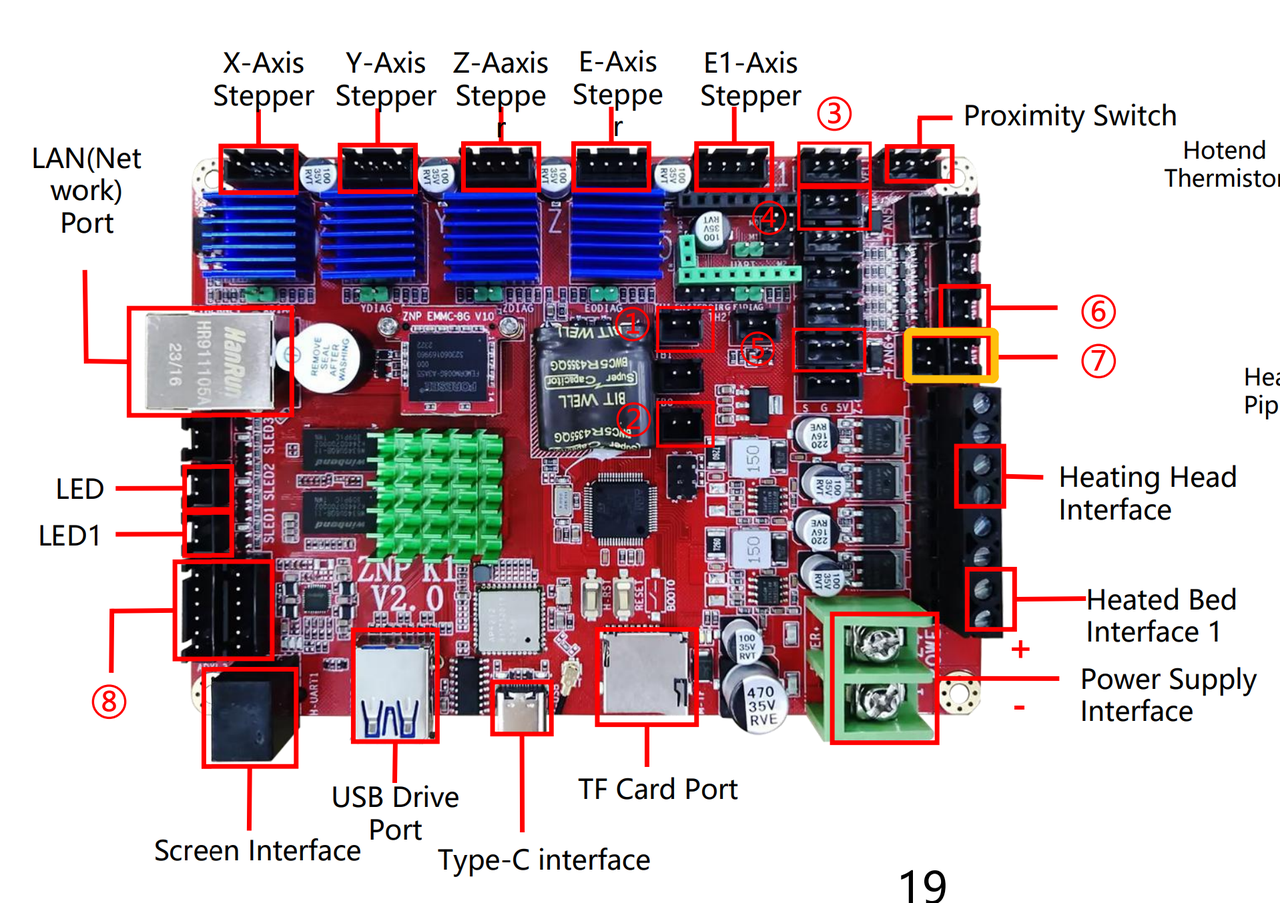
- Insert the heat break cooling fan cable directly to the corresponding port on the motherboard.
Note: The two sockets here are connected in parallel and either socket can be used.
-
Plug in the power supply cable and turn the power switch ON (symbol "|").
-
Set the nozzle temperature to 200 ℃ on the touch screen and check whether the heat break cooling fan can rotate normally.
-
If the heat break fan can rotate normally, it indicates that the extruder cable and extruder adapter board are damaged and need to be replaced.
-
If the heat break fan still fails to rotate, it indicates that the motherboard is damaged and needs to be replaced.