¶ Issue Description
During printing, the touch screen displays the error message:
Please run'SDCARD RESET FILE' or 'FIRMWARE RESTART' to resume.!! Extrude below minimum temp
¶ Reasons
-
The settings of the sliced model file are inappropriate.
-
The extruder thermistor cable is damaged or loosely connected.
¶ Troubleshooting Steps
¶ Tools needed for troubleshooting
-
A 2.0 mm Allen key
¶ Step 1 Check whether the sliced model file has any inappropriate settings.
-
If the USB flash drive accompanying with the printer is available, print the test file for testing.
-
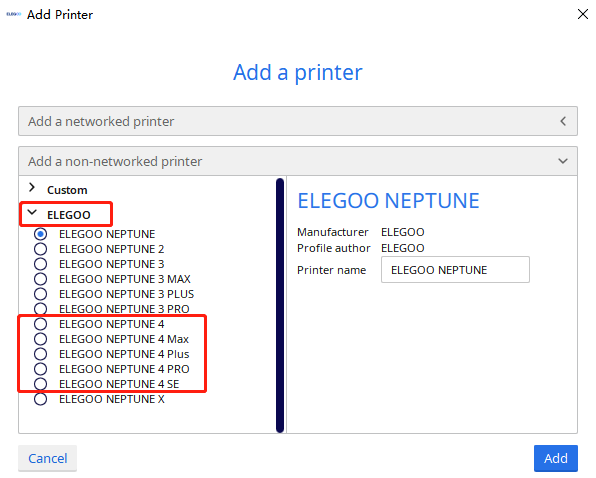
If the USB flash drive is unavailable, slice the model via ELEGOO Cura or ELEGOO Slicer and print the model again.
Note: ELEGOO Cura or ELEGOO Slicer features default configurations optimized for the Neptune 4 series, which delivers strong adaptability to the printers.
-
If the error message does not occur, it indicates that the issue is resolved.
-
If the error message still occurs, refer to Step 2 for further troubleshooting.
¶ Step 2 Check the extruder thermistor cable.
-
Turn the power switch OFF (symbol "〇") and unplug the power supply cable.
-
Unplug the cable of the rear fan assembly.
-
Loosen the four screws securing the rear fan assembly with a 2.5mm Allen key and remove the rear fan assembly.
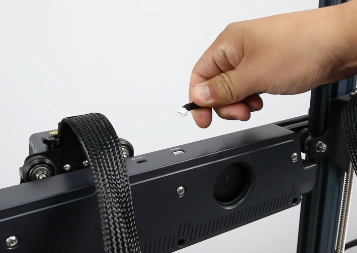
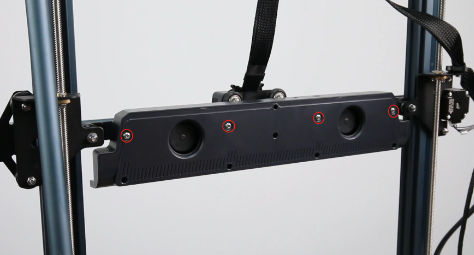
-
Loosen the two screws securing the cable fastener and the one fixing screw of the extruder with a 2.0 mm Allen key.
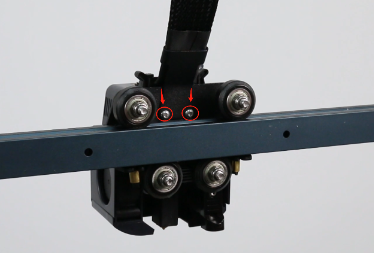
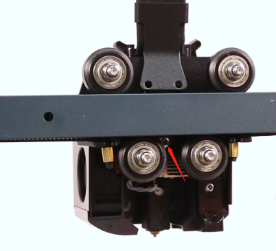
-
Remove the extruder cable.
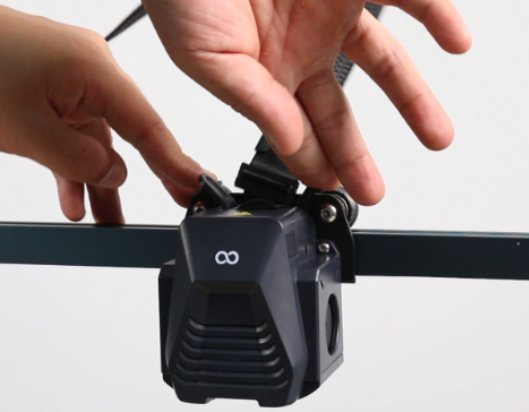
-
Loosen the two screws securing the extruder front cover with a 2.0 mm Allen key and remove the extruder.
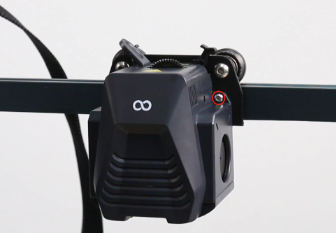
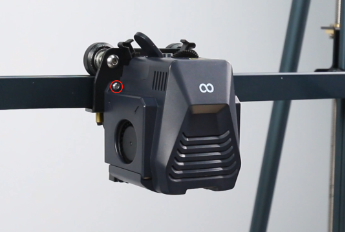
-
Remove the extruder front cover.
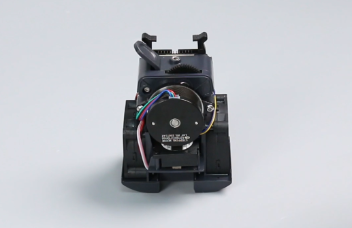
-
Check the pin of the thermistor cable and re-plug it. Make sure the cable is normal and is securely connected.
Note: The picture on the left shows the normal status of the pin.
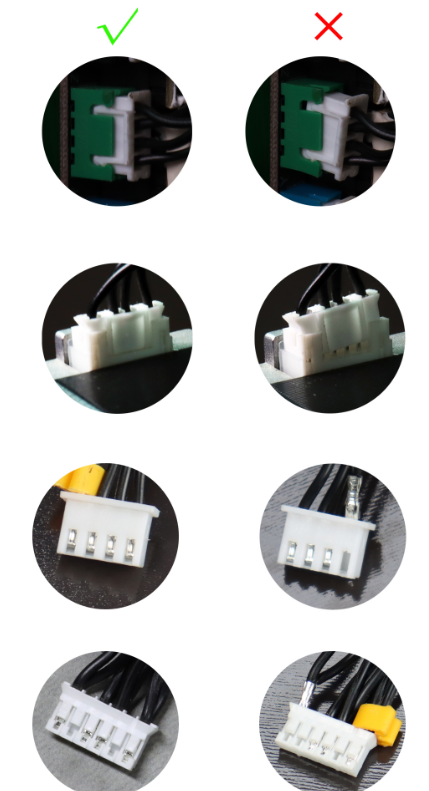
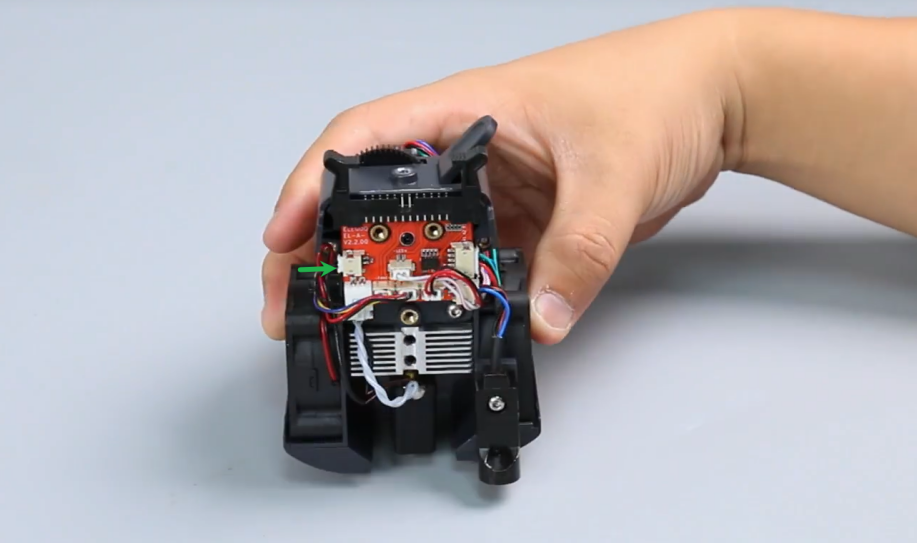
-
If the error message does not occur, it indicates that the issue is resolved.
-
If the error message still occurs, contact ELEGOO technical support team for further assistance.